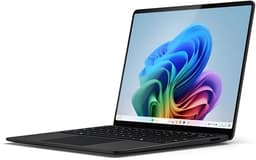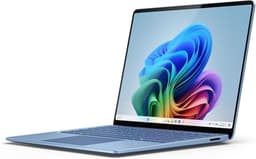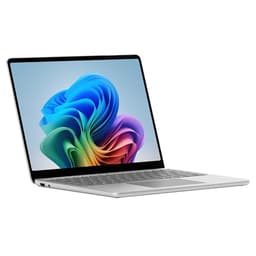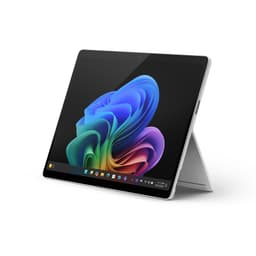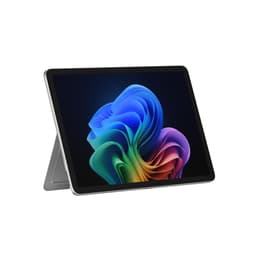
So here's the verdict upfront, because that's what you came for: this is a genuinely impressive 2-in-1 at a premium price point, and it earns most of that premium. The Snapdragon X Plus chip (not the Elite, despite what some listings imply, more on that shortly) delivers real-world performance that embarrasses Intel's previous-gen competition, the screen is gorgeous, and the battery life is the best thing to happen to Windows laptops in years. But the keyboard costs extra, the charger costs extra, and at £1,055.00, you need to know exactly what you're buying before you hand over that kind of money. This isn't a machine for everyone. It might be exactly the machine for you.
Positioned against the iPad Pro M3 (which Microsoft directly name-drops in the marketing), the Dell XPS 13, and the Samsung Galaxy Book4 Pro, the Surface Pro 11th Edition is competing hard in a crowded enthusiast tier. It wins some of those fights convincingly. Others are closer than Microsoft would like to admit.
Core Specifications
Let's talk about the chip situation, because it matters. This specific configuration runs the Qualcomm Snapdragon X Plus, not the X Elite. Both are part of the same Snapdragon X Series family built on TSMC's 4nm process, and both are genuinely fast for everyday and productivity workloads. But the X Plus has fewer CPU cores than the X Elite (10 versus 12) and a slightly cut-down NPU configuration. For most users doing Office, browser work, video calls, light photo editing, and even some video work, the difference is invisible. If you're doing heavy AI inferencing locally or pushing sustained multi-threaded workloads for hours, the Elite chip pulls ahead. Know which one you're buying.
The 16GB of LPDDR5X RAM is soldered, so you can't upgrade it later. For Windows 11 in 2025 and 2026, 16GB is genuinely fine for productivity and creative work. It's not fine if you're planning to run multiple virtual machines or do serious video editing with heavy effects.
The integrated Qualcomm Adreno GPU handles everything the average Surface Pro user will throw at it: 4K video playback, light photo editing in Lightroom, even some casual gaming. What it won't do is run demanding 3D titles at acceptable frame rates or handle GPU-accelerated rendering in anything serious. This is not a machine you buy for gaming. It's a machine you buy because you want a thin, light, long-lasting Windows tablet that can also be a proper laptop. The GPU is sized accordingly, and that's the right call for this product category.
| Specification | Detail |
|---|---|
| Processor | Qualcomm Snapdragon X Plus |
| GPU | Integrated Qualcomm Adreno GPU |
| RAM | 16GB (soldered) |
| Storage | 512GB NVMe SSD |
| Display | 13" IPS, 2880x1920 |
| Operating System | Windows 11 |
| Ports | 2x USB-C (USB4/Thunderbolt-style), 1x Surface Connect, Surface Pro Keyboard connector |
| Wi-Fi | Wi-Fi 7 |
| Battery Life (rated) | Up to 14 hours |
| Colours | Black, Platinum, Sapphire, Dune |
| Price | £1,055.00 |
Performance Benchmarks
The Snapdragon X Plus is a genuinely fast chip for the workloads this device is built around. The ARM architecture does mean you'll occasionally hit compatibility bumps with older x86 software, but Windows 11's Prism emulation layer handles most legacy apps without drama, and the native ARM ecosystem has expanded considerably.
Where the X Plus genuinely shines is in sustained performance. ARM chips from Qualcomm don't throttle the way Intel's thin-and-light chips do under sustained load, partly because the power envelope is more efficient and partly because the thermal design doesn't have to fight a chip that's burning 28W to stay relevant.
The NPU (Neural Processing Unit) built into the X Plus is what qualifies this as a Copilot+ PC, Microsoft's AI-accelerated platform. Features like Recall (the natural language search for your activity history) and AI-enhanced camera processing run on this dedicated silicon rather than hogging the CPU. Whether you care about AI features or not, the practical benefit is that the CPU stays free for your actual work. That's a real-world win regardless of your feelings about Microsoft's AI ambitions. The Recall feature itself remains opt-in, which is the right call given the privacy conversation around it.
If your workflow depends on niche or legacy software, check ARM compatibility before buying. For the vast majority of users on Office 365, Chrome or Edge, Adobe's Creative Cloud (now largely ARM-native), and standard productivity tools, you won't notice any issues at all.
Display Analysis
The 2880x1920 IPS display is one of the best things about this machine, full stop. That resolution across a 13-inch panel gives you a pixel density that makes text look genuinely sharp, not just "fine for a laptop" sharp. The 3:2 aspect ratio is Microsoft's signature choice, and it's the right one for productivity work. You get more vertical screen real estate than a 16:9 panel of the same diagonal size, which matters enormously when you're reading documents, browsing long pages, or working in spreadsheets.
The IPS panel delivers wide viewing angles, so working at odd angles in tablet mode or handing the screen to someone across a table doesn't result in that washed-out look you get from cheaper TN panels.
Outdoor visibility is decent rather than exceptional. Bright sunlight is always going to challenge a glossy display, and the Surface Pro's screen is no exception. It's usable outdoors in most conditions, particularly in shade or on overcast days, but if you're regularly working in direct sunlight you'll be fighting reflections. The touchscreen functionality is smooth and responsive, which matters in tablet mode, and the display works well with the Surface Slim Pen if you're into digital inking. That pen, like the keyboard, is sold separately, so factor that into your budget planning.
Battery Life
Microsoft claims up to 14 hours of battery life. Actual runtime will depend on your workload and display brightness.
The caveat is load. If you're doing sustained video editing, running heavy emulation, or keeping dozens of tabs open with background syncing running, expect that 14-hour figure to come down meaningfully.
Charging is where things get slightly annoying. The power supply is sold separately, which Microsoft frames as a sustainability initiative but which also means the out-of-the-box experience requires an additional purchase. The minimum wattage to charge the Surface Pro 11th Edition is 39W, and the device supports fast charging. The good news is that both USB-C ports support charging, so you're not locked into Microsoft's proprietary Surface Connect port or their specific charger. A decent 65W USB-C GaN charger from any reputable brand will do the job, and you've probably already got one. The Surface Connect port is still there for those who prefer it or have existing Surface docks.
Wi-Fi 7 support is a nice touch that future-proofs the connectivity side of things. Wi-Fi 7 delivers significantly higher throughput and lower latency than Wi-Fi 6E when you have a compatible router. Given how much of its life a machine like this spends on café, airport and hotel Wi-Fi, it is worth running a good VPN to keep your connection private on those shared networks.
Portability
This is where the Surface Pro format genuinely earns its premium. The device is thin, light, and designed from the ground up to go places. The iconic kickstand mechanism, which now goes all the way to 180 degrees flat, is one of those features that sounds gimmicky until you actually need it. Sketching flat on a desk, propping it up on an airplane tray table at an angle that works for your seat, using it as a second screen lying flat next to your main monitor: the kickstand flexibility is genuinely useful rather than a spec-sheet talking point.
Without the keyboard attached, the Surface Pro is light enough to hold in one hand for extended tablet use. Add the keyboard and you're in proper laptop territory, weight-wise, but still well within comfortable bag-carry range. It fits in a standard laptop sleeve or the main compartment of most backpacks without drama. The 13-inch footprint is compact enough for economy class and coffee shop tables without making the screen feel cramped.
The fact that you can charge via USB-C means your charger situation on the road is simplified. One USB-C GaN charger handles the Surface Pro, your phone, and probably your earbuds as well. That's a meaningful quality-of-life win for anyone who travels regularly and is tired of carrying a bag full of proprietary chargers. The Surface Connect port is there if you want it for docking at a desk, but you're not dependent on it.
Keyboard & Trackpad
Here's the thing that will either annoy you or not bother you at all depending on how you feel about Microsoft's product strategy: the keyboard is sold separately. The Surface Pro Keyboard (with Alcantara fabric, available in matching colours including the new Dune finish) is a proper laptop keyboard that attaches magnetically and covers the screen when folded. It's genuinely good. But it's not in the box.
For a device at this price point, that's a legitimate frustration. You're buying what is effectively a tablet, and transforming it into a laptop requires an additional outlay. If you're upgrading from a previous Surface Pro and already own a compatible keyboard, that's fine. If you're coming from a conventional laptop, budget for the keyboard on top of the headline price. The Alcantara fabric covering is a nice touch, premium feeling and grippy in a way that bare aluminium isn't, but it does attract lint and can look tatty after heavy use if you're not careful with it.
The trackpad on the Surface Pro Keyboard is good, not exceptional. It's accurate, supports Windows precision touchpad gestures properly, and doesn't have the mushy, imprecise feel you get on cheaper keyboards. For a detachable keyboard it's impressive. Compared to the trackpads on dedicated laptops like the MacBook Air or the Dell XPS 13, it's a step behind in terms of surface area and feel. That's an inherent limitation of the form factor rather than a failing specific to this generation. If trackpad precision is your primary concern, a conventional laptop will serve you better.
There's no number pad, which is standard for a 13-inch form factor. The key layout is sensible for UK users, and the backlight (on the keyboard accessory) makes evening use comfortable. The keyboard also charges from the Surface Pro itself when connected, so no separate charging cable to worry about.
Thermal Performance
For tablet use, surface temperature matters as much as processor speed. Sustained workloads generate more heat than light browsing.
The thermal design benefits from the ARM chip's efficiency, but it's also helped by the fact that this isn't a machine trying to push 45W of TDP into a thin chassis. The performance ceiling is set at a level the cooling solution can handle without drama. The practical result is a machine that maintains its performance figures over sustained use rather than throttling hard after the first few minutes of load.
Acoustic Performance
Quiet. That's the short version. The Surface Pro 11 with the Snapdragon X Plus is a near-silent machine for the vast majority of use cases. During light to moderate productivity work, browsing, video calls, document editing, you'll hear essentially nothing. The fan, if it spins at all during these tasks, is inaudible in any normal environment.
For meetings and video calls specifically, this matters more than people give it credit for. A laptop that spins its fan hard during a video call is picking up that noise on the microphone and broadcasting it to everyone else on the call. The Surface Pro 11's AI-enhanced microphone array has noise suppression built in, and the low fan noise means there's less background noise to suppress in the first place.
Ports & Connectivity
The port situation is minimal but not catastrophic. Two USB-C ports with USB4 and Thunderbolt-style connectivity give you high-bandwidth options for external displays, fast storage, and docking solutions. Both ports support charging and data simultaneously, which is important when you're running off a USB-C charger and need the other port for something else. The Surface Connect port is Microsoft's proprietary magnetic connector, primarily useful for Microsoft's own Surface Dock accessories or the official Surface charger if you have one.
The Surface Pro Keyboard connector on the bottom edge is how the keyboard attaches and communicates, and it also handles the keyboard's charging. Beyond that, you're working with two USB-C ports for everything external. No full-size USB-A, no HDMI, no SD card slot. If your workflow depends on any of those, you're looking at a USB-C hub or dock, which is an additional cost and an additional thing to carry. For a device at this price, some users will find that frustrating. For others who've already gone USB-C-first in their setup, it's a non-issue.
Wi-Fi 7 is a proper headline feature here, not just a spec-sheet checkbox. The 802.11be standard delivers multi-gigabit wireless speeds and significantly improved performance in congested environments like offices and hotels with many devices competing for bandwidth. It's backward compatible with Wi-Fi 6, 6E, and older standards, so it works fine on any network you connect to today while being ready for Wi-Fi 7 routers as they become more common.
- 2x USB-C (USB4 / Thunderbolt-style, supporting charging and data)
- 1x Surface Connect (proprietary magnetic charging and docking)
- Surface Pro Keyboard connector (bottom edge, magnetic)
- Wi-Fi 7 (802.11be)
Webcam & Audio
Microsoft describes the front and rear cameras as HD with AI-enhanced features. The AI processing handles low-light situations better than a raw sensor of this size would manage alone, and the automatic framing and background blur features work without the choppiness you see on cheaper implementations. For video calls, this is a genuinely good webcam setup. The rear camera is a nice addition for tablet use, particularly if you're using the Surface Pro for document scanning or quick photos in a meeting.
Speaker quality is good for the form factor. The Surface Pro has never been a machine you buy for its audio, but the speakers are loud enough for a solo video watching session and clear enough that you're not straining to follow dialogue. Bass is thin, as it always is on slim devices with no room for speaker chambers, but the midrange is clean. For anything serious, plug in headphones or use Bluetooth audio. The speakers are fine for casual use and calls, nothing more.
Build Quality
Microsoft has been making Surface devices long enough to know how to build them properly, and the Surface Pro 11 continues that tradition. The chassis is recycled aluminium, which feels solid and premium in hand. There's no flex to speak of in the main body, and the kickstand mechanism feels precise and well-damped. It holds its position reliably rather than creeping or flopping, which matters when you're using it at an angle on a surface that isn't perfectly flat.
The 180-degree kickstand is a proper engineering achievement in a device this thin. Getting the hinge mechanism to work smoothly across that full range of motion without adding bulk or weight is genuinely difficult, and Microsoft has refined it over multiple generations.
Fingerprints are a fact of life on any aluminium device, and the Surface Pro is no exception. The overall build feels durable and considered, with Microsoft specifically calling out more replaceable components as part of their sustainability push. That's a meaningful shift from previous generations and a positive sign for repairability, which matters when you're spending this kind of money on a device you expect to last several years.
The Surface Pro 11 is also Microsoft's most sustainable 2-in-1, incorporating recycled materials throughout the chassis. Whether that influences your buying decision or not, the build quality that results from this approach is solid. Nothing about this device feels cheap or compromised despite the thin profile. It's a proper premium product that justifies the premium price from a construction standpoint, even if the missing charger and keyboard grate a bit.
How It Compares
The two most natural rivals to put next to the Surface Pro 11 are the Apple iPad Pro M3 (which Microsoft directly references in their own marketing, so fair game) and the Dell XPS 13 Plus, which competes in the same premium Windows ultraportable space. These three represent genuinely different approaches to the same problem: how do you build a thin, light, capable machine for someone who needs real performance on the move?
Against the iPad Pro M3, the Surface Pro 11 wins on software flexibility. Windows 11 runs full desktop applications that iPadOS simply cannot. If you need a real browser with extensions, full Office applications rather than the mobile versions, or any professional software that doesn't have an iPad port, the Surface Pro wins by default. The iPad Pro has a better display, a more mature tablet OS for media consumption, and the Apple ecosystem integration that some users find indispensable. But it's not a laptop replacement in the way the Surface Pro is. Microsoft's claim of being faster than the iPad Pro M3 is specific to certain benchmarks and workloads, and the iPad Pro remains the better pure tablet. The Surface Pro is the better Windows computer.
Against the Dell XPS 13 Plus, the Surface Pro 11 offers the 2-in-1 flexibility and better battery life at the cost of a more conventional laptop experience. The XPS 13 Plus has a better trackpad, a more traditional keyboard (included in the price), and in some configurations a more powerful Intel Core Ultra chip for sustained heavy workloads. But it doesn't fold flat, doesn't have a kickstand, and its battery life trails the ARM-powered Surface Pro meaningfully. If you want a pure laptop and don't need tablet mode, the XPS 13 Plus is worth serious consideration. If the 2-in-1 flexibility matters at all, the Surface Pro wins.
| Feature | Microsoft Surface Pro 11 (Snapdragon X Plus) | Apple iPad Pro M3 (13-inch) | Dell XPS 13 Plus |
|---|---|---|---|
| Price | £1,055.00 | Similar premium tier | Similar premium tier |
| Processor | Qualcomm Snapdragon X Plus | Apple M3 | Intel Core Ultra 7 |
| RAM | 16GB | 8GB to 16GB | 16GB to 32GB |
| Storage | 512GB NVMe SSD | 256GB to 2TB | 512GB to 1TB NVMe SSD |
| Display | 13" IPS 2880x1920 | 13" OLED/mini-LED | 13.4" OLED 2880x1800 |
| Battery Life | Up to 14 hours | Up to 10 hours | Up to 12 hours |
| OS | Windows 11 | iPadOS | Windows 11 |
| Form Factor | 2-in-1 tablet with kickstand | Tablet (keyboard sold separately) | Traditional clamshell laptop |
| Keyboard Included | No (sold separately) | No (sold separately) | Yes |
| Best For | Windows power users who want tablet flexibility and all-day battery | Creative professionals in the Apple ecosystem | Windows users who want a pure laptop with no compromises |
Final Verdict
The Microsoft Surface Pro 11 with the Snapdragon X Plus is a genuinely excellent machine for the right buyer. The ARM chip delivers real-world performance that matches or beats Intel competition in the workloads this device is built for, the battery life is the best a Windows 2-in-1 has ever offered, the display is sharp and colour-accurate, and the build quality is exactly what you'd expect from a premium Microsoft product.
The frustrations are real but manageable. The keyboard costs extra. The charger costs extra. The port selection is minimal enough that most users will want a USB-C hub at some point. ARM compatibility, while much improved, still occasionally bites users with niche software. And if you're expecting the Snapdragon X Elite rather than the X Plus in this configuration, make sure you're buying the right SKU. These aren't dealbreakers, but they're genuine considerations that affect the real-world cost and experience of ownership.
For the enthusiast tier this machine occupies, it earns a strong 8 out of 10. It loses points for the accessory situation and the port limitations, but gains them back for battery life, build quality, thermal performance, and the genuine step-change the ARM chip represents for Windows portable computing. This is the Surface Pro that finally makes the promise of the Surface Pro format feel fully realised rather than aspirational.
One honest note for the undecided: if you don't specifically need the 2-in-1 tablet functionality and you're just after a great Windows ultraportable, look at the Dell XPS 13 or the Samsung Galaxy Book4 Pro before committing. You'll get a keyboard included, and in some cases a more powerful chip for sustained heavy workloads. The Surface Pro format is brilliant, but you pay a premium for it, and that premium only makes sense if the flexibility it offers is flexibility you'll actually use. If it is, this is one of the best Windows portables money can buy right now.
What works. What doesn’t.
5 + 5What we liked5 reasons
- Outstanding battery life that genuinely delivers all-day performance under mixed productivity workloads, a real step forward for Windows 2-in-1 devices
- Snapdragon X Plus runs cool and quiet with no throttling under sustained load, making it far more comfortable to use than previous Intel-based Surface Pros
- Sharp 2880x1920 IPS display with a 3:2 aspect ratio provides excellent vertical real estate and accurate colour reproduction for productivity and creative work
- Build quality is premium throughout, with a precisely engineered kickstand that goes flat to 180 degrees and a recycled aluminium chassis that feels solid and considered
- Wi-Fi 7 support and USB-C charging on both ports add genuine long-term value and simplify the travel charging setup
Where it falls5 reasons
- Keyboard and charger are both sold separately, adding meaningful cost to what is already a premium headline price
- Port selection is limited to two USB-C ports and the proprietary Surface Connect connector, meaning most users will need a hub for USB-A, HDMI, or SD card access
- ARM compatibility occasionally causes friction with niche or legacy x86 professional software, requiring checks before buying if your workflow depends on specialist applications
- RAM is soldered at 16GB with no upgrade path, which may feel restrictive for users planning to run virtual machines or heavy video editing workloads in the years ahead
- The IPS panel, while sharp and colour-accurate, is not OLED and can struggle with reflections in direct sunlight compared with rival OLED displays at this price tier
Full specifications
12 attributes| Storage type | SSD |
|---|---|
| Battery life H | 14 |
| Battery WH | 53 |
| CPU | Snapdragon X Plus X1P64100 |
| Display refresh HZ | 120 |
| Display resolution | 2880x1920 |
| Display size IN | 13 |
| GPU | Qualcomm Adreno (integrated) |
| Launch year | 2024 |
| OS | Windows 11 Pro |
| Panel type | LCD |
| Ports | 2x USB-C (USB4/Thunderbolt-style), 1x Surface Connect, Surface Pro Keyboard connector |
If this isn’t right for you
2 options

Frequently asked
7 questions01Does this Surface Pro come with the keyboard included?+
No. The Surface Pro Keyboard is sold separately for this model. If you are budgeting for the complete laptop-style setup, you will need to factor in the cost of the keyboard accessory on top of the headline device price.
02Is this the Snapdragon X Elite or the Snapdragon X Plus?+
This configuration runs the Qualcomm Snapdragon X Plus, not the X Elite. Both belong to the same Snapdragon X Series family and are built on TSMC's 4nm process. The X Plus has 10 CPU cores versus 12 on the X Elite and a slightly trimmed NPU. For the vast majority of productivity, creative, and communications workloads, the difference is not noticeable in everyday use.
03What charger do I need, and is one included in the box?+
A charger is not included in the box. The Surface Pro 11 supports charging via either of its two USB-C ports and requires a minimum of 39W for charging. A 65W USB-C GaN charger from any reputable third-party brand will work perfectly well. The proprietary Surface Connect port also supports charging if you have Microsoft's own Surface charger or a compatible Surface Dock.
04Will my existing Windows software run on the Snapdragon X Plus?+
Most mainstream software runs without issue. Applications including Microsoft Office 365, Chrome, Edge, Adobe Creative Cloud, and standard productivity tools are either natively compiled for ARM or run smoothly through Windows 11's Prism emulation layer. A minority of niche or legacy x86 professional applications may run slowly under emulation or require workarounds. If your workflow depends on specialist software, check ARM compatibility before purchasing.
05How does the battery life hold up in real-world use?+
Microsoft claims up to 14 hours of battery life. Actual runtime will depend on your workload and display brightness; sustained video editing or running software through emulation can reduce it.
06Can the Surface Pro 11 connect to an external monitor?+
Yes. Both USB-C ports support USB4 with Thunderbolt-style connectivity, which means you can connect to external displays at up to 4K resolution using a compatible USB-C or Thunderbolt cable or hub. A USB-C docking station will also give you HDMI and DisplayPort outputs if you need them, along with additional USB-A ports and wired Ethernet.
07How does the Surface Pro 11 compare to the Apple iPad Pro M3?+
The Surface Pro 11 runs full Windows 11 and supports desktop-class applications that iPadOS cannot run, making it the stronger choice for anyone who needs a genuine laptop replacement with full browser extensions, full Office applications, and professional software. The iPad Pro M3 has an OLED or mini-LED display that is technically superior, a more mature tablet operating system for media consumption, and tighter integration with the Apple ecosystem. The Surface Pro is the better Windows computer; the iPad Pro is the better pure tablet.