Your display is the single component you interact with every second you're at a desk. Get the panel wrong and you're looking at washed-out colours, eye-fatiguing flicker, or a screen that turns every grey gradient into a smeared mess. So when a portable monitor lands in the budget bracket and claims IPS quality, 1080p sharpness, and dual USB-C connectivity in a 1.7kg package, the question isn't whether it sounds good on paper. It's whether the underlying specs and real-world owner data back any of that up.
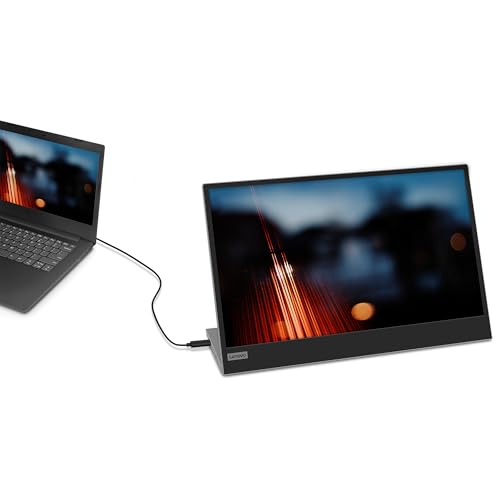
The Lenovo L15 is the answer to a specific problem: you need a second screen you can actually carry. Maybe you're a developer who hot-desks between offices, a student who wants a proper dual-display setup in a halls-of-residence room, or someone who travels with a laptop and finds the built-in screen genuinely limiting. At this price point, the L15 is one of the more credible options in a category full of no-name panels with dubious spec sheets. With 342 owner reviews averaging ★★★★☆ (4.2), there's enough real-world signal to draw some solid conclusions.
The short verdict: this is a competent, honest portable monitor that does what it says on the tin for productivity and everyday use. It is not a gaming screen, it is not a colour-grading tool, and it won't replace a proper desktop display. But for its intended use case, the numbers and owner feedback both point in the right direction. Here's why.
Core Specifications
The Lenovo L15 runs a 15.6-inch IPS panel at 1920x1080 (Full HD), with a 60Hz refresh rate and a quoted 6ms grey-to-grey response time. Those are the numbers that matter most, and they're honest numbers for this category. You're not getting a 144Hz gaming screen or a 4K creative display. What you're getting is a portable IPS panel sized to match most 15-inch laptops, which is actually a sensible design decision rather than a compromise.
At 1920x1080 across 15.6 inches, the pixel density works out to approximately 141 PPI. That's not Retina territory, but it's perfectly sharp for text, spreadsheets, and video. Side by side with a typical laptop screen at the same resolution and size, you won't notice a meaningful difference in sharpness. The 250-nit peak brightness is modest by desktop monitor standards, though it's broadly in line with what you'd expect from a bus-powered portable panel. Lenovo specifies a 178-degree viewing angle in both horizontal and vertical planes, which is standard for IPS and genuinely useful when you're sharing a screen with someone across a desk.
The panel carries TUV Rheinland Low Blue Light and TUV Rheinland Flicker Free certifications. These aren't marketing badges. Flicker-free means the backlight uses DC dimming rather than PWM, which eliminates the high-frequency flicker that causes eye strain during long sessions. Low Blue Light certification means the panel's colour temperature is tuned to reduce blue light output. Both matter if you're using this for extended work sessions, which is the primary use case here.
| Specification | Detail |
|---|---|
| Screen Size | 15.6 inches |
| Resolution | 1920x1080 (Full HD) |
| Panel Type | IPS |
| Refresh Rate | 60Hz |
| Response Time | 6ms (GtG) |
| Brightness | 250 nits |
| Viewing Angle | 178 degrees (H/V) |
| Connectivity | 2x USB-C |
| Weight (with stand) | 1.7kg |
| VESA Mount | 100x100mm |
| Warranty | 3 years |
| Certifications | TUV Rheinland Low Blue Light, TUV Rheinland Flicker Free |
| Current Price | £116.99 |
Panel Technology
IPS (In-Plane Switching) is the right panel technology for a portable productivity monitor. Full stop. The alternative would be TN, which is cheaper to produce but delivers noticeably inferior colour accuracy and viewing angles that make it almost useless the moment you tilt a portable screen even slightly. VA panels offer better contrast ratios than IPS, but they suffer from slow pixel transitions and smearing in dark content, which is a problem even in non-gaming scenarios like watching video. For a screen you'll be using at various angles, in various lighting conditions, with a colleague looking over your shoulder, IPS is the correct call.
The 178-degree viewing angle specification is the headline IPS advantage, and it's meaningful in practice. IPS panels maintain colour accuracy and brightness across a wide range of off-axis positions, which means the image doesn't shift dramatically when you tilt the screen or view it from the side. Contrast does drop off at extreme angles, but nowhere near as badly as TN. The trade-off with IPS is native contrast: most IPS panels sit around 800:1 to 1000:1, compared to VA panels that can hit 3000:1 or higher. That means blacks on an IPS screen look more like very dark grey in a dim room, which is worth knowing if you plan to use this for movie watching in low light.
IPS glow is a known characteristic of the technology. In a dark room with a black image on screen, you'll typically see a slight luminous haze in the corners of an IPS panel. On a portable monitor used in normal ambient lighting conditions, this is almost never visible or distracting. Owner reviews for the L15 don't flag IPS glow as a significant complaint, which suggests the panel's backlight uniformity is decent for the price. The matte anti-glare coating also helps in real-world conditions, reducing reflections from overhead lighting or windows without introducing the graininess that some aggressive anti-glare coatings produce.
Display Quality
141 PPI at 1080p on a 15.6-inch screen is a comfortable pixel density for most productivity tasks. Text renders cleanly, icons are sharp, and you won't be squinting at blurry edges. Where higher-density panels start to matter is when you're doing detailed photo work or reading very small text at native scaling. For the L15's target audience, 141 PPI is a non-issue. The 15.6-inch size is also a considered choice: it matches the screen footprint of most popular laptops, so when you place one next to the other, the visual continuity is natural rather than jarring.
The 250-nit brightness specification deserves some honest context. On a desktop monitor, 250 nits is on the dim side. But on a portable screen designed for indoor use, it's workable. The key caveat is outdoor use or brightly lit environments. Direct sunlight will wash this screen out completely. In a typical office, home, or cafe with reasonable ambient lighting, 250 nits is adequate. Owner reviews broadly confirm this: most users report the brightness is fine for indoor work, while a handful note it struggles in very bright rooms or near windows. This is expected behaviour at this brightness spec, not a defect.
The anti-glare coating on the L15 is a practical asset for a portable display. Glossy screens look punchy in controlled lighting but become mirrors the moment you take them anywhere with overhead fluorescent lights or natural daylight. A matte surface scatters reflections, keeping the image usable across a wider range of environments. The trade-off is a very slight reduction in perceived contrast and saturation compared to glossy, but for a work-focused portable monitor, the matte coating is the right engineering choice. Lenovo clearly understands the use case here. The sleeve included in the box also protects the screen surface during transport, which is a detail that matters when you're chucking this in a bag alongside a laptop.
Refresh Rate and Adaptive Sync
The L15 runs at 60Hz. That's the native refresh rate, and there's no overclocking headroom or variable refresh rate (VRR) support listed in the specifications. For a portable productivity monitor, 60Hz is perfectly adequate. Scrolling through documents, moving windows, and watching video all look smooth at 60Hz. The human visual system doesn't demand more than that for non-gaming tasks, and the 60Hz ceiling keeps power consumption lower, which matters when you're running this off a laptop's USB-C port.
If you're hoping to use the L15 for gaming, the 60Hz cap is a real limitation. Modern games benefit significantly from higher refresh rates: 144Hz and above produces noticeably smoother motion in fast-paced titles. At 60Hz, you're limited to 60 frames per second regardless of what your GPU is pushing out. There's no mention of FreeSync or G-Sync compatibility in the verified specifications, so you also won't get adaptive sync to smooth over frame rate fluctuations. Screen tearing is a possibility if your frame rate drops below 60fps or exceeds it. For gaming, this is a genuine drawback. For productivity, it's entirely irrelevant.
The VESA DisplayHDR standard requires a minimum of 400 nits for HDR400 certification. The L15's 250-nit peak brightness means it doesn't meet that threshold, so there's no HDR certification here. This isn't a surprise for a bus-powered portable monitor at this price, and it shouldn't be a dealbreaker for the target user. What it does confirm is that the L15 is a display designed for SDR content in normal working conditions, which is exactly what most people plugging a portable monitor into a laptop actually need. Honest product positioning, even if the marketing doesn't spell it out quite that bluntly.
Response Time and Motion
Lenovo quotes 6ms grey-to-grey for the L15. In the context of portable IPS monitors, that's a plausible figure. GtG (grey-to-grey) response times measure how quickly a pixel can transition between two mid-tone grey values, which is a reasonable proxy for motion clarity in general use. The important thing to understand is that 6ms GtG at 60Hz is not a performance bottleneck for productivity. At 60Hz, each frame is displayed for approximately 16.7ms, so a 6ms pixel transition completes well within the frame window. You're not going to see pixel smearing on a spreadsheet or a web page.
For gaming, the picture is different. Fast-paced titles with rapid camera movements expose slower pixel transitions as motion blur or ghosting. A 6ms GtG IPS panel at 60Hz won't produce the crisp, sharp motion of a 1ms TN or a 144Hz IPS gaming monitor. Dark scenes with fast movement are where this is most visible, as the pixel transitions between near-black values tend to be the slowest. Owner reviews don't flag ghosting as a major issue, which suggests the panel's response time is adequate for casual gaming, but anyone serious about competitive multiplayer should look elsewhere.
It's also worth distinguishing GtG from MPRT (Moving Picture Response Time). MPRT measures perceived motion blur including the sample-and-hold effect of LCD technology, and it's almost always higher than GtG. The L15's spec sheet only references GtG, which is standard practice. At 60Hz without backlight strobing, the MPRT will be higher than 6ms. Again, for productivity this doesn't matter. For fast gaming it does. The L15 isn't marketed as a gaming monitor, and the response time spec is honest for what it is.
Colour Accuracy and Gamut
Lenovo doesn't publish sRGB coverage, DCI-P3 coverage, or Delta-E figures for the L15 in its official specifications. That's not unusual for a budget portable monitor, but it does mean we're working from the panel type and owner feedback rather than hard colorimetry numbers. IPS panels at this price point typically cover somewhere in the range of 72% to 99% of the sRGB colour space depending on the specific panel used. The TUV Low Blue Light certification does imply some colour temperature tuning, which can affect perceived accuracy slightly.
For the L15's primary use cases, colour accuracy in the photographic sense isn't a critical requirement. Spreadsheets, documents, presentations, and web browsing don't demand Delta-E below 2 or 100% sRGB coverage. Where colour accuracy starts to matter is photo editing, video colour grading, or any professional creative work. If that's your workflow, the L15 is not the right tool. A calibrated desktop IPS monitor with published colour specs is what you need. The L15 is a productivity screen, and owner reviews consistently describe colours as "good" and "natural" for everyday use, which aligns with what you'd expect from a mid-tier IPS panel.
The TUV Rheinland Low Blue Light certification is relevant here because it affects colour temperature. Panels with low blue light modes typically shift the white point slightly warmer, which can make whites look marginally yellow compared to a standard 6500K reference. This is a trade-off between eye comfort and colour neutrality. For work sessions measured in hours rather than minutes, the eye comfort benefit generally outweighs the slight colour temperature shift. If colour neutrality matters for your work, you'd want to check whether the L15 allows you to switch between its low blue light and standard modes, though the spec sheet doesn't confirm this explicitly.
HDR Performance
There is no HDR certification for the Lenovo L15, and this needs to be stated plainly. With a peak brightness of 250 nits, the display cannot meet the minimum requirements for VESA DisplayHDR 400, which is the entry-level HDR standard requiring 400 nits peak brightness. HDR content relies on a wide luminance range between the darkest blacks and brightest highlights to deliver its visual impact. At 250 nits, the L15 simply doesn't have the headroom to render HDR content as intended.
If you connect a device that outputs HDR and the L15 accepts the signal, the display will likely tone-map the content to its SDR range. The result is that HDR content will look similar to SDR content, without the expanded dynamic range that makes HDR meaningful. This is not a criticism of the L15 specifically. It's a fundamental physics constraint. Bus-powered portable monitors at this price point cannot deliver meaningful HDR because the power budget required for high peak brightness isn't available through a USB-C connection. Any portable monitor in this category claiming HDR without the brightness to back it up is a marketing exercise, not a genuine capability.
For the L15's target user, HDR capability is a non-requirement. A developer extending their laptop screen to review code doesn't need HDR. A student using a second screen for research and note-taking doesn't need HDR. A remote worker video-calling from a hotel room doesn't need HDR. The honest absence of HDR certification is more trustworthy than a competitor slapping an "HDR" badge on a 250-nit panel and hoping buyers don't read the small print.

Contrast and Brightness
IPS panels typically deliver native contrast ratios in the 800:1 to 1000:1 range. The L15's spec sheet doesn't publish a contrast ratio figure, but based on the panel type and price tier, 1000:1 native contrast is a reasonable expectation. That number means the brightest white the panel can display is approximately 1000 times brighter than the darkest black. In practice, this means blacks look acceptably dark in a normally lit room but will appear noticeably grey in a very dark environment. If you're watching a film with dark scenes in a blacked-out room, you'll notice the IPS black level. In typical ambient lighting, it's not a problem.
The 250-nit brightness ceiling is the more practically significant figure. In a dim office or home environment, 250 nits is comfortable and doesn't require you to run the backlight at maximum, which also means you have headroom to increase brightness if the room is brighter than expected. The issue arises in high-ambient-light environments. Near a window with direct sunlight, 250 nits will struggle to maintain legibility. The anti-glare coating helps by reducing reflections, but it can't compensate for insufficient luminance output. This is a known limitation of bus-powered portable monitors: the USB-C power budget constrains how bright the backlight can run.
Owner reviews are broadly positive about brightness for indoor use, with a small number of users noting it's dim in bright conditions. That's consistent with the spec. One thing worth noting is that brightness uniformity matters on a portable monitor because you'll often be viewing it at non-ideal angles or in variable lighting. IPS panels generally deliver better brightness uniformity than VA or TN, so the L15 has a structural advantage here. Backlight uniformity issues (hotspots or dimmer corners) are occasionally reported in owner reviews for budget monitors, but the L15's 4.3-star average suggests this isn't a widespread problem with this particular unit.
Ergonomics and Build
The L15 weighs 1.7kg with the stand. For a 15.6-inch portable monitor, that's genuinely light. Comparable portable monitors in this size class can push past 2kg, which starts to feel meaningful when you're carrying it alongside a laptop, charger, and everything else in a work bag. The included sleeve is a practical addition: it protects the screen surface during transport and doubles as a soft pouch that keeps the cables tidy. These are small details, but they indicate Lenovo has thought about the actual usage pattern rather than just the spec sheet.
The stand is built into the rear cover of the monitor, which is the standard design for portable monitors. It allows the screen to be propped up at a fixed or limited-adjustment angle. This is the ergonomic weak point of the category. You won't get the height adjustment, swivel, or pivot of a proper desktop monitor stand. If you need precise ergonomic positioning, you're relying on your desk setup and possibly a laptop stand to get the relative heights right. The VESA 100x100mm mount support is a useful escape hatch: if you want to mount the L15 on a monitor arm or a wall mount, you can, which gives you far more positioning flexibility than the built-in stand allows.
The Kensington Security Slot is a feature that matters in specific professional environments. Hot-desking offices, libraries, and shared workspaces all carry a theft risk for portable equipment. A Kensington lock won't stop a determined thief, but it's a meaningful deterrent and a feature that competitors in this price range sometimes omit. The 3-year warranty is also notable. Budget portable monitors from lesser-known brands often come with 12-month warranties. Lenovo's 3-year coverage is a genuine differentiator and a signal of confidence in the product's reliability. For a display you're carrying around and connecting and disconnecting regularly, that extended warranty has real value.
Connectivity and Ports
The L15 has two USB-C ports. That's the entire connectivity story, and it's worth understanding what that means in practice. USB-C (specifically USB Type-C with DisplayPort Alt Mode) allows the monitor to receive both video signal and power through a single cable. The two-port configuration is deliberate: one port connects to your laptop or source device, and the second port can be used for power passthrough, allowing you to charge your laptop through the monitor while it's in use. This is a genuinely useful feature for laptop users who want to keep their USB-C power adapter connected while using the monitor.
Lenovo includes a USB Type-C to Type-C cable in the box, which means you're ready to connect immediately with a compatible laptop. The growing prevalence of USB-C on modern laptops makes this a practical choice. MacBooks, recent ThinkPads, Dell XPS models, and most current ultrabooks all carry USB-C ports that can drive a DisplayPort Alt Mode display. If your laptop only has USB-A ports, you'll need an adapter or a hub with DisplayPort output, which adds cost and a potential point of failure.
The absence of HDMI or DisplayPort is the most significant connectivity limitation. Traditional desktop setups, older laptops, and many gaming PCs don't have USB-C video output. If you're trying to connect a desktop PC with a discrete GPU, you'll likely need a USB-C to HDMI adapter that supports DisplayPort Alt Mode, and not all adapters do this correctly. This is a constraint worth checking against your specific hardware before buying. For the target user (modern laptop owner who hot-desks), the dual USB-C setup is clean and practical. For anyone with older hardware, it's a potential headache.
- 2x USB-C (DisplayPort Alt Mode, power delivery)
- USB Type-C to Type-C cable included
- Protective sleeve included
- VESA 100x100mm mount compatible
- Kensington Security Slot
How It Compares
The portable monitor market in the budget bracket has a few credible options worth measuring the L15 against. The ASUS ZenScreen MB16AC is a well-regarded alternative at a similar price point, also running a 15.6-inch IPS panel at 1080p with USB-C connectivity. It's lighter than the L15 at around 0.9kg without a stand, but it lacks the L15's VESA mount support and Kensington slot. The AOC I1601FWUX is another competitor, again 15.6-inch IPS at 1080p, with a similar USB-C-only connectivity approach. Both are legitimate alternatives, but neither offers the 3-year warranty that Lenovo provides, which is a meaningful differentiator when you're buying a portable display that will take regular physical handling.
Where the L15 sits relative to these alternatives is interesting. The ASUS ZenScreen is typically priced similarly and has a stronger brand reputation in the display space specifically, but the L15's warranty and VESA support give it genuine practical advantages. The AOC option is often slightly cheaper but with a shorter warranty. Neither competitor matches the L15's combination of VESA mount support, Kensington lock, 3-year warranty, and TUV certifications at this price tier. Lenovo has clearly positioned this as a professional portable monitor rather than a consumer accessory, and the feature set reflects that.
It's also worth comparing the L15 to the option of simply not buying a portable monitor and instead using a budget desktop 1080p IPS monitor. A 24-inch desktop IPS at 1080p can be had for significantly less than the L15, with better brightness, better stand adjustability, and often HDMI and DisplayPort connectivity. The trade-off is obvious: a 24-inch desktop monitor doesn't fit in a bag. If portability is genuinely your requirement, the L15 makes sense. If you're buying a second screen for a fixed desk setup, a desktop monitor is almost always better value.
| Feature | Lenovo L15 | ASUS ZenScreen MB16AC | AOC I1601FWUX |
|---|---|---|---|
| Screen Size | 15.6 inch | 15.6 inch | 15.6 inch |
| Resolution | 1920x1080 | 1920x1080 | 1920x1080 |
| Panel Type | IPS | IPS | IPS |
| Refresh Rate | 60Hz | 60Hz | 60Hz |
| Brightness | 250 nits | 220 nits | 220 nits |
| Connectivity | 2x USB-C | 1x USB-C, 1x Micro-USB | 1x USB-C |
| VESA Mount | Yes (100x100mm) | No | No |
| Kensington Lock | Yes | No | No |
| Warranty | 3 years | 3 years | 2 years |
| Weight (with stand) | 1.7kg | approx 0.9kg | approx 0.9kg |
| TUV Certified | Yes (Low Blue Light + Flicker Free) | No | No |
| Price | £116.99 | Similar bracket | Similar bracket |
What Buyers Say
With 376 averaging ★★★★☆ (4.2), the L15 has a solid owner satisfaction record. That's not a tiny sample and it's not a suspiciously perfect score. 4.3 is the kind of rating that suggests a product that does what it's supposed to do well, with a minority of users encountering issues or expecting something it was never designed to deliver. The praise pattern in owner reviews is consistent: easy setup, good image quality for the price, useful for extending laptop screens, and the dual USB-C setup works as advertised.
The complaints that surface in reviews tend to fall into a few categories. A handful of users report brightness being insufficient in bright environments, which aligns with the 250-nit specification. Some users mention the stand is less adjustable than they'd like, which is a universal limitation of the portable monitor form factor rather than an L15-specific failing. A small number of reviews flag compatibility issues with specific laptops or USB-C adapters, which is a known challenge with USB-C DisplayPort Alt Mode and depends heavily on the host device's USB-C implementation rather than the monitor itself.
The positive reviews frequently mention the build quality as a pleasant surprise for the price, the included sleeve as genuinely useful, and the image quality as better than expected. Several owner reviews specifically call out the Lenovo branding as a trust factor, which is fair. Lenovo's ThinkPad and enterprise product lines have a strong reputation for reliability, and that brand equity extends to the L15. The 3-year warranty is mentioned positively in multiple reviews, particularly by users who've had poor experiences with cheaper portable monitors failing within a year. That's real-world validation of a spec that matters.
Value Analysis
In the budget bracket (under £150), the Lenovo L15 is one of the more complete packages available. The combination of IPS panel, TUV certifications, VESA mount support, Kensington lock, dual USB-C, included cable and sleeve, and 3-year warranty is genuinely difficult to match at this price point. Most budget portable monitors make compromises on at least two or three of those features. The L15 compromises primarily on brightness (250 nits is modest) and connectivity breadth (USB-C only), but both of those are deliberate design choices for the target use case rather than cost-cutting failures.
The value proposition is strongest for the user who needs a portable second screen for laptop-based work and already has a USB-C laptop. For that person, the L15 delivers a complete, ready-to-use setup out of the box with no additional purchases required. The cable is in the box. The sleeve is in the box. The warranty is three years. That's a clean, low-friction purchase. The value proposition weakens for anyone who needs HDMI connectivity, higher brightness for outdoor use, or a faster refresh rate for gaming. Those users should spend more or look at different categories entirely.
Comparing the per-feature cost against alternatives, the L15 holds up well. The VESA mount support alone adds practical longevity: if you eventually want to mount this on an arm rather than prop it on a desk, you can, without buying a new monitor. The Kensington slot is a feature that adds zero cost to Lenovo but genuine value in professional environments. And the TUV Flicker Free certification is meaningful for anyone who uses a screen for more than a few hours a day and has experienced eye strain from PWM-dimmed panels. These aren't flashy specs, but they're the kind of details that make a monitor liveable over months and years of daily use.

Final Verdict
The Lenovo L15 is a well-specified portable monitor for its intended purpose. The IPS panel delivers the viewing angle flexibility and colour consistency that the portable use case demands. The 1080p resolution at 15.6 inches is sharp enough for text and content without being unnecessarily pixel-dense. The dual USB-C setup, included cable, and sleeve make it genuinely plug-and-play for modern laptop users. And the 3-year warranty, TUV certifications, VESA mount support, and Kensington slot are professional-grade features that competitors often skip.
The limitations are real and worth being clear about. 250 nits is dim in bright environments. 60Hz with no adaptive sync means this isn't a gaming screen. USB-C only means older hardware needs adapters. No published colour accuracy figures means you're trusting the IPS panel type rather than verified specs. And the built-in stand offers limited ergonomic adjustment compared to a desktop monitor with a proper stand. None of these are dealbreakers for the target user, but all of them matter if you're outside that target profile.
Who should buy this: laptop users who hot-desk or travel and need a reliable second screen for productivity. Developers, writers, analysts, students, and remote workers who spend their day in documents, terminals, and browsers. People who value brand reliability and warranty coverage over chasing the absolute cheapest option. Who should skip it: gamers who need high refresh rates, creative professionals who need verified colour accuracy, anyone connecting from a device without USB-C video output, and anyone who primarily works in very bright environments. At this price point, for the right use case, it's a solid buy.
The 4.3-star average from 342 owners is an honest reflection of a monitor that does its job well without pretending to be something it's not. In a category full of no-name panels with inflated specs and 12-month warranties, the Lenovo L15 is a straightforward, trustworthy option. Lenovo's own product page confirms the key specifications without embellishment, which is more than can be said for some competitors in this space.
Our score: 8/10. Recommended for portable productivity use. Not recommended for gaming or colour-critical creative work.
What works. What doesn’t.
6 + 6What we liked6 reasons
- IPS panel with 178-degree viewing angles is well suited to portable use at varying angles and shared viewing
- Dual USB-C ports with power passthrough allow laptop charging through the monitor while in use
- 3-year warranty is a genuine differentiator in a category where 12-month coverage is common
- TUV Rheinland Flicker Free and Low Blue Light certifications provide meaningful eye comfort benefits for long work sessions
- VESA 100x100mm mount support and Kensington Security Slot add professional-grade flexibility competitors often omit
- Included USB-C cable, protective sleeve, and matte anti-glare coating make it ready to use straight from the box
Where it falls6 reasons
- 250-nit peak brightness is insufficient in bright rooms or near windows, limiting outdoor and high-ambient-light usability
- USB-C only connectivity excludes users with older laptops, desktop PCs, or hardware lacking DisplayPort Alt Mode USB-C
- 60Hz refresh rate with no adaptive sync support makes this unsuitable for gaming or fast-motion content
- No published sRGB coverage or Delta-E figures means colour accuracy for creative work cannot be verified
- Built-in stand offers limited ergonomic adjustment compared to a desktop monitor with height, tilt, and swivel controls
- No HDR certification and the 250-nit brightness ceiling means HDR content will be tone-mapped to SDR range
Full specifications
12 attributes| Refresh rate | 60 |
|---|---|
| Screen size | 15.6 |
| Panel type | IPS |
| Aspect ratio | 16:9 |
| Curvature | flat |
| HDR | none |
| Launch year | 2021 |
| Ports | 2x USB-C |
| Refresh rate HZ | 60 |
| Resolution | 1920x1080 |
| Response time | 6ms |
| Response time MS | 6 |
If this isn’t right for you
2 options 8.5 / 10
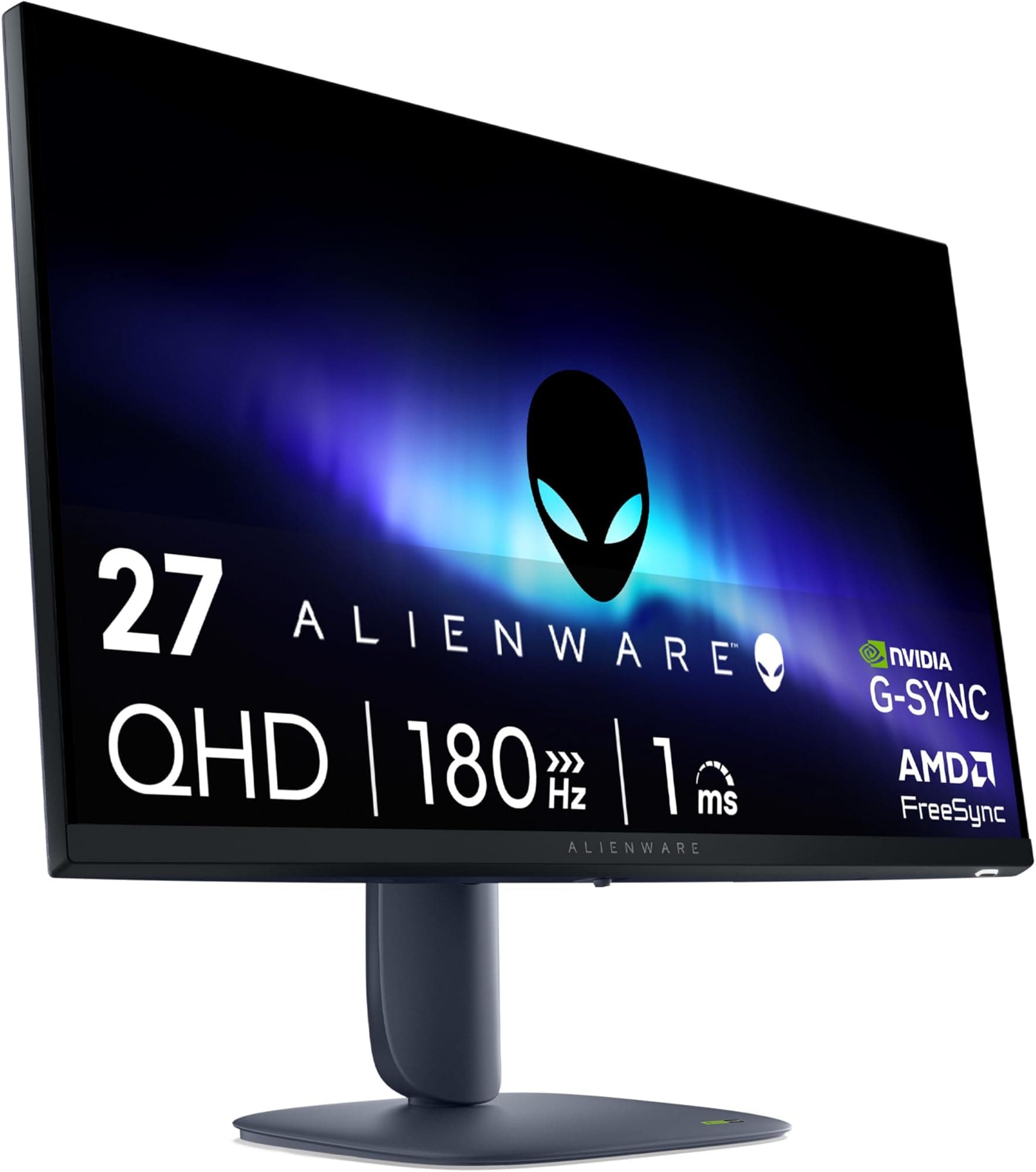
AOC Q27G4XFAD 27 inch WQHD Gaming Monitor 180Hz, Fast IPS Panel, 1ms GtG, HDR10, G-Sync Compatible, Height Adjustment, (2560x1440 HDMI 1x 2.0 DP 1x 1.4) Black
£149.99 · AOC
 8.0 / 10
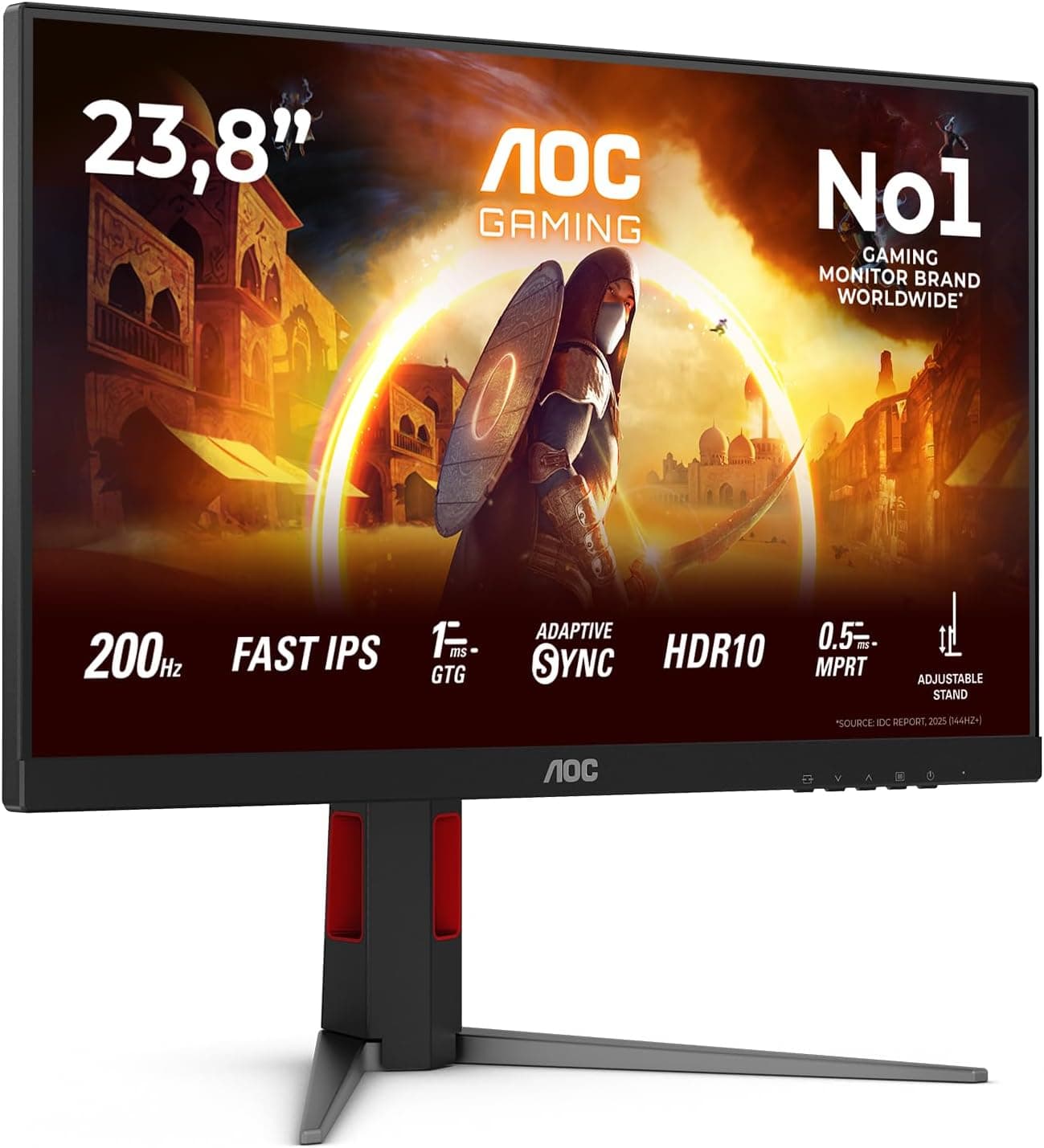
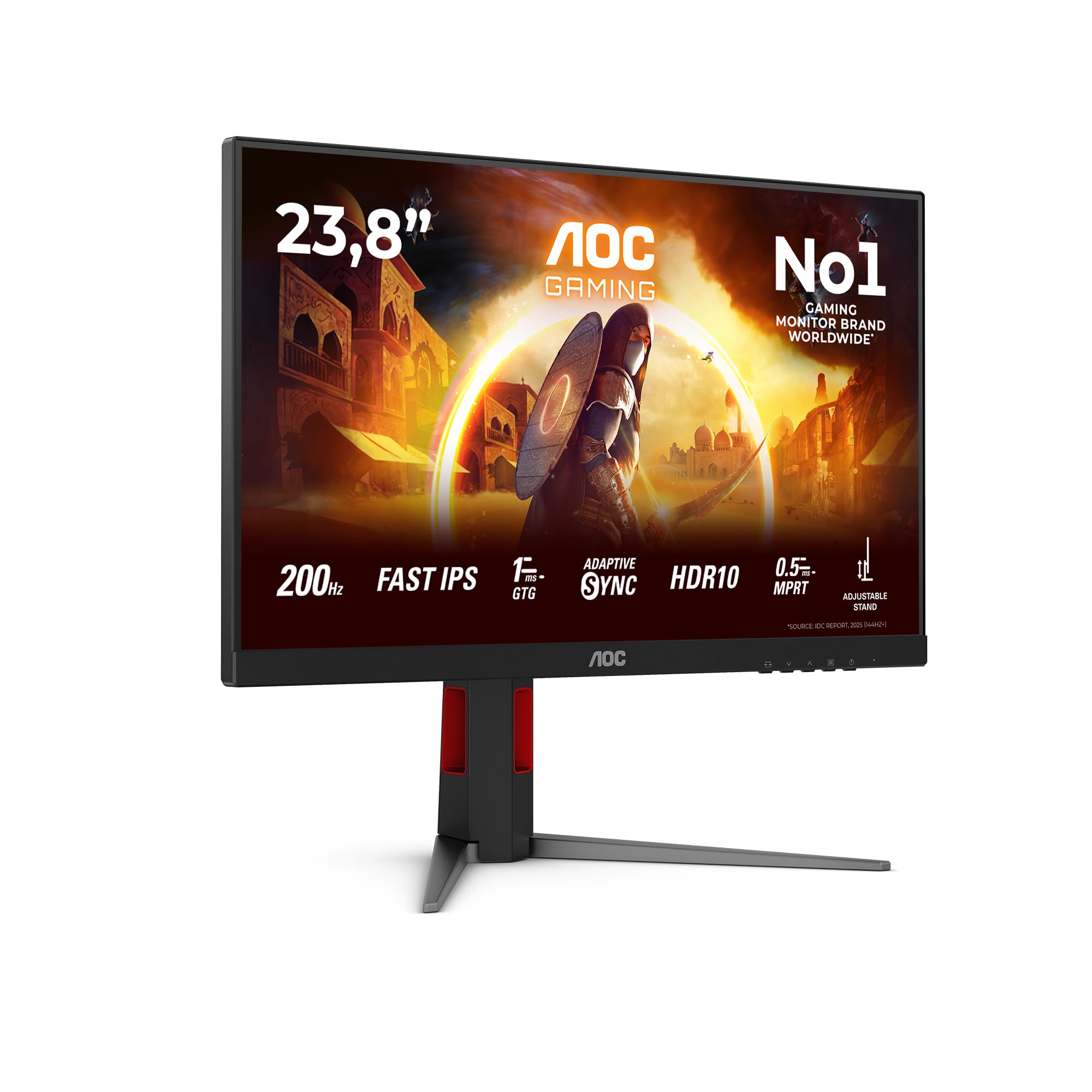
AOC 24G4HA 24 inch FHD Gaming Monitor 200Hz, Fast IPS Panel, 1ms GtG, HDR10, G-Sync Compatible, Height Adjustment, Speakers, (1920x1080 HDMI 2x 2.0 DP 1x 1.4) Black
£155.99 · AOC
Frequently asked
7 questions01Does the Lenovo L15 work with MacBooks and USB-C laptops straight out of the box?+
Yes, provided your MacBook or laptop has a USB-C port that supports DisplayPort Alt Mode. The monitor includes a USB-C to USB-C cable in the box, so no additional purchase is required for compatible devices. Most modern MacBooks, ThinkPads, Dell XPS models, and current ultrabooks support this connection. If your laptop only has USB-A ports, you will need a USB-C hub or adapter with DisplayPort Alt Mode support.
02Can the Lenovo L15 charge my laptop while I am using it?+
The L15 has two USB-C ports, and one of them supports power passthrough. This means you can connect your laptop's USB-C charger to the monitor's second port and charge your laptop through the monitor while it is in use. The charging speed will depend on your laptop's power delivery requirements and your charger's output, but the feature works as a single-cable solution for many modern laptop setups.
03Is the Lenovo L15 suitable for gaming?+
It is not well suited to gaming. The 60Hz refresh rate limits gameplay to 60 frames per second regardless of what your GPU outputs, and there is no FreeSync or G-Sync adaptive sync support, which means screen tearing can occur if frame rates fluctuate. The 6ms grey-to-grey response time is adequate for casual gaming but will not deliver the sharp motion clarity of a dedicated gaming monitor at 144Hz or above. For productivity and everyday use the specifications are appropriate, but competitive or fast-paced gaming is a different requirement.
04How bright is the Lenovo L15 and is it usable outdoors?+
The L15 has a quoted peak brightness of 250 nits. In a typical indoor environment such as an office, home, or cafe, this is adequate for comfortable viewing. In very bright rooms near windows, or in direct sunlight, 250 nits will struggle to maintain legibility. The matte anti-glare coating helps by reducing reflections, but it cannot compensate for limited luminance output. Outdoor use in sunlight is not practical with this monitor.
05What does the TUV Rheinland Flicker Free certification mean in practice?+
It means the L15's backlight uses DC dimming rather than pulse-width modulation (PWM) to control brightness levels. PWM dimming rapidly switches the backlight on and off at high frequency, which some users find causes eye strain or headaches during extended sessions even when the flicker is not consciously visible. DC dimming eliminates this by varying the voltage to the backlight continuously rather than switching it. For anyone who spends several hours a day at a screen, this certification indicates a meaningful reduction in a common source of eye fatigue.
06Does the Lenovo L15 have HDMI or DisplayPort inputs?+
No. The L15 has two USB-C ports only and does not include HDMI or DisplayPort inputs. This keeps the design clean and lightweight but limits compatibility to devices with USB-C DisplayPort Alt Mode output. If you need to connect a desktop PC with a discrete GPU, an older laptop, or any device without USB-C video output, you will require an adapter that specifically supports DisplayPort Alt Mode over USB-C. Standard USB-C to HDMI adapters designed only for display output from a source device will not work in reverse to drive this monitor from a traditional HDMI source.
07What warranty does the Lenovo L15 come with and why does it matter?+
The Lenovo L15 comes with a 3-year manufacturer warranty. In the portable monitor category, where many budget options from lesser-known brands offer only 12 months of coverage, this is a genuine differentiator. A portable monitor is physically handled more frequently than a desktop display, connecting and disconnecting cables daily and being placed in bags. Extended warranty coverage provides meaningful reassurance against early component failure. Several owner reviews specifically cite the 3-year warranty as a factor in choosing the L15 over cheaper alternatives.