VIVID·REPAIRS/THE FIELD GUIDE/LAPTOPUpdated 7 October 2026Prices live from Amazon UK
Best of · UK · Field of 10
Best Lenovo Laptops Under £1000
By the Vivid Repairs deskUpdated 7 October 202610 ranked picks1,735 owner ratings read
As an Amazon Associate we may earn from qualifying purchases. We have not handled these products. Everything below is judged on published specifications, the owner ratings on the UK listings and our own product reviews, and the ranking stays independent of what any of them pay.
As an Amazon Associate, we may earn from qualifying purchases. Our ranking is independent.
Amazon confirms the live price, seller, stock and delivery. Prices here are read from the live listing through the day; a pick Amazon cannot supply is marked as such, and where the list has one in stock it is offered.
vividrepairs.co.uk / best-lenovo-laptops-under-1000Updated 7 October 2026 · Prices from the live Amazon UK listing
§ The field
Ten picks, on one page
Ranked on fit for the job in the title, not on raw specification. Tap any one to jump to the argument for it. Prices are the live Amazon UK figure, read today; a pick with no figure is out of stock and says so in its entry.
Intel Core i5-13420H H-series chip delivers genuine sustained performance headroom for its price bracket
16GB RAM out of the box means no immediate memory bottleneck for demanding office multitasking
Port selection including RJ45 ethernet and HDMI covers most office and meeting room setups without dongles
Where it gives up
Battery life realistically covers only half a working day under mixed use rather than a full day unplugged. No USB-C power delivery support means you must carry the proprietary barrel-plug charger separately.
Rated 4.3 by 198 owners. Our review scores it 7.5.
16GB of RAM at this price tier is genuinely rare and makes a real difference to everyday multitasking
512GB NVMe SSD delivers noticeably faster boot times and app loading compared to eMMC or SATA alternatives
Wi-Fi 6 is a proper modern wireless standard that many budget laptops still skip
Where it gives up
TN display panel produces washed-out colours and poor viewing angles compared to IPS alternatives. AMD Ryzen 5 7520U uses older Zen 2 architecture despite its 7000 series branding, so performance lags behind similarly named chips.
Rated 4.4 by 264 owners. Our review scores it 7.0.
Intel Core i5-13420H H-series chip sustains performance under load better than U-series alternatives at similar prices
Build quality is reliable and consistent, with Lenovo's mid-range consumer plastics holding up well over time
Keyboard feel is above average for this price tier and owner reviews raise no complaints about typing comfort
Where it gives up
Battery capacity of approximately 57Wh is modest for a 15.6-inch H-series machine and will struggle to last a full working day unplugged. No discrete GPU means gaming and GPU-accelerated creative tasks such as video rendering are significantly limited.
Rated 5.0 by 7 owners, which is thin. Our review scores it 7.0.
8GB of RAM is the right specification for 2026 and keeps multitasking manageable
WiFi 6 support, a step up from the WiFi 5 still found on some budget machines
Front-facing speakers tuned by Waves Audio
Where it gives upTN panel produces narrow viewing angles and washed-out colours when not viewed head-on. 250-nit brightness is adequate indoors but limiting near windows and impractical outdoors.
Keyboard and USI stylus both included in the box, unlike most rivals at this price
Sharp 11-inch FHD+ IPS display with a 16:10 aspect ratio that genuinely aids productivity
Excellent battery life of 8 to 10 hours in real-world mixed use
Where it gives upNo keyboard backlight makes low-light typing a matter of touch and guesswork. Minimal port selection with no USB-A, no HDMI, and no microSD slot.
All-day battery life of 8 to 10 hours in real-world use is outstanding for this price
Sharp 10.95-inch 1920x1200 IPS display with good viewing angles outperforms rivals at this tier
Fanless design means completely silent operation in all conditions
Where it gives up4GB of RAM is the bare minimum for ChromeOS and will frustrate users with heavier workloads. 64GB eMMC storage is slow and limited, particularly noticeable with local Android apps.
The rules this ranking ran under, in plain sight: what we read, what we weighed and what no merchant can move.
How we picked
Our editors evaluated 10 Laptop options against the criteria readers actually weigh up: price, real-world performance, build quality, warranty, and UK availability. Picks lean toward what we'd recommend to a friend buying today, not specs-on-paper winners.
Editorial contextEditor notes from individual reviews, not press releases.
Live UK pricingRefreshed from Amazon UK twice daily.
No paid placementsAffiliate commission doesn't change what wins.
The full guideEverything behind the shortlist above: the spec sheet, the write-ups in full, our method and the verdict.
§ Editorial · The full guide · five proofs, nothing hidden
The Doubt Index.
The shortlist told you what we picked; this zone shows the working. Come in through whichever doubt you’re carrying, or read straight down; we’d rather you checked us than trusted us.
Here’s the sheet the desk works from, kept deliberately factual. Every row is written to be checked against the retailer’s current listing, and you should check. The table scrolls sideways inside its own frame; the page underneath stays still.
Scroll sideways →8 rows · 5 columns · Prices swap to the live figure at render
You can, and you should. What follows is the part a sheet can’t do: the working between what these products have and what your desk actually needs, kept word for word.
Spend under a grand on a Lenovo and you're not shopping in one market, you're shopping in two. One side is Windows machines with H-series Intel chips, 16GB of RAM and real storage. The other is ChromeOS: cheaper, lighter, quieter, and useless for desktop software. This roundup of the Best Lenovo Laptops Under £1000 covers both, eight machines in all, so you can match the right one to how you actually work rather than to the biggest number on the spec sheet. We've ranked them on published specifications, verified Amazon UK owner ratings and price bracket, and we're honest about where each one cuts corners to hit its price.
If you need to install proper applications, start at the top. If you live in a browser, the Chromebooks lower down will save you money and give you longer battery. Here's the full running order.
Buying Guide: What to Look For
The first decision is the operating system, and it's bigger than any spec. Windows runs desktop applications: the full Office suite installed locally, Adobe apps, accountancy packages, anything with an.exe. ChromeOS does not. It runs web apps and Android apps, and while you can use Microsoft 365 in a browser, you can't install the desktop versions. If you need real software, you're looking at the V15 Gen 4, the IdeaPad 1 or the i5-13420H machine. If you live in a browser and Google Docs, a Chromebook saves money and gives longer battery.
RAM is the number that ages worst. 4GB is the floor for ChromeOS and shows its limits fast: our reviews note tab reloading on the 4GB Duet and Duet 3. 8GB, as in the Slim 3 and the 8GB Duet, is the sweet spot for 2026. On Windows, 16GB is the minimum you should accept, and every Windows machine here has it.
Storage type matters as much as size. NVMe SSD, as in the two Windows laptops, is far quicker than the eMMC in every Chromebook here, which shows during system updates and large file copies. And watch capacity on the S345: 32GB leaves barely 20 to 25GB free once ChromeOS is installed.
Panels split into TN and IPS. IPS, found on the Duet models, holds colour and viewing angles far better than the TN panels on the V15, IdeaPad 1 and Slim 3. Brightness across this group sits around 250 nits, so none is a sunlight machine.
One mistake to avoid. Buying a Chromebook then discovering you needed Windows software: check your must-have apps run in a browser before you commit. On charging, note the V15 needs its proprietary barrel plug while most Chromebooks here top up over USB-C.
Eight write-ups, none folded away. We don’t lab-test, so every line below sticks to what can be defended: the published sheet, the owner ratings on the UK listings and our own reviews.
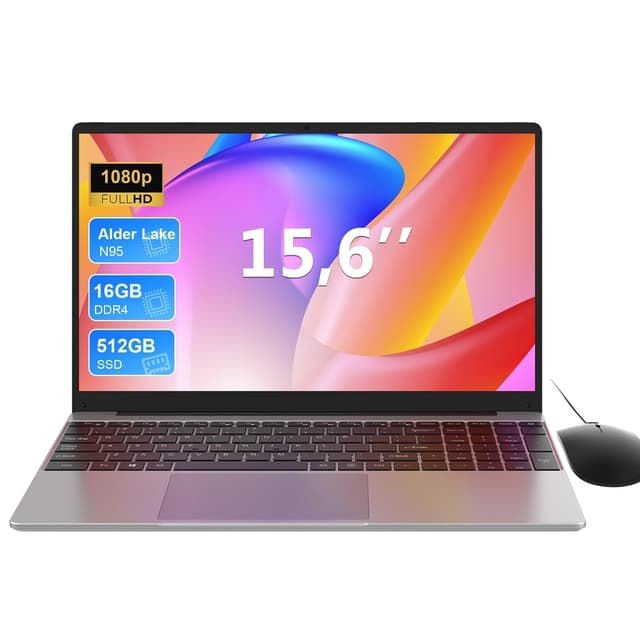
Start with the chip, because it decides this machine. The Intel Core i5-13420H is an H-series part with 8 cores and 12 threads, and that matters against everything else on this page: no Chromebook here comes near it for sustained compute, and the Ryzen 5 7520U in the IdeaPad 1 below sits on older Zen 2 cores. Our review notes the H-series delivers genuine performance headroom for the price bracket. Pair that with 16GB of DDR4 3200MHz RAM out of the box and a 512GB PCIe NVMe SSD, and you've got a Windows laptop that won't choke on a stack of browser tabs and an Office session running together.
The port layout is the other reason it wins. You get an RJ45 ethernet jack and full-size HDMI 1.4b, plus three USB-A ports and one USB-C 3.2 Gen 1, which means walking into a meeting room or plugging into a wired office network without a bag of dongles. The full-size keyboard carries a numeric keypad too, so if you're doing accounts or heavy data entry, this is the only Windows pick here built for it.
Now the honest part. Our review lists battery that realistically covers about half a working day under mixed use, off a modest 38Wh cell, so you're carrying the charger. And that charger is a proprietary barrel plug: there's no USB-C power delivery, unlike most of the Chromebooks further down. The webcam is 720p, below the 1080p that video calls increasingly expect, there's no keyboard backlight, and the anti-glare panel sits around 250 to 300 nits, which our review notes is short near a bright window. The chassis is plastic with some lid flex.
One practical detail from the listing: the M.2 SSD slot is user-accessible, so you can swap or upgrade the drive without specialist tools. Owners rate it 4.3 stars across 194 ratings. For office and study work under a grand, nothing else here matches its blend of real CPU, memory and wired connectivity. See our full Lenovo V15 Gen 4 review for the deeper breakdown.
Pros
8-core, 12-thread H-series chip, the only one on this page
User-accessible M.2 slot for a later SSD upgrade
RJ45 ethernet built in, rare at this price
Ships with Windows 11 Pro, not Home
Cons
Proprietary barrel charger, no USB-C charging
38Wh battery is small for a 15.6-inch H-series machine
No keyboard backlight for low-light work
No keyboard backlight and a small battery, so it lives on the desk
Here's the case for the IdeaPad 1 over the V15 above: it gives you the same 16GB RAM and 512GB NVMe SSD, in a slimmer 17.9mm body at 1.58kg, for noticeably less money. If your work is browsing, email, documents and streaming rather than sustained CPU grunt, that saving is real and the spec still holds up. It adds a camera privacy shutter and a microSD slot.
The compromise is where the money went. The display is a TN panel, and our review notes washed-out colours and poor viewing angles against IPS, at around 250 nits. The Ryzen 5 7520U wears 7000-series branding but uses older Zen 2 architecture, so our review notes performance lags similarly named chips, and it's not for gaming or video editing. It also ships in Windows 11 Home in S mode, which our review flags means switching S mode off before you can install most everyday software.
Choose this over the V15 Gen 4 if you want the lighter chassis and a lower price, and you can live without the H-series chip, ethernet port and numeric keypad. Owners give it 4.4 stars across 260 ratings, the strongest count among the Windows machines here. More detail in our Lenovo IdeaPad 1 review.
Pros
Ryzen 5 7520U with 16GB of memory at this price
Camera privacy shutter fitted as standard
Slim 17.9mm chassis at 1.58kg
microSD slot for cheap storage expansion
Cons
TN panel, weaker colour and angles than IPS rivals
Ships in S mode, needs switching off before installing apps
This one runs the same Intel Core i5-13420H as our top pick, paired with 16GB of RAM and a 512GB M.2 PCIe 4.0 NVMe SSD, and it steps up to DDR5-5200 memory. On paper it's a strong productivity machine with modern connectivity, Wi-Fi 6 and Bluetooth 5.1, and our review rates the keyboard feel above average for the tier.
Two things hold it below the V15 Gen 4. First, the display is listed as a 14-inch TN panel at 1920x1080, and our review notes brightness and colour that are functional rather than impressive. (Note the seller's own listing text describes a 16-inch IPS screen and 8GB RAM, which contradicts the recorded specs, so treat the marketing copy with caution and buy on the confirmed figures.) Second, there's no discrete GPU, so gaming and video rendering are off the table, and the battery is modest for an H-series machine.
The bigger caution is data: owners rate it 5 stars, but from only 7 ratings, too few to read anything into long-term reliability. Buy the V15 Gen 4 for the proven track record and the numeric keypad; consider this if you specifically want DDR5 memory and the smaller footprint. Our Lenovo i5-13420H review covers the listing discrepancies in full.
Pros
DDR5-5200 RAM and PCIe 4.0 SSD
Wi-Fi 6 and Bluetooth 5.1
Windows 11 Pro included
Cons
Only 7 owner ratings, too few to trust for reliability
Listing text disagrees with recorded specs on screen and RAM
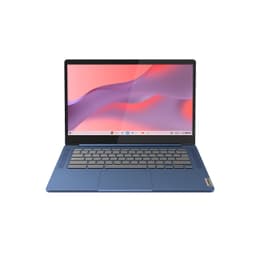
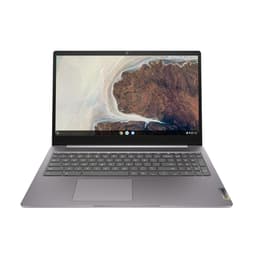
If you want a full-size ChromeOS laptop rather than a tablet, this is the one. The Slim 3 pairs 8GB of RAM with a 14-inch 1920x1080 screen, and that 8GB is the reason it multitasks better than the 4GB Chromebooks lower down. Our review notes an ARM chip and ChromeOS combining for strong all-day battery, plus Wi-Fi 6 and Waves-tuned speakers that punch above the price.
The cuts are honest. The panel is TN, so our review notes narrow angles and washed-out colour off-axis at 250 nits, and storage is 64GB eMMC, slower than NVMe and noticeable during updates. Ports are modest: one USB-C, one USB-A, no full-size HDMI. There's no keyboard backlight either.
Against the 8GB Chromebook Duet below, the Slim 3 gives you a bigger screen and a proper clamshell keyboard, but loses the IPS panel and the included stylus. Pick this if you want a laptop shape and long battery for web work; pick the Duet if you want a tablet and a sharper screen. Owners give it 4.3 stars across 321 ratings. Full notes in our IdeaPad Slim 3 Chromebook review.
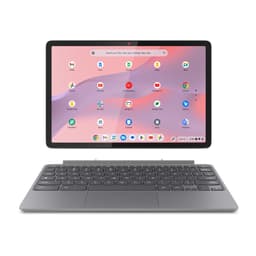
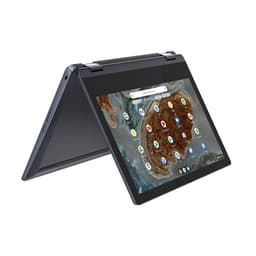
The draw here is the bundle. At 1.1kg with keyboard attached, this Duet ships with the folio keyboard, folio stand and USI Pen 2 in the box, which most rivals make you buy separately. The 10.95-inch IPS panel runs 1920x1200, a 16:10 ratio that gives more vertical room for documents than the 16:9 clamshells, and it's fanless, so silent. Our review notes 8 to 10 hours of real-world battery and Wi-Fi 6.
The catch is the 4GB of RAM. Our review notes it feels tight with heavy multitasking, which is exactly what the 8GB version below fixes. Storage is a generous 128GB eMMC, but ports are just two USB-C and no headphone jack.
Buy the 4GB Duet over the 8GB one only if you're a genuinely light user and want to save the difference; if you keep more than a few tabs open, spend up. Owners rate it 4.4 stars across 60 ratings. See our IdeaPad Chromebook Duet review.
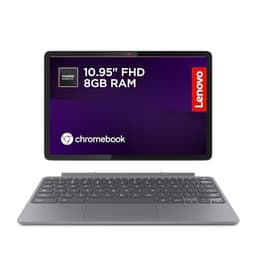
Same tablet as the entry above, but with 8GB of RAM instead of 4GB, and that single change earns it our review's 8 out of 10. Our review notes the 8GB stops the tab-reloading frustration that dogs 4GB budget Chromebooks, which is the one thing holding back the model just above. Everything else carries over: the sharp 10.95-inch IPS panel at 1920x1200, the 16:10 aspect that aids productivity, the bundled folio keyboard and USI Pen 2, and a solid aluminium tablet body that our review notes feels premium for the tier. Fanless, so silent in any room, with 8 to 10 hours of battery.
The honest limits are the same physical ones. There's no keyboard backlight, and the folio keyboard has shallow travel that our review calls functional rather than a pleasure. Ports are minimal: two USB-C, both on the same side, no USB-A, no HDMI, no microSD. And eMMC storage is slower than NVMe for large file operations.
Against the Slim 3 above, you trade a bigger clamshell screen for a sharper IPS one, a proper stylus and tablet flexibility. Against the Duet 3 below, you get double the RAM and double the storage. This is the pick if you want one small device that switches between tablet and typing. Owners rate it 4.4 stars across 98 ratings. Our IdeaPad Chromebook Duet 11 review has the rest.
At around 946g with the keyboard, this is the featherweight of the group. The Snapdragon 7c Gen 2 runs it fanless and silent, and the 10.95-inch IPS panel at 2000x1200 is sharp, with a 5MP front camera our review rates good for a budget machine. Owners give it 4.2 stars across 274 ratings. But 4GB RAM and 64GB eMMC are the bare minimum, so if the 8GB Duet above is in budget, that's the smarter buy. Full notes in our IdeaPad Duet 3 review.
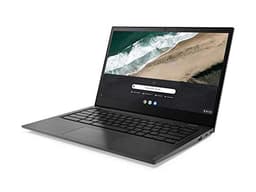
The standout here is connectivity: two USB-C and two USB-A ports, both USB-C able to charge, plus a 180-degree flat-lay hinge, all at 1.48kg. That beats the single-USB-A Slim 3 for plugging things in. The limits are age and storage: the AMD A4-9120C is an ageing dual-core chip, and 32GB eMMC leaves only around 20 to 25GB usable after ChromeOS. Owners give it 4.4 stars across 355 ratings, the largest count on this page. Our Chromebook S345 review has more.
This page carries affiliate links; they never set the order. We don’t lab-test: rankings come from published specifications, the owner ratings on the UK listings and our own reviews.
How We Compared These
We ranked these eight Lenovo machines on published manufacturer specifications, verified Amazon UK owner star ratings and rating counts, and current price bracket. We read each product's listing against its recorded specs and flagged where the two disagree, as with the i5-13420H machine's screen and RAM claims. Where our own published reviews exist for a model, we drew on their assessment of the same configuration. We have not handled these laptops, run benchmarks or measured battery: the figures here come from spec sheets, seller listings and aggregated owner feedback, and we've been clear about which is which throughout.
A crown that can’t be argued with isn’t proof of quality; it’s proof nobody checked. So rather than restate the winner’s virtues, we defend the crown against the strongest cases to take it.
Lenovo Newest V15 Gen 4 Business Laptop
Cross-examination · Three challengers, taken seriously
The £39 argumentLenovo IdeaPad 1
At £639.99 today against the winner’s £678.49, its strongest case is the £39 it hands back. Owners rate it 4.4 from 264 ratings. Our review scores it 7.0 against the winner’s 7.5. If the cheaper pick covers the job you actually do, take the saving with a clear conscience. The crown stays where it is because rank follows fit for the job in the title, not the receipt, and its full argument is in the write-up above.
Prices checked (this pick) and (the winner) · Details
The owners’ argumentLenovo Laptop Computer with Intel Core i5-13420H
Owners rate it 5.0 from 7 ratings. Our review scores it 7.0 against the winner’s 7.5. The crown holds on the ranking rules: the order above was set before any link was attached, and its case is argued in full in the write-up above.
The £379 argumentLenovo IdeaPad Slim 3 Chromebook
At £299.99 today against the winner’s £678.49, its strongest case is the £379 it hands back. Owners rate it 4.3 from 322 ratings. Our review scores it 7.5 against the winner’s 7.5. If the cheaper pick covers the job you actually do, take the saving with a clear conscience. The crown stays where it is because rank follows fit for the job in the title, not the receipt, and its full argument is in the write-up above.
Prices checked (this pick) and (the winner) · Details
The original verdict, preserved in full
Final Verdict: Best Lenovo Laptops Under £1000
For anyone who needs to install real software, the Lenovo V15 Gen 4 is the clear winner: its H-series Core i5, 16GB RAM, NVMe storage and wired-in port set do proper work, and you only pay for the short battery and 720p webcam. If your budget is tighter and you live in a browser, the 4GB IdeaPad Chromebook Duet brings a sharp IPS screen, 8 to 10 hours of battery and its keyboard and pen in the box, provided you keep your tab count light. Want the best of the ChromeOS bunch? The 8GB IdeaPad Chromebook Duet is the strongest 2-in-1 here, keyboard and stylus in the box. Match the machine to your software first, then your budget, and any of these three will serve you well.
Yes. Every pick on this page is a Lenovo machine with an in-stock listing under £1,000: Windows laptops (the V15 Gen 4, IdeaPad 1 and the Core i5 model) and a run of Chromebooks (IdeaPad Slim 3, the Chromebook Duet and Duet 3, and the S345). The Windows and Chrome OS machines suit different jobs, so decide which you need before comparing prices.
For Windows 11, 8GB is the floor for comfortable daily use and 16GB is the sensible target if you keep many tabs and apps open; the V15 Gen 4 and IdeaPad 1 here carry 16GB. Chromebooks run well on 4GB or 8GB because Chrome OS is lighter, so the 4GB Chromebooks on this list are not the compromise a 4GB Windows machine would be.
Mostly no. The Chromebooks have memory soldered to the board, and the IdeaPad 1 does too. The V15 Gen 4 has a SODIMM slot that Lenovo's specification page lists as user-accessible, so check that page for the supported capacity before buying a module. Storage is easier: the Windows machines take a standard M.2 drive.
On a Chromebook, yes: Chrome OS keeps most work in the cloud and 64GB leaves room for offline files and Android apps. On a Windows laptop it is tight, because Windows 11 and its updates take a large share of a small drive; the Windows models here ship with 512GB or more, which is the comfortable size.
The Windows machines on this list ship with Windows 11 Home pre-installed and activated on first boot; some arrive in S mode, which limits you to Store apps until you switch it off in Settings, a one-way but free change. The Chromebooks ship with Chrome OS and sign in with a Google account.
That’s the field: ten lenovo laptops under £1000, ranked for the job in the title and nothing else. We read the published specifications, the owner ratings and our own reviews; we haven’t handled these products, and no maker moves the order. Figures checked against the live Amazon UK listings, page updated 7 October 2026.
The Vivid Repairs desk
1Our top pickLenovo Newest V15 Gen 4 Business Laptop, 15.6" FHD Display, Intel Core i5-13420H (Beat i7-1355U), 16GB RAM, 512GB SSD, HDMI, RJ45, Webcam, Numeric Keypad, Wi-Fi, Windows 11Scored 7.5/10Compare all →Buy on Amazon →