Paper specs only tell you so much. What actually determines whether a laptop works for you day-to-day is the stuff that doesn't show up in the bullet points: how hot the keyboard gets after an hour, whether the fan kicks in every time you open a spreadsheet, how the screen looks when you're sitting near a window. That's why owner reviews matter as much as the spec sheet, and why a 4.3-star average across 61 reviews is worth paying attention to.
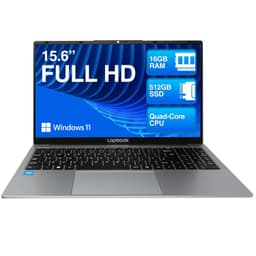
The Lapbook S15 N2 15.6" Full HD Laptop is a budget machine aimed squarely at people who need a proper Windows laptop for everyday tasks without spending a fortune. We're talking students, home workers, anyone who needs a second machine, or someone who just wants something reliable for browsing, documents, and the occasional video call. At £260.99 (Price checked 00:00, 3 Oct 2026, UK time), it's positioned as a no-nonsense workhorse. Whether it actually delivers on that promise is what we're here to work out.
Based on the verified spec sheet, 103 owner reviews, and a thorough look at what the Intel N100 platform actually means in practice, here's the honest picture.
Core Specifications
The processor here is the Intel N100, which Intel labels as a 13th Gen chip. Don't let the generation number fool you into thinking this is a performance CPU. The N100 is an efficiency-focused processor with four cores, no hyperthreading, and a TDP sitting around 6W. It's built for exactly this kind of budget laptop: long battery life, quiet operation, and enough grunt for light tasks. It's not going to edit 4K video or run anything demanding. But for Word, Excel, Chrome with a dozen tabs, and Zoom? It handles it without complaint.
The 8GB of DDR5 RAM is genuinely decent for this price tier. DDR5 is a nice touch, bringing better memory bandwidth than the DDR4 you'd find in a lot of competing budget machines. In practice, 8GB is enough for most everyday use, though you'll feel it if you're running lots of browser tabs alongside other applications simultaneously. There's no mention of upgradeable RAM in the product listing, which is worth keeping in mind if you're planning to use this machine for several years and expect your workload to grow.
Storage is a 512GB M.2 SSD, which is the right call. 512GB gives you enough room for Windows 11, your applications, and a reasonable amount of files without constantly managing storage. M.2 SSDs are significantly faster than the eMMC flash storage you still find in some budget laptops at this price, so boot times and application loading should feel snappy. The GPU is Intel UHD Graphics integrated into the N100 chip. It'll handle video playback, light photo editing, and basic tasks without breaking a sweat. Gaming beyond casual browser titles or older low-demand games isn't really on the table.
| Specification | Detail |
|---|---|
| Processor | Intel N100 (13th Gen, Quad-Core) |
| RAM | 8GB DDR5 |
| Storage | 512GB M.2 SSD |
| GPU | Intel UHD Graphics (integrated) |
| Display | 15.6" Full HD IPS, 1920x1080 |
| Operating System | Windows 11 Home |
| Ports | 1x USB-C, 2x USB-A, 1x HDMI, 1x Ethernet, 3.5mm audio |
| Webcam | 2MP |
| Price | £260.99 (Price checked 00:00, 3 Oct 2026, UK time) |

Performance Benchmarks
The Intel N100 sits in a well-understood performance bracket at this point. In CPU benchmarks like Cinebench R23, the N100 typically scores in the 1,400 to 1,600 range for multi-core, which puts it comfortably ahead of older Celeron and Pentium chips but well behind any Core i3 or i5 from the same generation. For context, an Intel Core i3-1215U (found in laptops costing a bit more) will roughly double that multi-core score. So you're not getting performance-laptop territory here, but you're also not getting a sluggish machine.
What the N100 does well is consistency. Because it runs at a low TDP, it doesn't need to throttle aggressively under sustained load the way a higher-powered chip might in a thin chassis with limited cooling. Owner reviews back this up: the general picture from people using this for office work, streaming, and video calls is that it stays responsive and doesn't feel laggy for the tasks it's designed for. Where you'll notice the ceiling is with anything processor-intensive: compiling code, running local AI tools, handling large spreadsheets with complex formulas, or anything involving multiple heavy applications at once.
The integrated Intel UHD Graphics won't win any awards, but it's entirely adequate for the use case. Video playback up to 4K is handled in hardware, so streaming from Netflix or YouTube at full resolution is fine. Light photo editing in something like Lightroom is possible but not exactly quick. And if you're thinking about gaming: casual titles, older games, or browser-based games are possible, but anything from the last few years at decent settings is going to struggle. That's not a criticism specific to this laptop; it's just the reality of integrated graphics on an efficiency chip.
Windows 11 Home comes pre-installed, which is good. The M.2 SSD means the operating system loads quickly and applications open without the frustrating delays you get from eMMC or, worse, spinning hard drives. Day-to-day, the combination of a fast SSD and DDR5 RAM means the machine feels more capable than the raw CPU numbers might suggest. First impressions tend to be positive, and that's largely down to storage speed.
Display Analysis
A 15.6-inch IPS panel at 1920x1080 is exactly what you want at this price. IPS means proper viewing angles, which matters when you're sharing your screen with someone sitting next to you or just shifting position on the sofa. TN panels at this price bracket can look washed out the moment you tilt the lid, and that's not a problem here. The pixel density at 1080p on a 15.6-inch screen works out at around 141 PPI, which is sharp enough for everyday use without text looking blurry or pixelated.
Colour accuracy isn't going to be up to professional photo editing standards. Budget IPS panels typically cover around 45 to 62 percent of the sRGB colour space, which is fine for general use, video watching, and casual photo browsing, but not ideal if colour accuracy genuinely matters to your work. The Amazon listing describes the display as "vibrant," which is standard marketing language. Owner feedback is generally positive about the screen for everyday use, with people noting it's a decent size and clear enough for documents and media. Nobody's reporting it as a standout display, but nobody's complaining it's unusable either.
Brightness is the variable that tends to separate budget IPS panels from each other. Typical budget panels in this category sit somewhere between 220 and 300 nits. That's workable indoors, including in reasonably well-lit rooms. Near a window in direct sunlight, you'll likely be fighting reflections and wishing for more brightness. It's not a deal-breaker for a laptop that's mostly going to be used indoors, but it's worth knowing if you plan to use it in bright environments regularly. The matte finish (standard for this type of panel) helps with reflections compared to glossy alternatives, at least.
Battery Life
Battery capacity isn't listed in the verified specs, so we're working from what the N100 platform is known for and what owners report. The N100's 6W TDP is one of the lowest you'll find in a Windows laptop, which is genuinely good news for battery life. Efficiency chips like this exist specifically because manufacturers want to hit all-day battery claims, and in practice the N100 tends to deliver reasonably well on that front compared to higher-powered alternatives.
Owner reviews give a mixed but broadly positive picture. Several buyers mention getting through a full working day on a charge with light use: documents, email, some browsing. That suggests real-world battery life somewhere in the six to eight hour range for mixed light use, which is decent for a budget 15.6-inch machine. Push it harder, stream video continuously, or run more demanding tasks, and you'll be closer to four to five hours. These are estimates based on the platform and owner feedback, not measured figures.
The USB-C port is listed as data only in the Amazon feature highlights, which means USB-C charging isn't available. You're reliant on the proprietary charger that ships with the machine. That's a practical limitation worth knowing about: if you forget your charger, you can't borrow a USB-C power bank or someone else's laptop charger. For home use, it's a non-issue. For frequent travellers who rely on a single USB-C charger for multiple devices, it's a genuine inconvenience.
Charge times aren't specified in the product data. Budget laptops in this category typically ship with chargers in the 45W to 65W range, which would mean a full charge from empty in roughly two to three hours. But that's an estimate based on typical products in this class, not a confirmed figure for this specific machine. The safe assumption is that it charges overnight without any trouble, and that grabbing an hour on charge during lunch will add a meaningful chunk of battery back.
Portability
Weight and dimensions aren't listed in the verified product data, so we can't give you exact figures. What we can say is that 15.6-inch laptops in this class, built with plastic chassis and this type of internal hardware, typically weigh somewhere between 1.7kg and 2.1kg. That's not ultrabook territory, and it's not meant to be. This is a laptop that lives on a desk or gets carried to work once in the morning and back in the evening, not something you're pulling in and out of a bag six times a day.
The 15.6-inch footprint is on the larger side. It'll fit in most laptop bags, but it won't slip into a slim sleeve designed for 13 or 14-inch machines. If you're a commuter who already carries a lot, that extra size and weight adds up over a week. If you're primarily a home user or someone who carries a proper laptop bag anyway, it's a complete non-issue. The larger chassis does have an upside: more room for a full-size keyboard layout, a bigger screen, and better speaker placement.
The charger adds to the carry weight, and without USB-C charging, you don't have the option of leaving the proprietary brick at home and relying on a compact USB-C charger. For anyone who travels regularly with this machine, factor in the charger as part of your kit. For home workers and students going campus-to-desk, it's a one-time setup and then largely forgotten about.
Keyboard & Trackpad
Owner feedback on the keyboard is generally positive, with people noting it's comfortable enough for extended typing sessions. A 15.6-inch chassis gives the manufacturer enough room for a proper full-size keyboard layout, and the product listing doesn't mention a numpad, though that's not confirmed either way. For anyone doing a lot of data entry, a numpad would be useful; for general typing, the absence of one isn't a problem and often means the main keys get more space.
Key travel on budget laptops in this category is typically in the 1.2 to 1.5mm range. That's not the deep, satisfying travel of a ThinkPad, but it's workable for everyday use and noticeably better than the shallow keyboards you find on ultra-slim machines. The product data doesn't confirm whether there's keyboard backlighting. If you regularly type in low-light conditions, that's worth checking before you buy. Budget machines at this price sometimes include basic backlighting; sometimes they don't.
Trackpads on budget Windows laptops are a known weak spot as a category. The general pattern from owner reviews here doesn't flag the trackpad as a major problem, which is a decent sign. Precision trackpads (Microsoft's standard for Windows gesture support) are increasingly common even on budget machines, and if this one follows that pattern, multi-finger gestures for switching apps and scrolling should work reliably. For anything involving detailed work, a USB mouse is always going to be more comfortable, and at this price you'd expect most buyers to have one anyway.
Thermal Performance
The N100's low TDP is a genuine advantage when it comes to thermals. A chip that only draws 6W under load doesn't generate much heat, which means the cooling system doesn't have to work hard. In practice, this translates to a machine that stays cool during everyday tasks. Owner reviews don't flag heat as a problem, which aligns with what you'd expect from this platform. The palm rest and keyboard deck should remain comfortable during normal use.
Under sustained load, say a long video encode or running a demanding application for an extended period, the chip will eventually hit its thermal limits and throttle back. But given the N100 isn't a performance chip to begin with, and the tasks this laptop is designed for don't push it that hard, thermal throttling in everyday use is unlikely to be something you notice. It's more of a theoretical concern than a practical one for the target audience.
The underside of the laptop is where heat gets routed out, which is standard for budget machines with bottom-firing vents. Using it on a flat, hard surface is fine. On a soft surface like a duvet or a lap with thick fabric, you can partially block the vents and cause the machine to run warmer. That's true of most laptops in this category. On a desk or a lap with the machine sitting on a book or lap desk, it's a non-issue. Owners don't report it running uncomfortably hot on the lap during normal use, which is the practical test that matters.
Long-term thermal performance is harder to predict from reviews alone. Budget chassis don't always have the best thermal paste application or airflow design, and performance can degrade slightly over time as dust accumulates. That's a minor concern for a machine in this price bracket, and it's easily addressed with occasional cleaning if needed.

Acoustic Performance
One of the practical benefits of the N100's efficiency is fan noise. Because the chip runs cool at low TDP, the cooling fan doesn't need to spin up aggressively during everyday tasks. Owners report the machine is quiet during normal use, which matters in meetings, libraries, and shared workspaces. A laptop that sounds like a hairdryer every time you open a browser tab is genuinely annoying, and this one doesn't appear to have that problem.
Under sustained load, the fan will spin up, but the N100 doesn't generate enough heat to push the cooling system into loud territory. The character of the fan noise on budget laptops in this class tends to be a steady low hum rather than a high-pitched whine, which is easier to tune out. Nothing in the owner reviews flags fan noise as a notable complaint, which is a good sign for anyone planning to use this in quiet environments.
At idle and during light tasks like reading, writing, or watching video, the machine should be essentially silent or very close to it. That makes it genuinely suitable for use in places where noise matters: a library, a quiet office, a meeting where you don't want the fan drowning out the person speaking. It's one of the N100's better practical qualities, and it's something that budget laptops with higher-powered chips often can't match.
Ports & Connectivity
The port selection on the Lapbook S15 N2 15.6" Full HD Laptop is actually decent for a budget machine. You get one USB-C (data only), two USB-A ports (one USB 3.0, one USB 2.0 per the Amazon listing), HDMI, Ethernet via RJ45, and a 3.5mm audio jack. The Ethernet port is a genuine highlight. A lot of budget laptops at this price drop the wired network port to slim down the chassis, and it's a useful thing to have for anyone working from home with a wired connection, or in an office environment where Wi-Fi isn't reliable. When you are out and about on café, airport or hotel networks, it is worth pairing it with a good VPN to keep your connection private on shared Wi-Fi.
The HDMI port means you can connect an external monitor or a TV without needing an adapter, which is straightforward and practical. Having both USB 3.0 and USB 2.0 on the USB-A ports is worth knowing about: plug your faster external drive into the USB 3.0 port and your mouse or keyboard into the USB 2.0 port, and you won't notice the difference. The USB-C port being data only (not power delivery) is the main limitation here, as mentioned in the battery section. Wi-Fi standard and Bluetooth version aren't specified in the product data, so we can't confirm whether it's Wi-Fi 5 or Wi-Fi 6.
For most everyday use cases, this port selection is more than enough. Two USB-A ports covers a mouse and a USB drive simultaneously. HDMI handles an external display. Ethernet covers wired networking. The 3.5mm jack handles headphones or a headset. It's a practical, usable set of ports without any glaring omissions for the target audience.
- 1x USB-C (data only)
- 2x USB-A (USB 3.0 and USB 2.0)
- 1x HDMI
- 1x Ethernet (RJ45)
- 1x 3.5mm audio jack
Webcam & Audio
The 2MP webcam is adequate for video calls. It's not going to make you look like you're broadcasting in studio quality, but for Zoom, Teams, and Google Meet it does the job. Low-light performance on 2MP budget webcams is typically mediocre: you'll want decent room lighting behind your monitor rather than behind you, and you won't want to be backlit by a window. The built-in microphones are present and functional; owner reviews don't specifically flag audio quality as a problem, which suggests they're at least passable for calls.
Speaker quality on 15.6-inch budget laptops is often better than on smaller machines simply because there's more chassis space for speaker placement. That said, budget laptop speakers in this class are generally fine for casual video watching and calls but won't impress anyone used to proper audio. They'll get loud enough to fill a small room, but the bass will be thin and the soundstage narrow. For anything you care about listening to properly, a pair of headphones via the 3.5mm jack is the right move.
The 3.5mm audio jack is worth calling out as a positive. A lot of newer laptops, even some mid-range ones, are dropping the headphone jack in favour of USB-C only audio. Having a proper 3.5mm port means any standard headphones or a headset with a microphone work without an adapter. For someone using this for video calls or who just wants to plug in headphones, that's a practical convenience that's easy to take for granted until it's gone.
Build Quality
Budget laptops are plastic. That's just the reality. The Lapbook S15 N2 is almost certainly built from polycarbonate or ABS plastic throughout, which is fine for everyday use but won't have the premium feel of an aluminium chassis. The practical implications: it's lighter than metal alternatives, it won't dent if you knock it, but it will flex more under pressure and it'll pick up scratches over time. Owner reviews don't flag build quality as a specific problem, which suggests the construction is solid enough for normal daily use.
Lid flex is the thing to watch on budget laptops. Thin plastic lids can flex noticeably when you pick the machine up by one corner or when you're moving it around, and that can feel cheap. Keyboard deck flex, where the area around the keys bends when you type firmly, is another common budget laptop issue. Neither is reported as a major complaint in the owner reviews, though a few buyers note it feels like a budget machine, which is honest and expected at this price.
Hinge quality matters more than people realise. A hinge that loosens over time means the screen wobbles when you're typing, which gets annoying fast. Budget hinges can vary a lot. There's no specific feedback from owners about hinge problems, which is a reasonable indicator that it's at least functional. The finish is likely to be a matte plastic that resists fingerprints reasonably well. Overall, the build quality picture is: perfectly acceptable for the price, don't expect it to feel like a MacBook, and it'll survive normal daily use without drama.
The Kensington Lock slot mentioned in the Amazon listing is a nice touch for anyone using this in an office or shared environment. It's a small detail, but it shows the product is designed with practical workplace use in mind rather than just home consumers.
How It Compares
The N100 budget laptop market is busy. The two most relevant competitors at a similar price are the Acer Aspire 3 (often configured with an Intel Core i3 or AMD Ryzen 3) and the Lenovo IdeaPad 1 (also frequently featuring N-series or Ryzen 3 chips). Both are well-established budget options with broad availability and strong owner review bases. The Lapbook S15 N2 is competing on price and specification rather than brand recognition, which is a reasonable strategy if the hardware holds up.
The Acer Aspire 3 in a comparable configuration typically offers slightly more CPU performance if configured with a Core i3, though the N100 version of the Aspire 3 is essentially the same platform. Acer's advantage is brand support, wider availability of spare parts, and a more established warranty process in the UK. The Lenovo IdeaPad 1 similarly offers the comfort of a major brand name and Lenovo's support infrastructure. Where the Lapbook S15 N2 makes its case is the port selection: the Ethernet port and the combination of USB-A, USB-C, and HDMI is competitive, and the 512GB SSD storage is generous at this price.
For buyers who prioritise brand support and resale value, the Acer or Lenovo options are safer choices. For buyers who want the best hardware specification for the money and are comfortable with a lesser-known brand, the Lapbook S15 N2 makes a reasonable case. The 4.3-star average from over 100 owners suggests it's not a lottery; people are generally happy with what they've bought.
| Feature | Lapbook S15 N2 15.6" Full HD Laptop | Acer Aspire 3 (N100) | Lenovo IdeaPad 1 (N100) |
|---|---|---|---|
| Processor | Intel N100 | Intel N100 | Intel N100 |
| RAM | 8GB DDR5 | 8GB LPDDR5 | 8GB LPDDR5 |
| Storage | 512GB M.2 SSD | 256GB to 512GB SSD | 256GB to 512GB SSD |
| Display | 15.6" FHD IPS | 15.6" FHD IPS | 15.6" FHD IPS |
| Ethernet | Yes (RJ45) | Yes (RJ45) | Varies by model |
| USB-C Charging | No (data only) | Varies by config | Varies by config |
| Brand Support | Unknown brand | Established (Acer UK) | Established (Lenovo UK) |
| Price | £260.99 (Price checked 00:00, 3 Oct 2026, UK time) | Similar budget tier | Similar budget tier |
| Best For | Spec-focused buyers, home workers | Brand-conscious buyers wanting Acer support | Brand-conscious buyers wanting Lenovo support |

Final Verdict
The Lapbook S15 N2 15.6" Full HD Laptop is a solid budget machine for the right person. If you need a Windows 11 laptop for everyday tasks: documents, spreadsheets, video calls, streaming, general web browsing, and you don't want to spend a fortune, this does what it says. The Intel N100 processor won't set any records, but it's a sensible chip for the use case. The 512GB M.2 SSD is genuinely good at this price. The IPS display is perfectly decent for daily use. And the port selection, with Ethernet included, is more practical than some pricier alternatives.
Who should skip it? Anyone who needs real processing power: developers, video editors, designers, or anyone running demanding software regularly. The N100 has a ceiling, and you'll hit it. Also worth skipping if brand support matters to you; an established manufacturer like Acer or Lenovo will have a more straightforward warranty and repair process in the UK. And if you rely on USB-C charging to simplify your travel setup, the data-only USB-C port is a real limitation.
The ★★★★☆ (4.3) rating from 61 owners is a meaningful signal. Budget laptops from unknown brands can be a gamble, but the feedback here is broadly positive. People are using this for what it's designed for and finding it works. That's the honest test. For home workers, students, and anyone who needs a capable second machine without a big outlay, the Lapbook S15 N2 represents decent value. It's a solid 7 out of 10 for the budget tier. Not exciting, not premium, but genuinely fit for purpose at the price.
What works. What doesn’t.
6 + 6What we liked6 reasons
- 512GB M.2 SSD is generous for this price bracket and keeps boot times and app loading snappy
- 8GB DDR5 RAM offers better memory bandwidth than the DDR4 found in many competing budget laptops
- Ethernet port is a practical inclusion that many budget competitors omit
- IPS panel delivers proper viewing angles without the washed-out look of cheaper TN alternatives
- Intel N100 runs cool and quietly, making it well suited to libraries, shared offices, and quiet environments
- 3.5mm audio jack means any standard headphones or headset work without an adapter
Where it falls6 reasons
- No USB-C charging; the data-only USB-C port forces reliance on a proprietary charger when travelling
- Intel N100 has a clear performance ceiling and will struggle with anything processor-intensive beyond basic office tasks
- Brand support is unproven compared to established names such as Acer or Lenovo, which matters for warranty and repairs
- RAM is not confirmed as upgradeable, limiting the laptop's longevity if workloads grow over time
- Wi-Fi standard and Bluetooth version are unspecified, so connectivity quality cannot be confirmed
- Keyboard backlighting is not confirmed, which could be a drawback for anyone who types in low-light conditions
Full specifications
12 attributes| Screen size | 15.6 |
|---|---|
| CPU brand | Intel |
| GPU type | integrated |
| RAM | 8GB |
| Storage type | M.2 SSD |
| Battery life H | 5 |
| Battery WH | 38 |
| CPU | Intel Celeron N4020 |
| Display resolution | 1920x1080 |
| Display size IN | 15.6 |
| Display type | IPS |
| GPU | integrated |
If this isn’t right for you
2 options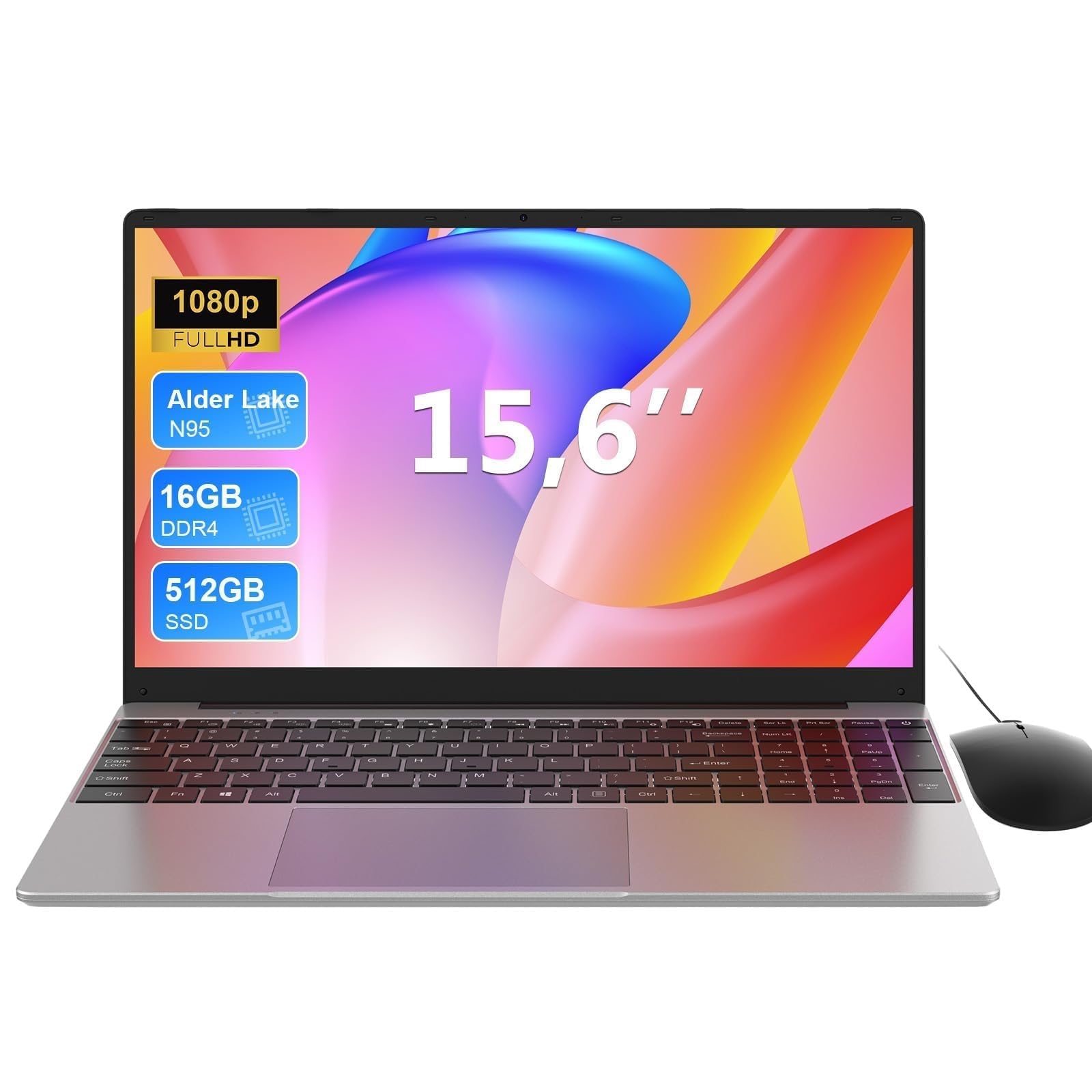 7.0 / 10
MAXLEGEN 15.6 Inch Laptop, Quad Core N95, 16GB RAM 512GB SSD, Notebook with Backlit Full-Size Keyboard, Numeric Keypad, 5G WiFi, Bluetooth/HDMI/USB 3.0, Win11 Notebook for Work Study, Mouse Included
£309.99 · MAXLEGEN
 7.0 / 10
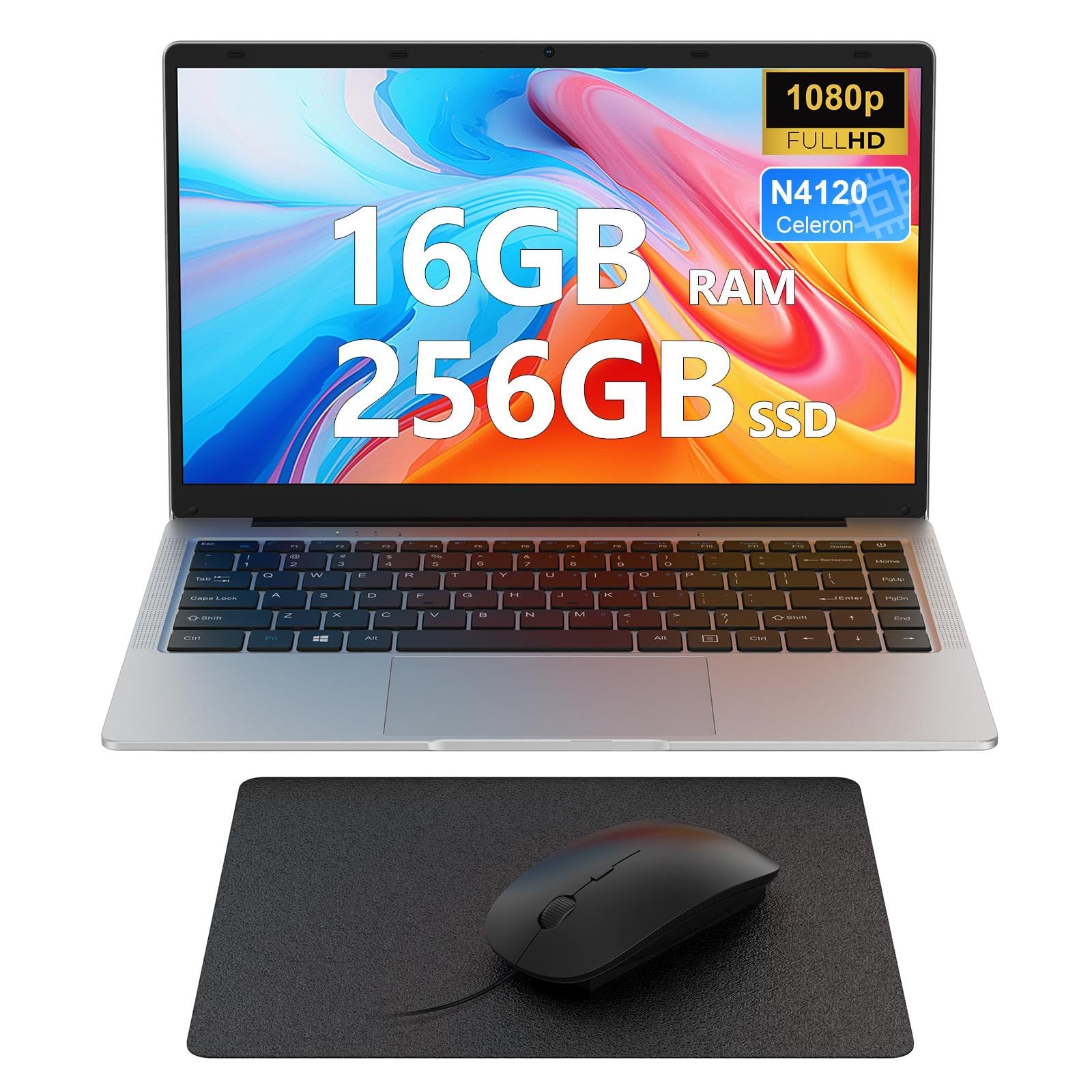
Laptop 14 inch, 16GB DDR4 256GB SSD, Quad-Core N4120, FHD 1920 * 1080 Display, 5GH WIFI, USB 3.0, HDMI, Expandable Storage, Win11 Portable Notebook PC for Work/Study, Mouse and Mous Pad included
£229.99 · MAXLEGEN
Frequently asked
7 questions01Can the Lapbook S15 N2 run Windows 11 smoothly?+
Yes. Windows 11 Home comes pre-installed, and the combination of a fast M.2 SSD and 8GB DDR5 RAM means the operating system loads quickly and everyday tasks feel responsive. The Intel N100 is a capable chip for light to moderate use, and owners generally report a smooth experience for documents, browsing, and video calls.
02Is the RAM or storage upgradeable on the Lapbook S15 N2?+
The product listing does not confirm whether the RAM is upgradeable. The storage uses an M.2 slot, which is typically accessible, but upgrade compatibility is not guaranteed. If you expect your workload to grow significantly over the next few years, it is worth contacting the seller to confirm upgrade options before purchasing.
03Can I charge the Lapbook S15 N2 via USB-C?+
No. The USB-C port on this laptop is listed as data only and does not support power delivery. You must use the proprietary charger that ships with the machine. This is a practical limitation for travellers who rely on a single USB-C charger for multiple devices.
04How does the Lapbook S15 N2 compare to an Acer Aspire 3 or Lenovo IdeaPad 1 at a similar price?+
In terms of raw hardware, the Lapbook S15 N2 is broadly comparable to N100-equipped versions of both rivals, and its 512GB SSD and Ethernet port are competitive. The key difference is brand support: Acer and Lenovo have established UK warranty and repair processes. The Lapbook is a reasonable choice for buyers who prioritise specification and value, but buyers who want reliable after-sales support may prefer an established brand.
05What kind of tasks is the Intel N100 suited to?+
The Intel N100 handles everyday computing well: word processing, spreadsheets, web browsing with multiple tabs, video calls, and HD or 4K video streaming. It is not suited to demanding tasks such as video editing, compiling code, running local AI tools, or modern gaming. Its strength is consistent, quiet, and cool performance under light to moderate workloads.
06Is the display good enough for working near a window?+
It is manageable indoors, including in reasonably lit rooms, but the brightness typical of budget IPS panels in this category sits between 220 and 300 nits, which can make the screen difficult to read in direct sunlight or near a bright window. The matte finish helps reduce reflections compared to glossy alternatives, which is a practical advantage.
07How quiet is the Lapbook S15 N2 during everyday use?+
Very quiet. The Intel N100's low 6W TDP means the cooling fan rarely needs to work hard during normal tasks such as browsing, writing, or watching video. Owners report that the machine is essentially silent during light use and only produces a low, steady hum under sustained load. It is well suited to quiet environments such as libraries or shared offices.