Spec sheets tell you what a laptop is. Owner reviews tell you what it's actually like to live with. Put the two together and you get a much clearer picture than either gives you on its own. That's exactly the approach here with the Lenovo Chromebook S345 14 Inch FHD Laptop, a budget Chromebook that's collected 355 reviews and a ★★★★☆ (4.4) rating. For a budget machine, that's not nothing.
The S345 is aimed squarely at people who need a laptop that does the basics without fuss. Students, remote workers who live in Google Docs, parents buying something for the kids, people who want a second machine for the sofa. It's not trying to compete with a MacBook Air. It knows what it is. The question is whether it does its job well enough to be worth your money at this price point, and whether the compromises are ones you can actually live with day to day.
So here's what the specs say, what 355 owners consistently report, and how it stacks up against the alternatives. No fluff. Just what you need to know before you spend your money.
Core Specifications
The processor here is an AMD A4-9120C, a dual-core chip built on AMD's older Bristol Ridge architecture. This is not a powerful processor by any modern standard. It was designed for ultra-low-power Chromebooks and budget Windows machines, and its performance ceiling is low. You're looking at clock speeds that top out around 2.4GHz under boost, with no hyperthreading and integrated Radeon R4 graphics. For ChromeOS doing light web browsing, Google Docs, YouTube, and the occasional Android app, it gets the job done. Push it harder than that and it starts to struggle.
Four gigabytes of RAM is the other thing worth being clear-eyed about. In 2024, 4GB is genuinely tight even on ChromeOS. Google's operating system is leaner than Windows, which helps, but if you're someone who habitually opens 15 browser tabs, streams video, and has a Google Meet running in the background, you will feel the pinch. Owner reviews bear this out. Most people doing straightforward tasks report no issues. The people who hit problems are almost always the ones pushing the multitasking harder than this machine was designed for. Know your use case before you buy.
Storage is 32GB of eMMC. That's not a lot on paper, but ChromeOS is designed around cloud storage rather than local files. The OS itself takes up a chunk of that 32GB, leaving you with somewhere in the region of 20 to 25GB usable. If you're storing everything in Google Drive and streaming your media, you'll be fine. If you're planning to download a load of Android apps or keep large files locally, the microSD slot becomes your best friend fast. It's there, which is good. But you shouldn't have to rely on it from day one.
| Specification | Detail |
|---|---|
| Processor | AMD A4-9120C |
| GPU | AMD Radeon R4 (integrated) |
| RAM | 4GB |
| Storage | 32GB eMMC |
| Display | 14 inch, 1920x1080, IPS panel |
| Operating System | ChromeOS |
| Ports | 2x USB-C, 2x USB-A, 1x microSD, 1x 3.5mm |
| Weight | 1.48 kg |
| Hinge | 180-degree flat lay |
| Price | £239.00 |

Performance Benchmarks
The AMD A4-9120C is not a chip that shows up in enthusiast benchmark discussions, and there's a reason for that. In CPU-focused workloads, it sits well below what you'd get from even a modest Intel Celeron N4500 or an AMD 3015e, both of which are found in rival Chromebooks at similar price points. Single-core performance is the real bottleneck here. The chip's architecture is old, and it shows in tasks that need quick, snappy responses rather than sustained throughput.
That said, ChromeOS is genuinely forgiving of modest hardware in a way that Windows simply isn't. Boot times are fast, as Lenovo's own feature highlights promise. Waking from sleep is near instant. Opening Gmail, Google Docs, or a YouTube video doesn't feel laboured under normal conditions. Where you notice the processor's age is when you're doing something like opening a heavy Google Sheets file with lots of formulas, running a video call while something else loads in the background, or installing a larger Android app. Those moments introduce lag that a newer chip wouldn't produce.
The Radeon R4 integrated graphics is similarly modest. It'll handle video playback without breaking a sweat, including 1080p content. Gaming is not this machine's territory. Light Android games from the Play Store might work acceptably, but anything graphically demanding will either run poorly or not at all. Owner reviews don't mention gaming as a use case much, which tells you something about who's actually buying this. People using it for productivity and media consumption report that it does what they need. That's the honest performance story here: adequate for the intended audience, not for anyone who needs more.
One thing worth flagging is that the product listing mentions "up to 7th Generation AMD A6-9220" in the processor description, which is a different chip to the A4-9120C this specific configuration ships with. The A6-9220 is a step up. If you see that in the listing, just be clear that this particular model (the one with 4GB RAM and 32GB storage) ships with the A4-9120C. Don't expect A6 performance from an A4 machine.
Display Analysis
The display situation here is a bit confusing, and it's worth being straight about it. The verified spec data lists this as an IPS panel at 1920x1080. However, the Amazon feature highlights describe it as a "high-definition TN display." There's a meaningful difference between the two. IPS panels generally offer better colour accuracy and wider viewing angles than TN panels. TN panels tend to have faster response times but narrower viewing angles and weaker colour reproduction. Which panel you actually get may depend on the production batch. If display quality matters to you, it's worth checking recent owner reviews to see what people are reporting.
What's not in dispute is the resolution. 1920x1080 on a 14-inch screen gives you a pixel density that makes text sharp and images clear. At this screen size, Full HD is the right call. You're not squinting at tiny text or noticing obvious pixellation. For web browsing, document work, and video streaming, the resolution is genuinely good for the price. Owners consistently mention the screen as a positive, which suggests it holds up well in everyday use even if the panel type question remains slightly murky.
Brightness and outdoor usability are harder to judge without a confirmed nit rating in the spec sheet, so it's not something to speculate on with made-up numbers. What owner feedback does suggest is that the screen is fine indoors and in controlled lighting. Near bright windows or outdoors it'll likely struggle, as most budget laptop displays do. The narrow bezels that Lenovo highlights in the feature list do make the screen feel more generous relative to the chassis, which is a genuine plus for a 14-inch machine at this weight.
Battery Life
Lenovo claims up to 10 hours of battery life, which is the kind of claim you should treat with healthy scepticism. Manufacturer battery figures are almost always measured under light conditions: low brightness, minimal background tasks, possibly aeroplane mode. Real-world use is different. That said, the A4-9120C is a low-power chip, and ChromeOS is genuinely efficient compared to Windows. So the gap between the claim and reality might be smaller here than on some Windows laptops.
Owner reviews paint a picture of solid battery performance for the intended use case. People doing document work, browsing, and video calls report getting through a full working day without needing to plug in. That's roughly six to eight hours of real mixed use, which is decent at this price. Push it harder, run more tabs, crank the brightness, and you'll be looking at less. But for a student going from class to class, or someone working from a coffee shop for a few hours, it's genuinely usable on a single charge. On shared café, airport and hotel networks it's also worth running a good VPN to keep your connection private.
The two USB-C ports are a useful feature here. Both support charging, which means you're not locked into a proprietary charger. If you forget your charger, or you want to charge from a USB-C power bank, that flexibility is real. The listing doesn't specify the wattage of the included charger, so exact charge times aren't something to pin down precisely. But the low-power nature of the chip means the battery doesn't need to be enormous to deliver reasonable endurance, and the USB-C charging support is a genuine quality-of-life win for a budget machine.
One thing owners occasionally mention is that battery performance can vary depending on what Android apps are running in the background. ChromeOS does a reasonable job of managing this, but if you've installed a lot of Play Store apps and some of them are doing background sync, it'll eat into your battery life more than pure web use would. Keep that in mind if you're planning to use this heavily for Android apps rather than just the browser.
Portability
At 1.48 kg, the S345 is genuinely light for a 14-inch laptop. You notice the difference between this and a heavier machine when you're carrying it in a bag all day. It's not featherweight, but it's comfortable for commuting, campus use, or chucking in a backpack alongside everything else you're carrying. The slim chassis adds to this. It doesn't take up much space in a bag, and it doesn't feel like a brick when you're walking around with it.
The 180-degree hinge is a slightly unusual feature at this price. Most budget laptops open to around 135 degrees and stop there. The S345 goes completely flat, which sounds gimmicky but is actually useful in a few situations. Sharing a screen with someone sitting across a table, using it in a cramped space where a normal angle doesn't work, or just laying it flat on a surface for a presentation. It's not a selling point that'll make or break your decision, but it's a nice thing to have and it's not common at this price.
The full keyboard is worth mentioning in the portability context too. Some budget 14-inch machines cut corners on the keyboard layout to slim things down. The S345 ships with a full keyboard (no number pad, which is standard for a 14-inch chassis), and the overall footprint is sensible. It'll fit in most laptop sleeves and bags designed for 14-inch machines. If you travel regularly and need something that won't weigh you down or take up half your bag, this is a reasonable choice.
Keyboard & Trackpad
The keyboard on the S345 gets a fairly positive reception from owners, which is more than you can say for a lot of budget laptops. The ChromeOS keyboard layout drops the traditional function row in favour of Chrome-specific keys, which takes some getting used to if you're coming from Windows. But the key travel and typing feel are reported as decent for the price. It's not going to feel like a ThinkPad, but it's not the shallow, mushy keyboard experience you sometimes get on cheap machines either.
There's no keyboard backlight on the S345, which is a common omission at this price but still worth flagging. If you regularly work in dim environments, on trains in the evening, or anywhere without great ambient lighting, this will bother you. It's one of those features that sounds like a luxury until you need it. Budget is the reason it's absent, not any design philosophy. Some competing Chromebooks at similar prices do offer backlighting, so it's not an inherent trade-off of the category.
The trackpad is generally reported as functional and accurate for everyday use. ChromeOS trackpad support is well-implemented at the OS level, so gestures work reliably. Owners don't flag the trackpad as a problem area, which is the best thing you can say about a budget trackpad: it just works. It's not the silky, large glass trackpad you'd find on a premium machine, but for scrolling through documents and web pages, clicking around, and multi-finger gestures, it does the job without frustrating you.
Thermal Performance
The A4-9120C is a low-power chip with a thermal design that suits a slim, fanless or near-fanless chassis. Under light use, which is most of what this machine will be asked to do, it runs cool. The palm rest and keyboard area stay comfortable during document work and browsing. There's no uncomfortable heat building up during a typical working session. That's a genuine plus for a machine that might spend a lot of time on someone's lap on a sofa or in a lecture hall.
Under sustained load, the picture changes a bit. If you're pushing the chip hard, running a demanding Android app, or doing something that keeps the processor busy for an extended period, the underside of the chassis will get noticeably warmer. This is normal behaviour for a budget machine with limited thermal headroom. The chip will throttle before it gets dangerously hot, which protects the hardware but does mean sustained heavy workloads will feel slower over time. For the intended use case, this rarely matters in practice.
Lap comfort during normal use is good. The machine stays cool enough that using it on your actual lap for extended periods is comfortable. The underside warming under load is something to be aware of, but it's not in the territory of being uncomfortable or concerning. Owner reviews don't flag thermal issues as a problem, which aligns with what you'd expect from a low-power chip in a chassis that has reasonable airflow. This isn't a machine that's going to cook your legs during a Netflix session.
Acoustic Performance
At idle and during light tasks, the S345 is quiet. The low-power chip doesn't demand aggressive cooling, so fan activity during browsing, document editing, and video playback is minimal. Whether the machine has a fan at all, or relies primarily on passive cooling, isn't specified in the listing. But the owner review pattern doesn't surface fan noise as a complaint, which suggests it's either absent or very restrained in normal use. That's exactly what you want from a machine you might use in a library, a quiet office, or a meeting room.
Under heavier load, if there is a fan, it'll spin up. But given the chip's modest thermal output, it's unlikely to be aggressive or intrusive. Budget Chromebooks in this class tend to be much quieter than budget Windows laptops running the same tasks, partly because ChromeOS simply demands less from the hardware. If acoustic performance matters to you, that's a genuine point in the Chromebook category's favour over Windows alternatives at the same price.
The speakers are dual 2W stereo units, which Lenovo describes as providing "crisp audio." Two watts per channel is not going to fill a room, but for laptop speakers at this price, it's a reasonable setup. Owner feedback on audio is mixed in the way budget laptop audio always is: fine for background music and YouTube, not impressive for anything you're actually listening to critically. For video calls and casual media consumption, they're adequate. For anything more, you'll want headphones or external speakers, which is why the 3.5mm jack being present is useful.
Ports & Connectivity
The port selection on the S345 is genuinely good for the price. Two USB-C ports and two USB-A ports means you're not immediately reaching for a hub the moment you want to plug anything in. A lot of budget laptops give you one USB-C and one or two USB-A ports and call it a day. Having two of each gives you real flexibility. The microSD slot adds expandable storage without taking up a USB port, which is the right way to do it. And the 3.5mm audio jack is there for headphones and wired audio, which still matters on a budget machine where Bluetooth audio quality can vary.
The USB-C ports support charging, which is confirmed by the feature highlights. The listing describes the USB ports as USB 3.1, which is the USB-IF standard for what's now often called USB 3.2 Gen 1 or Gen 2 depending on the speed tier. Practically speaking, it means fast data transfer for external drives and accessories. Whether the USB-C ports support video output or DisplayPort Alt Mode isn't confirmed in the verified spec data, so that's not something to assert either way. If external display connectivity matters to you, check the full spec sheet on Lenovo's site before buying.
Wireless connectivity is listed as WLAN and Bluetooth in the feature highlights, though the specific WiFi standard (whether that's WiFi 5 or WiFi 6) isn't confirmed in the verified data. For a machine at this price point and in this era, WiFi 5 (802.11ac) is the most likely implementation, which is more than fast enough for streaming and web use. Bluetooth is present for wireless peripherals and headphones. The connectivity package overall is solid. No glaring omissions, no need to immediately buy a hub.
- 2x USB-C (charging supported)
- 2x USB-A
- 1x microSD card reader
- 1x 3.5mm audio combo jack
- WLAN (wireless)
- Bluetooth
Webcam & Audio
The webcam resolution isn't confirmed in the verified spec data, so specific numbers aren't something to throw around here. What's typical for a budget Chromebook in this class is a 720p fixed-focus camera, and owner reviews don't flag the webcam as a standout positive or a significant problem. For Google Meet, Zoom, and Teams calls in reasonable lighting, it'll be functional. Don't expect the kind of clarity you'd get from a dedicated webcam or a premium laptop with a proper 1080p shooter. In dim lighting, budget webcams struggle universally, and this is unlikely to be an exception.
The microphone setup is similarly unspecified in the verified data. ChromeOS does a reasonable job of managing microphone input for calls, and the general owner feedback doesn't surface audio quality on calls as a problem. For a machine that's likely to be used for student video calls, remote working check-ins, and the occasional Google Meet, the microphone will be adequate. It's not a content creation tool. Nobody's recording a podcast on this.
The dual 2W stereo speakers are the audio highlight of the package, and "highlight" is relative. They're better than mono speakers, and the stereo separation adds something to YouTube and Netflix viewing. Lenovo describes them as providing crisp audio, which is optimistic marketing language for what are, in reality, small laptop speakers doing their best. The 3.5mm jack is the practical answer for anyone who cares about audio quality. Plug in a decent pair of headphones and the audio experience improves dramatically. The jack being present at all is worth appreciating, since some manufacturers are quietly dropping it even on budget machines.
Build Quality
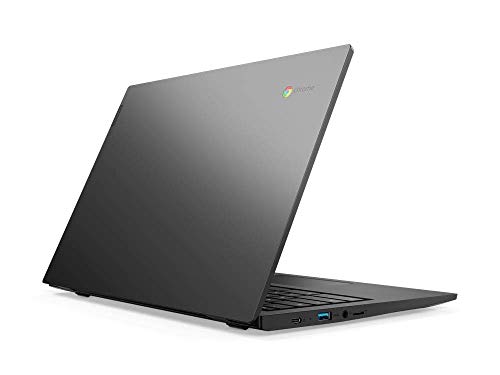
The S345 is a plastic machine. That's not an insult at this price point, it's just the reality. You're not getting an aluminium chassis or magnesium alloy construction at this budget. The Mineral Grey finish is clean and understated, which is the right call for a machine that might go into a school bag or a work environment. It doesn't scream "cheap" in the way some budget laptops do with their shiny plastic lids, but it's clearly not premium either.
The 180-degree hinge is a structural feature that could go either way in terms of durability. Hinges that travel further have more mechanical stress over time. Owner reviews don't flag hinge problems as a common issue, which is reassuring. The hinge feels deliberate rather than a gimmick, and it does add genuine utility as mentioned in the portability section. Whether it holds up over years of daily use is the longer-term question, but for the first year or two of ownership, reports are positive.
Lid flex and keyboard deck flex are the typical weak points on plastic budget laptops. The S345 isn't immune to this. Owners occasionally mention that the lid has some give when you pick the machine up by a corner, which is normal for a plastic chassis at this price. The keyboard deck is reported as reasonably solid during typing, which matters more for day-to-day comfort. It's not a machine you'd want to drop or treat roughly, but for careful everyday use in a bag and on a desk, the build holds up adequately. Fingerprint resistance on the Mineral Grey finish is decent. It doesn't show smudges as aggressively as glossy finishes do.
One thing the owner reviews do mention occasionally is that the machine feels light in a way that sometimes reads as slightly insubstantial. At 1.48 kg, that's the trade-off. Lighter usually means less material, which means less rigidity. It's not fragile, but it's not built like a tank either. For the price and the use case, it's appropriate. Just don't expect it to feel like a ThinkPad.
How It Compares
The budget Chromebook market is genuinely competitive, and the S345 doesn't exist in a vacuum. The two most relevant comparisons are the Acer Chromebook 314 and the HP Chromebook 14a. Both sit in the same price bracket, both run ChromeOS, and both target the same audience: students, light users, people who want something that just works without Windows complexity. Choosing between them comes down to where each machine makes its compromises.
The Acer Chromebook 314 typically ships with Intel Celeron N4000 or N4100 processors in its base configurations, which offer broadly comparable performance to the AMD A4-9120C. The Intel chips have the advantage of a more recent architecture in some configurations, and the Celeron N4100 in particular offers four cores versus the A4's two, which helps with multitasking. The Acer also tends to have a slightly larger battery in some variants, though real-world battery life differences between these machines are often smaller than the spec sheet suggests. Build quality on the 314 is similarly plastic-forward.
The HP Chromebook 14a is another strong contender. HP's entry-level Chromebooks have historically had good keyboard feel for the price, and the build quality is competitive. Some configurations of the 14a ship with MediaTek processors, which perform similarly to the AMD A4 in ChromeOS tasks. Where the S345 has an edge is the port selection: two USB-C and two USB-A is genuinely generous, and the 180-degree hinge is a differentiator that neither the Acer nor the HP matches. If connectivity and flexibility matter to you, the S345 has a real argument.
| Feature | Lenovo Chromebook S345 14 Inch FHD Laptop | Acer Chromebook 314 | HP Chromebook 14a |
|---|---|---|---|
| Processor | AMD A4-9120C (dual-core) | Intel Celeron N4000 / N4100 | MediaTek MT8183 / Intel Celeron |
| RAM | 4GB | 4GB | 4GB |
| Storage | 32GB eMMC | 32GB / 64GB eMMC | 32GB / 64GB eMMC |
| Display | 14 inch 1920x1080 | 14 inch 1920x1080 | 14 inch 1920x1080 |
| USB-C Ports | 2x USB-C | 1x USB-C | 1x USB-C |
| USB-A Ports | 2x USB-A | 2x USB-A | 2x USB-A |
| Hinge | 180-degree flat lay | Standard (135 degrees approx) | Standard (135 degrees approx) |
| Weight | 1.48 kg | Approx 1.45 to 1.6 kg | Approx 1.5 to 1.6 kg |
| Keyboard Backlight | No | No (base config) | No (base config) |
| Price | £239.00 | Similar budget tier | Similar budget tier |
| Best For | Port flexibility, flat-lay hinge, solid FHD screen | Slightly stronger multitasking in 4-core configs | Good keyboard feel, HP build quality |
Final Verdict
The Lenovo Chromebook S345 14 Inch FHD Laptop is a machine that knows its audience and, mostly, serves them well. If you're a student who needs something light and reliable for lectures and assignments, a remote worker who lives in Google's ecosystem, or someone who wants a cheap second machine for the sofa, this does the job. The port selection is genuinely good for the price. The 180-degree hinge is a nice practical touch. The Full HD screen at 14 inches is sharp enough for everyday use. And ChromeOS keeps the whole thing feeling responsive in a way that 4GB of RAM on a Windows machine simply wouldn't.
The honest limitations are the processor and the storage. The AMD A4-9120C is old and modest. It handles the basics, but it's not going to surprise you with speed. Thirty-two gigabytes of eMMC storage means you're leaning on the cloud and potentially the microSD slot sooner than you'd like. No keyboard backlight is an omission that'll bother some people. And the 4GB RAM ceiling means heavy multitaskers will feel the squeeze. None of these are deal-breakers for the right user, but they're real constraints you should go in knowing about.
The 355 reviews averaging ★★★★☆ (4.4) tell a consistent story: people who buy this for the right reasons are happy with it. People who expect more than a budget Chromebook can deliver are the ones who aren't. That's not a knock on the machine, it's just honest context. For the price, the Lenovo Chromebook S345 is a solid, practical choice for light daily use. Call it a 7 out of 10 for the budget tier. It does what it says, it's well-connected for the price, and it won't let you down if you treat it as the light-use machine it is. Just don't buy it expecting a powerhouse, because it isn't one, and it was never trying to be.
What works. What doesn’t.
6 + 6What we liked6 reasons
- Generous port selection with two USB-C and two USB-A ports stands out at this price
- Full HD 14-inch display produces sharp, clear text and images for everyday use
- 180-degree flat-lay hinge is a practical and uncommon feature at this budget
- Genuinely light at 1.48 kg, making it comfortable for daily commuting or campus use
- ChromeOS keeps the machine feeling responsive despite modest hardware
- Both USB-C ports support charging, removing dependency on a proprietary charger
Where it falls6 reasons
- AMD A4-9120C is an ageing dual-core chip with a low performance ceiling
- 32GB eMMC storage is tight, leaving only around 20 to 25GB usable after ChromeOS
- No keyboard backlight, which will frustrate anyone who works in dim environments
- 4GB RAM creates a noticeable bottleneck for users who multitask heavily
- Panel type is inconsistent between listings, creating uncertainty over IPS versus TN
- Lid and chassis flex are present, as is typical of plastic budget laptops
Full specifications
12 attributes| Storage type | eMMC 5.1 |
|---|---|
| Battery life H | 10 |
| Battery WH | 57 |
| Bluetooth | 4.1 |
| CPU | AMD A4-9120C |
| Display resolution | 1920x1080 |
| Display size IN | 14 |
| GPU | AMD Radeon R4 |
| Launch year | 2020 |
| OS | Chrome OS |
| Panel type | TN |
| Ports | 2x USB-C, 2x USB-A, 1x microSD, 1x 3.5mm |
If this isn’t right for you
2 options 7.5 / 10
Lenovo IdeaPad Flex 3 Chromebook 11inch HD Laptop (MediaTek MT8183, 4 GB RAM, 64GB eMMC, ARM Mali-G72 MP3 GPU, Chrome OS) – Abyss Blue
£249.99 · Lenovo
 7.0 / 10
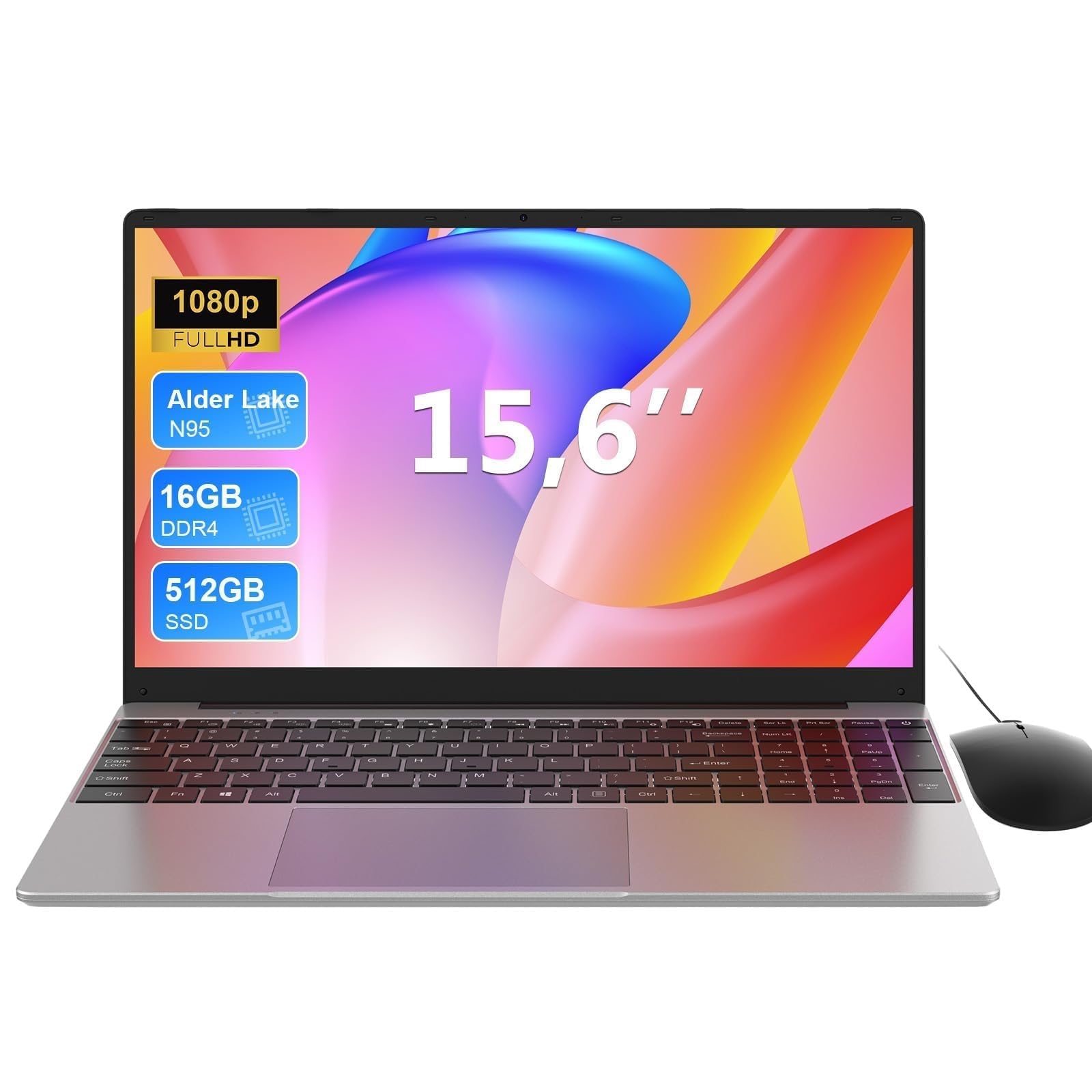
MAXLEGEN 15.6 Inch Laptop, Quad Core N95, 16GB RAM 512GB SSD, Notebook with Backlit Full-Size Keyboard, Numeric Keypad, 5G WiFi, Bluetooth/HDMI/USB 3.0, Win11 Notebook for Work Study, Mouse Included
£309.99 · MAXLEGEN
Frequently asked
7 questions01What processor does the Lenovo Chromebook S345 use?+
This specific configuration ships with the AMD A4-9120C, a dual-core processor with integrated Radeon R4 graphics. It is an older, low-power chip suited to light web browsing, Google Workspace applications, and media streaming. Some listings mention an AMD A6-9220, which is a different and slightly more capable chip. The model with 4GB RAM and 32GB storage uses the A4-9120C.
02Is 32GB of storage enough for everyday use?+
It depends on how you work. ChromeOS is designed around cloud storage, so if you keep your files in Google Drive and stream your media, 32GB is manageable. The OS itself occupies a portion of that space, leaving roughly 20 to 25GB usable. If you plan to download many Android apps or store large files locally, you will want to use the microSD card slot to expand storage.
03Does the Lenovo Chromebook S345 have a backlit keyboard?+
No. The S345 does not include a keyboard backlight. This is a common omission on budget Chromebooks but worth noting if you regularly type in low-light conditions such as on trains in the evening or in dimly lit rooms. Some competing Chromebooks at a similar price do offer backlighting, so it is worth considering if this feature is important to you.
04Can I charge the S345 from a USB-C power bank?+
Yes. Both USB-C ports on the S345 support charging, which means you are not tied to a proprietary charger. A USB-C power bank with sufficient output can charge the laptop, which is a genuinely useful feature for anyone who travels or works away from mains power regularly. The exact wattage of the included charger is not specified in the product listing.
05How does the Lenovo Chromebook S345 compare to the Acer Chromebook 314?+
Both machines target the same audience at a similar price and share a 14-inch Full HD display and 4GB of RAM. The Acer Chromebook 314 is available with Intel Celeron N4100, which offers four cores versus the AMD A4's two, giving it a modest multitasking advantage in some configurations. The S345 counters with a superior port selection, offering two USB-C ports compared to the Acer's one, and the 180-degree flat-lay hinge, which the Acer lacks. For most light users the practical difference in day-to-day performance is small.
06What is the battery life like in real-world use?+
Lenovo claims up to 10 hours, which is measured under light conditions. Owner reviews suggest a realistic figure of around six to eight hours of mixed use including browsing, document work, and video calls at moderate brightness. ChromeOS and the low-power AMD chip do help with efficiency. Running many Android apps in the background or keeping brightness high will reduce endurance. For a student going through a full day of lectures, or a few hours in a coffee shop, it is adequate on a single charge.
07Does the S345 support external monitors via USB-C?+
The product listing does not confirm whether the USB-C ports support DisplayPort Alt Mode or video output. If connecting an external display is important for your setup, it is worth checking Lenovo's full technical specification page for this model before purchasing, as this detail is not confirmed in the verified product data.