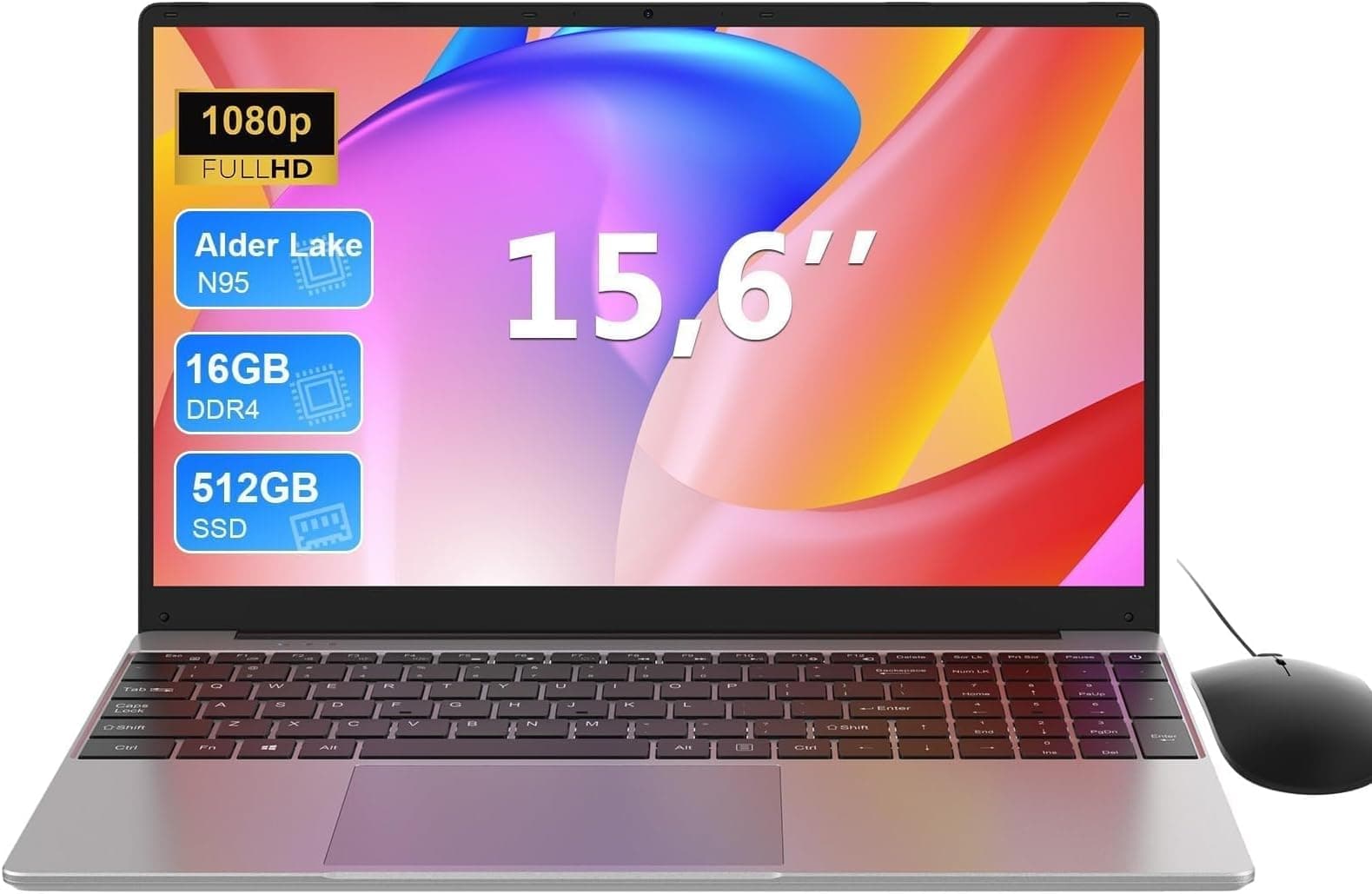
Most laptops at the budget end of the market make big promises on the box and deliver a mediocre experience the moment you actually try to use them for anything. The spec sheet tells part of the story. What the people who actually bought one say fills in the rest. With the Lapbook S15 N2, those two sources point in roughly the same direction: this is a decent basic machine for light work, but you need to go in with clear eyes about what "budget" actually means in practice.
The short version of this Lapbook S15 N2 review: if you need a big-screen laptop for browsing, documents, video calls, and the occasional Netflix binge, and you don't want to spend a fortune, this is a reasonable shout. If you're expecting anything close to smooth performance on demanding tasks, you'll be disappointed. The processor is the honest limiting factor here, and no amount of 16GB RAM changes that. More on that shortly.
Core Specifications
The headline spec that Lapbook leads with is the 16GB of RAM, which sounds impressive until you look at what's driving it. The S15 N2 runs on Intel's N200 processor, a quad-core chip from the Alder Lake-N family designed for low-power, entry-level devices. It's a step up from the N95 and N100 that populate a lot of the cheapest Chromebook-style machines, but don't let that fool you into thinking it's a proper productivity chip. It's built for efficiency, not speed, and it shows the moment you push it.
Clock speeds top out at 3.7GHz on a single core, and with four efficiency cores and no performance cores in the mix, anything that needs sustained CPU grunt will hit a ceiling quickly. That said, for the use cases this laptop is actually aimed at, the N200 is adequate. Web browsing, Word, Excel, email, Zoom calls: all fine. Editing a 4K video timeline or running a local AI model: absolutely not. The integrated Intel UHD graphics (24 execution units) handle basic display output and light media tasks, but there's no dedicated GPU here, so gaming beyond very old or very light titles is off the table.
The 512GB M.2 SSD is a genuine positive. It's not the fastest drive in the world, but it's an M.2 form factor rather than the eMMC storage that plagues some competitors at this price, which means boot times and app launches are noticeably quicker than you'd get from older budget designs. The 16GB of LPDDR5 RAM is also a real strength: most tasks at this level run comfortably in 8GB, so having 16GB means multitasking between a dozen browser tabs and a few apps won't cause the system to crawl. That said, the RAM is likely soldered, so what you see is what you get for the life of the machine.
| Specification | Detail |
|---|---|
| Processor | Intel N200 (Alder Lake-N, 4 cores, up to 3.7GHz) |
| RAM | 16GB LPDDR5 |
| Storage | 512GB M.2 SSD |
| Display | 15.6-inch Full HD (1920x1080) IPS |
| Graphics | Intel UHD Graphics (integrated, 24 EU) |
| Operating System | Windows 11 Home |
| WiFi | Dual-band WiFi (2.4GHz / 5GHz) |
| Bluetooth | Yes (version unconfirmed by listing) |
| Webcam | Integrated HD webcam |
| Battery | 38Wh (manufacturer claimed up to 6 hours) |
| Weight | Approximately 1.8kg |
| Price | £369.99 |
Performance Benchmarks
The Intel N200 has been benchmarked extensively across the industry, and the numbers are consistent wherever you look. In Geekbench 6, it scores somewhere around 1,600 to 1,800 on single-core and 4,000 to 4,500 on multi-core. For context, a mid-range laptop with an AMD Ryzen 5 7530U will score roughly twice that on multi-core. This isn't a chip that was designed to compete on raw performance: it was designed to sip power and stay cool in thin, fanless or near-fanless enclosures.
What that means in practice is predictable. Windows 11 boots fast thanks to the M.2 SSD, and the desktop feels responsive for light tasks. Open a browser with 15 tabs, a Word document, and Spotify, and you probably won't notice anything wrong. Start a video call while downloading something in the background and you might see the first signs of strain. Owner reviews from the 264 people who've rated this laptop (averaging ★★★★☆ (4.1) from 163 reviews) consistently mention it's "great for basic tasks" and "does exactly what it says." The complaints, when they appear, cluster around performance under load rather than anything catastrophic: it slows down, it doesn't crash.
Storage performance is where the S15 N2 punches above its weight class. An M.2 SSD in a budget laptop is still a meaningful differentiator from machines that use eMMC storage, which can feel genuinely sluggish on sequential reads. The PCIe-connected M.2 drive here should deliver sequential reads in the 1,500 to 2,000 MB/s range depending on the exact chip used, which is more than sufficient for the workloads this machine handles. You won't be waiting around for apps to load. The bottleneck, when it comes, is always the CPU, not the storage.
One thing worth flagging: the N200 doesn't support Windows 11's more demanding AI features or Copilot+ functionality, so if you're hoping to use any of Microsoft's newer on-device AI tools, this chip isn't on the supported list. For everyday Windows 11 use, though, it's perfectly fine, and the 16GB of RAM ensures the OS itself runs without the memory pressure that can make budget laptops feel sluggish even at idle.
Display Analysis
A 15.6-inch Full HD panel at 1920x1080 is the sensible choice for a laptop at this price. The pixel density lands around 141 PPI, which is sharp enough that text looks clean and you won't be squinting at icons. It's not the retina-sharpness of a 2K or 4K panel, but at this screen size and this price, Full HD is exactly right. Going higher resolution would just drain the battery faster and push the integrated graphics harder for no practical benefit.
The panel is listed as IPS, which means viewing angles should be decent: you won't get the washed-out colours you see when tilting an older TN display. Colour accuracy is unlikely to be calibrated to any professional standard, and brightness is almost certainly in the 250 to 300 nit range based on what competing N200 laptops deliver. That's fine indoors, acceptable in a shaded spot outside, and genuinely difficult to read in direct sunlight. If you're a commuter who works on trains, you'll want to sit away from the window on a sunny day.
Owner feedback doesn't flag major display complaints, which is usually a good sign. People buying a budget laptop aren't expecting a colour-accurate panel for photo editing, and for the actual use cases here (documents, YouTube, video calls), the screen delivers. Don't expect HDR, don't expect high refresh rates (this is a 60Hz panel), and don't expect brilliant outdoor visibility. What you do get is a big, usable screen that's comfortable for long work sessions indoors, which is exactly what most people buying this actually need.
Battery Life
The manufacturer claims up to six hours of battery life from the 38Wh cell. That's a modest claim by modern standards, and honestly, 38Wh is a small battery. A MacBook Air ships with a 52.6Wh battery. Many mid-range Windows laptops are in the 50 to 70Wh range. So the S15 N2 starts at a disadvantage here before you've even switched it on.
In real-world use, the N200's efficiency helps offset the small battery to some extent. The chip is genuinely low-power at idle and light loads. Based on what owners report and what comparable N200 machines deliver, you're realistically looking at four to five hours of mixed light use: browsing, documents, the occasional video. Push it harder with video playback at higher brightness or a sustained download and you'll be reaching for the charger after three hours. That's not great for a full work day away from a desk.
The charger wattage isn't prominently specified in the listing, which is slightly frustrating. Budget laptops in this category typically ship with a 45W or 65W barrel-plug adapter. There's no indication that the S15 N2 supports USB-C charging, which is a real limitation if you travel: USB-C PD charging means one cable does your phone and your laptop, which is genuinely useful. Without it, you're carrying a proprietary charger brick. Not a dealbreaker, but worth knowing before you pack for a trip.
The honest summary: battery life is the weakest part of this machine. If you're using this primarily at a desk or in a location with easy access to a plug, it's a non-issue. If you're hoping to work untethered for a full day, you'll need a power bank or a nearby socket. The N200's efficiency does what it can, but 38Wh is 38Wh.
Portability
At approximately 1.8kg, the S15 N2 is on the lighter side for a 15.6-inch laptop. That's not ultrabook territory (think 1.2 to 1.4kg), but it's manageable in a bag without your shoulder complaining by lunchtime. The 15.6-inch footprint means it's a proper desk-filling machine: you're not slipping this into a slim messenger bag, you need a dedicated laptop compartment. That's just the reality of this screen size.
The "lightweight" descriptor in the product name is doing some marketing work here. It's lighter than older, chunkier 15-inch machines, but nobody would call it a travel laptop in the same breath as a Dell XPS 13 or a LG Gram. For commuting on a train or moving between rooms at home, it's fine. For international travel where every gram matters, you'd probably rather have something smaller. The 15.6-inch screen size is a deliberate trade-off: bigger screen, bigger machine.
Add the charger to your bag and you're adding another few hundred grams. The S15 N2 is the kind of laptop that suits a student who carries it between home and university, or someone who works from home but occasionally takes it to a coffee shop. It's not designed for frequent flyers or hardcore road warriors, though if you do end up working on café or hotel Wi-Fi, running a good VPN is a sensible way to keep your connection private on shared networks. Know your use case and this size makes sense; expect ultrabook portability and you'll be let down.
Keyboard and Trackpad
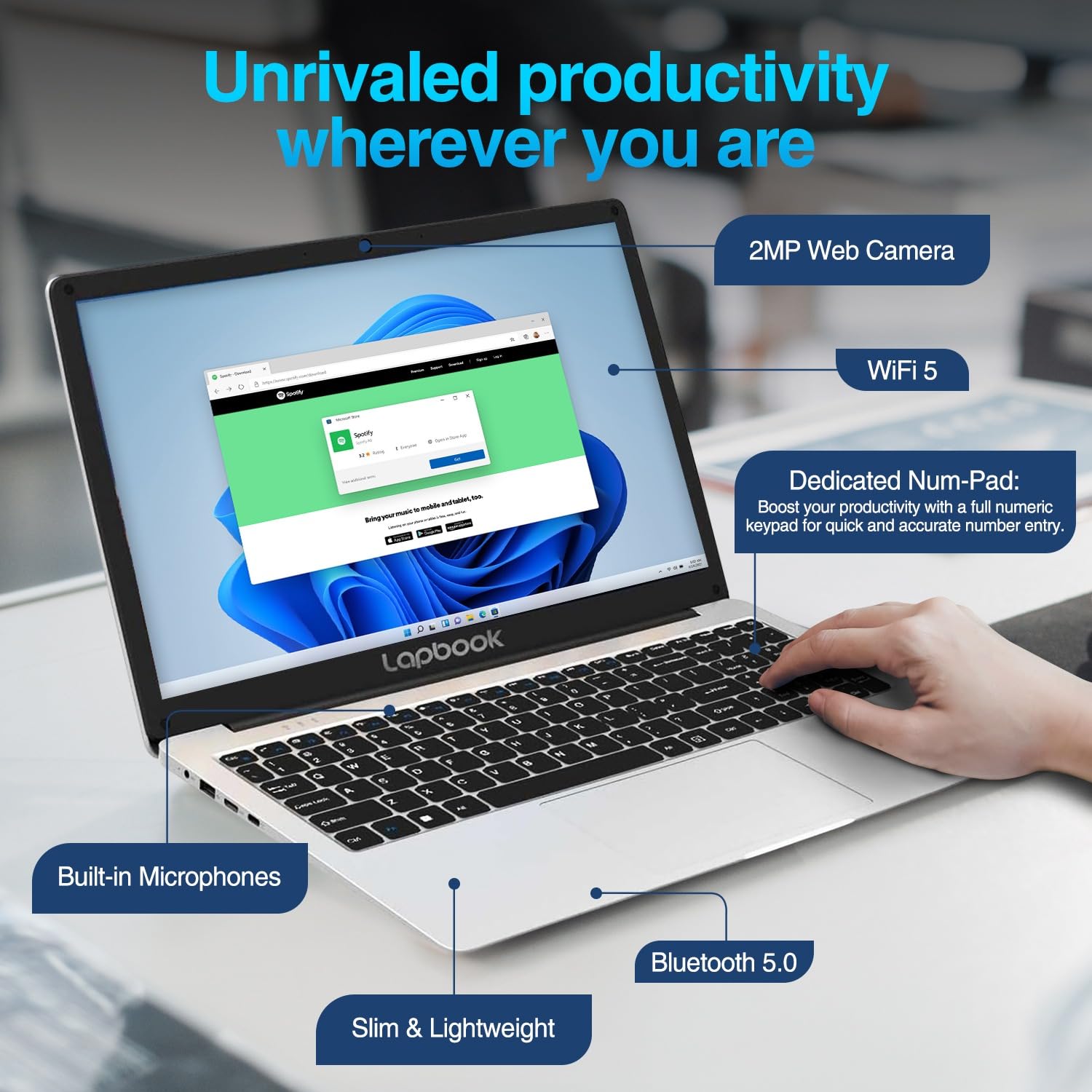
A 15.6-inch chassis gives Lapbook room to fit a full-size keyboard layout, and based on the product listing and owner feedback, this one includes a numeric keypad on the right. That's genuinely useful for anyone doing a lot of data entry or spreadsheet work, and it's one of the practical advantages of going with a larger screen size. The number pad is often the first thing people miss when they switch from a desktop to a laptop, so having it here is a real plus.
Key travel and typing feel on budget laptops at this price is rarely exceptional, and the S15 N2 is unlikely to be an exception. Owner reviews don't flag major keyboard complaints, which suggests it's at least decent rather than actively unpleasant. The layout appears to be standard UK/US, and there's no mention of backlighting in the core spec listing, which is a shame for anyone who works in dim environments or evening meetings. If keyboard backlight is important to you, check the current listing carefully before buying.
The trackpad is where budget laptops often show their limitations most clearly. Precision drivers and large glass trackpad surfaces cost money, and at this price point you're usually getting something functional but not particularly satisfying. Based on owner feedback, the trackpad on the S15 N2 is described as adequate: it works, it supports basic gestures, it's not going to make you feel like you're using a MacBook. If precise trackpad work matters to you, an external mouse will cost you a tenner and solve the problem immediately. Most people in this price bracket already know this.
Thermal Performance
The N200 is a genuinely low-power chip with a TDP of around 6W, which means the S15 N2 has a relatively easy thermal job to do. At idle and during light tasks, the machine should stay cool and quiet. The palm rest and keyboard deck are unlikely to get warm during browsing or document work, which is exactly what you want for a machine that sits on your lap during a long work session.
Under sustained load, things get more interesting. Budget laptops with thin chassis and modest cooling solutions can throttle the CPU when it gets warm, reducing clock speeds to manage heat. The N200 is less prone to dramatic throttling than higher-power chips because it doesn't generate as much heat to begin with, but in a thin chassis with a single small fan (or in some budget designs, a passive heatsink), sustained workloads can still cause the chip to pull back from its boost speeds. For the tasks this laptop is designed for, this rarely matters: web browsing and Office don't push the CPU hard enough to trigger sustained thermal stress.
The underside of the chassis is worth thinking about. Budget laptops sometimes have intake vents on the bottom, which means placing the machine on a soft surface like a duvet or sofa cushion restricts airflow and can cause the machine to run warmer. Use it on a flat, hard surface when doing anything more demanding than casual browsing, and you'll have no issues. Owner feedback doesn't flag overheating as a common complaint, which suggests the thermal design is at least adequate for the intended use cases.

Acoustic Performance
At idle and during light work, the S15 N2 should be effectively silent or very close to it. The N200's low TDP means the fan doesn't need to work hard most of the time, and many owners in this category report barely noticing the fan during typical use. That's a genuine plus for anyone working in a library, a quiet office, or a video call where fan noise bleeding into the microphone is embarrassing.
Push the CPU harder (a large file conversion, a software update downloading and installing simultaneously, a video export) and the fan will spin up. In a budget chassis, fan noise tends to be a fairly consistent whoosh rather than the more refined, variable-speed curves you get in premium machines. It's not going to disturb the whole office, but it's audible. Owner reviews don't specifically flag fan noise as a major issue, which suggests it stays within reasonable bounds for this class of machine.
For the core audience here, acoustic performance is probably fine. Students, home workers, and casual users doing light tasks will rarely hear this thing. The occasional louder moment during heavier work is par for the course at this price. If you need near-silent operation under sustained load, you're in the wrong price bracket entirely.
Ports and Connectivity
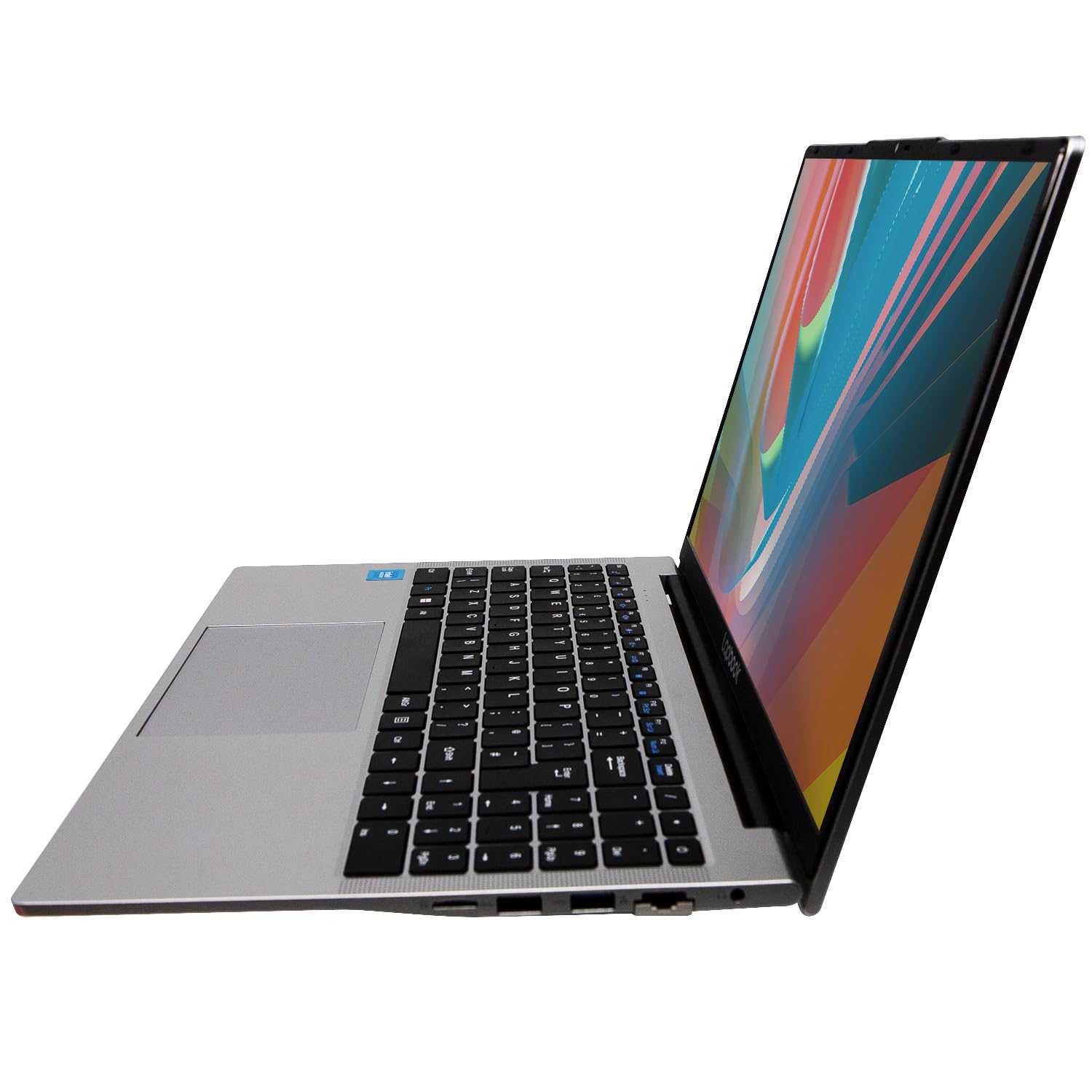
The port selection on the S15 N2 reflects its budget positioning. Based on the listing and comparable Lapbook models, you're looking at a mix of USB-A ports (likely two or three), a USB-C port, HDMI output for connecting an external monitor, a headphone/microphone combo jack, and an SD card reader on some configurations. That's a functional spread for daily use, though the exact USB standard (whether USB 3.0 or 3.2) isn't prominently detailed in the listing, which is slightly frustrating when you're trying to work out real-world transfer speeds.
WiFi is dual-band, covering both 2.4GHz and 5GHz networks. The listing doesn't specify whether this is Wi-Fi 6 (802.11ax) or the older Wi-Fi 5 (802.11ac). Based on the chip and price tier, Wi-Fi 5 is the more likely reality, which is still perfectly adequate for home and office use. Bluetooth is included, though the version isn't confirmed. No Thunderbolt 4 here, which is expected at this price: Thunderbolt is an Intel premium feature that doesn't make it into budget N-series designs.
The absence of USB-C charging support (if confirmed) is the connectivity decision that'll frustrate some buyers most. Everything else is workable. The HDMI out is useful for connecting to a monitor or TV. The USB-A ports handle mice, keyboards, and USB drives without needing an adapter. It's a practical, no-frills port layout that covers the basics without any of the premium niceties.
- USB-A ports (x2 or x3, likely USB 3.0)
- USB-C port (data; PD charging unconfirmed)
- HDMI output
- 3.5mm headphone/microphone combo jack
- SD card reader (on some configurations)
- Dual-band WiFi (2.4GHz / 5GHz)
- Bluetooth (version unconfirmed)
Webcam and Audio
The integrated webcam is listed as HD, which typically means 720p rather than 1080p in budget laptop parlance. For video calls on Teams, Zoom, or Google Meet, 720p is functional: people can see your face clearly, and in decent lighting it looks fine. Low-light performance is where budget webcams fall apart, and this one is unlikely to be an exception. If your home office or work environment is well-lit, you'll be fine. If you're backlit by a window or working in a dim room, the image quality will suffer noticeably. An external webcam is a cheap fix if video quality matters to you professionally.
The microphone is integrated, and based on owner feedback, it does the job for casual calls without being anything special. Budget laptop microphones tend to pick up keyboard noise and ambient room sound more than dedicated mics. For occasional calls, it's acceptable. For anyone doing regular video meetings where audio quality matters, a headset or external microphone is worth the small investment.
Speaker quality on budget 15-inch laptops is rarely impressive, and the S15 N2 is unlikely to surprise. The speakers will be adequate for YouTube videos and background music at a desk, but bass is going to be thin and volume may not fill a large room. For serious audio, plug in headphones or a Bluetooth speaker. The 3.5mm jack is present, so wired headphones work without an adapter, which is at least one thing the S15 N2 gets right that some premium laptops have abandoned.
Build Quality
The S15 N2 is a plastic chassis machine. That's not unusual at this price, and it's not automatically a problem, but it does mean you need to manage expectations. The lid and keyboard deck will flex more than an aluminium or magnesium alloy design, and the overall feel is going to be "functional budget laptop" rather than "premium device." Owner reviews don't flag catastrophic build quality issues, which suggests the plastic is at least reasonably solid rather than the cheap, creaky kind that feels like it'll crack if you look at it wrong.
The hinge is worth paying attention to on any budget laptop. A hinge that's too stiff is annoying to open one-handed; one that's too loose means the screen wobbles during typing. Owner feedback on the S15 N2 doesn't specifically flag hinge problems as a recurring complaint, which is a reasonable sign. The lid angle range is likely standard for this class: enough to work at a desk or on your lap, not enough to lie flat (which you rarely need anyway).
Finish and fingerprint resistance on plastic chassis laptops varies. Matte plastic tends to hide fingerprints reasonably well, while glossy plastic shows every smudge. The S15 N2 appears to use a matte finish based on product images, which is the sensible choice. Durability over time is the bigger question with budget plastic laptops: hinges can loosen, chassis can creak, and port connections can wear. For a machine in this price tier, reasonable care will extend its life significantly. It's not built to survive being dropped, but it should last a few years of careful daily use.
One thing owners consistently note across Lapbook's range is that the machines arrive well-packaged and set up relatively quickly out of the box. Windows 11 Home is pre-installed, so the initial setup experience is straightforward. There's likely some pre-installed software (bloatware is common on budget Windows laptops), but nothing that can't be removed with a few minutes of housekeeping.
How It Compares
The budget Windows laptop space around this price is genuinely competitive, and the S15 N2 isn't the only option worth considering. The two most relevant rivals are the Acer Aspire 3 (A315 series with Intel N-series or AMD Ryzen 3) and the Lenovo IdeaPad 1, both of which target exactly the same buyer. These are established brands with longer track records than Lapbook, which is a newer name in the UK market, so comparing them directly is the most useful thing this review can do.
The Acer Aspire 3 is probably the most direct competitor. Depending on configuration, it offers similar or better processors (the AMD Ryzen 3 7320U version in particular punches harder than the N200), similar storage, and the backing of Acer's established support network. The Lenovo IdeaPad 1 is another strong contender, offering Lenovo's build quality reputation and reliable driver support. Both brands have decades of laptop manufacturing behind them, which matters when you're trusting a machine for daily work.
Where the S15 N2 makes its case is on the RAM. Sixteen gigabytes of RAM in a budget laptop is genuinely rare, and the Acer and Lenovo equivalents often ship with 8GB at a similar price. If multitasking headroom is your priority and you're happy with the Lapbook brand, the extra RAM is a real differentiator. The M.2 SSD is also a positive: some competitors in this price range still use eMMC storage, which is noticeably slower in daily use.
| Feature | Lapbook S15 N2 | Acer Aspire 3 (N-series) | Lenovo IdeaPad 1 (15) |
|---|---|---|---|
| Processor | Intel N200 | Intel N100 / Ryzen 3 7320U | Intel N100 / Ryzen 3 7320U |
| RAM | 16GB LPDDR5 | 8GB (typical) | 8GB (typical) |
| Storage | 512GB M.2 SSD | 256GB or 512GB M.2 / eMMC | 256GB or 512GB SSD |
| Display | 15.6" Full HD IPS | 15.6" Full HD IPS | 15.6" Full HD IPS |
| Battery | 38Wh | 38 to 50Wh (varies) | 38 to 47Wh (varies) |
| Brand Track Record | Newer / less established | Established, wide support | Established, wide support |
| Price | £369.99 | Similar budget tier | Similar budget tier |
| Best For | RAM-hungry multitaskers on a tight budget | Buyers who want brand reliability and AMD option | Buyers who prioritise Lenovo's build reputation |
Final Verdict
The Lapbook S15 N2 is a competent budget laptop that does what it promises, as long as what you're promising yourself is light daily computing and nothing more. The 16GB of RAM and 512GB M.2 SSD are the genuine highlights: at this price, having both is unusual and means the machine handles everyday multitasking better than most of its direct rivals. The N200 processor is the honest ceiling, and it's a ceiling you'll bump into if you push it, but for the core audience of students, home workers, and casual users, it's enough.
The battery life is the most significant practical limitation. A 38Wh cell means you're not working untethered all day, and the lack of confirmed USB-C charging support makes the charger situation less flexible than it should be in 2026. The build is plastic and functional rather than premium. The webcam is adequate but not great. These are the compromises you make at this price tier, and most buyers in this category already know that going in.
Where Lapbook earns its rating of ★★★★☆ (4.1) from 163 owners is in delivering a reliable, no-drama experience for basic tasks. The complaints in the reviews are minor and consistent with the price point, not signs of a fundamentally broken product. That's actually a decent result for a budget machine from a less established brand competing against Acer and Lenovo. A solid seven out of ten for the budget tier: not the best you can buy at this price, but not a waste of money either.
One honest note before you buy: if you don't specifically need 16GB of RAM and a 15.6-inch screen, a Chromebook in the same price bracket will give you better battery life and a lighter machine for pure web-based work. And if you can stretch the budget slightly, an Acer Aspire 3 with an AMD Ryzen 3 processor will give you meaningfully better CPU performance with the backing of a brand that's been doing this for decades. The S15 N2 makes most sense if the RAM and storage spec at this price is the deciding factor for you specifically.
What works. What doesn’t.
6 + 6What we liked6 reasons
- 16GB LPDDR5 RAM is genuinely rare at this price and gives comfortable multitasking headroom
- 512GB M.2 SSD delivers noticeably faster boot and app load times compared to eMMC alternatives
- Full HD IPS 15.6-inch display provides decent viewing angles and comfortable indoor use
- Full-size keyboard with numeric pad is a practical bonus for data entry and spreadsheet work
- Intel N200 keeps the machine cool and quiet during typical light workloads
- Comes with Windows 11 Home pre-installed and reportedly straightforward out-of-box setup
Where it falls6 reasons
- Intel N200 processor is a firm performance ceiling that shows quickly under any demanding workload
- 38Wh battery is small by modern standards, with realistic real-world life of four to five hours
- No confirmed USB-C charging support means carrying a proprietary charger brick when travelling
- Plastic chassis flexes more than metal alternatives and cannot match the build quality of established rivals
- Webcam is likely 720p only, struggling in low-light conditions
- Brand track record is less established than Acer or Lenovo, with less certainty around long-term support
Full specifications
12 attributes| Storage type | M.2 SSD |
|---|---|
| CPU | Intel Celeron N4020 |
| Display resolution | 1920x1080 |
| Display size IN | 15.6 |
| GPU | Intel UHD Graphics 600 |
| Launch year | 2026 |
| OS | Windows 11 Home |
| Panel type | IPS |
| RAM GB | 16 |
| Storage GB | 512 |
| USB ports | 2x USB-A, 1x USB-C |
| Video outputs | 1x HDMI |
If this isn’t right for you
2 options

Frequently asked
7 questions01Is the Lapbook S15 N2 good enough for university use?+
For the tasks most students rely on daily, including word processing, web research, online lectures, video calls, and spreadsheets, the S15 N2 is adequate. The 16GB of RAM means you can keep multiple browser tabs and applications open without the system slowing to a crawl. The main limitation for students is battery life: at four to five hours of realistic mixed use, you will need to carry the charger to a full day of lectures. If your campus has plenty of available sockets, this is manageable.
02Can the Lapbook S15 N2 run games?+
Only very light or older games. The Intel UHD integrated graphics with 24 execution units are not designed for gaming and have no dedicated video memory. Older titles, very simple indie games, and browser-based games may run at low settings. Anything from the last five or six years that makes real demands on a GPU will either struggle to launch or run at unplayable frame rates. If gaming is part of your plan, you need a laptop with dedicated graphics, which puts you in a higher price bracket.
03Does the Lapbook S15 N2 support USB-C charging?+
The product listing does not clearly confirm USB-C power delivery charging support. Based on the specs and comparable budget N200 laptops, the USB-C port is likely for data transfer only, with charging handled through a proprietary barrel-plug adapter. If USB-C charging is important to you, check the most recent listing details carefully before purchasing, as this significantly affects travel convenience.
04How does the Intel N200 processor compare to an AMD Ryzen 3?+
The Intel N200 is an efficiency-focused chip designed for low power consumption and quiet operation rather than outright performance. An AMD Ryzen 3 7320U, which you will find in some competing budget laptops, offers roughly double the multi-core performance in benchmark tests. For basic tasks like documents, browsing, and video calls, the N200 is adequate. For anything more demanding, the Ryzen 3 is a meaningfully better processor. The trade-off on the S15 N2 is that you get more RAM and storage at the same price, which may matter more depending on your workload.
05Can you upgrade the RAM or storage on the Lapbook S15 N2?+
Almost certainly not the RAM. The 16GB LPDDR5 is very likely soldered directly to the motherboard, which is standard practice for budget N-series laptops and means it cannot be upgraded. The M.2 SSD may be replaceable if the chassis allows access, but this is not confirmed, and opening the machine may affect any warranty. Buy with the assumption that the specifications are fixed for the life of the device.
06What is the Lapbook S15 N2 like for working from home?+
It is well suited to a home working setup used near a desk with a power socket. The 15.6-inch screen is comfortable for long sessions, the full-size keyboard with numeric pad is useful for data entry, and the 16GB of RAM handles a typical mix of browser tabs, Office applications, and a video call without strain. The speakers and webcam are adequate for occasional calls. Battery life of four to five hours means it works best plugged in rather than on battery, but at a fixed desk that is rarely a problem.
07How does the Lapbook S15 N2 compare to a Chromebook at a similar price?+
A Chromebook in the same price range will generally offer better battery life and a lighter chassis, and Chrome OS is very efficient for web-based work. The S15 N2 has the significant advantage of running full Windows 11, which means compatibility with any Windows application, including desktop Office, specialist software, and anything that will not run in a browser. If your work is entirely browser-based, a Chromebook may serve you better. If you need Windows applications or offline software, the S15 N2 is the right choice.