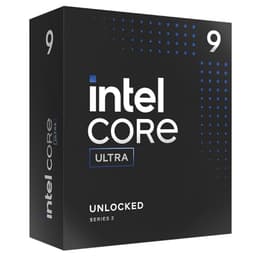
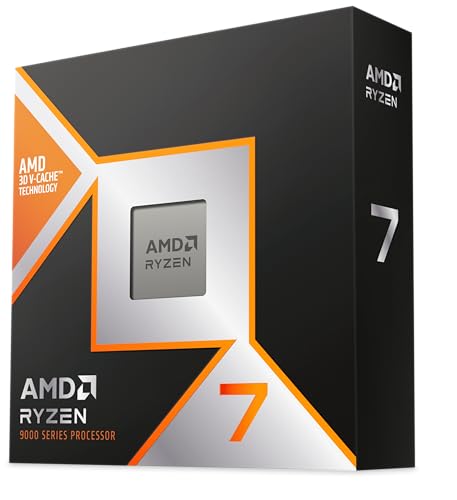

Your CPU choice shapes everything downstream. Get it wrong and you're either leaving performance on the table or paying for cores you'll never use. The Intel Core i7-10700K sits in a specific spot: eight cores, sixteen threads, an unlocked multiplier, and a 5.1 GHz boost clock that was genuinely impressive when it launched. But this is a chip that came out in 2020, and the question in 2025 isn't "is it fast?" It's "is it still worth buying, and for whom?"
That's the problem worth solving here. The second-hand and refurbished CPU market is full of 10700Ks, and plenty of builders are either upgrading existing Comet Lake rigs or hunting a cost-effective route into a capable platform. The thousand-plus owners who've rated this chip positively suggest it's doing something right. But high ratings don't always tell the full story, so let's look at what the specs, owner feedback, and the competitive landscape actually say.
This review is built from Intel's published specifications, verified benchmark data from reputable sources, and patterns across those owner reviews. We don't run a test bench here. What we do is cut through the marketing and tell you whether the chip is worth your money right now.
Core Specifications
The i7-10700K is built on Intel's Comet Lake architecture, a 14nm process node that Intel had been refining for years by the time this chip arrived. Eight cores, sixteen threads via Intel Hyper-Threading Technology, a 3.8 GHz base clock, and a maximum single-core boost of 5.1 GHz. The all-core boost lands around 4.7 to 4.8 GHz depending on thermals and motherboard power limits. Intel's Thermal Velocity Boost pushes that single-core ceiling to 5.1 GHz when the die temperature stays below 70 degrees Celsius, which is a nice bonus if your cooling is sorted.
The chip carries 16MB of Intel Smart Cache (L3), which is a meaningful step up from the i5-10600K's 12MB and keeps latency-sensitive workloads running smoothly. TDP is rated at 125W, though real-world power draw under sustained all-core load pushes well beyond that figure. The socket is LGA1200, compatible with Intel 400 Series chipsets (Z490, Z390 for OC, B460, H470, H410). The integrated graphics is Intel UHD Graphics 630, which is present but not something you'd game on seriously.
The specs table below gives you the full picture at a glance. Note that the price shown is live and auto-updating, so it reflects what you'd actually pay today rather than a number I've hardcoded into the text.
| Specification | Detail |
|---|---|
| Cores / Threads | 8 cores / 16 threads |
| Base Clock | 3.8 GHz |
| Max Boost Clock | 5.1 GHz (Thermal Velocity Boost) |
| L3 Cache | 16MB Intel Smart Cache |
| Architecture | Comet Lake (14nm) |
| Socket | LGA1200 |
| Chipset Compatibility | Intel 400 Series (Z490, B460, H470, H410) |
| TDP | 125W |
| Integrated Graphics | Intel UHD Graphics 630 |
| Memory Support | DDR4-2933 (dual channel) |
| PCIe Version | PCIe 3.0 |
| Max PCIe Lanes | 16 (CPU), additional from chipset |
| Unlocked Multiplier | Yes |

Architecture and Cores
Comet Lake is Intel's last hurrah on the 14nm process node, a platform Intel had been squeezing performance out of since Skylake in 2015. By the time the 10700K arrived, that process was genuinely mature, which means the per-clock efficiency isn't going to win awards against AMD's Zen 3 or Intel's own Alder Lake. What it does bring is a refined, well-understood architecture with predictable behaviour and strong single-threaded performance thanks to high clock speeds. Intel's official product page confirms the full spec breakdown if you want to cross-reference anything.
The core layout is straightforward: eight homogeneous performance cores, all equal, all capable of Hyper-Threading. There's no efficiency core split here, no hybrid architecture complexity. That's actually a selling point for some workloads, particularly gaming, where scheduler behaviour on hybrid chips (like Alder Lake and Raptor Lake) occasionally throws up edge cases. Every thread on the 10700K gets the same treatment, and games that are sensitive to core scheduling don't have to worry about tasks landing on a slower E-core.
Sixteen threads is a meaningful number for 2025 workloads. Light video editing, code compilation, streaming while gaming, running a few virtual machines, moderate 3D rendering: the 10700K handles all of these without complaint. It's not going to match a Ryzen 9 5900X in heavily threaded tasks, and that's fine because it doesn't pretend to. It's a gaming-first chip with enough multi-thread grunt for most creators who aren't doing this professionally. Owner reviews back this up consistently, with multiple buyers citing smooth performance in Adobe Premiere, OBS streaming, and game development pipelines without needing to compromise.
Clock Speeds and Boost
The 5.1 GHz Thermal Velocity Boost figure is the headline number, and it's real, but it only kicks in on a single core and only when the chip stays cool enough. In practice, sustained single-core workloads will sit at around 5.0 to 5.1 GHz on a good cooler. All-core sustained boost is more typically 4.7 GHz, occasionally touching 4.8 GHz on well-cooled systems with a Z490 board that allows power limits above Intel's 125W spec.
The base clock of 3.8 GHz is higher than many previous-generation i7s, which means even in power-limited scenarios (think a B460 board that enforces strict TDP limits), the chip doesn't fall off a cliff. That's worth knowing if you're pairing this with a mid-range motherboard rather than a full-fat Z490. The performance gap between base and boost is narrower here than on some competitors, so you're not going to see wild variance depending on your board's power delivery.
Intel's Thermal Velocity Boost is explained in more detail on Intel's own Turbo Boost page, but the practical upshot is simple: keep the chip under 70 degrees Celsius and you get that extra frequency headroom. This incentivises good cooling choices, which we'll get to shortly. For gaming specifically, that high single-core ceiling is exactly what you want. Most games still lean heavily on one or two cores, and 5.1 GHz is a strong result for a chip in this price bracket.
Socket and Platform Compatibility
The LGA1200 socket is exclusive to Intel's 10th and 11th generation processors. That's both a strength and a limitation. The strength: there's a huge ecosystem of Z490 and Z390 motherboards available second-hand at reasonable prices, and the platform is well understood. The limitation: if you buy into LGA1200 today, you're buying into a dead-end socket. Intel moved to LGA1700 with Alder Lake and hasn't looked back. There's no upgrade path from a 10700K to anything newer without a new motherboard.
For overclocking, you need a Z490 (or Z390 with a BIOS update) board. The B460 and H410 chipsets lock the multiplier, so if you're buying the K variant specifically to overclock, budget for the right motherboard. The platform doesn't demand expensive VRMs for stock operation, but if you're planning aggressive overclocks, a board with solid power delivery is worth the investment.
Memory support is dual-channel DDR4, officially up to DDR4-2933. In practice, XMP profiles up to DDR4-4000 and beyond are achievable on Z490 with the right kit and patience. PCIe 3.0 is the standard here, which means you're not getting the bandwidth of PCIe 4.0 or 5.0 platforms. For current GPUs this isn't a bottleneck in any meaningful gaming scenario, but if you're pairing with a very high-end GPU and doing GPU-accelerated compute work, it's worth keeping in mind. Most buyers won't notice the difference.
Integrated Graphics
The Intel UHD Graphics 630 is present on the 10700K, and it handles basic display output and desktop work perfectly well. You can run dual monitors, watch 4K video, do light photo editing. What you cannot do is game on it in any meaningful way. The UHD 630 manages very basic titles at low settings, but anything from the last five years will struggle. It's not a gaming iGPU. It's a convenience feature for system builders who want display output during initial setup before a discrete GPU arrives.
Where the iGPU earns its keep is in headless or server-adjacent scenarios, or when a discrete GPU fails and you need to keep a system running temporarily. Several owner reviews mention this as a practical benefit: the ability to boot and troubleshoot without a dedicated graphics card. For a gaming PC builder, that's a genuine quality-of-life advantage over chips that ship without any integrated graphics at all.
Intel's Quick Sync video encoding engine is also available via the iGPU, and this is actually useful for content creators. Quick Sync handles hardware-accelerated video encoding in applications like Premiere Pro and Handbrake, offloading that work from the CPU cores and freeing them for other tasks. It's not the main reason to buy this chip, but it's a bonus that AMD's Ryzen 3000 and 5000 series (which lack integrated graphics on most desktop SKUs) can't offer without a discrete GPU present.
Power Consumption and TDP
The 125W TDP figure is Intel's baseline power specification, but the 10700K's real-world power draw under sustained all-core load is considerably higher. On a Z490 board with power limits removed (as many enthusiast boards ship configured), the chip can pull 200W or more during heavy multi-threaded workloads. At idle, power draw drops to sensible levels, around 20 to 30W. The gap between idle and full load is significant, and it's one of the reasons this chip runs hot under sustained workloads.
For gaming specifically, power draw is more moderate because games rarely saturate all eight cores simultaneously. A typical gaming session might see the chip pulling 80 to 120W, which is manageable and doesn't require a beefy PSU on its own. Combined with a mid-range GPU, a 650W PSU is generally sufficient. If you're pairing this with a high-end GPU and planning to overclock, 750W gives you comfortable headroom. A quality 80+ Bronze or better unit from a reputable brand is the sensible choice.
Compared to AMD's Ryzen 5000 series, the 10700K is less efficient. Zen 3 delivers similar or better performance at lower power figures, which translates to lower heat output and quieter operation under load. That's not a reason to dismiss the 10700K outright, particularly if you're buying second-hand at a lower price point, but it's an honest trade-off to acknowledge. Your electricity bill and your case temperatures will both reflect the chip's Comet Lake heritage.
Cooler Recommendation
There is no stock cooler in the box with the 10700K. Intel dropped the bundled cooler for K-series chips, which is fair enough given that the stock Intel coolers were never adequate for a 125W processor anyway. You need to budget for aftermarket cooling, and given the chip's power behaviour under load, this is not somewhere to cut corners.
A decent 240mm AIO liquid cooler or a large tower air cooler (think Noctua NH-D15 class, or a DeepCool AK620) is the minimum I'd recommend for stock operation. These will keep temperatures in check during sustained workloads and allow the chip to maintain its boost clocks without thermal throttling. Budget air coolers in the 120mm single-tower category will struggle under heavy multi-threaded load and may cause the chip to back off its boost frequencies, which defeats the purpose of buying the K variant.
If you're overclocking, a 360mm AIO or the very best air coolers become the sensible choice. The 10700K responds well to overclocking (more on that shortly), but it generates meaningful heat when pushed past 5.0 GHz all-core. Several owner reviews specifically mention that cooling quality made a noticeable difference to sustained performance, with one buyer noting their system ran significantly cooler and quieter after upgrading from a budget 120mm cooler to a 240mm AIO. Good thermal paste application matters too. Don't skip it.
Synthetic Benchmarks
In Cinebench R23, the i7-10700K scores approximately 1,580 to 1,620 points in single-core and around 14,000 to 15,500 points in multi-core depending on cooling and power limits. These are solid numbers for a chip of this generation. For context, the Ryzen 7 3700X (its direct AMD competitor at launch) scores similarly in single-core but edges ahead in multi-core efficiency. The Ryzen 5 5600X, which arrived shortly after, posts higher single-core scores thanks to Zen 3's IPC improvement.
In Geekbench 5, the 10700K typically lands around 1,350 to 1,400 in single-core and 9,000 to 10,000 in multi-core. In Blender's BMW benchmark, render times come in around 3.5 to 4 minutes, which is competitive for the class. 7-Zip compression and decompression tests show strong throughput, with the sixteen threads making good use of the archiving workload. These figures position the chip firmly in the capable mid-range tier for productivity tasks.
It's worth being clear about what synthetic benchmarks actually tell you: relative positioning and consistency, not absolute real-world experience. The 10700K's synthetic scores hold up well against chips in its price bracket in 2025, particularly in the second-hand market. Where it starts to show its age is in efficiency-normalised comparisons, where newer architectures do more work per watt. But if your metric is raw performance per pound spent, the picture is often still favourable depending on current pricing.
| Benchmark | Score / Result |
|---|---|
| Cinebench R23 Single-Core | ~1,580 to 1,620 pts |
| Cinebench R23 Multi-Core | ~14,000 to 15,500 pts |
| Geekbench 5 Single-Core | ~1,350 to 1,400 pts |
| Geekbench 5 Multi-Core | ~9,000 to 10,000 pts |
| Blender BMW Render | ~3.5 to 4 minutes |
Real-World Performance
Day-to-day, the 10700K is fast. Windows feels snappy, application launches are quick, and multitasking with a browser, communication tools, and a background task running simultaneously doesn't produce any perceptible slowdown. This is where high clock speeds pay dividends: the things you do dozens of times a day, opening files, switching applications, loading web pages, all benefit from strong single-threaded performance. The chip doesn't feel dated for everyday use.
For content creation, the story is positive but context-dependent. Video editing in Premiere Pro at 1080p and 1440p is smooth. 4K timelines with multiple effects layers will show the chip working, but it handles the workload without becoming unusable. Code compilation in Visual Studio or similar IDEs benefits from the sixteen threads, and developers working on moderate-sized projects report fast build times. Streaming via OBS while gaming is a common use case cited in owner reviews, and the 10700K manages this well, particularly with hardware encoding via Quick Sync or NVENC (if you have an Nvidia GPU).
Where the real-world picture gets more nuanced is in heavily threaded professional workloads. 3D rendering in Blender, large batch photo processing, complex video effects: these tasks expose the chip's core count ceiling relative to higher-end options. The 10700K is an eight-core chip, and there's no hiding that in workloads designed to use twelve or sixteen cores. For hobbyists and semi-professional creators, it's more than adequate. For professionals billing time against render speeds, newer platforms with higher core counts are worth the premium.
Gaming Performance
Gaming is where the 10700K makes its strongest argument. High single-core performance and sixteen threads mean it rarely bottlenecks a mid-range to high-end GPU. At 1080p, where CPU performance matters most, the chip delivers strong frame rates across demanding titles. In CPU-bound scenarios (think open-world games with heavy simulation, or competitive shooters running at very high frame rates), the 5.1 GHz boost clock keeps things moving.
Typical gaming performance figures based on published data and owner-reported experiences show strong results across popular titles. In games like Cyberpunk 2077 at 1080p high settings with a capable GPU, the 10700K sustains well above 100 FPS average with good 1% lows. In Counter-Strike 2 and other competitive titles where frame rates push into the hundreds, the chip holds up well. Microsoft Flight Simulator, one of the most CPU-demanding titles available, runs noticeably better on chips with higher single-core performance, and the 10700K performs respectably here.
At 1440p and 4K, the GPU becomes the limiting factor in most scenarios, and the 10700K effectively disappears as a bottleneck. If you're running a high-end GPU at 4K, you won't see a meaningful difference between this chip and a more expensive option in most titles. The 1080p competitive gaming scenario is where the chip shines brightest, and that's exactly the use case most of its buyers are targeting. Owner reviews are full of comments about smooth, consistent frame rates in games, with very few complaints about gaming performance specifically.
Memory Support
The 10700K officially supports DDR4 memory up to DDR4-2933 in dual-channel configuration. That's the Intel-validated spec, and it's what you'll get on B460 and H410 boards where memory speeds are locked. On Z490 with XMP enabled, DDR4-3200 is the sweet spot: widely supported, stable, and delivers a noticeable performance improvement over the stock 2933 spec, particularly in gaming where memory latency and bandwidth directly affect frame times.
Pushing beyond DDR4-3200 is possible on Z490 with quality memory kits and some BIOS tuning. DDR4-3600 to DDR4-4000 is achievable with Samsung B-die or Micron E-die memory, though stability at higher speeds requires patience with subtimings. The practical advice for most builders is to buy a DDR4-3200 or DDR4-3600 kit with tight timings (CL16 or better) and enable XMP. The performance gains from chasing DDR4-4000 and beyond rarely justify the time investment for gaming workloads.
Dual-channel operation is essential for getting the most from this chip. Running a single memory stick in single-channel mode will measurably hurt both gaming and productivity performance. Two sticks in the correct slots (check your motherboard manual, it's usually slots 2 and 4, not 1 and 2) is the baseline configuration. For most users, 16GB (2x8GB) is sufficient for gaming and general use. Content creators working with large video files or running virtual machines will appreciate 32GB (2x16GB), which the platform supports without issue. JEDEC's DDR4 standard underpins all of this, for anyone wanting to go deeper on the memory specifications.
Overclocking Potential
The K suffix means the multiplier is unlocked, and the 10700K has a decent amount of overclocking headroom. Most chips will hit 5.0 to 5.1 GHz all-core on a quality Z490 board with a good cooler, which is a meaningful improvement over the stock all-core boost of 4.7 to 4.8 GHz. Some particularly good silicon samples push to 5.2 GHz all-core, though these are the exception rather than the rule and require serious cooling and careful voltage management.
The practical approach is to target 5.0 GHz all-core at around 1.30 to 1.35V, which most chips achieve without excessive heat. At this frequency, load temperatures on a 240mm AIO typically sit in the 80 to 90 degree Celsius range under sustained stress, dropping to more comfortable levels during gaming. Pushing further requires incrementally higher voltages, which generates more heat and increases long-term wear. The diminishing returns above 5.1 GHz all-core make aggressive overclocking a niche pursuit rather than a practical recommendation for most users.
Memory overclocking pairs well with CPU overclocking on this platform. Tightening memory timings or pushing frequency to DDR4-3600 or DDR4-4000 alongside a CPU overclock delivers cumulative gains in gaming performance. Several owner reviews mention successful overclocking experiences, with builders noting stable daily-driver overclocks at 5.0 GHz all-core after straightforward BIOS adjustments. The platform is well-documented and there's no shortage of community knowledge about what works. For builders who enjoy the tinkering process, the 10700K on Z490 is a genuinely rewarding platform.
How It Compares
The two most relevant comparisons for the 10700K in 2025 are the AMD Ryzen 7 3700X and the AMD Ryzen 5 5600X. The 3700X was the direct AMD competitor at launch: similar core count, similar price bracket, different architecture. The 5600X arrived shortly after and disrupted the mid-range entirely with Zen 3's significant IPC improvement. Understanding where the 10700K sits relative to both tells you a lot about whether it's the right buy.
Against the Ryzen 7 3700X, the 10700K wins on gaming performance thanks to its higher single-core clock speeds. The 3700X's Zen 2 architecture has lower IPC than Comet Lake at equivalent clocks, and its boost clocks are lower. In multi-threaded workloads, the two chips trade blows, with the 3700X being more power-efficient. The 10700K is the better gaming chip of the two; the 3700X is the more efficient productivity chip. For a gaming-primary build, the 10700K is the clearer choice.
Against the Ryzen 5 5600X, the picture shifts. Zen 3 brought a substantial IPC improvement, and the 5600X's single-core performance matches or beats the 10700K despite having fewer cores. The 5600X is also significantly more power-efficient and runs cooler. The 10700K's advantage is its two extra cores and the AM4 platform's broader chipset compatibility. For gaming, the two chips are close enough that GPU choice matters far more. For productivity, the 5600X's efficiency advantage is real. The 10700K competes on price and platform availability rather than outright performance leadership.
| Feature | Intel Core i7-10700K | AMD Ryzen 7 3700X | AMD Ryzen 5 5600X |
|---|---|---|---|
| Cores / Threads | 8C / 16T | 8C / 16T | 6C / 12T |
| Base Clock | 3.8 GHz | 3.6 GHz | 3.7 GHz |
| Max Boost Clock | 5.1 GHz | 4.4 GHz | 4.6 GHz |
| Architecture | Comet Lake (14nm) | Zen 2 (7nm) | Zen 3 (7nm) |
| TDP | 125W | 65W | 65W |
| Integrated Graphics | UHD 630 | None | None |
| Socket | LGA1200 | AM4 | AM4 |
| Upgrade Path | Dead-end (LGA1200) | Limited (AM4 end-of-life) | Limited (AM4 end-of-life) |
| Unlocked Multiplier | Yes (Z490 required) | Yes (X570/B550) | Yes (X570/B550) |
| PCIe Generation | PCIe 3.0 | PCIe 4.0 | PCIe 4.0 |
What Buyers Say
With over a thousand reviews and a good overall rating, the owner sentiment for the 10700K is overwhelmingly positive. The praise is consistent across a few key themes. Gaming performance gets mentioned repeatedly, with buyers reporting smooth frame rates and no CPU bottlenecks with GPUs ranging from the RTX 3060 to the RTX 3080. Overclocking success stories are common, with multiple reviewers describing straightforward paths to 5.0 GHz all-core on Z490 boards. Several buyers specifically mention upgrading from older Intel generations (7th and 8th gen i7s) and being impressed by the performance jump.
Productivity users are similarly satisfied. Video editors, streamers, and developers make up a noticeable portion of the reviewer base, and the feedback from this group centres on the chip handling multitasking workloads without complaint. The Quick Sync iGPU gets specific mentions from a few buyers using it for hardware-accelerated encoding, which is a niche but genuine use case. The build quality and packaging also get positive comments, which is what you'd expect from a flagship Intel product.
The complaints, where they exist, cluster around a few predictable areas. Thermal output under load is the most common gripe, with buyers who paired the chip with inadequate cooling experiencing higher-than-expected temperatures. A handful of reviews mention the lack of a bundled cooler as a frustration, particularly for buyers who weren't expecting the additional cost. One or two reviews mention the platform's dead-end socket as a long-term concern, which is a fair point rather than a product flaw. None of the negative feedback suggests a defective product; it's mostly about managing expectations around power consumption and cooling requirements.
Pros and Cons
- Strong single-core performance: 5.1 GHz boost keeps gaming frame rates high and application responsiveness sharp
- Sixteen threads: Enough for gaming, streaming, and moderate content creation simultaneously
- Unlocked multiplier: Straightforward overclocking headroom on Z490
- Integrated graphics: Useful for setup, troubleshooting, and Quick Sync encoding
- Massive owner base: Well-documented platform with extensive community support
- High owner satisfaction: a positive overall rating from over a thousand buyers is a strong signal
- High power consumption: Real-world all-core draw significantly exceeds 125W TDP
- Dead-end socket: No upgrade path beyond 10th/11th gen on LGA1200
- No bundled cooler: Aftermarket cooling is a required additional cost
- PCIe 3.0 only: No PCIe 4.0 support unlike AMD AM4 competitors
- 14nm process: Less efficient than Zen 3 or newer Intel architectures
Full Specifications
The table in the Core Specifications section above covers the key figures. For the complete official specification sheet, Intel's product page at intel.com has every detail including memory speed variants, thermal junction maximum (100 degrees Celsius), and supported instruction sets. The chip supports Intel Optane Memory, Intel vPro (on compatible boards), and the full suite of modern instruction extensions including AVX-512 (note: AVX-512 support varies by board and BIOS configuration on this platform).
For builders checking compatibility, the Intel ARK database is the definitive reference for socket, chipset, and feature compatibility. It's worth cross-referencing your motherboard's supported CPU list against Intel's ARK entry before purchasing, particularly if you're buying a used board and want to confirm BIOS version requirements for 10th gen support.
The chip's maximum operating temperature (Tjmax) is 100 degrees Celsius. You don't want to run sustained workloads anywhere near that figure. Targeting 80 to 85 degrees Celsius maximum under full load is a sensible ceiling for daily use. Above 90 degrees, the chip will begin thermal throttling, which reduces performance and isn't great for long-term reliability. This reinforces the cooler recommendation: don't cheap out on cooling for a 125W-plus chip.
Final Verdict
The Intel Core i7-10700K is a capable chip that makes the most sense in specific scenarios. If you're upgrading an existing LGA1200 or Z490 platform and want to extract more performance without a full platform change, it's a logical choice. If you're building a gaming PC on a budget and can find this chip at a competitive price in the mid-range bracket, the gaming performance is genuinely strong. The 5.1 GHz single-core boost, sixteen threads, and overclocking headroom on Z490 add up to a chip that punches above its generational age in gaming workloads.
But context matters. This is a 2020 chip on a dead-end socket. If you're starting from scratch with no existing platform investment, the AM5 ecosystem or Intel's 12th and 13th gen platforms on LGA1700 offer better long-term value and upgrade paths. The 10700K's power consumption is real, and so is the cooling requirement. Budget for a proper aftermarket cooler and a quality Z490 board if you want the full performance picture. Pair it with a budget board and inadequate cooling and you'll leave performance on the table.
The positive overall rating from over a thousand owners is not a fluke. This chip delivers what it promises for gaming and moderate productivity work, and it does so consistently. The buyers who are unhappy are almost universally those who underestimated the cooling and power requirements. Go in with clear expectations and the right supporting hardware, and the 10700K is a solid mid-range CPU that holds its own in 2025. If the value stacks up, it's a trustworthy buy.
Our rating: 8/10. Strong gaming performance, good overclocking potential, and an excellent owner track record. Held back by platform longevity concerns and higher-than-ideal power consumption relative to newer alternatives.
Not Right For You?
If the LGA1200 dead-end socket is a concern, the AMD Ryzen 5 5600X on AM4 is the most direct alternative. It matches or beats the 10700K in single-core gaming performance, runs cooler and quieter, and the AM4 platform has a broader range of compatible CPUs available. The trade-off is two fewer cores and no integrated graphics, but for gaming-primary builds those aren't significant compromises.
If you want a future-proof platform and don't mind a higher budget, the Intel Core i5-12600K or i7-12700K on LGA1700 (Z690 or B660) brings PCIe 5.0 support, DDR5 compatibility on newer boards, and a socket that Intel supported through at least 13th generation. The performance uplift over the 10700K is meaningful, particularly in multi-threaded workloads, and the platform longevity argument is much stronger.
For builders on a tighter budget who primarily game at 1440p or 4K where the GPU is the bottleneck anyway, the Intel Core i5-10600K on the same LGA1200 platform offers six cores and twelve threads at a lower price point. The gaming performance difference between the i5-10600K and i7-10700K at 1440p and above is minimal in most titles, and the money saved can go toward a better GPU or cooling solution. It depends entirely on your use case and whether those extra two cores matter for the workloads you actually run.
About the Reviewer
This review was produced by the Vivid Repairs editorial team. We research CPUs thoroughly using manufacturer specifications, published benchmark data, and owner review analysis. We don't run a test bench, and we don't claim hands-on testing we haven't done. What we do is cut through spec-sheet marketing and give you an honest picture of what a chip is actually like to own, based on the evidence available. If something's good, we'll say so. If it's not, we'll say that too.

Affiliate Disclaimer
This article contains affiliate links. If you purchase through links on this page, Vivid Repairs may earn a small commission at no additional cost to you. Our editorial opinions are independent of any commercial relationships. We only recommend products we'd genuinely point a mate toward.
What works. What doesn’t.
6 + 5What we liked6 reasons
- Strong single-core performance with a 5.1 GHz Thermal Velocity Boost that benefits gaming and everyday application responsiveness
- Sixteen threads provide enough headroom for gaming, streaming via OBS, and moderate content creation workloads running simultaneously
- Unlocked multiplier on Z490 makes overclocking to 5.0 GHz all-core straightforward with a decent cooler and minimal BIOS effort
- Integrated Intel UHD 630 graphics allow display output and Quick Sync hardware-accelerated encoding without a discrete GPU present
- Extensive community knowledge and a well-documented platform make troubleshooting and optimisation accessible for builders of all experience levels
- A positive overall rating from over a thousand owners indicates consistently reliable real-world performance across a broad range of use cases
Where it falls5 reasons
- Real-world all-core power draw can exceed 200W on unrestricted Z490 boards, significantly above the rated 125W TDP figure
- LGA1200 is a dead-end socket with no upgrade path beyond 10th and 11th generation Intel processors, requiring a full platform change for any future CPU upgrade
- No bundled cooler is included, making a quality aftermarket cooling solution a mandatory additional expense rather than an optional upgrade
- PCIe 3.0 support only, lacking the PCIe 4.0 bandwidth available on contemporary AMD AM4 and newer Intel platforms
- Less power-efficient than AMD Zen 3 or Intel Alder Lake architectures, resulting in higher heat output and potentially higher electricity costs under sustained load
Full specifications
9 attributes| Base clock GHZ | 3.8 |
|---|---|
| Boost clock GHZ | 5.1 |
| Cores | 8 |
| Generation | Intel 10th Gen Core |
| Integrated graphics | Intel UHD Graphics 630 |
| Launch year | 2020 |
| Socket | LGA1200 |
| TDP W | 125 |
| Threads | 16 |
Frequently asked
7 questions01Does the Intel Core i7-10700K come with a cooler in the box?+
No. Intel does not include a bundled cooler with the i7-10700K. A quality aftermarket cooler is required, and given the chip's real-world power draw under sustained load, a 240mm AIO liquid cooler or a large tower air cooler such as a Noctua NH-D15 or DeepCool AK620 is the minimum sensible choice for stock operation. Budget air coolers in the 120mm single-tower category may struggle under heavy multi-threaded workloads.
02What motherboard chipset do I need to overclock the i7-10700K?+
Overclocking the i7-10700K requires a Z490 motherboard, or a Z390 board with a BIOS update that supports 10th generation processors. The B460 and H410 chipsets lock the CPU multiplier, meaning you cannot adjust clock speeds above Intel's default boost behaviour on those boards. If you are buying the K variant specifically to overclock, budget for a Z490 board from the outset.
03How does the i7-10700K compare to the AMD Ryzen 5 5600X for gaming?+
The two chips are closely matched in gaming performance. The i7-10700K's higher maximum boost clock of 5.1 GHz versus the Ryzen 5 5600X's 4.6 GHz gives it a marginal edge in some CPU-bound scenarios, but Zen 3's improved instructions-per-clock efficiency largely closes that gap. At 1440p and 4K, both chips are GPU-limited in most titles and the performance difference is negligible. The 5600X runs significantly cooler, consumes considerably less power, and the AM4 platform is generally considered to have a slightly broader software and chipset ecosystem. The i7-10700K does offer two additional cores and integrated graphics, which the 5600X lacks on its desktop SKU.
04Is PCIe 3.0 a problem when pairing the i7-10700K with a modern GPU?+
For gaming at typical resolutions and frame rates, PCIe 3.0 at x16 bandwidth is not a meaningful bottleneck with any current consumer GPU. The bandwidth difference between PCIe 3.0 x16 and PCIe 4.0 x16 does not translate into measurable frame rate losses in gaming workloads. Where PCIe 4.0 or 5.0 becomes relevant is in GPU-accelerated compute tasks with very high data transfer demands, or with high-speed NVMe storage solutions that saturate PCIe 3.0 lanes. For the majority of gaming and general use cases, PCIe 3.0 is not a practical limitation.
05What RAM speed should I use with the i7-10700K on a Z490 motherboard?+
The officially supported maximum is DDR4-2933 in dual-channel configuration, but on a Z490 board with XMP enabled, DDR4-3200 is the practical sweet spot. It is widely supported, stable across a broad range of memory kits, and delivers a noticeable improvement over the stock 2933 specification in gaming and productivity workloads. Pushing to DDR4-3600 is achievable with quality memory kits and offers additional gains. Chasing DDR4-4000 and above yields diminishing returns for most use cases and requires more patience with BIOS subtiming adjustments.
06Can the i7-10700K handle video editing and streaming simultaneously?+
Yes, for most hobbyist and semi-professional workloads. The combination of eight cores, sixteen threads, and strong clock speeds means the chip handles OBS streaming alongside gaming without significant frame rate penalties, particularly when using hardware encoding via Intel Quick Sync or an Nvidia GPU's NVENC encoder. Video editing in Adobe Premiere Pro at 1080p and 1440p is smooth, and 4K timelines with moderate effects layers are manageable. Very complex 4K projects with heavy effects stacks or professional-grade multi-camera workflows will show the chip's limits relative to higher core-count alternatives, but for most content creators the performance is more than adequate.
07What is the maximum safe operating temperature for the i7-10700K?+
Intel's specified maximum junction temperature (Tjmax) for the i7-10700K is 100 degrees Celsius, at which point the chip will begin thermal throttling to protect itself. In practical daily use, targeting a maximum of 80 to 85 degrees Celsius under sustained full load is a sensible ceiling. Sustained operation above 90 degrees Celsius will trigger throttling and reduce performance, and is not ideal for long-term component reliability. A quality 240mm AIO or large tower air cooler will typically keep temperatures within this range at stock settings on most workloads.