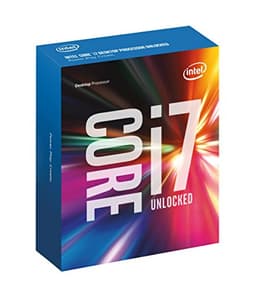
Best Overall Value
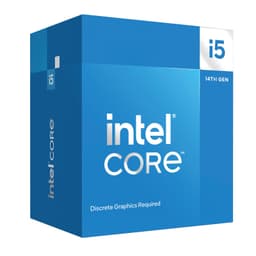
Here's the thing: when you're hunting for the best Intel CPUs under £300 UK 2026, the i5-11400 is the chip that keeps coming up. It's older, yes. Rocket Lake architecture from 2021. But at this price, it's almost unfair to the competition.
Six cores, twelve threads, and a boost clock of 4.4 GHz. The 65W TDP means it runs cool and quiet on a basic air cooler, which matters if you're not spending big on cooling. It slots into LGA1200 boards, so if you've already got a 500 series or select 400 series motherboard, this is a genuinely painless upgrade.
For gaming, it holds its own at 1080p and 1440p without bottlenecking mid-range GPUs. Paired with something like an RTX 4060, you won't be leaving frames on the table in most titles. Productivity tasks like video editing and streaming are manageable, though you'll feel the limits if you're doing heavy multi-threaded work regularly.
Real owner feedback on Amazon UK is consistently positive. People appreciate the low power consumption, the quiet operation, and the fact that it just works out of the box. A few note that it's not the newest thing on the shelf, but for the money, nobody's complaining.
The honest limitation? The LGA1200 platform is a dead end. There's no upgrade path beyond 11th gen on this socket. If you're planning to keep your motherboard and upgrade the CPU in two years, this isn't the right foundation. But for a complete budget build or a one-and-done upgrade, it's hard to beat.
Pros
- Exceptional price-to-performance ratio
- Low 65W TDP, runs cool and quiet
- Solid gaming performance at 1080p and 1440p
- Works with existing 500 and select 400 series boards
Cons
- LGA1200 is a dead-end platform
- Older Rocket Lake architecture
- Not ideal for heavy multi-threaded workloads
Buy on Amazon£193.08
Best Build Quality
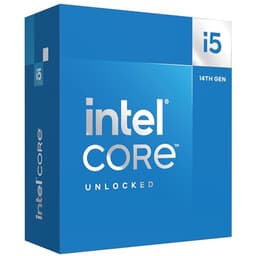
The i5-14600K is the chip that enthusiast builders keep recommending to newcomers. And for good reason. It's unlocked, meaning you can overclock it if you want to, but it performs brilliantly even at stock settings. That makes it ideal for beginners who want room to grow without needing to tinker on day one.
Fourteen cores split across six P-cores and eight E-cores, with a 5.3 GHz boost clock. Intel UHD 770 integrated graphics are included, which is genuinely useful if your dedicated GPU fails or you're testing a build before the GPU arrives. For a first-time builder, that safety net matters.
Gaming performance is strong across the board. At 1080p and 1440p, it keeps up with the best chips in this price range. The hybrid core architecture handles background tasks on the E-cores, keeping gaming performance clean and consistent. Streaming, light video editing, and everyday productivity all feel snappy.
The K suffix means no cooler in the box, so budget £30 to £50 for a decent air cooler. A B760 or Z790 board pairs well with it. For beginners building their first proper gaming PC, this combination hits a sweet spot of performance, flexibility, and future-proofing on the LGA1700 platform.
It sits near the top of the budget in this roundup, but the performance justifies it. This is a chip you won't feel the need to replace for several years.
Pros
- Unlocked multiplier for overclocking potential
- Integrated graphics included
- Strong gaming and productivity performance
- Good platform longevity on LGA1700
Cons
- No cooler included
- Near the top of the £300 budget
- Z790 board needed to unlock overclocking
Buy on Amazon£232.29
Best Under £100 (Relative)
The i5-14600KF is the i5-14600K with one thing removed: integrated graphics. That's it. Same 14-core hybrid layout, same 5.3 GHz boost clock, same unlocked multiplier. If you're pairing this with a dedicated GPU, which most gaming builds do, you're getting identical performance for less money.
In the context of the best Intel CPUs under £300 UK 2026, the KF variant represents one of the sharpest value propositions in the lineup. The price gap between the K and KF isn't enormous, but every pound saved on the CPU is a pound you can put toward a better GPU, more RAM, or faster storage.
Performance in gaming is excellent. The six P-cores handle game threads efficiently, while the eight E-cores manage background processes. You'll see smooth frame rates in demanding titles and consistent performance during long gaming sessions. Content creators doing light video editing or streaming will also find it more than capable.
The main caveat is the same as the K: no cooler in the box, and you'll want a Z790 board to actually use the unlocked multiplier. On a B760 board it still runs well, just without overclocking. For buyers who know they'll always have a dedicated GPU installed, the KF is the smarter purchase.
Pros
- Same performance as the 14600K for less money
- Unlocked multiplier for overclocking
- Excellent gaming performance
- Efficient hybrid core architecture
Cons
- No integrated graphics
- No cooler included
- Needs dedicated GPU at all times
Buy on Amazon£214.97
Best Budget
The Intel Core i5 14500 is the best budget pick in this best Intel CPUs under £300 UK 2026 roundup. It's a non-K chip, so no overclocking, but it brings a proper 14-core hybrid layout with integrated graphics to a price point that makes sense for mainstream builds.
Fourteen cores split across six P-cores and eight E-cores, with boost clocks up to 5.0 GHz. The Intel UHD 770 integrated graphics mean you can run a display without a dedicated GPU, which is useful for office builds, media PCs, or anyone who wants a fallback option. Power consumption is sensible too, making it a good fit for smaller cases and modest PSUs.
Gaming performance is solid at 1080p. It won't match the 14600K in raw frame rates, but for most mainstream gaming scenarios the difference is smaller than the price gap suggests. Paired with a mid-range GPU like an RTX 4060 or RX 7600, it delivers a genuinely enjoyable gaming experience without obvious bottlenecks.
For productivity, the E-core count helps with multi-tasking. Running a browser, a video call, and a background download simultaneously doesn't cause the stuttering you'd see on older quad-core chips. It's a proper modern processor at a sensible price.
The LGA1700 platform means it's compatible with a wide range of B760 and Z790 boards. Good upgrade path too, since you could eventually step up to a 14700F or 14900K on the same board if needed.
Pros
- Modern 14-core hybrid architecture
- Integrated graphics included
- Sensible power consumption
- LGA1700 platform with good upgrade options
Cons
- No overclocking support
- Lower boost clocks than the K variants
- Gaming performance trails the 14600K
Buy on Amazon£232.99
Best Under £50 (Relative)
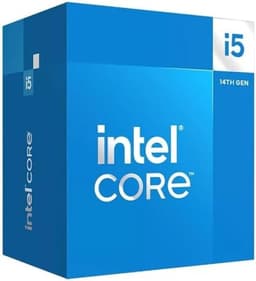
The i5-14400F is the entry point to the modern Raptor Lake lineup. Ten cores, six P-cores and four E-cores, with a 4.7 GHz boost clock. It's not the most exciting chip on this list, but it's a proper step up from older quad-core processors and it doesn't ask much of your budget.
The F suffix means no integrated graphics, so a dedicated GPU is required. For a gaming build that's fine, but it's worth flagging for anyone considering a general-purpose or office machine. Paired with a budget GPU, it handles 1080p gaming without drama. The six P-cores are the same silicon as the higher-end 14th gen chips, just with fewer E-cores and lower clocks.
Power consumption is low, which is a genuine plus for smaller builds. It runs cool on a basic air cooler and doesn't demand a high-end PSU. For a compact gaming PC or a budget streaming box, it fits the brief well.
Multi-threaded performance is where the reduced E-core count shows up. Heavy workloads like video encoding or 3D rendering will be noticeably slower than the 14600K or 14700F. But for gaming, light content creation, and everyday use, it's more than adequate.
Owner feedback on Amazon UK is positive, with buyers consistently praising the value and the straightforward installation on B760 boards. A sensible, no-fuss chip for budget-conscious builders.
Pros
- Low power consumption
- Good 1080p gaming performance
- Affordable entry to the LGA1700 platform
- Straightforward installation
Cons
- No integrated graphics
- Fewer E-cores than higher-end chips
- Limited multi-threaded headroom
Buy on Amazon£148.97
Retail Box Option
This is the retail box version of the i5-14600K. Same chip, same specs, same performance. The 3.5 Box designation refers to the official Intel retail packaging, which includes proper documentation and the full Intel warranty. For buyers who want the peace of mind of an official retail purchase rather than a tray chip, this is the version to go for.
Performance is identical to the OEM i5-14600K listed earlier in this roundup. Fourteen cores, 5.3 GHz boost, unlocked multiplier, Intel UHD 770 integrated graphics. Everything covered in that section applies here.
The price sits slightly higher than the OEM version, which is expected for retail box packaging. Whether that premium is worth it depends on your priorities. If you're buying from a reputable retailer and the OEM chip comes with a proper warranty, the box version's advantages are mainly cosmetic. But for first-time builders who want the full official experience, or anyone who values the documentation and retail warranty process, it's a legitimate choice.
In the context of the best Intel CPUs under £300 UK 2026, it's the same chip at a slightly higher price. The performance value is marginally lower than the OEM version, but the build quality and warranty assurance keep it competitive.
Pros
- Official Intel retail packaging and warranty
- Same strong performance as the OEM 14600K
- Integrated graphics included
- Good for first-time builders wanting official documentation
Cons
- Slightly more expensive than the OEM version
- No cooler included despite retail box
- No performance advantage over the OEM chip
Buy on Amazon£239.75
Newest Architecture
The Core Ultra 5 245KF is the most architecturally interesting chip in this best Intel CPUs under £300 UK 2026 roundup. It's built on Intel's newer Arrow Lake platform, using the LGA1851 socket. That means a brand new motherboard is required, which complicates the value calculation significantly.
On paper, the specs look competitive. Fourteen cores, 5.2 GHz boost, unlocked multiplier, no integrated graphics. The Arrow Lake architecture brings improvements in efficiency and AI processing capabilities compared to Raptor Lake. For buyers who want to be on the latest platform and plan to upgrade further within the LGA1851 ecosystem, it makes some sense.
But here's the honest reality: the performance uplift over a 14600K or 14600KF isn't dramatic enough to justify the additional platform cost for most buyers. A decent LGA1851 motherboard adds meaningful cost to your build, and the gaming performance delta compared to mature Raptor Lake chips is modest in most titles. Tom's Hardware's CPU benchmarks consistently show that Arrow Lake's gaming performance improvements are incremental rather than transformative.
Where it does shine is in efficiency under mixed workloads and in future-proofing. If you're building a system you plan to keep for five or more years and want the newest platform, the 245KF is the forward-looking choice. For pure value right now, the Raptor Lake chips are harder to argue against.
Pros
- Newest Arrow Lake architecture
- Unlocked multiplier
- Future-proof LGA1851 platform
- Good efficiency under mixed workloads
Cons
- Requires new LGA1851 motherboard
- No integrated graphics
- Modest gaming performance uplift over Raptor Lake
- Platform cost reduces overall value
Buy on Amazon£139.99