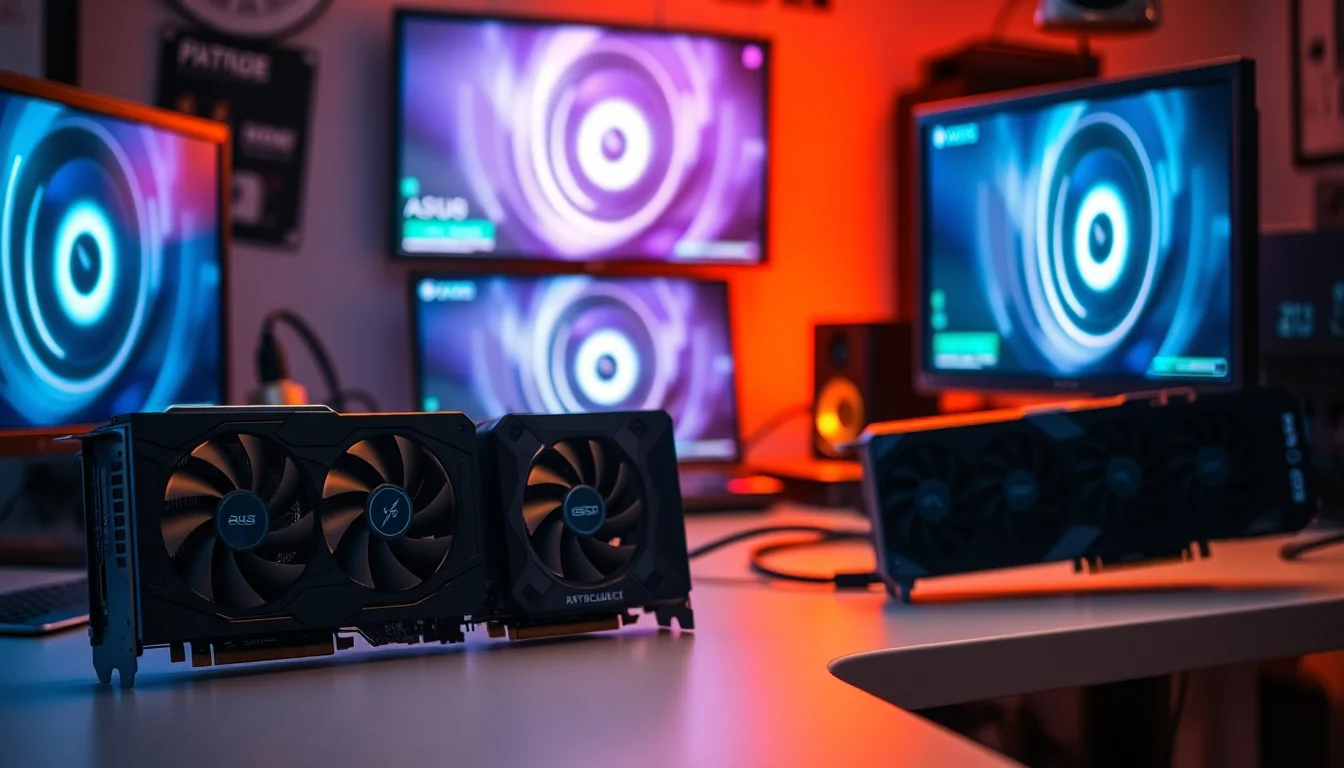
The GPU market in 2026 is a proper minefield. Cards get announced, stock disappears, prices swing wildly, and by the time you've done your research something newer has been teased. So when a card like the ASUS DUAL RTX5070 OC lands in the upper mid-range bracket, the practical question isn't whether it's impressive on paper. It's whether it's worth your actual money, right now, versus what else is sitting on the shelf.
The short answer: yes, but with caveats. The RTX 5070 is a strong card for high-refresh 1440p gaming and handles 4K with DLSS doing the heavy lifting. The ASUS DUAL version specifically is compact, it's rated ★★★★½ (4.6) on Amazon, and the factory overclock (2542MHz boost out of the box, 2572MHz in OC mode) gives you a small but real edge over reference. But the 12GB VRAM question is real and worth talking about honestly, and the price puts you close enough to the 5070 Ti that you should at least pause before clicking buy. More on all of that below.
Core Specifications
The ASUS DUAL RTX5070 OC is built on NVIDIA's Blackwell architecture, the successor to Ada Lovelace, manufactured on TSMC's 4N process node. It carries 12GB of GDDR7 memory, which is a meaningful upgrade over the GDDR6X found on previous-gen cards at this tier. The memory bus is 192-bit, giving a bandwidth figure that comfortably outpaces what the RTX 4070 could manage. The card connects via PCIe Gen 5, though in practice PCIe 4.0 x16 doesn't bottleneck any current GPU so that's more of a future-proofing tick than a day-one benefit.
Display outputs include one HDMI port and three DisplayPort outputs, so you can run a four-monitor setup without a hub, which is genuinely useful if you're into productivity alongside gaming. The factory boost clock sits at 2542MHz in default mode and 2572MHz in OC mode, both above NVIDIA's 2510MHz reference spec for the 5070. NVIDIA's reference base clock is 2.33GHz.
The card is rated for 988 AI TOPS (ASUS rounds it to 1000 in its marketing), which is NVIDIA's headline number for the Blackwell generation and reflects the increased Tensor core throughput over Ada. That figure matters most for DLSS 4 and AI-accelerated workloads rather than raw rasterisation, but it's a meaningful spec if you're planning to use this card for anything beyond pure gaming. The dual-fan cooler is compact by design, explicitly positioned for SFF and space-conscious builds, which narrows the physical footprint compared to triple-fan alternatives in the same GPU tier.
| Specification | Detail |
|---|---|
| GPU Architecture | NVIDIA Blackwell |
| VRAM | 12GB GDDR7 |
| Memory Bus | 192-bit |
| Boost Clock | 2542MHz (default), 2572MHz (OC mode) |
| AI Performance | 988 AI TOPS |
| PCIe Interface | PCIe Gen 5 |
| Display Outputs | 1x HDMI, 3x DisplayPort |
| Cooler | Dual-fan (Axial-Tech), Vented Backplate |
| Fan Bearings | Dual-ball bearings |
| Form Factor | Compact, SFF-ready |
| Amazon Rating | ★★★★½ (4.6) (294 reviews) |
| Price | £749.50 (Price checked 23:16, 2 Oct 2026, UK time) |

Architecture and Cores
Blackwell is NVIDIA's current-generation architecture. The RTX 5070 sits in the mid-tier of the Blackwell stack, below the 5070 Ti and 5080, but it inherits the same architectural improvements across the board, including the fourth-generation RT cores.
The Tensor cores are fifth-generation in Blackwell, and that's where the 988 AI TOPS figure comes from. Those cores power DLSS 4, including the Multi Frame Generation feature that can produce multiple AI-generated frames per rendered frame. That's a big deal for 4K gaming specifically, where the card can render at a lower internal resolution and use AI to reconstruct the output. The image quality at DLSS Quality mode is genuinely difficult to distinguish from native at 1440p, and most people wouldn't notice the difference. At Performance mode it's more obvious, but still usable.
Clock Speeds and Boost
The 2572MHz clock is ASUS's headline number for this card, and it's a real overclock rather than a rounding exercise. NVIDIA's reference boost clock for the RTX 5070 is 2510MHz, so ASUS has pushed the GPU Boost algorithm's ceiling upward from the factory: 2542MHz in the default mode the card ships in, and 2572MHz in OC mode, which you switch on in ASUS GPU Tweak III.
The OC suffix here isn't just marketing. The higher clock won't change the tier this card competes in, but it does mean you're getting a slightly better result than the baseline 5070 for the same GPU die. If you're the type who would manually overclock anyway, the ASUS DUAL OC gives you a head start, and there's still typically some headroom left for further tuning via MSI Afterburner or ASUS GPU Tweak.
VRAM Analysis
Twelve gigabytes of GDDR7 is the spec that will define how well this card ages. The move from GDDR6X to GDDR7 isn't just a number bump: GDDR7 delivers substantially higher bandwidth per pin, which on a 192-bit bus gives the RTX 5070 memory bandwidth that was previously only available on wider-bus cards. That bandwidth matters for texture throughput, especially at 4K where the GPU is shuffling enormous amounts of data per frame. The RTX 4070 had 12GB of GDDR6X on the same 192-bit bus; the 5070's GDDR7 gives it a meaningful bandwidth advantage for the same capacity.
The capacity question is trickier. At 1080p and 1440p, 12GB is comfortably more than enough for every current game, including texture-heavy titles with ultra settings enabled. At 4K with maximum texture quality in demanding titles, some games are pushing past 10GB of VRAM usage, and a handful of the most demanding ones are approaching 12GB. That's not a crisis today, but it's a flag for longevity. The RTX 5070 Ti steps up to 16GB, and if you're planning to use this card for four or five years at 4K with maximum settings, that extra headroom is worth thinking about.
For the majority of people buying this card, though, 12GB is fine. Most 1440p gaming sits comfortably below 10GB even with textures maxed out, and DLSS Quality mode at 4K renders internally at 1440p, which keeps VRAM usage in a very manageable range. Just don't expect this to be a worry-free 4K maximum-settings card in 2030.
Ray Tracing and Upscaling
Blackwell's fourth-generation RT cores process ray intersections faster than Ada's did. That said, path tracing at 4K native is still too heavy for any card at this price point. You need DLSS to make it work.
DLSS 4 with Multi Frame Generation is the headline feature here. NVIDIA's DLSS technology has matured to the point where the upscaling quality at Quality and Balanced presets is genuinely hard to fault. Multi Frame Generation, which generates additional frames using AI between rendered frames, can multiply effective frame rates significantly in supported titles. The catch is that generated frames add a small amount of latency, and NVIDIA Reflex is needed to keep that in check. Most competitive gamers will want to be careful about leaning too hard on Multi Frame Generation for fast-paced shooters, but for cinematic single-player titles it's a brilliant tool.
On an NVIDIA card you'll want to use DLSS wherever it's available. XeSS from Intel also works on any GPU, including this one, and is a reasonable fallback for titles that support it but not DLSS. The short version: this card's upscaling ecosystem is as strong as it gets right now.
Video Encoding
The RTX 5070 includes NVIDIA's latest NVENC encoder, which supports AV1 hardware encoding and decoding. AV1 is increasingly the codec of choice for streaming and content creation because it delivers better quality at lower bitrates than H.264 or H.265. With hardware AV1 encoding on the GPU, you can stream at high quality without meaningfully impacting gaming performance. That's a genuine advantage over older cards that relied on software AV1 encoding.
For content creators doing video editing, the NVENC encoder in Blackwell is fast and produces good quality output. It's not a replacement for a dedicated workstation GPU, but for someone who games and occasionally exports YouTube videos or streams on the side, the 5070 handles it well. The 12GB VRAM is also useful here: video editing software can use GPU VRAM for timeline previews and effects rendering, and 12GB gives you more headroom than the 8GB cards that are still common at lower price points.
Decode support covers AV1, H.265, H.264, and VP9, which means the card handles hardware-accelerated playback of virtually any streaming or downloaded content you'll throw at it. If you use your PC as a media centre alongside gaming, the decode capabilities are solid. And for anyone running AI image or video generation tools locally, the 988 AI TOPS from the Tensor cores is relevant beyond just DLSS.

Power Consumption
NVIDIA rates the RTX 5070's total graphics power (TGP) at 250W, with the card's boost algorithm managing power delivery dynamically. Transient spikes can exceed the rated TGP briefly, which is normal for modern GPUs and is why PSU headroom matters more than the nominal TGP figure alone.
For PSU recommendations, a quality 750W unit, which is what ASUS recommends, is the sensible minimum for a system with a modern mid-range CPU and this GPU. If your build includes a power-hungry CPU like a high-end Core Ultra or Ryzen 9, stepping up to 850W gives you proper headroom for transient spikes and leaves room for future upgrades. The card uses a 16-pin power connector (12VHPWR), which is standard for current NVIDIA cards. If your PSU doesn't have a native 16-pin cable, ASUS includes a 1-to-2 adapter cable in the box, and it's worth using that rather than a generic third-party option to avoid the connector issues that plagued early 12VHPWR adoption.
Thermal Performance
The ASUS DUAL cooler uses Axial-Tech fans, which ASUS describes as having longer blades for improved airflow and dispersion compared to standard fan designs. The vented backplate is a meaningful addition: it lets air pass straight through the back of the card, which is particularly useful in compact builds where airflow is constrained. Combined with the dual-ball bearing fans, which ASUS rates for up to twice the lifespan of sleeve bearings, this is a cooler designed to last and to work hard in tight spaces.
For an SFF build, the vented backplate becomes even more important, and the compact footprint means it physically fits in cases where a triple-slot triple-fan card simply wouldn't.
The dual-fan configuration does mean this cooler has slightly less raw cooling surface area than a triple-fan design on a full-size card. If you were running a 5080 or 5090, you'd want more cooling mass.
Acoustic Performance
Noise is where compact dual-fan designs can sometimes disappoint, because smaller fans have to spin faster to move the same volume of air as larger ones. The Axial-Tech fans on the ASUS DUAL mitigate this with their longer blade design, which is specifically engineered to move more air per revolution than a conventional fan of the same diameter.
The dual-ball bearings contribute to acoustic performance over time as well as longevity. Sleeve bearings can develop a low-frequency hum as they age, especially if the card runs warm regularly. Ball bearings don't have that problem to the same degree, and the ASUS DUAL's bearing choice means the acoustic character you get on day one should be similar to what you get a few years down the line. That's a small thing, but it's the kind of detail that separates a well-engineered cooler from a budget one.
Gaming Performance
Native 4K at maximum settings in the most demanding titles is challenging for any card at this price point, and the 5070 is no exception.
At 1080p, the card is honestly overkill for most scenarios unless you're chasing extremely high frame rates on a 360Hz competitive monitor. It'll do the job brilliantly, but you're leaving performance on the table that a cheaper card could deliver. The 5070 makes most sense when paired with a 1440p display, ideally at 144Hz or above, or a 4K display where DLSS does the heavy lifting. That's the sweet spot this card was designed for.

Final Verdict
The ASUS DUAL RTX5070 OC is a well-executed card in the right tier for 1440p gaming in 2026. The compact dual-fan design with Axial-Tech blades, vented backplate, and dual-ball bearings makes it a genuinely good fit for SFF and mid-tower builds where space or airflow is a constraint. The factory overclock (2572MHz in OC mode) gives you a small performance advantage over reference, DLSS 4 is the best upscaling available from any vendor, and the GDDR7 bandwidth is a real improvement over the previous generation.
The VRAM situation is the honest caveat. Twelve gigabytes is fine today and will be fine for the next two or three years at 1440p. At 4K with maximum textures in the most demanding titles, you're already closer to the ceiling than is ideal for a card you might want to keep for five years. If 4K maximum settings longevity is your priority, the RTX 5070 Ti's 16GB is worth the extra spend.
But for the person this card is actually aimed at, which is a 1440p gamer who wants high-refresh performance, a compact card, and the full NVIDIA feature set including DLSS 4, the ASUS DUAL RTX5070 OC is a proper choice. It's not cheap, and at £749.50 (Price checked 23:16, 2 Oct 2026, UK time) you're spending real money. If you want the compact size and the DLSS ecosystem, this card earns its asking price.
Editorial score: 8.5 out of 10. Strong architecture, a compact cooler with a vented backplate, and a factory overclock that's more than cosmetic. The 12GB VRAM cap and the proximity to the 5070 Ti's price in the market stop it from being a perfect recommendation, but for 1440p it's a strong option.
What works. What doesn’t.
5 + 3What we liked5 reasons
- Compact SFF-ready dual-fan design with vented backplate
- DLSS 4 with Multi Frame Generation is the best upscaling available
- Factory overclock: 2542MHz boost by default, 2572MHz in OC mode, both above the reference 5070
- GDDR7 delivers meaningful bandwidth improvement over previous-gen GDDR6X
- 988 AI TOPS future-proofs for AI workloads and local generative tools
Where it falls3 reasons
- 12GB VRAM is adequate now but tight for 4K maximum settings long-term
- Upper mid-range pricing puts it close to the 5070 Ti, which offers 16GB
- Dual-fan cooler has less thermal headroom than triple-fan alternatives if you push clocks hard
Full specifications
12 attributes| Vram GB | 12 |
|---|---|
| Boost clock MHZ | 2572 |
| Chipset | RTX 5070 |
| Cooler type | dual-fan |
| Core clock MHZ | 2542 |
| Generation | RTX 50 Series |
| Interface | PCIe 5.0 |
| Length MM | 249 |
| Memory BUS BIT | 192 |
| Memory type | GDDR7 |
| Power connectors | 1x 16-pin 12VHPWR |
| Slot width | 2.5 |
Will it run on what you have?
Free toolIf this isn’t right for you
2 options

Frequently asked
4 questions01Is the ASUS DUAL RTX5070 OC good for 1440p gaming?+
Yes, 1440p is where this card makes most sense, ideally paired with a 144Hz or 165Hz monitor. With DLSS 4 enabled, frame rates climb further. It's a proper 1440p card.
02What PSU do I need for the ASUS DUAL RTX5070 OC?+
A quality 750W PSU, as ASUS recommends, is the sensible minimum for a system with a modern mid-range CPU. If your build includes a high-end CPU like a top-tier Core Ultra or Ryzen 9, step up to 850W for proper headroom. The card uses a 16-pin 12VHPWR connector, so check your PSU has a native cable or use the 1-to-2 adapter cable ASUS includes in the box.
03Is 12GB VRAM enough in 2026?+
For 1440p gaming, yes, comfortably. Most titles at 1440p ultra settings sit well below 10GB. At 4K with maximum textures in the most demanding current titles, some games are approaching 12GB, which is tighter. If you plan to game at 4K maximum settings for the next four or five years, the RTX 5070 Ti's 16GB gives more headroom. For 1440p, 12GB is fine.
04What warranty and returns apply to the ASUS DUAL RTX5070 OC?+
ASUS gives 36 months' warranty on its graphics cards, though it notes the period can vary by region and is shown on the card's label. When buying through Amazon UK, you're also covered by Amazon's standard 30-day returns policy and the A-to-Z guarantee.