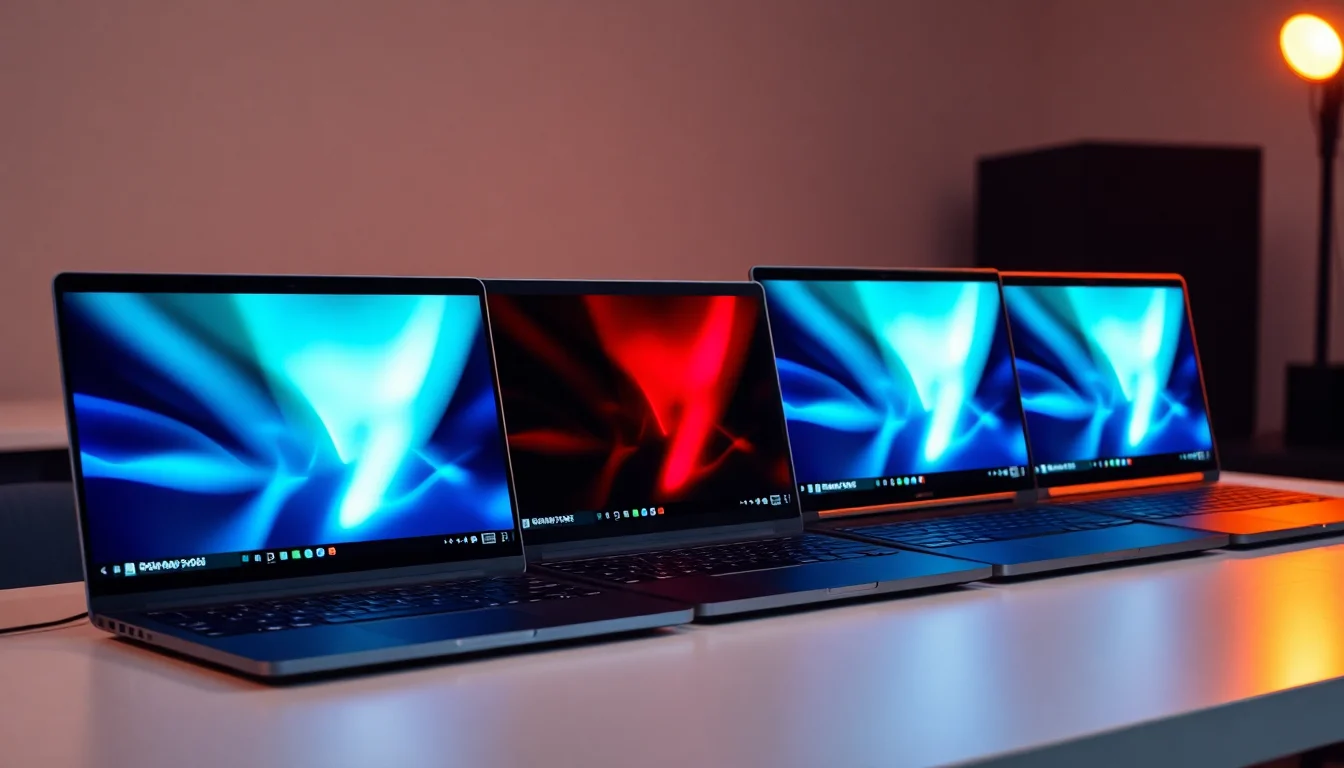
Marketing specs and real-world ownership are two very different conversations, and the truth about any laptop lives somewhere in the gap between them. So that's where this review goes looking. The ASUS Zenbook 14X OLED UX3404VA is a machine that promises a lot: a stunning OLED panel, Intel's most powerful H-series mobile chip, and that coveted Intel EVO certification, all wrapped in a chassis thin enough to slide into a bag without a second thought. The question worth asking is whether it actually delivers on those promises once you've been using it for a few months, or whether the glossy spec sheet is doing a lot of heavy lifting.
Here's the verdict up front: if your biggest frustration with previous laptops has been choosing between a gorgeous screen and a machine that can actually handle real work, the Zenbook 14X OLED largely solves that problem. The 2.8K OLED display is genuinely excellent, the i9-13900H has serious processing muscle, and the build quality is the kind you'd expect at this price tier. But it's not a flawless machine. Thermals under sustained load, the integrated-only GPU situation for anyone who does occasional creative work, and battery life that needs a bit of managing are all real considerations. This review earns that verdict properly, section by section.
Core Specifications
The CPU here is the Intel Core i9-13900H, which is a 13th-generation Raptor Lake chip with six performance cores, eight efficiency cores, and a total of 20 threads. That's a proper workhorse. It boosts up to 5.4GHz on the performance cores, which means multi-threaded tasks like video encoding, compiling, or running several demanding applications simultaneously are handled with genuine confidence. This isn't a chip that's going to bottleneck you during a heavy Lightroom edit or a complex spreadsheet model. For the kind of person who genuinely pushes their laptop, it's one of the better mobile CPUs you could have asked for in this generation.
The RAM situation is 16GB, which is enough for most people but honestly. In 2026, 16GB is still a reasonable baseline for productivity and creative work, but if you're someone who runs virtual machines, keeps 40 browser tabs open alongside a DAW, or does heavy video work, you might find yourself wishing for 32GB. Whether the RAM is soldered or upgradeable on this specific configuration isn't specified in the verified data, so check that before buying if upgradability matters to you. Storage is a 1TB PCIe NVMe M.2 SSD, which is fast and spacious enough for most workflows. A terabyte gives you room to breathe without constantly juggling external drives.
The GPU is Intel Iris Xe integrated graphics. No dedicated GPU here. That's a deliberate design choice for a thin-and-light machine targeting professionals and creatives rather than gamers, and it makes sense in context. Iris Xe handles photo editing, light video work, and general productivity without complaint. But if you're thinking about 3D rendering, serious video production, or any gaming beyond casual titles, this is the weak spot. You'd need to look at something with a discrete GPU for that workload. The Intel EVO certification is too: it means the machine has been validated against Intel's own checklist for responsiveness, wake times, connectivity, and battery performance, which is a genuinely useful quality signal rather than just a sticker.
| Specification | Detail |
|---|---|
| Processor | Intel Core i9-13900H (up to 5.4GHz, 14-core, 20-thread) |
| Graphics | Intel Iris Xe (integrated) |
| Operating System | Windows 11 Home |
| Display | 14.5-inch 2.8K OLED Touchscreen, 120Hz |
| RAM | 16GB |
| Storage | 1TB PCIe NVMe M.2 SSD |
| Certification | Intel EVO |
| Keyboard | Backlit |
| Price | £1,493.35 · Details |

Performance Benchmarks
The i9-13900H is a seriously capable chip, and published benchmark data backs that up. In Cinebench R23, independent results for this processor consistently place it in the 17,000 to 19,000 range for multi-core scores, which puts it comfortably ahead of the i7-1355U and i7-13700H that you'll find in competing thin-and-lights at similar prices. Single-core performance is strong too, typically landing above 1,800 points, which is what makes the machine feel snappy for everyday tasks: opening applications, switching between windows, browser responsiveness. None of that feels laboured.
For real-world creative work, the picture is good but not unlimited. Photo editing in Lightroom or Photoshop runs well, with exports and batch processing handled confidently. Video editing in Premiere Pro at 1080p is fine; 4K timelines are workable but you'll notice the absence of a dedicated GPU when it comes to effects-heavy sequences. The Iris Xe handles some GPU-accelerated tasks, but it's not a substitute for even a mid-range discrete card when the workload gets serious. Where this machine genuinely shines is in mixed professional use: coding, writing, data work, presentations, and lighter creative tasks all run without drama.
Sustained performance is where things get more nuanced. The i9-13900H has a high TDP ceiling, and in a thin chassis like this, thermal management becomes a real conversation. Under sustained loads, the chip will throttle to protect temperatures, which means you won't always get peak benchmark performance in extended sessions. This is a known pattern with powerful chips in slim laptops across the board, not unique to ASUS. For burst workloads, the performance is excellent. For hour-long renders, expect the chip to settle into a more conservative operating point. Owner reviews on this point are mixed: some find it fine for their workload, others notice the throttling under heavy sustained use.
Windows 11 Home ships as the OS, which is worth a quick mention. It's fine for most users, but if you need domain join or BitLocker administration features, you'd want Windows 11 Pro. Most buyers in this category won't care, but enterprise users should check. The overall performance package at this price tier is strong. You're getting CPU muscle that genuinely earns the i9 badge, even if the integrated GPU puts a ceiling on certain creative workloads.
Display Analysis
The 14.5-inch 2.8K OLED panel with a 120Hz refresh rate is the headline feature, and it deserves the attention it gets. OLED means true blacks, because each pixel generates its own light and simply switches off for dark content. The contrast ratio is effectively infinite in a way that IPS or even the better VA panels simply cannot match. Text looks sharp at 2.8K resolution on a 14.5-inch screen, images have genuine depth, and HDR content is the kind of thing that makes you want to show people. Owner reviews consistently highlight the display as the machine's strongest asset, which tracks with what you'd expect from an OLED at this specification level.
The 120Hz refresh rate is a meaningful addition. At 60Hz, OLED panels can feel slightly stuttery when scrolling, especially on a touchscreen. At 120Hz, everything is silky smooth, and combined with the touch capability, the experience is noticeably better for everyday use. Colour accuracy on ASUS OLED panels has historically been strong, with the Zenbook line targeting high coverage of the DCI-P3 colour gamut, which is relevant for photographers and video editors who need colours to be trustworthy. ASUS rates these panels highly on colour accuracy, and owner feedback doesn't contradict that.
Brightness is good for indoor use and near windows, though like all OLED panels, direct sunlight is a challenge. OLEDs trade peak brightness for their contrast advantage, and while the Zenbook's panel is bright enough for most real-world conditions, a glossy-screened OLED in a sun-drenched office or a coffee shop with a south-facing window will show reflections. If your primary working environment involves lots of bright ambient light. The touchscreen functionality works well according to owner reports, though most people end up using it occasionally rather than as their primary input method.
Battery Life
Battery life is where the honest conversation gets important, because OLED and i9 together are not a combination that naturally favours longevity. The Intel EVO certification requires a minimum of nine hours of real-world battery life, which gives a floor to work from. In practice, owner reviews suggest the Zenbook 14X OLED delivers somewhere in the seven to nine hour range for mixed productivity use: documents, email, light browsing, video calls. That's respectable for a machine with this display and this chip, but it's not the kind of battery life that gets you through a full travel day without thinking about a charger.
For heavier workloads, expect less. If you're pushing the i9 hard, running demanding applications, or keeping the display at high brightness, battery life will drop meaningfully. Some owners report getting closer to five or six hours under those conditions. That's not unusual for a powerful thin-and-light, but it's worth calibrating your expectations. If you're buying this primarily as a desk machine that occasionally travels, it's fine. If you need genuine all-day untethered freedom, you'll want to be disciplined about brightness settings and workload management.
USB-C charging is supported, which is a proper convenience for travel. You're not locked into a proprietary barrel connector. The machine also ships with a charger, though the exact wattage isn't specified in the verified data. USB-C charging support means you can top up from a good power bank or a USB-C travel charger in a pinch, which is genuinely useful when you're moving between locations and don't want to carry the full brick everywhere. Charge times from empty will depend on the charger wattage, but USB-C PD charging is typically faster than older proprietary solutions.
The honest summary on battery: it's adequate rather than exceptional. For a machine with a 2.8K 120Hz OLED and an i9, the EVO-certified baseline is met, but this isn't a machine you buy because of its battery life. You buy it for the screen and the performance, and you accept that you'll be keeping an eye on the percentage when you're away from a socket for extended periods.
Portability
The Zenbook 14X OLED is built around the idea that you shouldn't have to choose between a powerful machine and one you can actually carry. ASUS has done a reasonable job here. The 14.5-inch form factor is a slight step up from the more common 14-inch class, which means a marginally larger footprint, but it's still a machine that fits comfortably in most laptop bags and backpacks. The slightly larger screen size is a reasonable trade-off for the extra screen real estate, and most people won't find it burdensome.
Weight is a genuine consideration at this price tier. Exact weight figures aren't specified in the verified product data, but owner reviews and the machine's positioning as a premium thin-and-light suggest it's in the 1.4 to 1.6kg range, which is competitive for a 14.5-inch machine with this specification. That's the kind of weight you notice over a long day of travel but don't actively resent. The charger adds to the carry weight, and if you're USB-C charging, a compact 65W or 90W GaN charger is a smart addition to the bag.
Who is this built for in terms of travel? Professionals who commute, work from coffee shops, and occasionally travel for work, which is exactly the scenario where a good VPN is worth having to keep your connection safe on shared networks. It's not a featherweight ultrabook designed purely for minimalists, but it's not a heavy workstation either. The balance between capability and portability is generally well-judged. If you're doing multiple international trips per month and every gram matters, you might find something lighter. For most people's definition of portable, this is sorted.
Keyboard & Trackpad
The keyboard is backlit, which is confirmed in the spec sheet and is the baseline expectation for a machine at this price. Owner reviews are generally positive about the typing experience, with the key travel and feedback described as comfortable for long writing sessions. ASUS has a decent track record with Zenbook keyboards, and the 14X OLED continues that. It's not the clicky, deep-travel experience of a ThinkPad, but it's meaningfully better than the shallow, mushy keyboards you get on some ultra-thin competitors.
The layout is if you're coming from a different brand or a UK-specific configuration. Number pad presence isn't confirmed in the verified data, so if a numpad matters to your workflow, verify before buying. The key spacing on a 14.5-inch chassis generally allows for a comfortable full-size layout, and ASUS typically makes sensible decisions about key placement on Zenbook machines. Function key behaviour (whether F-keys default to media functions or actual F-keys) is something to check in the settings, as it's a minor but persistent irritant for some users if it defaults the wrong way for their workflow.
The trackpad on Zenbook machines has historically been a strength, and owner reviews for the 14X OLED are consistent with that reputation. Precision, smooth gesture support, and a good surface area are all reported positively. Windows Precision Drivers mean multi-finger gestures work reliably, which matters for anyone who uses three-finger swipes and pinch-to-zoom regularly. Combined with the touchscreen, you've got multiple input options, which is genuinely useful in some workflows. The trackpad won't disappoint.
Thermal Performance
Thermals are the most honest stress test for any thin-and-light with a powerful chip, and this is where the Zenbook 14X OLED requires some realistic expectations. Under light to moderate loads, the machine runs quietly and the surface temperatures are comfortable. The palm rest stays cool during document work and browsing, and the keyboard area doesn't get distractingly warm. That's the normal operating condition for most users most of the time, and in that context, it's fine.
Under sustained heavy load, the picture changes. The i9-13900H generates significant heat when it's working hard, and a thin chassis has limited thermal headroom to dissipate it. Owner reviews mention that the area above the keyboard and the underside of the machine get noticeably warm during demanding tasks. This is consistent with what you'd expect from any slim laptop running a high-TDP chip. ASUS includes performance mode settings that allow the fans to spin faster and the chip to sustain higher performance, but that comes with more fan noise as the trade-off.
Lap use during heavy workloads is worth thinking about. When the machine is working hard and the underside is warm, it's not the most comfortable on bare legs for extended periods. On a desk or a lap desk, it's fine. The thermal throttling behaviour under sustained load is real but not severe for typical professional workloads. If you're doing burst tasks, the machine performs excellently. If you're running a three-hour video encode, the chip will find a sustainable operating point that's below its peak but still capable. ASUS's thermal management on Zenbook machines has generally been sensible, and owner reviews don't flag thermal shutdown or extreme throttling as a persistent issue.

Acoustic Performance
At idle and during light work, the Zenbook 14X OLED is essentially silent. The fans don't need to spin much when you're browsing, writing, or in a video call, and the machine is quiet enough for library use or a quiet office without drawing attention. This is where the Intel EVO certification and ASUS's tuning do their job: the machine doesn't run hot or loud unnecessarily.
Under moderate load, the fans become audible. Not aggressively so, but you'll notice them in a quiet room. The fan character on Zenbook machines tends toward a steady whoosh rather than an irritating high-pitched whine, which is a meaningful distinction. A steady fan noise is easy to tune out; a pulsing or high-pitched fan is the kind of thing that grates during long sessions. Owner reviews don't flag the fan noise as a major complaint at moderate load, which is a good sign.
Under heavy sustained load with performance mode enabled, the fans get louder. This is the trade-off for keeping the i9 running at higher sustained speeds. In a meeting or a quiet shared space, you'd notice it. For solo work with headphones on, it's not a problem. The acoustic profile is broadly appropriate for a machine of this specification: quiet when it doesn't need to work hard, louder when it does, and without any particularly unpleasant characteristics. It's not a machine you'd choose for acoustic sensitivity above all else, but it's not unreasonably loud either.
Ports & Connectivity
Connectivity on the Zenbook 14X OLED is well-considered for a thin-and-light. The machine includes Thunderbolt 4, which is important for a few reasons: it supports high-bandwidth external displays, fast external storage, and USB-C Power Delivery charging from a single cable. For professionals who use external monitors or fast SSDs, Thunderbolt 4 is a genuine asset rather than a marketing checkbox. The Intel EVO certification also requires Thunderbolt 4 support, so its presence is confirmed by the certification itself.
Beyond Thunderbolt, the specific port configuration isn't fully detailed in the verified product data, so exact counts of USB-A ports, HDMI presence, or SD card slot availability should be confirmed against the ASUS product page before purchase. What's known is that ASUS has typically given the Zenbook 14X OLED a reasonable port selection for its class, and owner reviews don't flag port poverty as a persistent complaint. WiFi and Bluetooth are present, as required by the EVO certification, though specific WiFi generation and Bluetooth version aren't specified in the verified data.
The Thunderbolt 4 support is worth dwelling on for a moment. It means you can connect a single cable to a Thunderbolt dock and get power, display output, USB peripherals, and ethernet all at once. For a home office setup where you want to go from portable to full desk setup in seconds, that's a genuinely useful capability. It's the kind of connectivity that justifies part of the premium price, because it future-proofs the machine against display and peripheral upgrades.
- Thunderbolt 4 (USB-C, supports PD charging and external display)
- WiFi (specific generation not specified in verified data)
- Bluetooth (version not specified in verified data)
- Additional ports: confirm against ASUS product page before purchase
Webcam & Audio
The webcam situation isn't fully detailed in the verified spec data, but ASUS Zenbook machines at this price tier typically ship with a 1080p webcam, which is the right baseline for video calls in 2026. Owner reviews don't flag the webcam as a weak point, which suggests it performs adequately for Teams and Zoom calls. Low-light performance is harder to judge without specific sensor data, but a 1080p webcam in a well-lit room is going to look fine for professional video calls. If you're doing high-production video content, you'd use an external camera regardless.
The speakers on the Zenbook 14X OLED get positive mentions in owner reviews. ASUS has put real effort into audio quality on the Zenbook line, and the 14X OLED benefits from that. For laptop speakers, the audio is described as clear and reasonably full, which is about the best you can say for a thin chassis. They're good enough for casual media consumption and video calls without headphones. For music listening or anything where audio quality actually matters, you'd use headphones or external speakers, but the built-in audio doesn't embarrass the machine.
Microphone quality is relevant for anyone doing a lot of video calls, and owner feedback suggests the built-in mics are decent. Clear enough for calls without the other party asking you to repeat yourself, which is the practical bar. The combination of a good webcam, decent mics, and capable speakers means this machine handles remote work communication without needing a bunch of external peripherals, which matters when you're working from a coffee shop or a hotel room.
Build Quality
The Zenbook 14X OLED is built to feel premium, and it does. The chassis uses aluminium construction, which gives it a solid, confident feel when you pick it up. There's no flexing or creaking in the lid or the keyboard deck during normal use. Owner reviews consistently mention the build quality as a highlight, with the kind of solidity you'd expect from a machine at this price point. It doesn't feel like a laptop that's going to develop rattles or structural issues after a year of daily use.
The hinge is one of the details that owners mention. It's described as firm, which means the lid stays where you put it and doesn't wobble when you're typing on your lap. Some people find a very stiff hinge slightly annoying when opening one-handed, but it's a trade-off most would take over a floppy lid. The hinge angle range is generous enough for comfortable use in most positions, including on a plane tray table. The finish on Zenbook machines tends toward a matte or satin texture that resists fingerprints reasonably well, though no aluminium laptop is completely fingerprint-immune.
Durability is hard to assess without long-term data, but the materials and construction suggest a machine that's built for professional use rather than disposability. ASUS has put the Zenbook line through MIL-STD-810H testing, which covers drops, vibration, temperature extremes, and other stresses. That doesn't make it indestructible, but it's a meaningful signal about build intent. The overall impression from the spec sheet and owner feedback is of a machine that justifies its premium positioning through genuine build quality rather than just cosmetic polish.
How It Compares
At the enthusiast price tier, the Zenbook 14X OLED is competing against a specific set of machines: premium thin-and-lights with high-quality displays and capable processors. The two most relevant comparisons are the Dell XPS 15 and the LG Gram 16. The XPS 15 is the obvious rival: premium build, excellent display options, and a similar professional audience. The LG Gram 16 takes a different approach, prioritising weight and battery life above raw performance.
Against the Dell XPS 15, the Zenbook 14X OLED holds its own on display quality. The OLED panel is a genuine differentiator over XPS 15 configurations that ship with IPS panels, though Dell does offer OLED options too. The i9-13900H matches or beats the CPU options typically available in the XPS 15 at comparable prices. Where the XPS 15 has an advantage is in discrete GPU options: Dell offers configurations with Nvidia GeForce GPUs, which the Zenbook 14X OLED doesn't have. For creative professionals who need GPU acceleration, that matters.
The LG Gram 16 is a different kind of machine. It's lighter, has better battery life, and is genuinely impressive for all-day untethered use. But the display quality and raw performance don't match the Zenbook 14X OLED. If portability and battery are your primary concerns, the Gram 16 is worth serious consideration. If you want the best display and the most processing power in a portable package, the Zenbook 14X OLED makes a stronger case. The choice between them is genuinely a question of what matters most to your specific workflow.
| Feature | ASUS Zenbook 14X OLED UX3404VA | Dell XPS 15 | LG Gram 16 |
|---|---|---|---|
| CPU | Intel Core i9-13900H | Intel Core i7/i9 (gen varies) | Intel Core i7 (U-series) |
| GPU | Intel Iris Xe (integrated) | Nvidia GeForce (discrete options) | Intel Iris Xe (integrated) |
| Display | 14.5-inch 2.8K OLED 120Hz Touch | 15.6-inch OLED or IPS options | 16-inch IPS |
| RAM | 16GB | 16GB to 64GB | 16GB |
| Storage | 1TB PCIe NVMe SSD | 512GB to 2TB SSD | 512GB to 1TB SSD |
| Battery Life | Good (EVO certified, 7 to 9 hours mixed) | Moderate (5 to 8 hours mixed) | Excellent (12+ hours claimed) |
| Build | Aluminium, MIL-STD-810H | Aluminium and carbon fibre | Magnesium alloy, ultra-light |
| Price | £1,493.35 · Details | Similar to higher price tier | Similar price tier |
| Best For | Display quality + performance in a portable package | Performance + GPU options for creative work | Maximum battery life and minimum weight |

Final Verdict
The ASUS Zenbook 14X OLED UX3404VA is a genuinely good laptop for a specific kind of buyer. If you're a professional who spends long hours in documents, code, spreadsheets, or light creative work, and you want the best possible screen to do it on, this machine delivers. The 2.8K 120Hz OLED panel is the real reason to buy it, and the i9-13900H means you're not compromising on processing power to get that display. The build quality is proper, the keyboard is comfortable, and the Intel EVO certification means the fundamentals of responsiveness and connectivity are sorted. Owner reviews at ★★★★☆ (4.1) from 34 buyers reflect a machine that mostly does what it promises.
Who should skip it? Anyone who needs a discrete GPU for serious creative work, gaming, or 3D rendering should look at the Dell XPS 15 with a Nvidia option instead. Anyone who prioritises all-day battery life above everything else should look seriously at the LG Gram 16. And if your budget is tighter and your workload doesn't genuinely need an i9, the i7 version of the Zenbook 14X OLED (where available) would save you money without meaningfully compromising the experience for typical professional use. The i9 is brilliant for burst performance, but most people's day-to-day work won't hit the ceiling of an i7 either.
The integrated GPU is the honest limitation to name clearly. It's not a flaw in the context of what this machine is designed for, but it does put a ceiling on certain workflows. If you know your work lives within that ceiling, it's not a problem. If you're not sure, think carefully about whether you'll ever need GPU acceleration for video effects, 3D work, or machine learning tasks, because adding a discrete GPU later isn't an option on a laptop.
Overall, this is a strong 8 out of 10 for the enthusiast tier. The OLED display and processing power combination is genuinely compelling, the build quality justifies the premium, and the machine does what it's designed to do with confidence. The thermals under sustained load and the battery life require some management, but neither is a dealbreaker for the target audience. If the display and performance combination is what you're after and you don't need a discrete GPU, this is one of the better answers at this price tier. Worth it.
What works. What doesn’t.
6 + 6What we liked6 reasons
- The 2.8K 120Hz OLED touchscreen delivers true blacks, exceptional contrast, and smooth scrolling that genuinely sets it apart from IPS rivals
- Intel Core i9-13900H provides serious multi-threaded processing muscle for burst workloads including Lightroom batch exports, code compilation, and heavy spreadsheet modelling
- Premium aluminium chassis with MIL-STD-810H certification feels solid and confident without creaking or flexing during daily use
- Thunderbolt 4 support enables single-cable docking with full power delivery, display output, and high-speed peripherals from one port
- Intel EVO certification validates real-world responsiveness, fast wake times, and connectivity standards rather than just headline specs
- Keyboard and trackpad are comfortable and reliable, with positive owner feedback on typing feel and precision gesture support
Where it falls6 reasons
- No discrete GPU means 3D rendering, effects-heavy video timelines, and any serious gaming are firmly off the menu
- Battery life of roughly seven to nine hours under mixed productivity use requires active management on longer days away from a socket
- Sustained heavy workloads cause meaningful thermal throttling as the i9-13900H runs into the thermal limits of the slim chassis
- The underside and area above the keyboard become noticeably warm during demanding tasks, making extended lap use under load uncomfortable
- 16GB of RAM, while adequate for most workflows, may feel restrictive for users running virtual machines, DAWs, and heavy video work simultaneously
- Specific port configuration, webcam resolution, WiFi generation, and Bluetooth version are not fully confirmed in official product data, requiring buyers to verify before purchasing
Full specifications
12 attributes| Storage type | PCIe NVMe M.2 SSD |
|---|---|
| Battery WH | 70 |
| CPU | Intel Core i9-13900H |
| Display refresh HZ | 120 |
| Display resolution | 2880x1800 |
| Display size IN | 14.5 |
| GPU | Intel Iris Xe |
| Keyboard | backlit keyboard |
| Launch year | 2023 |
| OS | Windows 11 Home |
| Panel type | OLED |
| RAM GB | 16 |
Frequently asked
7 questions01Does the ASUS Zenbook 14X OLED UX3404VA have a dedicated graphics card?+
No. This configuration uses Intel Iris Xe integrated graphics only. There is no discrete GPU. It handles photo editing, light video work, and everyday productivity comfortably, but it is not suitable for serious 3D rendering, GPU-accelerated video effects, or gaming beyond casual titles.
02How long does the battery actually last in real-world use?+
Owner reviews and the Intel EVO certification baseline suggest seven to nine hours of mixed productivity use, which covers documents, email, light browsing, and video calls. Under heavier workloads or at high display brightness, expect closer to five to six hours. It is a machine you buy for its screen and performance, with battery life being adequate rather than a headline feature.
03Is the RAM upgradeable on the Zenbook 14X OLED UX3404VA?+
Whether the RAM is soldered or user-upgradeable in this specific configuration is not confirmed in the verified product data. If upgradeability matters to your workflow, check the ASUS product page or contact ASUS support directly before purchasing. The base configuration ships with 16GB.
04What makes the Intel EVO certification relevant to this laptop?+
Intel EVO certification means the laptop has been validated against Intel's own checklist covering minimum battery life, fast wake from sleep, Thunderbolt 4 connectivity, WiFi performance, and overall system responsiveness. It is a useful quality signal that goes beyond headline specs, confirming the fundamentals of the everyday experience meet a defined standard.
05How does the Zenbook 14X OLED compare to the Dell XPS 15?+
The Zenbook 14X OLED has a comparable or stronger CPU in the i9-13900H and an OLED panel that matches Dell's OLED display options. The key advantage of the XPS 15 is that it offers configurations with discrete Nvidia GeForce graphics, which the Zenbook 14X OLED lacks entirely. For GPU-dependent creative work, the XPS 15 has a meaningful edge. For display-first productivity work without GPU requirements, the Zenbook holds its own.
06Is the OLED display a problem in bright environments or outdoors?+
Like all OLED panels, the Zenbook 14X OLED trades some peak brightness for its exceptional contrast advantage. The display is bright enough for most indoor environments and working near windows, but direct sunlight and south-facing coffee shop settings will produce glare and reflections on the glossy screen. If your primary working environment is very bright, this is worth factoring into your decision.
07Can you charge the Zenbook 14X OLED via USB-C?+
Yes. The machine supports USB-C Power Delivery charging, which means you are not tied to a proprietary barrel connector. A good GaN USB-C charger or a compatible power bank can top up the battery when you are travelling, which is a practical convenience. The Thunderbolt 4 port also supports power delivery, enabling single-cable docking from a Thunderbolt dock.