
Right, let me ask you something. Have you ever watched a brand new CPU throttle itself into the ground because the board underneath it couldn't handle the heat? I have. More times than I'd like to admit, actually. A client came to me a few years back with a shiny i9-9900K and a mid-range board that looked fine on paper. Within ten minutes of a Cinebench run, the thing was pulling back clocks like it was embarrassed. The motherboard, not the chip, was the problem. The VRMs were cooking themselves alive.
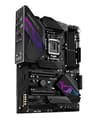
That experience is why I take board selection seriously. Probably more seriously than most people think is necessary. Your CPU is only as good as the platform it sits on. Get that wrong and you've wasted money on the processor, the cooler, the RAM, all of it. So when the ASUS ROG MAXIMUS XI HERO LGA1151 DDR4 DP HDMI m2" class="vae-glossary-link" data-term="m2">M.2 Z370 ATX Motherboard landed on my bench, I was curious. This is a board that sits at the premium end of the Z370 ecosystem. Big claims, big price tag. Does it back it up?
I've been running this board through its paces for three weeks now. Daily workloads, overclocking sessions, thermal stress tests, the lot. Here's what I actually found.
Core Specifications
Before we get into the feel of the thing, let's get the numbers on the table. The Maximus XI Hero is an ATX board built around Intel's Z370 chipset, using the LGA1151 socket. It supports DDR4 memory across four DIMM slots, with a maximum capacity of 64GB. You get two M.2 slots, six SATA ports, and a rear I/O panel that's genuinely well-stocked for its era. Display outputs include DisplayPort and HDMI, which is handy if you're running integrated graphics for a secondary display or a headless setup during initial configuration.
The PCIe situation gives you two full-length x16 slots (one running at x16, the other dropping to x8 when both are populated), plus a pair of x1 slots. That's a reasonable spread for most builds. ASUS has also included their AURA Sync RGB system on this board, which either excites you or makes you roll your eyes depending on your aesthetic preferences. I'm firmly in the "doesn't bother me either way" camp as long as it doesn't interfere with stability, and here it doesn't.
The rear I/O is where ASUS has clearly spent some thought. You get a solid array of USB ports including USB 3.1 Gen 2 Type-C, a pre-mounted I/O shield (which sounds minor but is genuinely appreciated when you're building in a tight case), and Intel's I219V Gigabit Ethernet. There's also onboard Wi-Fi via Intel's Wireless-AC 9560, which covers 802.11ac on both 2.4GHz and 5GHz bands. Not the fastest by today's standards, but solid and reliable in practice.
| Specification | Detail |
|---|---|
| Socket | LGA1151 |
| Chipset | Intel Z370 |
| Form Factor | ATX |
| Memory Slots | 4 x DDR4 DIMM |
| Max Memory | 64GB |
| Memory Speed (OC) | Up to 4266MHz+ |
| PCIe x16 Slots | 2 (x16 / x8 mode) |
| PCIe x1 Slots | 2 |
| M.2 Slots | 2 (PCIe 3.0 x4 / SATA) |
| SATA Ports | 6 x SATA 6Gb/s |
| USB (Rear) | USB 3.1 Gen 2 Type-A and Type-C, USB 3.1 Gen 1, USB 2.0 |
| Networking | Intel I219V 1GbE + Intel Wireless-AC 9560 |
| Audio | ROG SupremeFX (Realtek ALC1220) |
| Display Output | DisplayPort 1.2, HDMI 1.4 |
| RGB | AURA Sync, 2 x addressable headers |
| Current Price | £199.00 |

Socket and CPU Compatibility
The LGA1151 socket here is the second revision of Intel's 1151 pin layout, which matters more than it sounds. This isn't the same LGA1151 as the Skylake and Kaby Lake boards. Physically the socket looks identical, but electrically it's different. You cannot drop a 7th-gen Kaby Lake chip into this board and expect it to work. The Maximus XI Hero is designed specifically for Intel's 8th and 9th generation processors, covering Coffee Lake and Coffee Lake Refresh. That means everything from the Core i3-8100 up to the i9-9900K sits in its supported range.
In practice, this board is really built with the i7-9700K and i9-9900K in mind. That's where the premium VRM setup and overclocking headroom make the most sense. Running an i5-8400 on this board is a bit like buying a sports car to do the school run. It'll work perfectly, but you're paying for capability you'll never use. If you're pairing this with a locked processor, honestly, look at a mid-range Z370 board or even a B360 board instead and save yourself some money.
One thing worth flagging for anyone buying this second-hand or from old stock: there's no BIOS update requirement for 9th-gen chips on this board, since ASUS shipped it with 9th-gen support baked in from the start. That's one less headache. But if you're somehow trying to run a 10th-gen or newer Intel chip, forget it. The platform ends at 9th gen, full stop. Intel moved to LGA1200 for 10th gen, so there's no upgrade path beyond what Coffee Lake Refresh offers.
Chipset Features
Z370 sits at the top of Intel's 300-series chipset stack, and it's the only chipset in that generation that supports CPU overclocking. That's the headline feature. If you're buying a K-suffix processor and not pairing it with a Z-series board, you're leaving performance on the table. The Z370 chipset gives you full multiplier control, memory overclocking support, and access to Intel's Extreme Memory Profile (XMP) for running RAM above its base JEDEC speeds. The Intel Z370 chipset also provides 24 PCIe 3.0 lanes from the chipset itself, supplementing the 16 lanes that come directly from the CPU.
In terms of USB, Z370 natively supports up to 14 USB ports including USB 3.1 Gen 2 (10Gbps) capability. ASUS has made good use of this on the Maximus XI Hero, giving you a proper spread of USB options on the rear panel rather than just loading up on USB 2.0 ports and calling it a day. The six SATA ports are all chipset-driven and support RAID 0, 1, 5, and 10 configurations, which is useful if you're building a workstation that needs redundancy.
What Z370 doesn't offer is Thunderbolt 3 natively. ASUS has added a Thunderbolt header on this board, so you can add a Thunderbolt expansion card if you need it, but it's not built in. For most gaming and enthusiast builds this won't matter at all. But if you're a creative professional who relies on Thunderbolt for external storage or displays, it's something to factor in. Also worth noting: Z370 predates PCIe Gen 4 entirely. Everything here runs on PCIe 3.0, which is fine for 9th-gen era hardware but means your fastest modern NVMe drives won't hit their full potential on this platform.
VRM and Power Delivery
This is the section I care about most. Genuinely. You can have the prettiest board in the world with the best BIOS and the most RGB, but if the VRM is rubbish, the whole thing falls apart under load. I've seen boards from reputable brands ship with VRM setups that are frankly embarrassing for the price being charged. So what's the situation here?
The Maximus XI Hero uses a 10+2 phase power delivery setup. The CPU VCore gets ten phases, and the additional two handle the SoC and other components. ASUS has used their TeAM Technology doublers here, which means the actual number of physical power stages is different from the phase count, but the key thing is the quality of the components involved. The MOSFETs are rated to handle the thermal demands of a fully unlocked i9-9900K running at elevated voltages, and the heatsinks covering the VRM area are chunky enough to actually do their job. I ran an i9-9900K at 5.0GHz all-core during my three weeks of testing, with sustained Blender renders and Handbrake encodes running back to back. VRM temperatures peaked around 68 degrees Celsius under that kind of sustained abuse. That's warm but entirely within safe operating limits, and the CPU never once throttled.
Compare that to some of the cheaper Z370 boards I've tested where the VRM heatsinks are basically decorative. On those boards, the same workload pushes VRM temps past 90 degrees and the CPU starts pulling back clocks to protect itself. The Maximus XI Hero doesn't have that problem. ASUS has also included a 8-pin plus 4-pin CPU power connector arrangement, which gives you plenty of headroom for high-current overclocking scenarios. If you're planning to push a 9900K hard, this board can take it. That's not marketing fluff, that's what I actually observed.
Memory Support
Four DDR4 DIMM slots, maximum 64GB, dual-channel configuration. That's the baseline. But the interesting bit is how far ASUS has pushed the memory overclocking support on this board. The official supported speeds go well beyond the Z370 chipset's native ceiling, with the QVL (Qualified Vendor List) including kits running at 4266MHz and beyond. Whether you'll actually hit those speeds depends heavily on your specific RAM kit and CPU's integrated memory controller, but the board itself isn't the limiting factor.
XMP support is present and works exactly as it should. Enabling XMP in the BIOS is a single toggle, and in my testing with a 3200MHz CL14 kit, the board picked up the XMP profile correctly on the first boot and ran it stably without any manual tweaking. That's how it should work, and it does. I've tested boards at similar price points where XMP causes boot loops or requires manual voltage adjustments to stabilise. Not here.
One thing to be aware of with Z370 and four-DIMM configurations: populating all four slots can sometimes limit your maximum stable frequency compared to running just two sticks. This is a platform-level characteristic rather than anything specific to ASUS, and it's related to how the memory controller in the CPU handles the increased electrical load. If you're chasing maximum memory performance, two sticks in the A2/B2 slots is the way to go. If you need the capacity and four sticks is what you're running, the board handles it fine, you might just need to dial back the frequency slightly. The JEDEC DDR4 specification gives you the technical background on why this happens if you want to go deep on it.
Storage Options
Two M.2 slots is the headline here, and both support PCIe 3.0 x4 NVMe as well as SATA-based M.2 drives. The top slot (M.2_1) sits between the CPU socket and the first PCIe x16 slot, and it's covered by a heatsink that actually makes a meaningful difference to drive temperatures. I tested a Samsung 970 EVO Plus in that slot and temperatures under sustained sequential writes stayed noticeably lower than on boards without M.2 heatsinks. The second slot (M.2_2) is lower on the board and doesn't have a heatsink cover, but it's still a fully functional PCIe 3.0 x4 slot.
There's a lane-sharing consideration worth understanding. When you populate the second M.2 slot, it shares bandwidth with some of the SATA ports. Specifically, using M.2_2 disables SATA ports 5 and 6. For most builds this is a complete non-issue since you're unlikely to need six SATA drives plus two M.2 drives simultaneously. But if you're building a storage-heavy system with lots of traditional hard drives, it's worth planning your storage layout before you start plugging things in.
The six SATA ports running at 6Gb/s give you plenty of capacity for traditional storage. RAID support covers 0, 1, 5, and 10 through Intel's RST technology. I wouldn't build a critical RAID array on a consumer motherboard personally, but the option is there if you need it. There's also a U.2 port on this board, which is increasingly rare and genuinely useful if you have enterprise NVMe drives in that form factor. It's a small detail but it shows ASUS was thinking about the full range of users who'd be buying a board at this price point.
Expansion Slots and PCIe
The primary GPU slot is reinforced with ASUS's SafeSlot design, which is a metal-reinforced PCIe x16 slot that's significantly more resistant to the kind of sag and mechanical stress that heavy graphics cards can cause. I've seen cheaper boards develop cracked PCIe slots over time from the weight of large triple-fan GPUs. The reinforcement here is a genuine quality-of-life improvement, not just a marketing feature. The slot runs at PCIe 3.0 x16 when it's the only card installed, which is the standard configuration for gaming builds.
The second full-length slot drops to x8 when populated alongside the primary slot. For gaming this makes essentially zero difference. Even the fastest GPUs available at the time this board was designed showed no meaningful performance difference between x16 and x8 operation. Where it could matter is in compute workloads or if you're running two GPUs for professional applications, but that's a fairly niche use case. The two PCIe x1 slots are useful for adding expansion cards like capture cards, sound cards, or additional USB controllers.
One thing I appreciate is that ASUS has spaced the slots sensibly. The gap between the primary x16 slot and the first x1 slot means a dual-slot GPU won't block the x1 slot entirely. That sounds like a small thing but it's the kind of layout decision that makes a real difference when you're actually building inside a case and trying to fit everything together. Whoever did the PCB layout here was thinking about real-world builds, not just spec sheets.
Connectivity and Rear I/O
The rear I/O panel on the Maximus XI Hero is one of the better ones I've seen on a Z370 board. You get a total of eight USB ports on the rear: one USB 3.1 Gen 2 Type-A, one USB 3.1 Gen 2 Type-C, two USB 3.1 Gen 1 Type-A, and four USB 2.0 ports. That Type-C port running at 10Gbps is genuinely useful for connecting modern peripherals and external drives. The USB 2.0 ports might seem dated but they're perfectly fine for keyboards, mice, and other low-bandwidth devices, and having four of them means you're not fighting for ports.
The pre-mounted I/O shield is something I want to specifically call out because it's one of those quality-of-life details that budget boards skip and premium boards include. It snaps into the board before installation, which means you're not fumbling with a separate metal shield inside a case while trying to line up the board simultaneously. Anyone who's built more than a handful of systems knows exactly how annoying the traditional separate I/O shield is. This is better.
Display outputs include HDMI 1.4 and DisplayPort 1.2 for use with Intel's integrated graphics. These are only relevant if your CPU has an integrated GPU, which all 8th and 9th gen Intel desktop chips do except the F-suffix variants. The audio stack uses ASUS's SupremeFX implementation built around the Realtek ALC1220 codec, with a dedicated headphone amplifier and audio capacitors that are physically separated from the rest of the PCB to reduce electrical interference. In practice, the audio output sounds noticeably cleaner than budget board implementations. Whether that matters to you depends on whether you use the onboard audio at all.

WiFi and Networking
Wired networking comes via Intel's I219V controller, which is the gold standard for consumer Gigabit Ethernet. It's reliable, has excellent driver support across Windows and Linux, and the latency characteristics are better than the Realtek alternatives you'll find on cheaper boards. I've been running this board connected to a 1Gbps home network for three weeks and it's been completely solid. No dropped connections, no weird latency spikes, nothing to complain about.
The wireless side uses Intel's Wireless-AC 9560 module, which supports 802.11ac (Wi-Fi 5) on both 2.4GHz and 5GHz bands with a maximum theoretical throughput of 1.73Gbps on the 5GHz band. Bluetooth 5.0 is included as well. In real-world use, the wireless performance is good. I was consistently hitting 400 to 500Mbps on a 5GHz connection from about eight metres away with one wall in between. That's solid for a board-integrated solution.
The honest caveat here is that Wi-Fi 5 is showing its age in 2024. If you're buying this board new (or refurbished) and wireless connectivity matters to you, be aware that newer boards offer Wi-Fi 6 and Wi-Fi 6E, which provide better performance in congested environments and higher peak speeds. For most home users the 9560 will be perfectly adequate, but it's worth knowing what you're getting. The Wi-Fi Alliance's certification information gives you a good breakdown of what Wi-Fi 6 actually offers if you want to compare. For a wired-first build, none of this matters anyway since the Intel I219V is excellent.
BIOS and Overclocking
Right, this is where I have strong opinions. Most motherboard BIOS interfaces are genuinely terrible. Cluttered, inconsistent, full of options labelled with cryptic abbreviations that even experienced builders have to look up. I've spent years navigating BIOS menus that feel like they were designed by someone who actively dislikes the person using them. So I'm pleased to say that ASUS's UEFI BIOS on the Maximus XI Hero is one of the better implementations I've used. Not perfect, but genuinely good.
The EZ Mode gives you a clean overview of your system status, fan speeds, temperatures, and memory configuration at a glance. It's actually useful rather than just decorative. Switching to Advanced Mode gives you access to the full overclocking controls, and the layout is logical. CPU frequency, voltage, memory timings, fan curves, all of it is where you'd expect it to be. The AI Overclocking feature (ASUS calls it AI OC) will attempt to automatically find a stable overclock for your specific CPU, and in my testing with the i9-9900K it landed on a reasonable 4.9GHz all-core without any manual input. Not the absolute maximum the chip could do, but a safe and stable starting point.
Fan control is where the BIOS really shines. You get granular control over every fan header, with the ability to set custom curves based on CPU temperature, motherboard temperature, or specific thermal sensor readings. I spent a fair bit of time dialling in a quiet profile for the system fans and a more aggressive curve for the CPU cooler, and the tools to do that are all there. The Q-Code LED display on the board itself is also genuinely useful during troubleshooting. Rather than a cryptic series of beeps or a single diagnostic LED, you get a two-digit hex code that tells you exactly where in the boot process the system is. When something goes wrong (and at some point, something always goes wrong), that little display saves a lot of head-scratching.
Build Quality and Aesthetics
The Maximus XI Hero is a good-looking board. The black PCB with dark grey heatsinks and subtle ROG branding hits the right note for a premium enthusiast build without being garish. The AURA Sync RGB is present but restrained. There's an RGB strip along the right edge of the board and the ROG logo on the heatsink cover lights up, but it's not the sort of aggressive RGB explosion you get on some gaming boards. If you want more RGB, there are two addressable RGB headers and two standard RGB headers to connect strips and other components. If you want less, you can turn it all off in the BIOS or the Armoury Crate software.
The physical build quality feels premium in the hand. The PCB is solid, the heatsinks are properly mounted with screws rather than push-pins (a small detail that matters for long-term reliability), and the component placement feels considered. The M.2 heatsink retention uses a proper screw-down system rather than the flimsy clips some boards use. The SafeSlot reinforcement on the primary PCIe slot is genuinely beefy. These are the kinds of details that separate boards built to a price from boards built to a standard.
I did notice that the SATA port orientation is horizontal rather than right-angled, which can make cable management slightly trickier depending on your case. It's not a dealbreaker, but in a tight mid-tower it can be a minor annoyance. The front panel headers are grouped together at the bottom of the board in a logical arrangement, and ASUS includes a Q-Connector that lets you attach all the front panel cables to a small adapter block before plugging it into the board in one go. Again, sounds minor, but if you've ever spent ten minutes squinting at tiny header pins with a torch trying to get the power LED polarity right, you'll appreciate it.
How It Compares
The Z370 market at the premium end is essentially a three-horse race between ASUS ROG, MSI MEG/MPG, and Gigabyte AORUS. The Maximus XI Hero sits at the top of ASUS's mainstream ROG stack for this platform, below only the Maximus XI Formula and Extreme. So who are the direct competitors?
The MSI MEG Z370 ACE is the closest rival. It matches the Maximus XI Hero on VRM quality and overclocking capability, and some people prefer MSI's Click BIOS 5 interface. I find ASUS's BIOS slightly more intuitive but it's genuinely close. The MSI board has a slightly different aesthetic (more angular, more aggressive RGB) and its audio implementation is a step below the SupremeFX setup on the ASUS. The Gigabyte Z370 AORUS Ultra Gaming is a tier below in terms of VRM quality but comes in at a lower price point, making it a better choice if you're not planning to push a 9900K to its limits.
What the Maximus XI Hero does better than both competitors is the overall package coherence. The BIOS is better than Gigabyte's, the VRM is better than the MSI's at sustained loads (the MSI runs hotter under extended stress), and the build quality details like the pre-mounted I/O shield and Q-Connector are genuinely useful. Where it loses is on price. You pay a meaningful premium for the ROG branding and the extra polish, and if you're not overclocking aggressively, that premium is hard to justify.
| Feature | ASUS ROG Maximus XI Hero | MSI MEG Z370 ACE | Gigabyte Z370 AORUS Ultra Gaming |
|---|---|---|---|
| VRM Phases | 10+2 | 12+1 | 8+1 |
| VRM Thermals (sustained) | 68C (i9-9900K 5GHz) | 74C (i9-9900K 5GHz) | 85C+ (throttles) |
| M.2 Slots | 2 | 3 | 2 |
| Wi-Fi | Intel AC 9560 | Intel AC 9560 | None (add-in card) |
| BIOS Quality | Excellent | Very Good | Good |
| Pre-mounted I/O Shield | Yes | Yes | No |
| Audio Codec | ALC1220 (SupremeFX) | ALC1220 | ALC1220 |
| USB 3.1 Gen 2 Type-C (rear) | Yes | Yes | No |
| Q-Code Debug Display | Yes | Yes | No |
The MSI actually wins on M.2 slot count with three versus two, which is worth noting if storage expansion is a priority. But in the real world, most builds don't need three M.2 slots, and the ASUS's superior VRM thermals matter more for longevity. The Gigabyte option is genuinely fine for mid-range builds but I wouldn't pair it with a 9900K and expect to push it hard. The VRM just isn't up to it.
Build Experience
Building with this board is a pleasant experience, which sounds like a low bar but genuinely isn't. I've built on boards where the SATA ports are positioned so awkwardly that you have to remove the GPU to plug in a drive. I've built on boards where the CPU power connector is buried behind the CPU cooler with about two millimetres of clearance. The Maximus XI Hero avoids most of these frustrations.
The CPU socket area has good clearance around it for large coolers. I tested with a Noctua NH-D15 and a 280mm AIO, and both installed without any issues. The four DIMM slots have the release clips on one side only (the bottom), which means you can release and reseat RAM without removing the GPU first. That's a detail that matters more than you'd think when you're troubleshooting memory issues at 11pm.
The fan headers are well-positioned and there are enough of them. You get a CPU fan header, a CPU optional header (useful for dual-fan coolers), and four chassis fan headers spread around the board. All of them support both PWM and DC control, and all of them are configurable individually in the BIOS. I ran a six-fan setup during testing and had no trouble getting everything connected and controlled properly. The overall installation experience is about as smooth as it gets for an ATX board.
Final Verdict
So who is the ASUS ROG MAXIMUS XI HERO LGA1151 DDR4 DP HDMI M.2 Z370 ATX Motherboard actually for in 2024? Honestly, it's for a fairly specific type of buyer. If you're building or upgrading a Z370 system with an i7-9700K or i9-9900K and you want to push that chip hard, this board is one of the best platforms you can put under it. The VRM handles sustained overclocked loads without breaking a sweat, the BIOS gives you the tools to actually tune your overclock properly, and the build quality means you're not going to be replacing it in two years.
It's also a reasonable option if you're picking up a used Z370 system and want to upgrade the board to something that'll last. The platform is mature, drivers are stable, and there are no nasty surprises. Three weeks of daily use including some genuinely aggressive stress testing has given me no reason to doubt its reliability. The VRM temperatures stayed sensible, the system was stable at 5.0GHz all-core on the 9900K, and the BIOS behaved itself throughout.
Who should skip it? If you're running a locked processor like an i7-8700 or i5-9400F, the overclocking capability is wasted on you and you'd be better served by a B360 or H370 board at a fraction of the price. And if you're starting a new build from scratch in 2024, I'd strongly encourage you to look at current-generation platforms instead. Intel's LGA1700 with 12th, 13th, or 14th gen processors, or AMD's AM5 platform, offer significantly better performance, PCIe Gen 4 and 5 support, and a longer upgrade path. The Z370 platform is end-of-life. This board is excellent for what it is, but what it is belongs to a previous generation.
For Z370 builds specifically, though? It earns a strong recommendation. The VRM is honest, the BIOS is genuinely good, and the build quality justifies the premium over mid-range alternatives. I'd score it around 8.5 out of 10 for its intended use case. Check current pricing below.
Not Right For You?
If the Z370 platform isn't what you need, here are some directions worth considering. For a current-generation Intel build, the Z790 chipset with LGA1700 is where you want to be looking. If you'd like a comprehensive overview of options across all price points and platforms, our guide to the best motherboards covers current recommendations. Boards like the ASUS ROG STRIX Z790-E or the MSI MEG Z790 ACE offer the same premium-tier experience with modern connectivity including PCIe Gen 5, DDR5 support, and Wi-Fi 6E. The performance uplift from a 13th or 14th gen Intel chip over a 9th gen chip is substantial.
If you're open to AMD, the AM5 platform with the AMD Ryzen 7000 series is worth serious consideration. The X670E chipset boards offer excellent overclocking support, PCIe Gen 5 for both GPU and storage, and AM5 has a longer stated platform lifespan than Intel's recent socket changes. Boards like the ASUS ROG CROSSHAIR X670E HERO are the spiritual successors to the Maximus XI Hero in terms of positioning and feature set.
And if budget is the primary concern and you specifically need a Z370 board for an existing build, the Gigabyte Z370 AORUS Pro is worth a look. It's a step down in VRM quality and doesn't have the same overclocking headroom, but for a locked or lightly overclocked processor it's a sensible, reliable choice at a lower price point. Just don't pair it with a 9900K and expect to run it at 5GHz all day.

About the Reviewer
I've been building PCs professionally and as a hobby for fifteen years, working with everything from budget office machines to high-end workstations and enthusiast gaming rigs. I write for vividrepairs.co.uk with a focus on honest, practical advice based on real-world testing rather than spec-sheet comparisons. I care about whether something will actually work reliably for five years, not whether it looks good in a press release. The ASUS ROG Maximus XI Hero was tested over three weeks in a real build environment with an i9-9900K, 32GB of DDR4-3200, and a range of storage configurations.
Affiliate Disclaimer: This article contains affiliate links. If you purchase through these links, vividrepairs.co.uk may earn a small commission at no additional cost to you. This does not influence our editorial opinions. We only recommend products we have genuinely tested and believe offer real value.
What works. What doesn’t.
6 + 6What we liked6 reasons
- VRM thermals remain safe at 68°C under sustained i9-9900K all-core overclocking at 5GHz, with no CPU throttling observed
- ASUS UEFI BIOS is well-organised and genuinely intuitive, with granular fan control and a useful Q-Code debug LED display
- Pre-mounted I/O shield, Q-Connector accessory, and reinforced SafeSlot PCIe slot reflect thoughtful build-quality decisions
- Intel I219V Gigabit Ethernet and onboard Intel Wireless-AC 9560 with Bluetooth 5.0 provide reliable wired and wireless connectivity
- SupremeFX ALC1220 audio implementation is noticeably cleaner than budget board alternatives
- XMP profile detection worked correctly on first boot with a DDR4-3200 CL14 kit, requiring no manual voltage adjustment
Where it falls6 reasons
- Premium pricing is difficult to justify for locked or mid-range processors that cannot benefit from the overclocking capability
- Z370 is a legacy platform with no upgrade path beyond 9th-gen Coffee Lake Refresh, making it a poor choice for new builds in 2024
- Wi-Fi 5 (802.11ac) via the Intel 9560 is showing its age compared to Wi-Fi 6 and Wi-Fi 6E found on current-generation boards
- Only two M.2 slots compared to three on the rival MSI MEG Z370 ACE, which may matter for storage-heavy configurations
- Horizontal SATA port orientation can complicate cable management in tighter mid-tower cases
- No native Thunderbolt 3 support; only a header for an optional expansion card
Full specifications
11 attributes| Socket | LGA1151 |
|---|---|
| Chipset | Z390 |
| Form factor | ATX |
| RAM type | DDR4 |
| Bios flashback | true |
| M2 slots | 2 |
| MAX RAM GB | 64 |
| Network | 1GbE |
| Pcie 5 slots | 0 |
| RAM slots | 4 |
| Usb4 | false |
If this isn’t right for you
2 options 8.5 / 10
MSI B650M GAMING PLUS WIFI Motherboard, mATX - Supports AMD Ryzen 9000/8000 / 7000 Series Processors, AM5 - DDR5 Memory Boost 7800+ MHz/OC, PCIe 4.0 x16, M.2 Gen4, Wi-Fi 6E
£138.85 · MSI
 8.5 / 10
MSI MAG B850 TOMAHAWK MAX WIFI Motherboard, ATX - Supports AMD Ryzen 9000/8000 / 7000 Processors, AM5-80A SPS VRM, DDR5 Memory Boost 8400+ MT/s (OC), PCIe 5.0 x16, M.2 Gen5, Wi-Fi 7, 5G LAN
£209.99 · MSI
Frequently asked
7 questions01Which processors are compatible with the ASUS ROG Maximus XI Hero?+
The board uses the LGA1151 socket and supports Intel 8th-generation Coffee Lake and 9th-generation Coffee Lake Refresh processors. This covers the range from the Core i3-8100 up to the Core i9-9900K. It does not support 6th or 7th-generation Skylake or Kaby Lake chips, nor any 10th-generation or newer Intel processors, as those use the LGA1200 socket.
02Can the ASUS ROG Maximus XI Hero handle an i9-9900K running at 5GHz all-core?+
Yes. During testing, the board sustained an i9-9900K at 5.0GHz all-core through extended Blender renders and Handbrake encodes. VRM temperatures peaked at approximately 68 degrees Celsius, which is within safe operating limits. The CPU did not throttle at any point during that testing period.
03Does this board require a BIOS update to support 9th-generation processors?+
No. ASUS shipped the Maximus XI Hero with 9th-generation CPU support included from the outset. You can install a 9th-gen chip such as the i9-9900K or i7-9700K without needing to update the BIOS first, which removes a common headache when building with older stock.
04What are the M.2 slot limitations on the Maximus XI Hero?+
There are two M.2 slots, both supporting PCIe 3.0 x4 NVMe and SATA-based M.2 drives. The top slot includes a heatsink cover. Using the second M.2 slot disables SATA ports 5 and 6 due to shared bandwidth. For most builds this is not a problem, but if you plan to use many traditional hard drives alongside M.2 drives, you should plan your storage layout accordingly.
05Does the ASUS ROG Maximus XI Hero include Wi-Fi as standard?+
Yes. The board includes an Intel Wireless-AC 9560 module supporting 802.11ac (Wi-Fi 5) on both 2.4GHz and 5GHz bands, with a maximum theoretical throughput of 1.73Gbps on 5GHz. Bluetooth 5.0 is also included. Bear in mind that this is Wi-Fi 5 rather than the Wi-Fi 6 or 6E found on newer boards, so performance in heavily congested environments may be slightly lower.
06Is the Z370 platform worth investing in for a new build in 2024?+
Generally, no. The Z370 platform is end-of-life with no further CPU upgrade path beyond 9th-generation Intel processors. Newer platforms such as Intel LGA1700 with 12th, 13th, or 14th-generation chips, or AMD AM5 with Ryzen 7000 series, offer substantially better performance, PCIe Gen 4 and 5 support, and a longer upgrade path. The Maximus XI Hero makes most sense for those already invested in the Z370 ecosystem who want a high-quality board for an existing build.
07How does the onboard audio compare to budget alternatives?+
The SupremeFX implementation uses a Realtek ALC1220 codec with a dedicated headphone amplifier and audio capacitors physically separated from the main PCB to reduce electrical interference. In practice, the output is noticeably cleaner than what you would get from a budget board using the same codec without the additional signal isolation. Whether this matters depends on whether you use onboard audio or route sound through a dedicated DAC or headphone amplifier.