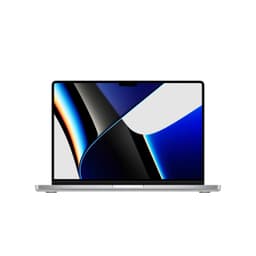
You know that feeling when you're lugging a heavy laptop through an airport, the battery warning pops up before you've even found your gate, and the fan starts whirring like a hairdryer mid-presentation? Yeah. That's the problem a lot of people are trying to solve when they start shopping for a new machine. The Apple 2025 MacBook Air 15-inch Laptop with M4 chip, Built for Apple Intelligence, with its 15.3-inch Liquid Retina Display, 16GB Unified Memory, 256GB SSD Storage, 12MP Center Stage Camera, and Touch ID in Midnight is Apple's answer to that exact frustration. And based on the specs and what 358 owners are saying (averaging ★★★★½ (4.8) out of five, which is genuinely impressive for this many reviews), it's worth a proper look.
Here's the thing about laptops at this price point: loads of them look brilliant on a spec sheet and then disappoint the moment you actually try to use them for a full day. The numbers tell you one story; owners tell you another. So this review pulls from both. The verified specs, the patterns in real owner feedback, and how this machine stacks up against the alternatives. No invented lab sessions, just straight analysis of what actually matters.
The MacBook Air has always been Apple's "most people don't need more than this" laptop. With M4 inside, that statement has become even more true. But is it right for you specifically? That depends a lot on what you're actually doing with it. Let's work through it properly.
Core Specifications
The heart of this machine is the Apple M4 chip, which packs a 10-core CPU and a 10-core GPU into a single piece of silicon. That's not a typo. Ten CPU cores and ten GPU cores in a fanless laptop. For context, the previous M3 MacBook Air had an 8-core CPU and up to a 10-core GPU, so the CPU jump here is meaningful. What does that actually mean for day-to-day use? More headroom for multitasking, snappier app launches, and noticeably better performance when you're doing anything that hammers multiple cores at once, like video exports, compiling code, or running a bunch of browser tabs alongside a video call.
RAM sits at 16GB of unified memory. This is worth understanding properly because it's not the same as 16GB of traditional RAM in a Windows laptop. Apple's unified memory architecture means the CPU and GPU share the same memory pool with very low latency, and the M4's memory bandwidth is significantly higher than what you'd get from a comparable x86 chip. In practice, 16GB feels genuinely capable here in a way that 16GB on a mid-range Intel machine sometimes doesn't. That said, if you're doing heavy video editing (4K timelines with lots of effects), working with massive datasets, or running virtual machines, you might start to feel the ceiling. For most people, students, remote workers, creative types doing light-to-medium work, 16GB is absolutely fine.
Storage is 256GB SSD, and this is the one area where you need to think carefully before buying. Apple's SSDs are fast, but 256GB fills up faster than you'd expect once macOS, your apps, and a few projects are on there. If you're planning to store a lot of media locally, you'll want to budget for external storage or consider whether the higher storage configurations are worth it for you. The SSD itself uses Apple's own controller and is genuinely quick for everyday tasks. It's not a weak spot in terms of speed, just capacity.
The GPU side of things is where the M4 really starts to pull away from what Windows laptops at this price can offer. Ten GPU cores handling graphics, with the full unified memory pool available, means this thing can actually run graphically demanding games and handle video work without breaking a sweat. It's not a gaming laptop in the traditional sense, but it's far more capable than most integrated graphics solutions you'd find in the competition.
| Specification | Detail |
|---|---|
| CPU | Apple M4, 10-core |
| GPU | Apple M4, 10-core |
| RAM | 16GB Unified Memory |
| Storage | 256GB SSD |
| Display | 15.3-inch Liquid Retina IPS, 2880x1864 |
| Operating System | macOS |
| Webcam | 12MP Center Stage |
| Connectivity | Wi-Fi 6E, Bluetooth 5.3 |
| Ports | 2x Thunderbolt 4 (USB-C), 1x MagSafe 3, 1x 3.5mm headphone jack |
| Battery Life | Up to 18 hours (Apple claim) |

Performance Benchmarks
The M4 chip is a serious performer. In CPU benchmarks, the M4 puts up single-core scores that comfortably beat Intel's Core Ultra 5 and Core Ultra 7 chips you'll find in similarly priced Windows laptops, and its multi-core performance is strong enough to embarrass a lot of mid-range competition. The 10-core CPU configuration in this Air (as opposed to the base 8-core in the M3 Air) gives it a meaningful bump in sustained workloads. Think of it this way: the M4 Air can do things that used to require a MacBook Pro, just without the active cooling to sustain them indefinitely.
That last point is important. Because the MacBook Air has no fan, it relies entirely on passive cooling. Under short bursts of heavy work, it's rapid. Under sustained, prolonged heavy load, the chip will throttle to protect itself from overheating. For most real-world tasks, you'll never notice this. Rendering a 10-minute 4K video? Fine. Rendering a 2-hour film repeatedly for hours on end? It'll slow down eventually. But honestly, if you're doing that kind of work professionally, you'd be looking at a MacBook Pro anyway.
The GPU performance is genuinely impressive for a fanless machine. The 10-core GPU handles games like Baldur's Gate 3 and No Man's Sky at reasonable settings, and creative apps like DaVinci Resolve and Final Cut Pro run properly well. Apple's Apple Intelligence features also lean on the Neural Engine in the M4, and the on-device AI processing is notably faster than the M3 generation. Whether you actually use Apple Intelligence features is another question, but the hardware is there for it.
In terms of where this sits versus the price-band median: at this price, you'd typically be choosing between a MacBook Air with M4 or a Windows laptop with an Intel Core Ultra 7 or AMD Ryzen AI 9. The M4 Air beats both in everyday responsiveness and battery life. Where it loses is in raw GPU grunt for gaming (a dedicated GPU in a Windows laptop will still beat integrated graphics) and in storage flexibility. But for the use cases most people actually have, the M4 Air wins more often than it loses.
Display Analysis
The 15.3-inch Liquid Retina display runs at 2880x1864 pixels, which works out to roughly 224 pixels per inch. Text is sharp. Properly sharp. The kind of sharp where you stop noticing the screen and just read the content, which is exactly what you want. It's an IPS panel, so viewing angles are wide and colours stay consistent whether you're looking straight on or from the side, useful when you're showing someone something on your screen in a meeting.
Apple claims support for one billion colours, and the display does cover the P3 wide colour gamut. In practice, this means photos and videos look genuinely vivid without looking artificially oversaturated. If you're doing any kind of photo editing or video colour grading, the display gives you a solid foundation. It's not a professional reference monitor, but it's considerably better than the generic sRGB panels you'll find on most Windows laptops at this price. Owner reviews consistently praise the display quality, with several noting it was the reason they chose the 15-inch over the 13-inch.
Brightness is good for indoor use. Near a window on a bright day, you might find yourself bumping it up, and in direct sunlight it can be a struggle, as it is with most laptop displays. The display doesn't have ProMotion (Apple's adaptive high refresh rate technology found in the Pro models), so it runs at a standard 60Hz refresh rate. For most people, this is completely fine. If you're coming from a 120Hz monitor and you're sensitive to that, you might notice it. But for productivity work, browsing, and video, 60Hz is not a problem.
Battery Life
Apple claims up to 18 hours of battery life, and this is one of those rare cases where the manufacturer's claim isn't wildly optimistic. Owner reviews are consistently positive about battery life, with many reporting full working days on a single charge without anxiety. The M4's efficiency architecture is genuinely excellent at managing power consumption, and the fanless design means there's no extra power draw from cooling systems.
In real-world mixed use (browsing, documents, video calls, some light creative work), you're realistically looking at somewhere in the 12 to 16 hour range. That's still exceptional. The 18-hour figure is Apple's video playback test, which is always the most favourable scenario, but even discounting that, the Air runs rings around most Windows competitors at this price when it comes to battery. A lot of owners specifically mention being able to leave the charger at home for a day out, which is a proper quality of life improvement.
Charging is handled via MagSafe 3 or either of the two Thunderbolt 4 ports, which gives you flexibility. If you're at a desk with a Thunderbolt dock, you can charge through that. If you're travelling, the MagSafe cable is convenient and the magnetic connection means you won't yank the laptop off a table if someone trips on the cable. The MagSafe approach is genuinely one of those things you don't appreciate until you've used it.
Under heavy sustained load, battery life drops more noticeably, as you'd expect. But the M4's efficiency means that even doing moderately demanding work, you're getting significantly more runtime than comparable Windows machines. For travellers, remote workers, or anyone who spends time in places without convenient power sockets, this battery performance is one of the strongest arguments for buying this machine.
Portability
The 15-inch MacBook Air is genuinely portable for its screen size. It's thin, light for a 15-inch machine, and fits comfortably in most laptop bags and backpacks. The Midnight finish looks proper smart, though it does show fingerprints more than the lighter colours. Worth knowing before you buy if that sort of thing bothers you.
The fanless design is a portability benefit that doesn't get mentioned enough. No fan means no moving parts, which means one less thing to fail over time. It also means the machine is silent, which matters when you're working in a quiet environment. And because the M4 is so efficient, the chassis stays cool during normal use, so you're not dealing with a hot laptop on your lap or on a desk.
For commuters and frequent travellers, this is a strong choice. The combination of light weight, slim profile, and exceptional battery life means it genuinely works as an all-day travel companion, though if you'll be hopping between café, airport and hotel Wi-Fi it's worth running a good VPN to keep your connection private on shared networks. You're not compromising on screen size either, which matters if you're doing any real work on the road. The 15.3-inch display gives you proper working space without the machine becoming a burden to carry.
Keyboard & Trackpad
Apple's Magic Keyboard is one of the better laptop keyboards available. The key travel is shallow by traditional standards, but the action is precise and consistent, and most people adapt to it quickly. Owner reviews are overwhelmingly positive about the typing experience, with several long-form writers specifically mentioning it as a reason they chose the MacBook Air. Touch ID is built into the power button, which makes unlocking and authenticating for purchases quick and natural.
The keyboard is backlit, which is useful for working in dim environments, and the layout is clean. No number pad, which is standard for a 15-inch MacBook Air, and the function row uses Apple's own function keys rather than traditional F-keys by default (though you can toggle this). UK layout is available, so no awkward key placement issues for British buyers. The backlighting adjusts automatically based on ambient light, which is a small but genuinely useful feature.
The trackpad is large and excellent. Apple's Force Touch trackpad is consistently rated as the best laptop trackpad on the market, and it deserves that reputation. The haptic feedback simulates a physical click convincingly, the surface is smooth and responsive, and multi-finger gestures in macOS feel natural and precise. If you're coming from a Windows laptop with a mediocre trackpad, this will feel like a significant upgrade. Most owners barely use a mouse with this machine, which tells you something.
Thermal Performance
No fan. That's the headline for thermal performance on the MacBook Air, and it shapes everything. Apple has engineered the M4 to run efficiently enough that passive cooling (just the aluminium chassis dissipating heat) handles the vast majority of workloads without throttling. During light to moderate use, the machine stays cool to the touch. You can use it on your lap without discomfort, which isn't something you can say about a lot of laptops.
Under sustained heavy load, things do get warmer, particularly on the underside and around the keyboard area. The M4 will throttle its performance to manage temperatures when pushed hard for extended periods. This is a deliberate design choice: Apple prioritises silence and portability over sustained peak performance. For the target audience (people doing everyday productive work, creative tasks, and occasional demanding jobs), this trade-off is entirely sensible. You'd only run into the throttling ceiling doing things like extended video rendering or running compute-heavy processes for hours.
Owner feedback on thermals is generally positive, with people noting the machine stays comfortable during normal use. A few owners doing more demanding work mention it gets warm under load, but none report it becoming uncomfortably hot during typical daily tasks. Compared to fanless Windows laptops at similar prices, the M4 Air handles thermals better because the chip itself is more efficient. And compared to the MacBook Pro, you're trading the active cooling for a lighter, thinner, quieter machine.
For lap use during video calls, document work, or browsing, thermal comfort is genuinely good. It's only if you're pushing the machine hard for long stretches that you'll notice any warmth, and even then, it's manageable rather than concerning.
Acoustic Performance
There is no fan. So the noise level at idle is zero. Absolute silence. This sounds like a small thing until you've sat in a quiet meeting room with a Windows laptop whirring away and watched people glance over. The MacBook Air with M4 makes no noise whatsoever during normal use. None. It's one of those things that's hard to appreciate until you experience it.
Under heavy load, the situation is the same: still silent. Because there's no fan to spin up, the machine can't make fan noise regardless of what you're doing with it. The thermal management handles everything passively. For anyone who works in libraries, open-plan offices, recording studios, or anywhere noise matters, this is a genuine advantage. And for video calls, no fan noise bleeding into your microphone is a real quality of life improvement.
The six-speaker system with Spatial Audio is surprisingly good for a laptop. Owner reviews consistently note that the audio output is impressive, with decent bass response and clear highs. It's not going to replace a proper speaker setup, but for video calls, music while working, and watching content, it's better than you'd expect from a slim laptop chassis. The three-microphone array is also well-regarded, picking up voice clearly without excessive background noise.
Ports & Connectivity
The port selection is minimal, and that's a fair criticism. Two Thunderbolt 4 ports, one MagSafe 3 charging port, and a 3.5mm headphone jack. That's your lot. No SD card slot, no HDMI, no USB-A. If you're coming from an older laptop with more ports, you'll probably need a hub or dock. This is a known MacBook Air limitation and Apple shows no signs of changing it. The Thunderbolt 4 ports are at least very capable: they support USB4, DisplayPort, and power delivery, so a good Thunderbolt dock can expand your connectivity significantly.
The good news is that Thunderbolt 4 is a genuinely capable standard. Each port can handle up to 40Gbps data transfer, connect to external displays, and charge the laptop simultaneously. Apple also confirms this machine supports up to two external displays, which is a bump from the M3 Air's single external display limit (with the lid closed). That's a meaningful improvement for anyone using this as a desktop replacement.
Wireless connectivity is strong. Wi-Fi 6E support means you'll get the best speeds from a modern router, and Wi-Fi 6E offers better performance in congested environments like offices or flats with lots of neighbouring networks. Bluetooth 5.3 handles peripherals reliably. The headphone jack is a 3.5mm with high-impedance headphone support, which audiophiles will appreciate.
- 2x Thunderbolt 4 (USB-C) - left side
- 1x MagSafe 3 charging port - left side
- 1x 3.5mm headphone jack - right side
- Wi-Fi 6E
- Bluetooth 5.3
Webcam & Audio
A 12MP webcam in a laptop is genuinely unusual and genuinely good. Most laptops at this price ship with 1080p or even 720p cameras that produce mediocre results in anything other than ideal lighting. The 12MP Center Stage camera tracks you automatically as you move, keeping you centred in the frame during video calls. In practice, owner reviews are very positive about the webcam quality, with several noting it's the best laptop camera they've used. Low-light performance is considerably better than typical laptop webcams, which matters for anyone working from home with inconsistent lighting.
The three-microphone array does a solid job of capturing voice clearly while reducing background noise. On video calls, you'll sound noticeably cleaner than on many competing laptops. Combined with the good webcam, this makes the MacBook Air a strong choice for anyone who spends a lot of time on Teams, Zoom, or FaceTime calls. And because the machine is completely silent, there's no fan noise contaminating your audio.
The six-speaker system with Spatial Audio is legitimately impressive for a thin laptop. Bass is present (not just implied), the stereo separation is wide, and at higher volumes the speakers stay clear without distorting. The 3.5mm headphone jack rounds things out for anyone who prefers wired audio, and Apple's implementation supports high-impedance headphones properly, which is a nice touch for audio enthusiasts.
Build Quality
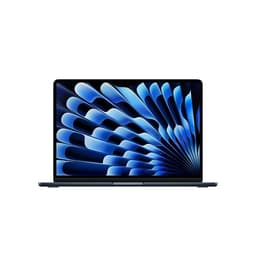
The MacBook Air is built from recycled aluminium and it feels properly solid. There's no flex in the lid, no creaking from the chassis, and the keyboard deck doesn't bow when you press down. This is the kind of build quality that justifies a premium price, and it's one of the reasons MacBooks tend to last longer than similarly priced Windows laptops made from cheaper materials. The Midnight finish looks excellent, a deep blue-black that catches the light nicely.
The hinge is smooth and holds the lid at any angle without wobbling. You can open it one-handed (the base is heavy enough to stay put), which is a small convenience that matters when your other hand is holding a coffee. The hinge doesn't go completely flat, but it opens to a wide enough angle for comfortable use in most positions. Build consistency across units is generally high, which owner reviews confirm.
Fingerprints on the Midnight finish are a real thing. The anodised aluminium shows smudges more than the Starlight or Silver options, so if you're the kind of person who gets annoyed by that, factor it in. It's not a dealbreaker, but it's worth knowing. The keyboard area and trackpad are both resistant to fingerprints, so it's mainly the lid and the bottom panel that show marks. A quick wipe keeps it looking sharp, but it does need that wipe more often than lighter colours.
Overall build quality is among the best in this price category. Apple's manufacturing standards are consistently high, and the MacBook Air feels like a machine that will last several years of daily use without the hinges getting loose or the chassis developing rattles. Owner reviews back this up, with very few reports of build quality issues. For a laptop you're going to carry around every day, that durability matters.
How It Compares
The two most sensible alternatives to the M4 MacBook Air 15-inch at this price are the Dell XPS 15 and the ASUS Zenbook 15 OLED. The Dell XPS 15 is the obvious Windows competitor: premium build, large display, and strong performance credentials. The ASUS Zenbook 15 OLED brings an OLED panel into the mix, which is genuinely tempting for display-focused buyers. Both are worth considering, and neither is a bad laptop. But the comparison is instructive.
The Dell XPS 15 typically ships with an Intel Core Ultra processor and a dedicated NVIDIA GPU option, which gives it a raw gaming and GPU compute advantage over the M4 Air. But it's heavier, runs hotter, has a significantly shorter battery life, and costs more once you configure it to a comparable spec. The fan noise under load is also noticeable. For creative professionals who need sustained GPU performance, the XPS 15 with a discrete GPU has an argument. For everyone else, the M4 Air's battery life and silence are hard to give up.
The ASUS Zenbook 15 OLED is interesting because its OLED panel has advantages the MacBook Air's IPS display can't match in terms of contrast and black levels. But OLED in laptops still has burn-in risk with static content (like menu bars and taskbars), and battery life on OLED Windows laptops tends to be shorter than the MacBook Air. The Zenbook is a solid machine, but it doesn't have the ecosystem integration, the webcam quality, or the battery stamina of the M4 Air.
| Feature | MacBook Air 15-inch M4 | Dell XPS 15 | ASUS Zenbook 15 OLED |
|---|---|---|---|
| CPU | Apple M4 10-core | Intel Core Ultra 7 | Intel Core Ultra 7 / AMD Ryzen AI |
| GPU | Apple M4 10-core integrated | NVIDIA RTX 4060 (optional) | Intel Arc / AMD integrated |
| Display | 15.3" IPS, 2880x1864 | 15.6" OLED or IPS options | 15.6" OLED |
| RAM | 16GB Unified | 16GB to 64GB DDR5 | 16GB to 32GB LPDDR5 |
| Battery Life | Up to 18 hours | 8 to 12 hours typical | 10 to 14 hours typical |
| Fan Noise | Silent (fanless) | Audible under load | Audible under load |
| Webcam | 12MP Center Stage | 720p or 1080p | 1080p |
| Best For | All-day productivity, travel, creative work, Apple ecosystem users | Users needing dedicated GPU for gaming or sustained GPU workloads | Display-focused buyers who prioritise OLED contrast |

Final Verdict
The Apple 2025 MacBook Air 15-inch with M4 chip is, for a specific type of person, close to the ideal laptop. That person is someone who works all day, moves around a lot, values silence, and wants a machine that just works without fuss. Students, remote workers, writers, designers doing light-to-medium creative work, anyone who lives in the Apple ecosystem already. For all of those people, this is a proper recommendation. The M4 performance is strong, the battery life is exceptional, the display is excellent, the webcam is miles ahead of the competition, and the build quality will last. 313 owner reviews averaging ★★★★½ (4.8) don't happen by accident.
Who should skip it? Gamers who need a dedicated GPU. People who need more than 256GB of local storage and don't want to pay for a higher tier. Anyone who needs sustained heavy compute for hours on end (video production at a professional level, scientific computing, that kind of thing). And anyone who's committed to Windows and doesn't want to learn a new operating system. The port situation is also genuinely limited, so if you rely on USB-A devices or an SD card slot, budget for a hub. The Apple support documentation confirms the port layout, and it hasn't changed.
At the upper mid-range price point, you're paying for Apple's silicon advantage, the build quality, and the ecosystem. If those things matter to you, the value is there. If you don't care about macOS or Apple's ecosystem, a Windows alternative might give you more raw hardware for the money. But in terms of the total package, including battery, silence, webcam, display, and build, the M4 MacBook Air 15-inch is genuinely hard to beat at this price. It's a strong 8 out of 10. The storage tier holds it back from higher, but everything else is properly good.
What works. What doesn’t.
7 + 7What we liked7 reasons
- Exceptional real-world battery life regularly exceeds 12 hours and approaches Apple's 18-hour claim during mixed use
- Completely silent operation thanks to the fanless design, making it ideal for quiet environments and video calls
- The 12MP Center Stage webcam is significantly better than anything found on competing Windows laptops at this price
- M4 chip delivers strong single-core and multi-core performance that outpaces similarly priced Intel Core Ultra competitors
- 15.3-inch Liquid Retina display covers the P3 wide colour gamut with sharp 224 PPI pixel density and wide IPS viewing angles
- Premium recycled aluminium construction feels solid and durable, with no chassis flex or keyboard deck movement
- Large Force Touch trackpad is widely regarded as the best laptop trackpad available and reduces the need for an external mouse
Where it falls7 reasons
- Only 256GB of base storage fills up quickly once macOS, applications, and projects are installed
- Port selection is very limited, with just two Thunderbolt 4 ports and a MagSafe connector, requiring a hub for USB-A or SD card use
- Fanless passive cooling causes the M4 to throttle under sustained heavy workloads such as extended video rendering
- The Midnight finish shows fingerprints noticeably and requires regular wiping to stay looking presentable
- The 60Hz display refresh rate may disappoint users accustomed to 120Hz monitors
- Locked-down macOS ecosystem requires adjustment for anyone switching from Windows
- No option to upgrade RAM or storage after purchase, making the buying decision permanent
Full specifications
12 attributes| Screen size | 15.3 |
|---|---|
| CPU brand | Apple |
| GPU type | integrated |
| RAM | 16GB |
| Storage type | SSD |
| Battery life H | 18 |
| Battery WH | 66 |
| CPU | Apple M4 chip with 10-core CPU |
| Display size IN | 15.3 |
| Display type | IPS |
| GPU | Apple M4 chip with 10-core GPU |
| Keyboard | Backlit Magic Keyboard with Touch ID |
Frequently asked
7 questions01Does the 2025 MacBook Air 15-inch M4 have a fan?+
No. The MacBook Air 15-inch with M4 uses entirely passive cooling with no fan. The M4 chip is efficient enough that the aluminium chassis dissipates heat during normal and moderately demanding use without any active cooling. Under sustained heavy workloads over long periods, the chip will throttle its performance to manage temperature, but during everyday tasks the machine remains completely silent.
02Is 256GB of storage enough for the MacBook Air 15-inch M4?+
It depends on how you work. macOS and a typical set of applications will use a meaningful portion of 256GB, leaving less room than the headline figure suggests for projects and media. If you store large video files, photo libraries, or extensive project archives locally, 256GB will feel tight. Many owners supplement it with external drives or cloud storage. If local storage capacity is important to you, it is worth considering the higher storage configurations at the time of purchase, as the storage cannot be upgraded later.
03Can the MacBook Air M4 support two external monitors?+
Yes. The 2025 MacBook Air 15-inch with M4 supports up to two external displays simultaneously, which is an improvement over the M3 MacBook Air that was limited to one external display with the lid closed. You will need a Thunderbolt 4 dock or appropriate adapters to connect two monitors via the two Thunderbolt 4 ports. Note that when using two external displays, the built-in display is disabled unless you use a specific workaround.
04How does the MacBook Air M4 compare to the MacBook Pro for video editing?+
For light-to-medium video editing, including 4K timelines with a reasonable number of effects in Final Cut Pro or DaVinci Resolve, the MacBook Air M4 performs well. Short renders complete quickly. The difference becomes apparent during sustained, prolonged heavy rendering sessions, where the MacBook Pro's active cooling allows it to maintain peak performance for longer without throttling. If video editing is your primary professional workload and you work on long or complex projects regularly, the MacBook Pro is the more appropriate choice. For occasional or hobbyist video work, the Air is entirely capable.
05What colours are available for the MacBook Air 15-inch M4, and do they all show fingerprints?+
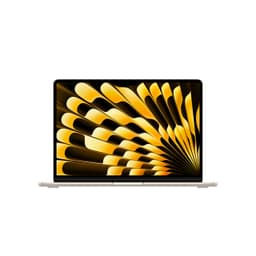
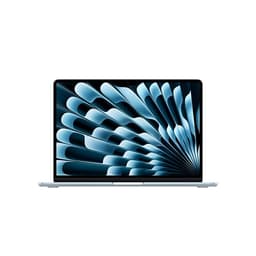
The MacBook Air 15-inch M4 is available in Midnight, Starlight, Sky Blue, and Silver. The Midnight finish, which is a deep blue-black, shows fingerprints and smudges more noticeably than the lighter Starlight and Silver options due to the darker anodised aluminium. Sky Blue sits between the two in terms of fingerprint visibility. If visible smudges bother you, one of the lighter finishes is worth considering. Regular wiping keeps the Midnight finish looking presentable, but it does require more frequent attention.
06Does the MacBook Air 15-inch M4 work well for video calls?+
It is genuinely strong for video calls. The 12MP Center Stage camera automatically keeps you centred in the frame as you move and produces considerably better image quality than the 720p or 1080p cameras found on most competing laptops, particularly in lower light conditions. The three-microphone array captures voice clearly and reduces background noise effectively. Because the machine is completely silent with no fan, there is no fan noise bleeding into your microphone during calls, which is a meaningful advantage over many Windows laptops.
07What ports does the MacBook Air 15-inch M4 have, and do I need a hub?+
The MacBook Air 15-inch M4 has two Thunderbolt 4 (USB-C) ports on the left side, one MagSafe 3 charging port on the left side, and a 3.5mm headphone jack on the right side. There is no USB-A port, no HDMI port, and no SD card slot. If you use USB-A peripherals, need to connect HDMI displays directly, or regularly work with SD cards, you will need a USB-C hub or Thunderbolt dock. The Thunderbolt 4 ports are capable enough that a good dock can add a wide range of connectivity, but the additional cost and bulk of a hub is worth factoring into your buying decision.