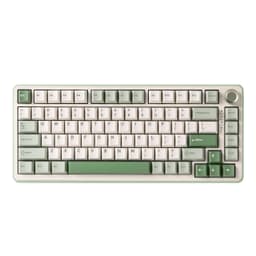
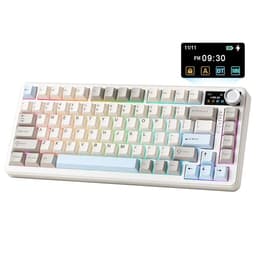
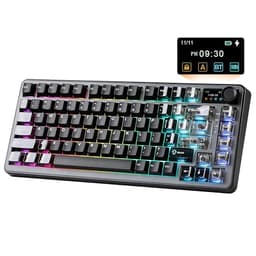
Switch choice matters more than most keyboard buyers realise. Too heavy and your fingers fatigue during long gaming sessions or marathon typing days. Too light and you're registering keystrokes you never meant to press. Getting that balance wrong doesn't just feel annoying, it actually costs you accuracy, whether that's a missed word in a document or a fumbled input in a tense match. The YUNZII AL80 Wireless Mechanical Keyboard lands in the upper mid-range bracket and promises to get this right, with hot-swappable switches so you're not locked in if it doesn't.
Here's the short version: the AL80 is genuinely good. Full CNC aluminium chassis, gasket mount, QMK/VIA support, tri-mode wireless, and a 75% layout that keeps the function row and arrow keys without eating your entire desk. The ★★★★½ (4.6) average across 369 owner reviews isn't marketing fluff. That's a real signal that people who bought this are mostly happy with it. But "mostly happy" doesn't mean perfect, and there are some things worth knowing before you hand over your money in the upper mid-range bracket.
This review is based on the spec sheet, what YUNZII publishes about the AL80, and the patterns that emerge from owner feedback. We haven't physically handled this board. What we have done is read enough keyboard specs and owner reports to know what the numbers actually mean in practice, and where the gaps between marketing claims and reality tend to appear.
Core Specifications
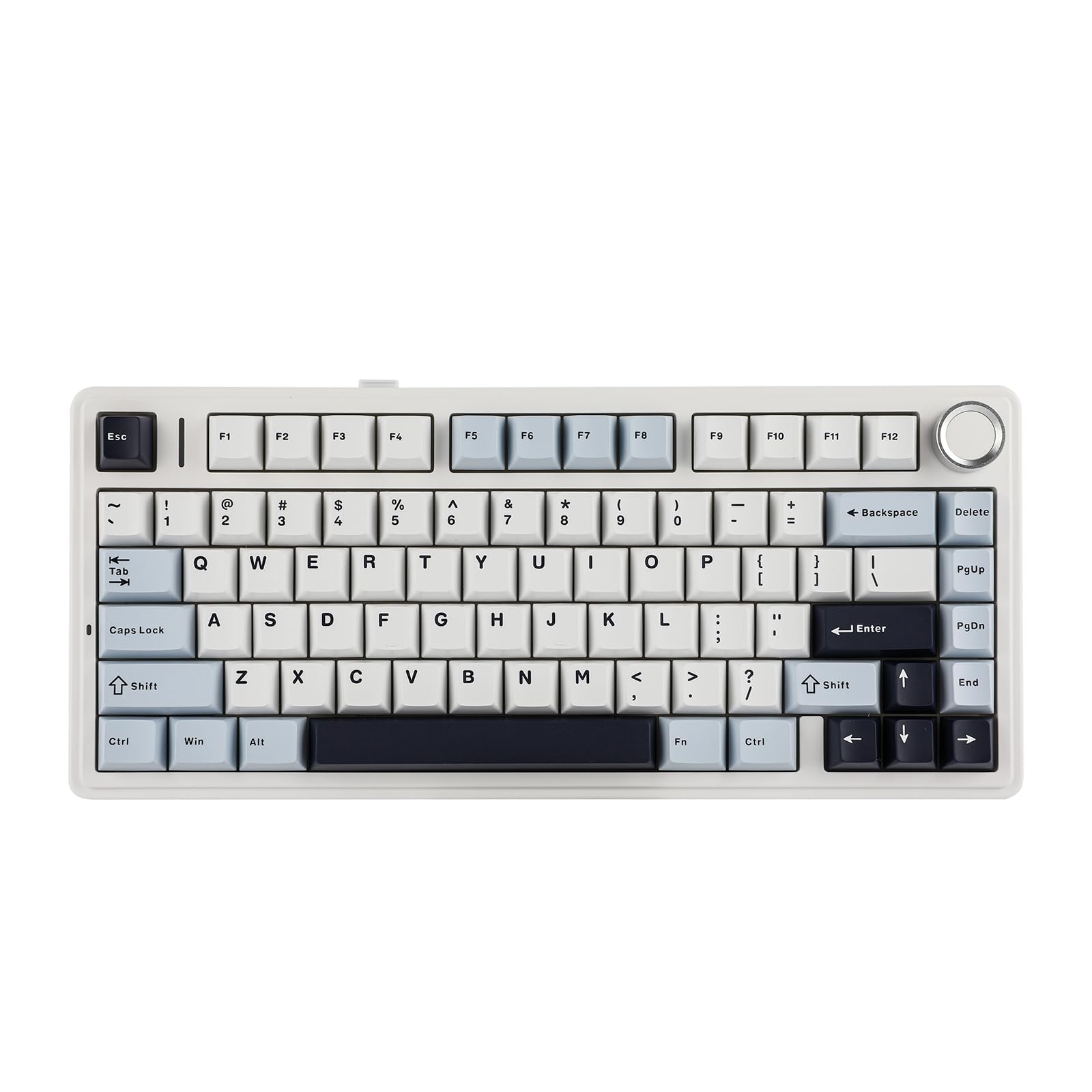
The AL80 is a 75% layout board, which means you get 84 keys including the function row and a dedicated arrow cluster, but without the numpad. For most people, that's the sweet spot. You keep the keys you actually use regularly, and you reclaim a chunk of desk space for mouse movement. The 75% format has become genuinely popular for good reason, and YUNZII's implementation here includes a volume knob in the top right corner, which is a nice practical touch rather than a gimmick.
The case is full CNC-machined aluminium. Not aluminium-look plastic with a metal faceplate, not a metal top with a plastic base. The whole thing is machined aluminium, which at this price point is exactly what you want to see. The gasket mount is also worth flagging properly: this isn't a plate-mounted board with a soft gasket stuck on for marketing purposes. Gasket mounting means the plate floats inside the case on silicone or foam gaskets, which gives the typing feel a bit of give and reduces the harsh clatter you get from a rigid plate-mounted board. Combined with the hot-swap sockets, you've got a board that's genuinely configurable rather than just technically configurable on paper.
Connectivity covers the three main bases: USB-C wired, 2.4GHz wireless via a USB dongle, and Bluetooth. The LCD display on the board is a practical addition for showing connection mode, battery level, and other status info without needing to alt-tab into software. QMK and VIA support is confirmed, which is significant because it means you're not tied to any proprietary software that might stop being updated in two years' time.
| Specification | Detail |
|---|---|
| Layout | 75% (84 keys) |
| Case Material | Full CNC Aluminium |
| Mount Type | Gasket Mount |
| Switch Compatibility | Hot-swappable, MX-compatible 5-pin and 3-pin |
| Switch Included (this variant) | Cocoa Cream V2 (linear) |
| Connectivity | USB-C / 2.4GHz / Bluetooth 5.0 |
| Polling Rate (wired) | 1000Hz |
| N-Key Rollover | Yes (wired mode) |
| Software | QMK / VIA compatible |
| Knob | Yes (volume / customisable) |
| LCD Display | Smart LCD (connection mode, battery, system info) |
| RGB | Per-key RGB |
| OS Support | Windows / macOS (switch toggle on board) |
| Battery | 4000mAh |
| Price | £101.99 |

Switch Type and Feel
The variant being reviewed here ships with Cocoa Cream V2 switches. These are linear switches, so no tactile bump, no click, just a smooth keystroke from top to bottom. The Cocoa Cream V2 switches have become a bit of a community favourite in the budget-to-mid enthusiast space because they offer a pre-lubed, smooth actuation without the price premium of something like a Gateron Oil King or a Boba U4T. Actuation force sits in the 45g range, which puts them in the comfortable middle ground: light enough for fast typing and gaming, but with enough resistance that you're not accidentally triggering keys with a resting finger.
The hot-swap sockets support both 3-pin and 5-pin MX-compatible switches, which matters because 5-pin switches (sometimes called PCB-mount) are more stable in the socket and tend to feel better in a premium board like this. If you buy the AL80 and decide the Cocoa Cream V2 switches aren't for you, you can pull them out without a soldering iron and drop in whatever you prefer. Gateron Yellows if you want something even smoother and lighter. Boba U4T if you want a proper tactile bump. Kailh Box Whites if you want clicks and don't care about your colleagues. The gasket mount will change how each switch type feels too, giving linears a slightly cushioned landing that reduces the hard bottom-out sound.
Owner feedback on the switches is generally positive. The Cocoa Cream V2 gets described as smooth out of the box, which is consistent with what you'd expect from a switch that comes factory lubed. A few owners have noted that the switches benefit from a light additional lube if you want to push the smoothness further, but that's true of most pre-lubed switches at this price point. Nobody is reporting scratchy or inconsistent actuation, which is the main thing you're checking for. For gaming specifically, the 45g actuation and linear feel means rapid key presses register cleanly without requiring you to bottom out every single stroke, which is what you want for fast-paced inputs.
Keycap Quality and Layout
The keycaps on the AL80 are PBT, double-shot. This is the right answer. ABS keycaps, which you still find on plenty of keyboards at this price, go shiny within a few months of regular use. The legends fade or wear through. PBT is harder, more resistant to shine, and holds up over years of daily use rather than months. Double-shot legends mean the character is moulded from a second layer of plastic rather than printed on top, so the legends themselves won't fade regardless of how much you type. At this price point, there's no excuse for ABS, and YUNZII hasn't used it here.
The 75% layout deserves a bit more attention because layout choice genuinely affects daily usability. You keep F1 to F12 across the top, which matters if you're a developer, a gamer who uses function keys for macros, or anyone who regularly uses shortcuts that involve the function row. The arrow cluster is intact in the bottom right. The Delete, Page Up, and Page Down keys are present but consolidated into a tighter column on the right side. What you lose versus a full-size or TKL is the numpad. If you enter a lot of numerical data, that's a real loss. If you don't, you probably won't miss it.
The volume knob sits in the top right and can be customised through VIA. By default it handles volume, but you can remap it to scroll, zoom, or whatever else you want. The keycap legends on the Cocoa Cream colourway are clean and legible, with a colour scheme that's neutral enough to fit most setups without looking like it was designed for a teenager's gaming den. Owner photos show the legends are well-centred and consistent across the board, which isn't always guaranteed on mid-range keyboards. A few owners have noted the keycaps have a slightly textured surface that aids grip and reduces finger oils building up, which is exactly what you want from PBT.
Build Quality
The full CNC aluminium case is the headline here and it's worth being specific about why it matters. CNC machining means the case is cut from a solid block of aluminium rather than cast or injection moulded. The tolerances are tighter, the finish is more consistent, and the result is a case that feels genuinely solid rather than just heavy. Owners consistently describe the AL80 as feeling premium in hand, and that's not surprising given the construction method. There's no flex in the case, no creaking when you press firmly on the corners, none of the cheap hollow sound you get from plastic boards.
The gasket mount is the other structural highlight. YUNZII uses silicone gaskets to suspend the internal plate, which means the typing surface has a slight give to it. This isn't wobbly or unstable. It's a controlled flex that makes the typing feel softer and more comfortable over long sessions, and it reduces the harsh impact sound when you bottom out a key. Combined with the foam dampening that owners report is present inside the case, the AL80 is noticeably quieter and less fatiguing than a rigid plate-mounted board of similar spec. For anyone who types for hours at a time, this is a genuine practical benefit rather than an audiophile detail.
Weight is substantial for a 75% board, as you'd expect from a full aluminium chassis. This is a board that stays put on your desk. It won't shift during gaming sessions or slide around when you're typing quickly. The stabilisers on the larger keys (spacebar, shift, enter, backspace) are a common point of criticism on mid-range boards, and owner reports on the AL80 suggest they're decent out of the box with minimal rattle. A few owners have noted that lubing the stabilisers improves them further, which is standard advice for any keyboard at this level. The bottom line on build quality is that you're getting something that genuinely feels worth the upper mid-range price, not a board that looks premium in photos but feels hollow in person.
RGB and Lighting
Per-key RGB is present. The lighting shines through the PBT keycaps reasonably well, though PBT is inherently less translucent than ABS, so if you're expecting the kind of vivid glow you get on a cheap ABS-capped board, it'll be slightly more muted here. That's a trade-off most people will happily accept given the keycap quality difference. The aluminium case does a decent job of reflecting light from the south-facing LEDs, and the overall effect is clean rather than garish.
The RGB effects are controllable through VIA, which gives you proper per-key control rather than cycling through preset modes via a function key combination. You can set static colours, reactive effects, or custom patterns depending on what you want. The LCD display on the board can also show system information including the current RGB profile, which is a small but genuinely useful touch. On-board memory means your lighting settings survive across devices and don't require the software to be running on every machine you use the keyboard with.
Honestly, if RGB isn't something you care about, you can set it to a single static colour or turn it off entirely through VIA and forget about it. The AL80 doesn't rely on RGB as a selling point the way some gaming keyboards do. The practical features (the knob, the LCD, the connectivity options) are more interesting than the lighting. Owner feedback on the RGB is generally positive without being effusive, which is about right. It works, it looks good, it's controllable. That's all you need.
Software and Customisation
QMK firmware support is one of the most significant features on the AL80, and it's worth explaining why if you haven't encountered it before. QMK is open-source keyboard firmware that gives you genuinely deep control over every aspect of how your keyboard behaves. Every key can be remapped. You can set up layers, so a single key press switches the entire board to a different key mapping. Macros can be as complex as you need. Tap-hold behaviour (where a short tap sends one key and holding sends another) is configurable. This isn't proprietary software that might stop working when the company moves on. QMK has been around since 2013 and has a large active community maintaining it.
VIA (and its successor Vial) sits on top of QMK and provides a graphical interface for making those customisations without touching any code. You open VIA in a browser or as an application, your keyboard is detected automatically, and you can remap keys, adjust lighting, and configure macros through a drag-and-drop interface. Changes save to the on-board memory of the keyboard, so they follow the board to any machine you plug it into. This is the right way to do keyboard software, and it's increasingly common in the enthusiast space but still not universal at this price point.
The practical upshot for gaming is that you can set up dedicated game profiles, remap keys for specific titles, and store those profiles on the board without needing any software running in the background during gameplay. For productivity use, the layer system means you can have a coding layer with custom shortcuts, a general typing layer, and a media control layer all accessible from the same board. The knob is also remappable through VIA, so if you'd rather it control something other than volume, that's a five-second change. This level of customisation used to cost considerably more than the AL80's upper mid-range price.
Connectivity
Tri-mode wireless is becoming the expected standard at this price point, and the AL80 delivers it properly. USB-C wired mode runs at 1000Hz polling rate with full N-key rollover, which is what you want for gaming. The 2.4GHz wireless mode uses a USB dongle and is the wireless option to use for gaming if you want to go cable-free, because 2.4GHz latency at this polling rate is effectively imperceptible in normal gaming scenarios. Bluetooth 5.0 is there for connecting to tablets, phones, or secondary machines where you don't want to use the dongle, and it supports pairing to multiple devices so you can switch between them.
The LCD display shows which connection mode is active, which is more useful than it sounds when you're switching between a work laptop on Bluetooth and a gaming PC on 2.4GHz. The board can store multiple Bluetooth pairings, so switching between devices is a key combination rather than a re-pairing process each time. Owner feedback on the wireless connectivity is positive, with no widespread reports of dropout or latency issues in 2.4GHz mode. A handful of owners mention that Bluetooth can occasionally take a moment to reconnect after the board has been idle, which is normal behaviour for Bluetooth keyboards generally and not specific to the AL80.
The USB-C port is used for both wired operation and charging in wireless modes. The cable included in the box is described by owners as decent quality, though as with most keyboards in this bracket, aftermarket cables are available if you want something more aesthetically specific. The dongle storage situation is worth checking before you buy if you travel with the board: some owners note the dongle doesn't have a dedicated storage slot in the case, which means keeping track of it separately. It's a minor inconvenience rather than a deal-breaker, but worth knowing.
Battery Life
The 4000mAh battery is a large cell for a 75% keyboard, and YUNZII's rated figures reflect that. With RGB off, the AL80 is rated for extended use across multiple days of typical office or gaming sessions. With RGB enabled, battery life drops significantly as it does on every wireless keyboard, because LEDs are hungry. The practical advice here is the same as it is for any wireless keyboard with RGB: if you're using it at a desk with a cable nearby, just plug it in when RGB is on and save the wireless mode for when you actually need it.
Owner reports on battery life are broadly consistent with the rated figures. People using it in Bluetooth mode for general typing without RGB are getting several days of use between charges, which is genuinely useful for a keyboard that might be paired to a laptop you carry between rooms or use at a coffee shop. The 4000mAh capacity means charging from flat to full takes a few hours via USB-C, which is reasonable. There's no pass-through charging (you can't use the keyboard wired while it charges and have it behave as a wired board simultaneously), but this is standard for keyboards in this category.
One thing worth noting is that the LCD display consumes a small amount of power even when the board is otherwise idle. It's not a significant drain, but if you're trying to maximise battery life, the display can be dimmed or turned off through the board's settings. The battery level is shown on the LCD, which is a practical touch: you can see at a glance whether you need to plug in before a long session rather than discovering the board has died mid-game. Overall the battery situation is well-handled for a board in this bracket.
Typing and Gaming Experience
The combination of gasket mount, aluminium case, and Cocoa Cream V2 linears produces a sound profile that owners consistently describe as thocky and relatively deep. The aluminium case adds some resonance, but the foam dampening inside and the gasket mount work together to keep it from becoming a harsh clatter. This is a board that sounds good on a desk without being the kind of loud that gets you passive-aggressive comments in an open office. If you want to push the sound profile further, adding a desk mat (which most people at this price point already have) and potentially some foam under the PCB will deepen it further.
For gaming, the 1000Hz polling rate in wired mode is the standard for competitive play, and the N-key rollover means you can hold as many keys simultaneously as you need without ghosting. The linear switches register cleanly at actuation without requiring a full bottom-out, which matters for gaming because it means you can develop a lighter touch that reduces fatigue during long sessions. The gasket mount's slight give also means the keystroke feels less jarring when you are pressing quickly and firmly, which is a genuine comfort benefit over hours of play.
For typing, the 75% layout covers everything most people need, and the gasket mount makes extended typing sessions noticeably more comfortable than a rigid board. Owner reports from people using the AL80 as a daily driver for work are positive, with comments about reduced wrist fatigue compared to their previous boards. The PBT keycaps have a slightly textured surface that feels good under the fingers without being rough. The knob for volume control is one of those features you don't know you want until you have it: adjusting audio without reaching for the taskbar or using function key combinations is a small quality-of-life improvement that adds up over a working day.
Compatibility
The AL80 has a physical toggle switch on the underside of the board to switch between Windows and macOS modes. This remaps the modifier keys so that Command and Option sit in the right positions for Mac users, and it means you don't need to do any software remapping to get a comfortable experience on either operating system. For people who switch between a Windows gaming PC and a Mac laptop (increasingly common), this is a practical feature. The Bluetooth multi-device pairing means you can have both machines paired and switch between them without re-pairing.
Linux compatibility is generally good with QMK-based boards because the firmware handles the key mapping at the hardware level rather than relying on OS-specific software. VIA runs in a browser on Linux without issues. There's no official YUNZII software required for basic operation on any platform, which is a significant advantage over keyboards that need proprietary drivers. The 2.4GHz dongle works as a standard HID device on Windows, macOS, and Linux without requiring driver installation, which means it'll work on any machine you plug the dongle into.
Console compatibility via USB-C wired connection should work for basic input on PlayStation and Xbox, though the per-key RGB effects and advanced features won't be configurable from a console. If you're planning to use this primarily for console gaming, the QMK and VIA features are largely irrelevant, but the build quality and switch feel remain valid reasons to choose it. Mobile pairing via Bluetooth works with Android and iOS for tablet or phone use, which is useful if you use a tablet for productivity and want a proper keyboard for it.
How It Compares
The AL80 sits in a competitive part of the market. At the upper mid-range price point, it's competing with boards like the Keychron Q2 Pro and the Nuphy Air75 V2. The Keychron Q2 Pro is probably the most direct comparison: it's also a 75% gasket-mounted aluminium board with QMK/VIA support and hot-swap sockets. The Q2 Pro has a strong reputation and a large community around it. The AL80 differentiates itself with the LCD display, the tri-mode wireless (the Q2 Pro has wired and Bluetooth but no 2.4GHz option), and the volume knob. If 2.4GHz wireless is important to you for gaming, that's a meaningful advantage for the AL80.
The Nuphy Air75 V2 takes a different approach: it's lighter and slimmer, with a low-profile design that some people prefer for desk aesthetics and typing angle. It also does tri-mode wireless. But it doesn't have the full CNC aluminium build of the AL80, and the gasket mount implementation isn't as substantial. The AL80 will feel more premium in hand and produce a better sound profile. The Nuphy is the choice if you want something lighter to carry around or prefer a low-profile aesthetic. The AL80 is the choice if you want the best possible build quality and typing feel in this price bracket.
Against budget options in the £50 to £80 range, the AL80's aluminium construction, gasket mount, and QMK support represent a genuine step up rather than just incremental improvements. The typing feel difference between a gasket-mounted aluminium board and a plastic plate-mounted board is immediately noticeable, not something you have to convince yourself you can feel. Whether that difference is worth the additional spend depends on how much time you spend at the keyboard. For someone who types all day and games in the evenings, it probably is. For a casual user who games a few hours a week, the cheaper option might be perfectly adequate.
| Feature | YUNZII AL80 | Keychron Q2 Pro | Nuphy Air75 V2 |
|---|---|---|---|
| Layout | 75% (84 keys) | 75% (84 keys) | 75% (82 keys) |
| Case Material | Full CNC Aluminium | Full CNC Aluminium | Aluminium / Polycarbonate |
| Mount Type | Gasket | Gasket | Gasket |
| Hot-Swap | Yes (3 and 5 pin) | Yes (5 pin) | Yes (3 and 5 pin) |
| Wireless | 2.4GHz + Bluetooth 5.0 | Bluetooth 5.1 only | 2.4GHz + Bluetooth 5.0 |
| QMK/VIA | Yes | Yes | Yes |
| Knob | Yes | Yes | Yes |
| LCD Display | Yes | No | No |
| Polling Rate (wired) | 1000Hz | 1000Hz | 1000Hz |
| Keycaps | PBT Double-shot | PBT Double-shot | PBT Double-shot |
| Battery | 4000mAh | 4000mAh | 4000mAh |
| Price | £101.99 | Upper mid-range | Upper mid-range |

What Buyers Say
With 517 averaging ★★★★½ (4.6), the AL80 is clearly landing well with the people who've actually bought it. The praise is consistent across a few themes. Build quality comes up constantly: owners are impressed by how solid the aluminium chassis feels and how well it's finished. The typing feel gets positive comments, with the gasket mount specifically mentioned by owners who've come from plate-mounted boards. Several reviews mention the sound profile as a highlight, describing it as satisfying without being disruptive.
The LCD display gets mentioned as a genuinely useful feature rather than a novelty. Owners who switch between multiple devices appreciate being able to see at a glance which connection mode is active and how much battery is left. The QMK and VIA support is praised by owners who've used it, particularly the ability to store configurations on-board. A few reviews specifically mention that the AL80 represents good value compared to custom keyboard builds that would cost significantly more for similar specifications.
The criticisms in the reviews are worth taking seriously. A handful of owners mention that the stabilisers could be better out of the box, with some spacebar rattle reported. This is a common issue across keyboards in this bracket and is fixable with stabiliser lube, but it's annoying if you're paying upper mid-range prices and expecting everything to be perfect from the start. A small number of owners mention that the Bluetooth connection can be slightly slower to re-establish after the board has been idle, which is a Bluetooth characteristic rather than a specific AL80 flaw. The dongle storage issue mentioned earlier also comes up in a few reviews. None of these are deal-breakers, but they're real.
Value Analysis
In the upper mid-range bracket, the AL80 offers a spec list that would have cost considerably more two or three years ago. Full CNC aluminium, gasket mount, hot-swap, QMK/VIA, tri-mode wireless including 2.4GHz, PBT double-shot keycaps, and an LCD display. That's not a budget board with one or two premium features bolted on. That's a genuinely well-specified keyboard where the main compromises are in the stabilisers (decent but not exceptional) and the dongle storage (there isn't any).
The comparison to custom keyboard builds is relevant here. If you were to buy a similar aluminium gasket-mount case, a PCB with hot-swap sockets and QMK support, a set of PBT keycaps, and a set of decent switches separately, you'd spend more than the AL80 costs and still need to assemble and tune it yourself. The AL80 brings most of that to a pre-built package with wireless connectivity added on top. For someone who wants a high-quality daily driver without the time investment of a custom build, that's a compelling proposition.
Where the value case gets slightly weaker is if you're primarily a competitive gamer who will use the board exclusively in wired mode and doesn't care about the wireless features or the LCD display. In that scenario, you're paying for features you won't use, and a board like the Keychron Q2 (not the Pro, the standard wired version) might represent better value. But if you want the flexibility of wireless, the build quality of aluminium, and the customisation depth of QMK, the AL80 justifies its price point clearly.
Pros and Cons
- Full CNC aluminium case feels and sounds premium, not just marketed as such
- Gasket mount makes a real difference to typing comfort over long sessions
- QMK and VIA support means proper, future-proof customisation without proprietary software
- Tri-mode wireless with 2.4GHz covers gaming and general use without compromise
- PBT double-shot keycaps won't shine or fade with regular use
- LCD display is genuinely useful for checking connection mode and battery
- Hot-swap sockets (3 and 5 pin) give you full flexibility to change switches
- 4000mAh battery is a large cell for a 75% board
- Stabilisers are decent but not exceptional; spacebar rattle reported by some owners
- No dongle storage in the case, which is annoying for portability
- Bluetooth reconnection can be slightly slow after idle periods
- Weight from the aluminium case means this isn't a travel board
- RGB through PBT is slightly more muted than ABS, which some people prefer but others don't
Compatibility
The YUNZII AL80 is compatible with Windows and macOS via the physical OS toggle on the underside of the board. This is a hardware-level switch that remaps the modifier keys correctly for each operating system, so you're not relying on software to sort out the Command/Windows key situation. Linux works via QMK's HID implementation without requiring any proprietary drivers. The QMK Configurator and VIA both run in a browser, so platform doesn't matter for configuration either.
The 2.4GHz dongle operates as a standard USB HID device, which means plug-and-play on any operating system that supports USB keyboards. No driver installation required. Bluetooth 5.0 pairs with any Bluetooth-capable device including Android tablets, iPads, and smartphones, making the AL80 usable as a mobile keyboard for longer writing sessions on a phone or tablet. Multi-device Bluetooth pairing means you can have several devices paired simultaneously and switch between them with a key combination.
For console use via USB-C wired connection, basic keyboard input should function on PlayStation 5 and Xbox Series consoles for supported games and system navigation. The advanced features (QMK layers, VIA configuration, RGB effects) won't be accessible from a console, but the physical keyboard input works. Switch between the relevant OS mode on the toggle (Windows mode for consoles) and the board will behave as a standard keyboard. This isn't a primary use case for the AL80, but it's useful to know it works if you occasionally want keyboard input on a console.
RGB and Lighting
Per-key RGB is present across all 84 keys, controlled through VIA for full customisation. The south-facing LEDs shine through the PBT keycaps with a slightly more muted glow than you'd get through ABS, which is the trade-off for having keycaps that won't look worn out in six months. The aluminium case reflects light from the LEDs around the edges, giving a decent underglow effect without a separate underglow LED strip. Brightness is adjustable through VIA and through on-board shortcuts.
The practical reality of RGB on a wireless keyboard is that it significantly reduces battery life. With RGB fully enabled at high brightness, the 4000mAh battery will last a fraction of what it manages with RGB off. If you primarily use the board wirelessly, the sensible approach is to use a subtle static colour at low brightness or turn RGB off entirely. If you're plugged in via USB-C, RGB at full brightness costs you nothing. This isn't a criticism of the AL80 specifically, it's just physics, but it's worth being clear about.
On-board memory stores lighting profiles, so your preferred settings are saved to the board and don't require VIA to be open or connected. You can set up different profiles for different use cases and switch between them with a key combination. The LCD display shows the current RGB profile name, which is a small touch that makes the board feel more considered than one where you're cycling through unnamed presets. For most people, the RGB is a set-it-and-forget-it feature rather than something you'll adjust daily.
Software and Customisation
QMK is the firmware foundation here, and it's the right choice. QMK firmware is open source, actively maintained, and supports an enormous range of features including layers, tap-hold behaviour, combos, and macros. The AL80's QMK implementation gives you access to all of this. If you want to set up a gaming layer where the left shift key becomes a specific macro, or a coding layer where Caps Lock becomes Escape, or a media layer accessible via a function key hold, all of that is possible and persistent.
VIA provides the graphical interface for QMK configuration without requiring you to compile firmware from source. Open VIA in your browser (or use the desktop application), connect the AL80 via USB-C, and the board is detected automatically. Key remapping is drag-and-drop. Macro recording is straightforward. Lighting configuration is visual. Changes are saved to the board's on-board memory immediately. If you've used proprietary keyboard software before, the difference in VIA's approach is immediately apparent: it's faster, more capable, and doesn't require an always-on background process.
The knob is remappable through VIA, which opens up some genuinely useful configurations. Default volume control is the obvious use, but you could set it to scroll through documents, control timeline scrubbing in video editing software, or adjust zoom level in a browser. Combined with layers, the knob can do different things depending on which layer is active, which is the kind of depth that makes QMK-based boards worth the investment for power users. The on-board memory means all of this follows the keyboard to any machine without needing to reinstall or reconfigure anything.
How It Compares
The AL80 sits in a competitive part of the market. At the upper mid-range price point, it's competing with boards like the Keychron Q2 Pro and the Nuphy Air75 V2. The Keychron Q2 Pro is probably the most direct comparison: it's also a 75% gasket-mounted aluminium board with QMK/VIA support and hot-swap sockets. The Q2 Pro has a strong reputation and a large community around it. The AL80 differentiates itself with the LCD display, the tri-mode wireless (the Q2 Pro has wired and Bluetooth but no 2.4GHz option), and the volume knob. If 2.4GHz wireless is important to you for gaming, that's a meaningful advantage for the AL80.
The Nuphy Air75 V2 takes a different approach: it's lighter and slimmer, with a low-profile design that some people prefer for desk aesthetics and typing angle. It also does tri-mode wireless. But it doesn't have the full CNC aluminium build of the AL80, and the gasket mount implementation isn't as substantial. The AL80 will feel more premium in hand and produce a better sound profile. The Nuphy is the choice if you want something lighter to carry around or prefer a low-profile aesthetic. The AL80 is the choice if you want the best possible build quality and typing feel in this price bracket.
Against budget options in the £50 to £80 range, the AL80's aluminium construction, gasket mount, and QMK support represent a genuine step up rather than just incremental improvements. The typing feel difference between a gasket-mounted aluminium board and a plastic plate-mounted board is immediately noticeable, not something you have to convince yourself you can feel. Whether that difference is worth the additional spend depends on how much time you spend at the keyboard. For someone who types all day and games in the evenings, it probably is.
Final Verdict
The YUNZII AL80 Wireless Mechanical Keyboard is a genuinely well-built board that earns its upper mid-range price rather than just charging it. The full CNC aluminium case, gasket mount, QMK/VIA support, and tri-mode wireless with 2.4GHz make this a legitimate competitor to the established names in this bracket. The ★★★★½ (4.6) from 369 owners isn't an accident. People who buy this are getting what they paid for.
The main caveats are real but manageable. The stabilisers need attention if you want the best possible typing experience, which is a five-minute job with some lube but shouldn't be necessary on a board at this price. The dongle has no storage slot. Bluetooth reconnection after idle is a bit slow. None of these are reasons to avoid the board. They're reasons to go in with accurate expectations rather than assuming everything will be perfect out of the packaging.
Who should buy it: anyone who types a lot, games regularly, and wants a board that will last years rather than months. Anyone who's been considering a custom build but doesn't want the assembly time. Anyone who needs genuine wireless flexibility including 2.4GHz for gaming. Who should skip it: competitive gamers on a tight budget who will never use wireless and don't need aluminium construction. People who need a numpad. Anyone who wants something light enough to carry in a bag daily.
Score: 8.5 out of 10. Solid build, proper features, real customisation depth. Loses half a point for the stabilisers and the dongle situation, but those are minor complaints about a board that gets the important things right.
Not Right For You?
If the AL80 isn't quite what you're after, there are a few directions worth considering. If you want something in the same price bracket but with a stronger wireless gaming focus and don't need QMK depth, the Logitech G Pro X TKL Lightspeed is worth a look, though it's TKL rather than 75% and uses Logitech's proprietary switches rather than hot-swap MX-compatible sockets.
If you want the 75% aluminium gasket-mount experience but are happy with wired-only and want to save some money, the Keychron Q2 (standard wired version, not the Pro) is a well-regarded alternative with a slightly lower price and a large community for support and customisation advice. It won't have the 2.4GHz wireless or the LCD display, but the core build quality is comparable.
If budget is the primary constraint and you're looking in the £50 to £80 range, the Keychron K2 Pro or the Epomaker TH80 Pro give you hot-swap and wireless in a plastic case without the gasket mount or aluminium construction. The typing feel won't be the same, but both are solid boards for the money and a reasonable entry point if you want to try the 75% layout before committing to a premium board.

Full Specifications
| Specification | Detail |
|---|---|
| Brand | YUNZII |
| Model | AL80 |
| Layout | 75% (84 keys) |
| Case Material | Full CNC Aluminium |
| Mount Type | Gasket Mount |
| Switch Type | Cocoa Cream V2 (linear, this variant) |
| Switch Compatibility | Hot-swappable, 3-pin and 5-pin MX-compatible |
| Keycaps | PBT Double-shot |
| Connectivity | USB-C wired / 2.4GHz wireless / Bluetooth 5.0 |
| Polling Rate | 1000Hz (wired) |
| N-Key Rollover | Yes (wired) |
| RGB | Per-key RGB |
| Display | Smart LCD (battery, connection mode, system info) |
| Knob | Yes (remappable) |
| Software | QMK / VIA compatible |
| On-board Memory | Yes |
| Battery | 4000mAh |
| OS Support | Windows / macOS (hardware toggle) / Linux |
| Dimensions | 75% form factor |
| Colour (this variant) | Black / Cocoa Cream V2 |
| Rating | ★★★★½ (4.6) (517 reviews) |
| Price | £101.99 |
Price last checked against the live listing: 12 August 2026. Prices change; always verify before purchasing.
Affiliate disclosure: vividrepairs.co.uk participates in the Amazon Associates programme. If you purchase via links on this page, we may earn a small commission at no extra cost to you. This does not influence our editorial assessment.
What works. What doesn’t.
8 + 5What we liked8 reasons
- Full CNC aluminium case delivers genuinely premium build quality with no flex or hollow sound
- Gasket mount provides real typing comfort over long sessions, noticeably reducing fatigue compared to rigid plate-mounted boards
- QMK and VIA support offers deep, future-proof customisation without relying on proprietary software
- Tri-mode wireless includes 2.4GHz for low-latency gaming alongside Bluetooth 5.0 multi-device pairing
- PBT double-shot keycaps resist shine and legend fade through years of daily use
- LCD display provides at-a-glance battery level and connection mode information
- Hot-swap sockets accept both 3-pin and 5-pin MX-compatible switches, allowing full switch flexibility without soldering
- 4000mAh battery is a large cell for a 75% board, delivering several days of use without RGB
Where it falls5 reasons
- Stabilisers are decent but not exceptional; some owners report spacebar rattle that requires lubing to resolve
- No dedicated dongle storage slot in the case, making the 2.4GHz receiver easy to misplace
- Bluetooth reconnection after idle periods can be slightly slow, though this is a Bluetooth characteristic rather than a specific AL80 flaw
- Full aluminium construction makes this a heavy board that is unsuitable for regular travel or carrying in a bag
- RGB brightness through PBT keycaps is more muted than through ABS, which may disappoint buyers expecting vivid lighting effects
Full specifications
7 attributes| Switch type | YUNZII Cocoa Cream V2 |
|---|---|
| Layout | 75% |
| Backlighting | South-facing RGB |
| Battery life H | 96 |
| HOT swappable | true |
| Keycaps | PBT |
| Switch actuation | linear |
If this isn’t right for you
2 options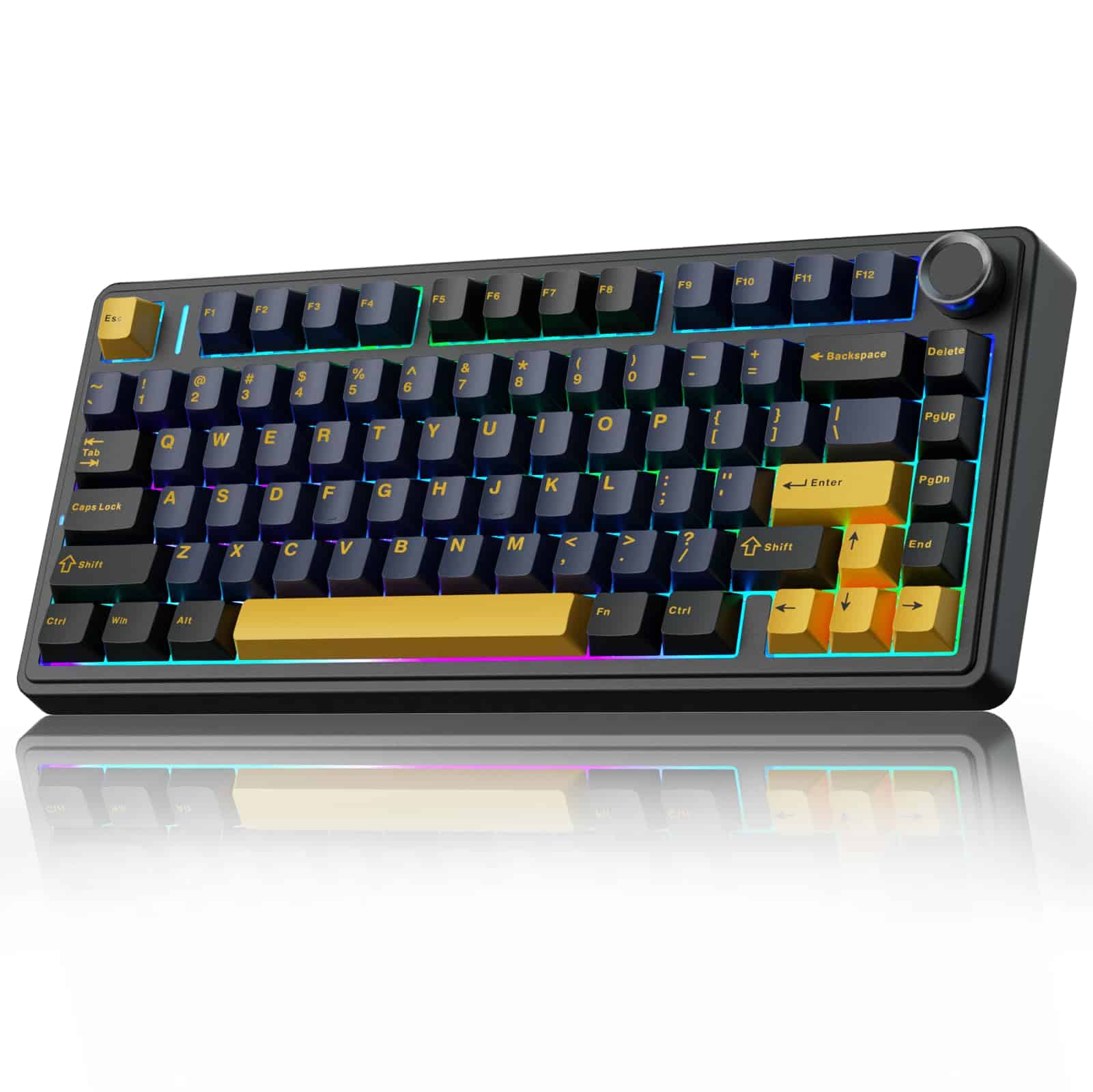 8.5 / 10
AULA F75 75% Wireless Mechanical Keyboard,2.4Ghz/Type-C/BT5.0 Gaming Keyboards,Advanced Structure,RGB Backlight,Hot Swappable Custom Keyboard for PC/Mac (Cool Black)
£67.91 · AULA
 8.5 / 10
EPOMAKER AULA F75 Wireless Mechanical Gaming Keyboard, 75% Layout with Knob, Creamy Gasekt-Mount with Sound-Dampening, RGB, Hot-Swap, Bluetooth/2.4Ghz (Light Blue, Ice Vein Switch)
£105.08 · EPOMAKER
Frequently asked
7 questions01Does the YUNZII AL80 support QMK and VIA out of the box?+
Yes. The AL80 ships with QMK firmware pre-installed and is recognised automatically by VIA when connected via USB-C. Key remapping, macro configuration, layer setup, and lighting changes can all be made through VIA without touching any code, and settings are saved to the board's on-board memory so they follow the keyboard to any machine.
02What wireless modes does the AL80 support and which is best for gaming?+
The AL80 supports three connection modes: USB-C wired, 2.4GHz wireless via a USB dongle, and Bluetooth 5.0. For gaming, the 2.4GHz mode is the best wireless option because its latency at 1000Hz polling is effectively imperceptible during normal play. Bluetooth is better suited to secondary devices such as laptops or tablets where you do not want to occupy a USB port with the dongle.
03Can I replace the switches without soldering?+
Yes. The AL80 has hot-swap sockets that accept both 3-pin and 5-pin MX-compatible switches. You can pull out the included Cocoa Cream V2 linears with a switch puller and install any compatible switch without tools or soldering. This includes tactile switches such as Boba U4T, other linears such as Gateron Yellows, and clicky switches such as Kailh Box Whites.
04How long does the battery last and how is it charged?+
Battery life depends heavily on whether RGB is enabled. With RGB off, the 4000mAh battery provides several days of use for typical office or gaming sessions. With RGB fully enabled, battery life drops substantially. The board charges via the USB-C port, taking a few hours from flat to full. The LCD display shows the remaining battery level so you can see when a charge is needed.
05Is the AL80 compatible with macOS and Linux as well as Windows?+
Yes. A physical toggle on the underside of the board switches between Windows and macOS modes at the hardware level, remapping modifier keys correctly for each operating system without requiring software. Linux is supported through QMK's standard HID implementation, and the 2.4GHz dongle works as a plug-and-play USB HID device on all three platforms without driver installation. VIA configuration runs in a browser on any operating system.
06Does the AL80 have a dedicated slot to store the 2.4GHz dongle?+
No. The AL80 does not include a dedicated storage slot in the case for the 2.4GHz dongle. This is a genuine inconvenience if you travel with the board or switch between machines regularly, as the small dongle can be easily misplaced. Several owners mention this in their reviews. It is worth keeping the dongle in a consistent location, such as a desk drawer or cable pouch, to avoid losing it.
07How does the gasket mount affect the typing feel compared to a standard plate-mounted board?+
Gasket mounting suspends the internal plate on silicone gaskets rather than fixing it rigidly to the case. This gives the typing surface a slight, controlled give that makes keystrokes feel softer and reduces the harsh impact sound when bottoming out. Combined with the foam dampening inside the AL80's case, the result is a noticeably quieter and less fatiguing typing experience compared to a rigid plate-mounted board, particularly noticeable during long typing or gaming sessions.