Budget monitors are a bit of a lottery, honestly. You're buying into a category where the spec sheet can look decent on paper and the reality is backlight bleed you could read a book by, or colours so washed out you'd think the monitor was already dying. So when a Samsung-branded curved 1080p panel shows up in the budget bracket with a ★★★★½ (4.5) from 93 owners, that's actually worth paying attention to. Not blind faith, just a data point that suggests this one isn't a disaster.
Here's the short version: the Samsung LS27D360GAUXXU is a perfectly reasonable 27-inch curved 1080p monitor for everyday use, office work, and casual gaming. It's not going to blow your mind, and if you're coming here hoping for a hidden gem that punches into mid-range territory, you'll be disappointed. But as a second screen, a first proper monitor upgrade from an old TV, or a desk setup for someone who doesn't need pixel-perfect colour accuracy, it holds its own at this price point. There are sharper options if you can stretch your budget, but in the budget bracket, this is one of the more sensible choices Samsung makes.
Core Specifications: Samsung LS27D360GAUXXU 27" Curved FullHD 100Hz 1080p Monitor
Start with the basics. This is a 27-inch VA panel with a 1920x1080 resolution, which gives you a pixel density of around 81 PPI. That number is going to come up again because it matters more than Samsung's marketing suggests. The refresh rate is 100Hz, which is a modest but genuine step up from the 60Hz panels that dominated this price range not long ago. And the panel has a 1500R curvature, which is a fairly aggressive curve for a 27-inch screen.
Connectivity is minimal: you get one HDMI port and one VGA port. No DisplayPort, no USB-C, no USB hub. That's not unusual at this price, but it does mean if you're running a modern PC with a dedicated GPU, you'll be using HDMI, and if you want a second monitor, you'll need to check your GPU's output options carefully. The VGA port is there for legacy machines, which is a nice touch for office environments running older kit, but most people buying this new won't touch it.
Samsung rates the response time at 4ms (GtG), which is actually a realistic figure for a VA panel rather than the "1ms MPRT" fantasy number some budget monitors slap on the box. Peak brightness is listed at 250 nits, which is on the low side. The contrast ratio is rated at 3000:1 static, which is where VA panels earn their keep. There's no HDR certification here, no local dimming, and the stand offers tilt only. Here's the full picture:
| Specification | Detail |
|---|---|
| Screen Size | 27 inches |
| Resolution | 1920x1080 (Full HD) |
| Panel Type | VA (Vertical Alignment) |
| Refresh Rate | 100Hz |
| Response Time | 4ms GtG |
| Curvature | 1500R |
| Brightness | 250 cd/m² (nits) |
| Contrast Ratio | 3000:1 (static) |
| Colour Gamut | sRGB (Samsung rates 72% NTSC, approximately 99% sRGB) |
| HDR | None certified |
| Adaptive Sync | AMD FreeSync (up to 100Hz) |
| Ports | 1x HDMI, 1x VGA |
| Stand Adjustments | Tilt only |
| VESA Mount | 75x75mm |
| Dimensions (with stand) | 614 x 430 x 186mm |
| Weight (with stand) | Approximately 3.6kg |
| Price | £139.00 |
Panel Technology: VA Does the Heavy Lifting Here
Samsung has gone with a VA panel, and at this price point that's actually the right call. The reason is contrast. VA panels deliver native contrast ratios that IPS simply can't match, typically sitting around 3000:1 where a comparable IPS panel would give you 1000:1 or so. In practice, that means blacks look genuinely dark rather than that murky grey you see on cheap IPS screens. For watching films or playing games with dark environments, VA is noticeably better at making shadows look like shadows rather than a grey fog.
The trade-off with VA is viewing angles. IPS panels are significantly better when you're sitting off to the side, because VA panels suffer from colour shift and contrast loss as you move away from dead centre. On a curved 27-inch panel like this one, the 1500R curve is partly designed to mitigate that by keeping more of the screen at roughly the same angle to your eyes. It helps, but it doesn't fully solve the problem. If you're regularly sharing your screen with someone sitting next to you, or if you use the monitor in portrait mode, VA's viewing angle limitations will irritate you. For a single-user setup where you sit directly in front, it's a non-issue.
One thing VA panels are known for is what's called "black smearing" or "dark level smearing," where fast-moving objects in dark scenes leave a trailing artefact. This is different from standard ghosting and is a characteristic of the panel technology rather than a defect. It's more noticeable on cheaper VA panels with slower pixel response times. Samsung's 4ms GtG rating for this panel is reasonable, and owner reviews don't flag dark-scene smearing as a major complaint, which is encouraging. A handful of owners mention minor ghosting in fast gaming scenarios, but nobody's calling it game-breaking.
Display Quality: What 1080p on 27 Inches Actually Looks Like
This is where you need to be honest with yourself before buying. At 27 inches with a 1920x1080 resolution, you're looking at roughly 81 pixels per inch. That's noticeably lower than the 109 PPI you'd get from a 24-inch 1080p monitor, and it's a long way from the 163 PPI of a 27-inch 1440p panel. In plain English: individual pixels are visible if you sit close. Text has a slightly soft edge. Icons look a bit chunky. If you're upgrading from a 24-inch 1080p monitor and you sit within 60cm of your screen, you will notice the difference in sharpness, and not in a good way.
That said, if you're coming from an old TV being used as a monitor, or a 1080p panel at a sensible viewing distance (70cm or more), it's perfectly fine. The anti-glare coating Samsung uses on this panel does a decent job of handling reflections, which matters more in real-world use than most reviewers admit. A screen that's technically sharper but blindingly reflective in your actual room is worse than a slightly softer screen you can actually see. Owner feedback consistently mentions the display looking clean and bright for everyday tasks, which aligns with what you'd expect from a modern VA panel even at modest brightness.
Brightness uniformity is something about. At 250 nits peak, this isn't a bright monitor. In a dark room it's fine, and in a typical office environment with controlled lighting it's workable. But if you're next to a window on a sunny day, you might find yourself squinting. A few owners mention the brightness feeling slightly low, which is consistent with the 250 nit spec. It's not a dealbreaker for most uses, but if you work in a brightly lit space, it's worth factoring in. The anti-glare coating helps compensate, but only up to a point.
Refresh Rate and Adaptive Sync: 100Hz FreeSync Done Properly
The 100Hz refresh rate is one of this monitor's genuine selling points. It's not 144Hz, and it's not going to satisfy anyone who's already used to high-refresh gaming, but for someone upgrading from a 60Hz panel, the difference is immediately obvious. Scrolling is smoother, cursor movement feels more responsive, and games look noticeably less choppy. It's one of those upgrades where you genuinely wonder how you put up with 60Hz for so long.
AMD FreeSync support is included, covering the full 48Hz to 100Hz range. This means if you're running an AMD GPU (or an Intel integrated GPU, which also supports FreeSync over HDMI), you get tear-free gaming without needing to enable V-Sync and deal with the input lag penalty. FreeSync works over HDMI on this monitor, which is the only digital input available, so that's good news. Nvidia GPU owners should note that G-Sync compatibility isn't officially listed, though many FreeSync monitors work with Nvidia's G-Sync Compatible mode in practice. if that matters to you.
The 48Hz to 100Hz FreeSync range is decent for this class of monitor. It means Low Framerate Compensation (LFC) can kick in if your frame rate drops below 48Hz, effectively doubling the refresh rate signal to maintain smooth output. In practice this means the adaptive sync stays useful even when your GPU is struggling with a demanding scene rather than cutting out the moment frames drop. For casual gaming on integrated graphics or an entry-level discrete GPU, that's a genuinely useful feature, not a checkbox.
Response Time and Motion: Honest About What 4ms Means
Samsung quotes 4ms GtG (grey-to-grey), and for a VA panel, that's a credible number. It's not the "1ms" that budget monitor marketing teams love to plaster on packaging, which almost always refers to MPRT (Moving Picture Response Time), a figure that measures something different and is largely useless for comparing actual pixel transition speed. A 4ms GtG VA panel is genuinely in the same ballpark as many IPS panels at this price, and it's miles better than the 6ms to 8ms GtG you'd find on slower VA panels from a few years ago.
What does that mean in practice? For everyday use, web browsing, video, and office work, you won't notice any motion issues at all. For casual gaming, including most shooters, racing games, and RPGs at 100Hz, the response time is fine. Where VA panels can still struggle is in very fast-paced competitive gaming with rapid camera movements in dark environments. The dark-level transitions on VA are inherently slower than the bright-level transitions, which is what causes that smearing effect mentioned earlier. Owner reviews from gamers on this monitor don't flag it as a serious problem, but competitive FPS players who care about every millisecond should probably be looking at an IPS panel rather than any VA at this price.
There's no mention of an overdrive mode in Samsung's published specs for this model, which is a bit of an omission. Many monitors at this price include a basic overdrive setting to push pixel transitions faster, at the cost of potential overshoot (inverse ghosting). Without confirmed overdrive options, you're getting the panel's native response characteristics. Based on the owner feedback, those characteristics are perfectly acceptable for the target audience. Nobody's reporting visible ghosting trails in everyday use, and the 4.6 average rating across 93 reviews suggests the motion performance isn't causing widespread complaints.
Colour Accuracy and Gamut: Good Enough, Not Great
Samsung rates this panel at 72% NTSC colour gamut coverage. The NTSC colour space maps to roughly 99% sRGB, which sounds impressive until you realise that most budget VA panels hit similar numbers and it doesn't tell you much about factory calibration accuracy. A panel can cover 99% of sRGB and still have colours that look off because the calibration is poor. The more useful number is Delta-E, which measures how accurately colours are reproduced. Samsung doesn't publish a Delta-E figure for this monitor, which is pretty standard for budget panels and means you're relying on owner feedback and the general reputation of Samsung's budget VA production.
What owners report is broadly positive for casual use. Colours are described as vibrant and punchy, which is consistent with VA panels that tend to lean slightly warm and saturated compared to a neutral IPS. For watching YouTube, Netflix, and general content consumption, that slightly rich colour presentation is actually pleasant. For anyone doing colour-sensitive work like photo editing or graphic design, this monitor isn't the right tool regardless of what the spec sheet says. The lack of factory calibration data, no Delta-E specification, and the absence of any colour management features make it unsuitable for professional creative work.
DCI-P3 coverage isn't quoted by Samsung, which tells you it's not a wide-gamut panel. This is a standard sRGB-range display, which is exactly what you want for general use. Wide-gamut panels without proper software colour management can actually make content look oversaturated and wrong, so for a monitor aimed at everyday users, sticking to sRGB coverage is the sensible choice. The colour temperature out of the box is reported by owners as reasonably neutral, without the strong blue tint that plagues some budget panels. A few owners mention adjusting the OSD colour settings slightly, but nothing dramatic.

HDR Performance: Skip This Section If You're Expecting Much
There's no HDR certification on this monitor. Not HDR400, not HDR600, nothing. That's the honest answer, and it's the right answer for a monitor at this price point with a 250 nit peak brightness. Proper HDR requires significantly higher peak brightness, ideally with local dimming to control which areas of the screen hit those peaks. This monitor has neither. Some monitors at this price tier slap "HDR" on the box without meeting any of the VESA DisplayHDR certification standards, which is arguably worse than just not mentioning it, because it creates false expectations.
Samsung hasn't done that here, which is refreshing. If you feed this monitor an HDR signal from a games console or PC, Windows or your console will likely engage a basic HDR mode, but the output won't look better than SDR. It'll probably look worse, because HDR tone mapping on a monitor with no real HDR capability tends to crush shadow detail and blow out highlights. The sensible move is to leave HDR disabled in your system settings when using this monitor and enjoy the SDR image, which is genuinely decent for the price.
If HDR matters to you, and it genuinely can for film-watching and modern games designed around it, you need to be spending considerably more money. The entry point for monitors where HDR makes a real visual difference is generally the HDR600 tier with local dimming, and that's not a budget bracket purchase. For the audience this Samsung is aimed at, the absence of HDR is not a practical problem. Most of the content most people watch most of the time is SDR, and this monitor handles SDR perfectly well.
Contrast and Brightness: The VA Advantage is Real
The 3000:1 static contrast ratio is the headline number here, and it's genuinely meaningful. To put it in context, a typical IPS panel at this price delivers around 1000:1. That three-times difference in contrast ratio translates directly into how dark blacks look on screen. On an IPS panel at this price, black backgrounds have a visible grey cast, especially in a dim room. On this VA panel, blacks look considerably darker and more convincing. For watching films, playing games with dark atmospheres, or just having a dark desktop background that doesn't look like a grey cardboard box, the VA contrast advantage is real and noticeable.
The 250 nit peak brightness is the other side of that equation, and it's where the compromise sits. Modern IPS panels often hit 300 to 350 nits at this price, which gives them better headroom in bright rooms. At 250 nits, this Samsung is fine for typical indoor use with moderate ambient lighting, but it'll struggle against direct sunlight through a window. The anti-glare coating helps reduce reflections rather than relying purely on brightness to overpower them, which is a reasonable design trade-off for a panel that can't go brighter.
Brightness uniformity across the panel is something that budget monitors can vary on significantly. Owner reviews for this Samsung don't raise widespread complaints about bright spots or blotchy illumination, which is a good sign. A small number of owners mention minor backlight bleed in corners, which is normal for edge-lit panels at this price and doesn't seem to be above the average for the category. The curved design actually helps here slightly, as the curve reduces the viewing angle at the panel edges, which can make edge bleed less visible from a typical seated position.
Ergonomics and Build: Functional, Not Fancy
The stand on this monitor offers tilt adjustment only. That's it. No height adjustment, no swivel, no pivot. For a lot of people, that's fine because they'll put the monitor on a desk, tilt it slightly to face them, and never think about it again. But if you're taller, or if your desk setup requires the monitor to be at a specific height, you'll either need to stack something under it or invest in a monitor arm. The good news is that the VESA mount pattern is 75x75mm, so a basic monitor arm will fit without any issues. Monitor arms aren't expensive, and they transform the ergonomic flexibility of any monitor, so it matters if the fixed stand height bothers you.
Build quality for a budget Samsung is typically decent. The brand has a long track record of producing monitors that feel solid enough without being premium. Owner reviews consistently describe the monitor as feeling well-made for the price, with no reports of creaking stands or wobbling panels. The bezels are slim on three sides, which is a nice touch for a budget panel and keeps the design looking reasonably modern. The bottom bezel is slightly thicker, which is standard. The overall footprint is compact enough for a 27-inch screen that it won't dominate a smaller desk.
The OSD (on-screen display) controls are button-based rather than a joystick, which is slightly less convenient but perfectly functional. Samsung's OSD menus are generally well-organised compared to some budget brands where navigating the menu feels like a puzzle. Owners don't flag the OSD as a frustration point, which is a good sign. Cable management is basic, with a simple slot in the stand rather than a full cable routing system, but that's par for the course at this price. The monitor ships with an HDMI cable included according to the listing, which saves you the minor annoyance of finding you need to buy one separately.
Connectivity and Ports: Minimal but Honest
One HDMI port and one VGA port. That's your lot. No DisplayPort, no USB-C, no USB hub, no audio passthrough beyond a 3.5mm headphone jack. For most people buying a budget monitor in 2024, this is fine. HDMI covers the vast majority of modern devices, whether that's a PC, laptop, games console, or Blu-ray player. The VGA port is there for legacy hardware, and while it's increasingly niche, there are still plenty of office environments running older PCs where VGA is the only output available.
The single HDMI port does mean you can't easily switch between two HDMI sources without physically swapping cables, which is mildly annoying if you want to connect both a PC and a games console. A cheap HDMI switch solves that problem for a few pounds, but it's upfront. The HDMI port supports the HDMI 1.4 standard, which is sufficient for 1080p at 100Hz, so there's no bandwidth limitation to worry about for this resolution and refresh rate combination.
The 3.5mm headphone jack is a welcome inclusion. It means you can plug in headphones or a small speaker without needing a separate USB audio adapter or relying on your PC's audio output. The monitor doesn't have built-in speakers, which is pretty standard for a panel at this price and honestly not a great loss since built-in monitor speakers at this price tier are uniformly terrible. If you need audio, a decent set of desktop speakers or headphones connected to the 3.5mm jack will serve you far better than any speaker Samsung could have squeezed into this chassis at this price point.
How It Compares: What Else Your Money Gets You
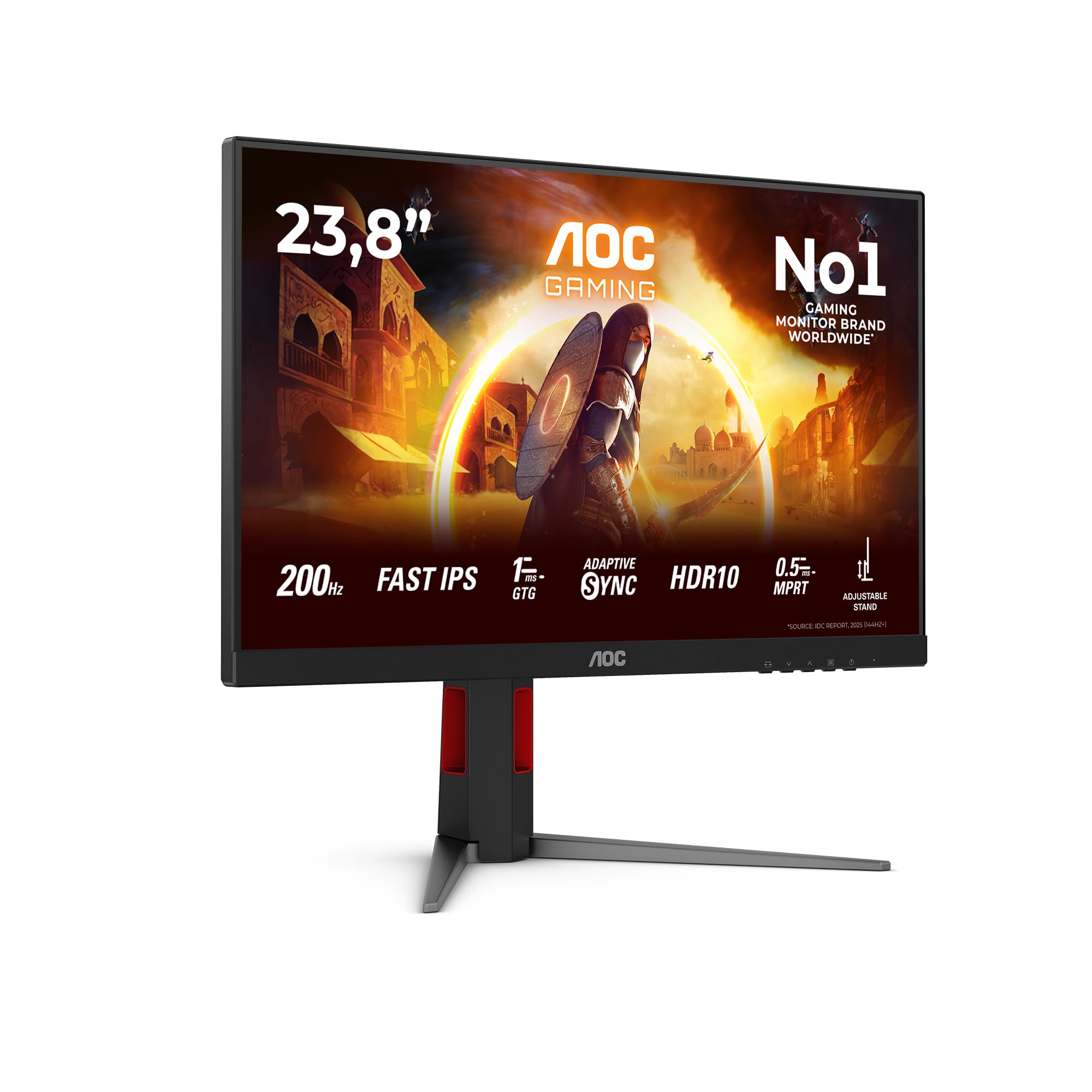
The Samsung LS27D360GAUXXU sits in a busy part of the market. At the budget end of the monitor world, you're mainly choosing between Samsung, AOC, Philips, and LG. The two most relevant comparisons are the AOC C27G2ZE and the LG 27MR400-B. The AOC C27G2ZE is also a curved 27-inch 1080p VA panel, but it runs at 240Hz and targets budget gamers specifically. It costs a bit more but delivers substantially better motion performance for fast-paced gaming. The LG 27MR400-B is a flat IPS panel at a similar price, offering better viewing angles and IPS colour accuracy but at the cost of that VA contrast advantage.
The Samsung's 100Hz sits between the entry-level 60Hz panels and the gaming-focused 144Hz and above options. For someone who doesn't play competitive games but wants something smoother than 60Hz for everyday use, 100Hz is a sweet spot that doesn't cost a gaming premium. The curved design is a genuine differentiator from the LG IPS option, and the VA contrast ratio is a genuine advantage over any IPS at this price. Against the AOC gaming monitor, the Samsung loses on refresh rate but wins on price and is arguably more appropriate for its actual target audience.
One thing is that the Samsung brand carries some reassurance in terms of panel consistency and after-sales support. Budget monitors from less-established brands can be more variable in quality control, even when the specs look identical on paper. The 4.6 rating from 93 owners suggests Samsung's quality control on this model is solid, with no pattern of widespread defects showing up in the review pool.
| Feature | Samsung LS27D360GAUXXU | AOC C27G2ZE | LG 27MR400-B |
|---|---|---|---|
| Panel Type | VA | VA | IPS |
| Resolution | 1920x1080 | 1920x1080 | 1920x1080 |
| Refresh Rate | 100Hz | 240Hz | 100Hz |
| Response Time (GtG) | 4ms | 0.5ms | 5ms |
| Contrast Ratio | 3000:1 | 3000:1 | 1000:1 |
| Curvature | 1500R | 1500R | Flat |
| Adaptive Sync | FreeSync | FreeSync Premium | FreeSync |
| Brightness | 250 nits | 250 nits | 250 nits |
| Viewing Angles | Moderate (VA) | Moderate (VA) | Wide (IPS) |
| Ports | HDMI, VGA | HDMI x2, DP | HDMI x2 |
| VESA Mount | 75x75mm | 100x100mm | 75x75mm |
| Price | £139.00 | Typically higher | Similar range |
The AOC C27G2ZE's 240Hz and 0.5ms GtG response time make it the obvious choice if gaming is your primary use case and you can stretch to the extra cost. But for someone who mostly uses their monitor for work, browsing, and the occasional game of something that isn't a competitive shooter, paying more for 240Hz is genuinely wasteful. The LG IPS option is if you share your screen regularly or do any work where colour accuracy matters more than deep blacks. Neither alternative makes the Samsung a bad choice for its intended audience, though.
Final Verdict: Solid Budget Pick for the Right Person
The Samsung LS27D360GAUXXU is a monitor that does what it says and doesn't pretend to be something it isn't. You get a 27-inch curved VA panel with good contrast, a smooth 100Hz refresh rate, FreeSync support, and Samsung's generally reliable build quality, all in the budget bracket. The ★★★★½ (4.5) from 93 real owners isn't a fluke. This is a monitor that's making the people who bought it happy, and the reasons why are pretty clear from the specs: the VA contrast makes content look good, 100Hz is noticeably better than 60Hz, and Samsung's quality control is consistent.
The limitations are real and worth being clear about. The 81 PPI pixel density at 27 inches means text isn't as sharp as a 24-inch 1080p or a 27-inch 1440p monitor. The 250 nit brightness is modest. The stand only tilts. There's no DisplayPort, no USB-C, and no meaningful HDR. None of those things matter if you're buying this as a secondary screen, a home office monitor for documents and video calls, or a casual gaming display for someone who plays single-player games and doesn't care about competitive frame rates. They matter a lot if you're a photo editor, a competitive FPS player, or someone who works next to a bright window all day.
Who should buy this? Someone upgrading from an old 60Hz TV or a battered 1080p monitor who wants a clean, modern panel with good contrast and smooth scrolling without spending mid-range money. Someone setting up a second workspace or a home office on a budget. Someone buying a monitor for a teenager's bedroom where it'll be used for homework and gaming in roughly equal measure. The Samsung brand name also carries some weight here. If something goes wrong, Samsung's UK support is a known quantity, which matters more than people admit when you're buying electronics.
Who should skip it? Anyone who sits close to their monitor and cares about sharp text should consider a 24-inch 1080p panel instead, which will give you better pixel density for the same or less money. If gaming is your main use case and you play fast-paced competitive titles, the AOC C27G2ZE's 240Hz is worth the extra outlay. And if you need accurate colours for creative work, you need to be looking at a proper IPS panel with factory calibration data, which means stepping up the budget considerably. The Samsung product page has the full technical documentation if you want to dig into the official specs before committing.
The honest don't-overspend line: if you're mainly using this for documents, spreadsheets, and video calls, a 24-inch 1080p IPS monitor at a lower price point will give you sharper text and better viewing angles for less money. The Samsung LS27D360GAUXXU earns its place in the budget bracket, but only if the 27-inch curved VA experience is specifically what you're after. Know what you're buying and it's a solid choice. Buy it assuming it'll perform like a mid-range monitor and you'll be disappointed.
What works. What doesn’t.
6 + 6What we liked6 reasons
- VA panel delivers a genuine 3000:1 contrast ratio, making blacks look convincingly dark compared to IPS alternatives at this price
- 100Hz refresh rate provides a noticeable and immediate improvement over 60Hz panels for scrolling, cursor movement, and casual gaming
- AMD FreeSync covers the full 48Hz to 100Hz range, including Low Framerate Compensation, which keeps adaptive sync useful even when frame rates dip
- Samsung's quality control is consistent, with a 4.6 out of 5 average across 93 owners and no widespread defect patterns reported
- 1500R curvature on a 27-inch screen creates an immersive viewing experience and partially offsets VA viewing angle limitations for single-user setups
- Includes an HDMI cable in the box and a 3.5mm headphone jack, which are small but practical inclusions at this price
Where it falls6 reasons
- 81 PPI pixel density at 27 inches is noticeably lower than a 24-inch 1080p panel; text has a soft edge and icons appear chunky at close viewing distances
- Stand offers tilt adjustment only, with no height, swivel, or pivot options; a monitor arm is effectively required for ergonomic flexibility
- 250 nit peak brightness is on the modest side and will struggle against direct sunlight or brightly lit workspaces
- Single HDMI port means switching between two sources requires physically swapping cables or buying a separate HDMI switch
- No DisplayPort or USB-C connectivity limits compatibility with modern laptops and multi-monitor GPU setups
- No published Delta-E or factory calibration data makes this unsuitable for any colour-sensitive creative work
Full specifications
11 attributes| Panel type | VA |
|---|---|
| Aspect ratio | 16:9 |
| Curvature | 1800R |
| HDR | none |
| Launch year | 2024 |
| Ports | 1x HDMI, 1x VGA (D-sub) |
| Refresh rate HZ | 100 |
| Resolution | 1920x1080 |
| Response time MS | 4 |
| Screen size IN | 27 |
| Vesa compatible | true |
If this isn’t right for you
2 options
Frequently asked
7 questions01Is 1080p on a 27-inch monitor actually acceptable for everyday use?+
It depends on how close you sit and what you are doing. At roughly 81 pixels per inch, individual pixels are visible at close distances and text has a slightly soft edge compared to a 24-inch 1080p panel at 109 PPI. If you sit 70cm or more from the screen and mostly use it for web browsing, video, documents, and casual gaming, the sharpness is perfectly workable. If you sit close or do a lot of reading on screen, a 24-inch 1080p monitor will look noticeably crisper for the same or less money.
02Does AMD FreeSync work over HDMI on the Samsung LS27D360GAUXXU?+
Yes, FreeSync works over the HDMI connection on this monitor, which is the only digital input available. The supported range is 48Hz to 100Hz, and Low Framerate Compensation is included, meaning adaptive sync remains active even if frame rates dip below 48Hz. Intel integrated graphics also support FreeSync over HDMI. Nvidia GPU owners should note that G-Sync Compatible mode is not officially listed for this monitor, though compatibility in practice varies and is separately.
03Can the Samsung LS27D360GAUXXU be mounted on a monitor arm?+
Yes. The stand uses a 75x75mm VESA pattern, which is compatible with the vast majority of budget and mid-range monitor arms. Fitting an arm is actually a practical recommendation given the stand only offers tilt adjustment with no height, swivel, or pivot options. A basic monitor arm costing around £20 to £30 will transform the ergonomic flexibility of this panel and is worth factoring into your overall budget.
04Does the monitor support HDR content?+
The Samsung LS27D360GAUXXU has no HDR certification of any kind. Samsung has not applied HDR400, HDR600, or any VESA DisplayHDR rating to this model, which is honest given its 250 nit peak brightness and absence of local dimming. If you feed it an HDR signal, Windows or your console may engage an HDR mode, but the result will typically look worse than SDR because tone mapping on a non-HDR-capable panel tends to crush shadows and blow out highlights. The sensible approach is to leave HDR disabled and enjoy the SDR image, which is genuinely decent for the price.
05How does the VA panel compare to an IPS panel at the same price?+
VA panels offer significantly higher native contrast ratios, typically around 3000:1 compared to roughly 1000:1 for IPS, which means blacks look genuinely dark rather than a murky grey. This makes a real visible difference when watching films or playing games with dark scenes. The trade-off is viewing angles: IPS panels are substantially better when viewed from the side, while VA panels show colour shift and contrast loss off-axis. For a single-user desk setup where you sit directly in front, VA's contrast advantage is the more meaningful benefit at this price. For shared viewing or portrait orientation, IPS is the more practical choice.
06Is the Samsung LS27D360GAUXXU suitable for photo editing or graphic design?+
No. Samsung does not publish Delta-E colour accuracy data for this monitor, there is no factory calibration, and the spec sheet offers no colour management features suited to professional creative work. The sRGB colour gamut coverage is adequate for general content consumption, and owners report colours that look vibrant and reasonably neutral, but that is a different standard from the accurate, measurable colour reproduction that photo editing or graphic design requires. For colour-sensitive work you need a calibrated IPS panel with published accuracy data, which means a meaningfully higher budget.
07What cables and accessories are included in the box?+
According to the product listing, the Samsung LS27D360GAUXXU ships with an HDMI cable included. The monitor also has a 3.5mm headphone jack for connecting headphones or external speakers, and there are no built-in speakers. The stand is included and assembled without tools, and the VESA pattern is 75x75mm if you want to use a third-party monitor arm instead.