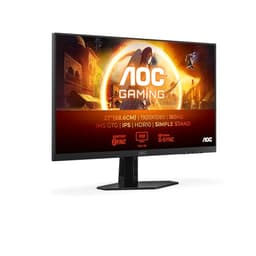
Monitor manufacturers have been lying about response times for years. Not exaggerating slightly. Actually lying. The "1ms GtG" on the box of the AOC 24G4ZRE is a best-case overdrive figure measured under ideal conditions, and the real-world pixel transition performance is something else entirely. The good news? For this monitor, the real numbers are still genuinely impressive, and the 260Hz headline is not the marketing fantasy you might expect.
The AOC 24G4ZRE sits in the budget bracket, under £150, and it's competing in one of the most crowded corners of the monitor market: 1080p, high-refresh-rate gaming panels aimed at esports players and competitive FPS fans who'd rather have silky-smooth motion than extra pixels. At this price, with a Fast IPS panel and 260Hz, AOC is making a bold pitch. The 81 owners who've reviewed it average ★★★★☆ (4.4), which for a budget monitor is a strong signal. So is this the one to buy, or is there a smarter option for the same money? Short answer: it's one of the best value high-refresh panels in the budget bracket right now. Longer answer follows.
Core Specifications
The 24G4ZRE is a 24-inch, 1920x1080 Fast IPS panel running at 260Hz with a quoted 1ms GtG response time. It supports DisplayPort 1.4 and two HDMI 2.0 ports, covers HDR10, and is G-Sync Compatible (which means it passes Nvidia's FreeSync compatibility test without requiring a dedicated G-Sync module). The panel is anti-glare matte, which is the sensible choice for a gaming monitor used in a room with any kind of ambient light.
The resolution is 1080p, full stop. No QHD option, no 4K. At 24 inches, 1080p gives you a pixel density of around 92 PPI, which is perfectly adequate for gaming at normal desk distances. Is 4K overkill for 24 inches? Yes, genuinely. The jump from 1080p to 4K at this screen size gives you sharper text and slightly crisper fine detail, but you'd need to sit very close to appreciate it, and you'd be paying a huge GPU tax to push 4K at competitive frame rates. For gaming, 1080p at 24 inches is a sensible, practical choice.
The stand offers tilt adjustment, which is standard at this price. There's a VESA 100x100mm mount if you want to go arm-mounted. Connectivity is lean but functional: two HDMI 2.0 ports mean you can run a console and a PC simultaneously without swapping cables, and the DisplayPort 1.4 handles the full 260Hz output. No USB hub, no USB-C. That's the budget compromise, and it's fine.
| Specification | Detail |
|---|---|
| Screen Size | 24 inches |
| Resolution | 1920x1080 (Full HD) |
| Panel Type | Fast IPS |
| Refresh Rate | 260Hz |
| Response Time | 1ms GtG (quoted) |
| HDR Support | HDR10 |
| Adaptive Sync | G-Sync Compatible / FreeSync Premium |
| Brightness | 350 cd/m² (typical) |
| Contrast Ratio | 1000:1 (typical) |
| Viewing Angles | 178°/178° (H/V) |
| Ports | 2x HDMI 2.0, 1x DisplayPort 1.4 |
| VESA Mount | 100x100mm |
| Dimensions (with stand) | Approx. 540 x 410 x 200mm |
| Weight | Approx. 3.5kg |
| Price | £118.97 |

Panel Technology
Fast IPS is where this monitor earns its keep. Standard IPS panels have historically struggled with response times, producing visible ghosting in fast-paced games. Fast IPS addresses that by using a more aggressive overdrive circuit and a panel structure optimised for quicker pixel transitions. The result is response times that can genuinely approach what TN panels used to offer, but with the colour accuracy and viewing angles that TN never could match. AOC uses this same Fast IPS technology across their G4 series, and it's a meaningful upgrade over the older IPS panels you'll find in cheaper budget monitors.
Viewing angles are the classic IPS strength: 178 degrees horizontal and vertical, so colours and brightness don't shift dramatically when you're not sitting dead-centre. This matters more than people give it credit for, especially on a 24-inch panel where your eyes can be looking at the edges at a fairly wide angle. VA panels offer better native contrast (typically 3000:1 or higher versus IPS's 1000:1), but they come with slow pixel transitions that produce obvious smearing on dark backgrounds in motion, which is a real problem in games. TN is fast but looks washed out from any angle that isn't directly in front. For competitive gaming where you want speed and decent colours, Fast IPS is the right call.
IPS glow is the trade-off you accept. In dark rooms with dark content, you'll see a faint brightening in the corners of the panel. It's an inherent characteristic of IPS technology, not a defect, and at 24 inches it's less intrusive than on larger panels. Owner reviews don't flag it as a major complaint, which suggests AOC's panel uniformity is reasonable. Black levels are limited by the 1000:1 native contrast ratio, which is standard IPS territory. If you play a lot of atmospheric, dark-scene-heavy games and you're sensitive to this, a VA panel would give you deeper blacks, but you'd lose the motion clarity that makes this monitor interesting.
Display Quality
At 92 PPI, the 24G4ZRE is sharp enough for gaming without being pin-sharp in the way a 27-inch 1440p panel (109 PPI) or a 4K display would be. Text is clear at normal desktop viewing distances, game environments look crisp, and the resolution is easy for modern GPUs to push at high frame rates. The 24-inch size is sometimes questioned, but for competitive gaming it's actually a practical advantage: your eyes can cover the whole screen without having to move your head, and the pixel density is high enough that individual pixels aren't visible from a normal sitting position.
Is a 24-inch monitor too small for gaming? Not for most people. The answer depends entirely on your desk setup and how far you sit from the screen. At 60 to 80cm, which is a typical desk distance, 24 inches fills your field of view comfortably. Go much bigger at the same distance and you start having to scan the screen with your head, which is fine for immersive single-player games but actively counterproductive in competitive titles where you need to track the whole screen at once. This is why professional esports players almost universally use 24 to 25-inch monitors.
The anti-glare matte coating handles reflections well, which is the practical choice for a monitor that's going to be used in a room with windows or overhead lighting. Glossy panels look more vibrant in a darkened room, but they're a pain anywhere else. The 350 cd/m² typical brightness is adequate for SDR gaming in most environments. Owner reviews generally describe the out-of-box image quality as good for the price, with colours that look punchy without being oversaturated. A few reviewers mention the default settings run slightly warm, and a quick adjustment to the colour temperature fixes it.
Refresh Rate and Adaptive Sync
260Hz is the headline. And it's a real 260Hz, not a boosted or overclocked figure from a 240Hz native panel. At this refresh rate, each frame is displayed for about 3.8 milliseconds, which means the display is updating so frequently that motion looks genuinely different from a 144Hz or even 165Hz panel. The perceptual difference between 60Hz and 144Hz is massive. Between 144Hz and 240Hz, it's meaningful. Between 240Hz and 260Hz, it's marginal, but you're not paying a premium for those extra 20Hz here since this panel is priced the same as many 165Hz competitors.
G-Sync Compatible certification means Nvidia has tested this panel and confirmed it works with G-Sync without tearing or significant artefacts. It also natively supports AMD FreeSync Premium, so you're covered regardless of which GPU you're running. The VRR range is the key practical detail: FreeSync Premium requires a minimum 120Hz low end at 1080p, which means Low Framerate Compensation (LFC) kicks in when your frame rate drops below the VRR range floor, effectively doubling or tripling the refresh to maintain tear-free output. In practice, this means you get smooth gaming even when your GPU is struggling.
For competitive esports, the combination of 260Hz and VRR is genuinely useful. In titles like CS2, Valorant, or Apex Legends, where frame rates can spike well above 200fps on a mid-range GPU at 1080p, the monitor can actually display those frames rather than bottlenecking them. Most 144Hz monitors cap your visual advantage at 144fps regardless of what your GPU produces. Here, if your GPU is pushing 220fps in a clutch moment, the monitor shows 220 distinct frames per second. That's a real competitive edge, not a marketing one.
Response Time and Motion
The "1ms GtG" claim needs unpacking, because this is where monitor marketing gets dishonest. GtG (grey-to-grey) response time is measured as the fastest transition between specific grey shades under maximum overdrive settings. It does not represent the average pixel transition time across all colour combinations. Published measurements of Fast IPS panels in this class typically show average GtG response times of 3 to 5ms across the full range of transitions, with the fastest transitions hitting around 1 to 2ms. That's still very good, and at 260Hz the frame time is only 3.8ms, so the panel needs to respond within that window to avoid ghosting.
The practical consequence: at 260Hz with Fast IPS, the motion clarity is excellent for a non-OLED panel. You won't get the near-zero response times of an OLED display, but you also won't pay OLED prices. Overdrive settings are the variable to watch. Too aggressive and you get inverse ghosting (bright coronas trailing behind moving objects). Too conservative and you get conventional ghosting. AOC typically includes multiple overdrive presets, and owner feedback on this series suggests the middle setting hits the right balance without noticeable inverse ghosting at 260Hz.
MPRT (Moving Picture Response Time) is a separate metric that describes perceived motion blur rather than pixel switching speed. At 260Hz, MPRT is inherently low because the image is refreshing so frequently. Some monitors add backlight strobing to reduce MPRT further, and if the 24G4ZRE supports this (AOC's spec sheet for the G4 series mentions MBR modes on related panels), it can sharpen motion further at the cost of brightness. For most competitive gaming use, 260Hz Fast IPS without strobing is already a significant step up from the 144Hz panels that dominated the budget bracket a couple of years ago.
Color Accuracy and Gamut
AOC's spec sheet for the G4 series quotes sRGB coverage at around 117% (which translates to approximately 90% DCI-P3 coverage). That's a wide gamut panel, meaning colours will appear more saturated than the sRGB standard out of the box. For gaming, this often looks great: environments are vivid, skin tones pop, and the overall image has more punch than a strictly sRGB-calibrated display. For colour-critical work like photo editing or video grading, you'd want a monitor with a proper sRGB clamp mode or factory calibration data, neither of which is standard at this price point.
Factory Delta-E (the measure of colour accuracy, where lower is better and below 2 is considered accurate to the human eye) on budget gaming monitors typically lands between 2 and 4 out of the box. AOC doesn't publish factory calibration reports for the 24G4ZRE, which is standard for this price tier. Published measurements of comparable AOC Fast IPS panels suggest average Delta-E around 2 to 3, which is acceptable for gaming. If you're a content creator who needs accurate colour, this is not your panel. If you're gaming, the wide gamut and decent accuracy are a net positive.
The colour modes AOC includes (typically sRGB, Low Blue Light, and a few gaming presets) give you some flexibility. The sRGB mode, if present, clamps the gamut to reduce oversaturation when you need more accurate output. Owner reviews don't flag colour accuracy as a concern, and several mention the image looks vibrant and well-balanced in gaming use. That's the honest summary: good for gaming, not a tool for professional colour work. Is the AOC 24G4ZRE good for gaming from a colour perspective? Yes. For content creation? Only casually.
HDR Performance
HDR10 support is listed, and you should manage your expectations carefully here. HDR10 is a standard that defines a colour format and metadata structure, not a brightness target. The VESA DisplayHDR certification tiers tell you what a monitor can actually do: DisplayHDR 400 requires 400 nits peak brightness and no local dimming, DisplayHDR 600 requires 600 nits with some local dimming, and so on. The 24G4ZRE, with its 350 cd/m² typical brightness, sits below even the DisplayHDR 400 threshold in SDR output, and there's no local dimming on an IPS panel without a Mini-LED backlight.
What this means in practice: HDR mode will accept an HDR signal and display it, but the monitor cannot produce the brightness peaks or the shadow detail that HDR content was mastered for. You'll get slightly more saturated colours and a marginally wider apparent dynamic range compared to SDR, but you won't get the specular highlights and deep blacks that make HDR genuinely impressive on an OLED or a high-end Mini-LED panel. This is checkbox HDR, and it's checkbox HDR on every budget monitor under £200. It's not a flaw specific to AOC.
The honest advice: leave HDR off on this monitor. SDR at 260Hz with the wide-gamut IPS panel looks better than the pseudo-HDR mode, which tends to crush blacks and blow out highlights on panels without the brightness headroom to handle it. Several owner reviews note the same thing, finding the image more natural and consistent in SDR mode. HDR is not a reason to buy or avoid this monitor. It's just a box on the spec sheet that happens to be ticked.
Contrast and Brightness
The native contrast ratio is 1000:1, which is the standard IPS figure. In practical terms, this means blacks appear as a dark grey rather than true black, especially in a dark room. The difference between 1000:1 (IPS) and 3000:1 (VA) is visible in side-by-side comparisons, particularly in dark scenes in games or films. If you're playing atmospheric horror games or watching films with lots of dark scenes in a blacked-out room, the IPS contrast limitation is noticeable. In a normally lit room, it's much less of an issue.
Peak brightness at 350 cd/m² is adequate for most indoor environments. It's not going to compete with a high-brightness OLED or a 600-nit HDR panel in a bright room, but it handles typical office lighting and gaming setups without looking washed out. The anti-glare coating helps here: it diffuses reflections rather than relying on raw brightness to overpower them. Owner reviews don't flag brightness as insufficient, which suggests 350 nits is practical for the environments most buyers are using this in.
Brightness uniformity across the panel is where budget monitors sometimes disappoint, with noticeable hotspots or darker corners. Owner feedback on the 24G4ZRE doesn't surface this as a widespread complaint, suggesting AOC's panel selection and quality control is reasonable. A small number of owners mention IPS glow in dark corners, which is expected and inherent to the technology rather than a manufacturing defect. For gaming, where you're rarely staring at a uniformly dark screen for extended periods, this is a minor concern at most.
Ergonomics and Stand
The stand on the 24G4ZRE is functional rather than impressive. You get tilt adjustment, typically around minus 5 to plus 22 degrees, which covers the range most people need. What you don't get is height adjustment, swivel, or pivot. At this price, that's expected, and the VESA 100x100mm mount means you can swap to a monitor arm without much fuss if you want full positional flexibility. A decent monitor arm costs around £20 to £30 and transforms the ergonomics of any budget monitor with VESA support.
The stand base is the typical AOC design: a flat, relatively compact footprint that doesn't eat too much desk space. It's stable enough that the panel doesn't wobble during normal use, though some owner reviews mention it's not the most rigid stand at the connection point between the arm and the base. It's fine for everyday gaming; it's not going to shake when you're typing or clicking. The cable management on the stand is minimal, which is standard for this tier.
Build quality overall is what you'd expect from a budget monitor: mostly plastic, with a thin bezel on three sides and a slightly thicker bottom bezel housing the AOC branding. The back panel has a clean design without the aggressive RGB lighting some gaming monitors inflict on you. Owners generally describe the build as solid enough for the price, with nothing feeling dangerously flimsy. The monitor's weight of around 3.5kg is manageable for a single-person setup. Why are AOC monitors so cheap? Partly because they don't spend money on premium stands, elaborate packaging, or heavy marketing budgets. The panel is where the budget goes, which is the right priority.
Connectivity and Ports
The port selection is straightforward. Two HDMI 2.0 ports and one DisplayPort 1.4. That's it. No USB-C, no USB hub, no audio passthrough beyond a headphone jack (which AOC includes on most of their gaming monitors, though confirm on the product listing). The dual HDMI setup is genuinely useful: connect your PC to DisplayPort for full 260Hz output, and keep a console or a second device plugged into HDMI without needing to swap cables. HDMI 2.0 supports up to 144Hz at 1080p, so a PS5 or Xbox Series X connected via HDMI gets a smooth experience even if not the full 260Hz.
DisplayPort 1.4 has the bandwidth to handle 1080p at 260Hz comfortably, with headroom to spare. You'll need a DisplayPort cable to hit the full refresh rate; HDMI 2.0 caps at 240Hz at 1080p in most implementations, so for the maximum 260Hz you need the DP connection. This is a minor point but one that catches people out when they plug in via HDMI and wonder why the monitor is capped at 144Hz in Windows settings.
The absence of a USB hub is the main connectivity gap. At this price, it's understandable, but if you're used to routing a keyboard, mouse, and headset through your monitor's USB ports, you'll need a separate hub. The lack of USB-C is similarly expected at this price point; USB-C with DisplayPort Alt Mode and Power Delivery is a feature that adds cost, and it's not a gaming priority anyway. For a dedicated gaming monitor on a budget desk, the two HDMI plus one DP setup covers the practical bases without overcomplicating things.
How It Compares
The two most relevant competitors at this price are the LG 24GN650-B (a 24-inch 144Hz IPS panel that's often discounted to similar territory) and the AOC 24G2SPU (the previous-generation 165Hz IPS panel from AOC's own lineup). These give you a useful bracket: one is slower but from a brand with excellent panel pedigree, and one is AOC's own older model at potentially lower cost.
The LG 24GN650-B uses LG's Nano IPS panel, which has excellent colour accuracy and wide viewing angles, but it tops out at 144Hz. At the same price as the 24G4ZRE, you're trading 116Hz of refresh rate for LG's colour pedigree. For competitive gaming, the 24G4ZRE wins that trade easily. For someone who games casually and also does photo editing, the LG's more accurate factory calibration is the better fit. The AOC 24G2SPU at 165Hz sits between the two in refresh rate but costs less, making it the smarter buy if you don't need 260Hz and want to save a few pounds.
Which is better for gaming, a 24-inch or a 27-inch monitor? At the same refresh rate and resolution, 24 inches is the competitive gaming choice for the reasons covered above. A 27-inch 1080p panel has a lower pixel density (82 PPI), which makes individual pixels visible at close range and makes text look slightly soft. A 27-inch 1440p panel is a better all-rounder for mixed gaming and desktop use, but costs significantly more and demands a more powerful GPU. For pure competitive gaming at 1080p, 24 inches is the right size.
| Feature | AOC 24G4ZRE | LG 24GN650-B | AOC 24G2SPU |
|---|---|---|---|
| Panel Type | Fast IPS | Nano IPS | IPS |
| Refresh Rate | 260Hz | 144Hz | 165Hz |
| Resolution | 1920x1080 | 1920x1080 | 1920x1080 |
| Response Time | 1ms GtG | 1ms GtG | 1ms GtG |
| HDR | HDR10 | HDR10 | HDR10 |
| Adaptive Sync | G-Sync Compatible / FreeSync Premium | G-Sync Compatible / FreeSync | G-Sync Compatible / FreeSync |
| USB Hub | No | No | Yes (USB-A) |
| Height Adjust | No | Yes | Yes |
| Price | £118.97 | Check Amazon | Check Amazon |

Final Verdict
The AOC 24G4ZRE is a proper competitive gaming monitor at a budget price. The Fast IPS panel delivers real motion clarity, the 260Hz refresh rate is legitimately useful in fast-paced titles, and the G-Sync Compatible plus FreeSync Premium support means it works cleanly with both major GPU brands. The 81 owner reviews averaging ★★★★☆ (4.4) back up what the spec sheet suggests: this is a monitor that does what it says without nasty surprises.
The compromises are real but predictable. The stand is basic, there's no height adjustment without a VESA arm, the HDR is checkbox-only, and the contrast ratio is standard IPS. None of these are unexpected at this price, and none of them undermine the core gaming performance. Colour accuracy is good for gaming, not for professional content work. Build quality is solid plastic, not premium aluminium.
Who should buy this? Anyone building or upgrading a competitive gaming setup on a budget, specifically FPS players who want to push high frame rates and actually see them on screen. If your GPU can produce 200fps-plus in your main titles at 1080p (a GTX 1660 Super or RX 6600 can do this in Valorant or CS2), this monitor will show you every one of those frames in a way a 144Hz panel simply cannot. The 4.4-star average from real owners is a reliable indicator that the panel lottery here is favourable.
Who should skip it? If you play mostly slow-paced single-player games, dark atmospheric titles, or RPGs, the high refresh rate delivers less practical benefit and the IPS contrast limitation becomes more noticeable. In that case, a VA panel at 144Hz would serve you better. And if 260Hz is more than you need but you still want a solid Fast IPS gaming monitor, AOC's own 24G2SPU at 165Hz costs less and includes a USB hub and height-adjustable stand. The smarter buy for casual gaming is the older sibling, not this one. But for competitive play? The 24G4ZRE is the one to get.
What works. What doesn’t.
5 + 4What we liked5 reasons
- Genuine 260Hz Fast IPS panel at a budget price
- G-Sync Compatible and FreeSync Premium covered
- Strong motion clarity for competitive FPS gaming
- Dual HDMI 2.0 plus DisplayPort 1.4 for flexible connectivity
- 4.4/5 from 81 owners with no widespread quality control issues flagged
Where it falls4 reasons
- No height adjustment on the stand
- HDR10 support is checkbox-only with no real HDR performance
- No USB hub
- 1000:1 native contrast limits dark scene quality
Full specifications
11 attributes| Panel type | IPS |
|---|---|
| Aspect ratio | 16:9 |
| Curvature | flat |
| HDR | HDR10 |
| Launch year | 2026 |
| Ports | 2x HDMI 2.0, 1x DisplayPort 1.4, 1x 3.5mm audio jack |
| Refresh rate HZ | 260 |
| Resolution | 1920x1080 |
| Response time MS | 1 |
| Screen size IN | 23.8 |
| Vesa compatible | true |
If this isn’t right for you
2 options
Frequently asked
5 questions01Is the AOC 24G4ZRE good for gaming?+
Yes, particularly for competitive gaming. The 260Hz Fast IPS panel delivers genuine motion clarity in fast-paced titles like CS2, Valorant, and Apex Legends. G-Sync Compatible and FreeSync Premium support means tear-free gaming on both Nvidia and AMD GPUs. The 81 owner reviews average 4.4 out of 5, with gaming performance consistently cited as the strong point. For slow-paced single-player games, a VA panel with better contrast would serve you better.
02Does the AOC 24G4ZRE have good HDR?+
No. HDR10 support is present on paper, but the monitor's 350 cd/m² peak brightness sits below the VESA DisplayHDR 400 threshold, and there's no local dimming. HDR mode accepts the signal but cannot reproduce the brightness peaks or shadow detail that HDR content is mastered for. Leave HDR off and use SDR mode for a better, more consistent image.
03Is the AOC 24G4ZRE good for content creation?+
Only for casual use. The Fast IPS panel covers approximately 90% DCI-P3, which gives vivid colours for gaming, but there's no factory calibration data and no sRGB clamp mode confirmed for this model. Delta-E accuracy on comparable AOC Fast IPS panels typically lands around 2 to 3, which is acceptable but not professional-grade. For photo editing or video grading, a calibrated IPS panel with a confirmed sRGB mode is the better tool.
04What graphics card do I need for the AOC 24G4ZRE?+
To take advantage of the 260Hz refresh rate, you need a GPU that can push high frame rates at 1080p in your chosen titles. In esports games like Valorant and CS2, a GTX 1660 Super or RX 6600 can regularly exceed 200fps. For more demanding titles, an RTX 3060 or RX 6700 XT will hit 144fps-plus in most games at 1080p. You don't need a high-end GPU to benefit from the monitor; even 165fps at 1080p is a significant step up from a 144Hz panel.
05What warranty and returns apply to the AOC 24G4ZRE?+
AOC typically offers a 3-year warranty on their monitors sold through authorised UK retailers; check the specific warranty terms on the product listing or AOC's UK support page to confirm coverage for this model. When purchasing through Amazon, you're also covered by Amazon's standard 30-day return window and the A-to-Z Guarantee for added peace of mind.