There's a specific kind of misery that comes with a laptop upgrade gone wrong. You've bought the RAM, you've watched the YouTube tutorial, you've cracked open the bottom panel, and then... nothing. Black screen. Or worse, it boots but Windows is throwing memory errors two weeks later. RAM is boring right up until it isn't, and then it's the most stressful component in your machine. So when someone asks me whether a kit is worth buying, the first thing I want to know isn't the headline speed. It's whether it actually works, whether it's stable, and whether you're paying a fair price for what you get.
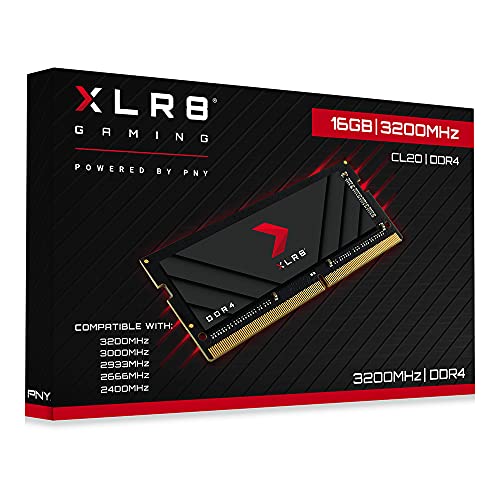
The PNY XLR8 Gaming 16GB DDR4 3200MHz SODIMM (model MN16GSD43200X) is aimed squarely at the laptop upgrader who wants a bit more than the stock memory their machine shipped with. It carries the "XLR8 Gaming" badge, which PNY slaps on their performance-oriented stuff, and it's a single 16GB stick rather than a matched pair. That's worth noting straight away because it affects how you use it. With 184 owner reviews averaging ★★★★½ (4.7), the crowd seems fairly happy. But let's look at why, and whether the hype is warranted or just the usual relief of "it didn't explode."
The honest summary is this: if your laptop has a free SODIMM slot and you need to go from 8GB to 16GB, or you want a single-channel 16GB stick to complement an existing module, this is a sensible, reasonably priced option. But there are some caveats worth understanding before you click buy, especially around the timings, the XMP situation on laptops, and whether 16GB is actually enough for what you're doing.
Core Specifications
The PNY XLR8 Gaming MN16GSD43200X is a single 16GB DDR4 SODIMM running at 3200MHz (PC4-25600) with a CAS latency of CL20 and a voltage of 1.2V. The full primary timings are CL20-22-22-52, which is about what you'd expect from a mainstream 3200MHz laptop stick. It's a 260-pin SODIMM form factor, which is the standard for modern laptops and small form factor machines that take laptop memory. There's no XMP profile here in the traditional sense, because this is a SODIMM and most laptop platforms don't expose XMP controls in the same way desktop motherboards do. The 3200MHz rating is the advertised speed, but whether your laptop actually runs it at that speed depends entirely on your specific machine and its memory controller.
One thing to be clear about: this is a single-module kit. You're buying one 16GB stick. That means if you're pairing it with an existing 8GB stick, you'll be running in dual-channel only if both sticks have the same capacity and your laptop supports flex mode or asymmetric dual-channel. Ideally, you'd pair this with another 16GB stick for proper dual-channel operation. Some laptops also have soldered memory alongside a free SODIMM slot, in which case you're stuck in single-channel regardless. Worth checking your specific laptop's configuration before buying.
The 1.2V operating voltage is standard for DDR4 and shouldn't cause any issues with thermal management in a laptop. PNY doesn't publish the IC (integrated circuit) manufacturer for this module, which is frustrating but typical for value-oriented SODIMM products. Owner reports don't flag any specific IC complaints, and the 4.7-star average across 183 suggests the silicon lottery hasn't been unkind to most buyers.
| Specification | Detail |
|---|---|
| Capacity | 16GB (single module) |
| Type | DDR4 SODIMM (260-pin) |
| Rated Speed | 3200MHz (PC4-25600) |
| CAS Latency | CL20 |
| Primary Timings | 20-22-22-52 |
| Voltage | 1.2V |
| Form Factor | SODIMM (laptop/NUC) |
| XMP / EXPO Profile | No (JEDEC-based) |
| ECC Support | No |
| Warranty | Limited Lifetime |
| Price | £116.14 |

Speed, Timings and Real Latency
Here's the thing most RAM marketing conveniently glosses over: MHz alone tells you almost nothing useful. A 3200MHz CL16 kit and a 3200MHz CL20 kit are not the same thing, even though they'd both be labelled "DDR4 3200" on the box. To get the actual latency in nanoseconds, you divide the CAS latency by half the frequency in GHz, then multiply by 1000. For this PNY kit at 3200MHz CL20, that works out to roughly 12.5 nanoseconds of true latency. Compare that to a 3200MHz CL16 kit, which comes in at about 10 nanoseconds. That's a meaningful difference on paper, though in real-world laptop use it's rarely something you'd notice.
The CL20 timings here are honestly a bit loose for 3200MHz. Most desktop DDR4 3200 kits ship at CL16, and even budget SODIMM options often hit CL22 at 3200MHz or CL16 at 2666MHz. CL20 at 3200MHz sits in a slightly awkward middle ground. It's not terrible, but it's not particularly tight either. If you're the kind of person who cares about squeezing every last nanosecond of memory latency, you'd want to look at a CL16 3200MHz SODIMM instead. For most laptop users doing everyday tasks, browsing, office work, light gaming, the difference is genuinely academic. You won't feel 2.5 nanoseconds of latency in a spreadsheet.
It's also worth understanding that CAS latency is just one of the primary timings. The full set here is 20-22-22-52, covering CAS Latency, RAS to CAS Delay, RAS Precharge, and Row Active Time respectively. These are all within normal ranges for a mainstream DDR4 SODIMM at this speed. PNY isn't doing anything unusual here, and the timings are stable by all accounts from owners. Just don't expect this to be a tight-timings performance module. It's a workhorse stick, not a thoroughbred.
XMP, EXPO Stability and Compatibility
This is where SODIMM memory gets a bit different from desktop RAM, and it's worth explaining clearly. On a desktop, you'd enable XMP in the BIOS and your 3200MHz kit would run at 3200MHz. Laptops mostly don't work like that. The vast majority of laptops run memory at whatever speed the platform supports by default, and that's often 2666MHz or 2933MHz even if you install a 3200MHz stick. Whether you actually get 3200MHz depends on your laptop's firmware and chipset support. Some newer laptops with Intel 11th Gen or 12th Gen processors, or AMD Ryzen 5000 and 6000 series, will run DDR4 at 3200MHz natively. Others cap it lower.
The PNY XLR8 MN16GSD43200X doesn't have an XMP profile in the traditional sense. It's a JEDEC-spec stick rated to 3200MHz, which means it'll negotiate with your laptop's memory controller and run at whatever speed both parties agree on. In practice, this is fine for most users because you're not manually overclocking laptop RAM anyway. The "3200MHz" label is the maximum rated speed; your mileage will vary depending on the platform. Owner reviews don't show a pattern of instability or failure to POST, which is the main thing you want to know. A 4.7-star average across 183 with no consistent crash or incompatibility complaints is a good sign.
Where compatibility can get tricky is in older laptops or machines with strict memory qualification requirements. Some business laptops and certain OEM machines are fussy about non-original memory. A handful of owner reviews mention checking compatibility with their specific laptop model before buying, which is always sensible advice. PNY does publish a compatibility checker on their website, and it's worth using it. But for the vast majority of consumer laptops from the last four or five years with DDR4 SODIMM slots, this stick should just work. The 1.2V standard voltage means there's no risk of pushing outside normal operating parameters.
Capacity and Use Case
So, do you actually need 16GB? The honest answer for most people in 2024 is: yes, probably. Windows 11 is noticeably happier with 16GB than 8GB, especially if you keep a browser open with more than a handful of tabs. Chrome and Edge are memory hogs, full stop. If you're running a laptop with 8GB soldered memory and a free SODIMM slot, adding this 16GB stick to get to 24GB total is a perfectly reasonable upgrade. You won't be in proper dual-channel (because the capacities don't match), but you'll have enough headroom to stop Windows from constantly swapping to the SSD, which is the real enemy of laptop performance.
For gaming on a laptop, 16GB total is the current comfortable minimum. Most modern titles sit between 8GB and 16GB of system memory usage when you factor in the OS running alongside. If you're playing anything remotely demanding, Cyberpunk 2077, Flight Simulator, modern open-world games, 16GB is where you want to be. 32GB is overkill for pure gaming but makes sense if you're also doing video editing, running virtual machines, or using creative applications like Adobe Premiere or DaVinci Resolve alongside gaming. A single 16GB stick getting you to 16GB total is fine for gaming. Getting to 24GB or 32GB total by combining this with your existing memory is better.
The single-module nature of this kit is worth thinking about carefully. If your laptop has two SODIMM slots and they're both empty (or you're replacing both sticks), you'd be better served buying a matched 2x8GB or 2x16GB kit for dual-channel operation. DDR4 in dual-channel mode gives you roughly double the memory bandwidth, which matters more for integrated graphics (where the GPU shares system RAM) than for discrete GPU gaming. If you've got a laptop with a dedicated GPU, the dual-channel benefit is real but not dramatic. If you're on integrated graphics, it's actually quite significant, particularly for AMD's Ryzen APUs which are notably sensitive to memory bandwidth.
DDR5 vs DDR4 Value
DDR4 is not dead. It's not even particularly old. The vast majority of laptops sold in 2020, 2021, 2022, and a good chunk of 2023 use DDR4 SODIMM memory, and those machines will be in daily use for years to come. If your laptop takes DDR4, you cannot use DDR5, full stop. The slots are physically different, the voltages are different, and the memory controllers are generation-specific. So the DDR4 versus DDR5 question here is simple: if your laptop needs DDR4, this is what you buy.
That said, it's worth understanding where DDR4 sits in the current landscape. DDR5 SODIMM laptops are becoming more common, particularly with Intel 12th Gen and newer, and AMD Ryzen 7000 series. If you're buying a new laptop, you'll increasingly be getting DDR5 as standard. DDR5 offers higher bandwidth and better scalability, but at this point in the technology cycle it's not dramatically faster in everyday use. The real-world gaming gains from DDR5 over DDR4 in laptops are marginal. We're talking single-digit percentage differences in most scenarios, not a transformation. So don't feel like DDR4 is leaving you behind if that's what your machine takes.
For the upgrade buyer, the value equation is clear. DDR4 SODIMM is currently cheaper per gigabyte than DDR5 SODIMM, and this PNY kit sits at a reasonable price point for a 16GB single stick. You're not paying a premium for a generation you can't use, and you're not overpaying for DDR4 either. The price per GB on this kit is competitive with other mainstream DDR4 3200MHz SODIMM options. Where DDR5 becomes relevant is if you're building or buying a new system from scratch and have the choice. For existing DDR4 laptop owners, it's irrelevant.
Build Quality and Heat Spreaders
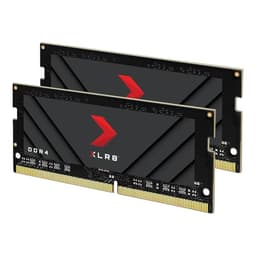
SODIMM memory doesn't get heatspreaders. That's just the reality of the form factor. Desktop DIMMs have room for chunky aluminium fins and RGB lighting arrays. Laptop sticks are small, thin, and live in cramped chassis with minimal airflow. The PNY XLR8 Gaming MN16GSD43200X is a bare PCB stick with a standard green or black PCB and no additional thermal solution. That's normal and correct for a SODIMM. Adding a heatspreader to a laptop stick would just create clearance problems and potentially trap heat rather than dissipate it.
The PCB quality looks standard from what owners report. No bent pins, no physical defects mentioned across the reviews, and the module seats properly in SODIMM slots without excessive force. PNY uses standard JEDEC-compliant dimensions, so physical fitment in any standard 260-pin DDR4 SODIMM slot should be fine. The "XLR8 Gaming" branding appears on the label, which is about as exciting as it sounds. It's a sticker. You won't see it once the laptop is closed.
One thing worth noting is that SODIMM memory runs warmer than desktop memory in some laptops simply because of the confined space and reduced airflow. At 1.2V and standard DDR4 voltages, this stick isn't generating excessive heat. But if you've got a particularly thermally challenged laptop (thin ultrabooks are the main culprits), it's worth making sure your chassis has adequate airflow around the memory slots. This isn't specific to PNY; it's just something to be aware of with any SODIMM upgrade. Owner reports don't flag thermal issues with this specific module.
RGB and Aesthetics
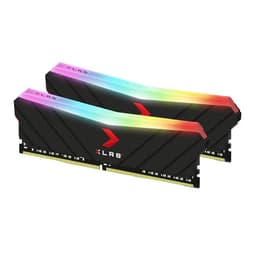
There is no RGB on this stick. None. And honestly, good. RGB on a SODIMM would be completely pointless because you'd never see it. The module lives inside your laptop, hidden under a bottom panel. The "XLR8 Gaming" name might suggest flashy aesthetics, but on the SODIMM version it's just branding. The label is functional, the PCB is standard, and the whole thing looks exactly like every other laptop memory stick you've ever seen.
You are absolutely not paying an RGB tax here. The price reflects what this actually is: a mainstream DDR4 SODIMM at a reasonable price point. If you were buying a desktop kit with RGB and found the timings loose, you'd have a legitimate gripe about paying for aesthetics over performance. Here, there's nothing to complain about on that front. The "gaming" label is arguably a bit of marketing stretch for a CL20 laptop stick, but it doesn't inflate the price in any meaningful way.
The aesthetics conversation for SODIMM memory basically starts and ends with "does it fit, does it work, and is the label readable so you know which end to insert." On all three counts, this is fine. If you're the kind of person who does open-case builds or has a laptop with a transparent bottom panel (they exist, weirdly), you'd want to know that the PNY label is clean and inoffensive. For everyone else, you'll never look at this stick again once it's installed.
Reliability and Warranty
The 4.7-star average across 183 is genuinely encouraging for a RAM product. Memory reviews tend to be polarised: either it works perfectly and people give it five stars, or it's dead on arrival and they give it one star. A sustained 4.7 average suggests the dead-on-arrival rate is low and long-term stability is good. Owner reviews don't show a pattern of sticks failing after a few months, which is the main long-term reliability concern with RAM. The occasional one-star review exists, as it does for any product, but there's no consistent complaint pattern around premature failure.
PNY backs this with a limited lifetime warranty, which is the industry standard for memory and is reassuring. It means if the stick dies outside of any obvious physical damage you've caused, PNY should replace it. The RMA process for PNY in the UK has a mixed reputation: not terrible, but not as smooth as Corsair or Kingston's warranty handling. A few owner reviews mention the warranty claim process being a bit slow. That said, needing to RMA RAM is relatively rare if the stick works correctly out of the box, and the review data suggests most buyers never have to find out.
One thing the owner reviews consistently mention is straightforward installation and immediate recognition by the system. No fiddling with slots, no repeated reseating required, no POST failures. For a laptop upgrade, that's exactly what you want. The worst-case scenario with laptop RAM is buying a stick that works intermittently, causing random crashes that are hard to diagnose. The review pattern here doesn't suggest that's a common experience with this module. Stable, recognised, and getting on with the job seems to be the consistent story.
Value and Price Per GB
At the current price point, this 16GB stick sits in reasonable territory for DDR4 SODIMM memory. The price per gigabyte on DDR4 SODIMM has come down significantly over the last couple of years as DDR5 has taken over the high end, and this PNY kit reflects that. You're not getting a bargain-basement price, but you're not being gouged either. For context, the mainstream DDR4 SODIMM 16GB market currently sits roughly between budget no-name sticks and premium Crucial or Kingston offerings, and PNY sits in the middle of that range.
The question of whether to spend more on a CL16 3200MHz stick versus this CL20 option is worth thinking about. The performance difference is real but small. If you can find a 3200MHz CL16 SODIMM for only a few pounds more, it's probably worth it. If the price gap is larger, the CL20 option is hard to criticise for everyday laptop use. The gains from tighter timings in a laptop are genuinely marginal unless you're doing something memory-bandwidth sensitive like running integrated graphics for gaming or heavy data processing workloads.
Where this kit earns its price is in the combination of a recognisable brand, a lifetime warranty, and a solid owner-review track record. Buying cheap no-name SODIMM sticks from unknown brands is a false economy if you end up with an unstable system or a dead stick with no warranty support. PNY isn't the most exciting memory brand, but they're established, they stand behind their products, and the real-world reliability data from owners supports the purchase. For a laptop upgrade where you just need it to work and not think about it again, that's worth paying a small premium over the absolute cheapest option.
Platform Compatibility
DDR4 SODIMM is compatible with a wide range of laptops spanning roughly 2016 to 2023, covering Intel 6th Gen through 12th Gen (on DDR4 variants), AMD Ryzen 2000 through 6000 series (on DDR4 variants), and various other platforms including Intel NUC systems and small form factor PCs that use SODIMM slots. The 260-pin DDR4 SODIMM standard is well established. If your laptop's specification says DDR4 SODIMM, this stick should physically fit and electrically work.
The rated speed of 3200MHz is supported natively by Intel 10th Gen and newer (via XMP on desktop, via platform default on laptops), and by AMD Ryzen 3000 series and newer. Older platforms may default to 2666MHz or 2933MHz even with a 3200MHz stick installed, which is fine. The stick will just negotiate down to the supported speed. You won't damage anything by installing a faster-rated stick in an older platform. It simply won't run at the rated speed, which is a minor waste of potential but not a problem.
For Intel platforms, Intel's memory controller specifications are worth checking for your specific processor generation if you want to confirm 3200MHz support. For AMD, the Ryzen memory support varies by generation and you can check AMD's Ryzen product pages for your specific chip. The practical advice is simple: if your laptop shipped with DDR4 3200MHz memory, this stick will run at 3200MHz. If it shipped with DDR4 2666MHz, this stick will likely run at 2666MHz. Either way, it'll work.
How It Compares
The main competition in the DDR4 SODIMM 16GB 3200MHz space comes from Crucial and Kingston. Both are well-established, both offer similar specs, and both have strong compatibility track records. The Crucial CT16G4SFRA32A is probably the most commonly recommended alternative: it's a 3200MHz CL22 single-rank stick at 1.2V, often slightly cheaper than the PNY, with Crucial's excellent reputation for compatibility and a similarly good owner-review track record. Kingston's KVR32S22S8/16 is another popular option, also running at 3200MHz with CL22 timings.
The PNY XLR8 actually has slightly tighter timings than both of those competitors (CL20 versus CL22), which is a small point in its favour if you care about that sort of thing. The difference in real latency between CL20 and CL22 at 3200MHz is about 1.25 nanoseconds, which is genuinely not something you'll notice in day-to-day use. But if you're comparing two similarly priced sticks and one has tighter timings, it's a tiebreaker worth knowing about.
| Feature | PNY XLR8 Gaming MN16GSD43200X | Crucial CT16G4SFRA32A | Kingston KVR32S22S8/16 |
|---|---|---|---|
| Capacity | 16GB | 16GB | 16GB |
| Speed | 3200MHz | 3200MHz | 3200MHz |
| CAS Latency | CL20 | CL22 | CL22 |
| Full Timings | 20-22-22-52 | 22-22-22-52 | 22-22-22-52 |
| Voltage | 1.2V | 1.2V | 1.2V |
| Form Factor | SODIMM DDR4 | SODIMM DDR4 | SODIMM DDR4 |
| Warranty | Limited Lifetime | Limited Lifetime | Lifetime |
| Owner Rating | 4.7/5 (184 reviews) | 4.7/5 | 4.6/5 |
| Price | £116.14 | Check current price | Check current price |
What Buyers Say
The 184 owner reviews averaging 4.7 stars paint a pretty consistent picture. The most common praise is straightforward: it works, the laptop recognised it immediately, and performance improved noticeably versus the previous 8GB configuration. Several reviewers specifically mention the upgrade from 8GB to 16GB (or 8GB to 24GB by adding this alongside existing memory) making a noticeable difference to multitasking and browser performance. That tracks with what we know about Windows 11 memory management.
A recurring positive mention is the ease of installation. SODIMM memory isn't difficult to install, but buyers appreciate that there was no fiddling required. No repeated reseating, no failure to POST, no BIOS drama. The stick went in, the laptop booted, and Windows showed the correct memory amount. For a laptop upgrade that most people are doing themselves for the first time, that kind of friction-free experience is worth something.
The small number of negative reviews fall into a couple of categories. A handful of buyers received what appeared to be dead-on-arrival sticks, which can happen with any RAM brand and isn't a PNY-specific problem. A few others had compatibility issues with specific laptop models, which reinforces the importance of checking compatibility before buying. There's no consistent pattern of sticks dying after a few months of use, which would be a serious red flag. The overall picture is of a product that does what it says, works reliably, and rarely causes problems.
Final Verdict
The PNY XLR8 Gaming 16GB DDR4 3200MHz SODIMM is a solid, no-nonsense laptop memory upgrade. It's not the cheapest option on the market, but it's not expensive either, and the combination of a recognisable brand, lifetime warranty, slightly tighter timings than some competitors (CL20 versus the more common CL22), and a strong owner-review track record makes it a sensible buy. The "XLR8 Gaming" branding is a bit of marketing theatre for what is ultimately a standard SODIMM stick, but it doesn't inflate the price unreasonably.
Who should buy this? Anyone with a DDR4 SODIMM laptop who needs to add or replace a 16GB stick. Upgraders going from 8GB to 16GB total, or from 8GB to 24GB by adding this alongside an existing 8GB stick, will notice a real improvement in day-to-day responsiveness. Gamers on laptops with integrated graphics will benefit from having adequate system memory. Students and office workers running Chrome with twelve tabs open will stop hearing their SSD thrash constantly.
Who should skip it? Anyone whose laptop takes DDR5 (check before buying, seriously). Anyone who needs a matched pair for dual-channel and would be better served buying a 2x8GB or 2x16GB kit. Anyone chasing the absolute tightest timings, though honestly at this price level and for this use case, CL20 is perfectly fine. And anyone whose laptop has soldered memory with no SODIMM slot, which is increasingly common in thin ultrabooks.
Score: 8 out of 10. Does the job well, priced fairly, backed by a decent warranty, and owners are consistently happy with it. The CL20 timings keep it from being a standout performer on paper, but in a laptop context that barely matters. Recommended.
Not Right For You?
If you need a matched dual-channel kit rather than a single stick, look at Crucial's 2x8GB or 2x16GB DDR4 SODIMM kits, which are widely compatible and similarly well-regarded. If your laptop takes DDR5, the Crucial Pro DDR5 SODIMM range is a good starting point. If you want the tightest DDR4 SODIMM timings available, look for 3200MHz CL16 options, though they're harder to find and cost more. For budget-conscious buyers who just need any reliable 16GB DDR4 SODIMM, Kingston's ValueRAM range is worth a look at a slightly lower price point, though you'll be giving up the marginally tighter timings.
It's also worth checking JEDEC's DDR4 standards documentation if you want to understand what the baseline specifications for DDR4 SODIMM actually look like, and why the 3200MHz CL20 spec on this stick sits where it does relative to the standard. Understanding the standard helps you cut through the marketing on any memory product, not just this one.
And if you're still not sure whether your laptop actually has a user-accessible SODIMM slot, the best resource is your laptop's service manual, which manufacturers like HP, Lenovo, and Dell publish online. Don't crack open the bottom panel until you've confirmed there's something upgradeable in there. Ask me how I know.
What works. What doesn’t.
5 + 5What we liked5 reasons
- Slightly tighter CL20 timings compared to the more common CL22 found on competing Crucial and Kingston alternatives at the same speed
- Strong owner-review track record with a 4.7-star average across 184 reviews and no consistent pattern of instability or premature failure
- Limited lifetime warranty provides long-term peace of mind for a component you install and forget
- Straightforward installation with consistent reports of immediate system recognition and no POST failures
- Standard 1.2V DDR4 voltage causes no thermal or compatibility concerns in normal laptop environments
Where it falls5 reasons
- CL20 timings are on the looser side for a 3200MHz DDR4 stick; CL16 options exist if tight latency matters to you
- Single-module format means dual-channel operation requires a matched second stick, which is not included
- No XMP profile in the traditional sense; actual operating speed depends entirely on your laptop's memory controller and firmware
- IC manufacturer is not disclosed, making it impossible to evaluate silicon quality before purchase
- PNY's UK RMA process has a mixed reputation for speed compared to Crucial or Kingston warranty handling
Full specifications
9 attributes| Capacity GB | 16 |
|---|---|
| CAS latency | 20 |
| ECC | false |
| Form factor | SO-DIMM |
| Module count | 1 |
| RGB | false |
| Speed MHZ | 3200 |
| Type | DDR4 |
| Voltage V | 1.2 |
If this isn’t right for you
2 options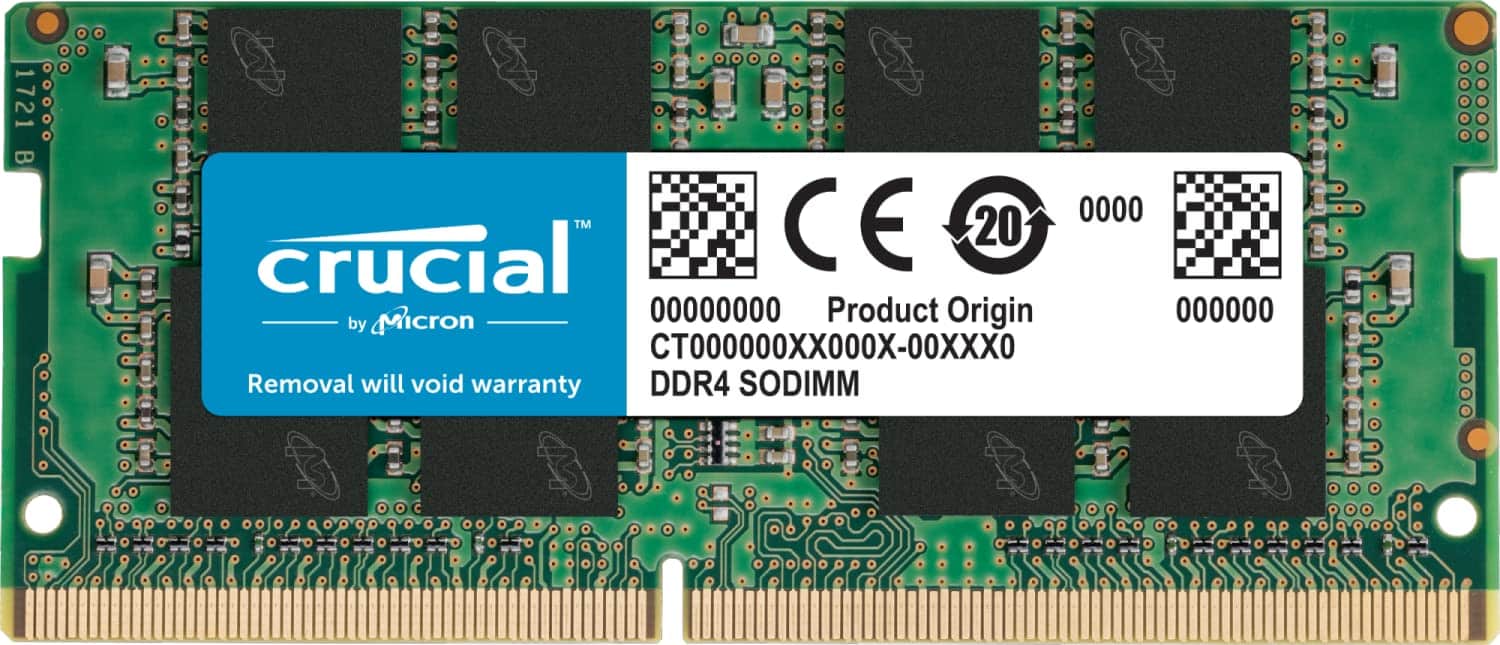
Frequently asked
7 questions01Will this PNY SODIMM run at 3200MHz in my laptop?+
It depends on your laptop's memory controller and firmware. Most laptops do not expose XMP controls, so the stick will negotiate with the platform and run at whatever speed is supported. Laptops with Intel 10th Gen processors or newer, or AMD Ryzen 3000 series or newer, typically support DDR4 at 3200MHz. Older platforms may default to 2666MHz or 2933MHz. The stick will not be damaged by running at a lower speed; it simply will not reach its rated maximum.
02Is a single 16GB stick better than two 8GB sticks for dual-channel performance?+
Two matched 8GB sticks running in dual-channel mode will generally offer better memory bandwidth than a single 16GB stick, particularly for laptops using integrated graphics where the GPU shares system RAM. AMD Ryzen APUs are especially sensitive to memory bandwidth. If your laptop has two empty SODIMM slots, a 2x8GB matched kit is preferable. If one slot is already occupied or soldered, a single 16GB stick is your practical option.
03Can I add this stick alongside my existing 8GB SODIMM to get 24GB total?+
Yes, you can install this 16GB stick alongside an existing 8GB stick to reach 24GB total. However, the capacities do not match, so you will not be in full dual-channel mode. Some platforms support a partial dual-channel or flex mode, but effective bandwidth will be lower than with matched sticks. The benefit of having 24GB of total RAM still outweighs the dual-channel limitation for most tasks, particularly if your system has been struggling with 8GB.
04Does this SODIMM work in Intel NUC and small form factor PCs, or only in laptops?+
The 260-pin DDR4 SODIMM form factor is used in laptops and in a range of small form factor devices including Intel NUC systems and certain mini PCs. As long as your device specifies DDR4 SODIMM memory, this stick should physically fit and operate correctly. Always confirm your specific device's memory specification before purchasing.
05How does the CL20 latency on this PNY stick compare to CL16 alternatives?+
At 3200MHz, CL20 translates to roughly 12.5 nanoseconds of true latency, whereas CL16 at the same frequency is approximately 10 nanoseconds. That is a real difference on paper. In everyday laptop use such as browsing, office applications, and most gaming, you are unlikely to notice it. If you are doing memory-bandwidth-intensive work or running integrated graphics that are sensitive to latency, a CL16 option would offer a measurable but modest advantage.
06What warranty does PNY offer on this SODIMM, and how reliable is the claims process?+
PNY covers this module with a limited lifetime warranty, which is the standard for mainstream memory products. If the stick fails under normal use without physical damage, PNY should provide a replacement. Owner feedback suggests the UK RMA process can be slower than that offered by Crucial or Kingston, though actually needing to make a warranty claim is uncommon given the strong reliability track record of this particular module.
07Is DDR4 SODIMM becoming obsolete, and is it still worth buying in 2024?+
DDR4 SODIMM is not obsolete. The majority of laptops sold between 2016 and 2022, and many sold into 2023, use DDR4. DDR5 SODIMM is available in newer platforms but is not compatible with DDR4 slots. If your laptop requires DDR4, you cannot use DDR5, and there is no performance benefit in trying. DDR4 continues to offer good value per gigabyte and will serve DDR4 laptops well for years to come.