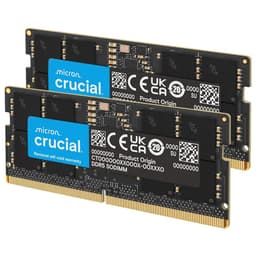
Compatibility is where laptop RAM upgrades live or die. Not the speed number on the box, not the brand name, not whether it's on some influencer's recommended list. The actual question is: will this stick work in your specific machine, run at the speed you paid for, and not cause you grief six months down the line? That's the only thing worth caring about when you're shopping for a SODIMM.
The Crucial CT16G4SFRA32A is a 16GB DDR4-3200 SODIMM, and it's one of the most popular laptop memory upgrades on Amazon UK, sitting at 4.8 stars across 17,031. That's not marketing spin; that's a genuinely impressive signal from real owners. The verdict up front: if you need a single 16GB DDR4 SODIMM for a laptop or Mini PC and you want something that just works without drama, this is the one to buy. It's not exciting. It doesn't need to be.
Where it gets more nuanced is the capacity question. Is 16GB actually enough for what you're doing? And how does this compare to buying a 32GB kit instead? Those are the questions worth spending time on, and we'll get into all of it below.
Core Specifications: B08C511GQH
The CT16G4SFRA32A is a single 16GB DDR4 SODIMM running at a rated speed of 3200MHz (PC4-25600). The form factor is 260-pin SODIMM, which is the standard for laptops and Mini PCs. Voltage sits at 1.2V, which is the JEDEC standard for DDR4 at this speed, so no exotic power requirements to worry about. The ECC type is Non-ECC, meaning it's standard consumer memory rather than server-grade error-correcting stuff.
The CAS latency is CL22. That's because it's on the looser end for DDR4-3200. Many desktop DDR4-3200 kits ship at CL16, though those are dual-channel desktop DIMMs, not SODIMMs. At the SODIMM level, CL22 at 3200MHz is pretty standard territory. The rank configuration is listed as 1Rx16, 1Rx8, or 2Rx8 depending on the specific production batch, which is something to keep in mind if you're planning to run two sticks in dual-channel (more on that in the compatibility section).
One genuinely useful thing about this stick: if your laptop or Mini PC only supports 2933MHz or 2666MHz, the module will automatically downclock to match. So you're not buying a stick that'll refuse to post because your system tops out at 2666MHz. It just adapts. That's proper plug-and-play behaviour, and it's one of the reasons the owner review count is so high without a flood of complaints about incompatibility.
| Specification | Detail |
|---|---|
| Capacity | 16GB (single module) |
| Type | DDR4 |
| Rated Speed | 3200MHz (PC4-25600) |
| CAS Latency | CL22 |
| Voltage | 1.2V |
| Form Factor | SODIMM |
| Pin Count | 260 pins |
| ECC | Non-ECC |
| Rank / Configuration | 1Rx16, 1Rx8, or 2Rx8 (batch dependent) |
| Downclocking | Auto to 2933MHz or 2666MHz |
| Compatible Systems | Laptops, Mini PCs |
| Current Price | £124.44 |
| Star Rating | ★★★★½ (4.8) (17,031 reviews) |

Speed, Timings and Real Latency
Here's the thing most memory listings won't tell you: MHz alone is meaningless without knowing the CAS latency. The real latency figure, in nanoseconds, is calculated as (CAS latency / (speed in MHz / 2)) x 1000. For this stick at DDR4-3200 CL22, that works out to roughly 13.75 nanoseconds of true latency. Compare that to a DDR4-3200 CL16 kit (if you could find one in SODIMM form), which would give you around 10ns. That's a real difference, though in practice for laptop workloads it's rarely the bottleneck.
The more relevant comparison is against DDR4-2666 CL19, which is what many older laptops ship with as stock. That gives you around 14.25ns true latency, so the 3200MHz CL22 Crucial is marginally quicker in real terms, not dramatically so. The headline speed bump from 2666 to 3200 sounds like a 20% uplift, but once you factor in the looser timings, the actual gain is much smaller. For gaming, the difference is in the noise. For memory-bandwidth-sensitive tasks like video encoding or working with large datasets, you might see a few percent improvement, but nobody should be buying this expecting a transformation.
What matters more for most laptop users is that this stick runs at its rated speed without needing manual BIOS intervention. Laptops generally don't expose the same level of memory overclocking options as desktop motherboards, so you're relying on the memory controller in the processor and the memory itself to negotiate the right speed automatically. The auto-downclocking to 2933MHz or 2666MHz is a sensible safety net, and based on the owner review patterns, the vast majority of buyers just slot it in and it runs at whatever the system supports without any fuss.
XMP / EXPO Stability and Compatibility: B08C511GQH
This is a SODIMM aimed at laptops and Mini PCs, so the XMP and EXPO conversation is a bit different from desktop territory. Most laptops don't give you access to XMP profiles in any meaningful way. The memory controller in your Intel or AMD mobile processor handles the negotiation, and the stick just responds to whatever the system requests. There's no BIOS toggle to enable XMP in most laptop firmwares. So the stability question here is really about whether the stick will run at its rated 3200MHz on systems that support it, or gracefully drop to 2933MHz or 2666MHz on older hardware.
From the owner review patterns across those 17,000-plus reviews, the picture is clear: the overwhelming majority of buyers report no issues whatsoever. It works in Intel-based laptops going back several generations, and in AMD Ryzen mobile systems. The automatic downclocking feature handles the edge cases where a system tops out at a lower speed, so you don't get the no-post scenarios that occasionally plague desktop XMP kits. For Mini PC users, particularly those running Intel NUC-style systems or AMD-based compact machines, the same story holds.
Where you do occasionally see complaints in the reviews is around mixing this stick with an existing module of a different brand or rank configuration. If you're adding this as a second stick to run dual-channel alongside whatever came in your laptop from the factory, there's a small chance the two sticks won't play nicely together at full speed. This isn't unique to Crucial; it's a general SODIMM mixing caveat. The safest approach is to buy two of the same module if you're going dual-channel. Crucial's own compatibility checker at crucial.com is actually worth using before you buy, because it'll tell you exactly which modules are verified for your specific laptop model.
Capacity and Use Case
So, is 16GB actually enough? For most people using a laptop in 2025 and 2026, 16GB is the comfortable minimum, not the comfortable maximum. Chrome with a dozen tabs open, a couple of Office documents, Spotify in the background, and a video call running simultaneously will push 8GB to its limits and leave 16GB feeling just about fine. If that's your workload, 16GB will serve you well. But if you're doing anything heavier, you'll feel the ceiling.
Content creators doing photo editing in Lightroom or Photoshop will want 32GB. Video editors working with 4K footage in Premiere or DaVinci Resolve will want 32GB minimum, and 64GB if they can get it. Developers running Docker containers or virtual machines should be looking at 32GB as a floor. Gamers on a laptop are in a slightly different position: most games run fine on 16GB, but a handful of modern titles are creeping towards 16GB as their own working set, and with the OS and background processes on top, 16GB can feel tight. If you're a gamer and your laptop has two SODIMM slots, buying two of these for 32GB total in dual-channel is the smarter call.
The dual-channel point is worth dwelling on. If your laptop has two memory slots and you're running a single 16GB stick, you're in single-channel mode. Adding a second identical 16GB stick doesn't just double your capacity, it also doubles your memory bandwidth by running both channels simultaneously. For integrated graphics, which rely on system RAM for their video memory, this can make a meaningful difference to GPU performance. AMD's Ryzen mobile APUs in particular are noticeably quicker in dual-channel. So if you're buying this to upgrade a system that already has one 16GB stick installed, check whether the existing stick is the same spec before assuming they'll pair up cleanly.
DDR5 vs DDR4 Value
The laptop memory market is in an interesting transition right now. Newer platforms, particularly those using Intel's 12th gen and beyond, and AMD's Ryzen 7000 series mobile chips, are moving to DDR5. But a huge number of laptops still in active use, and many budget to mid-range machines still being sold today, run DDR4. If your laptop takes DDR4, it takes DDR4. You cannot put a DDR5 SODIMM in a DDR4 slot; the physical notch is in a different position and it simply won't fit.
So the DDR5 versus DDR4 question for this specific stick is largely moot: if you're here looking at this module, you already know your system needs DDR4. What's is that DDR5 SODIMMs at equivalent capacity are still more expensive than DDR4, and the real-world performance difference in laptop workloads is modest. DDR5 has higher peak bandwidth, which matters for bandwidth-hungry tasks and for integrated graphics, but the latency characteristics of early DDR5 were worse than mature DDR4. The gap has closed as DDR5 has matured, but for a DDR4 platform, upgrading to the best DDR4 available is still a sensible and cost-effective choice.
The honest take: don't lose sleep over the fact that this is DDR4. If your laptop is a DDR4 machine, it's a DDR4 machine, and this Crucial stick is a good one. The only scenario where DDR4 versus DDR5 matters for your buying decision is if you're also considering a new laptop purchase, in which case DDR5 compatibility is worth factoring in. But for upgrading existing hardware, you're buying what your system supports, full stop.
Build Quality and Physical Design
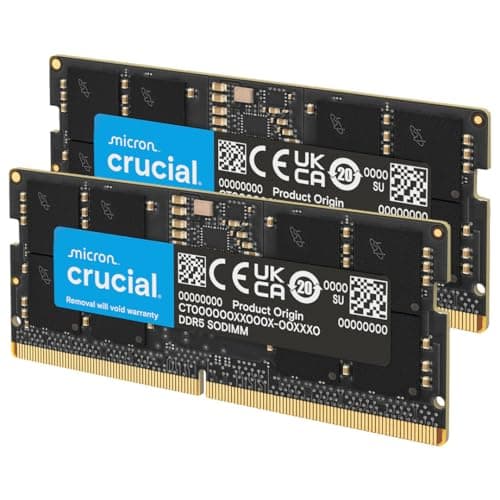
SODIMMs don't come with heatspreaders. That's the whole point of the form factor: it needs to fit inside a laptop chassis with millimetres to spare, so there's no room for chunky heatsinks or RGB shrouds. What you get with the Crucial CT16G4SFRA32A is a bare PCB with chips on it, which is exactly what you want. The absence of a heatspreader isn't a quality concern; it's the correct design for the application.
Crucial is a brand owned by Micron, one of the three major DRAM manufacturers in the world (alongside Samsung and SK Hynix). So when Crucial says the memory uses Micron components, that's not marketing fluff; it's literally Micron chips on a Micron-subsidiary module. The Amazon listing specifically calls out 42 years of memory expertise and advanced component and module-level testing. That's a real differentiator from some of the grey-market SODIMM sellers on Amazon who are rebranding unknown-origin chips.
The rank configuration is again in the context of build quality. The CT16G4SFRA32A can ship as 1Rx8, 1Rx16, or 2Rx8 depending on the production run. The 2Rx8 configuration (dual-rank, x8 chips) generally offers slightly better performance than 1Rx8 or 1Rx16 at the same speed, because the memory controller can interleave accesses across ranks. You can't choose which configuration you receive, and in practice the difference is small enough that most owners won't notice. But it's this variability exists.

RGB and Aesthetics
There is no RGB here. None. This is a laptop SODIMM. It lives inside a closed chassis where nobody will ever see it. Any manufacturer who put RGB on a laptop SODIMM would deserve to be laughed out of the market, and Crucial has not done that. Good.
The aesthetic of this module is: green PCB, black chips, a small Crucial label. That's it. If you're the sort of person who cares about what their laptop RAM looks like, please consider that you will never see it again after installation. The only aesthetic consideration that matters for a SODIMM is whether it physically fits in the slot and clears the chassis cover when reassembled, and this one does, because it's a standard form factor module with no protrusions.
There's also no RGB tax here, which is refreshing. Some desktop DRAM brands charge a meaningful premium for lighting that contributes nothing to performance. The CT16G4SFRA32A is priced on its actual merits: the capacity, the speed, and the Micron component quality. That's how it should be. The lack of any cosmetic frippery is, genuinely, one of the things to like about this module.
Reliability and Warranty
With 17,031 averaging 4.8 stars, the reliability picture from real owners is about as positive as you'll find for any memory product. That sample size is large enough to be genuinely meaningful. The pattern in the one and two-star reviews is worth examining: most of the negative experiences involve compatibility issues with specific laptop models (particularly some older Lenovo and HP machines that are fussy about third-party memory), or DOA modules that were replaced without issue under warranty. Outright failures after extended use are rare in the review pool.
Crucial backs this module with a limited lifetime warranty. That's the standard for reputable memory manufacturers and it's what you should expect at this price point. The RMA process through Crucial's support is generally reported as straightforward by owners who've needed it, though as with any warranty claim, your mileage may vary depending on when you bought and where from. Buying through Amazon also gives you the standard 30-day return window and the A-to-Z guarantee as a fallback if the module arrives dead or causes immediate problems.
The Micron component backing is genuinely relevant to long-term reliability. DRAM from the major manufacturers (Micron, Samsung, SK Hynix) is produced to tighter tolerances than chips from less established sources. Crucial's module-level testing, as called out in the product listing, adds another layer of quality assurance before the stick ships. This isn't just marketing; it's why the failure rate in the owner reviews is so low relative to the volume of units sold.
Value and Price Per GB
DDR4 SODIMM pricing has come down significantly over the past couple of years as DDR5 has taken over the premium end of the market. A 16GB DDR4-3200 SODIMM from a reputable brand sits at a price point that makes the per-GB cost genuinely competitive. The current price for this Crucial module is £124.44, which you can check live above. At that price, you're getting Micron-quality components, a lifetime warranty, and one of the most widely compatible DDR4 SODIMMs available.
The comparison to consider is whether you'd be better served buying two 8GB sticks instead of one 16GB stick. Two 8GB sticks in dual-channel would give you the same total capacity with better bandwidth, but you'd be using both your laptop's SODIMM slots, leaving no room for future expansion. One 16GB stick leaves a slot free for a second 16GB stick later, getting you to 32GB without throwing anything away. For most users, the single 16GB approach is the smarter long-term play unless you know for certain you'll never need more than 16GB total.
If budget is the primary concern and you're on an older machine that only supports 2666MHz, it's that DDR4-2666 SODIMMs are slightly cheaper, and since this stick will downclock to 2666MHz anyway, you'd be paying a small premium for a speed capability your system can't use. The difference is small, but it's honest to mention it. Conversely, if your system supports 3200MHz, this stick is the right buy at the right price.
Platform Compatibility
The CT16G4SFRA32A is a DDR4 SODIMM, which means it's compatible with any laptop or Mini PC that takes DDR4 SODIMM memory. That covers a broad range of Intel and AMD platforms. On the Intel side, that's 8th generation Core (Coffee Lake) through to 11th generation (Tiger Lake) on the mobile side, plus some 12th gen platforms that shipped with DDR4 rather than DDR5. On the AMD side, Ryzen 3000 series through Ryzen 5000 series mobile processors all use DDR4 SODIMM memory.
The automatic downclocking to 2933MHz or 2666MHz is particularly useful for older platforms. Intel 8th and 9th gen mobile platforms typically top out at 2666MHz, and this stick handles that gracefully without needing any user intervention. Ryzen 3000 mobile platforms generally support 3200MHz natively, so you'd get the full rated speed there. The JEDEC DDR4 standard defines these speeds as part of the specification, so any compliant system should handle the negotiation correctly.
The mixing-kits caution bears repeating: if you're adding this as a second module alongside an existing stick, check that the existing stick is DDR4 SODIMM (not DDR3 or DDR5, which won't physically fit), and ideally that it's the same speed and capacity. Running mismatched speeds typically results in both sticks dropping to the lower speed, which is fine but means you're not getting the full benefit of the faster module. Running mismatched capacities in dual-channel is possible but some platforms handle it better than others. When in doubt, Crucial's compatibility checker is the right first stop.
How It Compares
The main competition in the 16GB DDR4-3200 SODIMM space comes from Kingston and Samsung. Kingston's KVR32S22S8/16 is the direct rival: same capacity, same speed, same CL22 timing, similar pricing. Samsung's M471A2K43EB1 is the other serious contender, and Samsung's B-die reputation from the desktop world doesn't really translate to SODIMMs in the same way, but Samsung's SODIMM modules are generally well-regarded for compatibility.
The honest comparison: all three are competent DDR4-3200 SODIMMs from major manufacturers. The differences are marginal. Crucial has the edge on owner review volume and the Micron component transparency. Kingston is similarly reliable and often available at a similar price. Samsung's modules are sometimes harder to find at retail in the UK. If the Crucial is in stock at a good price, buy it. If it's temporarily out of stock or the Kingston is cheaper on the day, that's fine too.
| Feature | Crucial CT16G4SFRA32A | Kingston KVR32S22S8/16 | Corsair CMSO16GX4M1A2666C18 |
|---|---|---|---|
| Capacity | 16GB | 16GB | 16GB |
| Speed | DDR4-3200 | DDR4-3200 | DDR4-2666 |
| CAS Latency | CL22 | CL22 | CL18 |
| True Latency (approx) | ~13.75ns | ~13.75ns | ~13.5ns |
| Voltage | 1.2V | 1.2V | 1.2V |
| Form Factor | SODIMM 260-pin | SODIMM 260-pin | SODIMM 260-pin |
| Warranty | Limited Lifetime | Limited Lifetime | Limited Lifetime |
| Component Brand | Micron | Kingston/SK Hynix | Corsair/varies |
| Owner Reviews (Amazon UK) | 17,000+ at 4.8 stars | Lower volume | Lower volume |
The Corsair entry in that table is worth a quick note. The CMSO16GX4M1A2666C18 runs at DDR4-2666 with CL18, which actually works out to roughly the same true latency as the Crucial at 3200 CL22. So if your system only supports 2666MHz and you can find the Corsair cheaper, the real-world performance difference is essentially zero. But the Crucial's ability to run at 3200MHz on systems that support it gives it more headroom, and the owner review volume gives you much more confidence in its reliability track record.

Final Verdict
The Crucial CT16G4SFRA32A (B08C511GQH) is the default answer to "what DDR4 SODIMM should I buy?" and it's earned that position honestly. 17,031 at 4.8 stars isn't luck; it's the result of a module that does exactly what it says, works in an enormous range of laptops and Mini PCs, and handles the edge cases (slower systems, mixed configurations) gracefully through automatic downclocking. Micron components, a lifetime warranty, and sensible pricing make this a straightforward recommendation.
Who is this for? Anyone upgrading a DDR4 laptop or Mini PC who wants a reliable 16GB stick without spending time researching obscure compatibility lists. It's particularly good for users on Ryzen 4000 or 5000 series mobile platforms where 3200MHz is natively supported, and for Intel 10th and 11th gen laptops. It's also a solid choice as a second stick to pair with an existing 16GB module for dual-channel, provided the existing module is compatible.
Who should skip it? If your laptop only has one SODIMM slot and you're already running 16GB, there's nothing to upgrade to here. If you need 32GB in a single stick, this isn't it; you'd need to look at 32GB SODIMM options, which exist but cost more. And if your machine is a newer platform running DDR5, this stick won't fit and you shouldn't be looking at it in the first place.
The honest cheaper-alternative call: if your system tops out at 2666MHz and you're price-sensitive, a DDR4-2666 SODIMM from Crucial or Kingston will be a few pounds cheaper and perform identically in your machine. The 3200MHz rating on this stick is wasted if your platform can't use it. But given how close the prices are, most buyers will find the 3200MHz version is the right buy for future flexibility.
Editorial score: 8.5 out of 10. It's not exciting, but it's exactly what it needs to be: reliable, compatible, well-priced, and backed by enough real-world owner data to buy with confidence.
What works. What doesn’t.
5 + 3What we liked5 reasons
- Micron components with a lifetime warranty for genuine long-term reliability
- Auto-downclocks to 2933MHz or 2666MHz, so it works in older systems without any fuss
- 17,000-plus owner reviews at 4.8 stars is a genuinely reassuring compatibility track record
- Correctly priced for the DDR4 SODIMM market with no RGB or branding tax
- Single-module format leaves a slot free for future 32GB expansion
Where it falls3 reasons
- CL22 timings are on the looser end for DDR4-3200, so real latency gains over slower CL18 kits are modest
- Rank configuration (1Rx16, 1Rx8 or 2Rx8) varies by batch and can't be selected at purchase
- Wasted speed headroom if your system only supports 2666MHz
Full specifications
9 attributes| Capacity GB | 16 |
|---|---|
| CAS latency | 22 |
| ECC | false |
| Form factor | SO-DIMM |
| Module count | 1 |
| RGB | false |
| Speed MHZ | 3200 |
| Type | DDR4 |
| Voltage V | 1.2 |
If this isn’t right for you
2 options 8.0 / 10
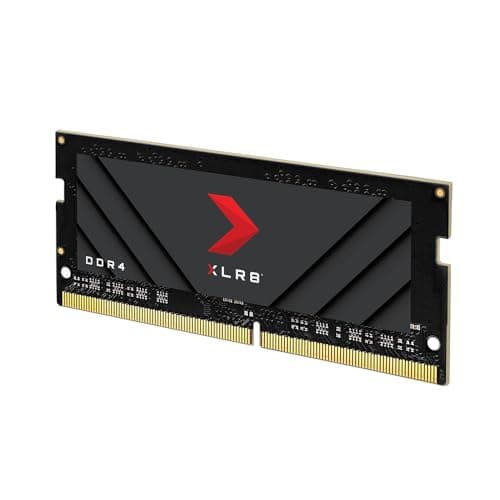
PNY XLR8 Gaming 16GB DDR4 3200MHz (PC4-25600) CL20 1.2V Notebook/Laptop (SODIMM) Computer Memory – MN16GSD43200X
£116.14 · PNY
 8.0 / 10
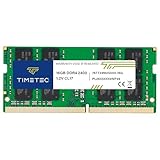
Timetec Premium 16GB DDR4 2400MHz (PC4-2400T) PC4-19200 SODIMM Laptop RAM – 260-Pin 1.2V CL17 Non-ECC Unbuffered Memory Module for Laptop, Notebook, Mini PC, All-in-One
£88.02 · Timetec
Frequently asked
5 questions01How much RAM do I actually need for the Crucial DDR4 RAM 16GB 3200MHz SODIMM CL22, Laptop Computer Memory, Mini PC (or 2933MHz, 2666MHz) - CT16G4SFRA32A's use case?+
For general use, web browsing and light productivity, 16GB is comfortable. Gamers will find 16GB adequate for most titles, though some modern games are pushing that limit, so 32GB (two 16GB sticks) is the safer choice if your laptop has two slots. Content creators doing video editing or running virtual machines should aim for 32GB minimum. If you're adding this as a second stick to an existing 16GB module, you'll get 32GB in dual-channel, which is a meaningful upgrade for both capacity and bandwidth.
02Will the Crucial DDR4 RAM 16GB 3200MHz SODIMM CL22, Laptop Computer Memory, Mini PC (or 2933MHz, 2666MHz) - CT16G4SFRA32A run at its rated speed with XMP or EXPO?+
Most laptops don't expose XMP controls in their firmware, so the memory controller in your processor negotiates the speed automatically. On systems that support DDR4-3200, this stick runs at its rated speed without any manual configuration. On older systems capped at 2933MHz or 2666MHz, it automatically downclocks to match. Owner review patterns across 17,000-plus reviews show the vast majority of buyers have no issues with speed negotiation.
03Is the Crucial DDR4 RAM 16GB 3200MHz SODIMM CL22, Laptop Computer Memory, Mini PC (or 2933MHz, 2666MHz) - CT16G4SFRA32A compatible with my motherboard?+
This is a DDR4 SODIMM, compatible with laptops and Mini PCs that take DDR4 memory. It covers Intel 8th through 12th gen mobile platforms (DDR4 variants) and AMD Ryzen 3000 through 5000 series mobile. It will not fit DDR3 or DDR5 slots. If you're mixing with an existing stick, check that the other module is also DDR4 SODIMM at a compatible speed. Crucial's online compatibility checker is worth using before purchase if you're unsure about your specific model.
04Does faster RAM like the Crucial DDR4 RAM 16GB 3200MHz SODIMM CL22, Laptop Computer Memory, Mini PC (or 2933MHz, 2666MHz) - CT16G4SFRA32A actually improve gaming performance?+
Honestly, the gains from moving to 3200MHz over 2666MHz in gaming are marginal for most titles. The true latency difference between DDR4-3200 CL22 and DDR4-2666 CL18 is minimal once you do the maths (roughly 13.75ns versus 13.5ns). Where memory speed genuinely matters is for integrated graphics (AMD Ryzen APUs in particular benefit from higher bandwidth) and for bandwidth-sensitive workloads like video encoding. For discrete GPU gaming, the difference is small enough that capacity and dual-channel operation matter far more than the MHz number.
05What warranty and returns apply to the Crucial DDR4 RAM 16GB 3200MHz SODIMM CL22, Laptop Computer Memory, Mini PC (or 2933MHz, 2666MHz) - CT16G4SFRA32A?+
Crucial covers this module with a limited lifetime warranty, which is standard for reputable memory manufacturers and means they'll replace a defective stick for the life of the product. Purchasing through Amazon also gives you a 30-day return window and the Amazon A-to-Z guarantee as a fallback if the module arrives faulty or causes immediate problems. Owner reviews suggest the RMA process through Crucial is generally straightforward for genuine defects.