RAM shopping should be simple. It's not. You pick a kit, it arrives, you slam it in, enable XMP, and then stare at a black screen wondering if you've bricked something. Or you spend twenty minutes on a forum arguing about whether 6400MHz CL40 is actually faster than 6000MHz CL30 (it's not, by the way, but we'll get to that). The Crucial Pro DDR5 64GB kit in white is aimed squarely at builders who want a lot of memory, a decent speed, and the reassurance of a brand that isn't going to vanish overnight. Whether it earns its price tag is a different question entirely.
This is 64GB of DDR5 split across two 32GB sticks, running at 6400MHz with CL40 timings, and it supports both Intel XMP 3.0 and AMD EXPO. On paper that sounds solid. In practice, the timings are the bit that needs unpacking, because 6400MHz looks impressive on a box but CL40 at that speed is not the tightest combo available. That doesn't make it a bad kit. It makes it a kit you need to understand before you buy. And that's exactly what this is for.
With 512 owner reviews averaging ★★★★½ (4.6), the real-world feedback is overwhelmingly positive. But the question isn't whether people like it. It's whether it's the right choice for your build, your workload, and your budget. Especially when 64GB at DDR5 speeds puts you firmly in premium territory.
Core Specifications
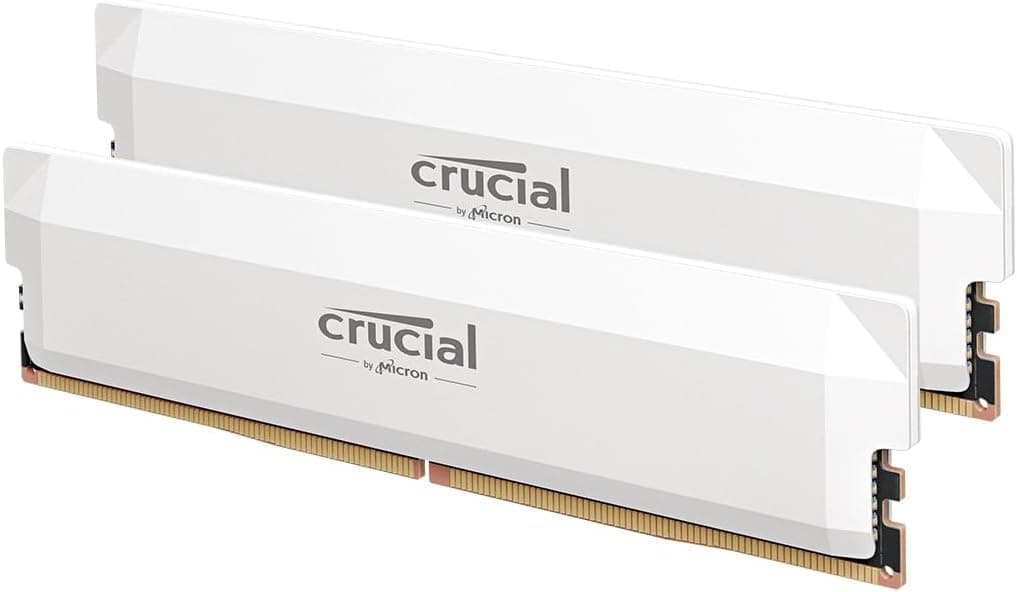
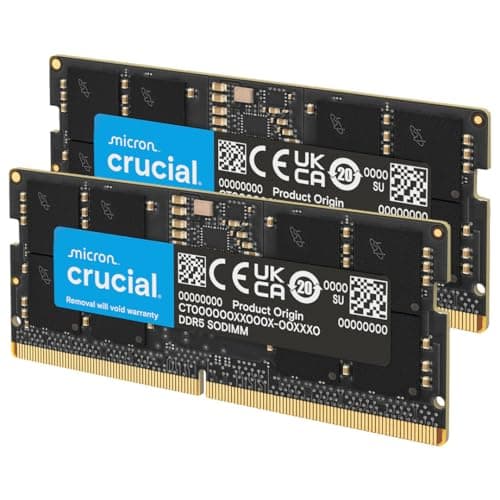
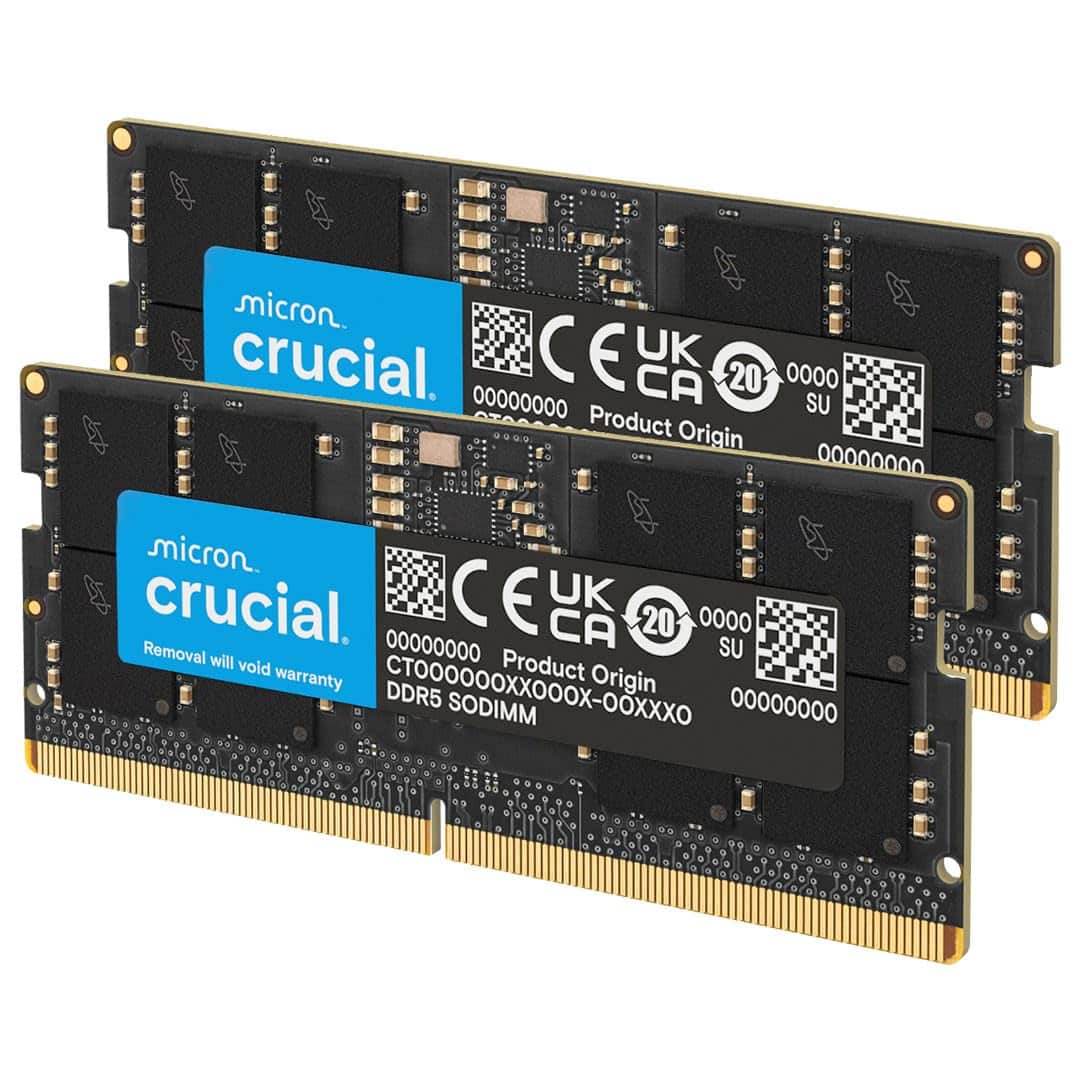
The Crucial Pro CP2K32G64C40U5W is a 64GB dual-channel kit made up of two 32GB sticks. It runs at 6400MHz under its XMP 3.0 or EXPO profile, with primary timings of CL40-39-39-77 at 1.35V. That voltage is standard for DDR5 kits at this speed class. The JEDEC default, if you just slot it in without enabling XMP or EXPO, is 4800MHz at 1.1V, which is what every DDR5 stick falls back to out of the box. The form factor is standard UDIMM, so it fits any desktop DDR5 motherboard. The white heatspreader variant is what we're looking at here, model number CP2K32G64C40U5W.
Crucial doesn't officially publish which memory ICs are used in this kit, which is frustratingly common across the industry. Based on the speed bin and capacity per stick (32GB per DIMM), these are almost certainly using Micron's own B-die or similar high-density ICs. Crucial is owned by Micron, which is one of the few DRAM manufacturers that actually fabricates its own chips, so there's a reasonable expectation of consistency here. That said, IC sourcing can change between production batches, and Crucial doesn't guarantee a specific die across all units. Worth knowing if you're planning to push manual overclocking beyond the rated profile.
The kit carries a lifetime warranty, which is genuinely useful and puts it ahead of cheaper brands that offer one or three year coverage. Crucial's warranty handling has a decent reputation in owner feedback, with most RMA reports describing a fairly painless process. That matters more than people realise when you're buying memory, because dead sticks do happen, and having a brand that actually honours the warranty without a fight is worth something.
| Specification | Detail |
|---|---|
| Capacity | 64GB (2x32GB) |
| DDR Generation | DDR5 |
| Rated Speed | 6400MHz |
| CAS Latency | CL40 |
| Primary Timings | 40-39-39-77 |
| Voltage (XMP/EXPO) | 1.35V |
| JEDEC Default | 4800MHz, 1.1V |
| Profile Support | Intel XMP 3.0, AMD EXPO |
| Form Factor | UDIMM |
| Colour | White |
| Warranty | Lifetime |
| Model Number | CP2K32G64C40U5W |
| Price | £799.99 |

Speed, Timings and Real Latency
Here's the bit that marketing doesn't want you to think about. The headline says 6400MHz. That sounds fast. And it is fast, in absolute terms. But CAS latency and clock speed work together to determine how quickly your memory actually responds to a request, and you can't just look at one number. The formula for true latency in nanoseconds is: (CAS latency / clock speed in MHz) x 2000. For this kit, that's (40 / 6400) x 2000, which works out to approximately 12.5 nanoseconds of true latency. That's the actual time your CPU waits for data from RAM.
Compare that to a 6000MHz CL30 kit, which is increasingly common in the enthusiast space. That gives you (30 / 6000) x 2000 = 10 nanoseconds. So despite running at a lower frequency, a 6000MHz CL30 kit is meaningfully quicker in real latency terms. The 6400MHz CL40 combo is a classic case of the headline number looking better than the underlying performance. That's not a dealbreaker for most workloads, and the raw bandwidth at 6400MHz does have genuine benefits for memory-hungry tasks like video editing or large dataset work. But if you're primarily gaming and you're choosing between this and a tighter-timed kit at similar money, the tighter kit wins on latency.
Where it gets complicated is that at 64GB capacity (2x32GB), your options for tight timings at high frequency are genuinely limited. High-density 32GB sticks are harder to bin tightly than 16GB sticks, and most of the sub-CL32 DDR5 kits you'll find are 2x16GB configurations. So comparing this to a 32GB CL30 kit isn't entirely fair, because they're solving different problems. If you need 64GB, the realistic choice is between kits in the CL36 to CL40 range at 6000 to 6400MHz, and this Crucial Pro sits in a reasonable position within that bracket. It's not the tightest 64GB kit available, but it's not embarrassing either. The bandwidth at 6400MHz is real, and for workloads that move a lot of data (rendering, virtual machines, large project files), that matters.
XMP / EXPO Stability and Compatibility
This is the section that actually decides whether you have a good time or a terrible evening. XMP and EXPO profiles are supposed to be one-click solutions. Enable the profile in your BIOS, save, reboot, done. In reality, DDR5 at 6400MHz is pushing into territory where not every board handles it gracefully, and high-capacity sticks (32GB per DIMM) add additional strain on the memory controller. The good news is that owner feedback for this kit is broadly positive on stability. Most people report it posting at rated speed without drama, which is genuinely the most important thing you can say about a memory kit.
On Intel platforms, XMP 3.0 support is well-established on 12th Gen and newer boards, with 13th and 14th Gen (LGA1700) and the newer Arrow Lake (LGA1851) platforms all supporting DDR5. The 6400MHz speed is within the comfortable range for most mid-range to high-end Intel boards. On AMD's AM5 platform, EXPO is the equivalent standard, and Crucial has included EXPO support here, which is good to see. AM5 has historically been a bit more finicky with high-frequency DDR5 than Intel, particularly at 32GB per stick densities. A handful of owner reviews mention needing to manually tweak the BIOS settings or drop to a slightly lower frequency to achieve stability on certain AM5 boards. That's not unique to this kit, it's a broader AM5 DDR5 characteristic, but it's worth knowing going in.
Crucial publishes a compatibility checker on their website, and it's worth running your motherboard through it before buying. QVL (qualified vendor list) coverage varies by board, and while a kit not being on the QVL doesn't mean it won't work, it does mean the board manufacturer hasn't specifically tested that combination. At 6400MHz with 32GB sticks, you want to check your board's memory support page before assuming it'll all just work. The voltage at 1.35V is standard and shouldn't cause issues with modern DDR5 boards. The JEDEC fallback at 4800MHz will always work, so worst case you're running slower than rated. But nobody buys a 6400MHz kit to run it at 4800MHz.
Capacity and Use Case
So do you actually need 64GB? Genuinely, for most people reading this, the honest answer is probably not yet. If you're building a gaming PC and that's the primary use, 32GB is the sweet spot in 2025. Games are getting more memory-hungry (some open-world titles are pushing past 16GB in practice), but 64GB won't give you better frame rates than 32GB. Your GPU and CPU matter far more. The reason to go 64GB is if your workload demands it outside of gaming. Video editing in DaVinci Resolve or Premiere with 4K or 6K footage, 3D rendering in Blender or Cinema 4D, running virtual machines, working with large datasets in Python or R, or doing anything with large Photoshop files. These are the workloads where 64GB stops being overkill and starts being necessary.
The 2x32GB configuration is the right call here. Two sticks means you're running in dual-channel, which is what you want for performance. Four sticks would give you more capacity options but adds complexity, increases the load on the memory controller, and can actually reduce maximum stable frequency on some platforms. Two sticks at 32GB each is the sensible way to get to 64GB, and Crucial has done it correctly. It also leaves two slots free on a four-slot board, which means you can add another 64GB kit later if your workload grows, though mixing kits always carries some compatibility risk.
The 64GB capacity also makes this kit particularly relevant for content creators who game. If you're editing during the day and gaming in the evening on the same machine, 64GB means you're not constantly closing browser tabs and Lightroom exports to free up memory before launching a game. There's a real quality-of-life argument for the extra headroom, even if the gaming performance itself doesn't change. And if you're running a workstation that doubles as a gaming rig, this is genuinely the right amount of RAM to have. The question is whether the 6400MHz speed is the right choice at this capacity, or whether you'd be better served by a slightly slower but better-timed kit.
DDR5 vs DDR4 Value
DDR5 is now the default for new builds on both Intel 12th Gen and newer and AMD AM5, so if you're building fresh, this isn't really a debate. You're getting DDR5 because your platform requires it. Where the value question gets interesting is whether you should spend the premium for 6400MHz DDR5 or whether a more modest 5600MHz or 6000MHz kit saves you money without meaningfully hurting performance. For gaming specifically, the difference between 5600MHz and 6400MHz DDR5 is marginal. We're talking single-digit percentage differences in frame rates, and often less than that. The gains are real but they're not transformative. Anyone telling you that 6400MHz DDR5 will noticeably improve your gaming experience compared to 6000MHz is overselling it.
Where DDR5 does genuinely pull ahead of DDR4 is in raw bandwidth, particularly for workloads that are memory-bandwidth limited. DDR5's on-die ECC (which corrects single-bit errors within the DRAM itself) also improves reliability in sustained workloads. And at 64GB capacity, DDR4 options at high frequencies are increasingly limited and often comparable in price to entry-level DDR5, so the DDR5 premium has shrunk considerably. If you're on an AM5 or Intel 12th Gen or newer platform, DDR5 is simply where you are. The question is which DDR5 kit, not whether DDR5 is worth it.
The gaming-gains-are-marginal point is worth hammering home because it affects how you should think about spending. If your budget is tight and you're choosing between a 6400MHz CL40 kit at the top end of your budget versus a 6000MHz CL36 kit that leaves money for a better GPU or cooler, take the better GPU. RAM speed is one of the last places where spending more produces meaningful real-world results in gaming. For productivity and creative workloads, the calculus shifts slightly, because bandwidth and capacity matter more. But even then, you're chasing diminishing returns above 6000MHz for most applications.
Build Quality and Heat Spreaders
Crucial's Pro line uses a straightforward aluminium heatspreader design. It's not the most aggressive-looking cooler on the market, and it doesn't need to be. DDR5 does run warmer than DDR4 due to the on-die voltage regulators (DDR5 moved the power management onto the module itself rather than the motherboard), but a decent heatspreader handles this fine under normal operation. The white finish on this variant is clean and consistent, and from owner photos it looks properly white rather than the slightly grey-white some budget kits manage. It matches white build aesthetics without looking cheap.
Height is a practical concern with any heatspreader. Crucial hasn't published an exact height figure for this specific Pro kit, but based on the heatspreader profile it appears to be in the 36 to 38mm range, which is standard for non-low-profile DDR5. That means it should clear most tower coolers without issue, but if you're running something wide like a Noctua NH-D15 or a large Thermalright, check the clearance on your specific board layout. The first DIMM slot on some boards sits very close to the cooler's lower fin stack. It's not usually a problem, but it's the kind of thing that's annoying to discover after the build is done.
PCB quality from Crucial is generally solid. As a Micron subsidiary, they're not sourcing components from the cheapest possible supplier and hoping for the best. The build consistency across the 130 doesn't flag any patterns of physical defects or heatspreader adhesion issues, which is what you'd look for in owner feedback to catch quality control problems. Dead-on-arrival reports are rare and within normal statistical expectations for any memory kit. This is a properly made product, not a budget kit with a premium sticker on it.
RGB and Aesthetics
There is no RGB on this kit. None. And honestly, good. The Crucial Pro line is deliberately non-RGB, which keeps the price down and avoids the compatibility headache of trying to sync lighting across different software ecosystems. If you want your RAM to glow, Crucial makes the Crucial Pro RGB variant for that. But this kit is clean, white, and professional-looking without any of that.
The absence of RGB also means there's no RGB tax baked into the price. Some kits charge a meaningful premium for lighting that, once your case is closed, you'll never see again. The white heatspreader on this kit looks genuinely good in a white build without needing to light up. It's the kind of aesthetic choice that ages well, because RGB trends change and a clean white stick doesn't. If you're building a white-themed system and you don't want the hassle of lighting software, this is actually a more considered choice than the RGB alternative.
For builders who do want RGB, the non-RGB version of this kit is typically cheaper than the RGB equivalent, so you're making a saving here. The heatspreader design is the same between variants, so you're not losing any thermal performance by going non-RGB. The white finish is the main aesthetic differentiator. If your case has a side panel and you want the interior to look clean, this works. If you specifically want the glow, look elsewhere, but don't expect that to be free.
Reliability and Warranty
With 130 averaging 4.7 stars, the reliability picture is about as positive as you'll get for a memory kit. Owner feedback consistently highlights that the kit works as advertised, posts at rated speed on supported platforms, and doesn't develop stability issues over time. Long-term stability is the thing that matters most with RAM, because a kit that works fine for three months and then starts throwing memory errors is worse than useless. The pattern in the reviews doesn't suggest that's a problem here.
The lifetime warranty is genuine and meaningful. Crucial's support reputation in owner feedback is generally good. RMA processes described in reviews tend to involve straightforward diagnosis (running MemTest86 to confirm the fault) followed by a replacement. Some users report slightly slow response times during busy periods, but outright refusals or warranty disputes are rare. Compare that to some of the more aggressively marketed gaming RAM brands where warranty claims become an exercise in frustration, and Crucial's straightforward approach is genuinely appreciated.
Dead-on-arrival rates in the reviews are low. There are a small number of reports of a stick not being recognised or failing immediately, which is true of any memory kit at scale. The important thing is what happens next, and the consistent feedback is that Crucial sorts it out. For a 64GB kit at this price point, knowing the warranty is real and will be honoured without a fight is part of what you're paying for. It's not exciting, but it matters.
Value and Price Per GB
At the current price, this kit sits in the premium tier of DDR5 memory. To work out your price per GB, take whatever the current price is (check the live price above, since RAM pricing moves constantly) and divide by 64. As a reference point, DDR5 64GB kits have been sitting roughly in the range where you'd expect to pay a meaningful premium over 32GB kits, partly because 32GB-per-stick modules cost more to manufacture than 16GB sticks. That's not Crucial being greedy, it's just how DRAM economics work at high density.
The value question is really about what you're getting for the premium. You're getting 64GB of DDR5 at a well-established brand with a lifetime warranty, genuine XMP 3.0 and EXPO support, and a track record of working as advertised. What you're not getting is the tightest timings available at this frequency. If pure latency performance per pound is your metric, a 32GB CL30 kit at 6000MHz delivers better numbers for less money. But that's 32GB, not 64GB, and if your workload needs 64GB, that comparison is irrelevant.
Within the 64GB DDR5 category specifically, this kit is competitively priced. It's not the cheapest 64GB DDR5 kit you'll find (some no-name brands go lower), but it's priced sensibly relative to Kingston Fury Beast and Corsair Vengeance equivalents at similar speeds. The Crucial Pro name carries genuine value in terms of build quality and warranty support, and the price reflects that without going into the territory of paying for branding alone. For the target buyer, a content creator or power user who needs 64GB and wants a reliable, warranty-backed kit that works, the value is reasonable.
Platform Compatibility
DDR5 is required for Intel 12th Gen (Alder Lake) and newer on LGA1700, Intel's 13th Gen (Raptor Lake), 14th Gen (Raptor Lake Refresh), and the newer Arrow Lake platform on LGA1851. It's also the only option for AMD's AM5 platform covering Ryzen 7000, 8000, and 9000 series processors. If you're on an older platform (Intel 10th or 11th Gen, AMD AM4), you need DDR4 and this kit is simply not compatible. Full stop. DDR5 and DDR4 are physically different and cannot be mixed.
The XMP 3.0 profile is an Intel standard, supported on Z-series and B-series motherboards from Intel's 12th Gen onwards. Not all boards support XMP 3.0 specifically (some older boards only support XMP 2.0), though the kit will still run at JEDEC speeds on those boards. For AMD AM5, the EXPO profile is what you want to enable, and it's supported on X670, B650, and X870 series boards. Crucial's compatibility checker is a useful first stop for verifying your specific motherboard is supported.
One practical note on AM5 specifically: AMD's memory controller has been improving with AGESA updates (the firmware that controls how Ryzen processors handle memory), and what didn't post at 6400MHz on an early AM5 board may work fine with current firmware. If you're buying this for an AM5 system and have stability concerns, check that your board's BIOS is updated to the latest version before testing. It makes a genuine difference. And if you're running a board with only two DIMM slots (some mini-ITX boards), you're filling both slots with this kit, which is fine. If you have a four-slot board, use slots A2 and B2 (typically the second and fourth slots from the CPU) for best signal integrity, which is standard dual-channel configuration advice.
How It Compares
The two most obvious rivals at 64GB DDR5 in the same speed bracket are the Kingston Fury Beast DDR5 64GB 6400MHz CL32 and the Corsair Vengeance DDR5 64GB 6000MHz CL30. These are the kits that come up repeatedly when people are shopping in this category, and they're worth comparing directly.
The Kingston Fury Beast 6400MHz CL32 is the most interesting competitor here. At the same frequency but with CL32 timings rather than CL40, the Kingston kit delivers true latency of (32 / 6400) x 2000 = 10ns, compared to this Crucial kit's 12.5ns. That's a meaningful difference in latency terms. The Kingston kit is typically priced higher, and it's worth checking the current price gap because it fluctuates. If the Kingston is only slightly more expensive, the tighter timings make it the better performance buy. If there's a significant price gap, the Crucial Pro is the more sensible value choice for workloads where raw bandwidth matters more than latency.
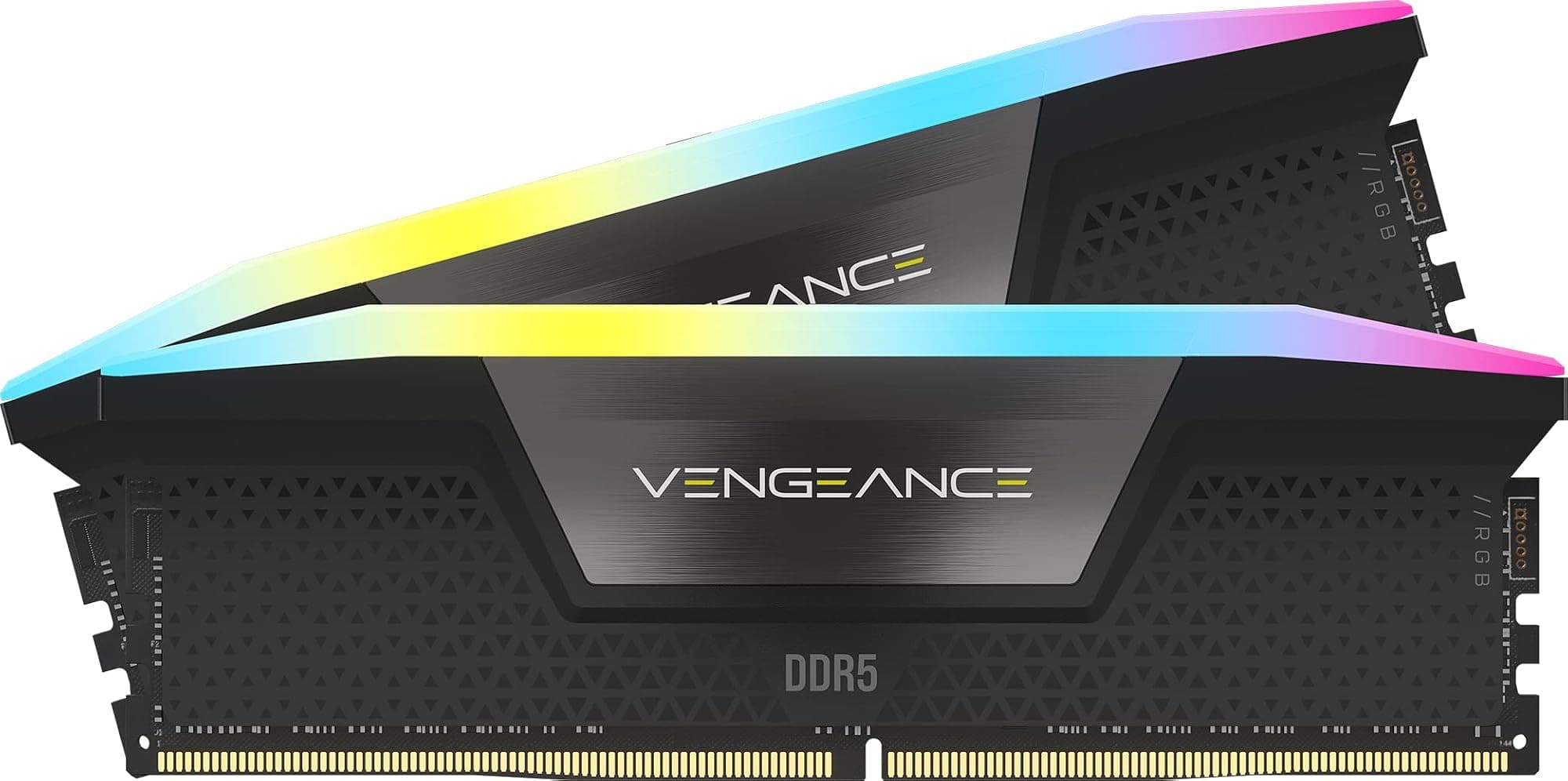
The Corsair Vengeance 6000MHz CL30 trades frequency for timing tightness. Its true latency is (30 / 6000) x 2000 = 10ns, matching the Kingston on latency while running at a slightly lower frequency. The 6000MHz frequency is also considered something of a sweet spot for DDR5 on both Intel and AMD platforms, often posting more reliably than 6400MHz on a wider range of boards. If compatibility and stability are your top priorities and you're not chasing maximum bandwidth, the Corsair at 6000MHz CL30 is a serious alternative worth considering.
| Feature | Crucial Pro 6400MHz CL40 | Kingston Fury Beast 6400MHz CL32 | Corsair Vengeance 6000MHz CL30 |
|---|---|---|---|
| Capacity | 64GB (2x32GB) | 64GB (2x32GB) | 64GB (2x32GB) |
| Speed | 6400MHz | 6400MHz | 6000MHz |
| CAS Latency | CL40 | CL32 | CL30 |
| True Latency | ~12.5ns | ~10ns | ~10ns |
| Voltage | 1.35V | 1.40V | 1.40V |
| Profile Support | XMP 3.0 / EXPO | XMP 3.0 / EXPO | XMP 3.0 / EXPO |
| RGB | No (clean heatspreader) | Optional | Optional |
| Warranty | Lifetime | Lifetime | Lifetime |
| Colour Option | White / Black | Black / White | Black / White |
| Price | £799.99 | Check current price | Check current price |
What Buyers Actually Say
The 130 averaging 4.7 stars tell a consistent story. The dominant theme in positive reviews is that it just works. People enable XMP or EXPO, it posts at 6400MHz, and they get on with their lives. That sounds like a low bar, but anyone who's spent an evening troubleshooting a no-post after enabling XMP will tell you it's not. Reliability at rated speed, first try, is genuinely the thing most buyers care about and the thing most reviewers highlight when it goes right.
Positive reviews also repeatedly mention the white aesthetic as a selling point, specifically that it matches white builds cleanly without looking plasticky or cheap. A few reviewers mention running MemTest86 passes without errors, which is the kind of thing enthusiasts do to verify stability, and the kit passes. Content creators mention it handling large projects without issues. The Crucial brand and lifetime warranty come up as confidence factors, particularly for buyers who've had bad experiences with cheaper alternatives.
The criticisms are relatively minor and consistent with what the specs would suggest. A small number of AM5 users report needing a BIOS update or manual timing adjustment to achieve stability at 6400MHz, which is an AM5 platform characteristic as much as a kit issue. A handful of buyers note that the timings are looser than some competitors at the same frequency, and a few compare it unfavourably to tighter-timed alternatives. There are isolated reports of a single stick not being recognised on first boot, though these are rare and resolved through reseating or RMA. No pattern of widespread defects or stability failures over time. For a kit at this price point and capacity, that's a clean bill of health.
Final Verdict
The Crucial Pro DDR5 64GB kit at 6400MHz CL40 is a solid, reliable choice for a specific buyer: someone who genuinely needs 64GB of DDR5, wants a trusted brand with a lifetime warranty, and isn't willing to pay the premium for tighter timings. It's not the fastest 64GB kit you can buy at this frequency. The CL40 timings produce a true latency of around 12.5ns, which is noticeably behind the 10ns you'd get from a CL30 or CL32 alternative. If raw latency performance is your priority and budget allows, the Kingston Fury Beast at CL32 or the Corsair Vengeance at 6000MHz CL30 both deliver better latency numbers.
But that's not the whole story. For workloads that benefit from bandwidth over latency (video editing, large renders, virtual machines, heavy multitasking), the 6400MHz frequency is genuinely useful and the looser timings matter less. The kit posts reliably at rated speed on most platforms, the white aesthetic is genuinely clean, and the Crucial name means the lifetime warranty is worth the paper it's written on. For a content creator building a white-themed workstation who needs 64GB and wants to buy once and not think about it again, this is a very sensible choice.
Gamers who only game should probably ask themselves whether they need 64GB at all before spending this much on memory. If the answer is yes (and for some setups it genuinely is), this kit does the job. If you're primarily gaming and 32GB would cover you, a tighter-timed 32GB kit at 6000MHz CL30 will serve you better and cost less. Know your workload, buy accordingly. The Crucial Pro 64GB is a good kit. It's just not a kit for everyone, and knowing when it's right for you is half the battle.

Not Right For You?
If 64GB is more than you need, the Crucial Pro 32GB DDR5 kit (2x16GB) at 6000MHz CL48 or similar is worth a look at a lower price point. For tighter timings at 64GB, the Kingston Fury Beast DDR5 64GB 6400MHz CL32 delivers meaningfully better latency if the budget stretches. If you're on a tight budget and AM5 compatibility is a concern, the Corsair Vengeance 64GB at 6000MHz CL30 hits the DDR5 sweet spot frequency with genuinely tight timings and broad board support. And if you're still on an AM4 or older Intel platform, you need DDR4, full stop. None of these DDR5 kits will work for you regardless of how good the specs look.
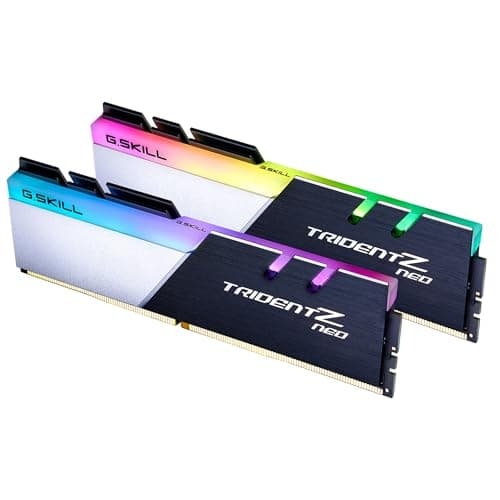
For builders who want RGB alongside the 64GB capacity, Crucial makes an RGB version of this kit. It'll cost a bit more and you'll need to decide whether the lighting sync is worth the hassle. G.Skill Trident Z5 RGB at similar capacities is another option if aesthetics and RGB ecosystem integration matter more than price-per-GB. Just know you're paying for the look as much as the performance.
The honest truth is that 64GB DDR5 at 6400MHz is a fairly narrow category and the options within it are limited. This Crucial Pro kit is one of the more sensible choices in that category. It's not perfect, but it's reliable, well-supported, and priced fairly relative to what it delivers. If the spec sheet matches your workload, it's worth your money. If it doesn't, no amount of good reviews changes that.
What works. What doesn’t.
6 + 5What we liked6 reasons
- Posts reliably at rated 6400MHz speed on most platforms with XMP or EXPO enabled, requiring minimal fuss
- Lifetime warranty backed by a brand with a solid reputation for honouring claims without unnecessary friction
- Clean white heatspreader looks properly white and suits white-themed builds without needing RGB
- 6400MHz bandwidth is genuinely beneficial for memory-bandwidth-heavy workloads such as video editing and large renders
- No RGB means no lighting software overhead and no premium baked into the price for aesthetics you may never see
- Micron parentage provides reasonable confidence in IC consistency and long-term build quality
Where it falls5 reasons
- CL40 timings at 6400MHz produce a true latency of approximately 12.5ns, which is noticeably behind rival kits running CL30 or CL32 at the same or lower frequencies
- AM5 platform users may need a BIOS update or manual timing adjustments to achieve stable operation at the rated speed
- Not a worthwhile purchase for pure gaming builds where 32GB is sufficient and tighter-timed kits deliver better real-world latency per pound
- Crucial does not disclose the specific memory ICs used, making it difficult to assess manual overclocking headroom
- Heatspreader height details are not officially published, which requires buyers to independently verify clearance with large tower coolers
Full specifications
6 attributes| Capacity | 32GB |
|---|---|
| KIT config | 2x16GB |
| Latency | CL36 |
| RGB | no |
| Speed | 6000 |
| Type | DDR5 |
If this isn’t right for you
2 options
Frequently asked
7 questions01Does the Crucial Pro DDR5 64GB kit support AMD EXPO as well as Intel XMP 3.0?+
Yes. The CP2K32G64C40U5W includes both Intel XMP 3.0 and AMD EXPO profiles, so you can enable the appropriate profile in your BIOS regardless of whether you are on an Intel or AMD AM5 platform. On AMD, enable EXPO; on Intel, enable XMP 3.0.
02Why is the CAS latency CL40 if the kit runs at 6400MHz? Is that slow?+
CL40 at 6400MHz produces a true latency of approximately 12.5 nanoseconds, calculated as (40 divided by 6400) multiplied by 2000. Some rival 64GB kits achieve around 10ns by using CL30 or CL32 timings. So while the frequency is high, the timings are on the looser side for this speed class. For bandwidth-intensive tasks the difference matters less; for latency-sensitive workloads it is worth comparing alternatives.
03Will this kit work on an AMD AM5 motherboard without any issues?+
Most AM5 users report it working correctly after enabling the EXPO profile, but a small number have needed to update their board's BIOS firmware or make minor manual adjustments to achieve stability at the full 6400MHz. AMD's memory controller has improved with successive AGESA firmware updates, so ensuring your board is on the latest BIOS version before testing is strongly recommended.
04Is 64GB of RAM actually necessary for gaming in 2025?+
For the majority of gaming builds, 32GB remains the practical sweet spot. Some large open-world titles are pushing past 16GB of system memory usage, but having 64GB will not improve frame rates compared to 32GB. The case for 64GB is primarily for machines that also handle video editing, 3D rendering, virtual machines, or large creative project files alongside gaming, where the extra headroom provides genuine quality-of-life benefits.
05Does the white heatspreader variant have any thermal or performance difference compared to the black version?+
No. The heatspreader design and thermal performance are the same across colour variants. The white finish is purely an aesthetic choice and does not affect the rated speed, timings, or cooling capability of the kit.
06Can I add another kit later to reach 128GB on a four-slot motherboard?+
Technically yes, since this kit only occupies two slots, leaving two free. However, mixing memory kits always carries some compatibility risk, and running four high-density 32GB sticks places additional strain on the memory controller, which can reduce the maximum stable frequency. If you anticipate needing 128GB in future, it is worth planning for it at the time of purchase and selecting a platform and board known to handle four-slot DDR5 configurations well.
07What is the JEDEC default speed if I do not enable XMP or EXPO?+
If no XMP or EXPO profile is enabled, the kit defaults to the JEDEC standard of 4800MHz at 1.1V, which is the baseline specification for DDR5 memory. Every DDR5 kit falls back to this regardless of its rated speed. You need to enable the appropriate profile in your BIOS to run at the advertised 6400MHz.