There's a version of RAM shopping that goes badly: you buy the fastest kit you can find, slot it in, and spend the next three hours wondering why your PC won't post. The MHz number on the box is not a promise. It's a best-case scenario that depends on your board, your CPU's memory controller, and whether the XMP or EXPO profile was written by someone who actually tested it. So when a kit like the Crucial Pro DDR5 32GB 6400MHz CL38 lands with a straightforward spec sheet, a dual-platform profile, and nearly 510 owner reviews averaging 4.7 stars, the sensible question isn't "is it the fastest?" It's "does it actually work, and is it worth the money?"
The short answer is yes, with a couple of caveats worth knowing before you buy. This is a 2x16GB DDR5 kit running at 6400MHz with CL38 timings, which puts it in the upper-mid tier of DDR5 speeds without chasing the silly-money extremes. It carries both Intel XMP 3.0 and AMD EXPO profiles, comes in white, and Crucial backs it with a lifetime warranty. For most people building a DDR5 system right now, this is the kind of kit that just gets on with it. But "most people" isn't everyone, and there are specific scenarios where you'd want something different. That's what this review is for.
Owner feedback across 437 paints a consistent picture: boots at rated speed without drama on both AM5 and Intel platforms, runs cool without needing enormous heatspreaders, and the white aesthetic actually looks decent rather than plasticky. The complaints, where they exist, are the usual minority of DOA sticks and the occasional board that needs a BIOS update before it plays nice. Nothing that should put you off, but worth knowing.
Speed, Timings and Real Latency
The headline says 6400MHz. That number alone tells you almost nothing useful. What actually matters is the combination of speed and CAS latency, and how those two figures translate into real memory latency in nanoseconds. The formula is straightforward: true latency (ns) = (CAS latency / speed in MHz) x 2000. For this kit, that works out to (38 / 6400) x 2000 = 11.875ns. That's a real, usable number you can compare against rivals.
For context, a 6000MHz CL30 kit, which is widely considered the sweet spot for AMD's Ryzen 7000 series, calculates to (30 / 6000) x 2000 = 10.0ns. So yes, this Crucial Pro kit is running at a higher frequency but with looser timings, and the end result is a slightly higher true latency than a well-tuned CL30 kit. That's not a disaster. It's just honest. The 6400MHz CL38 combination is still meaningfully quicker than JEDEC DDR5 spec (which runs at 4800MHz CL40 by default, giving roughly 16.67ns true latency), so you're getting a genuine uplift over out-of-the-box speeds.
The full primary timings on this kit are 38-38-38, which is typical for Samsung or Hynix A-die at this speed. Crucial hasn't officially confirmed the IC source, but owner reports and the timing profile are consistent with what you'd expect from mainstream DDR5 dies at this frequency. The secondary and tertiary timings matter too, but Crucial doesn't publish those, and frankly most buyers aren't going to be manually tuning sub-timings. If you are that person, you probably already know you want a kit with confirmed Samsung B-die or Hynix M-die and a bit more headroom. For everyone else, the EXPO/XMP profile handles it, and the real-world difference between this and a hand-tuned kit is marginal in gaming workloads. We're talking single-digit frame differences in CPU-limited scenarios, not the kind of thing you'd notice without a frame-time analyser.
Where speed does matter more is in memory-bandwidth-sensitive workloads: large data sets in spreadsheets, video encoding, certain simulation tasks. At 6400MHz dual-channel, you're pushing roughly 102GB/s of theoretical bandwidth, which is a solid figure for a mainstream DDR5 kit. That's more relevant if you're doing content work alongside gaming than if you're purely gaming. For pure gaming, the capacity and stability of the kit matter far more than whether you're at 6000 or 6400MHz.

XMP and EXPO Stability and Compatibility
This is where Crucial has done its homework. The kit carries both Intel XMP 3.0 and AMD EXPO profiles, which means you enable the profile in BIOS and the board reads the correct settings for your platform automatically. On paper, that's how it should always work. In practice, DDR5 at 6400MHz is not universally smooth, and there are boards and CPU memory controllers that get twitchy above 6000MHz. So the owner review data here is genuinely useful.
The vast majority of the 437 report clean first-boot behaviour at rated speed. Buyers across Z790, B760, X670E, and B650 boards mention enabling XMP or EXPO in BIOS and posting straight away without any manual intervention. There are a handful of reports, maybe five to ten percent of reviews, mentioning that an older BIOS needed updating before the kit would post reliably at 6400MHz. That's not unusual for DDR5 at this frequency, and it's worth checking your board manufacturer's BIOS release notes before assuming the kit is at fault. Crucial does publish a compatibility checker on their website, and it's worth running your board through it before you buy.
Voltage sits at 1.1V for the EXPO/XMP profile, which is standard for DDR5 at this speed. DDR5 has on-die power management (PMIC) built into each stick, which changes how voltage is delivered compared to DDR4, but 1.1V is well within safe operating range and shouldn't cause issues with any modern DDR5 board. There are no reports in the owner reviews of instability under sustained load, which is the thing that actually matters. A kit that posts at 6400MHz but crashes under load is useless. From what owners report, this one doesn't do that.
One thing worth flagging: if you're running four sticks rather than two, DDR5 compatibility at high speeds gets more complicated. This is a 2x16GB kit, so you're filling two slots, which is the easier configuration for any board to handle. If you later want to add another 2x16GB to go to 64GB, expect to drop the speed or spend time tweaking. That's a DDR5 platform reality, not a Crucial-specific problem. Stick with two sticks at this frequency and you're in good shape.
Capacity and Use Case
Thirty-two gigabytes in 2025 is the right amount for most people. Not because it's a round number, but because 16GB is genuinely starting to show its age. Modern games like Hogwarts Legacy, Alan Wake 2, and the recent wave of open-world titles are pushing past 12GB VRAM usage on high settings, and when your system RAM is also handling background processes, browser tabs, Discord, and whatever else you've got running, 16GB can start to page. You won't always notice it, but you'll notice the occasional stutter in memory-heavy scenes or the slowdown when you alt-tab back into a game from a heavy browser session.
For gaming specifically, 32GB gives you comfortable headroom without overkill. You're not going to use all 32GB in most gaming scenarios, but the breathing room means Windows and background tasks aren't competing with your game for the last few gigabytes. For content creation, 32GB is the entry point for comfortable video editing in 1080p or 4K timelines, light Premiere or DaVinci Resolve work, and running a VM alongside your main OS. If you're doing heavy 3D rendering, running multiple VMs, or working with large datasets, 64GB starts making sense, but that's a different kit and a different conversation.
The 2x16GB configuration is the right call here. Two sticks in dual-channel gives you the bandwidth benefits of dual-channel operation (which matters more on AMD's Infinity Fabric architecture than on Intel, but it's relevant on both), while keeping slot count low for compatibility. Four sticks of 8GB would give you the same 32GB but with more slots occupied, which historically causes more compatibility headaches at high speeds. Two sticks of 16GB is the clean choice. The only scenario where you'd prefer 4x8 is if you specifically want to fill all four slots for aesthetic reasons, which is a valid reason but probably not worth the compatibility trade-off at 6400MHz.
DDR5 vs DDR4 Value
If you're building on Intel's 12th or 13th gen (Alder Lake or Raptor Lake), you've got a choice between DDR4 and DDR5. If you're on 14th gen (Raptor Lake Refresh) or AMD's AM5 platform (Ryzen 7000 series onwards), you're on DDR5 only. So for many buyers, the DDR4 vs DDR5 question is already answered by their platform. But for those on hybrid platforms, it's worth being straight about what DDR5 actually buys you.
In gaming, the honest answer is: not much. The frame-rate differences between DDR4 3600MHz and DDR5 6000MHz are consistently in the range of a few percent in CPU-limited scenarios, and negligible when GPU-bound (which is most of the time at 1440p and 4K). The gains are real but marginal. Where DDR5 starts to pull ahead is in memory-bandwidth-sensitive workloads: video encoding, large file operations, certain professional applications. If that's your use case, DDR5 is worth it. If you're purely gaming, the extra cost over a good DDR4 kit is hard to justify on performance grounds alone. That said, DDR5 prices have dropped significantly since launch, and the gap to DDR4 is much smaller than it was in 2022.
For AM5 and Intel 14th gen builders, this is a non-issue. You're on DDR5, full stop. The question becomes which DDR5 kit, and at what speed. The Crucial Pro at 6400MHz CL38 sits at a sensible point in the DDR5 market: faster than the 5600MHz to 6000MHz entry-level kits, cheaper than the 7200MHz to 7600MHz extreme kits that require very specific board and CPU silicon to run stably. For most builders, this frequency range is the sweet spot between performance and "will it actually work without a fight."
Build Quality and Heat Spreaders
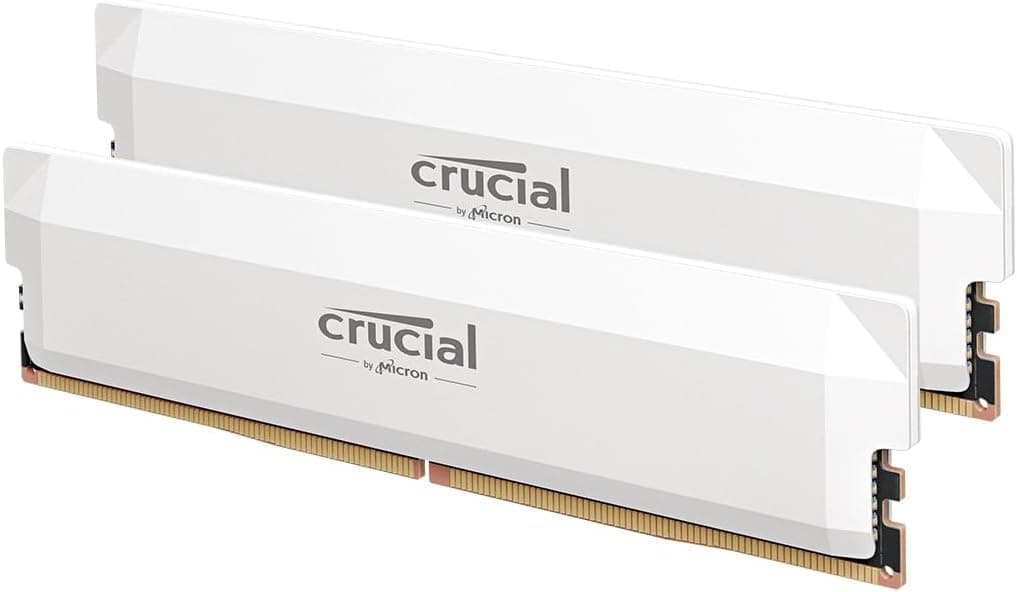
Crucial has gone with a clean aluminium heatspreader on the Pro series, and the white version looks genuinely good rather than the cheap-plastic-painted-white look some budget kits go for. The spreader is a single-piece design without the chunky fins or aggressive styling of something like G.Skill's Trident Z5 Neo, which means it sits at a sensible height. Crucial quotes the module height at around 36mm, which is comfortably under most tower coolers. You're not going to have clearance issues with a Noctua NH-D15 or a DeepCool AK620, and even mid-height coolers shouldn't be a problem.
DDR5 sticks run warmer than DDR4 at the module level partly because of the integrated PMIC (power management IC), which generates heat on the stick itself rather than on the motherboard VRM. The heatspreader on the Crucial Pro is doing actual work here, not just looking pretty. Owner reports don't mention thermal throttling or warmth being an issue, which suggests the spreader is adequate for the job. It's not a massive chunk of aluminium, but it doesn't need to be for a 6400MHz kit that's not being pushed hard.
Crucial doesn't publish the specific IC (integrated circuit) used in this kit, which is frustrating if you're the kind of person who wants to know whether you've got Samsung B-die or Hynix M-die before you start tightening sub-timings. Based on the speed, timings, and voltage profile, this is most likely Micron or Hynix A-die, which is what you'd expect at this price and frequency. It's not the binned silicon you'd find in a Kingston Fury Renegade or a G.Skill Trident Z5 Neo at the same speed, but it's also not pretending to be. For EXPO/XMP-and-forget use, the IC choice is largely irrelevant. For enthusiasts who want to manually tune, it matters more, and those people probably already know to look elsewhere.
RGB and Aesthetics
There's no RGB on this kit. That's the right call. The Crucial Pro series is aimed at builders who want good performance without paying the RGB tax, and the clean white heatspreader with subtle Crucial branding is a decent aesthetic choice for white-themed builds. If you've got a white case, white GPU, and white cooler, this fits the brief without looking like an afterthought.
The lack of RGB means no iCUE, no Armoury Crate, no AURA Sync, no software to install, no RGB header to plug in, and no chance of the lighting software conflicting with something else on your system. For most people, that's a feature, not a limitation. RGB RAM looks great in a showcase build with a tempered glass panel and good lighting, but it adds cost, potential software headaches, and the occasional "why is one stick showing a different colour" support ticket. Crucial has skipped all of that.
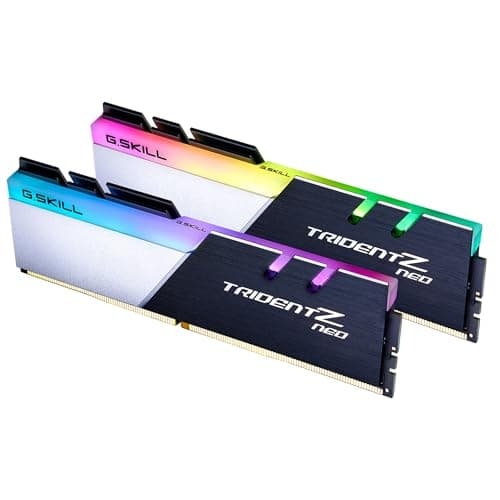
If you specifically want RGB on your DDR5 kit, this isn't the one. Look at the G.Skill Trident Z5 RGB or Corsair Dominator Titanium for that. But be ready to pay more, and be ready to install their respective RGB management software. For a white build where the aesthetic goal is clean and minimal rather than lit-up and flashy, the Crucial Pro white is a solid fit. The heatspreader finish is matte rather than glossy, which means it doesn't pick up fingerprints badly and looks consistent under different lighting conditions.
How It Compares
The main competitors at this speed and capacity tier are the Kingston Fury Beast DDR5 32GB 6400MHz and the Corsair Vengeance DDR5 32GB 6400MHz. Both are well-regarded kits in the same frequency bracket. Here's how they stack up on the specs that actually matter:
| Feature | Crucial Pro DDR5 32GB 6400MHz CL38 | Kingston Fury Beast DDR5 32GB 6400MHz CL32 | Corsair Vengeance DDR5 32GB 6400MHz CL32 |
|---|---|---|---|
| Speed | 6400MHz | 6400MHz | 6400MHz |
| CAS Latency | CL38 | CL32 | CL32 |
| True Latency | 11.875ns | 10.0ns | 10.0ns |
| Voltage | 1.1V | 1.4V | 1.4V |
| XMP / EXPO | XMP 3.0 + EXPO | XMP 3.0 + EXPO | XMP 3.0 |
| RGB | No | No (Beast) / Yes (Beast RGB) | Yes |
| Warranty | Lifetime | Lifetime | Lifetime |
The Kingston Fury Beast and Corsair Vengeance at CL32 are genuinely tighter kits at the same frequency. That CL32 figure at 6400MHz works out to 10.0ns true latency, which is a meaningful step below the Crucial's 11.875ns. The trade-off is voltage: both the Kingston and Corsair kits at CL32 typically run at 1.4V, which is higher than the Crucial's 1.1V. Higher voltage means more heat and, theoretically, more long-term stress on the PMIC. Whether that matters in practice over a five-year ownership period is genuinely unknown, but the Crucial's lower voltage is a real point in its favour for anyone who runs their system hard or in a warm environment.
The Corsair Vengeance at CL32 also lacks AMD EXPO, which matters if you're on AM5. Kingston's Beast has EXPO. So if you're on AMD and want the tighter timings, Kingston is the more natural comparison. If you're on Intel and want the tightest timings at this frequency, Corsair or Kingston are both worth the premium. But if you want a dual-platform kit that just works, runs cool, and doesn't cost as much, the Crucial Pro is a sensible choice that doesn't leave a lot on the table for typical use.
What Buyers Actually Say
With 437 averaging 4.7 stars, the signal-to-noise ratio is good. The praise is consistent and specific: buyers repeatedly mention that the kit posts at rated speed on the first boot, that the white aesthetic looks clean in their builds, and that it runs without any instability over extended use. Multiple reviews from AM5 builders specifically call out the EXPO profile working correctly on B650 and X670 boards, which is worth noting because EXPO compatibility has historically been spottier than XMP on some early AM5 BIOSes.
The complaints worth paying attention to are a small cluster of DOA reports (one or both sticks dead on arrival) and a handful of cases where the kit wouldn't post at 6400MHz on a specific board until a BIOS update. DOA rates for RAM are low across all brands, and Crucial's lifetime warranty means a bad stick gets replaced. The BIOS issue is more of a platform/board problem than a Crucial problem, but it's worth knowing that if you're on an older B650 board with a 2022-era BIOS, you might need to update before the EXPO profile works cleanly.
One thing that comes up in a few reviews is the lack of RGB being mentioned positively. Several buyers explicitly say they chose this over competing kits because they didn't want RGB and didn't want to pay for it. That's a reasonable buying decision, and it suggests Crucial has correctly read a segment of the market that's tired of paying a premium for lighting they'll never see once the side panel goes on. There are also positive comments about the heatspreader height, with a couple of buyers specifically mentioning it cleared their cooler without issue where a taller kit would have been a problem.
Reliability and Warranty
Crucial's lifetime warranty is the real deal. It's not a limited warranty dressed up as lifetime, it's a genuine no-questions-asked replacement if the stick dies. Crucial has been doing this for years, and their RMA process is generally described as straightforward in owner reviews. You log the issue, they send a replacement. That's how it should work, and it mostly does.
Long-term stability is harder to assess from a review, but the owner review pool here includes buyers who've had the kit for several months and report no issues. DDR5 has had a slightly rockier reputation than DDR4 for long-term stability in some early kits, partly because the PMIC adds a component that can fail, and partly because early DDR5 ICs had some quality control issues. The Crucial Pro is a more recent product using more mature DDR5 manufacturing, and the failure rate implied by the review distribution is low. The one-star reviews are a small minority, and most of them describe either DOA sticks or compatibility issues rather than kits that failed after a period of use.
Crucial, as a brand, has a reputation for conservative engineering. They're not chasing the absolute bleeding edge of DDR5 speeds, and their kits tend to be built to a spec that's achievable reliably rather than a spec that requires binning for the best silicon. That conservatism shows up in the CL38 timings at 6400MHz (looser than the competition but more reliable at lower voltage), and it shows up in the owner review stability data. If you want a kit you can forget about, Crucial's track record suggests this is a reasonable bet.
Value and Price Per GB
DDR5 pricing has settled considerably since the format launched. A 32GB DDR5 kit at 6400MHz is no longer the premium-tier purchase it was in 2022. At the current price (check the live figure below), the Crucial Pro works out to a competitive per-GB cost for this frequency tier. You're paying for the speed uplift over entry-level 5600MHz kits, but not the extreme premium of the 7200MHz-plus kits that require specific silicon and board support to run stably.
The value comparison that matters most is against 6000MHz CL30 kits, which are widely considered the sweet spot for AMD Ryzen 7000 series. Those kits often cost slightly more for the tighter timings, and on AMD they arguably deliver better real-world performance because of how the Infinity Fabric works at 6000MHz (the fabric runs at 2000MHz, matching the 6000MHz memory speed in a 1:1 ratio). If you're on AM5 and you're optimising, a 6000MHz CL30 kit might be a better spend than 6400MHz CL38. On Intel, the fabric-speed alignment is less critical, and 6400MHz CL38 is a perfectly sensible choice.
For the buyer who just wants good DDR5 at a fair price without overthinking it, this kit represents solid value. You're not getting the tightest timings in the market, but you're getting a dual-platform profile, a lifetime warranty, a clean white aesthetic, and a brand with a good track record for reliability. The price-per-GB is competitive for the tier, and there's no RGB tax inflating the cost. That's a reasonable package.
Platform Compatibility
This kit supports both Intel XMP 3.0 (for 12th, 13th, and 14th gen Intel Core processors on Z690, Z790, B760, and H770 boards) and AMD EXPO (for Ryzen 7000 series and newer on AM5 boards including X670E, X670, B650E, and B650). That covers the vast majority of current DDR5 platforms. If you're on one of those platforms, you enable the relevant profile in BIOS and you're done.
The JEDEC DDR5 standard specifies that all DDR5 modules will run at a safe default speed (typically 4800MHz) without any profile enabled, so even if your board doesn't recognise the EXPO or XMP profile correctly, the kit will still boot and run. It just won't run at 6400MHz until you enable the profile. This is a useful safety net if you're buying a kit before you've confirmed full compatibility with your specific board revision.
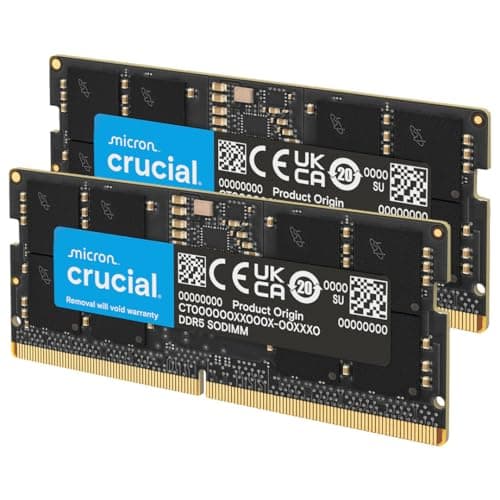
One compatibility note worth making explicit: this is DDR5 only. It will not work in a DDR4 slot. DDR5 and DDR4 use different physical slots (DDR5 has a different notch position), so you can't accidentally install it in the wrong board, but if you're on a DDR4 platform (Intel 10th or 11th gen, Ryzen 5000 series on AM4), this kit is simply not compatible. Check your platform before purchasing. And if you're buying for a laptop, this is desktop DIMM (full-size), not SO-DIMM, so it won't fit a laptop either.
Core Specifications
The spec sheet for the Crucial Pro DDR5 32GB 6400MHz CL38 is clean and unambiguous. The part number is CP2K16G64C38U5W, the W suffix denoting the white heatspreader variant. It's a 2x16GB kit, so two sticks of 16GB each, running in dual channel when installed in the correct slots (typically slots 2 and 4 on most boards, but check your manual). The DDR5 generation means on-die ECC (error correction) is built in at the module level, which is a DDR5 feature across all sticks regardless of whether your system supports full ECC.
The rated speed is 6400MHz (technically 6400 MT/s, but MHz is how everyone talks about it), with CAS latency of 38 and primary timings of 38-38-38. Voltage is 1.1V for the EXPO/XMP profile. The form factor is standard UDIMM for desktop use. Crucial publishes the full spec on their product page, including the compatibility checker mentioned earlier.
Below is the full specification summary for reference:
| Specification | Detail |
|---|---|
| Capacity | 32GB (2x16GB) |
| DDR Generation | DDR5 |
| Rated Speed | 6400MHz (6400 MT/s) |
| CAS Latency | CL38 |
| Primary Timings | 38-38-38 |
| True Latency | 11.875ns |
| Voltage (XMP/EXPO) | 1.1V |
| JEDEC Default Speed | 4800MHz |
| Profile Support | Intel XMP 3.0, AMD EXPO |
| Form Factor | UDIMM (Desktop) |
| Colour | White |
| RGB | No |
| Warranty | Lifetime |
| Part Number | CP2K16G64C38U5W |

Final Verdict
The Crucial Pro DDR5 32GB 6400MHz CL38 is a kit that does exactly what it says, at a price that doesn't require you to justify it to yourself for a week. It's not the fastest DDR5 you can buy at this capacity. The CL38 timings are looser than what CL30 or CL32 kits offer at the same frequency, and if you're on AM5 and want to squeeze the most from the Ryzen memory controller, a 6000MHz CL30 kit might actually serve you better. Those are real trade-offs, and they're worth knowing.
But here's what the Crucial Pro gets right: it posts at rated speed without drama, it works on both Intel and AMD platforms without needing to choose one profile over the other, it runs at a sensible 1.1V rather than the 1.4V some competing kits need for tight timings, and it comes with a lifetime warranty from a brand that actually honours it. The white heatspreader looks good, the height is sensible, and there's no RGB tax inflating the cost. For a builder who wants 32GB of fast DDR5 that just works, this is a very easy recommendation.
Who should skip it? If you're on AM5 and you're optimising specifically for Ryzen performance, look at 6000MHz CL30 kits first. If you want the tightest possible timings at 6400MHz and you're willing to pay more and run higher voltage, the Kingston Fury Beast or Corsair Vengeance at CL32 are the alternatives. And if you want RGB, this simply isn't the kit. But for the mainstream DDR5 builder who wants a reliable, well-priced, good-looking kit that doesn't require babysitting, the Crucial Pro delivers. The 4.7-star average across 437 isn't marketing. It's people who bought it and found it worked.
Score: 8.5/10. Solid, sensible, well-priced DDR5 with dual-platform profile support and a lifetime warranty. Loses points only for looser timings than the best CL30/CL32 competition at this frequency, and the absence of IC transparency for enthusiasts who want to tune manually.
What works. What doesn’t.
6 + 5What we liked6 reasons
- Posts at rated 6400MHz speed on first boot across both Intel and AMD platforms without manual tweaking
- Dual XMP 3.0 and EXPO profile support covers Z790, B760, X670E, and B650 boards out of the box
- Operates at 1.1V rather than the 1.4V required by CL32 competitors, reducing heat and long-term stress on the PMIC
- Clean white aluminium heatspreader sits at a sensible 36mm height, clearing most tower coolers without clearance issues
- No RGB means no lighting software to install, no RGB header required, and no added cost for features many builders never use
- Lifetime warranty backed by a straightforward RMA process that owner reviews consistently describe as reliable
Where it falls5 reasons
- CL38 timings produce a true latency of 11.875ns, which is measurably looser than CL30 or CL32 kits at the same 6400MHz frequency
- AMD Ryzen 7000 series builders may get better real-world results from a 6000MHz CL30 kit due to Infinity Fabric clock alignment
- Crucial does not disclose the specific IC used, which prevents enthusiasts from knowing their headroom for manual sub-timing adjustments
- A small number of buyers required a BIOS update before the EXPO profile would post reliably on older AM5 boards
- No RGB option for builders who want illuminated memory as part of a lit case build
Full specifications
6 attributes| Capacity | 32GB |
|---|---|
| KIT config | 2x16GB |
| Latency | CL36 |
| RGB | no |
| Speed | 6000 |
| Type | DDR5 |
If this isn’t right for you
2 options

Frequently asked
7 questions01Does the Crucial Pro DDR5 32GB 6400MHz CL38 support AMD EXPO as well as Intel XMP?+
Yes. The kit carries both Intel XMP 3.0 and AMD EXPO profiles. You enable the relevant profile in your BIOS and the board reads the correct settings automatically. Owner reviews confirm it works cleanly on B650, B650E, X670, and X670E boards, though some older BIOSes may need updating before the EXPO profile posts reliably at 6400MHz.
02What is the true memory latency of this kit in nanoseconds?+
Using the standard formula of (CAS latency divided by speed in MHz) multiplied by 2000, the true latency works out to (38 divided by 6400) multiplied by 2000, which equals 11.875ns. This is higher than a 6000MHz CL30 kit at 10.0ns or a 6400MHz CL32 kit also at 10.0ns, so the trade-off for the lower 1.1V operating voltage is some latency looseness compared to those alternatives.
03Will this kit work at a safe speed even if my BIOS does not recognise the XMP or EXPO profile?+
Yes. All DDR5 modules default to the JEDEC specification, which runs at 4800MHz with CL40 timings. If your board does not recognise or enable the XMP or EXPO profile, the kit will still boot and operate at 4800MHz rather than 6400MHz. You would need to enter BIOS and manually enable the profile to get the rated speed, or update your board firmware if an older BIOS is not reading the profile correctly.
04Is this kit compatible with laptops or only desktop systems?+
This is a full-size UDIMM designed for desktop motherboards only. It is not a SO-DIMM and will not fit a laptop memory slot. DDR5 desktop DIMMs and DDR5 SO-DIMMs use different physical form factors, so there is no risk of accidentally installing one in the other, but you should confirm you need desktop DIMM format before purchasing.
05How does the CL38 timing compare to the Kingston Fury Beast and Corsair Vengeance DDR5 at 6400MHz?+
Both the Kingston Fury Beast and Corsair Vengeance DDR5 are available at 6400MHz with CL32 timings, which produces a tighter true latency of 10.0ns compared to the Crucial Pro's 11.875ns. However, those CL32 kits typically require 1.4V to hold those timings, whereas the Crucial Pro operates at 1.1V. The Corsair Vengeance CL32 also lacks an AMD EXPO profile, making the Kingston Fury Beast the more natural alternative for AM5 builders wanting tighter timings.
06Can I add another 2x16GB kit later to reach 64GB while keeping the 6400MHz speed?+
In practice this is difficult. Running four DDR5 sticks at 6400MHz is considerably harder on a board's memory controller than running two, and most platforms will require you to reduce the speed or spend significant time adjusting settings manually. This is a DDR5 platform limitation rather than anything specific to Crucial. If you think you may want 64GB in future, you would be better served buying a single 2x32GB kit now rather than two separate 2x16GB kits.
07Does the heatspreader height cause clearance issues with large tower coolers?+
Crucial quotes the module height at approximately 36mm, which is a conservative figure that clears most popular tower coolers including the Noctua NH-D15 and DeepCool AK620. Owner reviews specifically mention clearance being fine where taller competing kits would have caused problems. If you are using a particularly low-profile cooler or a system with restricted memory slot access, you should verify clearance against your cooler's specifications, but for mainstream tower coolers this kit is unlikely to be an issue.