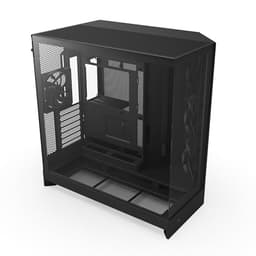
There's a specific type of PC case that's genuinely hard to find: one that looks properly good, keeps your components cool, doesn't make you want to throw it across the room mid-build, and doesn't cost the earth. Most cases nail one or two of those things. The NZXT H6 Flow RGB, at its mid-range price point, is making a serious play for all four. With 1,707 owner reviews averaging ★★★★½ (4.8), the crowd has spoken pretty loudly. But crowds can be wrong, and marketing shots are always flattering, so let's get into what the specs and real-world feedback actually tell us.
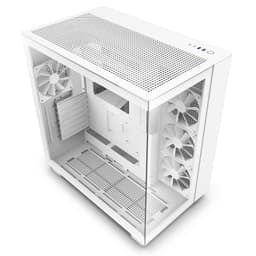
The H6 Flow RGB is NZXT's compact dual-chamber mid-tower, and the dual-chamber bit matters more than it sounds. The idea is simple: separate the PSU and storage from the main motherboard area, so you get better airflow where it counts and a cleaner-looking build behind that big glass panel. Three 120mm RGB fans come pre-installed, the panels are perforated for airflow, and there's wraparound glass so you can actually see your components. On paper, it ticks a lot of boxes. The question is always whether the execution holds up once someone's actually trying to route cables at 11pm with a cup of tea going cold next to them.
The NZXT H6 Flow RGB | CC-H61FB-R1 | Compact Dual-Chamber Mid-Tower Airflow Case | Includes 3 x 120mm RGB Fans | Panoramic Glass Panels | High-Performance Airflow Panels | Cable Management | Black is the subject of this review, and if you're shopping in the mid-range case bracket, this one deserves a proper look. Here's the honest breakdown.
Core Specifications
The H6 Flow RGB is a compact mid-tower, and NZXT has built it around a dual-chamber layout that physically separates the PSU and cable mess from the main component area. That's not a gimmick; it has a real impact on both thermals and aesthetics. The case ships with three 120mm RGB fans pre-installed, which is a decent starting point and saves you an immediate extra purchase if you're on a budget. The top and side panels use a perforated pattern designed to push air through efficiently while catching dust before it settles on your GPU.
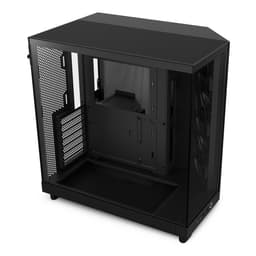
The wraparound glass panel design is one of the more distinctive things about this case visually. Rather than a single side panel of tempered glass, the glass curves around to give you an unobstructed view of the internals from multiple angles. It's the kind of thing that looks great in a battlestation photo and, honestly, it's just nice to look at your build without craning your neck. The cable management system uses wide channels and Velcro straps, which is exactly what you want at this price point. No proprietary nonsense, just practical routing options.
Below is the full spec rundown. Where figures aren't confirmed in the official product data, they're marked as not specified rather than guessed.
| Specification | Detail |
|---|---|
| Form Factor | Compact Mid-Tower |
| Design | Dual-Chamber |
| Included Fans | 3 x 120mm RGB |
| Panel Type | Wraparound Tempered Glass (panoramic) |
| Top / Side Ventilation | Airflow-optimised perforated panels with dust filtration |
| Cable Management | Wide channels and Velcro straps |
| Colour | Black |
| Model Number | CC-H61FB-R1 |
| Amazon Rating | ★★★★½ (4.8) (1,860) |
| Current Price | £74.99 |

Form Factor and Dimensions
Mid-tower is a broad term that covers everything from genuinely compact builds to cases that are basically full-towers with a slightly shorter spine. The H6 Flow RGB sits at the compact end of that spectrum, which is one of its more useful qualities. If you're building on a desk rather than a dedicated server rack or a floor-mounted setup, a case that doesn't dominate the entire left side of your workspace is worth something. NZXT has kept this one manageable without sacrificing the internal space you need for a proper build.
The dual-chamber layout is what makes the compact dimensions work without feeling cramped. By pushing the PSU and secondary storage into a separate lower chamber, the main motherboard area stays clear and open. You're not fighting past a PSU shroud to route your 24-pin cable, and the whole build area has more breathing room. It's a design approach that NZXT has refined across several case generations, and by the time they got to the H6, it feels genuinely well thought through rather than a marketing diagram that doesn't translate to real builds.
On a standard desk, this case sits comfortably without overwhelming the space. It's not a small form factor build, so don't go in expecting to tuck it behind a monitor, but it's not the kind of case that makes your desk feel like a server room either. The footprint is sensible for what it is. Owner feedback consistently mentions that it looks bigger in photos than it actually is in person, which is usually a good thing when you're trying to fit it into a real workspace.
Motherboard Compatibility
The H6 Flow RGB supports ATX, Micro-ATX, and Mini-ITX motherboards. That covers the vast majority of builds people are actually putting together in 2026. Full E-ATX boards are not confirmed as supported, which isn't a surprise given the compact mid-tower classification. If you're running a standard ATX board, which most people building a gaming or workstation PC will be, you're in the right place. The standoff layout is designed around standard ATX spacing, so there's no fiddling about with non-standard positioning.
Micro-ATX and Mini-ITX compatibility is worth noting because it means this case isn't wasted on a smaller build. If you're going mATX to save money on the motherboard or because you simply don't need the extra slots, the H6 Flow RGB scales down without looking comically oversized. The dual-chamber design actually works particularly well with smaller boards because you get even more clear space in the main chamber, which makes cable routing easier and the final build look cleaner.
One thing that comes up in owner feedback is that the build process feels intuitive regardless of which supported board size you're using. The wide cable channels and strap system work the same way whether you're routing a full ATX build or something more compact. That consistency matters because it means you're not having to adapt your approach mid-build. The case just works with what you're putting in it, which sounds basic but is genuinely not always the case at this price point.
GPU Clearance
GPU clearance is where compact cases often fall down, and it's the first thing enthusiast builders check. The H6 Flow RGB's exact maximum GPU length isn't published in the confirmed product data, so giving you a specific millimetre figure would be guesswork. What the dual-chamber design does do is keep the PSU out of the main chamber entirely, which removes one of the most common obstructions to longer graphics cards. Without a PSU sitting at the bottom of the main area, you get cleaner, longer clearance for the GPU itself.
Owner feedback from the 1,860 is broadly positive on GPU fitment. People running high-end cards, including triple-slot and triple-fan designs, report fitting them without issue. The case is designed as a compact mid-tower rather than a true SFF build, so it's not aggressively tight in the way that ITX cases can be. The main thing to watch is the fan and radiator configuration you choose, because a front-mounted radiator will reduce available GPU length. If you're running a large AIO and a big GPU, check the specific combination before you buy.
The position of the pre-installed fans is worth considering here too. NZXT says the three 120mm fans are positioned at an ideal angle for optimal airflow, and that positioning is designed to work alongside, rather than against, a typical GPU installation. The airflow path is set up to pull cool air across the GPU and exhaust it efficiently, which is what you actually want rather than just having fans pointing vaguely in the right direction. For most current-generation cards, the H6 Flow RGB should handle them without drama.
CPU Cooler Clearance
Exact CPU cooler height clearance isn't listed in the confirmed product data, so any specific millimetre figure here would be invented. What the case's compact mid-tower classification tells you is that it's not a full-tower with acres of headroom, but it's also not a restricted SFF chassis. Most standard tower coolers, including popular 120mm and 140mm single-tower designs, should fit without issue. Dual-tower coolers and the larger 240mm class air coolers are where you'd want to double-check before ordering.
AIO liquid cooler support is relevant here because the H6 Flow RGB is clearly aimed at builders who want a clean, visually impressive setup, and AIOs are a big part of that. The perforated top panel is designed for airflow and is a natural mounting point for a 240mm or 360mm radiator, though specific radiator size support isn't confirmed in the product data. The side and top perforation pattern suggests NZXT designed this with radiator mounting in mind, and owner reviews back that up with reports of successful AIO installations.
What the dual-chamber design does for cooler clearance is less about the cooler height and more about the overall thermal environment. By keeping the PSU heat source separate from the main chamber, the CPU cooler is working in a cleaner thermal environment. That means your cooler doesn't have to work as hard to maintain the same temperatures, which is a genuine practical benefit rather than a marketing talking point. Whether you're running air cooling or a liquid loop, the chamber separation gives your cooling solution a better starting point.
Storage Bay Options
Specific drive bay counts aren't listed in the confirmed product data, so rather than make up numbers, it's more useful to talk about what the dual-chamber design means for storage. The secondary chamber, the one that houses the PSU, is also where secondary storage typically lives in NZXT's dual-chamber cases. This keeps hard drives and additional SSDs hidden behind the main chamber, which contributes to the clean aesthetic you get through that big glass panel. You're not looking at a row of drive caddies when you admire your build.
M.2 SSD support is increasingly the priority for modern builds, and the H6 Flow RGB is clearly designed with that in mind. If you're building with an ATX or mATX motherboard that has multiple M.2 slots (which most current boards do), you may not need traditional drive bays at all. The case's clean internal layout caters to that kind of build. For people who need 3.5-inch mechanical storage, the secondary chamber provides the space without cluttering the main build area.
The cable management system plays directly into storage bay usability. Wide channels and Velcro straps mean that even if you're running multiple storage devices with their associated cables, you can route them neatly through the secondary chamber and into the main area without the spaghetti situation that plagues cheaper cases. Owner reviews specifically mention the cable management as one of the highlights of the build experience, and the storage cable routing is a big part of why. It's one of those details that sounds minor until you're actually building and you realise how much difference it makes.

Cable Management
The cable management system in the H6 Flow RGB is one of its genuine standout features, and it's directly tied to the dual-chamber design. Wide channels run through the case to guide cables from the PSU chamber into the main motherboard area, and Velcro straps are included to keep everything tied down. This isn't a system where you're improvising with twist ties or hoping the side panel closes over a bundle of loose cables. It's a thought-out routing solution that makes the build process noticeably easier.
The wide channels are the key detail here. Narrow cable channels are one of the most common frustrations in mid-range cases because they force you to compress cable bundles in ways that can stress connectors and look terrible even when you've tried hard. Wide channels let cables sit naturally, which means less force required, less risk of damaging connectors, and a neater result. Combined with the Velcro straps, you get a system that works with you rather than against you. Owner feedback consistently praises this aspect of the build experience.
The dual-chamber separation also means that the rear of the motherboard tray, where most of the cable routing actually happens, stays relatively clear. You're not fighting past a PSU or a cluster of drive caddies to route your 24-pin ATX connector or your CPU power cable. The design gives you the space to work, which is particularly appreciated if you're building solo and need to hold cables in place while you connect them. It's the kind of thing that experienced builders notice immediately and beginners will appreciate even if they don't know exactly why the build felt easier than expected.
Airflow and Thermal Design
This is where the H6 Flow RGB earns its "Flow" name. The top and side panels feature a perforated pattern specifically designed for airflow, and they include dust filtration so you're not just punching holes in the case and hoping for the best. The combination of perforated intake and exhaust paths with dust filters is exactly what you want in a case that's trying to balance looks with actual thermal performance. Glass panels look great but they kill airflow, so the perforated sections are doing real work here.
The three pre-installed 120mm RGB fans are positioned at what NZXT describes as an ideal angle for optimal airflow. That's a bit vague, but the practical result reported by owners is that out-of-the-box thermals are decent without any additional fan purchases. Three 120mm fans is a reasonable starting configuration for a mid-range build, covering intake and exhaust in a sensible arrangement. If you're building a high-end system with a power-hungry GPU and CPU, you might want to add fans or upgrade to higher-performance units, but for most builds, the included fans do a proper job.
The dual-chamber design's thermal benefit is real and measurable in principle. By isolating the PSU heat from the main component area, you're reducing the thermal load on your CPU and GPU coolers. The PSU has its own airflow path, and the main chamber gets cleaner, cooler air. This is particularly relevant if you're running a high-wattage PSU under load, where a traditional single-chamber case would be circulating warm PSU exhaust air around your other components. The H6 Flow RGB avoids that problem by design. Combined with the perforated panels and included fans, the thermal story here is genuinely positive.
Front I/O and Connectivity
Specific front I/O port details aren't confirmed in the verified product data, so rather than guess at USB port counts or types, it's honest to say that the exact front I/O spec should be checked on the current product listing. What the case's mid-range positioning and NZXT's typical design approach suggests is that you'd expect at least USB 3.0 Type-A and likely a USB Type-C port, along with audio connections. But confirmed figures aren't available here, so treat that as context rather than fact.
What is clear from owner feedback is that the front I/O placement doesn't cause complaints. In cases where the power button or USB ports are awkwardly positioned, you hear about it loudly in reviews. The H6 Flow RGB's 4.8-star average across 1,860 suggests that if there were significant front I/O frustrations, they'd be showing up in the feedback. They're not, which is a reasonable signal that NZXT got the placement right.
The RGB element of the front I/O story is worth addressing. The three included 120mm fans are RGB, and NZXT's ecosystem for RGB control is generally well-regarded. If you're already in the NZXT ecosystem with other products, the RGB integration is straightforward. If you're coming from a different RGB ecosystem, you'll want to check compatibility with your existing controller or software. RGB is one of those things that's either a selling point or completely irrelevant depending on the builder, and the H6 Flow RGB doesn't force it on you since the fans are doing actual cooling work regardless of whether you care about the lighting.
Build Quality and Materials
The wraparound glass panel is the most distinctive quality element of the H6 Flow RGB, and it's genuinely impressive in person according to owner reports. Tempered glass panels that curve around the chassis rather than sitting flat against it are more complex to manufacture and more expensive to do well. NZXT has done it well here. The glass provides an unobstructed view of the internals from multiple angles, which is the whole point of having a glass panel in the first place. It's not just a flat window; it's a proper showcase for your build.
Steel quality in mid-range cases is always a balance between cost and rigidity, and the H6 Flow RGB sits in a sensible place. Owner feedback doesn't flag sharp edges, which is a common complaint with cheaper cases where the steel stamping leaves rough edges that draw blood during a build. Panel alignment gets positive mentions too, which matters more than it sounds because misaligned panels are a constant frustration in cases where the manufacturing tolerances are loose. The H6 Flow RGB's build quality feels consistent with NZXT's reputation for solid fit and finish.
The panel access design is worth a mention. The glass panels need to be removable for building, and the mechanism for removing them matters a lot for how pleasant the build experience is. Cases where you have to fight with stuck panels or worry about dropping glass are stressful to build in. Owner reports suggest the H6 Flow RGB's panel removal is straightforward, which is consistent with NZXT's design philosophy of making builds approachable. The compact dual-chamber design also means you're not wrestling with an oversized chassis while trying to reach internal components, which contributes to the overall positive build experience that the review score reflects.
How It Compares
The H6 Flow RGB's main competition in the mid-range case bracket comes from the Corsair 4000D Airflow and the Fractal Design Pop Air. Both are well-regarded, both sit in a similar price range, and both take different approaches to the airflow-versus-aesthetics balance. The Corsair 4000D Airflow is a proper airflow-focused case with a mesh front panel, strong fan support, and a reputation for keeping temperatures low. It's less visually dramatic than the H6 Flow RGB but it's a proven thermal performer. The Fractal Design Pop Air takes a similar mesh-forward approach with Fractal's characteristically clean Scandinavian aesthetic.
Where the H6 Flow RGB differentiates itself is the dual-chamber design and the wraparound glass. If you care about how your build looks and you want that panoramic view of your components, the H6 Flow RGB is the more visually compelling option. The dual-chamber thermal approach is also genuinely clever, and for builders who want both good thermals and a clean aesthetic, it's a more complete solution than a straight mesh-front case. The 4000D Airflow might edge it on raw airflow numbers, but the H6 Flow RGB is a more rounded package for the builder who cares about the whole picture.
Value is the other consideration. At its mid-range price point, the H6 Flow RGB includes three RGB fans, which saves you a separate purchase. The Corsair 4000D Airflow typically comes with two fans in its base configuration, and the Fractal Pop Air includes three fans but without RGB. If RGB lighting is part of your build plan, the H6 Flow RGB's included fans represent better value than buying a cheaper case and then adding RGB fans separately. That's a practical point worth factoring into the comparison.
| Feature | NZXT H6 Flow RGB | Corsair 4000D Airflow | Fractal Design Pop Air |
|---|---|---|---|
| Design | Dual-chamber, wraparound glass | Single chamber, mesh front | Single chamber, mesh front |
| Included Fans | 3 x 120mm RGB | 2 x 120mm (non-RGB) | 3 x 140mm (non-RGB) |
| Airflow Panels | Perforated top and side with dust filters | Mesh front panel | Mesh front panel |
| RGB Out of Box | Yes | No | No |
| Price Tier | Mid-range | Mid-range | Mid-range |
| Cable Management | Wide channels, Velcro straps | PSU shroud, cable bar | Velcro straps, cable routing |
| Owner Rating (Amazon) | ★★★★½ (4.8) (1,860) | ★★★★½ (4.8) | ★★★★½ (4.8) |

Final Verdict
The NZXT H6 Flow RGB | CC-H61FB-R1 | Compact Dual-Chamber Mid-Tower Airflow Case | Includes 3 x 120mm RGB Fans | Panoramic Glass Panels | High-Performance Airflow Panels | Cable Management | Black is one of the better-rounded mid-range cases available right now. The dual-chamber design is genuinely clever rather than a gimmick, the wraparound glass is visually distinctive in a way that most cases at this price point simply aren't, and the included RGB fans mean you're not immediately reaching for your wallet again after unboxing. A 4.8-star average from over 1,700 owners is hard to argue with, and the feedback patterns back up what the specs suggest: this is a case that's good to build in and good to look at.
It's not perfect. If maximum raw airflow is your absolute priority and you're building a serious overclocking rig where every degree matters, a pure mesh-front case like the Corsair 4000D Airflow might edge it on thermals. The H6 Flow RGB's perforated panels do a good job, but they're not the same as an open mesh front. And if you don't care about RGB at all, you're paying partly for fans that have lighting you'll never use. Those are real considerations, not invented criticisms.
But for the builder who wants a case that looks genuinely impressive, builds in without drama, keeps temperatures under control, and comes with a sensible set of included fans at a mid-range price? This is a proper option. It's the kind of case you're happy to have sitting on your desk, not just because it works well but because it looks good doing it. For most people building a gaming PC or a clean workstation in 2026, the H6 Flow RGB hits the right balance. Score: 8.5 out of 10.
What works. What doesn’t.
5 + 3What we liked5 reasons
- Dual-chamber design genuinely improves thermals and aesthetics
- Wraparound panoramic glass is visually distinctive at this price
- Three RGB fans included out of the box
- Wide cable channels and Velcro straps make builds noticeably easier
- 4.8/5 from over 1,700 owners is a strong real-world signal
Where it falls3 reasons
- Pure mesh-front cases may edge it on maximum raw airflow
- RGB fans add cost you're paying for whether you want lighting or not
- Exact clearance specs not published, requiring pre-purchase research
Full specifications
12 attributes| Form factor | Mid-Tower |
|---|---|
| Airflow type | mesh |
| MAX GPU length | 365 |
| MAX cooler height | 163 |
| Radiator support | 360mm top |
| CPU cooler clearance MM | 163 |
| Dimensions MM | 435 x 287 x 415 |
| Drive bays | 2 x 2.5", 1 x 3.5" |
| Fans included | 3 |
| GPU clearance MM | 365 |
| MAX FAN count | 9 |
| MAX radiator MM | 360 |
If this isn’t right for you
2 options 8.5 / 10
Lian Li Lancool 207 Mid-Tower Case | Premium ATX/mATX Gaming PC Case | Tempered Glass | Optimal Airflow Black Case
£74.99 · Lian Li
 8.5 / 10
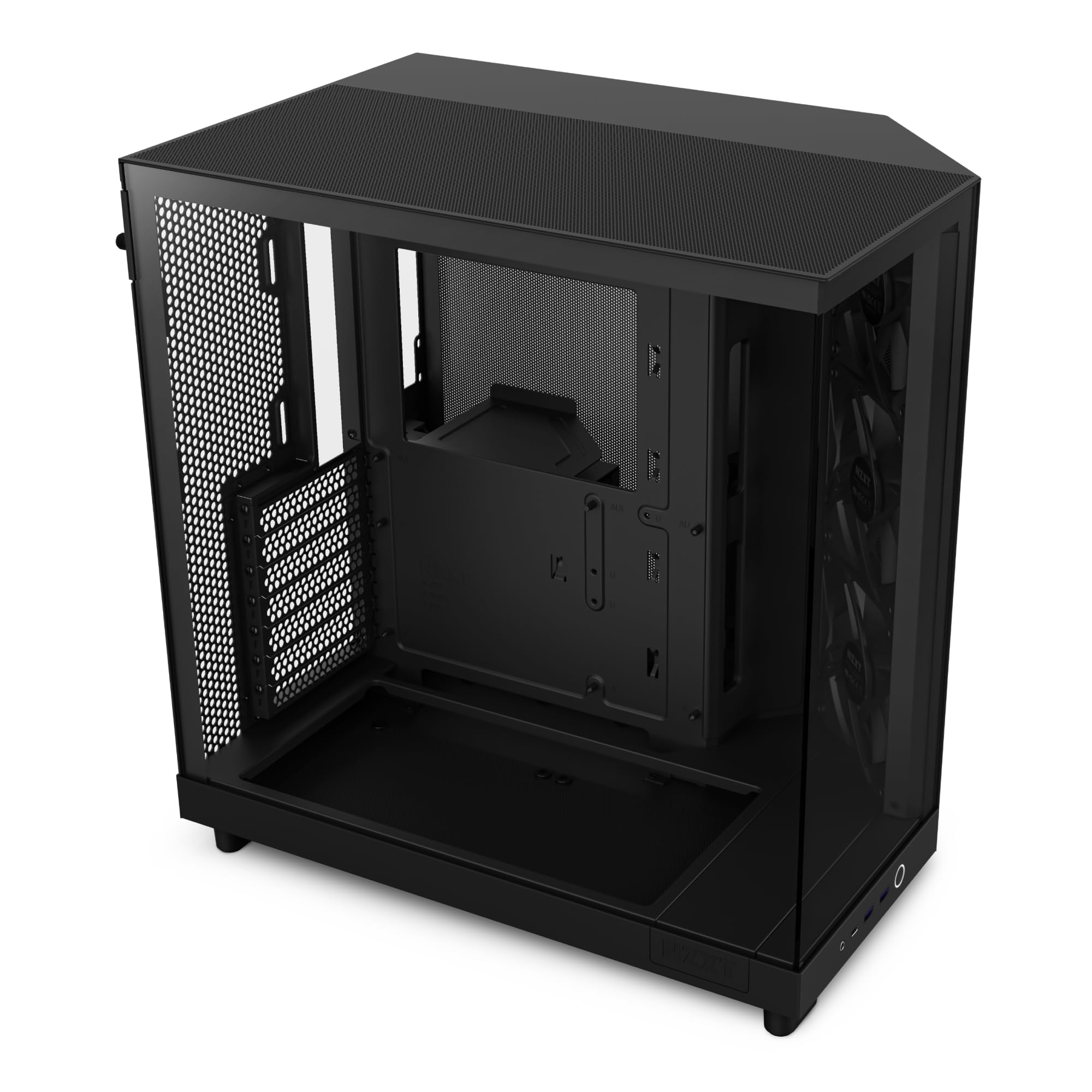
NZXT H6 Flow | CC-H61FB-01 | Compact Dual-Chamber Mid-Tower Airflow Case | Panoramic Glass Panels | High-Performance Airflow Panels | Includes 3 x 120mm Fans | Cable Management | Black
£59.99 · NZXT
Frequently asked
5 questions01Is the NZXT H6 Flow RGB good for airflow?+
Yes, it's solid for airflow in the mid-range category. The top and side panels feature an airflow-optimised perforated pattern with dust filtration, so you're getting proper ventilation rather than just aesthetic holes. Three 120mm RGB fans come pre-installed at positions NZXT designed for optimal airflow, giving you a decent out-of-the-box thermal setup. The dual-chamber design also separates PSU heat from the main component area, which means your CPU and GPU coolers are working in a cleaner thermal environment. It won't match a fully open mesh-front case on raw airflow numbers, but for the vast majority of mid-range and high-end gaming builds, the thermal performance is more than adequate.
02What's the GPU clearance on the NZXT H6 Flow RGB?+
NZXT doesn't publish an exact maximum GPU length figure in the confirmed product data, so a specific millimetre number isn't available here. What the dual-chamber design does is remove the PSU from the main chamber entirely, which eliminates one of the most common obstructions to longer graphics cards. Owner feedback from over 1,700 reviews suggests that triple-slot, triple-fan cards fit without issue in standard configurations. If you're combining a large AIO radiator with a very long GPU, check the specific combination before buying, as front-mounted radiators will reduce available GPU clearance.
03Can the NZXT H6 Flow RGB fit a 360mm AIO?+
The perforated top panel is a natural radiator mounting point, and NZXT's design clearly accounts for AIO installation. The confirmed product data doesn't specify exact radiator size support, so a definitive answer on 360mm requires checking the current NZXT product page or spec sheet. Owner reports include successful AIO installations, and the dual-chamber design's clean main chamber gives you good working space for pump head positioning and tubing routing. For a 240mm AIO, fitment is generally reported as straightforward. For 360mm, verify the specific configuration with NZXT's published specs before committing.
04Is the NZXT H6 Flow RGB easy to build in?+
Based on owner feedback from over 1,700 reviews averaging 4.8 out of 5, yes, it's one of the easier mid-range cases to build in. The cable management system uses wide channels and Velcro straps, which makes routing cables noticeably less frustrating than narrower channel designs. The dual-chamber layout keeps the PSU and its cables separate from the main motherboard area, giving you more working space. Owners specifically call out the cable management and overall build experience as highlights. No significant complaints about sharp edges or awkward panel access appear in the review patterns, which is a good sign.
05What warranty and returns apply to the NZXT H6 Flow RGB?+
Amazon offers 30-day hassle-free returns if the case doesn't suit your build. NZXT typically provides a 2-year warranty on their cases covering manufacturing defects, but check the current product listing and NZXT's official warranty terms for the exact coverage applicable to your purchase. Keep your proof of purchase and original packaging during the return window in case you need to send it back.