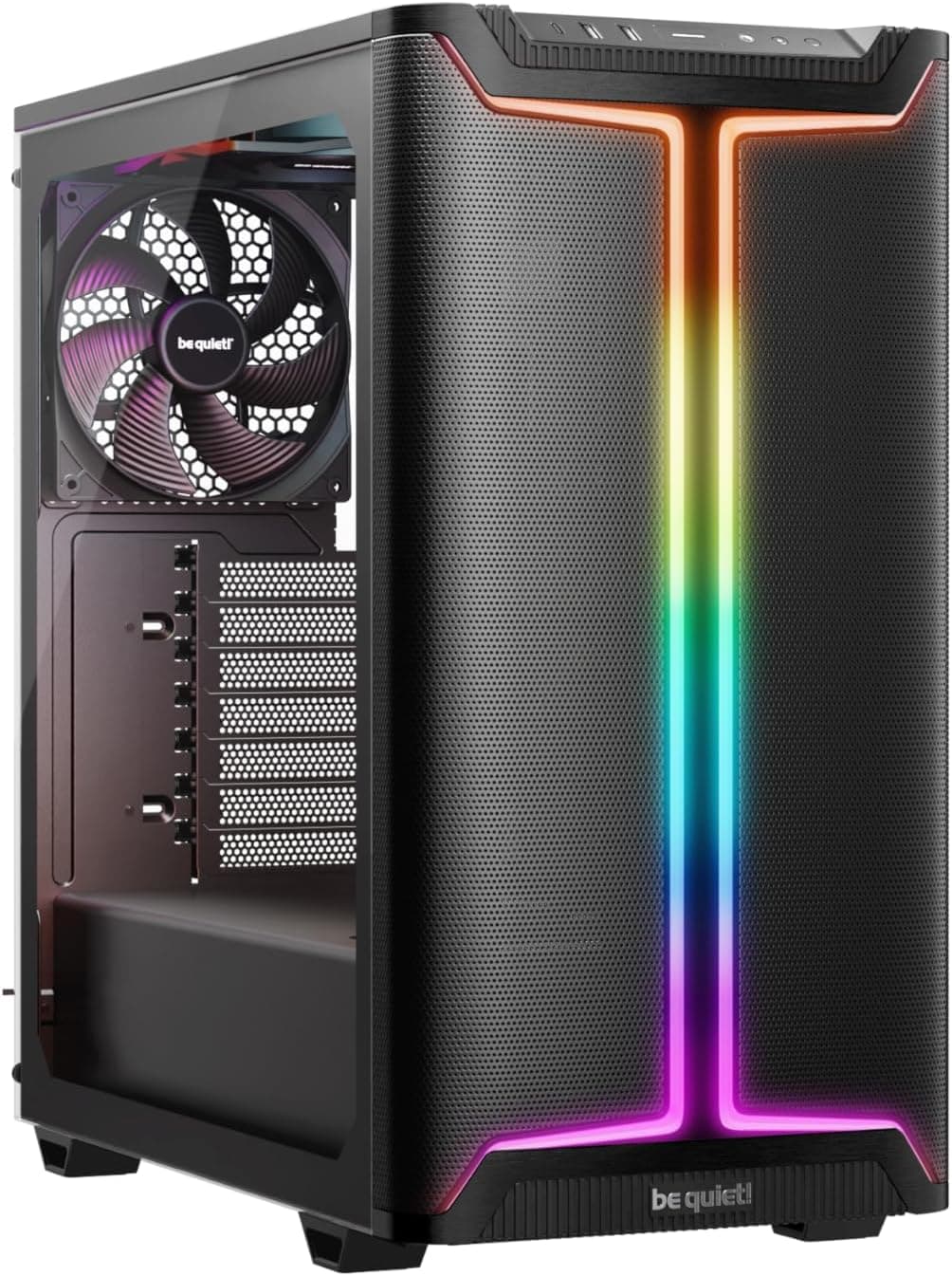
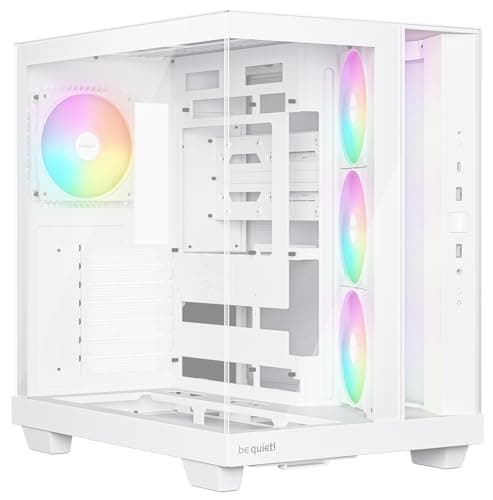
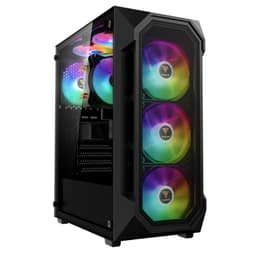
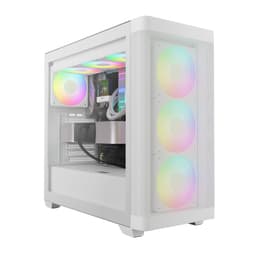
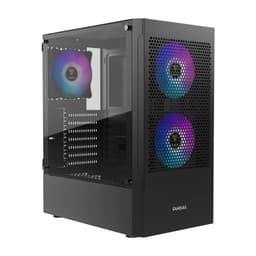
I've built in a lot of cases over the years. Some are genuinely brilliant to work in, some are absolute nightmares, and a few sit in this weird middle ground where the marketing photos look decent but the moment you actually try to route a 24-pin cable you're questioning every life decision that led you to this point. The GAMDIAS AURA GC2 ELITE ARGB Case: Budget Gaming PC Case Review 2025 is one I picked up specifically because it kept appearing in budget build threads and nobody had really put it through its paces properly. So I did. Two weeks, one full build, and a lot of time staring at cable routing channels.
GAMDIAS isn't a brand that gets talked about much in the UK. They've been around for a while, mostly known for peripherals, but they've been pushing into the case market with a range of budget gaming cases and mid-range options. The AURA GC2 ELITE ARGB sits firmly in the budget tier, and at that price point you're always making compromises. The question is whether those compromises are the kind you can live with or the kind that'll have you reaching for a refund. Spoiler: it's complicated. This GAMDIAS AURA GC2 ELITE ARGB Case: Budget Gaming PC Case Review 2025 is going to give you the honest version.
I built a mid-range gaming system inside this thing over the course of a weekend, then ran it for two weeks to see how thermals held up and whether anything annoyed me on a daily basis. I'll cover everything from the cable routing space to the actual airflow numbers, and I'll tell you exactly who this case is and isn't for.
Core Specifications
The GC2 ELITE is a mid-tower ATX case with a tempered glass side panel and an ARGB fan setup included out of the box. GAMDIAS has specced this one to hit the visual sweet spot for budget builders who want the RGB look without spending serious money on a case. The chassis is steel construction with a plastic front fascia, which is pretty standard for this price tier. Nothing surprising there.
Fan support is where it gets interesting. You've got mounts for up to three 120mm fans at the front, two 120mm at the top, and one 120mm at the rear. The case ships with three ARGB fans pre-installed at the front and one at the rear, so you're getting four fans in the box. That's actually decent value for a budget case. The included fans are basic 120mm units, nothing special in terms of bearing quality or static pressure, but they spin and they move air, which is the minimum requirement.
Radiator support covers a 360mm at the front, 240mm at the top, and 120mm at the rear. GPU clearance is listed at 380mm, and CPU cooler height clearance comes in at 165mm. PSU is bottom-mounted with a shroud, which keeps things looking tidy. There's no USB Type-C on the front I/O, which is a genuine miss in 2025. Here's the full spec breakdown:
| Specification | Detail |
|---|---|
| Form Factor | Mid-Tower ATX |
| Motherboard Support | ATX, Micro-ATX, Mini-ITX |
| Dimensions (approx.) | 450mm (H) x 210mm (W) x 450mm (D) |
| GPU Clearance | 380mm |
| CPU Cooler Height | 165mm |
| Front Fan Support | 3x 120mm or 2x 140mm |
| Top Fan Support | 2x 120mm or 2x 140mm |
| Rear Fan Support | 1x 120mm |
| Front Radiator Support | Up to 360mm |
| Top Radiator Support | Up to 240mm |
| Included Fans | 4x 120mm ARGB |
| Drive Bays (3.5") | 2x |
| Drive Bays (2.5") | 2x dedicated + 2x on HDD trays |
| Front I/O | 2x USB 3.0 Type-A, HD Audio |
| Side Panel | Tempered Glass (left), Steel (right) |
| PSU Mount | Bottom, shrouded |
| Current Price | £48.99 |

Form Factor and Dimensions
This is a proper mid-tower. Not one of those cases that claims to be a mid-tower but is actually the size of a small wardrobe, and not one of those compact mATX-adjacent things that technically fits ATX boards but makes you regret it. The GC2 ELITE sits at roughly 450mm tall, 210mm wide, and 450mm deep. It'll fit on a standard desk without dominating the space, and it'll fit under desk if that's your preference, though the top-mounted I/O and power button make under-desk placement a bit awkward.
The footprint is sensible. 210mm wide is on the narrower side for a mid-tower, which means it won't eat your entire desk, but it also means the internal volume is a bit tighter than something like a Fractal Design Focus 2 or a Corsair 4000D. You feel that tightness when you're building inside, particularly around the GPU area and when trying to manage cables behind the motherboard tray. It's not a dealbreaker, but it's something to be aware of if you're planning a particularly chunky build.
The front panel is plastic with a mesh-style design, which is good for airflow in theory. The tempered glass side panel is on the left, as you'd expect, and it's held in place with thumbscrews. The right panel is plain steel. The overall silhouette is pretty typical of budget gaming cases from the last few years: angular, a bit aggressive-looking, with the ARGB fans visible through the glass. It's not going to win any design awards, but it doesn't look cheap in the way some budget cases do. On a desk, it looks the part.
Motherboard Compatibility
The GC2 ELITE supports ATX, Micro-ATX, and Mini-ITX motherboards. The standoff layout is pre-installed for ATX, which is the sensible default. If you're dropping in an mATX board, you'll need to move a couple of standoffs, which is straightforward enough. The case doesn't support E-ATX, so if you're running a high-end HEDT platform or a workstation board, this isn't your case. But honestly, at this price point, E-ATX support would be a surprise.
I built with a standard ATX board and everything lined up properly. The I/O shield area is clean, the standoffs are in the right places, and the board dropped in without any fuss. One thing I did notice is that the motherboard tray cutout for CPU cooler backplate access is a reasonable size, around 150mm diameter, which means you can swap coolers without pulling the board. That's a nice touch at this price.
Mini-ITX builds in a mid-tower always look a bit odd, but if you want the extra cooling headroom and expansion space that a mid-tower offers with a smaller board, the GC2 ELITE will accommodate that. The cable management situation gets a bit messier with smaller boards because you've got more dead space to deal with, but it's workable. For most people reading this, ATX or mATX is what you're running, and both work fine here.
GPU Clearance
GAMDIAS quotes 380mm of GPU clearance that held up. I fitted a card that's around 340mm long without any issues, and there was still a comfortable gap between the end of the card and the front of the case. If you're running something like an RTX 4080 or a 7900 XT, both of which can push past 330mm depending on the AIB partner, you should be fine. The really long triple-fan cards from ASUS ROG or Gigabyte AORUS that push toward 360mm+ are where you'd want to double-check your specific card's length before buying.
There's no vertical GPU mount option here, which isn't surprising at this price but is worth mentioning if that's something you care about. The GPU sits horizontally on the PCIe slot, standard orientation. The PSU shroud below the GPU is solid and doesn't interfere with card installation. Clearance between the bottom of the GPU and the top of the PSU shroud is adequate, around 30-35mm, which means even the chunkiest triple-fan cards with downward-facing fans won't be starved of air.
One thing that slightly annoyed me during the build: the PCIe slot covers are the punch-out type rather than tool-free removable ones. Once they're out, they're out. You get a couple of spare screws in the accessories bag, but if you're someone who likes to reconfigure their build regularly, this is a minor irritation. It's a budget case, so I'm not going to hammer it too hard for this, but tool-free slot covers exist at this price point in competing cases, so it's a fair criticism.
CPU Cooler Clearance
165mm of CPU cooler height clearance is the spec, and that's genuinely decent. The Noctua NH-D15 sits at 165mm, so you're right at the limit with that particular cooler, and I wouldn't risk it without measuring your specific board's socket height first. More realistically, most popular tower coolers like the be quiet! Dark Rock 4 (163mm), the DeepCool AK620 (160mm), or the Thermalright Peerless Assassin 120 SE (155mm) all fit with room to spare. The 165mm clearance covers the vast majority of air coolers people actually buy.
AIO support is where it gets more interesting. Front-mounted 360mm AIOs are supported, and a 240mm AIO fits at the top without issues. The top mount does have some RAM clearance concerns depending on your specific board layout and RAM height. Tall heatspreader RAM like Corsair Dominator or G.Skill Trident Z with the full-height fins can be tight with a top-mounted radiator. Standard-height RAM is fine. Worth checking if you're planning a top-mounted 240mm AIO with fancy RAM.
The rear 120mm fan position is standard, and a 120mm AIO radiator fits there without drama. Realistically though, if you're spending budget-case money, you're probably running an air cooler or a 240mm AIO, and both scenarios are well-served here. The front 360mm AIO support is a genuine selling point for this price tier, because not every budget case offers it, and front-mounted AIOs tend to give better thermal results than top-mounted ones in most configurations.
Storage Bay Options
Storage is where budget cases often cut corners, and the GC2 ELITE is a mixed bag. You get two 3.5-inch drive bays in a cage behind the PSU shroud, and two dedicated 2.5-inch mounts on the back of the motherboard tray. The HDD trays also support 2.5-inch drives, so in theory you can fit up to four drives total. In practice, the HDD cage position means your cables are going to be doing some interesting routing if you're running both HDDs and SSDs simultaneously.
The 2.5-inch mounts on the back of the motherboard tray are the more useful ones for most modern builds. If you're running an M.2 SSD as your primary drive (which you should be, at this point), the 2.5-inch mounts are where your secondary storage lives. They're screw-mounted rather than tool-free, which is fine. The screws are included in the accessories bag. The mounting points are solid and the drives sit flush once installed.
M.2 support is entirely dependent on your motherboard, as the case itself doesn't have any dedicated M.2 mounting. That's normal for a case in this class. If you're building a modern system, you'll have at least one M.2 slot on your board, and that's where your primary drive goes. The physical drive bay situation is adequate for a budget build, but if you're planning a NAS-adjacent system with four or more HDDs, this isn't the right chassis for that job.

Cable Management
Right, this is where I have some thoughts. The cable management situation in the GC2 ELITE is functional but not great. The gap between the motherboard tray and the right side panel is around 20-22mm, which is enough to route cables but not enough to do it comfortably. You can get everything tucked away, but it requires patience and a bit of creative routing. The 24-pin ATX cable in particular is a squeeze if you're running a modular PSU with a thick cable.
There are cable routing holes with rubber grommets, which is a nice touch. The grommets are a bit stiff and the holes aren't massive, but they're present and they do the job. Velcro straps are included, which I always appreciate. Budget cases that skip the Velcro straps and leave you hunting for zip ties are a pet peeve of mine. The PSU shroud has a cutout that lets you route cables from the PSU area up to the motherboard without them being visible through the glass, which is good for aesthetics.
The CPU power cable routing is a bit awkward. The cable routing hole for the 8-pin CPU power connector is positioned reasonably well, but depending on your PSU cable length and the stiffness of the cable, you might find yourself fighting it a bit. I ended up using an extension cable on my build just to make the routing cleaner, which isn't ideal. It's not a disaster, but it's the kind of thing that adds 20 minutes to your build time and mild frustration to your afternoon. The overall cable management result can look clean if you put the effort in, but this case doesn't make it easy.
Airflow and Thermal Design
The front panel has a mesh design, and this is one of the more important things to get right on a budget case. Solid front panels are a thermal disaster, and I've seen too many budget cases ship with a gorgeous-looking solid front that chokes the intake fans. The GC2 ELITE's front mesh isn't the most open design I've seen, there's a plastic frame around it that restricts airflow somewhat, but it's meaningfully better than a solid panel. With three 120mm ARGB fans pulling air through the front and one 120mm exhausting at the rear, you've got a positive pressure setup that works reasonably well.
Temperatures are acceptable for a budget case. Running a mid-range CPU and GPU under gaming loads, I saw CPU temperatures that were within a few degrees of what I'd expect from a more premium case with better airflow. The GPU ran a bit warmer than I'd like, partly because the front mesh restriction limits how much cool air the intake fans can actually pull in. Adding a top exhaust fan (the case supports two at the top) would help, and I'd recommend doing that if you're running a hot GPU. The included fans are adequate but not impressive. They're not particularly quiet under load either. If noise is a priority for your build, you might want to explore silent computer cases that are specifically designed for quiet operation.
Dust filtration is present but minimal. There's a magnetic dust filter on the bottom for the PSU intake, which is good. The front doesn't have a removable filter, which means dust accumulation on the front fans is going to require you to pull the front panel off to clean it. The top has no filter at all. For a budget case this is unfortunately common, but it does mean you'll want to be more diligent about cleaning if the case is sitting on a carpet or in a dusty environment. The airflow fundamentals are sound enough, but the filtration situation is a weak point.
Front I/O and Connectivity
The front I/O panel sits at the top of the case, which is the sensible placement for a desktop build. You get two USB 3.0 Type-A ports and a combined headphone/microphone jack. That's it. No USB Type-C, no separate headphone and mic jacks, no fan controller button on the front panel. The ARGB is controlled via the included controller, which connects to a USB header on your motherboard.
The lack of USB Type-C is the biggest miss here. In 2025, most people have at least one device that charges or transfers data via USB-C, and having to reach around to the back of the case every time you want to plug something in is genuinely annoying. Competing cases at similar price points are starting to include USB-C front I/O, and GAMDIAS is behind the curve on this. It's not a reason to avoid the case entirely, but it's a real-world inconvenience that you'll notice regularly.
The power button is large and tactile, which I like. Some budget cases have power buttons that feel like pressing a piece of cardboard. This one has a satisfying click to it. The reset button is smaller and sits next to the power button, which is the standard layout. The ARGB lighting mode button is also on the front panel, letting you cycle through lighting effects without needing software. That's a nice touch. The USB-IF standards for Type-C have been around long enough that there's really no excuse for omitting it at this point, even on budget hardware.
Build Quality and Materials
The steel used in the GC2 ELITE is on the thinner side. It's not flimsy, but if you press on the side panels they flex more than I'd like. The tempered glass panel is a reasonable thickness and feels solid, which is good because a cracked tempered glass panel on a budget case is a pain to replace. The plastic front fascia is the weakest-feeling part of the case. It clips on and off, which is useful for cleaning, but it doesn't feel particularly premium and the clips are a bit fiddly.
Sharp edges. I have to mention them because they're present. The interior edges around the drive cage area and around some of the cable routing holes have edges that aren't fully rolled or deburred. I didn't draw blood, but I came close once when reaching into the drive cage area. This is a budget case issue that I see regularly, and it's one of those things that separates a well-made budget case from a poorly-made one. The Fractal Design Focus 2, for example, has no sharp edges anywhere. The GC2 ELITE has a few spots you need to be careful around.
Panel alignment is generally good. The tempered glass side panel sits flush and the thumbscrews hold it securely. The front panel clips on without gaps. The top panel is a solid steel piece with ventilation cutouts, and it sits properly without rattling. Overall, for the price, the build quality is acceptable. It's not going to feel like a premium case, and it shouldn't, but it doesn't feel like it's going to fall apart either. The finish on the steel is a matte black that looks decent and doesn't show fingerprints too badly.
How It Compares
At the budget price tier, the GC2 ELITE is competing primarily with the Aerocool Cylon RGB and the Kolink Void RGB. Both are similarly priced, both include RGB fans, and both target the same first-time builder audience. For a broader comparison of budget gaming cases in this price range, check our tested rankings. The Aerocool Cylon is probably the most direct competitor, with a similar aesthetic and feature set. The Kolink Void offers better cable management space but fewer included fans.
The GC2 ELITE's strongest advantage over the Aerocool Cylon is the front radiator support up to 360mm, which the Cylon doesn't match. If you're planning an AIO cooler, that matters. The Kolink Void has a slightly better build quality feel and cleaner cable routing, but it typically ships with fewer fans, so you're spending more to get the same fan count. The GC2 ELITE's lack of USB Type-C is a disadvantage against both competitors, as the Kolink Void does include it on some variants.
None of these cases are going to challenge a Fractal Design Focus 2 or a be quiet! Pure Base 500DX on airflow or build quality, but those cases cost significantly more. If you're looking at other mid-tower options in a similar price range, the MSI MAG FORGE M100R is worth considering as well. Within the budget tier, the GC2 ELITE holds its own, particularly if the ARGB aesthetic and the included fan count are priorities for you. The comparison below gives you a clearer picture of where each case sits.
| Feature | GAMDIAS AURA GC2 ELITE ARGB | Aerocool Cylon RGB | Kolink Void RGB |
|---|---|---|---|
| Form Factor | Mid-Tower ATX | Mid-Tower ATX | Mid-Tower ATX |
| Included Fans | 4x 120mm ARGB | 1x 120mm RGB | 3x 120mm RGB |
| GPU Clearance | 380mm | 350mm | 370mm |
| CPU Cooler Height | 165mm | 160mm | 165mm |
| Front Radiator | 360mm | 240mm | 360mm |
| USB Type-C Front I/O | No | No | Some variants |
| Bottom PSU Filter | Yes (magnetic) | Yes | Yes |
| Tempered Glass | Yes | Yes | Yes |
| Price Tier | Budget | Budget | Budget |

Final Verdict
So where does the GAMDIAS AURA GC2 ELITE ARGB Case: Budget Gaming PC Case Review 2025 actually land? It's a case that does more right than wrong for the money, but it's not without genuine flaws that you need to know about before buying. The four included ARGB fans are the headline value proposition, and they deliver on that. You're getting a complete fan setup out of the box, which saves you money compared to buying fans separately. The 360mm front radiator support is genuinely useful and not something every budget case offers.
The problems are real though. No USB Type-C on the front I/O is a proper miss in 2025. The cable management space is tight and will test your patience. There are some sharp edges inside that you need to watch for. The front mesh, while better than a solid panel, isn't as open as the best budget airflow cases. And the overall build quality, while acceptable, has that slightly thin, slightly plasticky feel that reminds you this is a budget product. None of these are catastrophic, but they add up.
For a first-time builder putting together a budget gaming PC who wants the RGB look, four fans included, and decent clearances for a mid-range build, the GC2 ELITE is a reasonable choice. It's competitively priced within the budget tier, and the value-per-fan is hard to argue with. If you're building something more serious, or if USB Type-C front I/O is non-negotiable for you, check out our guide to best PC cases UK and our NZXT H Flow case roundup for alternatives. But for the target audience, this case does what it needs to do. I'd give it a 6.5 out of 10. Solid enough for the money, but not a case I'd recommend without caveats. You can check the current price and availability below.
What works. What doesn’t.
5 + 4What we liked5 reasons
- Four ARGB fans included out of the box, strong value for the price
- 360mm front radiator support is rare at this budget tier
- 165mm CPU cooler clearance fits most popular air coolers
- Magnetic bottom dust filter for PSU intake
- Tempered glass side panel looks decent on a desk
Where it falls4 reasons
- No USB Type-C on the front I/O panel
- Cable management space is tight at around 20-22mm rear clearance
- Some sharp interior edges around the drive cage area
- Front mesh airflow is restricted by the plastic frame surround
Full specifications
10 attributes| Form factor | Mid-Tower |
|---|---|
| CPU cooler clearance MM | 160 |
| Dimensions MM | 395 x 195 x 450 |
| Fans included | 4 |
| GPU clearance MM | 260 |
| MAX FAN count | 6 |
| MAX radiator MM | 360 |
| PSU support | ATX, bottom mount |
| Side panel | tempered glass |
| Supported motherboard | ATX, Micro-ATX, Mini-ITX |
If this isn’t right for you
2 options

Frequently asked
5 questions01Is the GAMDIAS AURA GC2 ELITE ARGB Case: Budget Gaming PC Case Review 2025 good for airflow?+
It's acceptable for a budget case, but not exceptional. The front panel has a mesh design which is better than a solid panel, though the plastic frame around the mesh restricts airflow somewhat compared to fully open mesh designs. Four 120mm ARGB fans are included (three front intake, one rear exhaust), giving you a positive pressure setup from the start. Temperatures stay within a few degrees of more premium cases under gaming loads, but adding a top exhaust fan is recommended if you're running a hot GPU. There's no front dust filter, which means more frequent cleaning is needed.
02What's the GPU clearance on the GAMDIAS AURA GC2 ELITE ARGB Case: Budget Gaming PC Case Review 2025?+
GAMDIAS specifies 380mm of GPU clearance, and this held up. Cards up to around 340-350mm fit comfortably with room to spare. Very long triple-fan cards from brands like ASUS ROG or Gigabyte AORUS that push toward 360mm or beyond should be measured carefully before purchasing. There is no vertical GPU mount option. Clearance between the bottom of the GPU and the PSU shroud is around 30-35mm, which is adequate for downward-facing GPU fans.
03Can the GAMDIAS AURA GC2 ELITE ARGB Case: Budget Gaming PC Case Review 2025 fit a 360mm AIO?+
Yes, the front panel supports a 360mm radiator, which is one of the stronger selling points of this case at the budget tier. A 240mm radiator can also be mounted at the top, though tall heatspreader RAM may cause clearance issues with a top-mounted radiator depending on your specific board layout. The rear supports a single 120mm radiator. Front-mounted 360mm AIOs generally give better thermal results than top-mounted configurations, and the GC2 ELITE's front support for this size is a genuine advantage over some competing budget cases.
04Is the GAMDIAS AURA GC2 ELITE ARGB Case: Budget Gaming PC Case Review 2025 easy to build in?+
It's manageable but not the easiest build experience. The rear cable management clearance is around 20-22mm, which is enough to route cables but requires patience, particularly with the 24-pin ATX cable and the CPU power cable. Rubber grommets are present on the cable routing holes, and Velcro straps are included, which helps. There are some sharp interior edges around the drive cage area that you need to be careful around. The CPU cooler backplate cutout is a good size, allowing cooler swaps without removing the motherboard. Overall, expect the build to take a bit longer than in a more premium case, but it's certainly doable.
05What warranty and returns apply to the GAMDIAS AURA GC2 ELITE ARGB Case: Budget Gaming PC Case Review 2025?+
Amazon offers 30-day hassle-free returns if the case doesn't suit your build. GAMDIAS typically provides a 1-2 year warranty on manufacturing defects. Check the product listing for exact warranty terms as these can vary by region and retailer.