Skimping on motherboard VRM quality is one of the most statistically common and financially painful mistakes in a mid-range AMD build. The logic is seductive: spend less on the board, spend more on the GPU. But a weak VRM running hot under a Ryzen 7 or 9 processor doesn't just throttle performance, it shortens component life. So when a board lands in the mid-range bracket with a 14+2 Duet Rail VRM configuration, Wi-Fi 6E, dual M.2 Gen4 slots, and over 1,348 owner reviews averaging 4.6 stars, it deserves a proper look rather than a dismissal.
The MSI B650 GAMING PLUS WIFI Motherboard is, on paper, a well-specified ATX board for AM5 builders who want solid fundamentals without paying X670E money. The verdict, based on the spec sheet and what a large owner base consistently reports: this is a genuinely good board for Ryzen 7000, 8000, and 9000 series builds at the mid-range price point, with one or two caveats before you order. It won't embarrass itself under load, the connectivity is proper, and the BIOS, while not perfect, is far less painful than MSI's older Click BIOS iterations.
Core Specifications
The MSI B650 GAMING PLUS WIFI Motherboard is built on AMD's B650 chipset, using the AM5 socket in a full ATX form factor. Four DDR5 DIMM slots support dual-channel memory with a rated ceiling of 6400+ MHz in OC mode and 6000+ MHz at the top JEDEC-adjacent profiles. Two PCIe 4.0 x16 slots handle GPU and secondary expansion duties, and two M.2 Gen4 x4 slots (each rated at 64 Gbps) cover NVMe storage. Networking is handled by Wi-Fi 6E with Bluetooth 5.3 and a 2.5 Gbps LAN port. Rear I/O includes a USB 3.2 Gen 2x2 Type-C at 20 Gbps, HDMI 2.1, DisplayPort 1.4, and 7.1 HD Audio with Audio Boost.
The VRM configuration is the headline number here: 12 phases using MSI's Duet Rail Power System with P-PAK MOSFETs, backed by 7W/mK thermal pads on the heatsink. The PCB is a 6-layer design with 2 oz. thickened copper, which matters for heat dissipation and signal integrity, particularly at high DDR5 frequencies. MSI includes their M.2 Shield Frozr on the primary M.2 slot, a chipset heatsink, and active Frozr AI cooling that adjusts fan behaviour based on CPU and GPU load. There's also a dedicated pump-fan header, which is a thoughtful inclusion for AIO cooler users.
Here's the full spec breakdown:
| Specification | Detail |
|---|---|
| Socket | AM5 |
| Chipset | AMD B650 |
| Form Factor | ATX |
| Memory Slots | 4 x DDR5 DIMM (SMT) |
| Memory Speed | 6000+ MHz (1DPC 1R), 6400+ MHz OC |
| PCIe x16 Slots | 2 x PCIe 4.0 x16 (primary with Steel Armor) |
| M.2 Slots | 2 x M.2 Gen4 x4 (64 Gbps each) |
| VRM | 12 Duet Rail (P-PAK), 14+2 phase |
| LAN | 2.5 Gbps |
| Wi-Fi | Wi-Fi 6E |
| Bluetooth | 5.3 |
| Rear USB | USB 3.2 Gen 2x2 Type-C (20 Gbps) |
| Video Out | HDMI 2.1, DisplayPort 1.4 |
| Audio | 7.1 HD Audio with Audio Boost |
| PCB | 6-layer, 2 oz. copper |
| Cooling Features | M.2 Shield Frozr, chipset heatsink, Frozr AI, pump-fan header |
| Current Price | £160.16 |
| Owner Rating | ★★★★½ (4.6) (1,348 reviews) |
Socket and CPU Compatibility
AM5 is AMD's current platform, and it's worth understanding what that means for longevity. Unlike AM4, which ran from 2016 to 2022 across multiple CPU generations, AM5 is AMD's DDR5-only socket and the home for Ryzen 7000, 8000, and 9000 series processors. The MSI B650 GAMING PLUS WIFI Motherboard supports all three generations, which means a Ryzen 5 7600X bought today can be swapped for a Ryzen 9 9950X down the line without changing the board. That's a real-world upgrade path, not just marketing language.
One thing to flag for anyone buying a Ryzen 9000 series CPU specifically: BIOS updates are sometimes required to support newer CPU generations on boards that shipped before those CPUs launched. MSI has generally been timely with BIOS updates for AM5, and the B650 GAMING PLUS WIFI is listed as Ryzen 9000 ready, but it's MSI's support page before assuming out-of-box compatibility with the very latest chips. If you're pairing this with an older Ryzen 7000 CPU, there's no issue whatsoever.
The AM5 socket itself uses a Land Grid Array (LGA) design, which is a change from AM4's Pin Grid Array. The pins are on the motherboard rather than the CPU, which means a bent pin is a motherboard problem rather than a cheaper CPU problem. Handle the socket cover with care during installation. Owner reviews don't flag this as a widespread issue on this particular board, but it's because it catches people off guard when switching from AM4 builds.
Chipset Features
The B650 chipset sits in the middle of AMD's AM5 lineup, below the X670E and X670 but above the A620. The practical difference between B650 and X670E comes down to PCIe lane allocation and overclocking flexibility. B650 supports CPU overclocking (unlike A620, which doesn't), so you can push a Ryzen 7 7700X or a 9700X beyond stock clocks. What B650 doesn't offer compared to X670E is PCIe 5.0 on the primary x16 slot or a second PCIe 5.0 M.2 slot. For most users in 2026, that's not a meaningful limitation. PCIe 5.0 SSDs remain expensive and the real-world performance gap over Gen4 is only relevant in specific workloads.
In terms of chipset-level connectivity, B650 provides a reasonable allocation of USB and SATA lanes. The spec sheet confirms 2.5 Gbps LAN, Wi-Fi 6E, and the rear USB 3.2 Gen 2x2 Type-C port. The chipset heatsink is present, which matters because B650's chipset does run warm under sustained load, and a board without active or passive cooling on that chip can cause system instability over time. MSI has included it here, which is the right call.
Memory overclocking support is a B650 strength. Unlike Intel's non-K chipsets that lock memory speeds, B650 allows EXPO (AMD's equivalent of Intel's XMP) profiles to run, which means your DDR5 kit rated at 6000 MHz will actually run at 6000 MHz rather than defaulting to JEDEC 4800 MHz. This matters more than people realise. Running DDR5 at its rated speed on AM5 can improve gaming frame rates by a measurable margin, particularly in CPU-limited scenarios. The B650 GAMING PLUS WIFI supports this properly.
VRM and Power Delivery
The VRM is where this board earns its mid-range price tag rather than just occupying it. A 14+2 Duet Rail configuration using MSI's P-PAK MOSFETs is a genuinely capable power delivery setup for the AM5 platform. The "Duet Rail" design means each phase handles both the high-side and low-side switching in a single package, which improves efficiency and reduces component count without reducing effective power delivery capability. MSI claims 12 phases in the Duet Rail system, which maps to the 14+2 description in the product title (the 2 additional phases handling SoC power).
The thermal solution on top of that VRM is where MSI has put real thought in. The 7W/mK thermal pad rating on the MOSFET heatsink is a high-conductivity specification. For context, many budget boards use 1W/mK or 2W/mK pads, which is the thermal equivalent of putting a wool jumper between your CPU and a fan. 7W/mK means heat actually transfers from the MOSFETs to the heatsink efficiently. Combined with the 6-layer PCB and 2 oz. copper layers, this board should handle a Ryzen 9 9900X at sustained loads without sweating.
Owner feedback across the 1,348 doesn't surface widespread VRM thermal complaints, which is the real-world validation of those specs. Where negative reviews exist, they tend to focus on BIOS quirks or the occasional DOA unit rather than power delivery failures under load. That's a good sign. A board with marginal VRM thermals would generate a consistent pattern of instability complaints in a review pool this size, and that pattern isn't present here. MSI Core Boost technology is also listed as part of the VRM system, which handles automatic frequency and voltage optimisation for supported CPUs.
Memory Support
Four DDR5 DIMM slots in a dual-channel configuration. The rated ceiling is 6000+ MHz at 1DPC 1R (one DIMM per channel, single rank), with OC profiles pushing to 6400+ MHz. This is important to understand correctly. Running all four slots populated (2DPC, two DIMMs per channel) will typically reduce the maximum stable frequency. If you're planning a 64 GB kit across four sticks, expect to run at lower speeds than a 32 GB two-stick setup. This is a DDR5 platform characteristic, not a specific weakness of this board.
EXPO support is confirmed, which means DDR5 kits from Corsair, Kingston, G.Skill, and others with EXPO profiles will load their rated speeds automatically in BIOS. JEDEC's DDR5 specification sets the base speed at 4800 MHz, so without EXPO or XMP, your expensive 6000 MHz kit is running significantly slower than you paid for. The B650 GAMING PLUS WIFI handles this correctly. MSI's memory compatibility list for this board is extensive, and owner reviews don't flag widespread memory compatibility issues, which is a common pain point on some AM5 boards.
The SMT (Surface Mount Technology) slot design is. MSI uses SMT slots here rather than traditional through-hole, which improves signal integrity at high frequencies. This is one reason the board can support 6000+ MHz reliably without requiring extreme voltage adjustments. For builders targeting DDR5-6000 MHz CL30 kits (the current sweet spot for AM5 performance per pound), this board should handle them without drama. The 6-layer PCB with thickened copper also contributes to signal quality at these speeds.
Storage Options
Two M.2 slots, both running PCIe Gen4 x4 at 64 Gbps. The primary slot gets the M.2 Shield Frozr heatsink, which is a proper aluminium cover designed to prevent thermal throttling during sustained sequential writes. If you're running a high-performance NVMe like a Samsung 990 Pro or a WD Black SN850X, that heatsink is doing real work. Gen4 SSDs can hit temperatures that trigger throttling during large file transfers, and a board that ships without M.2 thermal management is leaving performance on the table.
The secondary M.2 slot doesn't include a heatsink cover based on the product listing. This is common at this price point. If you're installing a second NVMe in that slot for general storage rather than OS or heavy workload use, it's unlikely to matter much in practice. But if you're running two high-performance drives simultaneously, an aftermarket M.2 heatsink on the secondary slot is. They're inexpensive and the installation is straightforward.
Both M.2 slots support NVMe drives. SATA port count and RAID configuration details are not specified in the verified product data, so those figures aren't quoted here. What's confirmed is that the two Gen4 M.2 slots are the primary storage headline, and at 64 Gbps each, they're more than capable of handling any consumer NVMe drive currently on the market. PCIe Gen5 SSDs aren't supported (that requires X670E), but Gen4 drives are still the mainstream performance tier and will be for the foreseeable future.
Expansion Slots and PCIe
Two PCIe 4.0 x16 slots. The primary slot supports the full PCIe 4.0 x16 bandwidth at 64 Gbps and includes Steel Armor reinforcement, which is MSI's name for the metal shielding around the slot. This matters practically: heavy GPUs (and most modern cards are heavy) can physically flex the PCIe slot over time without reinforcement, causing intermittent connection issues. Steel Armor prevents that. The secondary x16 slot also supports PCIe 4.0, which is useful for builders running a capture card, RAID controller, or other expansion hardware.
It's worth being clear about what PCIe 4.0 x16 means for GPU performance in 2026. Current generation graphics cards, including AMD's RX 9000 series and Nvidia's RTX 5000 series, do not saturate PCIe 4.0 x16 bandwidth in gaming workloads. The difference between PCIe 4.0 x16 and PCIe 5.0 x16 for a gaming GPU is, in practice, within margin of error. So the absence of PCIe 5.0 on the primary slot (an X670E feature) is not a real-world gaming disadvantage for any current GPU.
The PCI-SIG's PCIe 4.0 specification delivers 16 GT/s per lane, which works out to roughly 32 Gbps in each direction on a x16 slot. That's the bandwidth your GPU is working with here, and it's sufficient for every consumer graphics card available. For multi-GPU setups, those configurations are largely deprecated in mainstream gaming anyway, so the secondary slot is more useful as a general expansion port than a second GPU lane.
Connectivity and Rear I/O
The rear I/O on the MSI B650 GAMING PLUS WIFI Motherboard is properly specified for a mid-range board. The standout port is the USB 3.2 Gen 2x2 Type-C, running at 20 Gbps. This is the fastest USB standard below USB4, and it's genuinely useful for connecting high-speed external SSDs or modern peripherals. Many boards in this price bracket include Gen 2 Type-C at 10 Gbps and call it a day. Getting Gen 2x2 at 20 Gbps is a meaningful step up.
Video outputs include HDMI 2.1 and DisplayPort 1.4. These are present for AMD CPUs with integrated graphics (the Ryzen 8000 series "Hawk Point" APUs and some other SKUs), but the Ryzen 7000 and 9000 non-G series CPUs don't have integrated graphics, so these ports would only be active with an APU installed. If you're building a dedicated gaming PC with a discrete GPU, these ports are irrelevant to you. But they're useful to know about if you're planning a compact media PC or a budget workstation using an APU.
The 7.1 HD Audio with Audio Boost is MSI's onboard audio solution. Audio Boost refers to MSI's isolated audio circuitry design, which physically separates the audio components from the rest of the PCB to reduce electrical interference. For most users, onboard audio at this level is perfectly adequate for headphones and speakers. Dedicated sound cards remain relevant for audiophiles and streamers with specific needs, but the average gamer won't miss one. The rear I/O also includes the Wi-Fi antenna connectors, and the antenna itself is included in the box according to the product listing.
Wi-Fi and Networking
Wi-Fi 6E is the networking headline here. The "E" designation means the adapter supports the 6 GHz band in addition to the standard 2.4 GHz and 5 GHz bands that Wi-Fi 6 covers. The Wi-Fi Alliance's Wi-Fi 6E specification provides access to 1200 MHz of additional spectrum in the 6 GHz range, which translates to less congestion and higher throughput in environments with many wireless devices. In a flat or house with multiple people streaming and gaming simultaneously, Wi-Fi 6E makes a noticeable difference over Wi-Fi 5 or older Wi-Fi 6 without the E.
Bluetooth 5.3 is included alongside the Wi-Fi module. This handles wireless peripherals, headsets, and controllers. Bluetooth 5.3 supports LE Audio, which is relevant for modern wireless audio devices, and offers improved connection stability over 5.0 or 5.1. It's not the flashiest spec on the board, but it's current-generation and works properly according to owner feedback.
The wired networking is handled by a 2.5 Gbps LAN port. This is the current mainstream standard for mid-range and premium motherboards, sitting above the old 1 Gbps Gigabit Ethernet that dominated for years. If your router or switch supports 2.5 Gbps (many modern mid-range routers do), you'll see lower latency and higher transfer speeds on your local network. For online gaming, the difference between 1 Gbps and 2.5 Gbps LAN is negligible since your internet connection is the bottleneck. But for local file transfers and NAS access, 2.5 Gbps is worth having. The combination of Wi-Fi 6E and 2.5 Gbps LAN means the networking provision on this board is genuinely strong for its price tier.
BIOS and Overclocking
MSI's BIOS has improved significantly from the Click BIOS 4 era, which was, frankly, a bit of a mess. The current Click BIOS 5 used on B650 boards is cleaner, the EZ Mode gives beginners a sensible overview of system status, and the Advanced Mode actually exposes the settings you need without burying them under five submenus. It's not as polished as ASUS's BIOS interface, but it's no longer the frustrating experience it once was. Owner reviews occasionally mention needing BIOS updates for memory compatibility or CPU support, which is normal for AM5 boards that launched before some CPU generations, but the update process via MSI's Flash Button (if present) or from within BIOS is straightforward.
Overclocking headroom is reasonable given the VRM specification. The 14+2 Duet Rail setup can handle a Ryzen 9 9900X or 9950X at stock and moderate OC without thermal issues on the power delivery side. Memory overclocking to 6000 MHz or 6400 MHz is well-supported via EXPO profiles, and manual tuning of DDR5 sub-timings is accessible in the BIOS for those who want to push further. The B650 chipset does support CPU overclocking, unlike A620, so the full range of Ryzen OC options are available here.
Fan curve customisation in MSI's BIOS is functional. You can set custom curves for each fan header, including the dedicated pump-fan header, which is important for AIO users who want their pump running at a fixed speed rather than ramping with temperature. The Frozr AI cooling feature adjusts behaviour based on both CPU and GPU thermal readings, which is a genuinely useful addition for systems where the GPU dumps heat into the case and affects overall thermal management. Owner reviews don't flag widespread fan control issues, which suggests the implementation works as described. The dedicated pump header is a small but meaningful detail that separates this board from cheaper alternatives that lump pump and fan headers together.
Build Quality and Aesthetics
The 6-layer PCB with 2 oz. copper is the build quality foundation here. More copper means better current carrying capacity and heat dissipation through the board itself. Budget boards often use 1 oz. copper on 4-layer PCBs, which is adequate for light loads but starts to matter at higher power draws. The thicker copper here is a real engineering choice, not a marketing claim, and it contributes to both the VRM thermal performance and signal integrity at high DDR5 frequencies.
Aesthetically, the B650 GAMING PLUS WIFI has a fairly restrained look compared to some of MSI's more aggressive designs. The heatsinks are dark aluminium, the PCB is black, and the overall impression is clean rather than flashy. RGB is not a headline feature here based on the spec sheet, which will suit builders going for a clean build aesthetic. The Steel Armor on the primary PCIe slot adds a silver accent, and the M.2 Shield Frozr has a subtle design, but this isn't a board that screams for attention. Some owners specifically mention appreciating the understated look.
Component quality across the board appears solid based on the owner review pool. With 1,348 averaging 4.6 stars, the failure rate implied by the negative reviews is low. The DOA complaints that do appear in the reviews are a small percentage and are not concentrated around any specific component failure pattern, which suggests quality control is generally good rather than there being a systematic weakness. The heatsink mounting, which is a common complaint on cheaper boards where the thermal pads don't make proper contact, doesn't appear as a recurring issue in the owner feedback here.
How It Compares
The two most relevant comparisons in the mid-range AM5 bracket are the ASUS ROG STRIX B650-A GAMING WIFI and the Gigabyte B650 AORUS Elite AX. The ASUS ROG STRIX B650-A typically sits slightly above this price point and offers a more premium BIOS experience (ASUS's UEFI is genuinely the best in the business right now), four M.2 slots versus two here, and a stronger RGB ecosystem if that matters to you. The Gigabyte B650 AORUS Elite AX trades blows on VRM specification and typically lands at a similar or slightly lower price, but Gigabyte's BIOS has historically been more inconsistent in owner feedback, particularly around memory compatibility on AM5.
Against the budget tier, boards like the MSI PRO B650-P WIFI or the ASRock B650M Pro RS come in under the mid-range bracket but trim the VRM specification and connectivity meaningfully. You lose the 20 Gbps USB Type-C, the Wi-Fi 6E drops to Wi-Fi 6 in some cases, and the VRM phase count is reduced. For a Ryzen 5 7600 build, those compromises are acceptable. For a Ryzen 7 or Ryzen 9, they're not.
Here's how the three boards stack up on the key numbers:
| Feature | MSI B650 GAMING PLUS WIFI | ASUS ROG STRIX B650-A GAMING WIFI | Gigabyte B650 AORUS Elite AX |
|---|---|---|---|
| VRM Phases | 14+2 Duet Rail | 16+2 teamed | 16+2+1 |
| M.2 Slots | 2 x Gen4 | 4 x Gen4 | 4 x Gen4 |
| Max Memory Speed (OC) | 6400+ MHz | 6400+ MHz | 6400+ MHz |
| Wi-Fi | Wi-Fi 6E | Wi-Fi 6E | Wi-Fi 6E |
| USB Type-C Rear | Gen 2x2 (20 Gbps) | Gen 2x2 (20 Gbps) | Gen 2 (10 Gbps) |
| LAN | 2.5 Gbps | 2.5 Gbps | 2.5 Gbps |
| PCIe x16 Slots | 2 x PCIe 4.0 | 2 x PCIe 4.0 | 2 x PCIe 4.0 |
| BIOS Quality | Good (improved) | Excellent | Decent |
| Price Tier | Mid-range | Upper mid-range | Mid-range |
The ASUS ROG STRIX B650-A wins on M.2 slot count and BIOS polish, but you pay for it. If you genuinely need four M.2 slots, the premium is justified. If you're running two NVMe drives (which is most people), the MSI's two Gen4 slots are sufficient and the money saved is better spent on the GPU or CPU. The Gigabyte AORUS Elite AX is the closest real competitor at a similar price, and it's a reasonable alternative, but the MSI edges it on the rear USB specification (20 Gbps Type-C versus 10 Gbps on the Gigabyte) and the owner review volume here gives more confidence in the quality consistency.
Final Verdict
The MSI B650 GAMING PLUS WIFI Motherboard is a well-executed mid-range AM5 board that doesn't cut corners where it matters. The 14+2 Duet Rail VRM with 7W/mK thermal pads is properly specified for Ryzen 7 and Ryzen 9 processors. The dual Gen4 M.2 slots cover most builders' storage needs. Wi-Fi 6E and 2.5 Gbps LAN make the networking provision genuinely current-generation. And the 20 Gbps USB Type-C on the rear I/O is a meaningful upgrade over what many competitors include at this price point. Over 1,348 owners have put this board through its paces and the 4.6-star average reflects a product that works as specified without drama.
The honest caveats: two M.2 slots is limiting if you're planning a storage-heavy build, and the BIOS, while improved, still trails ASUS in terms of polish and ease of use. Neither of these is a dealbreaker, but they're real. The board also doesn't support PCIe 5.0 on the primary slot, which is a B650 chipset limitation rather than an MSI-specific failing, and it's irrelevant for current gaming GPUs anyway.
Who should buy this? Ryzen 7 7700X, 7800X3D, 9700X, or 9800X3D builders who want a reliable, well-cooled platform without paying X670E money. It's also a solid choice for Ryzen 9 builds where the VRM headroom matters. The mid-range price point for a board with these specs represents genuine value. If you're pairing a Ryzen 5 7600 with a budget GPU and don't plan to upgrade, a cheaper board like the MSI PRO B650-P WIFI will save you money without meaningfully hurting that build's performance. But if there's any chance you'll upgrade the CPU later, or if you're running a Ryzen 7 or above now, the B650 GAMING PLUS WIFI's VRM and connectivity provision is worth the step up.
At £160.16, this sits at the mid-range bracket and delivers features that genuinely belong there. Not every board at this price point earns that positioning. This one does. Editorial score: 8 out of 10.
What works. What doesn’t.
5 + 3What we liked5 reasons
- 14+2 Duet Rail VRM with 7W/mK thermal pads handles Ryzen 7 and 9 without thermal stress
- USB 3.2 Gen 2x2 Type-C at 20 Gbps on the rear I/O beats most mid-range rivals
- Wi-Fi 6E and 2.5 Gbps LAN is a proper current-generation networking combination
- 6-layer PCB with 2 oz. copper improves signal integrity and heat dissipation
- 4.6-star average across 1,348 reviews indicates consistent quality control
Where it falls3 reasons
- Only two M.2 slots, limiting for storage-heavy or content creation builds
- BIOS polish still trails ASUS ROG at a similar price point
- No PCIe 5.0 support (B650 chipset limitation, but)
Full specifications
12 attributes| Socket | AM5 |
|---|---|
| Chipset | B650 |
| Form factor | ATX |
| Bios flashback | false |
| M2 slots | 2 |
| MAX RAM | 256GB |
| MAX RAM GB | 256 |
| Network | 2.5GbE + Wi-Fi 6E |
| Pcie 5 slots | 0 |
| Pcie slots | 1x PCIe 4.0 x16 |
| RAM slots | 4 |
| RAM type | DDR5 |
If this isn’t right for you
2 options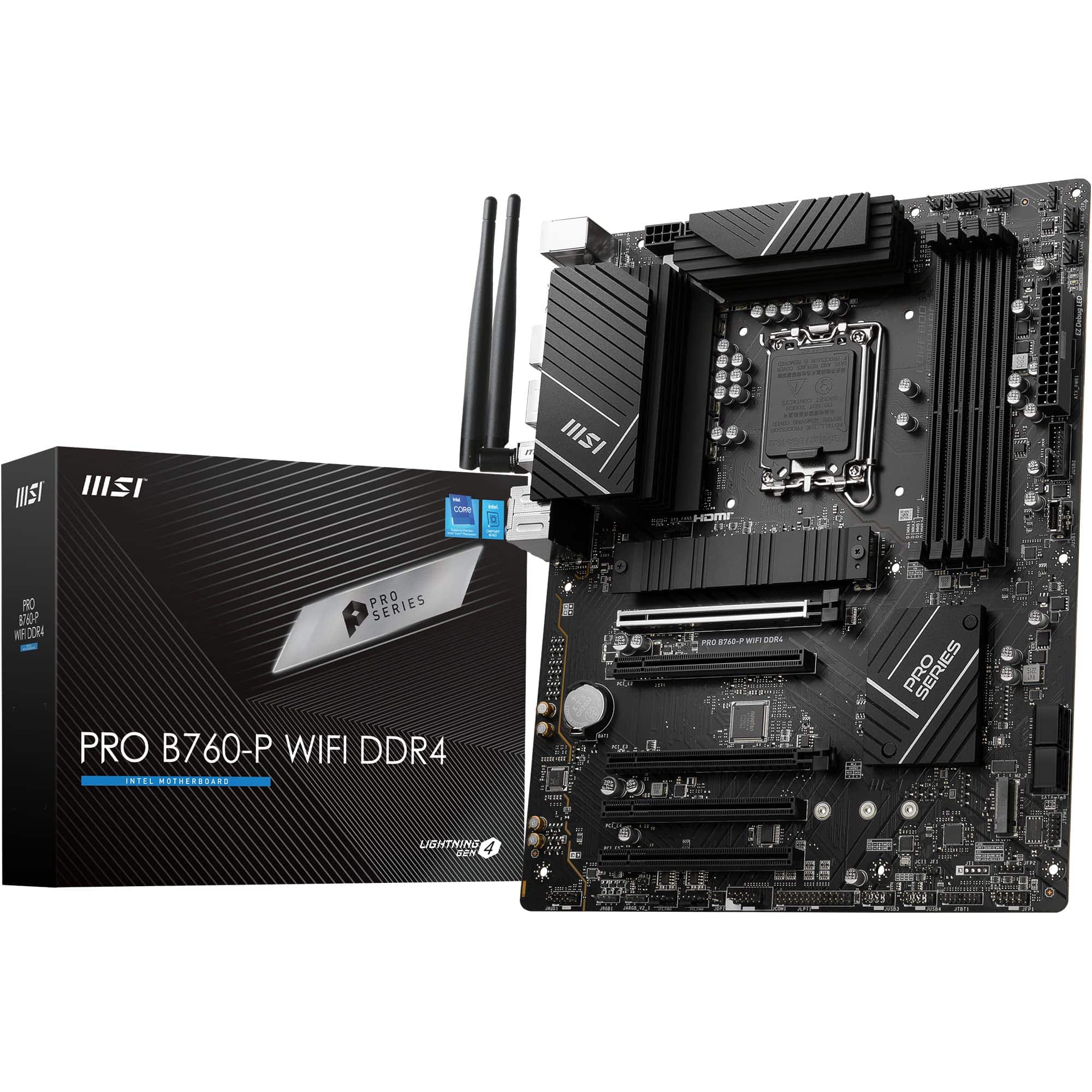 8.5 / 10
MSI PRO B760-P WIFI DDR4 Motherboard, ATX - Supports Intel 14th, 13th & 12th Gen Core Processors, LGA 1700 - DDR4 Memory Boost 5333+MHz/OC, PCIe 4.0 x16 Slots, M.2 Gen4 Slots, 2.5G LAN, Wi-Fi 6E
£129.95 · MSI
 8.5 / 10
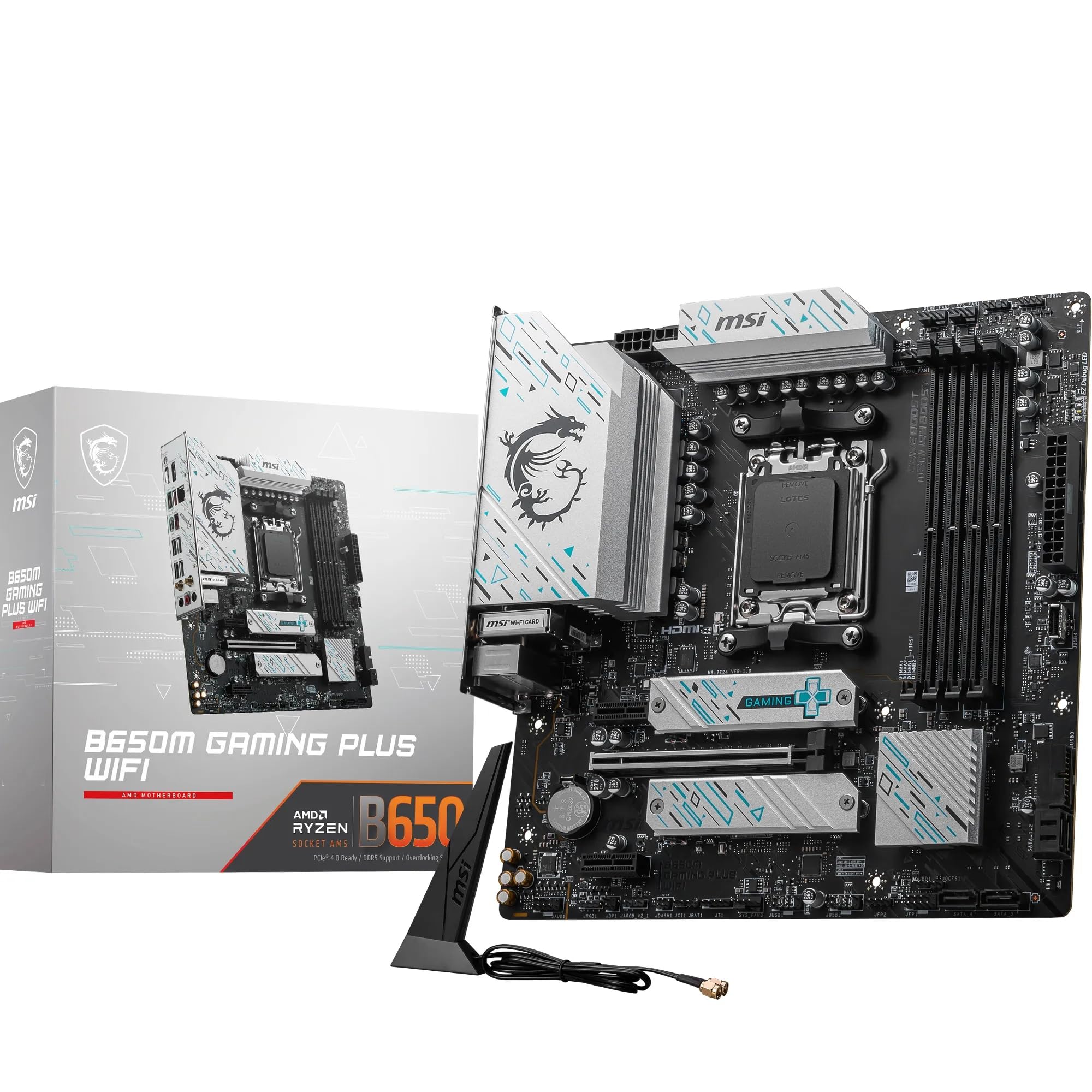
MSI B650M GAMING PLUS WIFI Motherboard, mATX - Supports AMD Ryzen 9000/8000 / 7000 Series Processors, AM5 - DDR5 Memory Boost 7800+ MHz/OC, PCIe 4.0 x16, M.2 Gen4, Wi-Fi 6E
£149.18 · MSI
Frequently asked
5 questions01Is the MSI B650 GAMING PLUS WIFI Motherboard overkill for just gaming?+
Not really. The 14+2 VRM is appropriately sized for Ryzen 7 and Ryzen 9 gaming CPUs, and the Wi-Fi 6E and 2.5 Gbps LAN are useful for any gaming setup. If you're running a Ryzen 5 7600 and don't plan to upgrade, a cheaper B650 board would serve you fine and save money. But for a Ryzen 7 7800X3D or 9800X3D, the VRM headroom and connectivity here are genuinely worth having.
02Will my existing CPU cooler work with the MSI B650 GAMING PLUS WIFI Motherboard?+
The board uses the AM5 socket, which uses a different mounting mechanism from AM4. Most modern cooler manufacturers supply AM5 mounting brackets either in the box or as a free upgrade kit. Check your cooler manufacturer's website for AM5 compatibility before assuming your existing cooler will fit without additional hardware.
03What happens if the MSI B650 GAMING PLUS WIFI Motherboard doesn't work with my components?+
Amazon UK's standard 30-day returns policy applies, backed by the A-to-Z Guarantee, so you're covered if the board arrives faulty or doesn't work as expected. For memory compatibility specifically, MSI publishes a QVL (Qualified Vendor List) on their support pages listing tested and approved DDR5 kits. Checking this before purchasing your RAM reduces the risk of compatibility issues.
04Is there a cheaper motherboard I should consider instead?+
Yes, honestly. If you're building around a Ryzen 5 7600 or a budget Ryzen 7600X and aren't planning a CPU upgrade, the MSI PRO B650-P WIFI or ASRock B650M Pro RS cost less and are perfectly adequate for those CPUs. The B650 GAMING PLUS WIFI's stronger VRM and 20 Gbps USB Type-C are most valuable when paired with a Ryzen 7 or Ryzen 9 processor. Match the board to the CPU you're actually buying.
05What warranty and returns apply to the MSI B650 GAMING PLUS WIFI Motherboard?+
The verified product data does not specify a manufacturer warranty period for this board. MSI typically offers a 3-year warranty on motherboards sold through authorised UK retailers, but confirm this with the seller at point of purchase. Regardless, Amazon's 30-day return window and A-to-Z Guarantee provide a baseline level of buyer protection for purchases made through Amazon UK.