Your GPU does the heavy lifting, but if the monitor feeding off it is mediocre, you've wasted the effort. A slow panel, crushed blacks, or a colour gamut that can't keep up with what the card is pushing means the money you spent on silicon is quietly being throttled at the last step. That's the practical problem the MSI MPG 341CQPX QD-OLED 34 Inch UWQHD Curved Gaming Monitor is built to solve, and based on the specs and the feedback from 36 owners averaging ★★★★☆ (4.4), it mostly succeeds.
The short version: this is a 34-inch ultrawide QD-OLED with a 3440x1440 resolution, 240Hz refresh rate, and a USB-C port that pushes 98W of power delivery. It's in the enthusiast bracket, and it earns that positioning. The panel technology alone puts it ahead of most IPS and VA alternatives in this size class, and the colour credentials are serious enough to satisfy content creators who also want to game. If you're sitting on the fence about whether an ultrawide QD-OLED is worth it at this price point, this review will give you a straight answer.
There are caveats, because there always are. The 240Hz ceiling is lower than some 27-inch competitors. You'll need a proper GPU to drive it. And OLED burn-in, while much improved on modern panels, is still a conversation worth having. All of that gets covered below.
Core Specifications
The MSI MPG 341CQPX QD-OLED 34 Inch UWQHD Curved Gaming Monitor runs a 34-inch QD-OLED panel at 3440x1440 (21:9 ultrawide), with a 240Hz maximum refresh rate and a quoted 0.03ms grey-to-grey response time. The panel is curved, which is standard practice for 34-inch ultrawides and helps with immersion and peripheral vision at this size. Resolution-wise, UWQHD at 34 inches gives you a pixel density that's comfortable for most desk distances without needing to scale anything.
Connectivity is where this monitor makes a strong practical case. The USB-C port supports 98W power delivery, which means you can run a laptop off it with a single cable and actually charge it at a meaningful rate. DisplayPort 1.4a handles the full 240Hz at UWQHD from a desktop GPU. The HDMI port covers console use, though you'll be capped by whatever the console's output ceiling is. MSI has included adaptive sync support, covering both FreeSync Premium and G-Sync compatibility, so it works properly with both AMD and Nvidia cards.
The colour spec is upfront: 99.3% DCI-P3 coverage with a Delta E of 2 or less out of the box. That's not a vague claim about "vivid colours"; that's a measurable standard, and it's a high one. The panel is VESA DisplayHDR True Black 400 certified, which is a meaningful HDR standard for OLED (more on that in the HDR section). Below is the full spec breakdown.
| Specification | Detail |
|---|---|
| Screen Size | 34 inches |
| Panel Type | QD-OLED |
| Resolution | 3440 x 1440 (UWQHD, 21:9) |
| Refresh Rate | 240Hz |
| Response Time | 0.03ms (GtG) |
| Curvature | Curved |
| Colour Gamut | 99.3% DCI-P3 |
| Colour Depth | 10-bit |
| Delta E | ≤2 |
| HDR Certification | DisplayHDR True Black 400 |
| Adaptive Sync | FreeSync Premium / G-Sync Compatible |
| DisplayPort | 1.4a |
| HDMI | Yes |
| USB-C (Power Delivery) | Yes (98W PD) |
| Amazon Rating | 4.6/5 (36 reviews) |
| Price | £648.95 |

Panel Technology
QD-OLED is a specific flavour of OLED that uses quantum dot colour conversion layered on top of a blue OLED backplane. Samsung Display pioneered this approach, and it solves one of the traditional weaknesses of white-OLED panels: colour saturation. Standard WRGB OLED (the kind LG makes for TVs and many monitors) uses a white subpixel to boost brightness, which can dilute colour purity. QD-OLED skips that compromise and converts blue OLED light through quantum dots to produce red and green, which means the colour volume is substantially higher. The result is that the 99.3% DCI-P3 figure on this panel is genuinely achievable at real-world brightness levels, not just in a darkened lab at minimum luminance.
Contrast is where OLED technology simply has no competition from IPS or VA. Every pixel is its own light source and can switch off completely, producing true blacks. The contrast ratio is effectively infinite in real terms. Compare that to the best IPS monitors, which typically land around 1000:1 native contrast, or VA panels at around 3000:1 to 5000:1. In a dark gaming scene, the difference is immediately obvious: IPS produces a grey haze where shadows should be, VA is better but still has haloing around bright objects, and OLED just goes black. For horror games, space sims, or anything cinematic, this matters enormously.
Viewing angles on QD-OLED are essentially perfect. Because each pixel emits its own light, there's no backlight to shift colour or brightness as you move off-axis. On a 34-inch curved ultrawide, this actually matters in practice: your eyes are looking at the edges of the screen at an angle, and a panel with poor off-axis performance will show colour shift at the periphery. That's not a concern here. The curved design (which pulls the panel edges slightly toward you) combined with OLED's inherent wide viewing angles means the image is consistent across the whole screen. Owner reviews consistently mention how good the picture looks, and this is a big part of why.
Display Quality
At 3440x1440 across 34 inches, the pixel density works out to around 109 pixels per inch. That's not as sharp as a 4K 27-inch panel (which sits closer to 163 PPI), but it's a reasonable trade-off for the ultrawide format and the gaming performance you're getting at 240Hz. Text is sharp enough for daily productivity use, and at a typical desk distance of 60 to 80cm, you won't be squinting at individual pixels. Owners report that the image looks clean and detailed, particularly in games with complex environments.
The QD-OLED panel on this monitor uses an enhanced subpixel arrangement. This is because early QD-OLED panels had a non-standard RGB subpixel layout that could make fine text look slightly soft compared to traditional RGB stripe panels. MSI has addressed this in the MPG 341CQPX. The improved subpixel structure means text rendering is notably better than first-generation QD-OLED screens, which makes this a more credible option if you're planning to use it for productivity alongside gaming.
Brightness on OLED panels works differently to LCD. The peak brightness figure (which isn't specified in the product listing, but the DisplayHDR True Black 400 certification gives context) applies to small highlight windows, not the full screen. Sustained full-screen brightness on OLEDs is always lower, and this is a real consideration if you work in a very bright room. In a normally lit office or gaming setup, it's fine. In direct sunlight or next to a large window, you might find yourself wanting more. The anti-glare coating helps, but it's not a substitute for raw brightness in harsh ambient light. This is a genuine limitation of current OLED technology, not a specific criticism of MSI.
Refresh Rate and Adaptive Sync
240Hz at UWQHD is a strong spec for a 34-inch panel. It's not the absolute ceiling available on the market (some 27-inch monitors now hit 360Hz or higher), but for an ultrawide this size, 240Hz is genuinely fast. The jump from 144Hz to 240Hz is meaningful in competitive gaming: motion looks smoother, cursor tracking feels more responsive, and fast-moving objects are easier to track. Whether you'll actually hit 240 frames per second in demanding titles at 3440x1440 depends entirely on your GPU, but the panel is ready if your hardware is.
Adaptive sync support covers both FreeSync Premium and G-Sync compatibility, which is the right approach in 2026. It means the monitor will work with variable refresh rate on both AMD Radeon and Nvidia GeForce cards, eliminating screen tearing without the input lag penalty of V-Sync. The FreeSync Premium tier requires a minimum 120Hz LFC (Low Framerate Compensation) support, so even if your frame rate dips below the VRR range floor, the monitor can double frames to keep the experience smooth. That's a practical benefit when you're pushing demanding titles at high settings and frame rates fluctuate.
For console users connecting via HDMI, the refresh rate ceiling will be determined by what the console can output. Current-generation consoles typically max out at 120Hz at lower resolutions, so the 240Hz capability is largely irrelevant for console gaming. But the HDMI port is still useful for connecting a console alongside a PC, and the monitor handles switching between sources cleanly according to owner reports. The DisplayPort 1.4a connection is the one to use for a desktop PC if you want the full 240Hz at UWQHD, and it handles the bandwidth without issue. For reference, DisplayPort 1.4a supports up to 32.4 Gbps of bandwidth, which is sufficient for this resolution and refresh rate combination.
Response Time and Motion
The quoted 0.03ms grey-to-grey response time is an OLED figure, and it's real in a way that "1ms" claims on IPS or VA panels simply aren't. On LCD panels, response time is measured under optimal conditions between specific grey shades, and the actual average across all transitions is often three to five times higher than the marketed number. OLED pixels switch state almost instantaneously because there's no liquid crystal layer to physically rotate; the organic compounds just turn on or off. So when MSI says 0.03ms, that's genuinely representative of how the panel behaves, not a cherry-picked best-case figure.
In practice, this means motion clarity is excellent. Fast-paced games like first-person shooters show minimal blur on moving objects, and there's no visible ghosting or inverse ghosting (the overshoot artefact that plagues LCD panels with aggressive overdrive settings). This is one of the areas where QD-OLED has a clear, practical advantage over even the best IPS gaming monitors. If you've ever been frustrated by trailing edges on fast-moving objects in a game, or by the smearing that VA panels produce in dark scenes, switching to this panel will be immediately noticeable.
One thing about OLED motion: at lower frame rates, some users notice a subtle "sample and hold" effect that can make motion look slightly different to what they're used to on LCD. This is inherent to how OLED works and isn't unique to MSI. At 240Hz with a high frame rate, it's a non-issue. But if you're playing older titles that cap at 60fps, or if your GPU can't sustain high frame rates in demanding games, it's worth being aware of. Black frame insertion can help, though it reduces perceived brightness. At 240Hz and high frame rates, this is genuinely one of the best motion experiences available in an ultrawide monitor.
Color Accuracy and Gamut
The 99.3% DCI-P3 coverage figure is the headline, and it's a strong one. DCI-P3 is the colour space used in digital cinema, and covering 99.3% of it means this panel can display essentially everything a film colorist intended. For gaming, most titles are mastered in sRGB, which is a smaller colour space; the monitor will cover sRGB completely and then some. For HDR content, wide colour gamut is essential, and this panel delivers it. If you do any video editing, photo editing, or graphic design alongside gaming, the colour credentials here are genuinely useful, not just a marketing checkbox.
The Delta E of 2 or less out of the box is significant. Delta E is a measurement of colour accuracy, where lower numbers mean more accurate colour reproduction. A Delta E below 2 is considered "accurate" by professional display standards; below 1 is "indistinguishable from perfect" to most viewers. Getting Delta E ≤2 from the factory means you don't need to run a calibration session before the colours are trustworthy. For content creators who rely on accurate colour for client work, this matters. Owner reviews don't flag colour accuracy as a problem, which aligns with the spec.
The 10-bit colour depth means the panel can display over a billion distinct colours (1.07 billion, to be precise), compared to 16.7 million on an 8-bit panel. This eliminates banding in smooth gradients, which is visible on cheaper panels in skies, sunsets, and skin tones. Combined with the wide DCI-P3 gamut, the colour rendering on this monitor is noticeably richer and more nuanced than what you'd get from a standard IPS gaming panel. Owners frequently mention how good colours look, particularly in visually rich games and in HDR content, and the spec sheet backs that up entirely.
HDR Performance
The VESA DisplayHDR True Black 400 certification is the right HDR standard for OLED panels, and it's meaningfully different from the DisplayHDR 400 standard that applies to LCD monitors. On an LCD, DisplayHDR 400 is widely regarded as checkbox HDR: 400 nits peak brightness with no local dimming requirement, which produces a very underwhelming HDR experience. DisplayHDR True Black 400 is an OLED-specific standard that requires true black levels (0.0005 nits or lower), which is something OLEDs achieve naturally. The result is a contrast ratio that makes HDR content look genuinely different and better, rather than just slightly brighter than SDR.
Real-world HDR performance on QD-OLED panels is among the best available in a monitor. The combination of per-pixel dimming (true blacks), wide colour gamut (99.3% DCI-P3), and 10-bit colour depth means HDR content is displayed with the full dynamic range the format can offer. Bright highlights pop against genuinely dark backgrounds, and the colour volume stays high even in bright areas of the image. This is a fundamentally different experience from LCD HDR, where local dimming zones create haloing around bright objects and the blacks are never truly black.
The peak brightness figure isn't explicitly listed in the product specifications, and it's worth being honest about that. OLED monitors generally achieve higher peak brightness on small highlight windows than on full-screen content, and the sustained brightness ceiling is lower than high-end Mini-LED monitors. For HDR gaming and film viewing in a normally lit room, this is a non-issue; the OLED's contrast advantage more than compensates. If you need a monitor that can fight direct sunlight or if you're in a very bright commercial environment, a high-nit Mini-LED panel might serve you better. But for most gaming and creative use cases, the HDR on this panel is genuinely impressive.
Contrast and Brightness
Contrast on an OLED is effectively infinite. That's not marketing language; it's a technical reality. When a pixel is off, it produces no light. The black level is essentially zero. So the contrast ratio between a white pixel and a black pixel next to it is limited only by measurement precision. In practice, this means dark scenes in games and films look the way they're supposed to: genuinely dark, with shadow detail visible because the brighter elements around them are rendered correctly. On an IPS panel, dark scenes have a grey wash over them because the backlight illuminates the entire panel, including the areas that should be black.
For SDR content, the brightness is sufficient for typical indoor use. OLED panels are generally more comfortable in moderate ambient light than in bright conditions, and this monitor is no exception. The anti-glare coating reduces reflections, but if your desk is directly in front of a large window or under strong artificial lighting, you may want to consider whether OLED is the right choice for your environment. This isn't a flaw specific to the MPG 341CQPX; it's a characteristic of the panel technology.
What the contrast performance does deliver is an immersive experience that's hard to go back from once you've seen it. Owner reviews consistently mention how good dark scenes look, and several note that they've tried IPS monitors since and found them noticeably worse. The practical consequence is that games with strong art direction, films, and any content with high contrast between light and dark elements simply looks better on this panel than it would on any LCD alternative at a comparable price. That's not a small thing when you're spending enthusiast money on a monitor.
Ergonomics and Stand
MSI has included a height-adjustable stand with the MPG 341CQPX, which is the baseline expectation at this price point. At 34 inches and curved, this is a physically large monitor, and getting the height right for your desk setup matters for posture and comfort over long sessions. The stand also offers tilt adjustment, so you can angle the panel toward you or away depending on your chair height and preference. Owner reviews don't flag the stand as a problem, which is a reasonable sign that it's solid enough for daily use.
The footprint of a 34-inch ultrawide stand is substantial. If you're working with a smaller desk, this is worth factoring in before you buy. The monitor itself is wide enough that it'll dominate most standard-size desks, and the stand base needs room too. If desk space is tight, VESA mount compatibility gives you the option to wall-mount or arm-mount the panel instead, freeing up the desk surface entirely. The VESA mounting pattern isn't explicitly listed in the product specs, so check with MSI directly if arm mounting is a priority for you.
Build quality appears solid from owner reports. The panel surround is slim, which helps with the immersive feel of an ultrawide, and the back of the monitor has the kind of design MSI puts on its MPG-series products: functional without being aggressively gamer-aesthetic. Cable management is handled through the stand, which keeps the desk tidy. A few owners mention that initial setup is straightforward, with the stand attaching cleanly and the monitor feeling sturdy once assembled. Nothing in the owner feedback suggests build quality is a concern at this price point.
Connectivity and Ports
The connectivity on the MSI MPG 341CQPX QD-OLED 34 Inch UWQHD Curved Gaming Monitor is genuinely practical, not just a spec-sheet box-tick. The USB-C port with 98W power delivery is the standout feature for anyone with a laptop. 98W is enough to charge most modern laptops, including power-hungry 15-inch and 16-inch models, while simultaneously running the display. That means one cable from your laptop to the monitor handles video, data, and charging. For a hybrid work/gaming setup where a laptop is your primary machine, this is a meaningful quality-of-life feature.
The DisplayPort 1.4a connection is the correct choice for a desktop GPU running at 240Hz and UWQHD. DisplayPort 1.4a with DSC (Display Stream Compression) handles the bandwidth requirements without issue, and it's the connection you'll want if you're pairing this with an Nvidia or AMD card for gaming. The HDMI port covers console connectivity or a secondary PC. HDMI versions vary in bandwidth capability, and while the listing doesn't specify the HDMI version, it's MSI's product page if you're planning to use a console at high refresh rates.
Here's the port summary for quick reference:
- DisplayPort 1.4a (full 240Hz at UWQHD)
- HDMI (console and secondary device connectivity)
- USB-C with 98W Power Delivery (single-cable laptop setup)
The 98W USB-C PD is notably higher than many competing monitors. The MSI MAG 272QPW, for comparison, offers USB-C with only 15W PD, which is enough to trickle-charge a phone but won't meaningfully power a laptop. The MPG 341CQPX's 98W is a proper laptop charging spec. If you're cross-shopping monitors and laptop charging matters to you, this is a genuine differentiator. Owner reviews mention the USB-C functionality positively, particularly those using MacBooks or Windows laptops as their primary machine.
How It Compares
The two most relevant competitors to the MSI MPG 341CQPX in the 34-inch ultrawide QD-OLED space are the Dell Alienware AW3423DWF and the Samsung Odyssey OLED G8 (34-inch). These are the monitors that buyers in this category are most likely to be cross-shopping, and the comparison is worth doing properly.
The Alienware AW3423DWF is a well-established 34-inch QD-OLED that sits at a similar price point. It runs at 165Hz, which is significantly lower than the MPG 341CQPX's 240Hz. If refresh rate matters to you for competitive gaming, that gap is meaningful. The Alienware has been on the market longer and has a larger body of owner feedback, but the MSI's higher refresh rate and the 98W USB-C PD give it clear advantages for the right buyer. Colour credentials are broadly comparable between the two, as they use related panel technology.
The Samsung Odyssey OLED G8 34-inch offers 175Hz and strong colour performance, sitting between the Alienware and the MSI on refresh rate. Samsung's own QD-OLED panels are excellent, and the G8 has a polished software ecosystem. But again, the MSI's 240Hz and the 98W USB-C are differentiators that matter for specific use cases. At this price tier, the MSI MPG 341CQPX makes a strong argument based on those specs alone.
| Feature | MSI MPG 341CQPX | Dell Alienware AW3423DWF | Samsung Odyssey OLED G8 (34") |
|---|---|---|---|
| Panel Type | QD-OLED | QD-OLED | QD-OLED |
| Size | 34 inches | 34.18 inches | 34 inches |
| Resolution | 3440 x 1440 | 3440 x 1440 | 3440 x 1440 |
| Refresh Rate | 240Hz | 165Hz | 175Hz |
| Response Time | 0.03ms | 0.1ms | 0.1ms |
| DCI-P3 Coverage | 99.3% | 99.3% | 99% |
| USB-C PD | 98W | Not specified | 90W |
| HDR Certification | DisplayHDR True Black 400 | DisplayHDR True Black 400 | DisplayHDR True Black 400 |
| Price | £648.95 | Check current price | Check current price |

Final Verdict
The MSI MPG 341CQPX QD-OLED 34 Inch UWQHD Curved Gaming Monitor is a genuinely strong monitor that earns its place in the enthusiast bracket. The combination of QD-OLED panel quality, 240Hz refresh rate, proper Delta E colour accuracy, and 98W USB-C power delivery adds up to a package that's hard to beat at this size and price point. The ★★★★☆ (4.4) average from 36 owners reflects a product that delivers on its promises rather than just looking good on a spec sheet.
Who is this for? Primarily, it's for gamers who also do creative work, or anyone who wants a single ultrawide that handles everything without compromise. The 240Hz is fast enough for competitive play, the colour accuracy is good enough for video and photo editing, and the 98W USB-C means laptop users can run a clean single-cable setup. If you're a content creator who games, or a gamer who occasionally does creative work, this monitor makes a lot of sense. It's also a strong choice for anyone upgrading from a 144Hz IPS or VA ultrawide and wanting to understand what they've been missing.
Who should skip it? If you're a pure competitive gamer who plays fast-paced shooters at 1080p and cares mainly about the highest possible refresh rate, a 27-inch 360Hz or 280Hz monitor (like the MSI MAG 272QPW, which hits 280Hz at a smaller size) will serve you better. The ultrawide format and UWQHD resolution require more GPU horsepower, and if your card can't sustain 200-plus frames per second in your games, you won't be using the 240Hz ceiling anyway. And if budget is the primary constraint, a good 144Hz IPS ultrawide costs considerably less and is still a solid experience. The OLED premium is real, and it's only worth paying if you'll actually benefit from the contrast and colour performance.
On burn-in: it's worth a mention, not a panic. Modern QD-OLED panels have improved significantly, and MSI includes pixel-care features in the software. Avoid leaving static elements on screen for extended periods (taskbars, HUD elements in games), and the panel should serve you well for years. It's not a reason to avoid OLED in 2026, but it's a reason to be sensible about usage habits.
Overall score: 8.5 out of 10. Excellent panel technology, strong colour credentials, the best response time available in an ultrawide at this size, and genuinely useful USB-C power delivery. The main limitations are the GPU requirement to drive it properly and the OLED brightness ceiling in bright environments. For the right buyer, this is one of the best 34-inch ultrawides available.
What works. What doesn’t.
5 + 4What we liked5 reasons
- QD-OLED panel delivers true blacks and infinite contrast that no LCD can match
- 240Hz refresh rate is the fastest available in a 34-inch ultrawide QD-OLED
- 99.3% DCI-P3 and Delta E under 2 out of the box makes it genuinely useful for creative work
- 98W USB-C power delivery is a practical differentiator for laptop users
- 0.03ms response time is a real OLED figure, not a marketing-optimised LCD claim
Where it falls4 reasons
- Needs a powerful GPU to drive 3440x1440 at 240Hz in demanding games
- OLED peak brightness ceiling is lower than high-end Mini-LED in very bright rooms
- Burn-in risk requires sensible usage habits, even with improved modern panels
- 36 owner reviews is a relatively small sample size for full confidence
Full specifications
11 attributes| Panel type | QD-OLED |
|---|---|
| Aspect ratio | 21:9 |
| Curvature | 1800R |
| HDR | HDR400 |
| Launch year | 2024 |
| Ports | 2x HDMI, 1x DisplayPort 1.4a, USB-C |
| Refresh rate HZ | 240 |
| Resolution | 3440x1440 |
| Response time MS | 0.03 |
| Screen size IN | 34 |
| Vesa compatible | true |
If this isn’t right for you
2 options 8.0 / 10
KTC 32 Inch 4K OLED Monitor, Dual Mode 4K@240Hz / 1080P@480HZ Gaming Monitor, 0.03ms, Adaptive Sync, HDR Ture Black 400, HDMI 2.1, DP 1.4, Full Function 65W USB C, 3 x USB A 3.0, KVM,Dual Speaker
£559.99 · KTC
 7.5 / 10
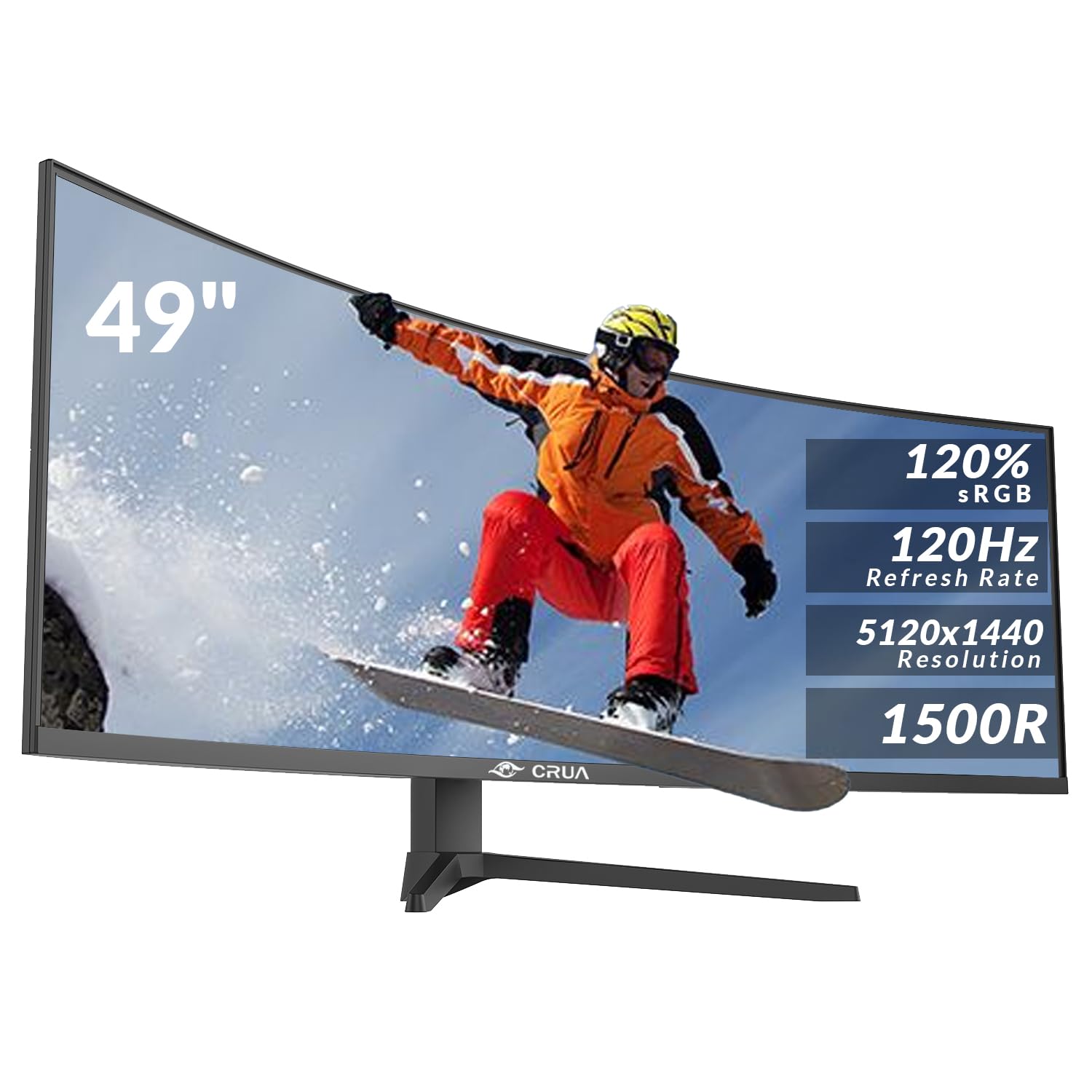
CRUA 49 Inch Curved Gaming Monitor, DQHD 5120 x 1440, 120Hz, 1500R, 32:9 UltraWide, AMD FreeSync, 120% sRGB, Height Adjustable, HDMI 2.1 & DP 1.4, Black
£499.99 · CRUA
Frequently asked
5 questions01Is the MSI MPG 341CQPX QD-OLED 34 Inch UWQHD Curved Gaming Monitor - 3440 x 1440(21:9) QD-OLED Panel, 240Hz / 0.03ms, 99.3% DCI-P3, ΔE≤2, DisplayHDR True Black 400, DP 1.4a, HDMITM, USB Type C(PD:98W) good for gaming?+
Yes, it's excellent for gaming. The 240Hz refresh rate is the fastest available in a 34-inch ultrawide QD-OLED, and the 0.03ms response time is a genuine OLED figure rather than an optimistic LCD marketing claim. Adaptive sync covers both FreeSync Premium and G-Sync compatibility, so tearing is eliminated with both AMD and Nvidia cards. The main caveat is GPU requirement: driving 3440x1440 at 240Hz in demanding titles needs a high-end graphics card. For competitive gaming, the motion clarity is outstanding. For immersive single-player games, the OLED contrast and colour make a visible difference over any LCD alternative.
02Does the MSI MPG 341CQPX QD-OLED 34 Inch UWQHD Curved Gaming Monitor - 3440 x 1440(21:9) QD-OLED Panel, 240Hz / 0.03ms, 99.3% DCI-P3, ΔE≤2, DisplayHDR True Black 400, DP 1.4a, HDMITM, USB Type C(PD:98W) have good HDR?+
Yes, and it's one of the better HDR implementations available in a gaming monitor. The VESA DisplayHDR True Black 400 certification is an OLED-specific standard that requires true black levels, which is fundamentally different from the DisplayHDR 400 standard on LCD monitors. Combined with 99.3% DCI-P3 colour coverage and per-pixel dimming, HDR content looks genuinely impressive: bright highlights against truly dark backgrounds, with accurate colour throughout. The peak brightness ceiling is lower than high-end Mini-LED panels, so in very bright rooms it may feel less punchy. But in a normal gaming environment, the contrast advantage of OLED more than compensates.
03Is the MSI MPG 341CQPX QD-OLED 34 Inch UWQHD Curved Gaming Monitor - 3440 x 1440(21:9) QD-OLED Panel, 240Hz / 0.03ms, 99.3% DCI-P3, ΔE≤2, DisplayHDR True Black 400, DP 1.4a, HDMITM, USB Type C(PD:98W) good for content creation?+
It's a credible option for content creation alongside gaming. The 99.3% DCI-P3 coverage means it can display essentially the full cinema colour space, and the Delta E of 2 or less out of the box means colour accuracy is at a professional standard without needing calibration. The 10-bit colour depth eliminates banding in gradients. For video editing, photo editing, and graphic design, these are meaningful specs. The ultrawide format also gives you extra horizontal screen real estate for timelines and multi-panel workflows. If your work requires strict sRGB accuracy, you may want to check if the monitor has an sRGB mode to constrain the wide gamut.
04What graphics card do I need for the MSI MPG 341CQPX QD-OLED 34 Inch UWQHD Curved Gaming Monitor - 3440 x 1440(21:9) QD-OLED Panel, 240Hz / 0.03ms, 99.3% DCI-P3, ΔE≤2, DisplayHDR True Black 400, DP 1.4a, HDMITM, USB Type C(PD:98W)?+
To make proper use of the 240Hz refresh rate at 3440x1440, you need a high-end GPU. An Nvidia RTX 4080 or RTX 4090, or an AMD RX 7900 XTX, will drive demanding titles at frame rates that justify the 240Hz panel in most games. Mid-range cards like an RTX 4070 or RX 7800 XT can still benefit from the monitor's quality, but you'll be running at lower frame rates in demanding titles, and the adaptive sync range will be doing more of the work. For less demanding games and esports titles, a mid-range card can hit 240fps at UWQHD more comfortably. The DisplayPort 1.4a connection handles the bandwidth for 240Hz at this resolution without issue.
05What warranty and returns apply to the MSI MPG 341CQPX QD-OLED 34 Inch UWQHD Curved Gaming Monitor - 3440 x 1440(21:9) QD-OLED Panel, 240Hz / 0.03ms, 99.3% DCI-P3, ΔE≤2, DisplayHDR True Black 400, DP 1.4a, HDMITM, USB Type C(PD:98W)?+
The product listing does not specify warranty terms, so check directly with MSI for their current warranty coverage on this monitor. When purchasing through Amazon UK, you're covered by Amazon's standard 30-day return policy and the Amazon A-to-Z Guarantee, which provides a baseline of buyer protection. For OLED-specific concerns like burn-in coverage, MSI's own warranty documentation is the authoritative source.