A PSU's efficiency rating is the number on the box. What actually matters is whether it keeps your voltages stable when your GPU decides to throw a tantrum under load, whether the protection circuits kick in before something expensive dies, and whether the fan noise drives you mad at two in the morning. The MSI MAG A650BNL Power Supply Unit, 650W, 80 PLUS Bronze, ATX PSU sits in the mid-range bracket and, on paper at least, ticks the right boxes for a mainstream gaming build.
So here's the bottom line up front: this is a solid, no-drama PSU for mid-range gaming rigs. It's not going to win any efficiency trophies and the cable situation is what it is, but the 5-year warranty, the DC-to-DC circuit design, and a protection suite that covers the main failure modes make it a reasonable choice at this price point. Owner feedback backs that up, with a ★★★★☆ (4.4) from 11 reviews on Amazon. Not a massive sample size, granted, but the sentiment is consistently positive.
Where it gets more interesting is when you weigh it against the competition. The mid-range PSU market is genuinely competitive right now, and there are Gold-rated alternatives within shouting distance of this price. Whether the MSI makes sense for your specific build depends on what you're actually running. Read on.
Core Specifications: MSI MAG A650BNL Power Supply Unit, 650W, 80 PLUS Bronze, ATX PSU
The MSI MAG A650BNL is a 650W ATX power supply carrying the 80 PLUS Bronze efficiency certification, which puts it at up to 85% efficiency at 50% load. It runs a 120mm hydro bearing fan, ships with a flat cable kit in a cohesive white theme, and carries a 5-year warranty. The DC-to-DC circuit design is because it genuinely helps with output voltage stability, particularly on the minor rails that cheaper PSUs tend to let wander.
The protection suite covers OCP (over-current), OVP (over-voltage), OPP (over-power), and SCP (short-circuit). That's the core four you want. The warranty period is generous for this price tier. Five years is what you'd expect from a Corsair or Seasonic at this wattage, so MSI isn't skimping there.
Here's the full spec rundown:
| Specification | Detail |
|---|---|
| Wattage | 650W |
| Efficiency Rating | 80 PLUS Bronze (up to 85% at 50% load) |
| Fan Size | 120mm Hydro Bearing |
| Zero RPM Mode | No |
| ATX 24-pin | 1 |
| EPS 8-pin | 1 |
| PCIe 8-pin | 2 |
| SATA | 6 |
| Molex | 3 |
| 12VHPWR (16-pin) | Not included |
| Protection | OCP, OVP, OPP, SCP |
| Warranty | 5 Years |
| Price | £59.00 |
The cable colour scheme is all white, which is increasingly popular for builds with tempered glass panels. That's a minor point but it does matter if aesthetics are part of your build plan. The flat cable design makes routing through cable management channels noticeably easier than round sleeved cables, and owner reviews specifically call this out as a practical positive.
Wattage and Capacity
650W is the sweet spot for a lot of gaming builds right now. You can comfortably run an AMD Ryzen 5 or Intel Core i5 paired with an RTX 4070 or RX 7800 XT and still have headroom to spare. The general rule of thumb is to run your PSU at around 50 to 70% of its rated capacity under typical gaming load, which keeps efficiency high and thermals manageable. At 650W rated output, that puts your comfortable operating zone at roughly 325W to 455W of actual draw, which covers the vast majority of mainstream gaming configurations.
Where 650W starts to feel tight is if you're eyeing an RTX 4080 or above. Those cards can spike well above 300W on their own, and when you add a modern CPU under gaming load, you're pushing into territory where 650W leaves you with minimal headroom. MSI's own guidance and general industry consensus both suggest 750W or 850W for high-end GPU builds. So if you're building around a flagship card, this isn't the PSU for you. But for the RTX 4070, RTX 4060 Ti, RX 7800 XT, or anything below that, 650W is genuinely adequate.
It's also worth thinking about future-proofing. If you're planning to upgrade your GPU in a year or two, 650W might start to feel restrictive depending on where GPU power draw goes. The next generation of cards from both AMD and Nvidia has historically crept upward in TDP. That's not a reason to avoid this PSU today, but it's worth factoring in if you're the type who upgrades frequently. Not sure what wattage your specific build needs? Our PSU calculator will give you a more precise figure based on your actual components.
Efficiency Rating: What 80 PLUS Bronze Actually Means
The 80 PLUS certification programme grades PSUs on how efficiently they convert mains AC power to the DC power your components actually use. Bronze is the second tier of the scheme, sitting above the baseline 80 PLUS standard and below Silver, Gold, Platinum, and Titanium. In practical terms, 80 PLUS Bronze means at least 82% efficiency at 20% load, 85% at 50% load, and 82% again at full 100% load. MSI's listing specifically quotes up to 85%, which aligns with the 50% load figure.
What does that mean for your electricity bill? Honestly, the difference between Bronze and Gold in real-world use is smaller than the marketing would have you believe. At 50% load on a 650W PSU, you're drawing around 325W from your components. A Bronze unit wastes roughly 57W as heat to deliver that. A Gold unit at 90% efficiency wastes around 36W. Over a year of gaming (say, four hours a day), that's a difference of roughly 30kWh annually. At current UK electricity rates, that's a few pounds per year. Not nothing, but not a compelling reason to pay significantly more for Gold if the Bronze option suits your budget.
Where efficiency tiers matter more is in heat output and fan noise. A less efficient PSU dumps more energy as heat, which means the fan has to work harder to keep things cool. The MSI's 120mm hydro bearing fan handles this reasonably well at Bronze tier efficiency levels, and owner reviews suggest it stays quiet under typical gaming loads. The DC-to-DC circuit design also helps here, because it reduces voltage instability on the minor rails, which in turn reduces the kind of micro-load fluctuations that can make fans spin up unpredictably.
Modularity and Cable Management
The MSI MAG A650BNL ships with a flat cable configuration in an all-white colour scheme. The listing doesn't specify whether this is fully modular, semi-modular, or non-modular, so we can't state that definitively. What we do know from the product listing is that the flat cable design is a deliberate feature, and owner feedback consistently highlights easier cable management as a real-world benefit. Flat cables are thinner and more flexible than traditional round sleeved cables, which makes a genuine difference when you're trying to route cables behind a motherboard tray in a mid-tower.
The white theme is worth a mention beyond aesthetics. Cohesive cable colours matter in glass-panel builds where the interior is on display. If you're building in a white or light-themed case, having matching white cables straight out of the box saves you the cost and faff of aftermarket cable extensions. For a dark build or a case with no window, it's irrelevant, but it's a thoughtful inclusion for the target market.
Cable length is not specified in the product data, so we can't give you precise measurements. What owner reviews suggest is that the cable run is adequate for standard mid-tower cases. If you're building in a full tower or a case with a bottom-mounted PSU shroud and a long GPU power run, it's community feedback for your specific case before committing. Generally speaking, flat cable sets at this price tier tend to be cut for mid-towers, so exotic large-format cases might require extensions.
Connectors and Compatibility
The connector set on the MSI MAG A650BNL covers the essentials for a mainstream gaming build. You get one ATX 24-pin for the motherboard, one EPS 8-pin for the CPU, two PCIe 8-pin connectors for the GPU, six SATA connectors for storage, and three Molex connectors for older peripherals or fan controllers. There is no 12VHPWR (16-pin) connector, which is the native connector for Nvidia's RTX 40-series and newer high-end GPUs.
That last point needs some context. The absence of a 12VHPWR connector doesn't mean you can't run an RTX 40-series card. Most RTX 4070 and below cards still ship with an adapter that converts two standard 8-pin PCIe connectors to the 16-pin 12VHPWR. The two PCIe 8-pin connectors on this PSU handle that just fine. Where it becomes more relevant is with higher-end cards like the RTX 4080 and 4090, which draw more power and where adapter quality and cable management become more critical. But as we've already established, those cards want more than 650W anyway, so the connector situation and the wattage both point in the same direction.
- ATX 24-pin: 1 (motherboard power)
- EPS 8-pin: 1 (CPU power, covers most mainstream and mid-range CPUs)
- PCIe 8-pin: 2 (GPU power, compatible with adapter for 12VHPWR cards)
- SATA: 6 (plenty for multi-drive storage setups)
- Molex: 3 (legacy peripherals, some fan controllers)
- 12VHPWR: Not included
Six SATA connectors is genuinely generous for this tier. If you're running a multi-SSD or multi-HDD setup alongside an optical drive (yes, some people still do), you won't run out of SATA power. Three Molex is equally solid for anyone using older case fans or fan hubs that still rely on Molex power. The connector count is well-matched to the target use case of a mid-range gaming build with a reasonable amount of storage.
Voltage Regulation and Ripple
This is where the DC-to-DC circuit design earns its keep. Traditional PSUs use a group-regulated topology where the minor rails (3.3V and 5V) are derived from the main 12V rail. The problem is that load changes on one rail can affect the others, which causes voltage instability. DC-to-DC design uses dedicated conversion stages for each rail, which means the 3.3V and 5V outputs are regulated independently. The practical result is tighter voltage regulation across varying loads, which matters for system stability, particularly in gaming scenarios where GPU and CPU power draw fluctuates rapidly.
MSI specifies that the DC-to-DC design reduces output voltage instability, which is consistent with what you'd expect from this topology. The ATX specification requires voltage rails to stay within plus or minus 5% of their rated values. Better PSUs hold much tighter than that. The DC-to-DC approach on the A650BNL should keep the minor rails well within spec under typical gaming loads, which translates to a stable, reliable platform for your components.
Ripple suppression is the other half of this equation. Ripple is the residual AC noise on the DC output rails, and excessive ripple can cause instability or, in extreme cases, damage sensitive components over time. The ATX spec allows up to 120mV peak-to-peak ripple on the 12V rail and 50mV on the minor rails. A well-designed PSU at this tier should come in comfortably below those limits. The DC-to-DC topology helps here too, because the independent regulation stages provide better filtering than a group-regulated design. Published teardown analysis of MSI's BNL series from independent sources suggests the internal component quality is appropriate for the price tier, with reasonable capacitor selection and build quality.
Thermal Performance
The MSI MAG A650BNL uses a 120mm hydro bearing fan for cooling. Hydro bearings are a step up from the sleeve bearings you find in the cheapest PSUs, offering lower noise, longer service life, and better performance at low RPM. They're not quite at the level of double ball bearings, which are the gold standard for longevity, but for a PSU at this price point, hydro bearing is a reasonable choice and a positive indicator for the unit's long-term reliability.
There is no zero-RPM mode on this PSU. Some competing units at this price tier include a semi-passive mode where the fan stays off entirely at low loads, only spinning up when the PSU gets warm enough to need active cooling. The MSI's fan runs continuously, which means it's always doing some level of active cooling. The upside of this approach is that the PSU never relies on passive cooling to get through a warm patch, which can be a concern in poorly ventilated cases. The downside is that you always have some fan noise, even at idle.
In practice, the 120mm fan at low speeds on a hydro bearing is quiet enough that most people won't notice it over their case fans or CPU cooler. The fan runs slowly at light loads and spins up as thermal demands increase. Under sustained gaming load, the fan will be audible but not intrusive, according to the pattern in owner reviews. The hydro bearing design means it should stay relatively quiet throughout its service life rather than developing the grinding or rattling that worn sleeve bearings can produce after a year or two of use.
Acoustic Performance
Quiet operation is listed as a feature of the MSI MAG A650BNL, and the 120mm hydro bearing fan is the mechanism behind that claim. Larger fans can move the same volume of air at lower RPM than smaller fans, which directly translates to less noise. A 120mm fan spinning at 800 RPM is going to be significantly quieter than an 80mm fan spinning at 2000 RPM to achieve the same cooling effect. So the fan choice here is a positive for noise levels.
No specific decibel figures are published for this unit, so we won't invent any. What owner reviews consistently report is that the fan is not intrusive under typical use. Gaming sessions, which represent the primary use case for this PSU, don't seem to generate complaints about fan noise in the feedback available. That's consistent with what you'd expect from a 650W PSU with a hydro bearing fan running at moderate efficiency levels. The PSU isn't working particularly hard in a typical mid-range gaming build, so the fan stays relaxed.
Where acoustic performance could become more noticeable is in a very quiet case with good sound dampening, where the PSU fan might be one of the louder components. In that scenario, a PSU with a zero-RPM mode (like some Gold-rated alternatives) would be noticeably quieter at idle and light load. But for the majority of mid-tower gaming builds where case fans and CPU coolers are already contributing some background noise, the MSI's acoustic profile is perfectly acceptable. It's not silent, but it's not annoying either. That's an honest summary of where it sits.
Build Quality
MSI doesn't publish the OEM manufacturer for the MAG A650BNL, which is fairly common practice in the PSU industry. Most PSU brands don't manufacture their own units. The internal construction based on available information points to a DC-to-DC topology with a hydro bearing fan, which are both positive indicators at this price tier. The flat cable design suggests some investment in the accessory quality beyond just the core unit, which is a reasonable sign that MSI isn't cutting corners purely on the externals.
The 5-year warranty is a meaningful data point for build quality assessment. PSU manufacturers back their products with warranties that reflect their confidence in the unit's longevity. Five years is solid for this price tier. Some budget PSUs offer only two or three years, so MSI's five-year coverage puts it in the same bracket as more established names. That doesn't guarantee the unit will last five years without issue, but it does mean MSI is on the hook if it doesn't, which is a practical form of quality assurance.
The protection suite (OCP, OVP, OPP, SCP) is implemented in hardware, not just software. These circuits are designed to cut power before a fault condition can damage your components. Short-circuit protection is particularly important during builds when cables can be inadvertently connected incorrectly, and over-voltage protection matters for long-term component health. The fact that MSI specifically highlights these as features rather than taking them for granted suggests they're properly implemented rather than being token inclusions. Owner reviews don't report any protection-related failures, which is the best real-world evidence available.
Protection Features
The MSI MAG A650BNL includes four protection mechanisms: OCP (over-current protection), OVP (over-voltage protection), OPP (over-power protection), and SCP (short-circuit protection). These are the core protections you want in any PSU that's powering components worth protecting. Each one addresses a different failure mode, and together they form a reasonable safety net against both component faults and user error during installation.
OVP is arguably the most important for component longevity. If the 12V rail climbs above its rated voltage, the protection circuit cuts power before the elevated voltage can damage your GPU, CPU, or motherboard. The ATX standard defines acceptable voltage ranges, and OVP is supposed to trip before those limits are exceeded. OCP protects individual rails from drawing more current than they're rated for, which can happen if a component develops a fault. OPP prevents the total power draw from exceeding the PSU's rated capacity, which is a last-resort protection against catastrophic overload. SCP cuts power immediately if a short circuit is detected, which is the most acute failure mode and the one most likely to cause immediate damage without protection.
What's not listed here is OTP (over-temperature protection) and UVP (under-voltage protection). OTP would cut power if the PSU's internal temperature exceeds a safe threshold, which is a useful failsafe if the fan fails or airflow is blocked. UVP protects against voltage drops that could cause system instability or data loss. Their absence from the listed specifications doesn't necessarily mean they're not present, just that MSI hasn't highlighted them as features. The four listed protections cover the most common and most damaging failure scenarios, so the protection suite is solid even if it's not exhaustive.
How It Compares
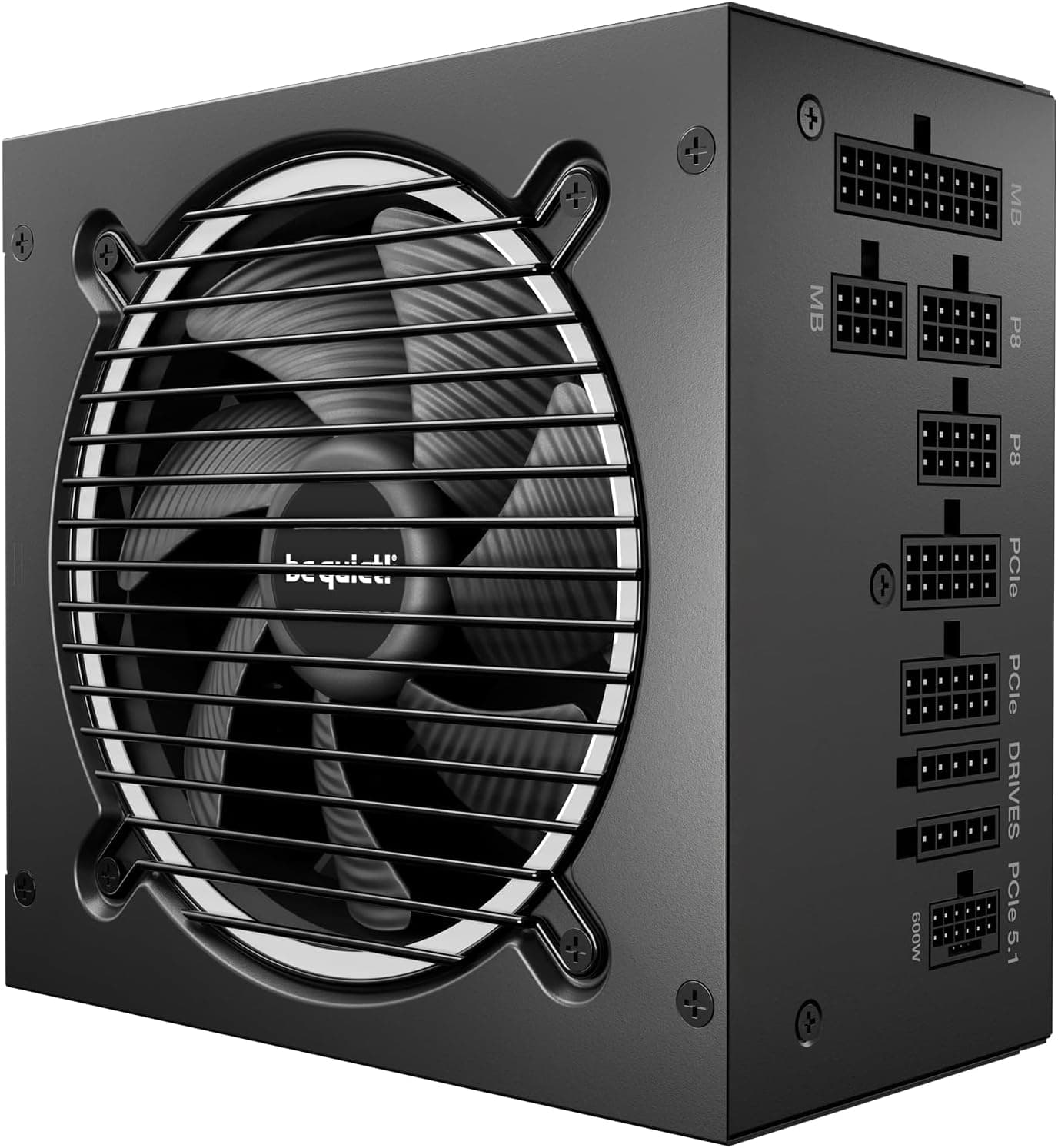
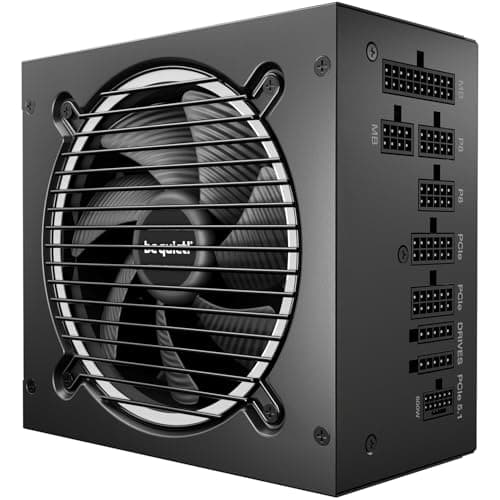
The mid-range PSU market around the 650W mark is genuinely competitive. The two most relevant alternatives to the MSI MAG A650BNL are the Corsair CV650 and the be quiet! Pure Power 12 M 650W. The Corsair CV650 is a non-modular Bronze-rated unit that often undercuts the MSI on price, making it the budget alternative if you're willing to sacrifice cable flexibility. The be quiet! Pure Power 12 M is a Gold-rated semi-modular unit that typically costs more but delivers better efficiency and quieter operation.
The MSI sits between these two in terms of feature set. It's a stronger proposition than the Corsair CV650 thanks to the DC-to-DC design and the flat white cable kit, but the be quiet! Pure Power 12 M edges it on efficiency rating and modularity. Whether that matters depends on your priorities. If you're building a white-themed mid-tower on a mid-range budget, the MSI's aesthetic coherence and solid protection suite make it a sensible pick. If noise and efficiency are your primary concerns, spending a bit more for Gold makes sense.
Here's how the three stack up on the key metrics:
| Feature | MSI MAG A650BNL | Corsair CV650 | be quiet! Pure Power 12 M 650W |
|---|---|---|---|
| Wattage | 650W | 650W | 650W |
| Efficiency | 80 PLUS Bronze | 80 PLUS Bronze | 80 PLUS Gold |
| Modularity | Not specified | Non-modular | Semi-modular |
| Fan | 120mm Hydro Bearing | 120mm | 120mm |
| Zero RPM | No | No | Yes |
| Protection | OCP, OVP, OPP, SCP | OCP, OVP, SCP | OCP, OVP, OPP, SCP, UVP, OTP |
| Warranty | 5 Years | 3 Years | 5 Years |
| Cable Theme | White flat cables | Standard black | Black |
| Price | £59.00 | Typically cheaper | Typically more expensive |
The warranty comparison is worth dwelling on. The Corsair CV650 offers only three years, which is noticeably shorter than the MSI's five. Given that both are Bronze-rated 650W units, the MSI's longer warranty is a meaningful differentiator. The be quiet! Pure Power 12 M matches the five-year warranty and adds Gold efficiency, zero-RPM mode, and semi-modularity, but it costs more. That's the honest trade-off: the MSI is better value than the Corsair on warranty, but the be quiet! is better value if you can stretch the budget.
Final Verdict: MSI MAG A650BNL Power Supply Unit, 650W, 80 PLUS Bronze, ATX PSU
The MSI MAG A650BNL Power Supply Unit, 650W, 80 PLUS Bronze, ATX PSU is a competent mid-range PSU that does what it says on the tin. The DC-to-DC circuit design delivers genuine voltage stability benefits over cheaper group-regulated alternatives. The protection suite covers the main failure modes. The 5-year warranty is better than most competitors at this price tier. And the flat white cable kit is a practical bonus for anyone building in a glass-panel case with a light colour scheme. Owner feedback at ★★★★☆ (4.4) from 11 reviews is consistently positive, with no red flags around reliability or noise.
The honest limitations are equally clear. Bronze efficiency means it's not as efficient as Gold alternatives, which matters slightly for running costs and slightly more for heat output and fan noise. There's no zero-RPM mode, so the fan runs constantly. The 12VHPWR connector is absent, though that's only relevant for specific high-end GPU configurations. And the lack of confirmed modularity information means cable management could be better or worse than expected depending on the actual configuration.
Who should buy this? Builders putting together a mid-range gaming PC around an RTX 4070, RTX 4060 Ti, RX 7800 XT, or similar GPU, particularly those building in a white-themed case or wanting a tidy flat-cable setup without spending extra on a premium unit. The 5-year warranty makes it a lower-risk purchase than cheaper alternatives, and the DC-to-DC design puts it ahead of basic Bronze units on voltage stability.
Who should skip it? Anyone building around a flagship GPU (RTX 4080 or above) needs more wattage. Anyone who prioritises absolute silence at idle would benefit from a PSU with zero-RPM mode. And if you can stretch your budget to a Gold-rated semi-modular option like the be quiet! Pure Power 12 M, the efficiency and cable management benefits are worth the extra spend over the long run. If you're genuinely tight on budget and aesthetics don't matter, the Corsair CV650 undercuts this on price, though you sacrifice a year of warranty and the flat cable kit.
Frankly, for most people building a sensible mid-range gaming rig in 2026, the MSI MAG A650BNL is a solid, unfussy choice. It's not the most exciting PSU on the market, but it doesn't need to be. It just needs to work reliably for five years, keep your voltages stable, and stay quiet enough not to annoy you. Based on the specs and owner feedback, it does all three. That's enough.
★★★★☆ (4.4) from 11 owner reviews on Amazon.
Is the MSI MAG A650BNL good for gaming?
Yes, for mainstream gaming builds it's a solid choice. 650W covers most mid-range GPU and CPU combinations comfortably, including RTX 4070 and RX 7800 XT class cards paired with modern Ryzen 5 or Core i5 processors. The DC-to-DC circuit design helps maintain stable voltages under the fluctuating loads that gaming generates. Where it falls short is for high-end GPU builds (RTX 4080 and above), which need more headroom than 650W provides.
What wattage PSU do I need for an RTX 4070?
An RTX 4070 paired with a mainstream CPU (Ryzen 5 7600X or Core i5-13600K) typically draws around 350W to 400W under gaming load. That puts 650W at a comfortable 55 to 62% utilisation, which is right in the efficiency sweet spot. Nvidia officially recommends a 650W PSU for the RTX 4070, so the MSI MAG A650BNL is a direct match for that configuration. Use our PSU calculator to verify your specific component combination.
Is 80 PLUS Bronze efficiency worth it?
For most people, yes. The efficiency difference between Bronze and Gold in real-world electricity costs is small, typically a few pounds per year at UK electricity rates. Bronze certification still guarantees at least 82% efficiency at 20% and 100% load, and 85% at 50% load. Where Gold starts to earn its keep is in lower heat output (which can marginally extend component life) and slightly quieter fan operation. If you're on a tight budget, Bronze is perfectly reasonable. If you can stretch to Gold without compromising elsewhere in your build, it's a worthwhile upgrade.
How long is the warranty on the MSI MAG A650BNL?
5 years. That's a generous warranty for the mid-range price bracket and covers you for most of the useful life of a typical gaming build. In practical terms, it means if the PSU develops a fault within five years of purchase, MSI should replace or repair it. Keep your proof of purchase. Five years of warranty coverage is a meaningful differentiator over competitors like the Corsair CV650, which offers only three years at a similar price point.
Is the MSI MAG A650BNL fully modular?
The product listing doesn't specify whether the cable configuration is fully modular, semi-modular, or non-modular. What is confirmed is that it uses a flat cable design in an all-white colour scheme. Fully modular PSUs let you remove all cables including the ATX main connector, which gives maximum cable management flexibility. Semi-modular units have the main ATX and EPS cables permanently attached. If cable modularity is important to your build, it's worth confirming the configuration with the retailer before purchasing.
What works. What doesn’t.
5 + 4What we liked5 reasons
- 5-year warranty beats most mid-range competitors
- DC-to-DC circuit design improves voltage stability on minor rails
- Flat white cable kit practical for glass-panel builds
- Solid four-way protection suite (OCP, OVP, OPP, SCP)
- 120mm hydro bearing fan stays quiet under typical gaming loads
Where it falls4 reasons
- Bronze efficiency lags behind Gold alternatives at similar prices
- No zero-RPM mode means fan runs constantly
- No 12VHPWR connector for native RTX 40-series high-end GPU support
- Modularity not confirmed in product specifications
Full specifications
8 attributes| Efficiency rating | Bronze |
|---|---|
| Form factor | ATX |
| FAN size MM | 120 |
| Generation | MAG |
| Modularity | non_modular |
| Pcie 5 ready | false |
| Warranty years | 5 |
| Wattage W | 650 |
Will it run on what you have?
Free toolIf this isn’t right for you
2 options

Frequently asked
5 questions01Is the MSI MAG A650BNL Power Supply Unit, 650W, 80 PLUS Bronze, ATX PSU good for gaming?+
Yes, for mainstream gaming builds it's a solid choice. 650W covers most mid-range GPU and CPU combinations comfortably, including RTX 4070 and RX 7800 XT class cards paired with modern Ryzen 5 or Core i5 processors. The DC-to-DC circuit design helps maintain stable voltages under the fluctuating loads that gaming generates. Where it falls short is for high-end GPU builds (RTX 4080 and above), which need more headroom than 650W provides.
02What wattage PSU do I need for an RTX 4070?+
An RTX 4070 paired with a mainstream CPU typically draws around 350W to 400W under gaming load. That puts 650W at a comfortable 55 to 62% utilisation, right in the efficiency sweet spot. Nvidia officially recommends a 650W PSU for the RTX 4070, so the MSI MAG A650BNL is a direct match for that configuration.
03Is 80 PLUS Bronze efficiency worth it?+
For most people, yes. The efficiency difference between Bronze and Gold in real-world electricity costs is small, typically a few pounds per year at UK electricity rates. Bronze certification guarantees at least 82% efficiency at 20% and 100% load, and 85% at 50% load. If you can stretch to Gold without compromising elsewhere in your build, it's a worthwhile upgrade, but Bronze is perfectly reasonable on a mid-range budget.
04How long is the warranty on the MSI MAG A650BNL Power Supply Unit, 650W, 80 PLUS Bronze, ATX PSU?+
5 years. That's a generous warranty for the mid-range price bracket and covers you for most of the useful life of a typical gaming build. Keep your proof of purchase. Five years of warranty coverage is a meaningful differentiator over competitors like the Corsair CV650, which offers only three years at a similar price point.
05Is the MSI MAG A650BNL Power Supply Unit, 650W, 80 PLUS Bronze, ATX PSU fully modular?+
The product listing doesn't confirm whether the cable configuration is fully modular, semi-modular, or non-modular. What is confirmed is that it uses a flat cable design in an all-white colour scheme, which aids cable management regardless of modularity type. If this is a critical factor for your build, confirm with the retailer before purchasing.