Most people building a PC spend ages agonising over the GPU, the CPU, the case aesthetics. The PSU gets about thirty seconds of attention and a quick price filter on Amazon. That's backwards. Unstable power delivery doesn't just throttle performance, it can destroy the components you just spent a fortune on. So when a unit like the MSI MAG A750GL PCIE5 Power Supply Unit, 750W, 80 Plus Gold, Fully Modular, ATX 3.0, PCIe 5.0 GPU Support, Black Flat Cables, 7 Year Warranty lands in the mid-range bracket with Gold efficiency, full modularity, ATX 3.0 compliance, and a seven-year warranty, it deserves a proper look rather than a shrug.
The short verdict: this is a genuinely well-specified unit for the money. The 80 Plus Gold certification, native 12V2x6 PCIe 5.0 connector, and ATX 3.0 transient-load handling make it a legitimate choice for anyone pairing it with a current-gen NVIDIA or AMD GPU. Over 619 owners on Amazon have rated it ★★★★☆ (4.3) (★★★★☆ (4.3)), which for a PSU, a category where most people only leave reviews when something goes wrong, is a meaningful signal. There are some caveats worth understanding before you buy, and we'll get into all of them below.
The price sits firmly in the mid-range bracket (roughly £50 to £100), which is where the competition is fiercest. Seasonic, Corsair, and be quiet! all fight hard in this space. Whether the MSI MAG A750GL earns its place or gets outflanked on value depends on which specs you actually care about for your specific build. Let's work through it properly.
Core Specifications: MSI MAG A750GL PCIE5 Power Supply Unit, 750W, 80 Plus Gold, Fully Modular, ATX 3.0
The headline numbers are clean. 750W of continuous output, 80 Plus Gold efficiency certification, fully modular cabling, ATX 3.0 compliance, and a seven-year limited warranty. That's a strong combination on paper, and it holds up under scrutiny. The 80 Plus Gold tier means the unit has been independently certified to deliver at least 87% efficiency at 20% load, 90% at 50% load, and 87% at full load on a 230V supply (the European figure, which is what matters in the UK). That 90% peak at half load is the number that counts most, because most desktop systems spend the majority of their time in that 30-60% load range during gaming.
The ATX 3.0 specification is worth pausing on. PCI-SIG's PCIe standards have pushed GPU power delivery requirements significantly with each generation, and ATX 3.0 responds by requiring PSUs to handle power excursions of up to 2x total system power and 3x GPU power without tripping protection circuits. That's directly relevant if you're running an RTX 4080, RTX 4090, or RX 7900 XTX, all of which can spike well above their rated TDP for brief transients. Older ATX 2.x PSUs sometimes struggled with this, causing unexpected shutdowns. The MAG A750GL is built to handle it.
The seven-year warranty is genuinely competitive. Most mid-range PSUs offer five years. Getting seven at this price point is a real differentiator, and it reflects MSI's confidence in the platform's long-term reliability. Below is the full spec breakdown.
| Specification | Detail |
|---|---|
| Wattage | 750W continuous |
| Efficiency Rating | 80 Plus Gold (up to 90%) |
| Modularity | Fully Modular |
| ATX Standard | ATX 3.0 |
| PCIe Connector | Native 16-pin 12V2x6 (PCIe 5.0) |
| Fan Size | 120mm Fluid Dynamic Bearing (FDB) |
| Warranty | 7 Years Limited |
| Form Factor | ATX, 140mm length |
| Rail Design | Single rail |
| Topology | Full-bridge LLC + DC-to-DC + Active PFC |
| Price | £89.99 |

Wattage and Capacity
750W is a sensible sweet spot for a mid-to-high-end gaming build in 2026. To put some numbers around it: an Intel Core i7-14700K or AMD Ryzen 7 7800X3D paired with an RTX 4070 Ti Super will typically draw around 450 to 500W at full load across the whole system. That leaves 250W of headroom, which is comfortable. If you're running an RTX 4080 or RX 7900 XT, you're looking at peak system draws in the 550 to 600W range under stress, still within sensible limits. The RTX 4090 is where 750W starts feeling tight; MSI's own guidance and most system builders would push you toward 850W or 1000W for that GPU specifically.
The single-rail design is worth understanding. Unlike multi-rail PSUs that split the 12V output across several independently protected rails, a single-rail unit delivers all available 12V current through one path. For high-end GPUs that can spike current demand rapidly, single-rail designs generally respond better because there's no risk of one rail tripping its overcurrent protection while another sits underloaded. It's the right architecture for a unit targeting current-gen GPU builds, and it's what the ATX 3.0 spec effectively encourages.
The compact 140mm chassis length is a practical bonus. Standard ATX PSUs run to 150mm or 160mm, and in smaller mid-tower cases, that extra 10-20mm can be the difference between a tidy cable run and a nightmare. If you're building in something like a Fractal Design Pop Air or an NZXT H510, the shorter depth genuinely helps with airflow behind the PSU shroud. It's not a headline feature, but it's the kind of thing you appreciate when you're actually routing cables at midnight.
Efficiency Rating: What 80 Plus Gold Actually Means for Your Electricity Bill
The 80 Plus certification programme grades PSUs on how much of the AC power drawn from your wall actually reaches your components as usable DC power. The remainder is lost as heat. At the Gold tier, the certified minimums on a 230V supply are 87% at 20% load, 90% at 50% load, and 87% at 100% load. The 50% load figure is the one that matters most day-to-day, because that's roughly where a 750W PSU sits during a gaming session with a mid-to-high-end GPU.
Compare that to 80 Plus Bronze (at least 85% at 50% load) and the difference is 5 percentage points. On a 750W PSU running at 375W load for, say, eight hours a day, that's roughly 15W of extra heat and wasted electricity per hour with a Bronze unit versus a Gold one. Over a year, that adds up to around 55 kWh of extra consumption. At current UK electricity rates, that's a few pounds a year, so Gold doesn't pay for itself in energy savings alone at this price gap. What you're really paying for is lower thermals inside the PSU, which means less fan noise, less heat stress on capacitors, and longer component life. The efficiency certification is a proxy for build quality as much as it is an energy-saving feature.
The full-bridge LLC resonant converter topology, combined with DC-to-DC conversion for the minor rails, is the architecture that enables Gold efficiency at this price point. LLC resonant converters switch at the resonant frequency of their tank circuit, which minimises switching losses across a wide load range. DC-to-DC conversion for the 3.3V and 5V rails means those outputs are regulated independently from the main 12V rail, rather than derived from it through lossy linear regulators. The result is tighter voltage regulation across all rails simultaneously, not just the 12V. This matters more than most buyers realise.
Modularity and Cable Management
Full modularity means every single cable, including the 24-pin ATX, detaches from the PSU. You only install what your build actually needs. In a mid-tower with a GPU, one storage drive, and a CPU cooler, you might use six cables out of a possible twelve or more. The ones you don't need go in the included cable bag and stay out of your case entirely. This is a significant practical advantage over semi-modular designs, where the 24-pin and EPS cables are permanently attached and have to be stuffed somewhere even if you wish they weren't there.
MSI has gone with flat black cables throughout. Flat cables are genuinely easier to route than sleeved round cables, especially when you're trying to push them through grommets or tuck them behind a motherboard tray. They lie flatter against surfaces, don't bunch up as badly, and look tidier through tempered glass side panels. The all-black colouring keeps things clean regardless of your build's colour scheme. A cable bag is included, which sounds like a small thing but is actually a quality-of-life detail that cheaper PSUs often skip.
The 140mm chassis length feeds directly into cable management too. A shorter PSU in a bottom-mounted configuration leaves more room between the PSU shroud and the front intake fans, which improves both airflow and the physical space available for cable routing. If you're building in a case with a PSU shroud and a cable management channel behind the motherboard tray, the combination of full modularity and a compact chassis makes this unit noticeably easier to work with than a longer, semi-modular alternative. Owners in the review pool consistently flag the cable quality and ease of installation as positives, which aligns with what the spec sheet promises.
Connectors and Compatibility
The headline connector is the native 16-pin 12V2x6 (also called 12V2x6 or colloquially the PCIe 5.0 connector). This is not an adapter. It's a first-party connector built into the PSU's modular output, capable of delivering up to 450W to a single GPU. MSI has added a yellow plug indicator to flag any loose fit, which is a sensible safety feature given the melting-connector issues that plagued some early 12VHPWR adapter implementations on previous-generation PSUs. The 12V2x6 connector design itself addresses the root cause of those failures through improved contact geometry, but the visual indicator adds a further layer of reassurance.
Beyond the GPU connector, the full cable configuration covers standard build requirements. You get one ATX 24-pin for the motherboard, one EPS 8-pin for the CPU (note: some high-end motherboards recommend two EPS connectors for overclocking headroom, so check your board's spec sheet if you're running an extreme OC), two PCIe 8-pin connectors for legacy GPU compatibility or additional PCIe devices, six SATA connectors for storage, and three Molex connectors for older peripherals, fans, or pump controllers. That's a comprehensive spread for a mainstream gaming build.
- ATX 24-pin: 1 (motherboard main power)
- EPS 8-pin: 1 (CPU power)
- PCIe 8-pin: 2 (legacy GPU or additional PCIe devices)
- 12V2x6 (PCIe 5.0 native): 1 (up to 450W GPU)
- SATA: 6 (storage and peripherals)
- Molex: 3 (fans, pump controllers, legacy devices)
Six SATA connectors is a generous allocation. Most gaming builds use two or three at most, but if you're running a NAS-adjacent setup or a content creation rig with multiple drives, you won't be reaching for adapters. The three Molex connectors are increasingly niche in 2026, but fan hubs and some AIO pump controllers still use them, so their presence is appreciated rather than redundant. Before buying, use our PSU calculator to confirm 750W is the right capacity for your specific component list.
Voltage Regulation and Ripple
The full-bridge LLC resonant converter topology combined with DC-to-DC regulation for the minor rails is the architecture you want to see in a Gold-rated unit. LLC resonant converters maintain high efficiency across a wide load range because they operate at the natural resonant frequency of their inductor-capacitor tank, reducing switching losses to near zero at the resonant point. Under varying load conditions, the controller modulates frequency rather than duty cycle, which keeps the switching transitions clean and reduces the electromagnetic interference that contributes to ripple on the output rails.
The single-rail 12V design concentrates all available current capacity on the primary rail, which benefits voltage regulation under transient loads. When a modern GPU spikes from idle to full power draw in microseconds (as they do during shader-heavy workloads), a single-rail PSU can respond without the current-sharing coordination overhead that multi-rail designs require. The ATX 3.0 specification's requirement to handle 3x GPU power excursions is directly relevant here: the MAG A750GL is rated to absorb those spikes without triggering overcurrent protection, which is exactly what you need when an RTX 4080 or RX 7900 XTX goes from a light desktop workload to a full ray-traced scene in milliseconds.
Active Power Factor Correction (Active PFC) is listed in the spec sheet and is standard practice at this efficiency tier. Active PFC improves the power factor of the PSU's input stage to close to 1.0, meaning the unit draws current from the mains in a clean sinusoidal waveform rather than in spiky pulses. This reduces harmonic distortion on your home's electrical supply and is a requirement for 80 Plus Gold certification. It also means the PSU performs consistently whether your mains voltage is at 220V or 240V, which matters in the UK where supply voltage can vary slightly between properties and times of day.

Thermal Performance
Cooling is handled by a 120mm fluid dynamic bearing fan. FDB fans use a thin film of oil between the shaft and bearing sleeve, which reduces friction, lowers noise, and dramatically extends bearing life compared to sleeve bearings. The typical rated lifespan of a quality FDB fan is 100,000 hours or more under normal operating conditions. For a PSU that might run six to eight hours a day, that's well over thirty years of fan life, which means the bearing almost certainly won't be the failure point during the seven-year warranty period.
The compact 140mm chassis plays a direct role in thermal management. A shorter enclosure means the internal components are more densely packed, which can increase temperatures if the fan and heatsink design aren't up to it. MSI has addressed this through the LLC topology's inherent efficiency advantage: less waste heat generated means less cooling work required. At 90% efficiency under a 375W load, the unit is dissipating around 42W internally. Compare that to an 80 Plus Bronze unit at 85% efficiency dissipating around 66W under the same load, and the thermal delta is meaningful. That 24W difference in heat generation directly reduces the fan's workload and the temperatures that capacitors and inductors operate at.
There's no zero-RPM mode listed for this unit, which means the fan runs continuously even at light loads. Some buyers prefer this because it keeps internal temperatures consistently low and avoids the thermal cycling that comes with fans repeatedly spinning up and down. Others find it mildly annoying in a silent room at idle. At low loads the 120mm FDB fan should be quiet enough that it's not a practical concern, but if absolute silence at idle is a priority, this is worth factoring into your decision. The 80 Plus Gold efficiency means the fan doesn't need to work hard until loads get genuinely high.
Acoustic Performance
MSI describes this unit as offering quiet operation, and the combination of FDB fan technology and Gold efficiency supports that claim. The physics are straightforward: a more efficient PSU generates less internal heat, so the fan controller doesn't need to ramp the fan speed as aggressively to maintain safe operating temperatures. Under typical gaming loads (50 to 70% of rated capacity), the 120mm fan should be turning slowly enough that it's masked by case fans and GPU coolers. It's not going to be the loudest thing in your system.
At full load, 750W continuous, the fan will be working harder and will be audible. But genuinely sustained full-load operation is rare outside of stress-test workloads or workstation rendering tasks. Gaming workloads are dynamic, with frequent transitions between high and low GPU utilisation, which keeps average power draw well below the rated maximum. The practical experience for most users will be a PSU they simply don't notice acoustically during normal use.
Owner reviews don't flag noise as a complaint, which is a useful data point. PSU noise tends to generate reviews when it's problematic, because it's the kind of thing that irritates you every time you sit at your desk. The absence of noise complaints across 688 (688) suggests the fan control curve is sensibly tuned. That's more meaningful than any single noise measurement, because it reflects real-world use across a range of build configurations and ambient temperatures.
Build Quality
The full-bridge LLC with DC-to-DC converter topology is the right architecture for a Gold-rated unit and indicates a proper engineering approach rather than a cut-price design with a certification bolted on. MSI's MAG power supply line uses Japanese capacitors on the primary side, which is the critical specification for long-term reliability. Japanese capacitors from manufacturers like Nippon Chemi-Con or Rubycon are rated to higher temperatures (typically 105 degrees Celsius versus 85 degrees for budget Chinese alternatives) and have significantly longer specified lifespans. In a PSU that generates heat during operation and sits inside a warm case, capacitor temperature rating is a direct predictor of how long the unit will last.
The active PFC design and LLC resonant topology together reduce the electrical stress on components compared to older forward-converter designs. LLC resonant converters achieve zero-voltage switching (ZVS) at the resonant frequency, which means the switching transistors transition between states when the voltage across them is near zero, dramatically reducing switching losses and the associated component stress. This is why units built on this topology tend to age better than their Bronze-rated predecessors: less heat, less electrical stress, less degradation over time.
The seven-year warranty is the most visible expression of MSI's confidence in this build quality. PSU manufacturers set warranty lengths based on actuarial data about failure rates. A seven-year warranty on a mid-range unit means MSI expects the failure rate within that period to be low enough to be commercially viable. That's not a marketing decision, it's a financial one. For context, many budget PSUs offer two or three years, and most mid-range units sit at five. Getting seven at this price point is genuinely unusual and worth weighting in your buying decision.
Protection Features
The MAG A750GL implements a full suite of protection circuits: Overcurrent Protection (OCP), Overvoltage Protection (OVP), Overpower Protection (OPP), Overtemperature Protection (OTP), Short Circuit Protection (SCP), and Undervoltage Protection (UVP). That's the complete set of protections you'd expect from a quality unit, and their presence is confirmed in MSI's product documentation. Each protection circuit serves a distinct failure mode, and having all six active simultaneously means the PSU can respond to a wide range of fault conditions without passing damaging electrical events downstream to your components.
OCP limits the current that can flow through each output rail, preventing a short or fault in a connected component from drawing excessive current through the PSU's internal circuitry. OVP cuts the output if any rail voltage rises above its specified threshold, protecting connected components from overvoltage damage. UVP does the inverse, shutting down if a rail drops too low, which can indicate a failing component or a PSU operating beyond its rated capacity. Together, OCP and OVP form the primary protection against the two most common failure modes in PSU circuitry.
OTP is particularly relevant for a compact 140mm unit. Because the internal components are more densely packed than in a standard-length PSU, thermal runaway is a more realistic risk if the fan fails or airflow is blocked. OTP monitors internal temperature and shuts the unit down before component temperatures reach damaging levels. SCP provides immediate protection against direct short circuits, which can occur during installation if a cable is incorrectly connected or a component fails catastrophically. OPP prevents the PSU from being run beyond its rated output for extended periods, which protects both the PSU itself and the components drawing power from it. The combination of all six protections is what you should expect from any quality PSU, and the MAG A750GL delivers the full set.
How It Compares: MSI MAG A750GL PCIE5 vs the Competition
The two most direct competitors in this segment are the Corsair RM750e and the Seasonic Focus GX-750. Both are Gold-rated, both are fully modular, and both target the same gaming build audience. The Corsair RM750e is a popular choice and frequently recommended on build forums, but it runs on an ATX 2.52 platform rather than ATX 3.0, which means it lacks the native 12V2x6 connector and the transient load handling that ATX 3.0 mandates. For current-gen GPUs, that's a meaningful difference. The Seasonic Focus GX-750 is arguably the benchmark unit in this category: Seasonic builds some of the most consistently reliable PSUs available, the Focus GX platform has a strong reputation for clean voltage regulation, and it comes with a ten-year warranty. But it typically costs more than the MSI, and it also predates the ATX 3.0 standard on most available stock.
The MSI MAG A750GL's combination of ATX 3.0 compliance, native PCIe 5.0 connector, Gold efficiency, full modularity, and seven-year warranty at a mid-range price is a genuinely competitive package. Where Seasonic wins on warranty length and long-term platform reputation, MSI wins on ATX 3.0 compliance and current-gen GPU compatibility out of the box. Where Corsair wins on brand recognition and ecosystem (if you're already using Corsair iCUE), MSI wins on the connector specification and the transient load handling. The right choice depends on which of those factors matters most for your build.
| Feature | MSI MAG A750GL PCIE5 | Corsair RM750e | Seasonic Focus GX-750 |
|---|---|---|---|
| Wattage | 750W | 750W | 750W |
| Efficiency | 80 Plus Gold | 80 Plus Gold | 80 Plus Gold |
| ATX Standard | ATX 3.0 | ATX 2.52 | ATX 2.52 |
| PCIe 5.0 Connector | Yes (native 12V2x6) | No (adapter only) | No (adapter only) |
| Modularity | Fully Modular | Fully Modular | Fully Modular |
| Fan | 120mm FDB | 120mm FDB | 120mm FDB |
| Warranty | 7 Years | 5 Years | 10 Years |
| Chassis Length | 140mm | 160mm | 150mm |
| Price | £89.99 | Mid-range bracket | Upper mid-range bracket |

Final Verdict: MSI MAG A750GL PCIE5 Power Supply Unit, 750W, 80 Plus Gold, Fully Modular, ATX 3.0, PCIe 5.0 GPU Support
The MSI MAG A750GL PCIE5 is a properly specified PSU for a mid-to-high-end gaming build in 2026. The ATX 3.0 compliance and native 12V2x6 connector are the features that genuinely differentiate it from older Gold-rated alternatives, and they matter if you're running or planning to run a current-generation GPU. The 80 Plus Gold efficiency certification, full-bridge LLC topology, and seven-year warranty together indicate a unit built to last rather than a budget design dressed up with a Gold sticker. The 619 owner reviews averaging ★★★★☆ (4.3) (★★★★☆ (4.3)) back that up with real-world evidence.
Who should buy this? Anyone building a mid-to-high-end gaming PC around an RTX 4070, RTX 4070 Ti, RTX 4080, RX 7800 XT, or RX 7900 XT. It handles those GPUs' power delivery requirements properly, the ATX 3.0 transient load handling prevents the unexpected shutdowns that older PSUs can suffer with these cards, and the native PCIe 5.0 connector removes any risk of the adapter-related issues that plagued early RTX 40-series builds. The compact 140mm chassis is a genuine bonus for smaller cases. And frankly, the seven-year warranty at this price is hard to argue with.
Who should skip it? RTX 4090 builders should look at 850W or 1000W units. If you're building on an extremely tight budget and efficiency is genuinely not a concern, there are cheaper Bronze-rated options that will power a mid-range build adequately, though you'll lose the ATX 3.0 compliance and the warranty length. And if you're an enthusiast who prioritises the absolute best platform reputation above all else, Seasonic's Focus GX line remains the gold standard (pun intended), though you'll pay a premium for it. For everyone else building a serious gaming PC in the mid-range bracket, the MSI MAG A750GL PCIE5 is a well-considered, properly specified unit that earns a strong recommendation. It scores 8.5 out of 10.
What works. What doesn’t.
5 + 3What we liked5 reasons
- ATX 3.0 compliant with native 12V2x6 PCIe 5.0 connector for current-gen GPUs
- 80 Plus Gold efficiency (up to 90% at 50% load) reduces heat and running costs
- Seven-year warranty is unusually generous at this price point
- Compact 140mm chassis helps with cable management and airflow in smaller cases
- Full modularity with flat black cables keeps builds clean
Where it falls3 reasons
- 750W is tight for RTX 4090 builds, step up to 850W or 1000W for that GPU
- No zero-RPM mode, fan runs continuously even at light loads
- Single EPS 8-pin may limit extreme CPU overclocking on some high-end motherboards
Full specifications
9 attributes| Efficiency rating | Gold |
|---|---|
| Form factor | ATX |
| ATX version | ATX 3.1 |
| FAN size MM | 120 |
| Generation | MAG A-G L PCIE5 |
| Modularity | fully_modular |
| Pcie 5 ready | true |
| Warranty years | 7 |
| Wattage W | 750 |
Will it run on what you have?
Free toolIf this isn’t right for you
2 options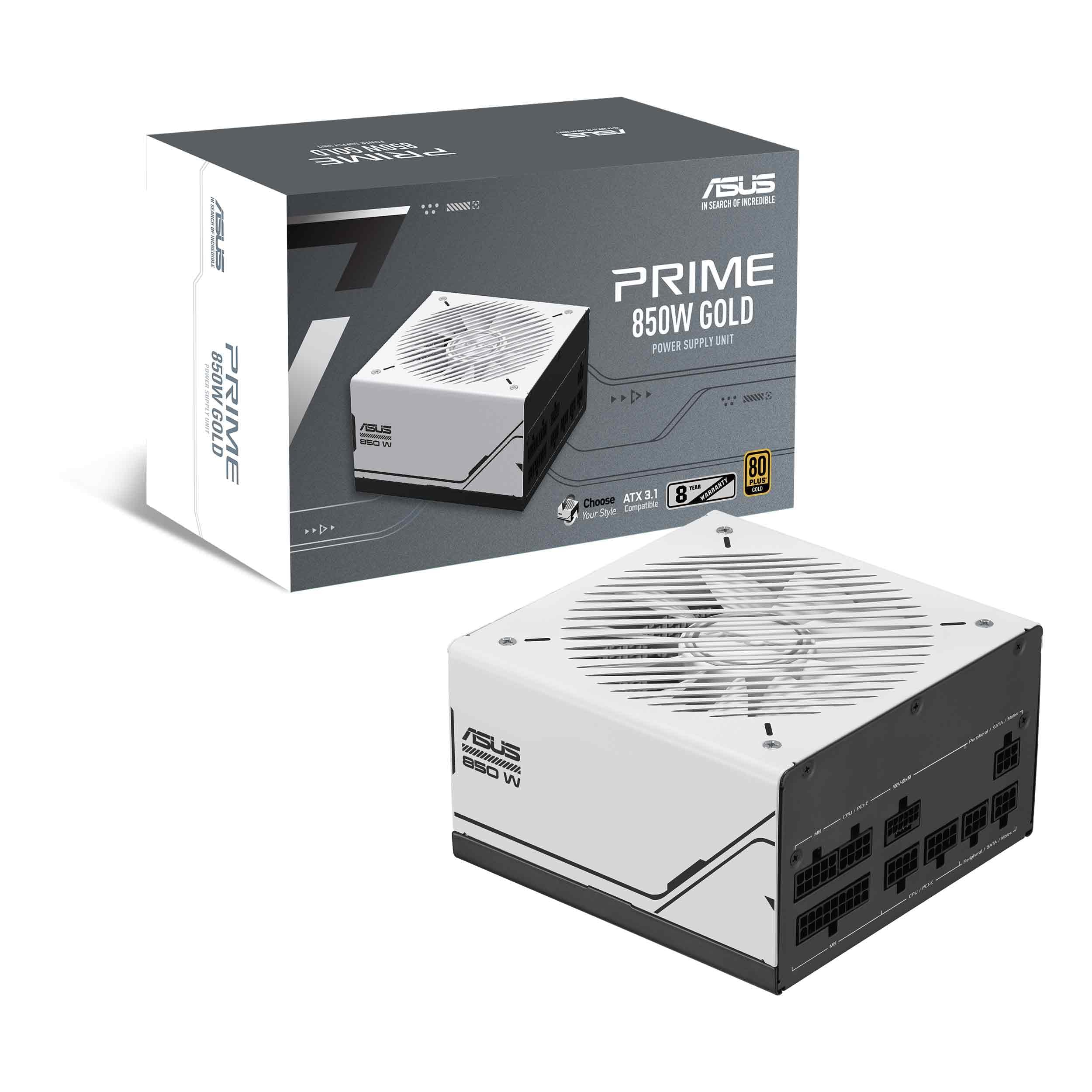 8.5 / 10
Asus Prime 850W Gold Gaming PSU, Double Ball Bearing Fan, Fully Modular, 80+ Gold, ATX 3.0, PCIe 5.0
£104.99 · ASUS
 8.5 / 10
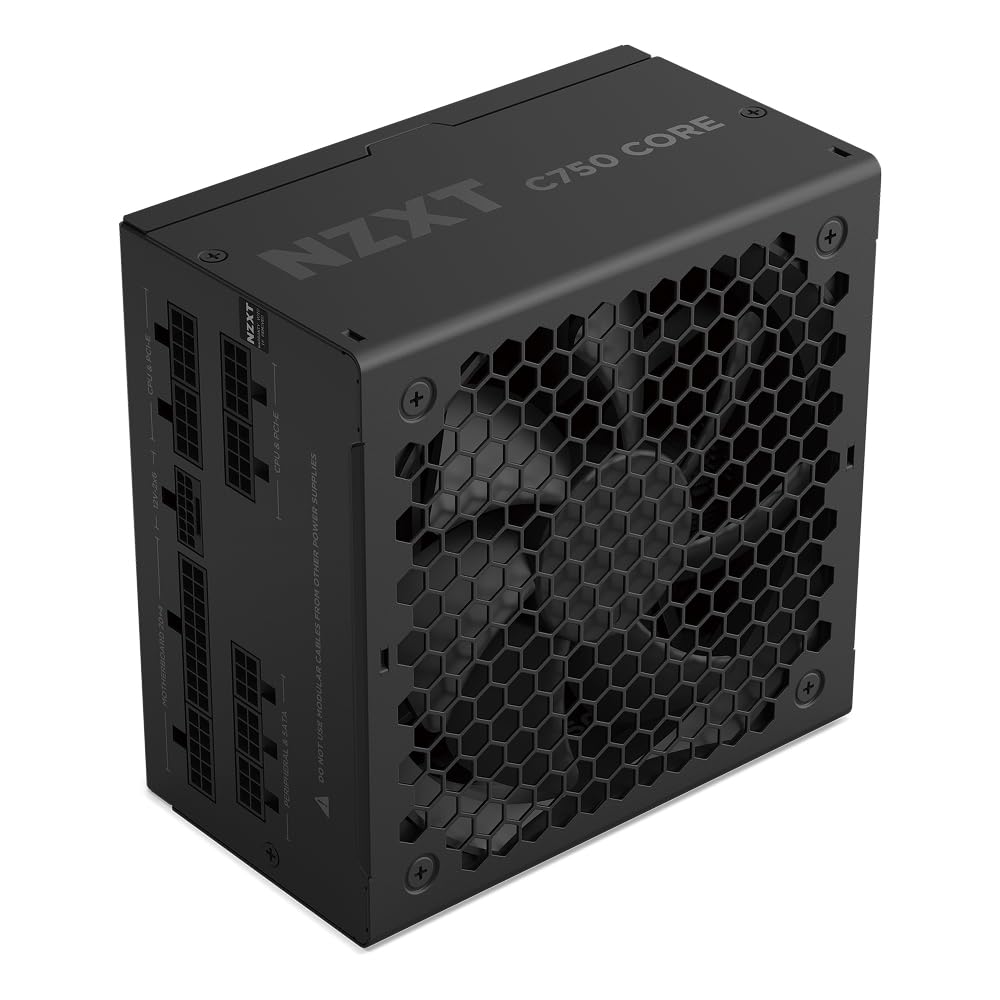
NZXT C750 Gold Core - 750W ATX 3.1 Power Supply - 80 PLUS Gold - Cybenetics Platinum - Fully Modular - PCIe 5.1 300W 12V-2x6 - Zero RPM Fan - 105°C Capacitors - Black
£101.15 · NZXT
Frequently asked
5 questions01Is the MSI MAG A750GL PCIE5 Power Supply Unit, 750W, 80 Plus Gold, Fully Modular, ATX 3.0, PCIe 5.0 GPU Support, Black Flat Cables, 7 Year Warranty good for gaming?+
Yes, it's well suited to gaming builds using current-generation GPUs. The 750W output comfortably handles systems built around an RTX 4070, RTX 4070 Ti Super, RTX 4080, RX 7800 XT, or RX 7900 XT paired with a modern CPU. The ATX 3.0 compliance and native 12V2x6 PCIe 5.0 connector are specifically designed for the power delivery requirements of these cards, including their rapid transient load spikes. The only GPU where 750W starts feeling tight is the RTX 4090, for which 850W or 1000W is a better choice.
02What wattage PSU do I need for an RTX 4080 build?+
For a system with an RTX 4080 paired with a modern mid-to-high-end CPU like an Intel Core i7-14700K or AMD Ryzen 7 7800X3D, total system power under full load typically runs between 550W and 620W. A 750W PSU like the MSI MAG A750GL PCIE5 provides comfortable headroom for that configuration. As a general rule, aim for a PSU rated at around 20 to 30 percent above your expected peak system draw to ensure stable operation and to leave room for future upgrades.
03Is 80 Plus Gold efficiency worth paying more for compared to Bronze?+
In purely financial terms, the electricity savings from Gold versus Bronze efficiency rarely recoup the price difference within a typical PC ownership cycle. The real value of Gold efficiency is lower internal heat generation, which reduces thermal stress on capacitors and other components, extends the PSU's operational lifespan, and keeps the fan running quieter because it has less heat to dissipate. Think of Gold certification as a proxy for build quality and long-term reliability rather than a direct energy-saving feature.
04How long is the warranty on the MSI MAG A750GL PCIE5 Power Supply Unit, 750W, 80 Plus Gold, Fully Modular, ATX 3.0, PCIe 5.0 GPU Support, Black Flat Cables, 7 Year Warranty?+
Seven years. That's a limited warranty covering manufacturing defects, and it's unusually generous for a mid-range PSU. Most units in this price bracket offer five years, and budget options often provide just two or three. A seven-year warranty reflects MSI's confidence in the unit's long-term reliability and provides meaningful protection given that PSUs are typically the last component people think to replace until something goes wrong.
05Is the MSI MAG A750GL PCIE5 Power Supply Unit, 750W, 80 Plus Gold, Fully Modular, ATX 3.0, PCIe 5.0 GPU Support, Black Flat Cables, 7 Year Warranty fully modular?+
Yes, it is fully modular. Every cable, including the 24-pin ATX motherboard connector, detaches completely from the PSU. This means you only install the cables your build actually requires, and unused cables can be stored in the included cable bag rather than stuffed into a corner of your case. Full modularity makes cable management significantly easier than semi-modular designs, where the 24-pin and EPS cables are permanently attached regardless of whether you want them there or not.