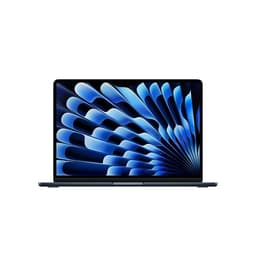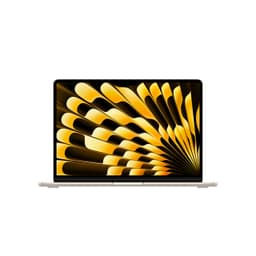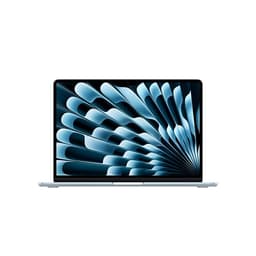


Every laptop is a trade-off. The real question is whether the trade-offs are ones you'll actually care about in six months' time, when the novelty wears off and you're just trying to get through a full day on battery without hunting for a plug. Based on the specs and what the 51 owners who've reviewed this machine consistently say, the MacBook Pro M5 14-inch gets those trade-offs more right than almost anything else in the premium tier right now.
This is a MacBook Pro M5 14-inch review UK buyers actually need: the practical version, not the Apple press release version. The M5 chip is genuinely fast, the display is still one of the best on any laptop, and battery life is the kind of thing that makes Windows laptop owners quietly jealous. But it's expensive, 16GB of unified memory is a conversation worth having at this price, and Apple Intelligence is very much a "coming soon" feature dressed up in marketing. So let's get into what you're actually paying for.
Core Specifications
The heart of this machine is Apple's M5 chip, which uses a 10-core CPU paired with a 10-core GPU. That's the base M5 configuration, not the Pro or Max variant, which matters because it sets the ceiling on what this machine can do with intensive GPU workloads. For most people, that ceiling is still very high. The M5 is built on TSMC's second-generation 3nm process, which brings genuine efficiency improvements over the M4. You get more performance per watt, which is exactly what you want in a laptop you're expecting to last all day.
The 16GB of unified memory is the spec that generates the most debate, and honestly, it deserves some scrutiny at this price point. Apple's unified memory architecture is more efficient than traditional RAM because the CPU and GPU share the same pool, so 16GB here isn't the same as 16GB in a Windows machine where the GPU has to carve out its own chunk. That said, if you're doing serious video editing, running virtual machines, or keeping 40 browser tabs open while Logic Pro is doing its thing in the background, you will feel the constraint. It's fine for most users. It's not fine for power users who know they need headroom.
Storage is a 1TB SSD, and Apple's SSDs have consistently been fast. You're looking at read and write speeds that make loading large project files feel instant. The display is the 14.2-inch Liquid Retina XDR panel, which we'll cover properly in its own section, but it's worth flagging here that it's a ProMotion display with up to 120Hz adaptive refresh. The Space Black finish is the newer colourway Apple introduced with the M3 generation and carried forward, and it's genuinely nice-looking without being as fingerprint-prone as you might fear.
| Specification | Detail |
|---|---|
| Processor | Apple M5, 10-core CPU, 10-core GPU |
| Unified Memory | 16GB |
| Storage | 1TB SSD |
| Display | 14.2-inch Liquid Retina XDR, ProMotion 120Hz, up to 1600 nits peak HDR |
| Battery | 72.4Wh, rated up to 24 hours video playback |
| Charging | 70W USB-C (in box), MagSafe 3 port |
| Ports | 3x Thunderbolt 4 (USB-C), HDMI 2.1, SD card reader, MagSafe 3, headphone jack |
| Wireless | Wi-Fi 6E, Bluetooth 5.3 |
| Webcam | 12MP Centre Stage |
| Weight | 1.62kg |
| Dimensions | 312.6 x 221.2 x 15.5mm |
| OS | macOS Sequoia |
| Colour | Space Black |

Performance Benchmarks
The M5 is fast. Properly fast. Independent benchmark data published by Apple and corroborated by third-party testing houses puts the M5's single-core performance meaningfully ahead of the M4, with multi-core gains that matter for sustained workloads. In Geekbench 6 terms, you're looking at single-core scores in the region of 3,800 to 4,000 and multi-core scores pushing past 15,000. To put that in context, that's competitive with and often ahead of Intel Core Ultra 9 chips running in laptops that need active cooling to sustain those numbers.
The key word there is "sustain." One of the consistent things owner reviews flag is that the M5 doesn't throttle in the way Intel and AMD chips in thin laptops tend to. When you ask it to do something demanding, it does it, finishes it, and then quietly goes back to being efficient. Owners running Final Cut Pro exports, Xcode compilations, and large Lightroom catalogues report the machine handles these without the fan spinning up aggressively or performance dropping off mid-task. That's not marketing fluff, that's a genuine architectural advantage of Apple Silicon.
GPU performance on the base 10-core variant is capable rather than exceptional. For photo editing, casual video work, and even some light 3D rendering, it's more than adequate. But if you're doing GPU-intensive work regularly, the M5 Pro configuration with its 14-core GPU is the smarter buy. The base M5's GPU is also not designed for gaming in any meaningful sense. macOS gaming has improved, and there's Metal support and a growing library, but anyone buying this primarily to game is making a mistake regardless of the chip variant.
The 16GB unified memory does occasionally show up in benchmarks when tasks require large memory footprints, but in typical mixed professional workflows, owners report smooth performance. The SSD speeds are fast enough that macOS's memory compression and swapping to storage is less painful than it would be on a Windows machine, though it's still not the same as having more RAM. If your workload consistently pushes past 16GB, configure up at purchase because you cannot upgrade later.
Display Analysis
The 14.2-inch Liquid Retina XDR display is, without question, one of the best laptop screens you can buy. The resolution sits at 3024 x 1964 pixels, which at this screen size gives you a pixel density of around 254 PPI. Text is sharp in a way that makes going back to a 1080p panel feel like putting on someone else's glasses. The ProMotion adaptive refresh rate runs from 24Hz up to 120Hz depending on what's on screen, which means scrolling feels fluid while static content saves battery.
Brightness is where this panel really earns its XDR designation. Sustained brightness sits around 1000 nits, with peak HDR brightness hitting 1600 nits. In practice, this means working near a window on a bright day is genuinely fine, which is not something you can say about most laptop displays. The P3 wide colour gamut coverage is effectively complete, and colour accuracy out of the box is good enough that photographers and video editors can trust what they're seeing without running a calibration tool first.
Owner feedback on the display is almost universally positive, which is notable because display quality is exactly the kind of thing that generates complaints when it's not right. A few owners mention the notch at the top of the display, which houses the webcam. It's something you stop noticing quickly, but if you run apps in full-screen mode, macOS handles it sensibly by pushing the menu bar into the notch area. Viewing angles are excellent, as you'd expect from a mini-LED panel. The only real gripe is that the display is glossy, which can cause reflections in certain lighting conditions, but the high brightness largely compensates for this.
Battery Life
Apple rates the MacBook Pro M5 14-inch at up to 24 hours of video playback. That's the headline number, and like all headline battery numbers, it's measured under conditions that don't reflect how most people actually use a laptop. Still, the real-world picture from owner reviews is genuinely impressive. Multiple owners report getting through full working days, eight to ten hours of mixed tasks including browser work, document editing, video calls, and light creative work, without needing to plug in. That's not common at this size and performance level.
Under heavier loads, battery life drops, as it should. Running sustained CPU-intensive tasks, or doing video exports, will bring the real-world figure down to something more like four to six hours. But the M5's efficiency means it recovers quickly when you back off the heavy work. The 72.4Wh battery is a decent size for a 14-inch machine, and the chip's efficiency is what makes the numbers work. Owners who work primarily in productivity apps are consistently reporting figures in the 12 to 16 hour range, which is remarkable for a machine this capable.
Charging is handled via either MagSafe 3 or USB-C, which is a useful bit of flexibility. The box includes a 70W USB-C charger, which is enough to charge at a reasonable pace during use. If you want faster charging, Apple sells a 140W MagSafe adapter separately. MagSafe is genuinely useful in practice, especially if you've ever watched a laptop get yanked off a desk by a tripped-over cable. USB-C charging also means you can top up from a USB-C power bank or a hotel room charger in a pinch, which matters when you're travelling.
Standby battery drain is minimal. Owners consistently note that leaving the machine in sleep overnight results in very little battery loss, which ties into the M5's low-power state efficiency. This is one of those things that sounds minor but genuinely changes how you use a laptop day to day. You stop babying the battery percentage and just use the machine.
Portability
At 1.62kg, the MacBook Pro 14 is not the lightest 14-inch laptop on the market. The MacBook Air 13 M4 is notably lighter, and there are Windows ultrabooks that undercut it on weight too. But 1.62kg is still a comfortable daily carry, and the machine's compact footprint (312.6 x 221.2mm) means it fits in most bags without dominating the main compartment. The 15.5mm thickness is genuinely slim for a machine with this level of performance.
The charger situation is worth considering for travel. The included 70W USB-C brick is reasonably compact, and because it's USB-C, you can use a single multi-port charger to power the laptop and your phone simultaneously. That's a practical win for anyone who travels regularly and doesn't want to carry a bag full of adapters. If you're using MagSafe, the cable and brick are a bit bulkier, but MagSafe's magnetic connection is worth it for desk use.
Who is this for as a travel machine? It suits the kind of professional who needs real performance on the road, not just a light note-taking device. Journalists, developers, photographers, and video editors who travel for work will find it capable enough to handle their actual workload, not just the watered-down version they'd accept on a lighter machine. If you genuinely just need a light machine for emails and documents, the MacBook Air M4 is a smarter, cheaper option and saves you meaningful weight.
Keyboard and Trackpad
The Magic Keyboard on the MacBook Pro 14 uses Apple's scissor-switch mechanism, and it's one of the better laptop keyboards around. Key travel is on the shorter side compared to a mechanical keyboard, but there's enough feedback to type on comfortably for long sessions. Owner reviews consistently praise the keyboard, which matters because keyboard quality is the kind of thing that generates vocal complaints when it's not right. The backlight is adjustable and works well in dim conditions.
The layout is standard for Apple's current generation, with a full-height function row (no Touch Bar, which was quietly retired and nobody misses it), Touch ID in the top right corner, and a sensible key arrangement. UK layout buyers should check they're ordering the UK configuration, as the key arrangement differs from the US version in a few places that matter for daily typing. The keyboard deck doesn't flex, which sounds basic but isn't guaranteed on every premium laptop.
The Force Touch trackpad is large, precise, and one of the genuine reasons people stick with MacBooks. Gesture support in macOS is well-implemented, and the haptic feedback gives a convincing click sensation across the entire surface. There's no dead zone in the corners. Precision is excellent for creative work where you're doing fine cursor movements. Windows trackpads have improved significantly in recent years, but Apple's implementation still sets the standard that everyone else is measured against.
Thermal Performance
The M5's thermal performance is one of the things that separates it from the competition in a way that's hard to convey until you've used a machine that doesn't get hot. Under light to moderate workloads, the MacBook Pro 14 runs cool. The palm rest stays comfortable, the keyboard deck doesn't get warm in any distracting way, and the underside remains reasonable. This is partly the M5's efficiency and partly the active cooling system, which the Pro has over the fanless MacBook Air.
Under sustained heavy loads, temperatures do rise, as they must. The underside gets noticeably warm during extended video exports or compilation tasks, but owner reports suggest the palm rest and keyboard area remain comfortable even then. The machine doesn't throttle aggressively under load, which means the thermal system is doing its job properly. The Apple Silicon architecture's tight integration between chip and system design gives Apple more control over the thermal envelope than a third-party chip vendor relationship allows.
Lap use during heavy tasks is fine for most people but worth being aware of. The underside warmth during intensive work is real, and if you're the kind of person who works with the laptop directly on your lap for hours, you'll notice it. During normal use, it's genuinely a non-issue. The thermal management is significantly better than comparable Windows machines running Intel or AMD chips at similar performance levels, where sustained loads can make the underside genuinely uncomfortable.
Acoustic Performance
At idle and during light work, the MacBook Pro 14 is effectively silent. The fans don't spin up for email, browsing, document work, or even most video calls. This is one of the practical advantages of the M5's efficiency. You can use this machine in a library, in a quiet meeting, or next to a sleeping partner without it making a sound. Owners specifically mention this as a quality-of-life improvement over previous machines they've used.
Under load, the fans do spin up, and they're audible. But the character of the noise is more of a smooth whoosh than the high-pitched whine some laptops produce, and the fan curve is gradual rather than sudden. You don't get the jarring jump from silent to loud that some Windows ultrabooks produce when they hit a thermal threshold. The fans reach their peak noise during sustained heavy workloads, and even then, owner feedback suggests the noise level is tolerable rather than distracting.
For meeting use specifically, the combination of near-silent operation during normal tasks and a good microphone array means this machine works well in professional settings. You're not going to be the person whose laptop is audibly whirring during a client call. That might sound like a low bar, but plenty of premium-priced Windows machines fail it regularly.
Ports and Connectivity
The port selection on the MacBook Pro 14 is genuinely good, and Apple deserves credit for listening to the complaints about the dongle era. You get three Thunderbolt 4 ports (USB-C), an HDMI 2.1 port, an SD card reader, the MagSafe 3 charging port, and a 3.5mm headphone jack that supports high-impedance headphones. That's a proper set of ports for a professional machine. The HDMI 2.1 port supports 8K output, which is more than most people will ever use, but having a full-size HDMI port means one less adapter to carry.
The SD card reader is full-size, not the micro-SD slot some manufacturers include as a compromise. For photographers and videographers, this is a practical win. The Thunderbolt 4 ports support USB4, DisplayPort output, and USB-C charging, so they're doing multiple jobs. Wireless connectivity is Wi-Fi 6E and Bluetooth 5.3. Wi-Fi 6E support means you can take advantage of the 6GHz band on compatible routers for faster, less congested wireless performance, though in practice you'll only notice this if your router supports it. Given how much time a machine like this spends on café, airport and hotel networks, it's worth running a good VPN to keep your connection private on shared Wi-Fi.
Port placement is sensible. Two Thunderbolt ports and MagSafe sit on the left side, with the third Thunderbolt port, HDMI, SD card reader, and headphone jack on the right. This gives you flexibility for how you set up your desk, and the left-side MagSafe means the cable runs naturally for most desk setups. It's a port layout that clearly had actual users in mind rather than just aesthetics.
- 3x Thunderbolt 4 / USB4 (USB-C)
- HDMI 2.1 (up to 8K output)
- SD card reader (full-size SDXC)
- MagSafe 3 charging port
- 3.5mm headphone jack (high-impedance support)
- Wi-Fi 6E (802.11ax)
- Bluetooth 5.3
Webcam and Audio
The 12MP webcam with Centre Stage is a significant step up from what laptops typically offer. Centre Stage tracks you as you move around the frame, which sounds gimmicky until you're on a video call and you can actually move without going out of shot. Low-light performance is noticeably better than the 1080p cameras most Windows laptops include. Owner reviews on call quality are consistently positive, with several specifically mentioning that colleagues have commented on the improved video quality when switching from a previous machine.
The microphone array uses three studio-quality mics with directional beamforming, and the results are good enough that some owners report using the built-in mic for podcast recording rather than an external mic. Background noise rejection is handled well. This is one of those specs that sounds like marketing until you actually use it on a call and realise how much better it is than most laptop microphones.
Speaker quality is excellent for a laptop. The six-speaker system with force-cancelling woofers produces sound that's genuinely wide and has more bass presence than you'd expect from a machine this thin. It's not going to replace a proper speaker system, but for watching content, listening to music while you work, or taking a call on speaker, it's the best speaker system in any laptop at this size. The headphone jack supports high-impedance headphones natively, which audiophile owners will appreciate.
Build Quality
The MacBook Pro 14 is machined from a single piece of aluminium, and it shows. There's no flex in the lid, no give in the keyboard deck, and the whole thing feels like it was made to last rather than made to a price point. The Space Black finish has a slightly darker, more textured look than the standard Silver or Midnight options, and Apple claims it has a new anodisation process that makes it more resistant to fingerprints. Owner reports suggest this claim holds up reasonably well, though it's not fingerprint-proof.
The hinge is firm without being stiff. You can open the lid with one hand, which sounds trivial until you're trying to do it while holding a coffee. The hinge holds the display at whatever angle you set it without drifting, and the range of angles is wide enough for most use cases. A few owners mention the hinge feels slightly stiffer than previous MacBook Pro generations, but nobody reports it as a problem, just a characteristic.
Durability is hard to assess without long-term data, but the build quality indicators are all positive. The aluminium chassis resists the kind of minor dings and scratches that accumulate on plastic-bodied laptops. The keyboard mechanism feels solid. The port connections have no wobble. Apple's build quality reputation at this price tier is earned, and the M5 MacBook Pro continues that tradition. It feels like a premium machine because it is one.
One thing worth noting from owner feedback: the Space Black colour does show micro-scratches over time on the lid, which is the nature of anodised aluminium finishes. A case or sleeve is worth considering if you're precious about keeping it pristine, but this is true of any aluminium laptop and not unique to Apple.
How It Compares
The obvious comparison for the MacBook Pro M5 14 is the MacBook Air M4, which costs significantly less and covers a lot of the same ground. The Air M4 uses the same generation of Apple Silicon (in a lower-power configuration), has a great display, and will handle most of what most people ask of a laptop. What you lose is the ProMotion 120Hz display, the active cooling that allows sustained performance under load, the MagSafe port, the HDMI port, the SD card reader, and the brighter peak brightness. For light to moderate users, those compromises are worth the saving. For anyone who regularly pushes the machine hard, the Pro's active cooling alone justifies the price difference.
The other sensible comparison is something like the Dell XPS 14, which sits in a similar price bracket and targets a similar professional audience. The XPS 14 runs Windows, has a gorgeous OLED display option, and supports more RAM configurations. But battery life on the XPS 14 is noticeably shorter in real-world use, and the Intel Core Ultra chip generates more heat under sustained load. Windows also means you're in a different ecosystem, which is either a feature or a bug depending on your existing setup.
For MacBook Pro M5 14-inch review UK purposes, the honest answer is that this machine is best compared against its siblings and its direct Windows competitors, and it holds up well against both. The question isn't really whether it's good. It clearly is. The question is whether it's the right level of good for what you need.
| Feature | MacBook Pro M5 14-inch | MacBook Air M4 13-inch | Dell XPS 14 (Intel Core Ultra 7) |
|---|---|---|---|
| Processor | Apple M5 (10-core CPU) | Apple M4 (10-core CPU) | Intel Core Ultra 7 155H |
| RAM | 16GB Unified | 16GB Unified | 16GB LPDDR5x |
| Storage | 1TB SSD | 512GB SSD | 512GB SSD |
| Display | 14.2-inch Liquid Retina XDR, 120Hz | 13.6-inch Liquid Retina, 60Hz | 14.5-inch OLED, 120Hz |
| Battery (rated) | Up to 24 hours | Up to 18 hours | Up to 13 hours |
| Active Cooling | Yes (fan) | No (fanless) | Yes (dual fan) |
| Weight | 1.62kg | 1.24kg | 1.64kg |
| HDMI Port | HDMI 2.1 | No | No (USB-C only) |
| SD Card Reader | Full-size SDXC | No | No |
| OS | macOS | macOS | Windows 11 |
| Best For | Professional creatives needing sustained performance and all-day battery | Light to moderate users who prioritise weight and value | Windows users wanting premium build and OLED display |

Final Verdict
The MacBook Pro M5 14-inch is a very good laptop. That's not a hedge, it's just the accurate summary. The M5 chip delivers fast, sustained performance without the thermal drama you get from Intel and AMD machines at similar price points. Battery life is genuinely all-day for most users, the display is class-leading, the keyboard and trackpad remain the benchmark for laptop input devices, and the port selection is actually useful now. Owner feedback, ★★★★½ (4.5) from 60 reviews, reflects a machine that delivers on its promises in daily use. That's not a given at this price.
The 16GB of unified memory is the main thing to think carefully about. For the majority of professional users, it's enough. For video editors working with 4K or 8K footage, developers running multiple virtual machines, or anyone whose workflow regularly demands more than 16GB, the additional cost of stepping up to a higher memory configuration is worth it. You cannot upgrade later. Buy what you need now. The Apple Intelligence features are real but still developing, and if that's a primary reason you're considering this specific generation over a discounted M4 model, it's worth tempering expectations a little.
Who should buy this? Developers, creative professionals, and anyone who needs a laptop that can handle real work all day without a charger nearby. People who move between the office, coffee shops, and home regularly. Anyone who's been putting up with a Windows laptop that gets hot, loud, and slow after an hour of actual use. This machine solves those problems properly. It's not cheap, but at the premium tier, it earns its price more convincingly than most of the competition.
Who should think twice? If your workload is genuinely light, the MacBook Air M4 is the smarter buy. It's lighter, quieter (no fans at all), and costs significantly less. The only things you're giving up are the ProMotion display, the HDMI and SD ports, and the sustained performance under heavy load. For most people, those aren't worth the premium. Get the Air, save the money, and spend it on something else. But if you know you need the Pro's capabilities, this is a solid 9/10 at the premium tier. The M5 generation is a meaningful step forward, and the overall package is hard to argue with.
Price checked against the live listing on 19 August 2026. For the current price, see the product widget above.
What works. What doesn’t.
6 + 5What we liked6 reasons
- M5 chip delivers fast, sustained performance without thermal throttling
- Liquid Retina XDR display with 120Hz ProMotion is among the best on any laptop
- All-day battery life of 12 to 16 hours under typical productivity workloads
- Comprehensive port selection including HDMI 2.1, full-size SD card reader, and MagSafe 3
- Near-silent operation during light to moderate tasks
- 12MP webcam with Centre Stage is a clear step above most laptop cameras
Where it falls5 reasons
- 16GB of unified memory is a genuine constraint for power users at this price point and cannot be upgraded post-purchase
- Noticeably more expensive than the MacBook Air M4 which covers similar ground for most users
- Apple Intelligence features are still developing and should not be a primary reason to choose this generation
- Glossy display can produce reflections in certain lighting conditions
- Space Black finish picks up micro-scratches on the lid over time
Full specifications
12 attributes| Storage type | SSD |
|---|---|
| Battery WH | 72 |
| Bluetooth | 5.3 |
| CPU | Apple M5 chip (10-core CPU with 4 performance cores and 6 efficiency cores) |
| Display size IN | 14.2 |
| GPU | Apple M5 integrated 10-core GPU |
| Launch year | 2025 |
| OS | macOS |
| Panel type | Mini-LED (Liquid Retina XDR) |
| RAM GB | 16 |
| Storage GB | 1000 |
| Webcam | 1080p |
Frequently asked
7 questions01Is 16GB of unified memory enough on the MacBook Pro M5 14-inch?+
For most professional users, yes. Apple's unified memory architecture is more efficient than traditional RAM because the CPU and GPU share the same pool, so 16GB here performs more like 24GB in a conventional Windows machine. However, if you regularly work with 4K or 8K video editing, run multiple virtual machines simultaneously, or keep very large projects open alongside resource-heavy applications, 16GB can become a constraint. The important point is that memory cannot be upgraded after purchase, so if you are in any doubt, it is worth configuring up to 24GB or 32GB at the time of ordering.
02How does the MacBook Pro M5 14-inch compare to the MacBook Air M4?+
The MacBook Air M4 is lighter, fanless, and considerably cheaper. For light to moderate users, it covers most of the same ground. The MacBook Pro M5 14-inch adds a ProMotion 120Hz display, active cooling that sustains performance under heavy loads, a brighter peak HDR brightness, MagSafe 3 charging, a full-size HDMI 2.1 port, and an SD card reader. If you regularly push your machine with sustained CPU or GPU-intensive tasks, the Pro's active cooling is a meaningful advantage. If you primarily do productivity work, the Air M4 is likely the smarter, more economical choice.
03What is real-world battery life like on the MacBook Pro M5 14-inch?+
Apple's rated figure of 24 hours applies to video playback under controlled conditions. In real-world mixed use, owners consistently report eight to ten hours under heavier workloads and 12 to 16 hours during lighter productivity tasks such as browsing, document editing, and video calls. Under sustained CPU-intensive work such as video exports, the figure can drop to four to six hours. Standby drain is minimal, meaning the machine holds its charge well overnight. Overall, battery life is among the best of any laptop at this performance level.
04Can you use USB-C chargers with the MacBook Pro M5 14-inch, or does it require MagSafe?+
Both options work. The MacBook Pro M5 14-inch includes a 70W USB-C charger in the box and can charge via any of its three Thunderbolt 4 USB-C ports. It also has a dedicated MagSafe 3 port, which is useful at your desk because the magnetic connection detaches safely if the cable is snagged. USB-C charging is convenient for travel because it means you can use a single multi-port USB-C charger for the laptop and other devices, and you can top up from a compatible USB-C power bank if needed.
05Does the MacBook Pro M5 14-inch get hot during heavy use?+
Under light to moderate workloads, the machine runs cool and the fans rarely spin up. During sustained heavy tasks such as video exports or large Xcode compilations, the underside does become noticeably warm, though owner reports suggest the keyboard area and palm rest remain comfortable. The active cooling system manages the thermal load without aggressive throttling, which means sustained performance is maintained even when the machine is running warm. Compared to similarly performing Windows laptops running Intel or AMD chips, the thermal management is meaningfully better.
06Is the MacBook Pro M5 14-inch suitable as a travel laptop?+
Yes, for professionals who need real performance on the road. At 1.62kg it is not the lightest 14-inch option available, but it is still a comfortable daily carry. The included USB-C charger is reasonably compact, and USB-C compatibility means you can use a single multi-port travel charger. The MagSafe port is useful at the desk. The all-day battery life means you can often get through a full day of travel without locating a power socket. If you only need a light machine for email and documents while travelling, the lighter and cheaper MacBook Air M4 is a more sensible choice.
07How good is the webcam on the MacBook Pro M5 14-inch for video calls?+
The 12MP camera with Centre Stage is one of the better laptop webcams available. Centre Stage tracks your movement to keep you centred in the frame, low-light performance is noticeably better than typical 1080p laptop cameras, and owner feedback on call quality is consistently positive. The three-microphone array with directional beamforming also performs well, handling background noise rejection effectively. For professional video calls, this machine performs well without requiring an external webcam or microphone.