Switch feel is everything. Not in a vague, hand-wavy way, but in a very specific, measurable way: the exact millimetre where resistance builds, the force your finger needs to bottom out, the point at which the switch resets for the next input. Get those numbers wrong and a keyboard either feels like typing through treacle or fires inputs you never intended. That's the real conversation, and it's where the Logitech G213 Prodigy Gaming Keyboard needs to be judged, not on its box art.
So here's the verdict, upfront and plainly: the G213 is a genuinely decent budget keyboard that punches above its price bracket in a few areas and absolutely does not in others. The spill resistance is real, the RGB is surprisingly good for the money, and over 8,778 owner reviews averaging 4.3 stars tells you this isn't a keyboard people regret buying. But it's not a mechanical keyboard, no matter what Logitech's marketing language might nudge you towards thinking, and the keycaps will start looking tired faster than you'd like. If you know what you're getting, it's a solid buy. If you're expecting Cherry MX performance at this price, you'll be disappointed.
Core Specifications: Logitech G213 Prodigy Gaming Keyboard
The G213 is a full-size wired keyboard in a UK QWERTY layout, which is the version we're looking at here. It connects via USB-A, which is fine for a wired board at this price, and it runs at a 1,000Hz polling rate. That last number matters more than people give it credit for. A 1,000Hz polling rate means the keyboard reports its state to the PC 1,000 times per second, giving you 1ms input latency. That's the same polling rate you'll find on keyboards costing two or three times as much, and it's a genuine win for the G213 in gaming contexts.
The keyboard uses Logitech's own membrane switches, which the company markets as "Mech-Dome" technology. The actuation force sits at around 45g, with a total travel distance of 4mm. There's no tactile bump in the traditional mechanical sense, but Logitech has tried to tune the membrane to feel crisper than a standard office membrane. The board weighs around 1.03kg with the cable, which gives it a planted feel on the desk. Dimensions are approximately 451 x 209 x 36mm, so it's a proper full-size layout with dedicated arrow keys, numpad, and function row.
The G213 is spill-resistant to IPX1 standard, meaning it can handle light liquid splashes rather than being fully waterproof. Logitech's official product page confirms the spill-resistant construction alongside the dedicated media controls built into the top-right of the board. Anti-ghosting covers the full keyboard with 26-key rollover, which is more than enough for any gaming scenario. N-key rollover isn't listed, but 26KRO covers every realistic multi-key combination in gaming.
| Specification | Detail |
|---|---|
| Switch Type | Logitech Mech-Dome membrane |
| Actuation Force | ~45g |
| Total Travel | 4mm |
| Layout | Full-size UK QWERTY |
| Connection | Wired USB-A |
| Polling Rate | 1,000Hz (1ms) |
| Anti-Ghosting | 26-key rollover |
| RGB | Per-key LIGHTSYNC RGB (5 zones) |
| Backlighting Zones | 5 independent lighting zones |
| Spill Resistance | IPX1 |
| Media Controls | Dedicated buttons (top-right) |
| Onboard Memory | No |
| Cable Length | 1.8m |
| Weight | ~1.03kg |
| Dimensions | 451 x 209 x 36mm |
| Software | Logitech G HUB |
| Price | £43.99 |

Switch Type and Feel: The Mech-Dome Question
This is the section where the G213 needs the most honest treatment, because Logitech's marketing walks a careful line here. The "Mech-Dome" branding is designed to sound mechanical without technically claiming to be mechanical. What you're actually getting is a rubber dome membrane switch with a modified dome shape that Logitech has tuned for a crisper actuation. There are no individual mechanical switches under each keycap, no metal leaf springs, no cross-point contacts. It's a membrane board. That's not automatically a bad thing, but you need to know it going in.
The feel, based on what owners consistently report, is noticeably better than a standard cheap membrane keyboard. The 45g actuation force is light enough that gaming inputs don't fatigue your fingers, and the 4mm total travel is on the shorter side for a membrane, which helps responsiveness. There's no tactile bump at a defined point the way a mechanical switch delivers one, but the dome collapses fairly consistently and owners generally describe the feel as "springy" rather than "mushy". That's a real distinction. A lot of budget membranes feel like pressing keys into wet sand. The G213 doesn't, and that's worth something.
Where it falls short compared to actual mechanical switches is in reset point precision. On a mechanical switch, the reset point is defined by the mechanism, typically 1 to 2mm above the actuation point. On the G213's membrane, the reset is less precise, which means rapid double-tapping or quick directional changes in fast-paced games can occasionally feel slightly less crisp than a linear mechanical switch at the same price. It's not a dealbreaker for most gaming, and the 1,000Hz polling rate compensates at the electrical level, but experienced mechanical keyboard users will notice the difference immediately. For someone coming from a standard office keyboard, though, the G213 will feel like a step up.
Keycap Quality and Layout
The keycaps on the G213 are ABS plastic with pad-printed legends. No getting around it: this is the weakest part of the keyboard. ABS keycaps are cheaper to produce than PBT, and they show wear faster. Specifically, the legends and the key surfaces will develop a shine within months of regular use, particularly on high-traffic keys like WASD, space, and the enter key. It's not unique to the G213, it's endemic to budget keyboards, but it's worth flagging because it affects the long-term feel of the board as much as the look.
The pad-printed legends mean the lettering sits on top of the keycap surface rather than being moulded through it. This makes them susceptible to fading over time, especially if you're someone who types with slightly damp hands or uses hand cream. Double-shot keycaps, where the legend is a separate layer of plastic moulded into the keycap, would be more durable, but you won't find those at this price point. The legends are clear and bright enough to read through the RGB backlight, which is the main job they need to do, and owners don't generally report the print failing within the first year or two of use.
The UK QWERTY layout is properly implemented, which sounds like a low bar but isn't. Some budget keyboards sold as UK layout have slightly off-size keys or awkward placement of the hash and backslash keys. The G213 gets the layout right, with a proper large enter key, correctly sized left shift, and the pound sign where it should be. The full-size layout means you get a dedicated numpad, which matters for anyone doing data entry or using number-heavy shortcuts in games. The function row doubles as media and macro controls through the Fn key layer, and there are five dedicated macro keys on the left side of the board that a lot of users find genuinely useful.
Build Quality: Better Than You'd Expect
The G213 has a plastic case, which is expected at this price, but it's a decent quality plastic. The board doesn't flex noticeably when you grip the sides and twist, which is a basic test that cheaper keyboards fail embarrassingly. There's a slight amount of give in the very centre of the board under heavy typing pressure, which is normal for a membrane keyboard without a steel plate, but it's not the kind of flex that translates into an unpleasant typing feel. The overall construction feels solid rather than hollow.
The integrated wrist rest is a genuine feature, not just a cosmetic extension of the case. It's not the softest surface in the world, being the same plastic as the rest of the board, but the angle and depth are well-judged and owners consistently mention it as a positive. For long gaming or typing sessions, having that wrist support built in means you're not buying a separate accessory. The keyboard has two height adjustment feet that click into two positions, giving you a choice between a flat profile and a raised angle. The feet are solid and don't wobble, which is more than can be said for some keyboards at twice the price.
The 1.8m braided cable is a nice touch at this price point. Braided cables resist tangling and fraying better than rubber cables, and the length is practical for most desktop setups. The cable exits from the centre-rear of the keyboard, which keeps cable management tidy. The USB-A connector is standard, which means it'll work with any PC or laptop without an adapter. One thing that does come up in owner reviews occasionally is that the keyboard doesn't have a cable routing channel underneath, so you can't route the cable to the left or right along the desk neatly. Minor point, but worth knowing.
RGB and Lighting: Five Zones, Not Per-Key
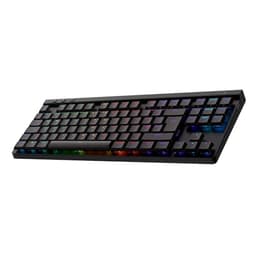
Here's where the marketing needs a bit of unpacking. The G213 is advertised with "LIGHTSYNC RGB" which is Logitech's branding for their RGB ecosystem. What you actually get is five-zone RGB, not per-key RGB. The keyboard is divided into five horizontal sections, and each section displays one colour at a time. So you can have a gradient effect that shifts across the keyboard, but you can't set individual keys to different colours independently the way you can on a true per-key RGB board like the G Pro X or G915.
That said, the five-zone implementation looks genuinely good in practice. The RGB shines through the keycaps evenly, which is something a lot of budget keyboards get wrong, and the brightness is high enough to be visible in a well-lit room. Owners frequently mention the lighting as a highlight of the board, and the effects available through G HUB software are varied enough to keep it interesting. You can sync the lighting with games and other Logitech peripherals through LIGHTSYNC, which is a nice bit of ecosystem integration if you're already in the Logitech G family with a mouse or headset.
The lighting is controlled entirely through software rather than onboard memory, which means your custom lighting profiles disappear if you plug the keyboard into a different PC without G HUB installed. For most home users this isn't an issue, but it's worth knowing if you're planning to use this at LAN events or on multiple machines. The default lighting effects that work without any software installed are limited but functional. Brightness can be adjusted through the Fn key combination, and you can turn the lighting off entirely to save a marginal amount of power.
Software and Customisation: G HUB Does the Job
Logitech G HUB is the software that drives the G213's customisation, and it's one of the better peripheral management applications out there. It's not perfect, but it's genuinely usable without needing to read a manual. You can remap any key, set up macros on the five dedicated macro keys on the left side of the board, adjust RGB lighting effects and colours, and create game-specific profiles that switch automatically when you launch a game. The interface is visual and fairly intuitive, which matters because nobody wants to spend an hour configuring a keyboard before they can start gaming.
The macro system is one of the G213's genuine strengths. The five G-keys on the left edge of the board can be assigned macros, media functions, or remapped keys, and you can have different assignments per profile. For MMO players or anyone who uses complex key combinations regularly, this is a practical feature rather than a marketing checkbox. The macro recording is straightforward: press record, perform the key sequence, set the timing, done. Owners who use the macro keys rate them highly, and they're one of the features that distinguishes the G213 from simpler budget boards.
The significant limitation is the lack of onboard memory. The G213 has no storage for profiles on the keyboard itself, so every customisation lives in G HUB on your PC. This means the board behaves as a completely standard keyboard when plugged into any other machine. For a home gaming keyboard that lives on one desk, this is a non-issue. For anyone who travels with their keyboard or uses it across multiple computers, it's a genuine frustration. Logitech's higher-end boards like the G Pro X offer onboard memory for up to five profiles, and that's a real differentiator if it matters to your use case.

Connectivity
The G213 is wired only, full stop. There's no wireless option, no Bluetooth, no 2.4GHz receiver. The connection is USB-A via a 1.8m cable, and that's your lot. For a gaming keyboard at this price point, that's entirely appropriate. Wireless adds cost and complexity, and the wired connection at 1,000Hz polling rate is objectively lower latency than any wireless solution currently available. If you want wireless from Logitech G, you're looking at the G915 or G915 TKL, which sit in a substantially higher price bracket.
The USB-A connection means plug-and-play compatibility with essentially any desktop or laptop made in the last decade. No drivers needed for basic functionality, though you'll want G HUB for the full feature set. The keyboard is recognised immediately by Windows 10 and 11 without any additional software, which is the right behaviour. The 1,000Hz polling rate is active from the moment you plug it in, so you're getting the full gaming performance spec without needing to install anything.
Compatibility with consoles is limited. The G213 will work as a basic keyboard on PS4, PS5, and Xbox via USB, but macro functions and custom lighting won't carry over without G HUB, which isn't available on consoles. For basic text input and game commands on console, it functions fine. If you're primarily a console gamer looking for keyboard and mouse support, the G213 will work, but you won't get the full feature set. The keyboard is officially supported on Windows 7, 8, 10, and 11, and works on macOS as a standard USB keyboard, though G HUB's macOS support has historically been less polished than the Windows version.
Battery Life
The G213 is a wired keyboard, so battery life isn't a relevant metric here. It draws power from the USB connection and will run indefinitely as long as it's plugged in. There's no charging to manage, no battery indicator to watch, and no risk of the keyboard dying mid-game because you forgot to charge it. For competitive gaming in particular, this is actually a feature rather than a limitation.
Power consumption is low, as you'd expect from a membrane keyboard. The RGB lighting draws a bit more current than the switches themselves, but the total draw is well within what any USB port can supply without strain. There's no powered USB hub required, and the keyboard won't cause issues on laptops where USB power budgets can be tighter. The lighting can be turned off entirely through the Fn key combination if you want to minimise power draw on a laptop.
If you're coming from a wireless keyboard and considering the G213 as an upgrade or replacement, the shift to wired is worth thinking about in terms of cable management rather than battery life. The 1.8m cable gives you plenty of reach for most desk setups, and the braided construction means it'll hold up to being moved around. But if you've got used to a cable-free desk, the wire is a real adjustment. For anyone who hasn't experienced wireless keyboards, the wired connection is completely normal and the 1,000Hz polling rate is a genuine performance advantage.
Typing and Gaming Experience: What Owners Actually Say
Across over 8,778 owner reviews at a 4.3-star average, the patterns are consistent enough to be reliable. Owners who buy the G213 as their first proper gaming keyboard, or as an upgrade from a basic office membrane, are almost universally positive. The typing feel is described as comfortable for long sessions, the wrist rest gets repeated praise, and the RGB is consistently called out as a highlight. The sound profile is quieter than most mechanical keyboards, which makes it a reasonable choice for shared spaces or streaming setups where key noise matters.
For gaming specifically, the 1,000Hz polling rate and 26-key rollover mean the keyboard keeps up with any realistic gaming input demand. The actuation force of 45g is light enough for rapid gaming inputs without accidental activations, and the membrane construction means there's no audible click to distract teammates on voice chat. Owners who play fast-paced shooters or MOBAs report no issues with the keyboard missing inputs or double-firing, which is the baseline you need. The macro keys get specific mentions from MMO players as a practical advantage.
Where owners express frustration is almost always in one of two areas: the ABS keycap shine developing within six to twelve months of regular use, and the lack of true per-key RGB. Neither of these is surprising given the price bracket, but they're worth knowing about. A smaller number of owners mention that the keyboard feels slightly louder than expected for a membrane, particularly the spacebar, which has a slightly hollow sound on bottoming out. Stabiliser quality on the larger keys is functional but not exceptional, and the spacebar rattle that some owners mention is a known characteristic of budget membrane boards rather than a defect specific to the G213.
Compatibility
Windows compatibility is excellent across Windows 7, 8, 10, and 11. The keyboard functions as a standard HID device without any drivers, meaning basic typing, gaming, and media controls all work immediately on any Windows machine. G HUB is required for macro programming, custom RGB, and profile management, and it's a free download from Logitech's website. The software is actively maintained and receives regular updates, which is more than can be said for some peripheral manufacturers who abandon software support after a couple of years.
macOS support is functional but limited. The keyboard works as a standard USB keyboard on Mac, and the media keys operate correctly. G HUB has a macOS version, but the feature parity with Windows isn't complete, and some users report occasional instability with the macOS G HUB client. If you're primarily a Mac user, this probably isn't the keyboard for you. The key layout is Windows-oriented, and while you can remap keys through software, the physical labelling will always show Windows-specific keys.
Linux users will find the keyboard works as a standard USB HID device without any additional drivers, which covers basic typing and gaming inputs. The RGB lighting will default to a static effect without G HUB, and macro programming isn't available on Linux without third-party tools. For Linux gaming, the keyboard is perfectly functional as a hardware input device, but the software features are effectively unavailable. Console compatibility via USB covers basic keyboard functionality on PS4, PS5, and Xbox Series X/S, which is enough for text input and basic game commands but nothing more.
How It Compares: The Budget Gaming Keyboard Landscape
The two most relevant competitors at this price point are the Razer Cynosa V2 and the Corsair K55 RGB Pro. Both are membrane gaming keyboards in the same budget bracket, both offer RGB lighting and software customisation, and both target the same audience: someone who wants a gaming keyboard without spending serious money on mechanical switches. The comparison is worth doing properly because the differences between these three boards are real, even if they're subtle.
The Razer Cynosa V2 offers per-key RGB, which the G213 doesn't match with its five-zone approach. If individual key lighting control matters to you, the Cynosa V2 wins that specific comparison. However, the G213's 1,000Hz polling rate is a genuine advantage over the Cynosa V2's 1,000Hz as well (they match here), but the G213's dedicated macro keys and integrated wrist rest are features the Cynosa V2 doesn't offer. The Corsair K55 RGB Pro sits slightly higher in price but adds per-key RGB and a more refined software suite in Corsair iCUE, though its polling rate is lower at 1,000Hz (matching) and it lacks the G213's spill resistance rating.
What the G213 does better than both competitors is the combination of spill resistance, dedicated macro keys, integrated wrist rest, and Logitech's LIGHTSYNC ecosystem integration. If you already own a Logitech G mouse or headset, the ability to sync lighting effects across all devices through G HUB is a real quality-of-life feature. The G213 also benefits from Logitech's build quality reputation, and the owner review volume (nearly 8,798) gives you much more confidence in the reliability picture than you'd get from a board with a few hundred reviews.
| Feature | Logitech G213 Prodigy | Razer Cynosa V2 | Corsair K55 RGB Pro |
|---|---|---|---|
| Switch Type | Membrane (Mech-Dome) | Membrane (Razer) | Membrane (Corsair) |
| RGB | 5-zone | Per-key | Per-key (3-zone base) |
| Polling Rate | 1,000Hz | 1,000Hz | 1,000Hz |
| Macro Keys | 5 dedicated G-keys | None | 6 dedicated keys |
| Wrist Rest | Integrated | None | Detachable |
| Spill Resistance | Yes (IPX1) | Yes | Yes |
| Onboard Memory | No | No | No |
| Software | Logitech G HUB | Razer Synapse | Corsair iCUE |
| Price Bracket | Budget | Budget | Budget/Mid |

Final Verdict: Logitech G213 Prodigy Gaming Keyboard
The G213 is the budget gaming keyboard to recommend when someone wants a proper step up from their old office keyboard without spending mechanical keyboard money. It does exactly what it says: decent typing feel, solid build, good RGB for the price, practical macro keys, a useful wrist rest, and Logitech's reliability track record behind it. The 1,000Hz polling rate is a genuine gaming spec, not a marketing number, and the 4.3-star average across nearly 9,000 owners is the kind of social proof that means something.
The caveats are real though. This is not a mechanical keyboard, and if you've used a quality mechanical board before, the Mech-Dome membrane will feel like a step down. The ABS keycaps will shine with use, the five-zone RGB is not the same as per-key RGB, and the lack of onboard memory means your profiles live on your PC. None of these are dealbreakers at this price, but they're the reasons why this keyboard scores a 7 out of 10 rather than an 8 or 9.
Who should buy this? Someone building their first gaming setup on a tight budget, a younger gamer who wants RGB and macro keys without the outlay of a mechanical board, or anyone who needs a spill-resistant keyboard on a desk that sees drinks as often as gaming sessions. The integrated wrist rest and dedicated media controls make it a practical daily driver for work-and-play setups where you don't want to switch keyboards.
Who should skip it? Anyone who's already used a mechanical keyboard and knows they prefer tactile or linear switches. At a modest step up in budget, you can get into genuine entry-level mechanical territory with boards like the Redragon K552 or the HyperX Alloy Origins Core, and once you've felt a proper switch, a membrane board of any kind will feel like a compromise. Also worth saying: if you're primarily after per-key RGB for aesthetics and the macro keys don't matter to you, the Razer Cynosa V2 is worth comparing directly before you decide.
The honest line is this: if you're not ready to spend mechanical keyboard money, the G213 is probably the best membrane gaming keyboard you can buy in this bracket. But if you can stretch even a little further, a genuine mechanical board will serve you better long-term. The G213 knows what it is, does it well, and at this price point, that's enough to earn a recommendation.
What works. What doesn’t.
5 + 4What we liked5 reasons
- 1,000Hz polling rate is a genuine gaming spec, not marketing fluff
- Integrated wrist rest is well-proportioned and practically useful
- Five dedicated macro G-keys with proper G HUB software support
- IPX1 spill resistance is real and functional
- Nearly 9,000 owner reviews at 4.3 stars confirms reliable build quality
Where it falls4 reasons
- Not a mechanical keyboard despite Mech-Dome branding nudging that way
- Five-zone RGB is not per-key RGB
- ABS keycaps will develop shine within months of regular use
- No onboard memory means profiles are lost on other PCs
Full specifications
8 attributes| Switch type | Mech-Dome membrane |
|---|---|
| Layout | Full-size |
| Connectivity | USB wired |
| Backlighting | 5-zone RGB |
| HOT swappable | false |
| Keycaps | ABS |
| Polling rate HZ | 1000 |
| Switch actuation | tactile |
If this isn’t right for you
2 options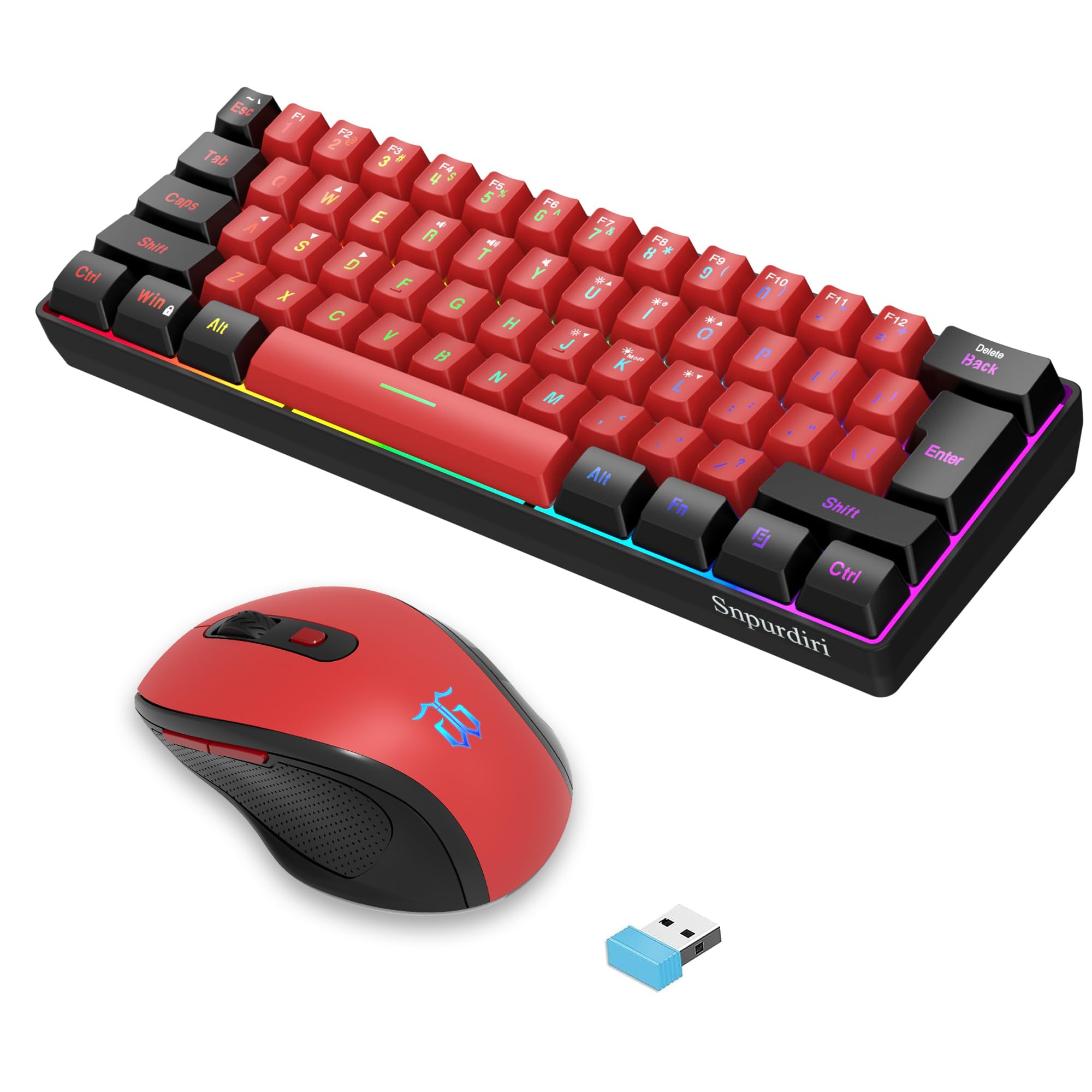 7.5 / 10
Snpurdiri 2.4G Wireless Gaming Keyboard and Mouse Combo, 60 Percent Wireless Keyboard and Ergonomic Vertical Feel Small Mouse (Black and Red)
£53.43 · Snpurdiri
 7.5 / 10
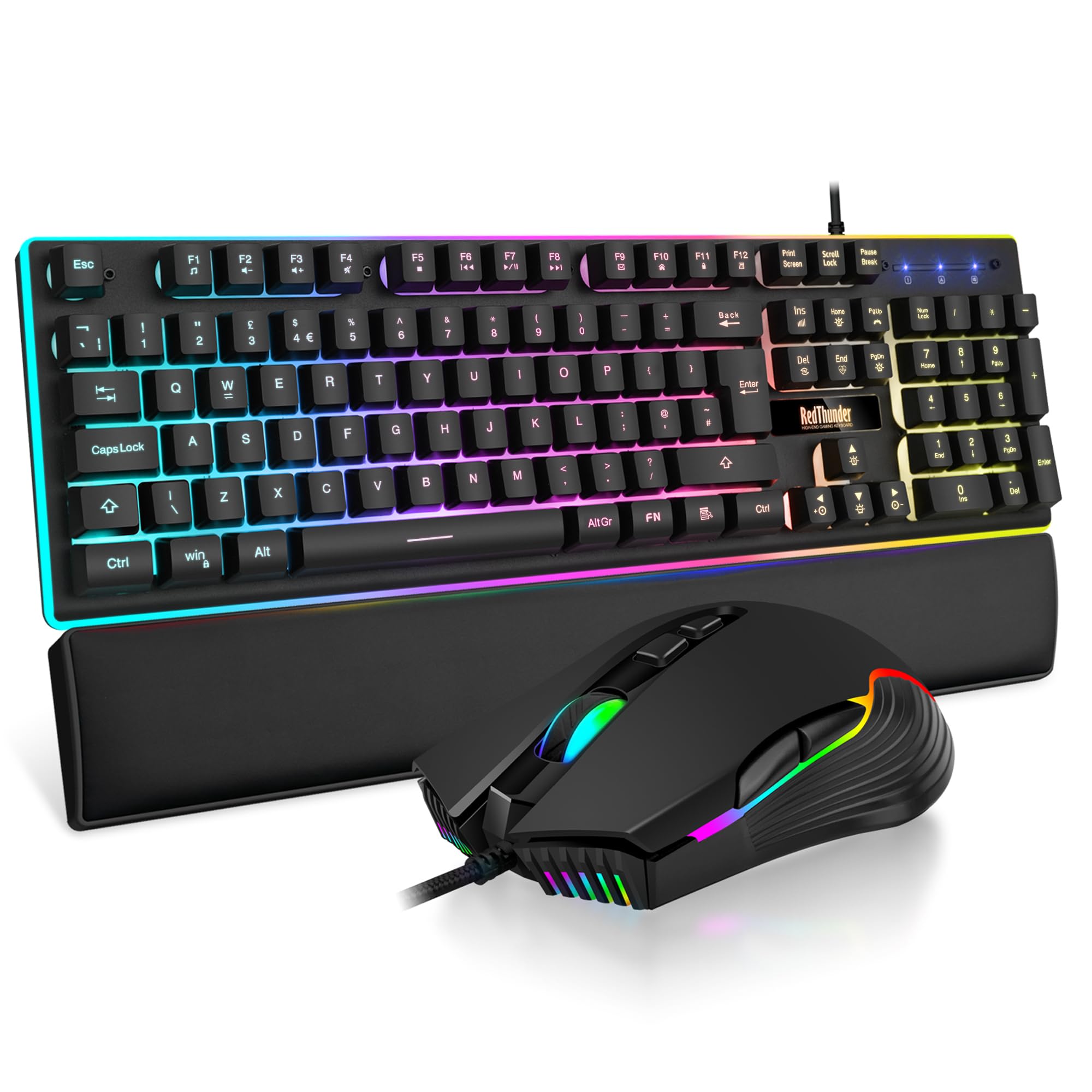
RedThunder K10 Wired Gaming Keyboard and Mouse Combo, UK Layout, True RGB Backlight, Soft Leather Wrist Rest, Mechanical Feel Ergonomic Anti-Ghosting Keyboard + 7D 7200 DPI Mouse for PC Mac (Black)
£33.99 · RedThunder
Frequently asked
5 questions01What switches does the Logitech G213 Prodigy Gaming Keyboard use?+
The G213 uses Logitech's own Mech-Dome membrane switches, not mechanical switches. They have an actuation force of approximately 45g and a total travel distance of 4mm. The feel is crisper than a standard office membrane but does not replicate the defined tactile bump or precise reset point of a mechanical switch.
02Is the Logitech G213 Prodigy Gaming Keyboard good for gaming?+
Yes, for a membrane keyboard it performs well in gaming. The 1,000Hz polling rate delivers 1ms input latency, and 26-key rollover handles any realistic multi-key gaming combination without ghosting. The 45g actuation force is light enough for rapid inputs. Owners report no issues with missed or double-fired inputs in fast-paced games.
03Is the Logitech G213 Prodigy Gaming Keyboard good for typing?+
It's comfortable for extended typing sessions. The Mech-Dome switches feel springier than a standard cheap membrane, and the integrated wrist rest is well-positioned for long use. The ABS keycaps will develop a shine over months of heavy typing, and the feel won't satisfy anyone accustomed to quality mechanical switches, but for everyday typing it's a comfortable board.
04Is the Logitech G213 Prodigy Gaming Keyboard loud?+
No, it's quieter than most mechanical keyboards. The membrane construction means there's no audible click, and the overall typing sound is relatively muted. Some owners note a slightly hollow sound from the spacebar on hard presses, but it's not disruptive in a shared space or on a streaming microphone.
05What warranty and returns apply to the Logitech G213 Prodigy Gaming Keyboard?+
Amazon offers a standard 30-day return window under their returns policy, and purchases are covered by the Amazon A-to-Z Guarantee. For manufacturer warranty terms, check the current Logitech G product page directly, as warranty periods can vary by region and may be updated. Amazon UK purchases also carry statutory consumer rights under UK law.