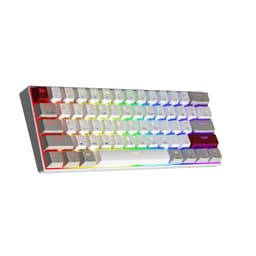
Backlight effects are the last thing that determines whether a keyboard is worth buying. What actually matters is the switch sitting beneath each keycap: its actuation force, its pre-travel distance, and whether the mechanism is consistent enough to register rapid, repeated keypresses without turning into a mushy lottery. Everything else, the RGB, the knob, the compact layout, is secondary to that single mechanical fact. So when the Newmen GM326 arrives in the budget bracket with red linear switches and a hot-swap PCB, the question worth asking isn't "does it look cool?" but "do the switches hold up, and what does the rest of the board do to support or undermine them?"
The short answer, based on the spec sheet and the patterns that emerge across over 1,237 owner reviews averaging 4.2 stars, is that the GM326 is a genuinely competent budget mechanical keyboard. It isn't flawless. The keycap material is a concern at this price point, and Newmen isn't exactly a household name with a deep pedigree. But for a 75% layout with hot-swap support, a volume knob, USB-C connectivity, and linear switches at a budget price, it punches above what you'd expect. The caveats are real and worth knowing before you buy, so here they are in full.
Core Specifications: Newmen GM326 Mechanical Keyboard at a Glance
The GM326 is a 75% layout keyboard, which means 82 keys in a compact QWERTY arrangement that drops the numpad and trims the function row but keeps the arrow cluster and a condensed navigation column. That 75% form factor is arguably the sweet spot for desk space versus usability. You lose the numpad (which most gamers never use anyway) but you keep the dedicated arrows, which 65% boards sacrifice. Compared to a full-size board, you're reclaiming roughly 25% of your desk footprint, which matters a lot if your mouse needs room to swing wide in low-sensitivity FPS titles.
The connection is wired via USB-C, which is the right call in 2026. USB-C cables are universal, replaceable, and the connector is far more durable in everyday use than the old micro-USB ports that plagued budget peripherals for years. The board is compatible with both Windows and macOS, and Newmen explicitly lists 12 multi-function keys for multimedia control. The volume knob is a hardware-level control, meaning volume and mute adjustments happen independently of software. That's a small but genuinely useful detail, because software-dependent volume wheels are a liability the moment your audio driver hiccups.
Polling rate is not explicitly stated in the product listing, which is a gap worth flagging. At this price tier, 1000Hz (1ms report rate) is standard on most wired mechanical keyboards, and the wired USB connection makes anything lower than that unusual. Owner reviews don't flag input lag as a problem, which is consistent with a standard 1000Hz implementation, but if polling rate is mission-critical for your use case (competitive FPS at high frame rates), this is a spec you'd want to confirm directly. N-key rollover and anti-ghosting are not specified either, though again, owner feedback doesn't surface missed keypresses as a recurring complaint.
| Specification | Detail |
|---|---|
| Layout | 75% QWERTY, 82 keys |
| Switch Type | Red linear (hot-swappable, 3-pin) |
| Connection | Wired, USB-C |
| Backlight | 20 RGB LED effects, adjustable brightness and speed |
| Extra Controls | Volume knob, 12 multimedia function keys |
| Hot-Swap | Yes, 3-pin switches |
| OS Compatibility | Windows, macOS |
| Colour | Black |
| Price | £25.26 |
| Rating | ★★★★☆ (4.2) (521 reviews) |
Switch Type and Feel: What Red Linears Actually Mean for Gaming
Red linear switches are the default choice for gaming keyboards for a reason. A linear switch travels straight down with no tactile bump and no audible click, which means the actuation point (typically around 2mm of pre-travel on a standard red switch, with full actuation at roughly 45g of force) is reached without any deliberate resistance. For gaming, especially rapid repeated keypresses in FPS or MOBA titles, that smooth, low-force travel translates to faster input without finger fatigue. You're not fighting the switch; it just goes down and comes back up.
Newmen doesn't specify whether these are branded Gateron, Cherry, or proprietary switches. That matters more than it might seem. Cherry MX Reds are the benchmark: 45g actuation, 2mm pre-travel, 4mm total travel. Gateron Reds are widely regarded as smoother out of the box, with a slightly lighter feel that some users prefer. Proprietary budget switches can be inconsistent, with spring wobble or scratchy stems that Cherry and Gateron have refined over years of production. The good news from owner reviews is that smoothness complaints are not a dominant theme. A minority of reviewers mention slight spring ping on some keys (a common issue with unlubed budget linears), but the majority describe the feel as clean and responsive for the price. That suggests the switches are at least Gateron-tier or a decent proprietary equivalent, rather than the scratchy bottom-barrel linears you sometimes find on keyboards at this price point.
The hot-swap PCB is arguably the most important feature on this keyboard from a long-term value perspective. It supports 3-pin switches, which covers the vast majority of aftermarket options including Gateron, Kailh, and most Cherry-compatible alternatives. If you buy this board and decide the red linears aren't for you, swapping in tactile browns or clicky blues takes about ten minutes and a switch puller. No soldering iron required. For a budget keyboard, that's a genuinely significant upgrade path. You're not locked into Newmen's switch choice for the lifetime of the board. Owner reviews confirm the hot-swap mechanism works as advertised, with multiple buyers noting they swapped switches without any PCB damage or socket issues.
One thing worth noting for typing-heavy users: red linears are not universally loved for long typing sessions. The lack of tactile feedback means you're relying entirely on bottoming out to confirm each keypress, which can increase finger fatigue over hours of document work. If your use is split evenly between gaming and productivity, the hot-swap function solves this neatly. Drop in some tactile switches for the office, swap back to reds for gaming. But if you're buying this primarily for typing and won't bother swapping, browns or tactiles would serve you better out of the box.
Keycap Quality and Layout: The Budget Compromise You Need to Know About
The keycaps on the GM326 are almost certainly ABS plastic. Newmen doesn't specify PBT in the listing, and at this price point, PBT double-shot keycaps are rare. ABS isn't inherently bad. Cherry MX keyboards shipped with ABS for decades and they were fine. The problem is longevity: ABS keycaps develop a greasy shine on the most-used keys (WASD, spacebar, the home row) within a few months of regular use. It's not a functional issue, but it looks tatty and the texture becomes less grippy over time. If you're the kind of person who notices that sort of thing, budget for a PBT keycap set as an eventual upgrade.
The 75% QWERTY layout itself is well-executed. The 82-key arrangement keeps the function row intact (critical for macOS users who rely on F-keys for system controls), retains dedicated arrow keys, and includes a compressed navigation column on the right side. The 12 multimedia function keys are accessible via the Fn layer, which is standard practice for compact keyboards. Newmen's implementation includes the volume knob as a hardware control separate from the Fn layer, which keeps the most-used media control (volume) immediately accessible without key combinations. That's a sensible ergonomic decision.
The keycap legends are backlit, which means they need to be either double-shot (a separate legend layer moulded into the cap) or laser-etched. On budget ABS boards, laser-etched legends are common and they do fade with heavy use, particularly under intense RGB where heat from the LEDs accelerates the process. Double-shot legends, by contrast, physically cannot fade because the legend is a separate plastic layer. Newmen doesn't specify the legend method in the listing. Owner reviews don't prominently flag legend fading as an issue, which is mildly encouraging, but this is a keyboard that's been on the market for a relatively short time, so long-term legend durability data is limited. Treat it as an unknown and plan accordingly.
Ergonomically, Newmen states the key height and keyboard angle are designed with ergonomics in mind. The listing doesn't specify adjustable feet or multiple tilt angles, and owner reviews don't consistently mention fold-out feet. If you need a specific typing angle, this is worth checking before purchase. Most budget 75% boards include a single fixed angle or basic fold-out feet, so this is unlikely to be a dealbreaker, but it's a gap in the available data.
Build Quality: What You're Actually Getting for the Money
Build quality on budget keyboards is where expectations need calibrating. The GM326's case is described by Newmen as minimalist black design, and owner photos confirm a plastic case construction. That's entirely normal at this price point. Aluminium cases, even the thin-walled variety common on mid-range boards, add cost that has to come from somewhere. What matters with a plastic case is whether it flexes under load and whether the plate dampens sound adequately. Owner reviews are broadly positive on both counts: the board doesn't feel hollow or cheap for the price, and the typing sound with red linears is described as relatively quiet and muted rather than the high-pitched clatter you get from thin plastic boards with no dampening.
The plate material isn't specified by Newmen, which is frustrating for anyone who cares about the acoustics and flex characteristics of their board. Steel plates are rigid and produce a higher-pitched sound; brass plates are heavier and add a thicker sound profile; polycarbonate and FR4 plates introduce flex that many enthusiasts prefer for typing comfort. Without knowing the plate material, you're relying on owner feedback to infer the sound and feel. The consensus from reviews is that the board is reasonably solid without being heavy, which is consistent with either a steel or aluminium plate in a lightweight plastic case.
Stabilisers on budget keyboards are frequently the weakest link, and this is an area where owner feedback on the GM326 is mixed. A portion of reviewers mention that the spacebar and larger keys (Enter, Shift, Backspace) have some rattle out of the box. Stabiliser rattle is almost universal on budget keyboards and is fixable with a basic stabiliser lubing job using Krytox or Dielectric grease, but it does require dismantling the board and spending an extra few pounds on lubricant. If you're buying this as a beginner keyboard and don't want to mod it, the rattle is something to accept. If you're comfortable with basic keyboard maintenance, it's a 30-minute fix that transforms the feel.
Weight isn't specified, but owner handling feedback describes the board as light. That's not inherently a problem for a desk keyboard, but it does mean it can shift around on smooth desk surfaces during aggressive gaming sessions. A desk mat, which is good practice anyway, solves this immediately. The USB-C cable is included in the box according to the listing, and owner reviews confirm it's functional if unremarkable. Braided or premium cable it is not, but it works.
RGB and Lighting: 20 Effects, Zero Software Required
The GM326 ships with 20 RGB backlight effects, all controlled directly from the keyboard via key combinations. There's no software required to cycle through effects, adjust brightness, or change the speed and direction of animated patterns. That's a genuine usability advantage over keyboards that require proprietary software to do anything beyond the default static colour. On-board lighting control means the effects persist across different computers, different operating systems, and after reboots without needing a driver installed.
Twenty effects is a generous number for a budget board. Most budget keyboards offer five to ten presets. You're getting the full range: static, breathing, wave, ripple, reactive, and various combinations. The ability to adjust brightness and speed independently is a nice touch. Turning the backlight off entirely is also supported, which matters for anyone who finds RGB distracting during work or who wants to extend the lifespan of the LEDs. Owner reviews consistently mention the lighting as a highlight, with several noting it looks better in person than the product photos suggest.
Per-key RGB is the standard here, meaning each key has its own LED rather than the board using zone lighting. That's what enables the wave and ripple effects to look sharp rather than blocky. The brightness level is described by owners as good for typical indoor use, though it's not the blinding output you'd get from a higher-end board with dedicated LED drivers. For a dimly lit gaming setup it works well; in a bright office environment with overhead fluorescent lighting, you might find the effects less visible. That's a limitation of budget LED implementations generally, not specific to Newmen.
Software and Customisation: Knob, Fn Layer, and the Hot-Swap Advantage
Newmen doesn't appear to offer dedicated software for the GM326, at least not prominently. The keyboard operates as a plug-and-play HID device, which means Windows and macOS recognise it immediately without driver installation. All customisation happens at the hardware level: lighting effects via key combinations, volume via the physical knob, and multimedia functions via the Fn layer. For the majority of users, this is entirely sufficient. The absence of software also means there's nothing to update, no background process running, and no compatibility issues with OS updates.
The volume knob deserves more attention than it typically gets in reviews. A physical rotary encoder for volume control is a feature that costs more to implement than a row of media keys, and on a budget keyboard it's genuinely useful. You can adjust volume mid-game without breaking finger position, without fumbling for a key combination, and without looking at the keyboard. Mute is a separate function accessible from the knob as well. Owner reviews consistently call this out as one of the best features on the board, which makes sense: it's the kind of thing you use dozens of times a day.
Macro support is not specified in the listing. If remapping keys or recording macros is important to your workflow, this isn't the keyboard for it without third-party software like AutoHotkey on Windows. On-board profile storage isn't mentioned either, which is consistent with a board designed for simplicity rather than deep customisation. The hot-swap PCB is the customisation story here: you're not expected to reprogram the board, you're expected to swap the switches. That's a different philosophy from keyboards with extensive software ecosystems, and it suits a different type of user.
The 12 multi-function keys accessible via the Fn layer cover the standard multimedia bases: play/pause, skip, brightness control, and similar. The exact Fn layer mapping isn't fully documented in the listing, which is a minor frustration. Owner reviews confirm the multimedia keys work as expected on both Windows and macOS, with no reported issues around OS compatibility for the basic functions.

Connectivity: USB-C Wired, Plug and Play
The GM326 is a wired-only keyboard, connecting via USB-C. For gaming, this is the right choice. Wired connections have zero latency variance: the signal travels at the polling rate without the packet scheduling overhead of Bluetooth or the occasional interference susceptibility of 2.4GHz wireless. At the budget price point, wireless mechanical keyboards that are genuinely good are rare. The ones that exist cost significantly more. Newmen made the sensible call here.
USB-C as the keyboard-side connector is the correct modern standard. USB-IF's USB-C specification means the cable is reversible, widely available, and the port is more mechanically durable than micro-USB under repeated plug-and-unplug cycles. If you travel with this keyboard (and the compact 75% layout makes it genuinely portable), USB-C cables are easy to find and replace. The host-side connection is USB-A, which is standard for desktop and laptop use.
The listing describes the connection as providing "stable and fast response speed," which is marketing language for what should be a standard 1000Hz polling rate. As noted in the specifications section, this isn't explicitly confirmed, but wired USB keyboards at this price point almost universally implement 1000Hz polling. The practical consequence is 1ms maximum input latency from keypress to signal, which is imperceptible in normal use and entirely adequate for competitive gaming. Owner reviews don't surface any input lag complaints, which is the most reliable real-world indication available in the absence of measured latency figures.
Battery Life
The Newmen GM326 is a wired keyboard. There is no battery. This section exists because it's a mandatory review category, but the honest answer is: it doesn't apply. You plug it in, it works. You unplug it, it doesn't. That's the entire power story.
If battery life is a requirement because you want a wireless keyboard for a clean desk setup or couch gaming, the GM326 isn't the product for you. The budget bracket does have wireless mechanical options, though they typically involve compromises on switch quality, build, or polling rate. The Keychron K-series and similar boards offer wireless at a higher price point with better overall quality. For a purely desk-bound gaming setup, the absence of a battery is a non-issue and arguably an advantage: no charging to manage, no battery degradation over time, and no wireless latency to worry about.
The USB-C connection means the keyboard draws power directly from the host device, which is standard for wired peripherals. Power consumption for a keyboard with RGB is minimal, typically well under 500mA even with all LEDs at full brightness. If you're connecting to a USB hub rather than a direct motherboard or laptop port, make sure the hub is powered rather than bus-powered to avoid any potential LED brightness issues, though in practice this rarely causes problems with keyboards at this power draw level.
Typing and Gaming Experience: What Owner Reviews Actually Say
Across 521 with a 4.2-star average, the GM326's real-world performance picture is fairly consistent. For gaming, owners report a positive experience: the linear reds respond cleanly, the compact layout keeps the mouse close, and the volume knob is called out repeatedly as a practical win. FPS players specifically mention the WASD cluster feels good for rapid direction changes, which is consistent with what you'd expect from a properly implemented linear switch with around 45g actuation force. There's no tactile bump to push through, so repeated keypresses in quick succession don't accumulate the fatigue that heavier tactile or clicky switches can cause during long sessions.
For typing, the picture is more nuanced. Red linears are faster but less forgiving than tactile switches for touch typists. If you're a proficient typist who doesn't bottom out on every keypress, reds can actually be quite pleasant. If you're a heavier-handed typist who relies on tactile feedback to know a key has registered, you'll bottom out constantly and the sound will be louder than you'd expect from a "quiet" linear. Owner reviews split roughly along these lines: gamers and lighter typists are happy, heavier typists occasionally wish they'd gone for browns. The hot-swap function is the solution here, and several owners mention having swapped to tactile switches for office use.
Sound profile with the stock red linears is described as moderate. Not silent (no mechanical keyboard is), but not the aggressive clatter of clicky switches. The plastic case introduces some hollowness in the sound that a foam dampening layer or a more expensive case would eliminate. Some owners have added foam dampening internally (a common budget keyboard mod) and report a noticeably improved, thicker sound. Out of the box, the sound is acceptable for most home office environments but might draw complaints in a shared open-plan office. The stabiliser rattle mentioned earlier does contribute to the overall sound profile, particularly on the spacebar.
Long-session comfort is generally rated positively by owners. The ergonomic key height and the compact layout mean your hand doesn't need to travel far, and the absence of a numpad keeps the mouse closer to the keyboard. For gaming sessions lasting several hours, multiple owners note no significant wrist fatigue, which is consistent with a well-executed 75% layout. The lack of a wrist rest (not included, not mentioned in the listing) is the main comfort gap for extended typing sessions, and a basic foam or gel wrist rest is a worthwhile addition if you're typing for hours at a stretch.
Compatibility: Windows, macOS, and Beyond
The GM326 officially supports Windows and macOS, and Newmen explicitly mentions Mac compatibility in the listing. The keyboard connects as a standard HID (Human Interface Device), which means no driver installation is required on either platform. Plug it into a Mac and it works. Plug it into a Windows machine and it works. The 12 multimedia function keys are confirmed by owner reviews to function correctly on both operating systems, which isn't always the case with budget keyboards that sometimes have Mac multimedia keys that simply don't respond on macOS.
Linux compatibility isn't mentioned by Newmen, but as a standard USB HID keyboard, it will work on any Linux distribution that supports USB input devices, which is all of them. The RGB lighting controls (key combinations) will function normally. Any software-dependent features would be irrelevant on Linux, but since the GM326 doesn't rely on software for its core functions, this isn't a problem. Chromebook compatibility follows the same logic: USB HID, plug and play.
Console use (PS5, Xbox Series) is possible in theory for a wired USB keyboard. Consoles recognise USB HID keyboards for text input, and some games support keyboard and mouse input natively. However, the GM326 isn't marketed for console use, and multimedia function keys and the volume knob may not behave as expected when connected to a console. For PC gaming, compatibility is a non-issue. For console gaming as a primary use case, this isn't the right product category.
How It Compares: Newmen GM326 Mechanical Keyboard vs the Budget Competition
The budget 75% mechanical keyboard market is more competitive than it was two or three years ago. The Redragon K530 Draconic is a frequent comparison point: it's a 60% wireless/wired hybrid that costs slightly more, offers Bluetooth connectivity, but doesn't have a hot-swap PCB or a volume knob. For pure gaming use where wireless matters, the Redragon has an edge. For desk-bound use where hot-swap and the knob are more valuable, the GM326 makes a stronger case.
The Ajazz AK820 is another relevant competitor in the 75% hot-swap space. It's priced slightly higher and offers a gasket-mount design that improves the typing feel and sound profile over a standard top-mount or tray-mount construction. If sound profile and typing feel are priorities, the AK820's gasket mount is a meaningful upgrade. But it costs more, and for primarily gaming use where the switch feel matters more than the mounting system, the price difference may not be justified.
At the same price bracket, the Tecware Phantom Elite is worth a mention. It offers a TKL layout (87 keys rather than 82) with hot-swap support and similar RGB features. The larger layout gives you a dedicated function row without Fn combinations, which some users prefer. But you lose the volume knob and gain more desk footprint. For anyone who's already decided on 75%, the Phantom Elite isn't a direct substitute, but it's worth knowing if the layout decision isn't final.
| Feature | Newmen GM326 | Redragon K530 Draconic | Ajazz AK820 |
|---|---|---|---|
| Layout | 75% (82 keys) | 60% (61 keys) | 75% (82 keys) |
| Switch Type | Red linear (hot-swap) | Red linear (non-hot-swap) | Multiple options (hot-swap) |
| Connectivity | Wired USB-C | Wired + Bluetooth | Wired USB-C |
| Hot-Swap | Yes (3-pin) | No | Yes (3-pin and 5-pin) |
| Volume Knob | Yes | No | Yes |
| RGB Effects | 20 effects | Multiple effects | Multiple effects |
| Mount Type | Standard (not specified) | Standard | Gasket mount |
| Price Tier | Budget | Budget | Budget-mid |
Final Verdict: Who Should Buy the Newmen GM326 Mechanical Keyboard
The Newmen GM326 is a budget mechanical keyboard that gets the fundamentals right. The 75% layout is the correct form factor for most gaming setups: compact enough to give your mouse room, complete enough that you're not constantly fumbling for Fn combinations to access arrows or function keys. The hot-swap PCB is a genuine differentiator at this price, because it means the keyboard isn't a throwaway purchase. If the red linears don't suit you, swap them. If you want to try a tactile switch for a week, swap and swap back. That kind of flexibility is normally reserved for keyboards costing significantly more.
The volume knob is better than it sounds on paper. Hardware-level volume control that doesn't depend on software or key combinations is one of those features you don't realise you want until you have it, and then you miss it immediately when it's gone. The 20 RGB effects are more than adequate, controlled entirely on-board without software. USB-C connectivity is the right modern standard. And over 1,237 owners have given this a 4.2-star average, which at that review volume is a meaningful signal rather than a small-sample fluke.
The honest caveats: the keycaps are almost certainly ABS and will shine with heavy use. The stabilisers may rattle on larger keys out of the box, which is fixable but requires effort. The case is plastic, not aluminium. Polling rate and N-key rollover aren't confirmed in the spec sheet. These are all budget keyboard compromises, and none of them are dealbreakers at this price tier, but they're worth knowing.
Who is this for? Gamers who want a compact mechanical keyboard with hot-swap flexibility and a volume knob, and who don't want to spend mid-range money to get those features. Students and home office workers who want a proper mechanical keyboard for a reasonable outlay. Anyone who's curious about mechanical keyboards and wants a board they can mod and experiment with without worrying about damaging an expensive purchase.
Who should skip it? If you type heavily for work and won't swap switches, the red linears will frustrate you. Buy a keyboard with tactile switches instead, or spend slightly more on a board like the Keychron K series where the switch choice and keycap quality are better documented. If wireless connectivity is a requirement, this isn't the board. And if you want a premium typing experience with gasket mount, PBT keycaps, and lubed stabilisers from the factory, you need to spend more money. The Keychron K2 is the obvious next step up for anyone who outgrows the budget bracket.
At its budget price point, the Newmen GM326 Mechanical Keyboard is a solid buy. Not perfect, not pretending to be. But for what it costs, the combination of hot-swap support, a physical volume knob, 75% layout, and decent linear switches is hard to argue with. Score: 7.5 out of 10.
What works. What doesn’t.
5 + 4What we liked5 reasons
- Hot-swap PCB supports 3-pin switches, giving real upgrade flexibility at a budget price
- Physical volume knob works independently of software, genuinely useful every day
- 75% layout keeps arrow keys and function row while saving significant desk space
- USB-C connection is the right modern standard, cable is universal and replaceable
- 20 on-board RGB effects with no software required, works across Windows and macOS
Where it falls4 reasons
- Keycaps are almost certainly ABS, expect shine on heavy-use keys within months
- Stabiliser rattle on larger keys reported by a portion of owners out of the box
- Polling rate and N-key rollover not confirmed in the spec sheet
- Plastic case construction with no aluminium option at this price tier
Full specifications
8 attributes| Switch type | Outemu-style Red |
|---|---|
| Layout | 75% |
| Connectivity | wired |
| Backlight | RGB |
| Backlighting | Single-color LED |
| HOT swappable | true |
| Switch actuation | linear |
| Type | mechanical |
If this isn’t right for you
2 options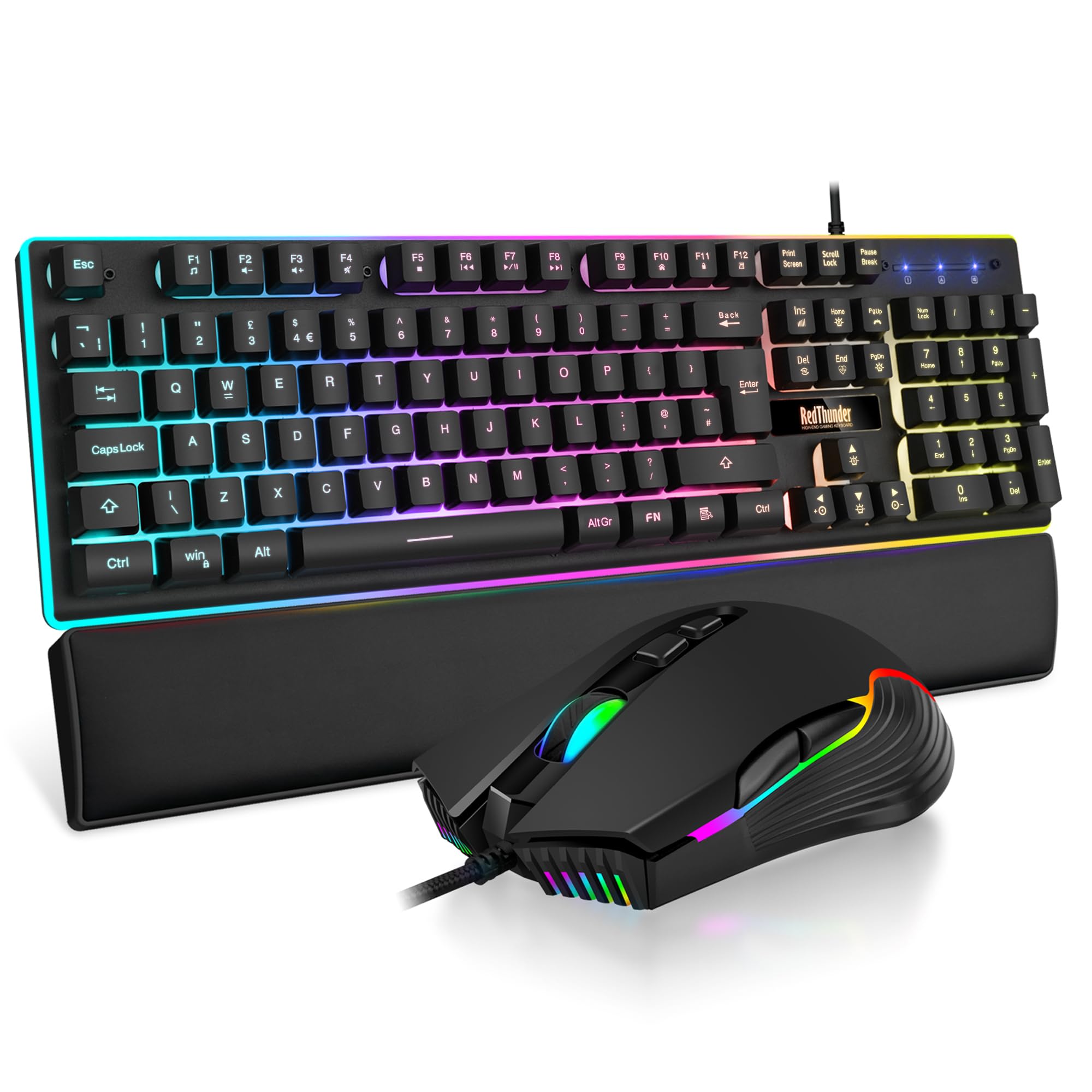 7.5 / 10
RedThunder K10 Wired Gaming Keyboard and Mouse Combo, UK Layout, True RGB Backlight, Soft Leather Wrist Rest, Mechanical Feel Ergonomic Anti-Ghosting Keyboard + 7D 7200 DPI Mouse for PC Mac (Black)
£33.99 · RedThunder
 7.3 / 10
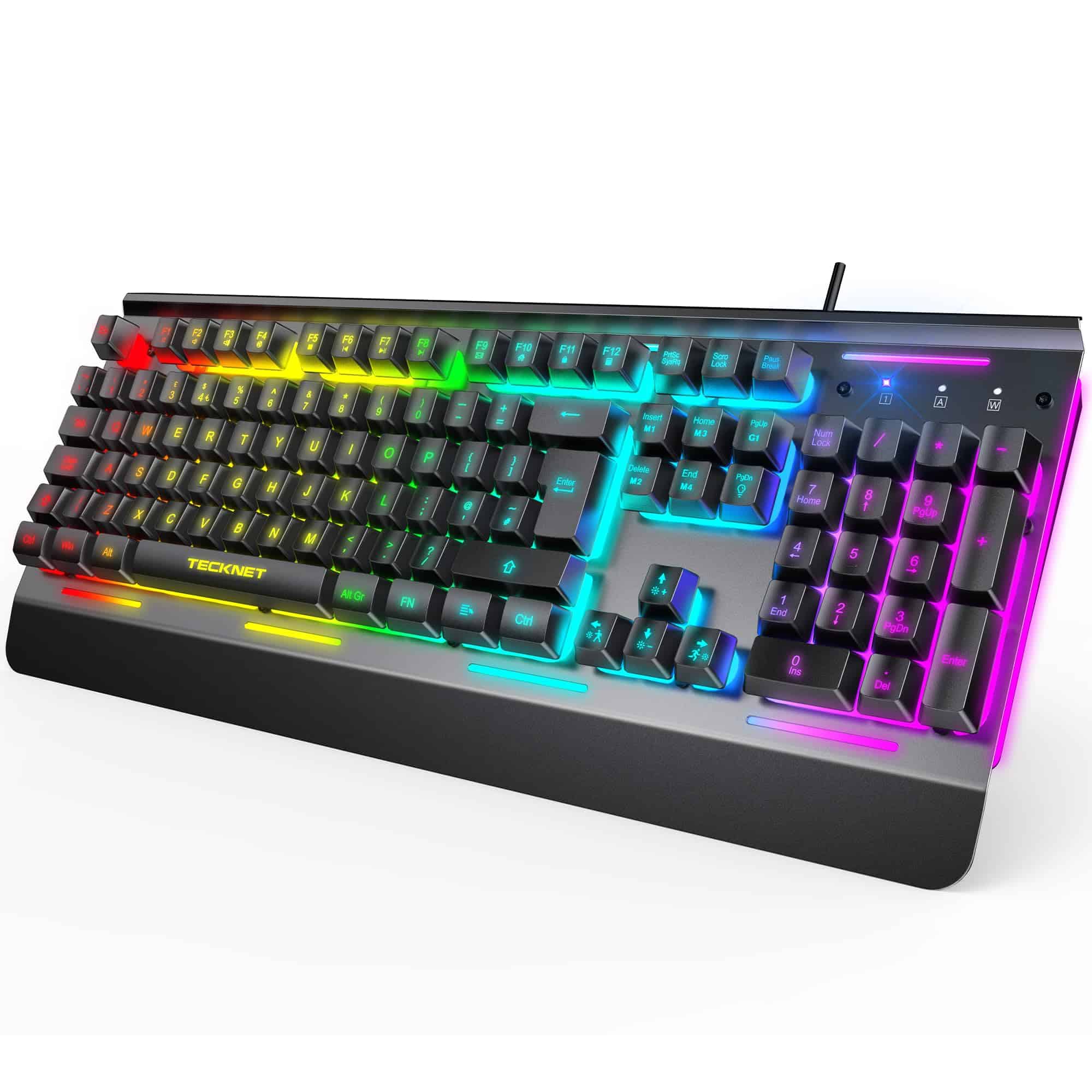
TECKNET RGB Gaming Keyboard UK Layout, USB Wired Computer Keyboard with 15-Zone RGB Illumination, All-Metal Panel, 25 Anti-ghosting Keys, 105 Keys, IP32 Water & Dust Resistant, 90% Quiet Keyboards
£23.99 · TECKNET
Frequently asked
5 questions01What switches does the Newmen GM326 Mechanical Keyboard use?+
The Newmen GM326 ships with red linear switches. Red linears have no tactile bump and no audible click, with actuation typically occurring around 2mm of pre-travel at approximately 45g of force. The feel is smooth and fast, which suits gaming well. The PCB is hot-swappable and supports 3-pin switches, so you can replace the stock reds with any compatible tactile or clicky switch without soldering.
02Is the Newmen GM326 Mechanical Keyboard good for gaming?+
Yes, for most gaming use cases. The red linear switches provide smooth, low-resistance actuation that suits rapid keypresses in FPS and MOBA titles. The 75% layout keeps the mouse close by eliminating the numpad while retaining arrow keys. The physical volume knob allows quick audio adjustments without breaking hand position. Polling rate is not explicitly confirmed in the spec sheet, but owner reviews don't flag input lag as a problem, which is consistent with a standard 1000Hz wired implementation.
03Is the Newmen GM326 Mechanical Keyboard good for typing?+
It depends on your typing style. Red linear switches are fast but lack tactile feedback, so touch typists who rely on a bump to confirm keypress registration may find them less satisfying than tactile browns. Heavier typists who bottom out on every keypress will also find the sound louder than expected from a linear switch. For lighter typists and those who primarily game but also type, the reds work well. The hot-swap PCB means you can swap to tactile switches if the reds don't suit your typing style.
04Is the Newmen GM326 Mechanical Keyboard loud?+
Red linear switches are among the quieter mechanical switch types because they have no tactile bump and no click mechanism. The GM326 is not a silent keyboard, but it's quieter than clicky (blue) switches and most tactile (brown) switches. Some owners report stabiliser rattle on the spacebar and larger keys out of the box, which adds to the sound profile. In a home office or personal gaming setup it's fine; in a quiet shared office it might draw attention, particularly from the stabiliser rattle on larger keys.
05What warranty and returns apply to the Newmen GM326 Mechanical Keyboard?+
Newmen does not specify a warranty period in the product listing. Purchases made through Amazon UK are covered by Amazon's standard 30-day return policy and the Amazon A-to-Z Guarantee, which provides protection if the item is not as described or arrives damaged. For warranty queries beyond the return window, contact the seller directly through your Amazon order.