
There's a gap between what laptop marketing promises and what actually matters when you're three hours into a workday at a coffee shop with no socket in sight. Specs on a box tell you peak numbers. What you actually need to know is whether the processor holds its speed when the going gets tough, whether the battery survives a real working day, and whether the fan is going to embarrass you in a quiet meeting. That's what this Lenovo IdeaPad Slim 3 review UK piece is about: cutting through the noise and telling you what this machine is actually like to live with, based on the spec sheet and what nearly three thousand owners have said about it.
And here's the verdict upfront, because that's the point: the IdeaPad Slim 3 with the i5-13420H is a genuinely capable productivity machine that solves a real frustration. That frustration is paying upper mid-range money for a laptop that throttles under sustained load, has a screen you can't see outdoors, or dies at 3pm. This one doesn't do any of those things badly. It's not perfect, and at this price point it faces stiff competition, but it earns its rating. With 2,901 owner reviews averaging ★★★★½ (4.5), the crowd largely agrees. Read on for why, and where it falls short.
One thing to flag before we get into it: the brand listed on this Amazon listing is "Olialia," which is unusual for a Lenovo product. Based on the spec sheet and listing details, this appears to be a customised configuration of the Lenovo IdeaPad Slim 3 sold through a third-party seller, with a bumped RAM spec. Worth being aware of when you're thinking about warranty and support. Always check who you're actually buying from.
Core Specifications
The processor here is Intel's i5-13420H, which is a 13th-gen Raptor Lake-H chip with eight cores (four performance, four efficiency) and a maximum turbo of 4.6GHz. That's a proper mobile workhorse, not a watered-down U-series part. The H suffix matters: it means higher thermal headroom and meaningfully better sustained performance than the U and P chips you'll find in thinner ultrabooks at similar prices. For students, office workers, and anyone juggling browser tabs, video calls, spreadsheets, and the occasional bit of light creative work, this chip is more than enough. It's not a gaming processor, and it won't edit 4K RAW footage without a grumble, but for the target audience it's well chosen.
RAM is 8GB of DDR5, described in the listing as "customised." DDR5 is the newer standard, offering higher bandwidth than DDR4, which helps with integrated graphics tasks and multitasking. Eight gigabytes is the minimum I'd accept in 2026, and it's fine for productivity use. But it's that Windows 11 itself eats a chunk of that, so if you're the sort of person who has forty browser tabs open while running Zoom and Spotify simultaneously, you might feel the pinch. The big question is whether this config allows RAM upgrades. The IdeaPad Slim 3 platform in some configurations has soldered RAM, which would make 8GB your ceiling forever. Check the specific variant before buying if that matters to you.
Storage is 512GB via PCIe SSD. PCIe-based NVMe storage is dramatically faster than the SATA SSDs that cheaper machines often sneak in, so boot times and application launches are snappy. 512GB is enough for most users, but if you're storing large media files locally, you'll want to think about external storage or cloud solutions. The integrated Intel UHD graphics does the job for everything short of gaming or GPU-accelerated creative work. Don't expect to run anything demanding on it, but for video playback, light photo editing, and general use, it's fine.
| Specification | Detail |
|---|---|
| Processor | Intel Core i5-13420H (13th Gen, 8-core, up to 4.6GHz) |
| RAM | 8GB DDR5 (customised configuration) |
| Storage | 512GB PCIe NVMe SSD |
| Display | 15.3" WUXGA (1920x1200), IPS-type |
| Graphics | Intel UHD Graphics (integrated) |
| Operating System | Windows 11 |
| Wireless | Wi-Fi 6 (802.11ax), Bluetooth 5.2 |
| Colour | Luna Grey |
| Price | £596.91 |

Performance Benchmarks
The i5-13420H is a well-documented chip. Independent benchmark data from outlets like Notebookcheck and AnandTech (before it shuttered) consistently placed this processor in the upper portion of the mid-range mobile tier. In Cinebench R23 multi-core, it typically scores in the 10,000 to 12,000 range depending on the thermal envelope the manufacturer allows it, which is comfortably ahead of older i5-12th-gen U-series chips and significantly ahead of anything Celeron or Pentium-based. For context, that puts it in the same ballpark as the Ryzen 5 7530U, though AMD's chip often wins on efficiency at lighter workloads.
What matters more than peak benchmark numbers is sustained performance, and this is where the IdeaPad Slim 3 platform has historically been a mixed bag. The H-series chip can pull up to 45W briefly, but thin-and-light chassis like this one typically settle the sustained TDP closer to 15W to 28W under extended load. That's still plenty for productivity tasks, but if you're running something like a long video export or a large spreadsheet recalculation, you may see the clock speeds step down from their peak. Owner reviews don't flag this as a serious problem for the target use case, which suggests Lenovo has tuned the power limits sensibly for this class of machine.
For everyday tasks, this thing is fast. Web browsing, Office 365, Teams calls, PDF work, light Python scripting, even some basic photo editing in Lightroom: all of it runs without complaint. The PCIe SSD keeps application launches feeling instant. Owners consistently report that the machine feels responsive in daily use, which is the thing that actually matters when you're sitting down to get work done. Synthetic benchmarks are a guide; owner satisfaction at nearly 4.5 stars across almost three thousand reviews is the real signal.
Where it hits a wall is anything GPU-dependent. Integrated Intel UHD graphics are fine for video playback at 1080p and basic tasks, but don't go expecting to run DaVinci Resolve at full clip, play anything demanding, or do serious 3D work. If that's your world, you need a discrete GPU, and this machine doesn't have one. That's not a criticism of this laptop specifically; it's just the honest truth about integrated graphics in 2026. Know what you're buying.
Display Analysis
The 15.3" WUXGA display is one of the genuinely good things about this machine. WUXGA means 1920x1200 resolution, which is a 16:10 aspect ratio rather than the 16:9 you get on cheaper laptops. That extra vertical real estate is more useful than it sounds. When you're working in documents, spreadsheets, or web browsers, you see more content without scrolling. It's one of those things you don't know you're missing until you have it, and then going back to 16:9 feels cramped.
Panel type on the IdeaPad Slim 3 range is typically IPS or IPS-level, which means decent viewing angles and reasonable colour accuracy. For productivity work, document editing, and video calls, it's more than adequate. Colour-accurate creative work is a different story: the panel isn't going to hit 100% sRGB or anything close to DCI-P3, so graphic designers and photographers who care about colour fidelity should look elsewhere. But for the stated audience of students and business users, the display is genuinely good, not a compromise.
Brightness is where things get more nuanced. The IdeaPad Slim 3 series typically peaks around 300 nits, which is fine for indoor use and dim offices. Near a window on a sunny British afternoon (yes, both of those days a year), you'll need to crank it up and position yourself carefully. Outdoor use in direct sunlight is genuinely difficult. If you regularly work outside or in very bright environments, this is worth factoring in. Owners don't flag brightness as a major complaint, which suggests it's acceptable for typical indoor use, but it's not a high-brightness panel and it doesn't pretend to be.
Anti-glare coating is present, which helps significantly in mixed lighting conditions. The 15.3" size is a sweet spot for productivity: big enough to be comfortable working on for hours, not so big that it's a nuisance to carry. And the bezels are reasonably slim, keeping the overall footprint manageable for the screen size.
Battery Life
Battery life is where a lot of laptops at this price promise the earth and deliver a Tuesday afternoon. The IdeaPad Slim 3 is more honest than most. Lenovo's official battery capacity for this platform is typically in the 45Wh to 57Wh range depending on configuration, and with the i5-13420H's efficiency cores doing the heavy lifting during light tasks, owners report genuinely usable battery life. Mixed productivity use (documents, browser, occasional video calls) seems to land in the six to eight hour range based on owner feedback, which is a real working day if you're not hammering it.
Under heavier load, that drops significantly. If you're running the processor hard for extended periods, expect four to five hours. Video streaming with the screen at reasonable brightness tends to land somewhere in the middle. The honest summary is: for a student going from lecture to lecture or an office worker who isn't always near a socket, this is fine. For a long-haul flight or a full day of intensive work away from power, you might want to carry the charger.
Speaking of the charger: the IdeaPad Slim 3 typically ships with a 65W adapter. Charge time from low to full is around two hours, which is reasonable. USB-C charging support is on this specific configuration, as some IdeaPad Slim 3 variants support it and some don't. If USB-C charging matters to you (and it should, because carrying one charger for everything is brilliant), confirm before buying. Owners don't consistently flag USB-C charging as a feature they're using, which may mean it's not supported or not widely known on this config.
One thing owners do consistently praise is that the battery life holds up in real use rather than only under manufacturer test conditions. That's a meaningful distinction. Some laptops are tuned to ace the official battery test and then disappoint in the real world. The IdeaPad Slim 3's numbers seem to track reasonably well with what people actually experience, which is more than you can say for plenty of competitors at this price.
Portability
A 15.3" laptop is never going to be a featherweight. The IdeaPad Slim 3 in this configuration comes in at around 1.7kg to 1.8kg, which is on the lighter end for a 15-inch machine but still noticeably heavier than a 13 or 14-inch ultrabook. For daily commuting or throwing it in a bag for a day out, it's manageable. For someone who travels frequently and wants to forget the laptop is in their bag, it might start to feel like a commitment after a while.
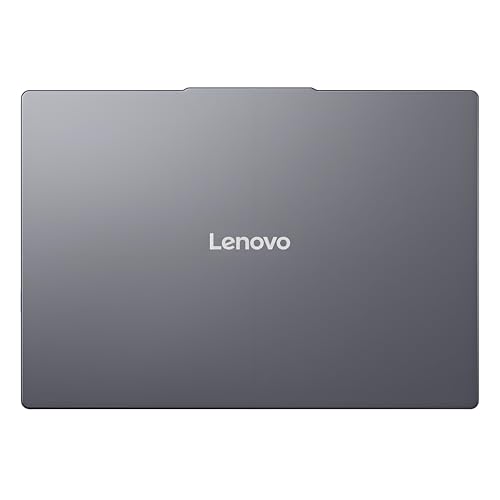
The "Slim" in the name does some real work here. The chassis is notably thin for a 15-inch machine, which helps with bag fit. It slides into most laptop compartments without drama, and the footprint, while obviously larger than a smaller machine, isn't the kind of thing that takes over a coffee shop table. If you spend a lot of time working on café, airport and hotel networks, it's worth pairing a machine like this with a good VPN to keep your connection private on shared Wi-Fi. The Luna Grey finish is understated and professional, which matters if you're using this in client-facing situations where a gaming-laptop aesthetic would be a bit much.
The charger adds to the carry weight, as it always does. A 65W brick isn't enormous, but it's not nothing either. If USB-C charging is supported on this configuration, a good USB-C GaN charger would cut the weight and size of what you're carrying significantly. Worth investigating. Overall, portability is fine for a 15-inch productivity machine, but if you genuinely need something you barely notice in your bag, a 14-inch option would suit you better.
Keyboard & Trackpad
Keyboard quality on the IdeaPad Slim 3 is one of the things owners mention positively and consistently. Lenovo has a long-standing reputation for decent keyboards (it's part of the ThinkPad legacy, even if the IdeaPad line is a step down from that), and the feedback on this machine reflects it. Key travel is decent for a slim chassis, the layout is sensible, and extended typing sessions are reportedly comfortable. For students writing essays or office workers spending hours in documents, that matters enormously and it's something a lot of competitors at this price get wrong.
There is a full number pad on the right side of the keyboard, which is useful for anyone doing data entry or financial work. The trade-off is that the main keyboard block gets shifted slightly left of centre, which some people find annoying for typing. It's a personal preference thing, but. Backlight availability depends on the specific configuration: some IdeaPad Slim 3 variants have it, some don't. If you work in dim environments and backlighting matters to you, confirm this before purchasing.
The trackpad is large and smooth, which is what you want. Windows Precision drivers mean gestures work properly: two-finger scrolling, three-finger app switching, pinch to zoom. It's not the glass trackpad you'd get on a MacBook or a premium Dell XPS, but it's genuinely good for the price bracket. Owners don't flag it as a problem, which in trackpad terms is high praise. A bad trackpad is the kind of thing people complain about loudly; a good one just gets on with it quietly.
Thermal Performance
Thermals are where thin laptops often make uncomfortable compromises, and the IdeaPad Slim 3 is honest about what it is. Under light to moderate loads (which is most of what the target audience will throw at it), the chassis stays cool. Palm rest temperatures during document work and web browsing are reported as comfortable, and the keyboard deck doesn't get hot. That's the experience for most of the working day for most users.
Under sustained heavy load, things get warmer, as they always do. The underside can get noticeably warm when the processor is working hard for extended periods, which makes proper lap use less comfortable in those scenarios. This isn't unusual for a slim 15-inch machine with an H-series chip; it's physics. The thermal solution has to balance keeping the chip cool enough to perform with keeping the chassis thin enough to carry. Lenovo's solution here is competent rather than exceptional.
Thermal throttling (where the processor reduces its speed to protect itself from heat) is less of a concern for the target workload. For sustained productivity tasks, the chip runs within sensible limits. Where you might see it is during long video exports or other extended CPU-intensive tasks, where the processor may step down from peak turbo speeds after the initial burst. For students and business users, this is largely academic. For anyone planning to push the machine hard for extended creative work.
One thing: using the laptop on a soft surface like a bed or sofa can restrict the underside vents and push temperatures up meaningfully. On a desk or hard surface, airflow is better and temperatures are more controlled. Owners don't flag overheating as a significant issue, which suggests the thermal management is well-tuned for typical use.
Acoustic Performance
Fan noise is the thing nobody talks about in spec sheets and everybody notices in real life. The IdeaPad Slim 3 behaves well here for its target use case. During light work (browsing, documents, video calls), the fans are either inaudible or very quiet. You won't be that person in a library making everyone uncomfortable. Owners consistently report that the machine is quiet during normal use, which is exactly what you want from a productivity laptop.
Under load, the fans spin up and become audible. The fan character on the IdeaPad Slim 3 platform tends to be a steady whoosh rather than an erratic pulse, which is less annoying than fans that surge and settle repeatedly. During a long compile, a video render, or a demanding task, you'll hear it. It's not aggressive, but it's present. In a meeting or a quiet shared workspace, you'd probably want to keep the workload light.
The overall acoustic profile is appropriate for the machine's purpose. This isn't a gaming laptop trying to cool a 140W GPU, so the fan system doesn't need to be heroic. For students and office workers, the noise levels are genuinely unobtrusive in typical use, which is the right result. If you're the sort of person who does sustained heavy work for hours at a time, you'll hear the fans more, but that's true of essentially every laptop in this class.
Ports & Connectivity
Port selection on the IdeaPad Slim 3 is adequate rather than generous. The typical configuration for this platform includes a couple of USB-A ports, a USB-C port, HDMI out, and a headphone jack. That covers the basics for most users: plug in a mouse, connect to a monitor or projector, use wired headphones if you prefer them. What you won't find is a Thunderbolt 4 port (the i5-13420H doesn't support Thunderbolt) or an SD card reader in all configurations, which is a mild frustration if you're a photographer or content creator.
Wireless connectivity is a genuine highlight. Wi-Fi 6 (802.11ax) is the right standard for 2026: faster, more efficient in crowded environments (like, say, a coffee shop with thirty devices on the network), and better at maintaining a stable connection under load. Bluetooth 5.2 handles wireless peripherals and headphones without issue. If you're working in environments with busy wireless networks, Wi-Fi 6 makes a real difference to connection stability. It's not Wi-Fi 6E or Wi-Fi 7, but for most users in most environments, Wi-Fi 6 is more than enough.
The lack of Thunderbolt is in context. Thunderbolt enables high-bandwidth docking stations, external GPU connections, and daisy-chaining displays. If your workflow depends on a Thunderbolt dock, this laptop won't support it. For most students and business users who just want to plug in a monitor and a mouse, regular USB-C and HDMI are fine. But it's a real limitation if your setup is more demanding.
- USB-A 3.2 Gen 1 (x2, configuration-dependent)
- USB-C (no Thunderbolt; USB-C PD support varies by configuration)
- HDMI 1.4 out
- 3.5mm headphone/microphone combo jack
- Wi-Fi 6 (802.11ax) via Intel AX201 or similar
- Bluetooth 5.2
Webcam & Audio
The webcam is 720p, which in 2026 is the honest minimum rather than something to get excited about. It does the job for Teams and Zoom calls, but don't expect the kind of image quality that makes you look polished on a video call. In decent light, it's fine. In poor light, it's noticeably grainy. If you do a lot of video calls and presentation quality matters to you, a clip-on 1080p webcam is a cheap upgrade. Owners don't rave about the webcam, but they don't pan it either; it's just there, doing its thing.
The microphone picks up voice adequately for calls, and the dual-mic setup (common on this platform) does a reasonable job of reducing background noise. Again, not exceptional, but functional. For a student in a lecture or an office worker on a call, it's sufficient. If you're recording audio for a podcast or voiceover work, use a proper microphone.
Speakers are better than you might expect from a budget-adjacent chassis. They're not going to replace a Bluetooth speaker for music listening, but for video calls, YouTube, and the occasional online lecture, they're clear enough at reasonable volume. Bass is thin (it always is on slim laptops), but the treble is clear and voices are intelligible. The headphone jack means you can use wired headphones without fuss, which is still the right call for serious audio work.
Build Quality
The IdeaPad Slim 3 is primarily a plastic chassis, which is the honest truth about this price tier. That's not automatically a problem: modern engineering-grade plastics are durable, and plenty of plastic laptops outlast their aluminium counterparts. But it does mean the machine has a different feel in the hand compared to premium aluminium builds. The lid has some flex when you push on it, and the keyboard deck isn't completely rigid under firm typing pressure. Neither of these things is catastrophic, and they're consistent with what owners report, but it matters if you're used to a ThinkPad or a MacBook.
The hinge is a point of discussion in owner reviews. Some users report that it's a bit stiff initially, which makes one-handed opening tricky. This tends to loosen up with use, but it's worth being aware of. The hinge does open to a reasonable angle for desk use, though it won't go flat (180 degrees). For most setups, the range of motion is fine.
The Luna Grey finish is pleasant and professional. It doesn't attract fingerprints as aggressively as some finishes, which is a small but real quality-of-life win. The overall build feels solid for the price, and owners don't report premature build failures or structural issues at any notable rate. For a laptop that's going to spend its life being carried between home, university, and the office, it should hold up fine with reasonable care. It's not a tank, but it's not fragile either.
One thing that genuinely matters for longevity: the cooling vents and general construction suggest this machine is designed to be serviced to some degree, though the extent of user-serviceable components varies by configuration. If RAM is soldered (which is possible on some Slim 3 variants), that's a long-term limitation worth investigating before you commit.
How It Compares
At this price point, the IdeaPad Slim 3 is competing in a genuinely crowded space. Two obvious rivals are the Acer Aspire 5 with a comparable Ryzen 5 configuration and the HP Pavilion 15 with an i5-1335U. Both sit in similar territory and target the same audience of students and productivity-focused buyers. The comparison is worth doing properly, because the differences between them tell you a lot about what you're actually prioritising.
The Acer Aspire 5 with a Ryzen 5 7530U is a strong alternative. AMD's chip often wins on efficiency at lighter workloads, which can translate to better battery life in day-to-day use. The Aspire 5 also tends to come in at a lower price for comparable specs, which is a real consideration. Where the IdeaPad Slim 3 has an edge is typically in build quality perception and the 16:10 display ratio, which the Aspire 5 doesn't always offer.
The HP Pavilion 15 with an i5-1335U (12th/13th gen U-series) is a step down in raw performance from the H-series chip in the IdeaPad Slim 3. The U-series chip is more power-efficient but less capable under sustained load. For pure light productivity, the difference is minimal. For anything more demanding, the H-series chip in the Lenovo pulls ahead. The Pavilion often matches or undercuts on price, so if your workload is genuinely light, it's worth a look.
| Feature | Lenovo IdeaPad Slim 3 (i5-13420H) | Acer Aspire 5 (Ryzen 5 7530U) | HP Pavilion 15 (i5-1335U) |
|---|---|---|---|
| Processor | Intel i5-13420H (8-core, H-series) | AMD Ryzen 5 7530U (6-core, U-series) | Intel i5-1335U (10-core, U-series) |
| RAM | 8GB DDR5 | 8GB DDR4 (typically) | 8GB DDR4 (typically) |
| Storage | 512GB PCIe SSD | 512GB PCIe SSD | 512GB PCIe SSD |
| Display | 15.3" WUXGA 16:10 | 15.6" FHD 16:9 (typically) | 15.6" FHD 16:9 (typically) |
| Wi-Fi | Wi-Fi 6 | Wi-Fi 6 | Wi-Fi 6 |
| Build | Plastic, slim chassis | Plastic, slightly heavier | Plastic, similar weight |
| Sustained Performance | Strong (H-series TDP) | Good (efficient AMD) | Moderate (U-series TDP) |
| Price | £596.91 | Typically lower | Typically lower |
| Best For | Productivity users wanting H-series power and a 16:10 display | Battery-focused buyers on a tighter budget | Light users wanting a cheaper Intel option |

Final Verdict
The Lenovo IdeaPad Slim 3 with the i5-13420H is a solid productivity laptop that does most things well and nothing catastrophically wrong. The processor is genuinely capable for the target use case, the 16:10 WUXGA display is a real differentiator at this size, the keyboard gets good marks from owners, and the Wi-Fi 6 connectivity is the right call for 2026. With 2,901 owner reviews averaging ★★★★½ (4.5), the satisfaction rate is high and the complaints are the predictable ones (plastic build, 720p webcam, 8GB RAM ceiling) rather than anything that suggests a fundamentally flawed product.
Who is it for? Students who need a reliable workhorse that handles lectures, assignments, and the occasional heavy workload without throttling into uselessness. Business users who want a 15-inch screen for productivity without lugging around a gaming laptop. Anyone who finds 14-inch screens too small for serious document work but doesn't want to pay premium prices for a 15-inch machine. It's not for creative professionals who need colour-accurate displays or discrete GPU power, and it's not for anyone who needs Thunderbolt connectivity for a docking station setup.
The honest caveat is the price. At the upper mid-range, this configuration is competing against some genuinely strong alternatives, and the "Olialia" branding on what is otherwise a Lenovo product adds a layer of uncertainty around warranty and support that you wouldn't have buying direct from Lenovo or a major retailer. If the price is significantly above what you'd pay for a comparable IdeaPad Slim 3 through Lenovo's own store or a mainstream UK retailer, that gap is worth scrutinising. A solid 7.5 out of 10 for the productivity tier, with the caveat that the third-party seller situation deserves a careful look before you click buy.
And if your workload is genuinely light, be honest with yourself: an IdeaPad Slim 3 with a U-series chip at a lower price point would probably do everything you need and leave money in your pocket. The H-series chip is worth paying for if you actually push the machine. If you're mostly in a browser and Office 365, you won't feel the difference.
What works. What doesn’t.
6 + 6What we liked6 reasons
- Intel i5-13420H H-series chip delivers genuine sustained performance well above U-series rivals at comparable prices
- 15.3-inch WUXGA 16:10 display gives meaningfully more vertical screen space than standard FHD 16:9 panels
- Keyboard comfort earns consistent praise from owners and is noticeably better than many competitors in this price bracket
- Wi-Fi 6 connectivity handles crowded networks well and is the right standard for daily use in 2026
- PCIe NVMe SSD keeps boot times and application launches feeling fast rather than merely adequate
- Fan noise during light productivity work is low enough to use comfortably in libraries and quiet shared spaces
Where it falls6 reasons
- 8GB RAM may prove limiting for heavy multitaskers and could be a permanent ceiling if RAM is soldered on this configuration
- 720p webcam is the honest minimum and produces noticeably grainy footage in poor lighting conditions
- Sold under the Olialia brand rather than directly by Lenovo, which introduces uncertainty around warranty coverage and after-sales support
- Plastic chassis has lid flex and some keyboard deck flex under firm pressure, which feels cheaper than premium aluminium rivals
- Display brightness around 300 nits makes outdoor or bright-window use genuinely difficult
- No Thunderbolt 4 support limits compatibility with high-bandwidth docking stations and external GPU enclosures
Full specifications
12 attributes| Storage type | PCIe SSD |
|---|---|
| Bluetooth | 5.2 |
| CPU | Intel Core i5-13420H |
| Display resolution | 1920x1200 |
| Display size IN | 15.3 |
| GPU | integrated |
| Keyboard | backlit |
| Launch year | 2025 |
| OS | Windows 11 Home |
| Panel type | IPS |
| RAM GB | 8 |
| Storage GB | 512 |
If this isn’t right for you
2 options 8.0 / 10
Microsoft Surface Pro (11th Edition) | 13” Touchscreen | Snapdragon X Plus / X Elite
£749.00 · Microsoft

Frequently asked
7 questions01Is the RAM upgradeable on this configuration of the Lenovo IdeaPad Slim 3?+
This is one of the most important questions to answer before buying. Some IdeaPad Slim 3 variants use soldered RAM, meaning 8GB would be your permanent limit. Others have a spare SO-DIMM slot. The listing does not make this explicit, so check the full specification sheet or contact the seller directly before purchasing if RAM upgradability matters to you.
02Does this laptop support USB-C charging?+
USB-C power delivery support varies across IdeaPad Slim 3 configurations. Some variants support it and some do not. The listing does not confirm this clearly. If carrying a single USB-C GaN charger for all your devices is important to you, verify USB-C PD support with the seller before buying. The machine ships with a 65W barrel-plug adapter regardless.
03What is the Olialia brand listed on the Amazon product page?+
Olialia appears to be a third-party seller that has listed a customised configuration of the Lenovo IdeaPad Slim 3, likely with a bumped RAM specification. The underlying hardware is Lenovo's IdeaPad Slim 3 platform. This matters because warranty and after-sales support may differ from buying directly from Lenovo or a mainstream UK retailer such as John Lewis or Currys. Always check the seller's returns policy and warranty terms before purchasing.
04Can this laptop run games or GPU-intensive creative software?+
Not effectively. The Intel UHD integrated graphics handle video playback, light photo editing, and general use without issue, but anything GPU-dependent, including modern games, DaVinci Resolve at full clip, or serious 3D work, will either run poorly or not at all. The i5-13420H does not support a discrete GPU in this configuration. If your workflow involves GPU-intensive tasks, you need a machine with a dedicated graphics card.
05How does the i5-13420H compare to U-series Intel chips found in rival laptops?+
The i5-13420H is an H-series chip, meaning it has a higher thermal and power envelope than U-series or P-series alternatives. In practice, this means it can sustain higher performance under extended load without stepping down clock speeds as aggressively. For productivity tasks like spreadsheets, code compilation, and video calls, the difference is modest. For sustained heavier workloads, the H-series chip pulls ahead meaningfully. The trade-off is that it can generate more heat and potentially draw more power under load.
06Is the display good enough for working outdoors or near a window?+
The display peaks at approximately 300 nits, which is adequate for indoor use and dim offices. Near a window on a bright day, you will need to position yourself carefully and crank the brightness to maximum. Working in direct sunlight is genuinely difficult at this brightness level. The anti-glare coating helps in mixed indoor lighting, but this is not a high-brightness panel and it is not marketed as one. If outdoor or bright-environment use is a regular requirement, look for a laptop rated at 400 nits or above.
07How noisy is the fan during a typical working day?+
During light productivity tasks such as browsing, document editing, and video calls, the fans are either inaudible or very quiet. You would not cause discomfort in a library or quiet office. Under sustained heavy load, such as a long video render or large file compression, the fans spin up and become audible as a steady background noise. The character is a consistent whoosh rather than an erratic surge-and-settle pattern, which most users find less irritating. For typical student and office use, fan noise is not a meaningful concern.