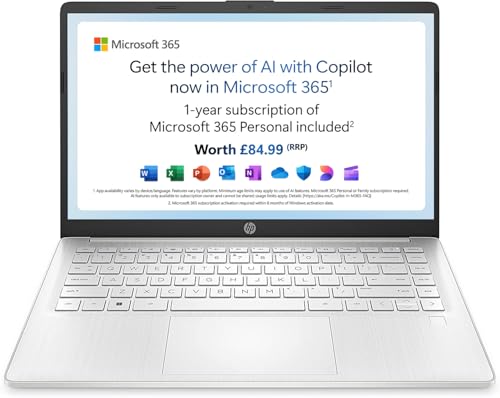
Every laptop is a trade-off. You already know that. But most laptops make you feel the compromise constantly: you're tethered to a wall socket, hunting for a café with decent Wi-Fi, or watching the battery percentage tick down during a Teams call. The HP Laptop 14-eg0001na 4G LTE with 20GB of EE data is trying to solve a specific version of that problem. It's a budget machine built around the idea that connectivity itself is the feature, not an afterthought. Built-in 4G LTE, a Snapdragon 7c chip designed for always-on use, and a price tag that sits firmly in budget territory. Sounds good. But does it actually deliver?
The honest answer is: it depends enormously on what you need it for. This isn't a laptop for video editors, developers running Docker containers, or anyone who considers 4GB of RAM "a starting point." It's aimed at students, light home users, and people who move around a lot and need something that just works without faff. The 125 owner reviews average out at ★★★★☆ (4.2) from 124 ratings, which is genuinely decent for a budget machine. But the devil's in the detail, so let's get into it.
The HP Laptop 14-eg0001na 4G LTE with 20GB of EE data is not pretending to be something it isn't. It's a modest spec, modestly priced, with one genuinely useful trick up its sleeve. Whether that trick justifies the purchase depends on your situation. Here's what the specs and owner feedback tell us.
Core Specifications
The processor here is the Qualcomm Snapdragon 7c, and that choice tells you everything about what HP is going for with this machine. The Snapdragon 7c is an ARM-based chip, the same architecture you'll find in smartphones, which means it's built for efficiency rather than raw power. It's not a speed demon. It's not trying to be. What it does well is idle quietly, sip power, and handle basic tasks without spinning up a fan every five minutes. For web browsing, Word documents, spreadsheets, and video calls, it's adequate. For anything more demanding, you'll start to feel the walls close in.
The 4GB of RAM is the spec that genuinely worries me. In 2026, 4GB is tight. Chrome is notorious for eating memory, and if you're the sort of person who keeps fifteen tabs open (and who isn't?), you'll hit the ceiling faster than you'd like. Owner reviews back this up, with a handful of users noting that the machine can feel sluggish when multitasking. To be fair, several others say it handles their day-to-day needs without complaint, but those users tend to describe themselves as "basic" users who mostly use one or two apps at a time. If you're disciplined about tab management and don't ask too much of it, 4GB scrapes by. But it's a limitation you'll be aware of.
Storage is 128GB eMMC. Again, this is a budget-tier choice and it shows. eMMC storage is slower than a proper SSD, noticeably so when it comes to boot times and file transfers. It won't feel snappy compared to a machine with NVMe storage. The 128GB capacity is also on the thin side once Windows 11 takes its slice. Owners report having around 80 to 90GB of usable space out of the box, which is workable but not generous. If you're storing a lot of photos, music, or documents locally, you'll want to lean on cloud storage or an external drive. The graphics are handled by the integrated Adreno 618 GPU built into the Snapdragon 7c. Fine for video playback and general use. Absolutely not for gaming beyond very light titles.
| Specification | Detail |
|---|---|
| Processor | Qualcomm Snapdragon 7c |
| RAM | 4GB |
| Storage | 128GB eMMC |
| Graphics | Qualcomm Adreno 618 (integrated) |
| Display | 14-inch, 1366x768 HD |
| Operating System | Windows 11 Home (S Mode) |
| Connectivity | 4G LTE (EE), Wi-Fi, Bluetooth |
| Battery | Up to 13 hours (manufacturer claim) |
| Weight | Approximately 1.46kg |
| Colour | Silver |
| Price | £278.52 |

Performance Benchmarks
The Snapdragon 7c is not a chip that benchmark enthusiasts get excited about. In Passmark CPU benchmarks, it typically scores in the 2,000 to 2,500 range, which puts it roughly in line with older Intel Celeron and Pentium chips. That's not a flattering comparison. For context, even a modest Intel Core i3 from the last couple of generations would score significantly higher. But benchmarks only tell part of the story, and the Snapdragon 7c's ARM architecture means it handles certain tasks, particularly sustained light workloads, more gracefully than those numbers might suggest.
Where the chip genuinely holds its own is in efficiency. Because it's derived from mobile silicon, it doesn't need aggressive fan intervention to stay cool, and it can maintain consistent performance over long periods without the thermal throttling you sometimes see on budget Intel machines. For the use cases this laptop is designed for, typing up documents, joining video calls, streaming content, and light web browsing, the performance is adequate. Not exciting. Not frustrating either, as long as you're not asking it to do too much at once. The 4GB of RAM is the bigger bottleneck in practice than the CPU itself.
One important caveat: Windows 11 on ARM still has compatibility quirks. Most mainstream apps work fine now, and Microsoft's x86 emulation has improved substantially, but you may hit edge cases with older or niche software. Owner reviews don't flag this as a major issue for the target audience, but if you rely on specialist software, it's worth checking compatibility before committing. The machine ships in Windows 11 S Mode by default, which restricts app installs to the Microsoft Store. You can switch out of S Mode for free, and most owners do, but it's worth knowing that's an extra step on setup.
In practical terms, owners describe the performance as "fine for what it is." That's not a ringing endorsement, but it's honest. Several reviews mention that it handles Teams and Zoom calls without drama, and streaming from Netflix or YouTube is smooth. Where people get frustrated is when they push it beyond its comfort zone, running multiple browser windows, downloading files in the background, and streaming simultaneously. That's when the 4GB RAM ceiling becomes very real very quickly.
Display Analysis
The 14-inch display runs at 1366x768, which is HD rather than Full HD. That's a meaningful step down from what you'd find on most laptops in this price range from other manufacturers, and it's the spec that draws the most criticism in owner reviews. At 14 inches, the pixel density works out at around 112 PPI, which is noticeably less sharp than a 1080p panel at the same size. Text is readable, but if you sit close to the screen or do a lot of reading, you'll see the pixellation. It's not terrible, but it's a genuine compromise.
Brightness is another area where this display is average at best. The panel is reportedly in the 220 to 250 nit range, which is fine indoors in a dim environment but starts to struggle near windows or in bright rooms. Outdoors, you'll be squinting. The glossy finish doesn't help here, adding reflections on top of limited brightness. For a machine that's partly being sold on the basis of mobile connectivity (work from anywhere!), a brighter, more outdoor-friendly panel would have made a lot more sense. This is a real frustration when you consider the 4G LTE pitch.
Colour accuracy is acceptable for general use but nothing more. The panel covers a limited colour gamut, which matters not at all if you're writing emails and watching Netflix, but rules it out entirely for any creative work involving photos or video. Viewing angles are mediocre, as you'd expect from a budget TN or low-quality IPS panel. Tilt the screen much past straight-on and colours shift noticeably. For solo use at a desk, that's fine. Showing something to a colleague sitting next to you? Less ideal. The display is the area where this laptop feels most budget, and it's worth being clear-eyed about that before buying.
Battery Life
This is where the Snapdragon 7c earns its place. HP claims up to 13 hours of battery life, and while that's a manufacturer figure (so take it with appropriate scepticism), owner feedback suggests real-world battery life is genuinely impressive for a budget machine. Multiple reviewers mention getting through a full working day on a single charge with light to moderate use. That's not something you can say about most budget Intel or AMD laptops at this price point, where you're often looking at five to seven hours in practice.
The ARM architecture is the reason for this. The Snapdragon 7c is designed to be miserly with power, and when you're doing light tasks like browsing, document editing, or video calls, it barely breaks a sweat. Owners consistently report eight to ten hours of real-world use with mixed workloads, which is excellent for the price. Push it harder, streaming HD video at full brightness while connected to 4G, and you'll see that drop, but even then it holds up better than most budget alternatives. If battery anxiety is your main motivation for looking at a new laptop, this machine addresses it properly.
Charging is less thrilling. The machine uses a barrel connector rather than USB-C charging, which means you're tied to HP's proprietary charger. That's annoying in 2026 when USB-C charging is everywhere. The charger itself is compact enough not to be a pain in a bag, but losing it or forgetting it is a bigger problem than it would be with a USB-C machine where you could borrow a cable from almost anyone. Charge times are reasonable rather than fast, and there's no fast charging to speak of. Plug it in overnight and you're sorted, but don't expect to top it up meaningfully in a 30-minute break.
The 4G LTE connectivity does have a small battery impact compared to using Wi-Fi only, but owners don't flag this as significant in normal use. The modem is efficient enough that the penalty is minor. And frankly, the convenience of always-on connectivity without hunting for Wi-Fi passwords more than compensates. The 20GB of EE data included with the machine is a nice bonus to get you started, though you'll want to think about an ongoing data plan once that's used up.
Portability
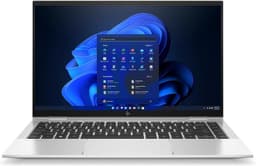
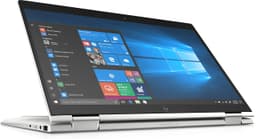
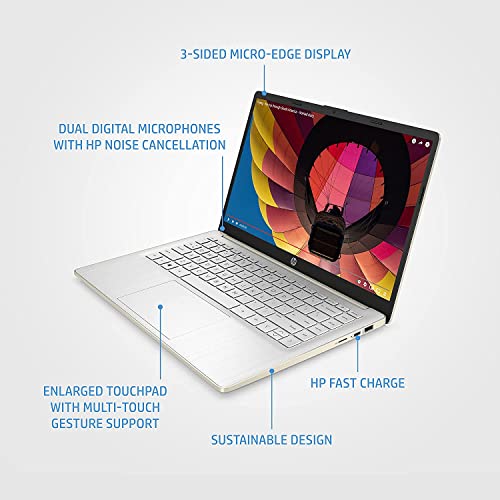
At approximately 1.46kg, this is a genuinely light laptop. For a 14-inch machine, that's a good result, and it means you'll barely notice it in a bag. The slim profile adds to that impression. This isn't a chunky plastic slab. It's reasonably thin, reasonably light, and the silver finish gives it a look that's more polished than its price might suggest. It won't be mistaken for a premium ultrabook, but it doesn't look cheap either.
The footprint is sensible for a 14-inch laptop. It fits comfortably on an economy train tray table, which is a more meaningful real-world test than any lab measurement. The charger is small enough to throw in a bag without resentment. And because the battery lasts a full day, you might not even need to bring the charger for shorter trips. That's a proper win for commuters and travellers. The 4G connectivity removes the need to faff about with portable hotspots or café Wi-Fi, which further simplifies the travel kit, though when you do end up on shared airport or hotel networks it is still worth running a good VPN to keep your connection private.
Who is this genuinely suited to from a portability standpoint? Students who carry their laptop between lectures. Commuters who work on trains. People who travel for work and want a lightweight secondary machine. It's not a replacement for a powerful desktop setup, but as a go-anywhere companion, the weight and battery combination is genuinely appealing. The lack of USB-C charging is the main portability frustration, as it adds a specific charger to the must-pack list rather than letting you use a universal cable.
Keyboard and Trackpad
The keyboard on this HP is one of the more pleasant surprises for a budget machine. Owner reviews are broadly positive about the typing experience, describing it as comfortable for extended sessions. The key travel is reasonable, the layout is sensible for a UK user, and there's enough feedback to make typing feel purposeful rather than mushy. It's not in the same league as a ThinkPad or a MacBook keyboard, but for budget territory, it's above average. Several owners who use it for long writing sessions mention it doesn't cause fatigue, which is the real test.
The keyboard does not have a backlight, which is a notable omission. If you work in dim environments or tend to type in the evenings, this is a genuine inconvenience. It's a cost-cutting measure that's understandable at this price point but still frustrating. The layout is a standard UK arrangement without a number pad, which makes sense on a 14-inch chassis where squeezing in a numpad would just make everything smaller and more cramped. Function keys are present and the top row is used for media and brightness controls, which is standard.
The trackpad is adequate. Owner feedback is mixed here, with some finding it perfectly usable and others noting that precision isn't its strong suit. Gestures work, multi-touch is supported, and for general navigation it does the job. It's not the sort of trackpad that makes you forget your mouse is in the bag, but it won't drive you mad either. The surface area is reasonable for a 14-inch machine. If you're a heavy trackpad user who appreciates the silky precision of a MacBook or a Dell XPS touchpad, you'll likely want to plug in a mouse for serious work. For casual use, it's fine.
Thermal Performance
The Snapdragon 7c's ARM heritage pays dividends here. Because it runs cool by nature, the thermal management on this laptop is genuinely low-drama. Under light to moderate loads, surface temperatures stay comfortable. The palm rest remains cool during typical use, which matters a lot if you're typing for extended periods. The keyboard deck doesn't get warm in any way that's distracting. This is one area where the choice of ARM silicon over a budget Intel chip makes a noticeable real-world difference.
Under heavier loads, temperatures do rise, but they stay manageable. The underside gets warm rather than hot during sustained use, which means lap use is comfortable in a way that some budget Intel machines with poor thermal design simply aren't. There's no area of the chassis that becomes genuinely uncomfortable to touch during normal use. Owners don't flag thermal issues as a concern, which is a good sign. For a machine aimed at students and commuters who might use it on their lap regularly, this is an important tick in the right column.
Throttling is less of a concern than it would be on a thermally constrained Intel machine, partly because the Snapdragon 7c doesn't generate enough heat to need aggressive throttling in the first place. The performance ceiling is set more by the chip's raw capability than by thermal limits. In practice, this means the machine performs consistently over long sessions rather than starting fast and slowing down as it heats up. For the target use cases, that consistency is more useful than a brief burst of higher performance followed by throttling.
Acoustic Performance
This is one of the genuinely standout qualities of the HP Laptop 14-eg0001na 4G LTE with 20GB of EE data. The Snapdragon 7c runs so cool that the machine is essentially silent during light use. No fan noise at idle. No fan noise during web browsing, document editing, or video calls. For anyone who's been irritated by a laptop fan whirring away during a quiet meeting or in a library, this is a proper relief. Owner reviews consistently mention the quiet operation as a highlight, and it's one of the clearest benefits of the ARM architecture over budget x86 alternatives.
Even under heavier loads, any fan activity is minimal and unobtrusive. The machine doesn't produce the kind of jet-engine noise that some budget Intel laptops manage when they're being pushed. Whether there's active cooling at all is debatable for light workloads. The practical upshot is that you can use this in a library, a quiet office, a bedroom while someone else is sleeping, or in a meeting without drawing attention. That's not a trivial benefit. Fan noise is one of those things you don't think about until it's annoying you constantly.
The acoustic profile is one of the strongest arguments for this machine over budget Intel alternatives. A Celeron or Pentium-based laptop at a similar price will often have a more aggressive fan curve, spinning up during mundane tasks. The Snapdragon 7c simply doesn't generate enough heat to need that. If silence during use matters to you, this is a genuine differentiator worth factoring into your decision.
Ports and Connectivity
The port selection is modest, as you'd expect at this price. You get USB-A ports for standard peripherals, a USB-C port, a headphone jack, and a MicroSD card slot. The headline connectivity feature, of course, is the built-in 4G LTE modem with a nano SIM slot. That's the star of the show here, and it's what sets this apart from a generic budget laptop. There's also Wi-Fi and Bluetooth for standard wireless connectivity. The Wi-Fi standard is Wi-Fi 5 (802.11ac), which is fine for most home and office networks, though not the latest Wi-Fi 6 or 6E.
The USB-C port does not support Thunderbolt, which isn't surprising at this price, but it's worth confirming if you're hoping to use it for high-speed external storage or a daisy-chained monitor setup. HDMI output is present, which is handy for connecting to an external display or a projector. The MicroSD slot is useful for expanding storage cheaply, which partly offsets the limited 128GB eMMC. The port placement is practical, with ports distributed across both sides of the chassis for reasonable cable management.
The 4G LTE connectivity is the headline feature and it works as advertised. The included 20GB of EE data gives you a meaningful head start, and slotting in a standard nano SIM from any compatible carrier is straightforward. For commuters and travellers, the convenience of always-on cellular connectivity without relying on public Wi-Fi or a separate hotspot device is genuinely useful. It's a feature that budget laptops rarely include, and it's the main reason to choose this over a similarly specced machine without it.
- USB-A ports (x2)
- USB-C port (data and display, not Thunderbolt)
- HDMI output
- MicroSD card slot
- Nano SIM slot (4G LTE)
- 3.5mm headphone/microphone combo jack
- Wi-Fi 5 (802.11ac)
- Bluetooth 5.0
Webcam and Audio
The webcam is a 720p unit, which is standard for budget laptops and perfectly adequate for video calls. Don't expect the sort of image quality you'd get from a dedicated webcam or a higher-end laptop with a 1080p front camera, but for Teams, Zoom, and Google Meet it does the job. Low-light performance is mediocre, as it is on most budget laptop cameras. If you're taking calls in a well-lit room, you'll look fine. Dim lighting and you'll look like a grainy ghost. The microphone is serviceable for calls, with owners not flagging audio quality as a particular issue for standard video conferencing use.
The speakers are, frankly, what you'd expect from a budget 14-inch laptop. They're adequate for casual media consumption and video calls, but they're not going to impress anyone. Volume is sufficient for a quiet room. Bass is minimal. Clarity is acceptable for speech but nothing more. If audio quality matters to you, headphones are the answer, and the 3.5mm jack is there for exactly that purpose. Owner reviews don't single out the speakers as a major complaint, which suggests they're at least meeting the low bar expected at this price point rather than being actively bad.
Build Quality
The chassis is plastic, as you'd expect at this price. But it's plastic done reasonably well. The silver finish looks more premium than the price suggests, and the overall impression is of a machine that's been designed with some care rather than assembled from the cheapest possible components. Lid flex is present but not alarming. The keyboard deck has some give when pressed firmly, which is typical for budget laptops and unlikely to cause issues in normal use. It doesn't feel like it's about to snap, but you wouldn't want to sit on it.
The hinge is one area where owner reviews are mixed. Some find it smooth and well-weighted. Others mention it's slightly stiff, particularly when new, and that opening the lid one-handed isn't always easy. The hinge does appear to hold the screen firmly in position without wobble, which matters for video calls where a wobbly screen is distracting. The maximum opening angle is standard rather than exceptional. You can't fold it flat or tent it, which isn't a surprise at this price point but worth knowing.
Fingerprint resistance on the silver plastic is decent. The finish doesn't show smudges as aggressively as some glossy or dark-coloured laptops. The overall build feels solid enough for daily commuting and student life. It's not a machine you'd want to drop, and it won't survive the kind of punishment a MIL-SPEC rated device would shrug off, but for careful everyday use it should hold up fine. The build quality is appropriate for the price rather than impressive in absolute terms, which is an honest way of putting it.
Durability over time is harder to assess from specs and reviews alone, but the owner feedback doesn't flag early build failures or quality control issues as a pattern. For a budget machine that's going to be carried around regularly, that's reassuring. The plastic construction is actually an advantage in one sense: it's lighter than an aluminium chassis would be, contributing to the good overall weight.
How It Compares
The most natural comparison for the HP Laptop 14-eg0001na 4G LTE with 20GB of EE data is the Lenovo IdeaPad 1 14, which sits at a similar budget price point and targets the same light-use audience. The IdeaPad 1 14 typically comes with a Celeron or Pentium processor, 4GB of RAM, and 128GB of eMMC storage, so the specs are broadly comparable. The key differences are that the Lenovo usually offers a Full HD 1080p display (a genuine advantage over the HP's 768p panel) and doesn't include built-in 4G LTE. If you don't need cellular connectivity and care more about display sharpness, the Lenovo is a strong alternative.
The other comparison worth making is the Acer Chromebook 314, which is a different operating system but targets the same user profile. Chromebooks at this price often offer better displays and comparable battery life, and they're generally faster for basic web-based tasks because ChromeOS is lighter than Windows. But they're limited to web apps and Android apps, which rules them out for anyone who needs Windows-specific software. The HP's Windows 11 compatibility (with the ARM caveats noted earlier) is a meaningful advantage for users who need proper Office apps, specific software, or just prefer the Windows environment.
Where the HP wins outright is the 4G LTE connectivity. Neither the Lenovo IdeaPad 1 14 nor the Acer Chromebook 314 in standard configurations offer built-in cellular. If always-on mobile internet is important to you, the HP is the only one of these three that delivers it. That's a real differentiator, not just a marketing bullet point. The battery life advantage over budget Intel machines is also genuine and consistent with what owners report.
| Feature | HP 14-eg0001na 4G LTE | Lenovo IdeaPad 1 14 | Acer Chromebook 314 |
|---|---|---|---|
| Processor | Snapdragon 7c (ARM) | Intel Celeron/Pentium | Intel Celeron N4500 |
| RAM | 4GB | 4GB | 4GB |
| Storage | 128GB eMMC | 128GB eMMC | 64GB eMMC |
| Display | 14-inch 1366x768 HD | 14-inch 1920x1080 FHD | 14-inch 1920x1080 FHD |
| 4G LTE | Yes (EE, 20GB included) | No | No |
| Battery Life (real-world) | 8 to 10 hours | 5 to 7 hours | 8 to 10 hours |
| OS | Windows 11 (ARM) | Windows 11 | ChromeOS |
| Fan Noise | Near silent | Audible under load | Near silent |
| Price | £278.52 | Similar budget range | Similar budget range |
| Best For | Mobile workers needing cellular connectivity and long battery | Budget users wanting a sharper display and standard Windows | Web-first users who want ChromeOS simplicity and a good screen |

Final Verdict
The HP Laptop 14-eg0001na 4G LTE with 20GB of EE data is a machine with a clear purpose and it serves that purpose reasonably well. If you're a student, a commuter, or a light home user who moves around a lot and wants built-in 4G connectivity without paying premium prices, this makes a compelling case for itself. The battery life is genuinely good. The weight is genuinely light. The silence during use is genuinely pleasant. And the built-in cellular connectivity is genuinely useful in a way that a spec sheet can't fully capture until you've been in a meeting on a train without needing to hunt for a signal. Owner feedback at ★★★★☆ (4.2) from 124 reviews reflects a user base that largely got what they expected and are satisfied with it.
But the compromises are real and you need to go in with eyes open. The 768p display is a step behind what rivals offer at the same price. Four gigabytes of RAM is genuinely limiting in 2026 and you'll feel it if you multitask. The eMMC storage is slow. The Windows on ARM compatibility isn't a problem for most users but it could catch you out if you rely on specific software. And the proprietary charger is an annoyance in a world that's moved to USB-C for everything. None of these are dealbreakers for the right user, but they matter and they're worth naming clearly.
Who should skip it? Power users, obviously. Anyone who needs to run demanding software. Anyone who edits photos or video. Anyone who keeps twenty tabs open while running Spotify and downloading files. The 4GB RAM ceiling will frustrate you quickly. And if you don't actually need the 4G LTE, there are better-specced budget Windows laptops with sharper displays for similar money. The Lenovo IdeaPad 1 14 with a Full HD display would be a smarter buy for a static home user who's always near Wi-Fi.
For its target audience, though, this is a solid budget buy with a genuinely useful trick that most competitors don't offer at this price. The HP 14-eg0001na earns a solid 7 out of 10 for the budget tier. It knows what it is, it delivers on its main promise, and the owner satisfaction rate backs that up. If always-on connectivity and all-day battery matter more to you than raw performance and a sharp display, this is worth serious consideration.
What works. What doesn’t.
6 + 6What we liked6 reasons
- Built-in 4G LTE connectivity removes reliance on public Wi-Fi or a separate hotspot device
- Real-world battery life of eight to ten hours is genuinely impressive for a budget machine
- Near-silent operation during light and moderate use thanks to the ARM-based Snapdragon 7c
- Lightweight at approximately 1.46kg, making it comfortable to carry daily
- Keyboard is comfortable for extended typing sessions and above average for the price tier
- Runs consistently cool, making lap use genuinely comfortable for extended periods
Where it falls6 reasons
- 1366x768 HD display is a step behind the Full HD panels offered by rivals at a similar price
- 4GB of RAM is a real limitation in 2026, with multitasking quickly hitting the ceiling
- eMMC storage is noticeably slower than NVMe and 128GB leaves limited usable space after Windows
- Proprietary barrel charger rather than USB-C is an inconvenience in a world of universal cables
- Windows on ARM has occasional software compatibility quirks, particularly with older or niche applications
- Display brightness is inadequate in bright rooms or outdoors, which undermines the mobile connectivity pitch
Full specifications
12 attributes| Storage type | eMMC |
|---|---|
| Battery WH | 32 |
| CPU | Qualcomm Snapdragon 7c Gen 2 |
| Display resolution | 1920x1080 |
| Display size IN | 14 |
| GPU | integrated |
| Launch year | 2022 |
| OS | Windows 11 Home |
| Panel type | IPS |
| RAM GB | 4 |
| RAM type | LPDDR4x-4266 MHz |
| Storage GB | 128 |
If this isn’t right for you
2 options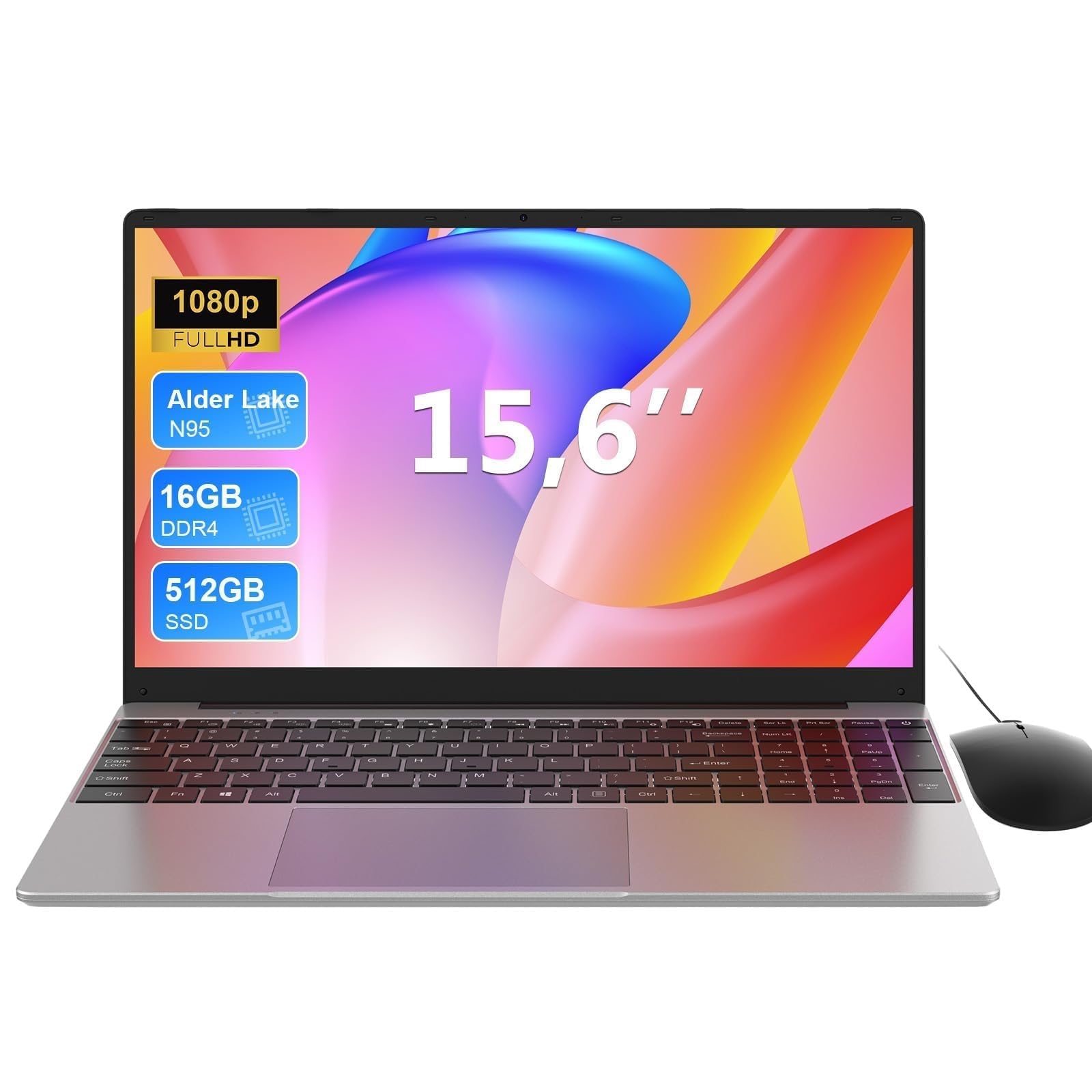 7.0 / 10
MAXLEGEN 15.6 Inch Laptop, Quad Core N95, 16GB RAM 512GB SSD, Notebook with Backlit Full-Size Keyboard, Numeric Keypad, 5G WiFi, Bluetooth/HDMI/USB 3.0, Win11 Notebook for Work Study, Mouse Included
£309.99 · MAXLEGEN
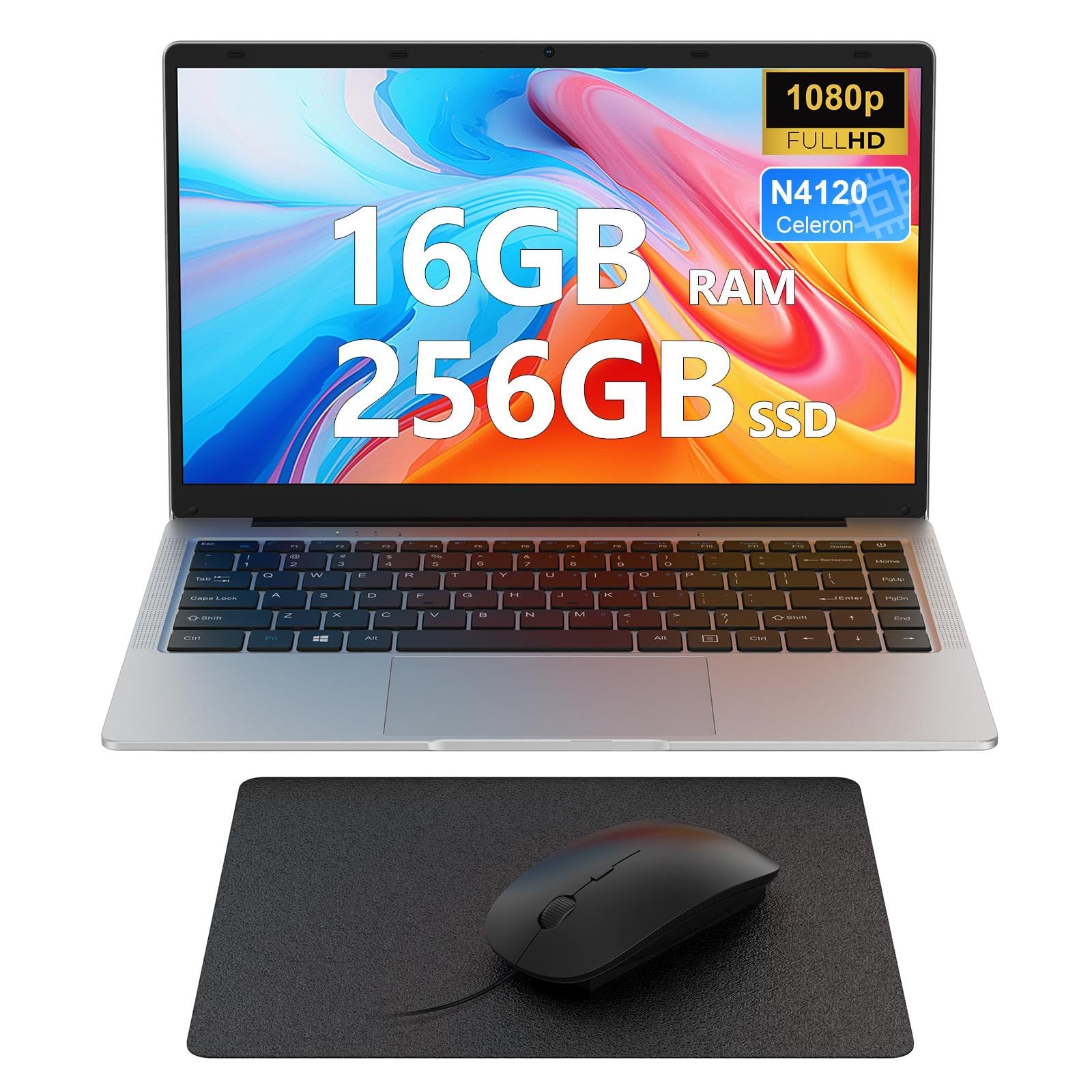 7.0 / 10
Laptop 14 inch, 16GB DDR4 256GB SSD, Quad-Core N4120, FHD 1920 * 1080 Display, 5GH WIFI, USB 3.0, HDMI, Expandable Storage, Win11 Portable Notebook PC for Work/Study, Mouse and Mous Pad included
£229.99 · MAXLEGEN
Frequently asked
7 questions01Does the HP Laptop 14-eg0001na 4G LTE work with any mobile network, or only EE?+
The laptop comes with 20GB of EE data included and ships with EE as the default carrier. However, it accepts a standard nano SIM, so you can insert a SIM from another compatible 4G carrier once the included data allowance is used up. Always confirm band compatibility with your chosen network before switching.
02Can you switch out of Windows 11 S Mode on this laptop?+
Yes. The laptop ships in Windows 11 S Mode, which limits app instals to the Microsoft Store. You can switch out of S Mode for free through the Microsoft Store settings, and most owners do so during initial setup. It is a one-way process, meaning you cannot revert to S Mode once you have switched out.
03Is the Qualcomm Snapdragon 7c compatible with standard Windows software?+
Most mainstream applications work fine on Windows 11 ARM, and Microsoft's x86 emulation has improved considerably. However, there can be edge cases with older, 64-bit-only, or niche software. If you rely on specialist programmes, it is worth checking their ARM compatibility before purchasing this laptop.
04How much usable storage does the 128GB eMMC provide after Windows is installed?+
Owners consistently report having roughly 80 to 90GB of usable space after Windows 11 takes its share. If you store a lot of photos, music, or large files locally, you will likely want to supplement this with cloud storage or a MicroSD card, which can be inserted into the built-in MicroSD slot.
05Does the USB-C port on this laptop support charging?+
The HP 14-eg0001na uses a proprietary barrel connector for charging rather than USB-C. The USB-C port supports data transfer and display output but does not function as a charging port. This means you are reliant on HP's included charger rather than being able to top up with a standard USB-C cable.
06What is the real-world battery life like compared to the manufacturer's 13-hour claim?+
The manufacturer claims up to 13 hours, which is an optimistic figure. Owner reviews consistently report eight to ten hours of real-world use with mixed workloads including browsing, document editing, and video calls. That is still excellent for a budget laptop and comfortably covers a full working day for most light users.
07How does the built-in 4G LTE affect battery life?+
The impact is described by owners as minor rather than significant. The 4G modem is efficient enough that the battery penalty compared to Wi-Fi-only use is small in normal circumstances. The overall battery advantage from the ARM architecture more than compensates, and real-world longevity remains strong even when using cellular connectivity regularly.