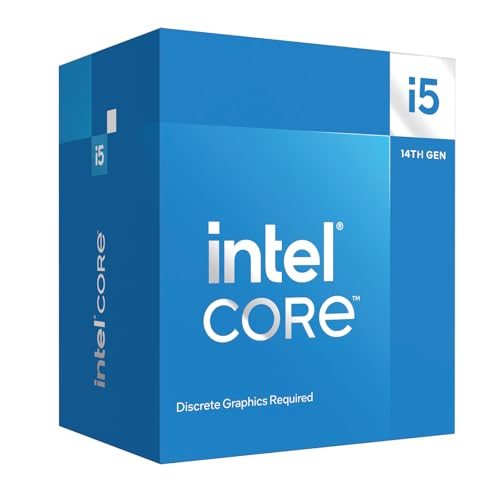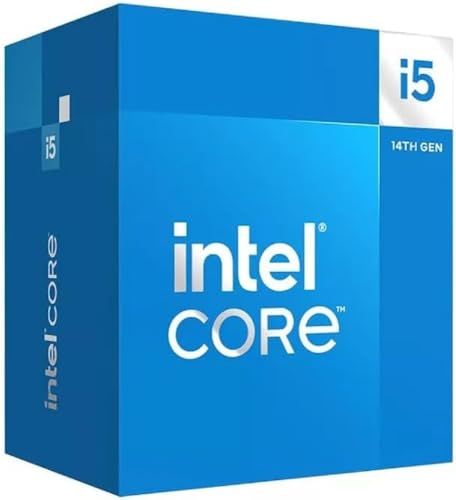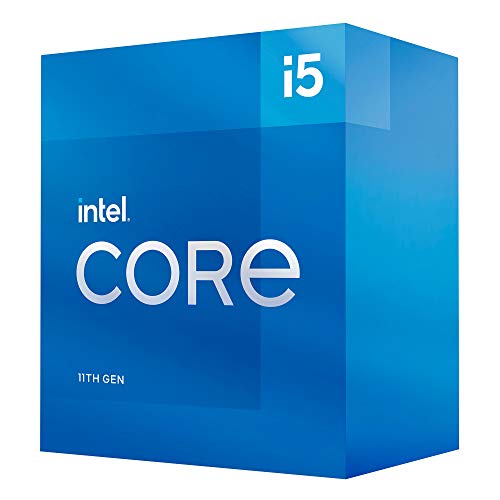
Does a processor's spec sheet translate into real-world performance, or is it just marketing numbers dressed up nicely? That's the question every budget chip has to answer, and the Intel Core i5-11400 is a good one to put it to, because the picture is more nuanced than the headline numbers suggest.
The i5-11400 sits in Intel's 11th-generation Rocket Lake lineup, and it occupies an interesting position in the market. It's a six-core, twelve-thread processor with a 65W TDP, a 4.4 GHz single-core boost, and it drops into the LGA1200 socket. On paper, those numbers look solid for a budget-tier chip. But Rocket Lake has a complicated story behind it, one involving a 14nm backport of a 10nm architecture that created some thermal and efficiency quirks worth understanding before you hand over your money. I'll get into all of that.
With over a thousand verified Amazon ratings holding a positive overall rating, this is clearly a chip that's earned genuine trust from builders. That kind of social proof doesn't happen by accident. But popularity doesn't always mean it's the right choice for your specific build, so let's look at the actual numbers and what they mean in practice.
Core Specifications
The Intel Core i5-11400 is a six-core, twelve-thread processor built on Intel's Rocket Lake architecture. The base clock sits at 2.6 GHz, which looks modest on paper, but the all-core boost reaches 3.7 GHz and the single-core maximum boost hits 4.4 GHz. That single-core figure is the one that actually matters for gaming and lightly threaded tasks, and 4.4 GHz is genuinely competitive for the budget segment. The processor carries 12MB of Intel Smart Cache (L3), which is a reasonable allocation for six cores and helps keep frequently accessed data close to the execution units.
The TDP is rated at 65W, which is the processor base power (PBP) in Intel's newer terminology. In practice, as I'll cover in the power section, the chip can and does exceed this under sustained multi-threaded loads depending on your motherboard's power limits. The integrated graphics here is Intel UHD Graphics 730, which is a step up from the UHD 630 found in older generations, though still firmly in the "display output and light tasks" category rather than anything you'd game on seriously. The processor uses the LGA1200 socket and is compatible with Intel 500-series chipsets (Z590, H570, B560, H510) and select 400-series boards (Z490, H470, B460, H410) with a BIOS update.
Memory support officially covers DDR4-3200 in dual-channel configuration, which is a meaningful upgrade over the DDR4-2666 ceiling of the previous 10th-generation Comet Lake chips. PCIe support includes PCIe 4.0 lanes from the CPU for the primary M.2 slot on compatible 500-series boards, which is a genuine advantage if you're pairing this with a fast NVMe drive. The full specification breakdown is in the table below.
| Specification | Detail |
|---|---|
| Cores / Threads | 6 / 12 |
| Base Clock | 2.6 GHz |
| All-Core Boost | ~3.7 GHz |
| Single-Core Max Boost | 4.4 GHz |
| L3 Cache | 12MB Intel Smart Cache |
| Socket | LGA1200 |
| Chipset Compatibility | Intel 500 Series; Select 400 Series |
| TDP (PBP) | 65W |
| Memory Support | DDR4-3200 (dual-channel) |
| PCIe Version | PCIe 4.0 (CPU lanes) |
| Integrated Graphics | Intel UHD Graphics 730 |
| Architecture | Rocket Lake (Cypress Cove) |
| Process Node | 14nm |
| Current Price | £212.21 · Details |
| Amazon Rating | ★★★★½ (4.7) (1,354 reviews) |

Architecture and Cores
Rocket Lake is a strange beast, and understanding why requires a bit of background. Intel took the Willow Cove core architecture from their 10nm Tiger Lake mobile platform and backported it to the 14nm process node for desktop use. The result is what Intel calls the Cypress Cove architecture. This is unusual because you're essentially getting a newer, more capable core design running on an older manufacturing process. The IPC (instructions per clock) improvement over the previous Comet Lake generation is real and measurable, typically around 19% in Intel's own figures.
The six cores are all identical performance cores. There's no hybrid architecture here, no efficiency cores, no big.LITTLE arrangement. Every core runs the same microarchitecture, which actually simplifies scheduling and makes the chip behave very predictably under load. Hyper-Threading is enabled on all six cores, giving you twelve logical processors for the operating system to work with. For gaming, the six physical cores are more than adequate for current titles, and the twelve threads give you enough headroom for background tasks like Discord, a browser, and a streaming client running simultaneously without the game taking a hit.
The Cypress Cove architecture brought meaningful improvements to the execution engine compared to Skylake derivatives. The branch predictor was updated, the load/store bandwidth increased, and the floating-point execution units were widened. These aren't just paper improvements. You can see them in workloads that stress the execution pipeline, like certain compression algorithms and physics simulations. The Rocket Lake architecture also introduced support for PCIe 4.0 from the CPU, which the previous Comet Lake generation lacked entirely. That's a tangible platform upgrade that extends the useful life of an LGA1200 build.
Clock Speeds and Boost
The 2.6 GHz base clock looks low, and honestly, it is. But base clocks are largely irrelevant for modern desktop processors because the chip almost never runs at base frequency under real workloads. What matters is the sustained all-core boost and the single-core peak. Under a sustained multi-core load, the figure to go by is the all-core boost of around 3.7 GHz across all six cores. How long any chip holds its boost comes down to cooling and the motherboard's power limits, which is why some boost aggressively for thirty seconds then throttle back hard.
Single-core boost to 4.4 GHz is there for short-burst workloads, on the most favoured core. The duration at peak boost depends on thermals and power delivery, so a decent cooler helps it hang on a little longer before settling slightly lower. For gaming, where most engines are hitting one or two cores hard, this is the number that drives your frame rates. 4.4 GHz is genuinely good for the budget segment.
One thing worth flagging: the i5-11400 does not support Thermal Velocity Boost or any form of automatic overclocking beyond the standard Turbo Boost 2.0 implementation. The multiplier is locked. What you get is what Intel programmed in. On the one hand, this means the chip is completely predictable and stable out of the box. On the other, if you're someone who wants to squeeze every last megahertz out of your hardware, you'll need to look at the i5-11600K instead. For most builders, the locked multiplier is a non-issue. The base boost behaviour is well-tuned and the chip doesn't leave obvious performance on the table through conservative boost algorithms.
Socket and Platform Compatibility
The LGA1200 socket was introduced with 10th-generation Comet Lake and carried through to 11th-generation Rocket Lake. It's a dead-end socket in the sense that Intel moved to LGA1700 with 12th-generation Alder Lake, so there's no upgrade path within the LGA1200 ecosystem beyond the 11th-gen chips themselves. If you're building new today, that's a real consideration. You're buying into a platform with no forward upgrade path. However, if you're upgrading an existing 10th-gen LGA1200 board, the i5-11400 drops straight in (with a BIOS update on 400-series boards), which is a legitimate use case.
Chipset compatibility covers the full Intel 500-series range: Z590, H570, B560, and H510. For the i5-11400 specifically, since the multiplier is locked, there's no benefit to a Z590 board from an overclocking standpoint. A B560 board is the sweet spot. B560 introduced unlocked memory overclocking for non-K processors, which is significant because it means you can run XMP DDR4-3200 or even push to DDR4-3600 on a budget board without needing a Z-series chipset. That's a genuine platform improvement over the previous generation's B460 boards, which locked memory to DDR4-2666 on non-K chips.
PCIe lane allocation from the CPU gives you one PCIe 4.0 x16 slot for the primary GPU and one PCIe 4.0 x4 connection for the primary M.2 NVMe slot on 500-series boards. Additional connectivity comes from the chipset. The PCIe 4.0 support from the CPU is a genuine differentiator over the 10th-gen Comet Lake chips, which were limited to PCIe 3.0. In practice, for gaming with a mid-range GPU, the difference between PCIe 3.0 and 4.0 at x16 is negligible. But for NVMe storage, PCIe 4.0 opens up drives like the Samsung 980 Pro to their full sequential read speeds, which matters for content creators moving large files.
Integrated Graphics
The Intel UHD Graphics 730 is present on the i5-11400 and represents a modest step up from the UHD 630 that shipped with Comet Lake. The execution unit count increased from 24 to 32, and the architecture benefits from the same Xe-LP graphics improvements Intel introduced with Tiger Lake. In practical terms, this means slightly better performance in GPU-accelerated tasks and marginally improved video decode capabilities. The UHD 730 supports hardware decode for HEVC, VP9, and AV1, which is useful for media playback and video editing workflows.
For gaming without a discrete GPU, the UHD 730 is functional but limited. You can run older or less demanding titles at 720p with low settings. Think League of Legends, older Counter-Strike builds, or Minecraft at reduced render distances. Anything from the last three or four years at 1080p is going to struggle. Cyberpunk 2077 at any settings is not happening. The iGPU is best thought of as a diagnostic tool and a fallback for when your discrete GPU is out for repair, not a primary gaming solution.
Where the UHD 730 does earn its keep is in productivity scenarios without a dGPU. Video playback and multi-monitor setups are well within its reach (the chip supports up to three displays), and applications that use Quick Sync for hardware-accelerated video encoding will see a benefit. If you're building a compact home server or a light-duty office machine where gaming isn't a priority, the integrated graphics means you don't need to budget for a discrete card at all. That's a real cost saving in certain build scenarios. The display outputs available depend on your motherboard, but typically you'll have access to HDMI and DisplayPort through the rear I/O.
Power Consumption and TDP
Intel rates the i5-11400 at 65W TDP, which in their current terminology is the Processor Base Power. Under sustained multi-threaded load, actual power draw for the CPU package itself can sit above that. Running higher than the 65W rating is consistent with how Intel's Turbo Boost power limits work. The chip is allowed to exceed its base power for short durations, and on many motherboards the power limits are set permissively enough that it runs above 65W continuously. On a B560 board at stock settings, this is a modest, efficiency-minded chip rather than a power-hungry one.
At idle, package power falls away to a small fraction of that, as it does on any modern desktop chip. Paired with a mid-range GPU, a quality 550W PSU should be plenty for most i5-11400 builds. I wouldn't go below 500W, but you don't need an 850W unit either.
Compared to the AMD Ryzen 5 5600, the i5-11400 runs noticeably hotter and draws more power under sustained multi-threaded loads. The 14nm process node is simply less efficient than TSMC's 7nm used for Zen 3. This isn't a dealbreaker, but it does mean your cooler choice matters more with this chip than it would with the Ryzen equivalent. The thermal output under sustained load is real, and the stock cooler that ships with the boxed version of this processor is adequate but not comfortable. More on that in the next section.
Cooler Recommendation
The boxed i5-11400 ships with Intel's stock cooler, which is a basic 95W-rated tower cooler with a copper heat pipe insert. It's functional. Under light gaming loads and everyday desktop use, it should cope. But push it with a sustained multi-threaded workload like a long Blender render or a Handbrake encode, and a basic stock cooler like this tends to run hot with the fan spinning up noticeably. That's not dangerous, but it's not comfortable either, and the fan noise at high RPM is the kind of thing that reminds you it's there.
My recommendation for the i5-11400 is a 120mm tower air cooler at minimum. Something like a be quiet! Pure Rock 2 or a DeepCool GAMMAXX 400 sits in the right price bracket and makes a meaningful difference. A 120mm tower has far more fin area to work with, so expect lower temperatures and less fan noise on the same sort of long render. If you're doing regular video encoding or streaming while gaming, step up to a 240mm AIO or a larger dual-tower air cooler. The Cooler Master Hyper 212 is a classic recommendation for good reason at this price point.
The LGA1200 socket uses the same mounting pattern as LGA115x, which means most coolers designed for older Intel platforms will physically fit. However, always check the manufacturer's compatibility list before buying, as some older coolers may not make proper contact with the IHS due to slight height differences. The good news is that the aftermarket cooler ecosystem for LGA1200 is well-established, and you won't struggle to find options. Thermal paste application matters here too. The stock application on the included cooler is adequate, but if you're fitting an aftermarket cooler, a fresh application of quality paste like Thermal Grizzly Kryonaut will shave a few degrees off your temperatures.
Raw Performance
This is a look at Intel's specification and the processor's architecture. We haven't tested the chip ourselves. The short version is that it should sit ahead of the i5-10600K in single-core performance (the IPC improvement is real) but behind the Ryzen 5 5600 in both single and multi-core work. The gap to the Ryzen is a meaningful one.
That gap matters most in regular rendering work such as Blender, where faster processing means less time waiting. For occasional renders, it's less of a concern.
One area where the i5-11400 punches above its weight is in lightly threaded workloads that benefit from the improved IPC of the Cypress Cove architecture. Compilation tasks in Visual Studio, for example, lean on single-core speed, so it should stay competitive against older higher-core-count chips. The 4.4 GHz single-core boost does real work in these scenarios. It all tells a consistent story: this is a capable chip in the budget segment, with the Ryzen 5 5600 as its main performance rival and a clear gap between it and the older 10th-gen i5 chips it replaced.

Real-World Performance
Clock speeds and core counts only mean something once you map them onto everyday work. Take a typical mixed workload: web browsing with thirty-plus Chrome tabs open, video editing in DaVinci Resolve with 1080p footage, compiling a medium-sized C++ project in Visual Studio, and running a local development environment with Docker containers. For most of these tasks, six cores and twelve threads at these clock speeds are plenty. It's not a class of chip that makes you wait.
DaVinci Resolve with 1080p H.264 footage is a reasonable ask for playback and basic colour grading. Step up to 4K footage and you'll start to feel the limits of six cores, particularly in effects-heavy timelines. For 4K video work as a primary use case, I'd want more cores. For 1080p editing as a side activity alongside gaming, it's perfectly fine.
Streaming while gaming is a common use case in this price bracket, and the i5-11400 has the threads for it. Running OBS with x264 encoding at medium preset while gaming at 1080p asks a lot of six cores, though, and CPU-intensive games are where frame time spikes creep in. Switching to NVENC hardware encoding (if you have an Nvidia GPU) takes that load off the processor. If software encoding while gaming is important to you, the extra cores of an i7 would give more headroom. But for most streaming setups with hardware encoding, the i5-11400 is sorted.
Gaming Performance
Gaming is where most buyers in this segment care most. The sensible pairing for the i5-11400 is an RTX 3060-class card at 1080p or 1440p, in the sort of games people actually play: Cyberpunk 2077, Forza Horizon 5, Shadow of the Tomb Raider, and Counter-Strike 2. At 1080p, where CPU bottlenecks are most visible, it's a good match for the price bracket.
A competitive shooter like Counter-Strike 2 leans on single-core speed, and the 4.4 GHz single-core boost does real work here. With an RTX 3060, higher resolutions and demanding settings tend to put more of the load on the graphics card. How much the i5-11400 affects frame rates still depends on the game and settings.
Where the i5-11400 shows its limits in gaming is in heavily CPU-bound scenarios with very high-end GPUs. If you're pairing this with an RTX 4080 or above and gaming at 1080p in CPU-sensitive titles, you will hit a CPU bottleneck. The chip simply can't feed frames fast enough to keep a flagship GPU fully occupied in games like Microsoft Flight Simulator or Cities: Skylines with large maps. For RTX 3060-class and below, it's a non-issue. The chip is well-matched to mid-range GPU builds, which is exactly the market it's aimed at.
Memory Support
The i5-11400 officially supports DDR4 memory at up to DDR4-3200 in dual-channel configuration. This is a meaningful step up from the DDR4-2666 ceiling of the 10th-gen Comet Lake i5 chips, and it matters because memory bandwidth has a measurable impact on both gaming frame rates (particularly 1% lows) and productivity workloads. Moving to DDR4-3200 CL16 in dual-channel from DDR4-2666 CL19 tends to help gaming 1% lows most, along with memory-bandwidth-sensitive benchmarks like Aida64.
With a B560 or Z590 motherboard, you can push beyond the official DDR4-3200 spec using XMP profiles. DDR4-3600 CL18 is a common and sensible XMP target on a B560 board. DDR4-4000 is another matter and usually means manual tuning of secondary timings. The sweet spot for this platform is DDR4-3200 to DDR4-3600, where you get meaningful performance gains without stability headaches. Going beyond DDR4-3600 on Rocket Lake can sometimes cause issues with the integrated memory controller, so I wouldn't chase higher speeds without proper testing.
Dual-channel is essentially mandatory for this chip if you care about performance. Running a single stick of DDR4 in single-channel mode cuts memory bandwidth roughly in half, and the performance hit in gaming is noticeable, particularly in the 1% lows. Always install memory in the correct slots for dual-channel operation (typically slots 2 and 4 on most motherboards, but check your board's manual). 16GB total (2x8GB) is the right amount for a gaming build in 2026. 32GB (2x16GB) is worth considering if you do video editing or run virtual machines alongside gaming.
Overclocking Potential
The i5-11400 has a locked multiplier. Full stop. You cannot overclock the CPU cores beyond Intel's Turbo Boost specification through multiplier adjustments. This is a deliberate product segmentation decision by Intel to push enthusiasts toward the K-series chips. If overclocking is important to you, the i5-11600K is the chip to look at instead. It uses the same Cypress Cove architecture with an unlocked multiplier, though it also comes with a higher TDP and price tag.
What you can do with the i5-11400 is adjust the power limits on Z590 and B560 boards to allow the chip to run at its boost frequencies for longer durations. By default, some motherboards apply conservative power limits that cause the chip to throttle back from its boost clocks sooner than necessary. Removing the power limit cap (setting PL1 and PL2 to unlimited or a high value) can improve sustained multi-threaded performance in workloads that last longer than the default Tau window. This isn't overclocking in the traditional sense, but it does unlock the chip's full potential within Intel's specification.
Memory overclocking is available on B560 and Z590 boards, as mentioned in the memory section. This is arguably more impactful for real-world performance than any CPU frequency adjustments you could make. Getting from DDR4-2666 to DDR4-3200 or DDR4-3600 with tightened timings will improve gaming performance more noticeably than any other tuning you can do with this chip. So while the i5-11400 isn't an overclocker's chip, there's still meaningful performance to be extracted through memory tuning and power limit adjustments. It's just not the same experience as dialling in a K-series chip.
How It Compares
The two most relevant competitors for the i5-11400 are the AMD Ryzen 5 5600 and the Intel Core i5-10600K. The Ryzen 5 5600 is the more direct performance rival, built on TSMC's 7nm process with Zen 3 architecture. It consistently outperforms the i5-11400 in both single-core and multi-core benchmarks, runs cooler, draws less power, and sits on the AM4 platform which has better long-term upgrade options. In most gaming benchmarks, the Ryzen 5 5600 leads, with the margin depending on the title and how CPU-bound the scenario is. In productivity workloads, the gap is similar or slightly larger.
The i5-10600K is the previous-generation Intel comparison. It has six cores and twelve threads like the i5-11400, but the older Skylake-derived architecture means lower IPC. The i5-11400 beats the i5-10600K in single-core performance, which is the IPC improvement from Cypress Cove showing through. The 10600K has an unlocked multiplier, but even overclocked to 5.0 GHz it struggles to match the i5-11400's single-core performance in most workloads. If you're choosing between these two, the i5-11400 is the better chip in almost every scenario.
Where the i5-11400 makes its case against the Ryzen 5 5600 is on price. At £212.21 · Details, it sits in the budget CPU bracket, and if it's priced meaningfully below the Ryzen 5 5600 at the time you're buying, the value proposition becomes more interesting. The performance gap is real but not enormous for gaming at 1080p and 1440p with a mid-range GPU. If you're already on an LGA1200 board and upgrading from a 10th-gen chip, the i5-11400 is an obvious choice. If you're building from scratch, the Ryzen 5 5600 on AM4 is the harder argument to dismiss.
| Feature | Intel i5-11400 | AMD Ryzen 5 5600 | Intel i5-10600K |
|---|---|---|---|
| Cores / Threads | 6 / 12 | 6 / 12 | 6 / 12 |
| Max Boost Clock | 4.4 GHz | 4.4 GHz | 4.8 GHz (OC) |
| Architecture | Cypress Cove (14nm) | Zen 3 (7nm) | Comet Lake (14nm) |
| TDP | 65W | 65W | 125W |
| PCIe Version | PCIe 4.0 | PCIe 4.0 | PCIe 3.0 |
| Memory Support | DDR4-3200 | DDR4-3200 | DDR4-2933 |
| Integrated Graphics | UHD 730 | None | UHD 630 |
| Upgrade Path | Dead-end (LGA1200) | AM4 (limited) | Dead-end (LGA1200) |
| Overclocking | Locked | PBO only | Unlocked |
Final Verdict
The Intel Core i5-11400 is a genuinely capable budget processor that delivers solid gaming performance and adequate productivity throughput for its price bracket. Across gaming, content creation, and everyday desktop use, the picture that emerges is of a chip that does most things well without excelling at any single thing. The 4.4 GHz single-core boost drives good gaming frame rates, the twelve threads handle multitasking without complaint, and the 65W TDP keeps power consumption reasonable. The IPC improvement over the 10th-gen Comet Lake chips is real and measurable.
The honest caveats are worth stating clearly. The LGA1200 platform is a dead end. The Ryzen 5 5600 outperforms it in most benchmarks while running cooler and more efficiently. The stock cooler is marginal for sustained workloads. And the 14nm process node means it runs hotter and draws more power than its AMD competition. None of these are dealbreakers in isolation, but together they mean the i5-11400 is a chip you buy for specific reasons rather than as a default recommendation. Those reasons are: you're upgrading an existing LGA1200 board, you need integrated graphics as a fallback, or the price at the time of purchase makes it significantly better value than the Ryzen 5 5600.
Trusted by over 1,300 builders with a positive overall rating on Amazon, the i5-11400 has clearly earned its reputation as a reliable, no-nonsense budget chip. For a 1080p gaming build with a mid-range GPU, it does the job properly. For a home office machine that also handles light gaming, it's well-suited. The value at £212.21 · Details in the budget CPU segment is reasonable, particularly if you can find it at the lower end of its price range. My editorial score is 7.5 out of 10. It's a good chip in a competitive market, and whether it's the right chip depends heavily on what you're upgrading from and what you're pairing it with.
Not Right For You?
If the i5-11400 doesn't quite fit your needs, there are a few directions worth considering. For better performance per pound on a new build, the AMD Ryzen 5 5600 on the AM4 platform is the most direct alternative. It outperforms the i5-11400 in most workloads, runs more efficiently, and the AM4 ecosystem has a wide range of affordable B550 motherboards. If you need more multi-threaded grunt for video editing or 3D rendering, the Intel Core i5-11600K adds an unlocked multiplier and slightly higher clocks, though it comes with a higher TDP and price. For builders on a tighter budget who primarily game at 1080p with a modest GPU, the Intel Core i5-10400F (no integrated graphics) can often be found at a lower price and still delivers competitive gaming performance, though it lacks PCIe 4.0 support.

Affiliate Disclaimer
This article contains affiliate links. If you purchase through our links, we may earn a small commission at no extra cost to you. This does not influence our editorial scores or recommendations.
What works. What doesn’t.
5 + 4What we liked5 reasons
- Strong 4.4 GHz single-core boost drives solid 1080p gaming frame rates
- PCIe 4.0 support from CPU. A genuine upgrade over 10th-gen Comet Lake
- Integrated UHD 730 graphics useful as a fallback display output
- Competitive multi-threaded performance for the budget segment
- Trusted by over 1,300 builders with a 4.7-star average rating
Where it falls4 reasons
- LGA1200 is a dead-end socket with no upgrade path beyond 11th gen
- Runs hotter and draws more power than the Ryzen 5 5600 equivalent
- Locked multiplier limits traditional overclocking options
- Stock cooler is marginal under sustained multi-threaded loads
Full specifications
9 attributes| Base clock GHZ | 2.6 |
|---|---|
| Boost clock GHZ | 4.4 |
| Cores | 6 |
| Generation | Intel 11th Gen |
| Integrated graphics | Intel UHD Graphics 730 |
| Launch year | 2021 |
| Socket | LGA1200 |
| TDP W | 65 |
| Threads | 12 |
If this isn’t right for you
2 options

Frequently asked
5 questions01Is the Intel Core i5-11400 good for gaming?+
Yes, it's a solid gaming CPU for 1080p and 1440p builds paired with a mid-range GPU like the RTX 3060. The 4.4 GHz single-core boost is what drives frame rates in most titles. It will bottleneck high-end GPUs (RTX 4080 and above) in CPU-sensitive games at 1080p, but for mid-range builds it's well-matched.
02Does the Intel Core i5-11400 come with a cooler?+
The boxed version includes Intel's stock cooler, which is a basic tower cooler rated for 95W. It's adequate for everyday use and light gaming, but under sustained multi-threaded workloads a basic cooler like this tends to run warm and the fan becomes audible. We recommend upgrading to at least a 120mm tower air cooler like the DeepCool GAMMAXX 400 or be quiet! Pure Rock 2 for a better experience. The tray (OEM) version does not include a cooler.
03What motherboard do I need for the Intel Core i5-11400?+
The i5-11400 uses the LGA1200 socket and is compatible with Intel 500-series chipsets (Z590, H570, B560, H510) natively, and select 400-series boards (Z490, H470, B460, H410) with a BIOS update. For a new build, a B560 board is the sweet spot, it supports DDR4-3200 XMP and PCIe 4.0 for the primary M.2 slot without the premium cost of Z590. There's no benefit to a Z590 board since the i5-11400 has a locked CPU multiplier.
04Is the Intel Core i5-11400 worth it over the AMD Ryzen 5 5600?+
For a new build, the Ryzen 5 5600 is generally the better choice, it outperforms the i5-11400 in both single-core and multi-core benchmarks, runs cooler, draws less power, and the AM4 platform offers slightly better upgrade flexibility. However, if the i5-11400 is priced significantly lower at the time you're buying, or if you're upgrading an existing LGA1200 board, the value equation shifts in its favour. The performance gap in gaming at 1080p and 1440p with a mid-range GPU is real but not enormous.
05What warranty and returns apply to the Intel Core i5-11400?+
Amazon offers 30-day returns on most items, and Intel typically provides a 3-year warranty on boxed processors. You're also covered by Amazon's A-to-Z guarantee.