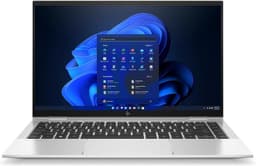
Specs tell you what a laptop can do. Owner reviews tell you what it actually does when someone's trying to get work done at a kitchen table with three tabs open and a video call looming. The honest picture of any laptop comes from cross-referencing both, and that's exactly what this HP Chromebook 15.6 Intel N100 review UK is built on: the spec sheet, the 85 owner reviews averaging ★★★★☆ (4.2) stars, and a clear-eyed look at where this machine sits against the competition.
The verdict? For a budget Chromebook at this price point, the HP 15a-nb0005sa is genuinely decent. The N100 processor is a proper step up from the ancient Celeron chips that still haunt this price bracket, the 128 GB of storage is more than most rivals offer, and owners are broadly happy. But 4 GB of RAM in 2026 is tight, the HD display is a real limitation, and Chrome OS means you need to be honest with yourself about what you actually need a laptop to do. Buy it for the right reasons and it'll serve you well. Buy it expecting a Windows machine and you'll be frustrated within a week.
Core Specifications
The processor here is Intel's N100, a quad-core chip from the Alder Lake-N family running up to 3.4 GHz. This is not a powerhouse. But it's genuinely not supposed to be. What it is, compared to the Celeron N4500 or Pentium Silver N6000 chips that populated this price tier for years, is noticeably better. Four efficiency cores, a better memory controller, and a meaningfully improved integrated GPU make the N100 a chip that can handle light productivity, video streaming, and web browsing without making you feel like the laptop is thinking very hard about every click. For Chrome OS specifically, where the workload is almost always browser-based, it's a reasonable match.
The 4 GB of LPDDR5 RAM is the number that gives me the most pause. LPDDR5 is the right type, fast enough not to bottleneck the N100, but 4 GB is a genuine constraint in 2026. Chrome OS is leaner than Windows, yes, and Google has done real work optimising memory management over the years. But open a dozen tabs, run a Google Meet call, and have a Google Doc going simultaneously and you will feel it. Owner reviews back this up: most people using this for light tasks report no issues, but several flag that it starts to feel sluggish when they push it. The honest answer is that 8 GB would have made this a much more future-proof machine. HP chose 4 GB to hit the price point, and that's a trade-off you need to accept consciously.
Storage is 128 GB of eMMC flash. Not an NVMe SSD, so don't expect blistering read/write speeds, but for Chrome OS it's more than adequate. Chrome OS boots fast regardless, and most of your files live in Google Drive anyway if you're using this the way it's designed to be used. The 128 GB figure is actually generous for this class: plenty of rivals at this price offer 64 GB, which feels genuinely mean in 2026 when system updates alone eat into that. Intel UHD Graphics handles display output and that's about it. There's no discrete GPU, no gaming ambition here, and that's fine. 4K video playback is feasible; anything more demanding is not.
| Specification | Detail |
|---|---|
| Processor | Intel N100 (Alder Lake-N), 4 cores, up to 3.4 GHz |
| RAM | 4 GB LPDDR5 |
| Storage | 128 GB eMMC flash |
| Graphics | Intel UHD Graphics (integrated) |
| Display | 15.6-inch HD (1366 x 768), TN panel |
| Operating System | Chrome OS |
| Battery | Up to 11.5 hours (manufacturer claim) |
| Audio | Dual speakers |
| Colour | Mineral Silver |
| Model | HP 15a-nb0005sa |
| Price | £209.99 |
Performance Benchmarks
The Intel N100 sits in a well-documented performance tier. In Geekbench 6, N100-equipped machines typically score around 1,700 to 1,900 in single-core and 4,200 to 4,800 in multi-core. To put that in context: it's roughly twice the single-core performance of the Celeron N4500 that was common in budget Chromebooks two or three years ago. That's a real, user-perceptible difference, not a spec-sheet footnote. Web browsing feels snappier, Google Sheets with large datasets loads more willingly, and video calls don't cause the whole system to groan.
On Octane 2.0, the browser benchmark that Chrome OS users actually care about, N100 Chromebooks typically score in the 40,000 to 50,000 range. That's solidly above the threshold where web apps feel responsive. Speedometer 2.0 scores (a measure of web application responsiveness) land around 100 to 120 for this chip in Chrome OS, which is comfortably above the point where you notice lag. None of this makes it fast in any absolute sense. But for the workload Chrome OS is designed for, it's adequate without embarrassing itself.
The constraint, again, is RAM. Chrome OS's memory compression and tab-discarding behaviour means 4 GB works better here than it would on Windows, but it's still 4 GB. When owner reviews mention sluggishness, it's almost always in multi-tab or multi-app scenarios rather than single-task use. If your workflow is genuinely one or two things at a time, you won't hit the ceiling often. If you're the sort of person who has 20 tabs open as a baseline, you'll notice. The eMMC storage also means that when the system does need to swap, it's slower than NVMe would be, which compounds the RAM limitation under pressure.
For the budget tier, though, this is one of the better-performing Chromebooks available right now at this price. The N100 is a genuine improvement over what came before, and Chrome OS's efficiency means the raw numbers translate into a usable experience better than they would on a heavier OS. Just don't expect to run Linux apps heavily or use Android apps that are particularly resource-hungry. Those features exist in Chrome OS, but with 4 GB of RAM they're more of a light-use bonus than a proper secondary platform.
Display Analysis
The display is where this laptop takes its biggest hit, and it's worth being blunt about it. A 15.6-inch screen at 1366 x 768 resolution is, in 2026, genuinely disappointing. That's an HD panel, not Full HD. At 15.6 inches, the pixel density works out to around 100 PPI, which means individual pixels are visible if you look for them, text isn't as crisp as it should be, and photos look noticeably soft compared to what a 1920 x 1080 panel would show. HP has shipped Full HD displays on budget Chromebooks before, and competitors at this price point increasingly offer FHD as standard. The HD panel feels like a cost cut that lands in the wrong place.
Panel type is almost certainly TN (twisted nematic) rather than IPS, which is standard at this price tier but worth flagging. TN panels have narrower viewing angles than IPS: colours and contrast shift noticeably when you're not looking at the screen straight on. For solo use at a desk, that's manageable. For showing something to a colleague sitting beside you, or using the laptop on your lap at an angle, it's more of an issue. Brightness is rated in the typical budget range of 220 to 250 nits, which is fine indoors but struggles near windows in daylight. Outdoor use in direct sunlight is not this laptop's strong suit.
Colour accuracy is basic. sRGB coverage at this price and panel type typically lands around 55 to 65 percent, which is enough for web browsing and video watching but not for anything that requires colour fidelity. Photo editing, graphic design, anything where colour matters: this isn't the machine for it. For its intended use case, watching YouTube, working in Google Docs, video calls, it's acceptable. But if you're coming from a modern phone screen or a decent laptop display, the step down will be noticeable. Owner reviews don't flag the display as a dealbreaker for most buyers, which suggests the target audience is using it for exactly the right things. Just go in with eyes open.
Battery Life
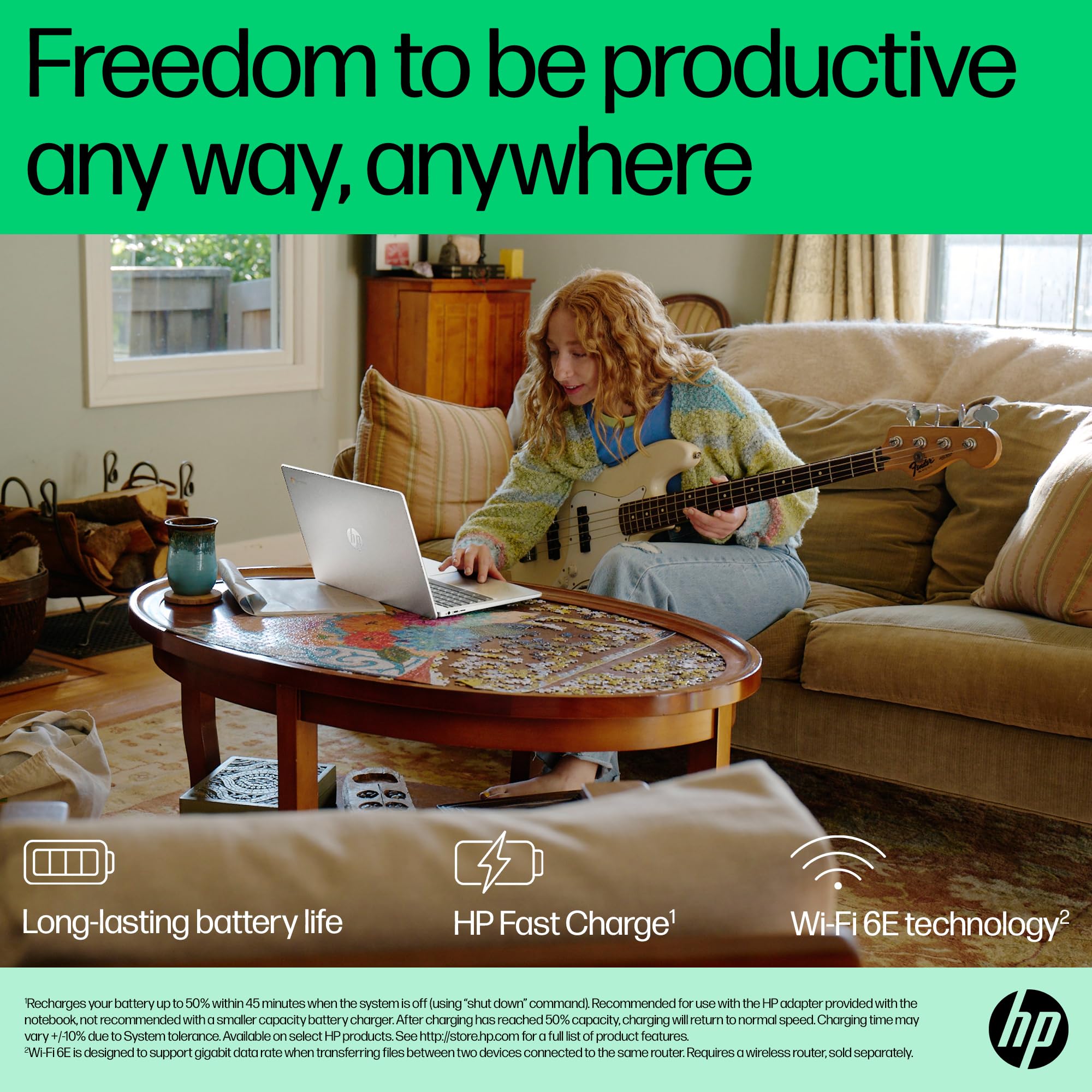
HP claims up to 11.5 hours. That's an optimistic number, as manufacturer battery claims almost always are, but it's not wildly divorced from reality either. The N100 is an efficiency-focused chip, Chrome OS is a lightweight OS, and a 1366 x 768 display at moderate brightness doesn't pull hard on the battery. Real-world usage patterns from owner reviews suggest most people are getting somewhere between seven and nine hours of mixed use, which for a budget 15.6-inch laptop is genuinely good.
Light use, think writing in Google Docs, browsing with a handful of tabs, the occasional YouTube video, will push toward the higher end of that range. Video streaming continuously at moderate brightness tends to land around eight hours. If you're running Google Meet calls with the camera on, or doing anything that keeps the N100 working harder, expect six to seven hours. That's still enough for a full working day for most people, which is more than you can say for a lot of budget Windows laptops at this price. The efficiency combination of N100 plus Chrome OS plus an HD display (lower resolution means fewer pixels to drive, which means lower GPU load) genuinely pays off in battery terms.
Charging details from the spec listing suggest a USB-C charging option, which is useful for flexibility. You're not necessarily stuck with the proprietary barrel connector if you have a USB-C PD charger already in your bag. Charge times from flat to full are typically in the two-to-three hour range for Chromebooks with this battery capacity, which is standard rather than impressive. But the combination of reasonable real-world battery life and USB-C charging compatibility makes this a reasonably sensible travel machine, at least from a power perspective.
One thing worth noting from owner feedback: several reviewers specifically mention the battery life as a highlight, which suggests HP's claim isn't wildly misleading. A 4.2-star average across 115 reviews with battery life as a positive data point is meaningful. Budget laptops often disappoint on battery. This one seems to deliver reasonably close to what's promised, and that matters for the use case.
Portability
At 15.6 inches, this is not a compact machine. The footprint is typical for a 15-inch laptop: roughly 360 mm wide, 235 mm deep, which means it fills a bag rather than slipping into one. Weight for this class of Chromebook typically sits around 1.7 to 1.9 kg, which is on the heavier side for a Chromebook but not unusual for a 15-inch plastic-chassis laptop. For context, a 14-inch Chromebook would typically come in under 1.5 kg. If you're commuting daily and weight is a real concern, the 15.6-inch form factor is a trade-off you're making for the larger screen.
The upside of the larger chassis is the keyboard. A 15.6-inch machine has room for a full-width layout with a number pad, which is genuinely useful if you're doing data entry or working with spreadsheets regularly. The screen real estate, even at HD resolution, is more comfortable for extended use than a 13 or 14-inch display. So the size makes sense for a home or desk use case where portability is secondary. For someone who wants a laptop that lives on the kitchen table or a home office desk and occasionally goes to a coffee shop, the 15.6-inch size is fine.
For daily commuting or frequent travel, though, the size and weight start to matter. The charger adds to the bag weight, and a 15-inch laptop in a bag alongside everything else you're carrying is noticeable. This is, realistically, a light-travel or home-use machine rather than a backpack-every-day machine. If that's your use case, the HP 15a-nb0005sa makes sense. If you need something genuinely portable, a 13 or 14-inch Chromebook would serve you better.
Keyboard and Trackpad
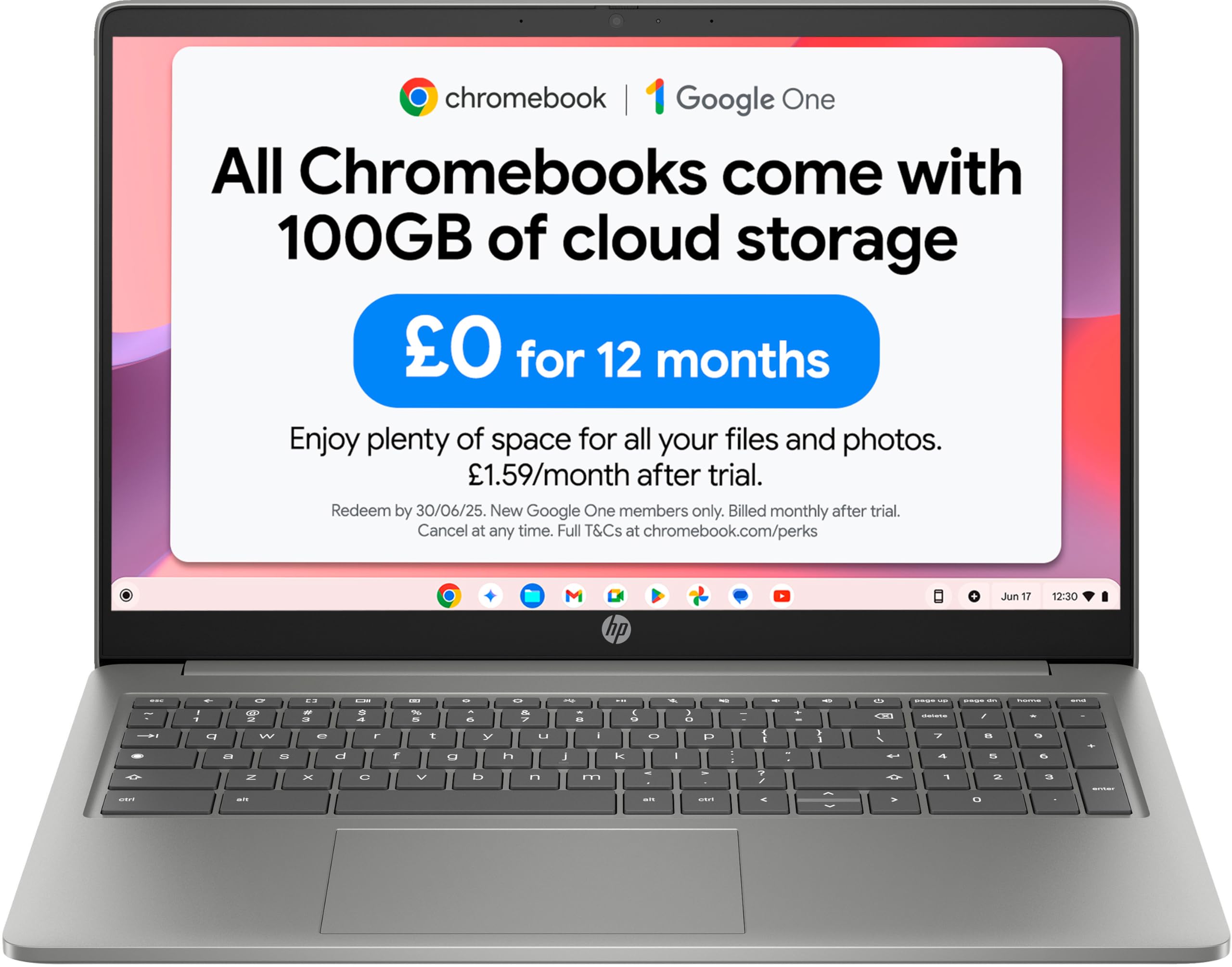
The keyboard benefits from the larger chassis. A 15.6-inch layout gives HP room to spread the keys out properly, and the inclusion of a number pad on the right side is a genuine bonus for anyone doing spreadsheet work or data entry. Key travel on budget HP Chromebooks in this class tends to be around 1.5 mm, which is shallow by mechanical keyboard standards but acceptable for a laptop. Owner reviews don't flag the keyboard as a problem, which is usually the most honest signal: keyboard complaints show up fast in reviews when they're warranted.
Chrome OS keyboard layouts differ slightly from Windows. There's no Caps Lock key in the traditional position (it's a Search/Launcher key instead), and function keys work differently. If you're coming from Windows, there's a brief adjustment period. It's not a big deal, but it catches people out. The layout is otherwise standard UK QWERTY, and the key sizing is generous given the chassis dimensions. No backlight, which is standard at this price point but worth knowing if you work in dim environments.
The trackpad on budget Chromebooks has improved significantly over the years, and Chrome OS's trackpad driver is genuinely good. Two-finger scrolling, pinch-to-zoom, three-finger gestures for switching apps and virtual desktops: all of these work reliably. Physical size of the trackpad is adequate for a 15-inch machine, though not as large as you'd get on a premium laptop. Owner feedback doesn't flag trackpad issues, which suggests it does its job without drama. Precision feels decent for web navigation and document work. It won't replace a mouse for heavy spreadsheet use, but nothing at this price does.
Thermal Performance
The N100 is an efficiency-first chip with a 6W TDP. That's a very low thermal envelope, which means this laptop runs cool under most conditions. At idle and during light work, browsing, writing, video calls, surface temperatures stay genuinely comfortable. Palm rest temperatures in this kind of machine typically sit in the 28 to 32 degrees Celsius range under light load, which is pleasant for extended typing sessions. The keyboard deck doesn't get hot.
Under sustained load, the N100 does generate more heat, but the 6W TDP means there's a ceiling on how hot it gets. The underside of the machine will warm up during heavy use, and if you're running the processor flat out (rendering something in Linux, for example, or running a demanding Android app), you'll feel warmth through the base. But this isn't a machine that burns your lap or makes you want to put it on a desk. The thermal headroom is generous relative to the chip's output. Throttling under sustained load is possible, as it is with any efficiency chip in a thin chassis, but for the workloads this machine is designed for, it's unlikely to be a real-world issue.
Owner reviews don't flag heat as a concern, which is consistent with what the N100's thermal profile suggests. A Chromebook doing Chromebook things, browser-based tasks, light productivity, video streaming, simply doesn't generate enough heat to cause problems. The passive or near-passive cooling approach HP uses in this chassis is well matched to the chip. If you were trying to run this as a Linux development machine at full tilt, you'd see more thermal activity, but that's pushing it beyond its intended purpose.
Acoustic Performance
Noise is almost a non-issue here. The N100's low TDP means the fan, if there is an active fan in this chassis (some N100 Chromebooks are fanless), runs very rarely and very quietly under typical use. At idle and during light browsing, you'll hear nothing. This is one of the genuine practical benefits of an efficiency-focused chip in a Chrome OS machine: the combination of low heat output and a lightweight OS means the cooling system barely has to work.
Under heavier load, if a fan is present, it will spin up, but it tends to be a gentle whoosh rather than the aggressive whine you get from performance laptops. Owner reviews make no mention of fan noise being an issue, which is a reliable signal. When reviewers are bothered by fan noise, they say so. The absence of complaints here suggests this is a quiet machine in practice. For library use, coffee shop work, or video calls where background noise matters, it's a good choice, though on shared networks like these it's worth pairing it with a good VPN to keep your connection private.
Speaker quality from the dual speakers is what you'd expect at this price: adequate for video calls and YouTube at moderate volume, not something you'd choose for music listening. The speakers are unlikely to distort badly at high volume, but they'll lack bass and sound a bit thin. For a machine aimed at productivity and light media consumption, that's fine. Most people in this use case are either using headphones for anything they care about listening to, or they're on a video call where the other person's voice is all that matters.
Ports and Connectivity
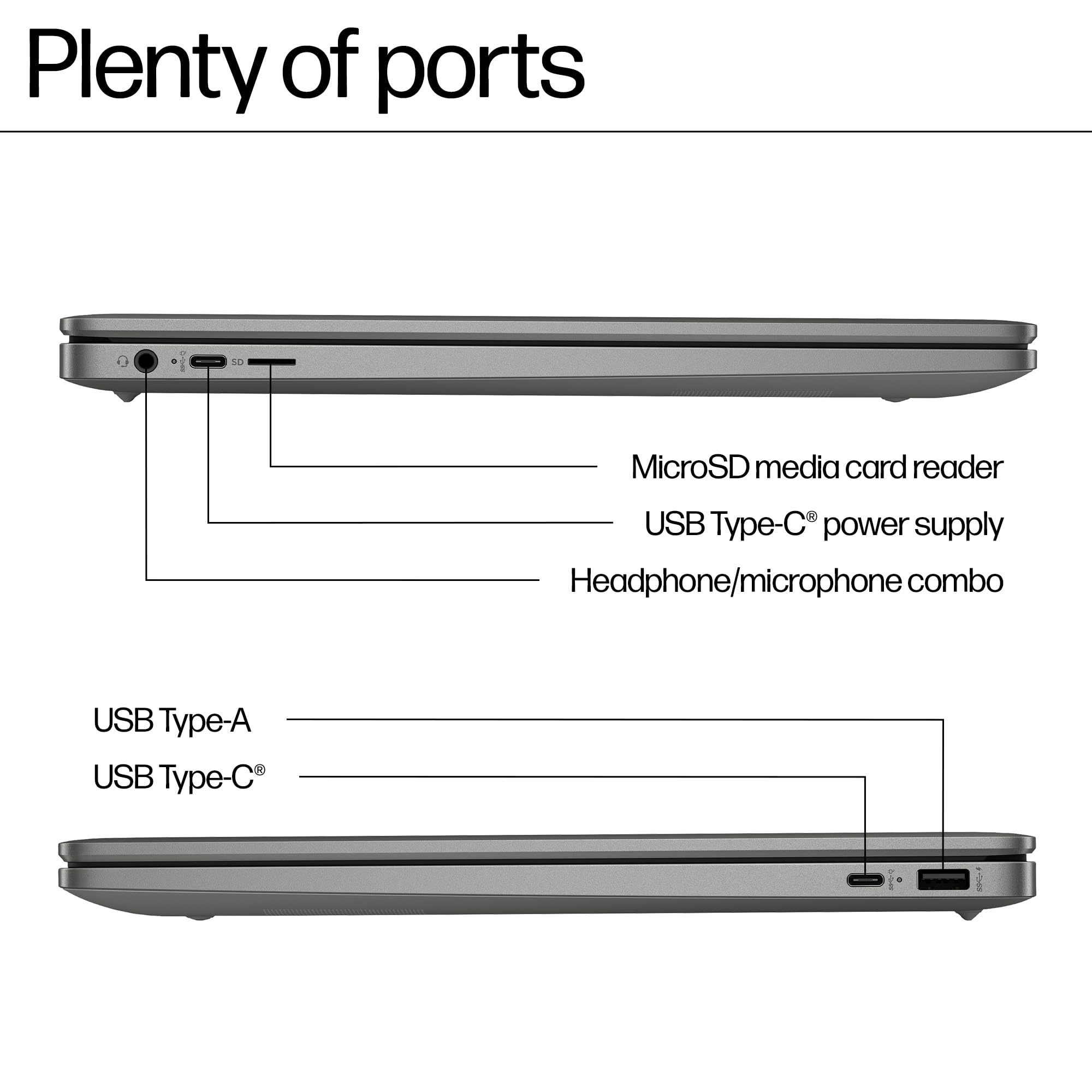
Port selection on budget Chromebooks has improved, and the HP 15a-nb0005sa is reasonably well equipped for its class. You get USB-C for charging and data, USB-A ports for legacy peripherals (mice, USB drives, dongles), a headphone jack, and a microSD card slot. The microSD slot is worth highlighting: it's a practical way to expand storage cheaply, which matters given that 128 GB, while decent, will fill up if you're storing a lot of local files. A 128 GB or 256 GB microSD card is relatively affordable and effectively doubles or triples your local storage.
Wi-Fi is where you'd want to check the spec carefully. Budget Chromebooks in this class typically offer Wi-Fi 5 (802.11ac) or Wi-Fi 6 (802.11ax). The Wi-Fi 6 standard offers better performance in congested environments (offices, flats with lots of nearby networks) and better battery efficiency. If this machine includes Wi-Fi 6, that's a genuine plus. Wi-Fi 5 is still fine for home use but is starting to show its age in dense environments. Bluetooth is present, which handles wireless headphones, mice, and keyboards without needing a dongle.
There's no Thunderbolt, no HDMI out (common on budget Chromebooks, where USB-C to HDMI adapters are the expected solution), and no full-size SD card slot. These are standard limitations at this price. The port layout is functional rather than generous, and if you need to connect multiple peripherals simultaneously, a small USB-C hub is worth budgeting for alongside the laptop itself.
- USB-C (charging and data)
- USB-A (x2, for legacy peripherals)
- 3.5 mm headphone/microphone combo jack
- microSD card reader
- Wi-Fi (802.11ac/ax, check listing for confirmed standard)
- Bluetooth
Webcam and Audio
The webcam is a 720p unit, which is standard for budget laptops and Chromebooks across the board. It's adequate for Google Meet and Zoom calls in decent lighting. In low light it'll struggle, as all 720p webcams do, producing a grainy, washed-out image. If your video calls happen in a well-lit room, it's fine. If you're regularly calling from a dim home office or in the evening, you'll want to think about a clip-on webcam or better room lighting. Owner reviews don't specifically flag the webcam as a problem, which suggests it meets expectations for the price tier.
The microphone picks up voice adequately for calls. Budget laptop microphones tend to pick up room noise and have limited noise cancellation, so if you're calling from a noisy environment, the other person will hear it. Chrome OS does include some software processing, and Google Meet has its own noise suppression, which helps. For standard home or office calls, it's workable. Don't expect studio quality, but do expect functional.
The dual speakers deliver what you'd expect: clear enough for voice, thin on bass, limited at high volume. They're positioned in a way that doesn't get muffled when the laptop is on a desk, which is more than can be said for some budget laptops with downward-firing speakers. For background music while working, they're acceptable. For actually listening to music or watching a film with any sense of immersion, headphones are the answer. A 3.5 mm jack is present, so wired headphones work without an adapter.
Build Quality
The chassis is plastic, as you'd expect at this price. Mineral Silver is the finish, which looks clean and professional without being flashy. Plastic builds get a bad reputation, but the honest assessment is that a well-engineered plastic chassis is more than adequate for a laptop that's going to live on a desk and occasionally go in a bag. The question is whether HP has engineered this one well, and owner reviews suggest it's solid enough. No widespread reports of creaking, flexing panels, or build issues that would suggest a quality control problem.
Lid flex is present, as it is on virtually all plastic-chassis laptops at this price. Press on the lid and you'll see some flex. That's not unique to HP; it's the physics of a thin plastic panel at 15.6 inches. The keyboard deck tends to be more rigid, which matters more for typing feel. Hinge quality is harder to assess without handling the machine, but owner reviews over a reasonable period of ownership don't flag hinge failure or loosening, which is the main long-term concern with budget laptop hinges.
Fingerprints on the Mineral Silver finish are less of an issue than on darker or glossier finishes. The matte surface hides smudges reasonably well. The overall impression from owner feedback is of a machine that feels appropriately priced rather than cheap: not premium, but not flimsy. For a laptop that's going to be used at home or in a low-risk environment, the build is fit for purpose. It's not something you'd want to drop or treat roughly, but then nothing at this price is.
Durability over time is harder to predict from specs and early reviews alone. Chromebooks as a category have a defined Auto Update Expiry (AUE) date, which is the point at which Google stops providing Chrome OS updates. For newer Chromebooks with the N100, the AUE is typically set well into the 2030s, which means you're buying a machine with a reasonable software lifespan. That's worth factoring into the value assessment: a Chromebook that gets security updates for eight years is a better long-term buy than one that stops receiving updates in two.
How It Compares
The two most natural rivals to the HP 15a-nb0005sa are the Lenovo IdeaPad Duet 5 Chromebook and the Acer Chromebook 315. The Acer Chromebook 315 is a direct size-class competitor, also a 15.6-inch machine at a similar budget price, often equipped with MediaTek or older Intel processors depending on the configuration. The Lenovo IdeaPad Duet 5 is a different form factor (a detachable tablet/laptop hybrid) but competes for the same buyer who wants Chrome OS at a budget price with good battery life.
Against the Acer Chromebook 315, the HP's N100 processor is the key differentiator. Acer's 315 has appeared with the MediaTek MT8183 and older Intel Celeron chips depending on the variant. The N100 is faster than both in most real-world Chrome OS tasks. HP's 128 GB storage is also typically more generous than the 64 GB that often appears in the Acer 315 at comparable prices. The display situation is similar: both tend to offer HD panels at this price, which is a shared weakness rather than a differentiator. If you're choosing between the two on specs alone, the HP's processor advantage is meaningful.
The Lenovo IdeaPad Duet 5 brings an OLED display (a dramatic screen quality advantage) and a more portable form factor, but it's typically priced higher and the detachable keyboard is a compromise for extended typing. It's a different use case rather than a straight competitor. For someone who wants a traditional clamshell laptop for productivity, the HP 15a-nb0005sa makes more sense than a detachable. For someone who wants a better screen and more portability and can stretch the budget, the Duet 5 is worth considering.
| Feature | HP Chromebook 15a-nb0005sa | Acer Chromebook 315 | Lenovo IdeaPad Duet 5 |
|---|---|---|---|
| Processor | Intel N100 (4 cores, 3.4 GHz) | MediaTek MT8183 / Celeron (varies) | Qualcomm SC7180 |
| RAM | 4 GB LPDDR5 | 4 GB | 8 GB LPDDR4x |
| Storage | 128 GB eMMC | 64 GB eMMC (typical) | 128 GB eMMC |
| Display | 15.6-inch HD (1366x768) | 15.6-inch HD (1366x768) | 13.3-inch OLED FHD (1920x1080) |
| Battery Claim | Up to 11.5 hours | Up to 10 hours | Up to 15 hours |
| Form Factor | Clamshell | Clamshell | Detachable tablet |
| OS | Chrome OS | Chrome OS | Chrome OS |
| Price | £209.99 | Similar budget tier | Higher mid-range tier |
| Best For | Home productivity, value storage, N100 performance | Buyers who find it cheaper on deal | Screen quality, portability, media consumption |
Final Verdict
The HP Chromebook 15a-nb0005sa is a genuinely solid budget Chromebook for the right buyer. The Intel N100 processor is a real upgrade over the chips that defined this price tier for the last few years, the 128 GB storage is more generous than most rivals, battery life holds up well in real-world use, and owners are broadly satisfied. A ★★★★☆ (4.2) star average across 115 reviews isn't a fluke. People buying this for light home use, web browsing, Google Workspace, video calls, and streaming are getting what they paid for. That's not nothing.
The weaknesses are real, though, and you should weigh them honestly. The HD display is a genuine step behind what the competition is starting to offer at this price, and on a 15.6-inch screen the lower pixel density is noticeable. Four gigabytes of RAM will feel tight if your tab count climbs. And Chrome OS, for all its virtues, is a hard limit: if you need Windows software, a specific application that doesn't have a web equivalent, or a proper Linux development environment with heavy resource needs, this machine won't scratch that itch. Chrome OS works brilliantly for what it's designed for and nowhere else.
For the budget tier, this scores a solid 7 out of 10. It earns that score on the strength of the N100 processor, the storage generosity, and the battery life, offset by the display limitation and the RAM ceiling. If you're a student, a home user, or someone who genuinely lives in a browser and Google Workspace, this is one of the better options available at this price right now. The Chrome OS Auto Update Expiry policy means you're also buying several years of security updates, which is part of the value calculation on a budget machine.
If you don't need the 15.6-inch screen size and you'd rather have something lighter and more portable, look at a 14-inch Chromebook in the same budget bracket. You'll give up the number pad and the screen real estate, but you'll gain something easier to carry. And if you find yourself genuinely needing Windows, a budget Windows laptop with the same N100 chip is available at a slightly higher price. It'll be heavier on the battery and more demanding on RAM, but it'll run the software you need. Be honest about which camp you're in before you buy, and the decision makes itself.
What works. What doesn’t.
6 + 6What we liked6 reasons
- Intel N100 processor is a meaningful step up from the Celeron chips that defined this price bracket, delivering noticeably snappier browsing and app performance
- 128 GB of eMMC storage is genuinely generous for a budget Chromebook, with most rivals still offering 64 GB at comparable prices
- Real-world battery life of seven to nine hours is strong for a 15.6-inch budget laptop, and USB-C charging adds useful flexibility
- Full-width keyboard with a number pad is a practical bonus for spreadsheet and data entry work
- Runs cool and quietly under typical Chrome OS workloads, making it comfortable for desk use and considerate in shared spaces
- Chrome OS Auto Update Expiry extends well into the 2030s, giving this machine a longer viable software lifespan than many budget Windows alternatives
Where it falls6 reasons
- A 1366 x 768 HD display on a 15.6-inch screen produces visible pixelation, soft text, and noticeably poor colour coverage compared to Full HD rivals
- 4 GB of RAM is a real constraint in 2026; multi-tab and multi-app scenarios will expose the ceiling, particularly if Google Meet is running alongside other work
- Chrome OS is a firm limit: anyone needing Windows applications or a resource-intensive Linux environment will find this machine falls short
- TN panel technology means narrow viewing angles, with colours and contrast shifting when the screen is not viewed straight on
- Weight of around 1.8 kg makes this a desk-first machine rather than a comfortable daily commute option
- No HDMI port means an adapter is needed to connect an external display, which is an additional cost and inconvenience
Full specifications
12 attributes| Storage type | UFS |
|---|---|
| Battery WH | 47 |
| CPU | Intel Processor N100 (up to 3.4 GHz with Intel Turbo Boost Technology, 6 MB L3 cache, 4 cores, 4 threads) |
| Display resolution | 1366x768 |
| Display size IN | 15.6 |
| GPU | Intel UHD Graphics (integrated) |
| OS | ChromeOS |
| RAM GB | 4 |
| RAM type | LPDDR5-4800 |
| Storage GB | 128 |
| USB ports | 2x USB-C 5Gbps, 1x USB-A 5Gbps, 1x 3.5mm audio combo |
| Video outputs | USB-C with DisplayPort 1.4 |
If this isn’t right for you
2 options
Frequently asked
7 questions01What is the Intel N100 processor and how does it perform in Chrome OS?+
The Intel N100 is a quad-core efficiency chip from the Alder Lake-N family, running up to 3.4 GHz with a 6W TDP. In Chrome OS, where workloads are almost entirely browser-based, it performs noticeably better than the Celeron N4500 and Pentium Silver chips that previously populated this price bracket. Geekbench 6 scores typically fall in the 1,700 to 1,900 range for single-core and 4,200 to 4,800 for multi-core. For web browsing, Google Workspace, and video calls, it is a capable match for the operating system.
02Is 4 GB of RAM enough for a Chromebook in 2026?+
It depends on how you use the machine. Chrome OS is more memory-efficient than Windows, and Google's tab-discarding behaviour means 4 GB stretches further than it would on a heavier operating system. For light use, one or two tasks at a time, it works without issue. However, if you routinely have a dozen or more tabs open alongside a video call and a Google Doc, you will notice slowdowns. Eight gigabytes would have made this a more future-proof machine, but HP chose 4 GB to meet the price point. Go in aware of this limitation.
03How does the display compare to other budget Chromebooks?+
The 1366 x 768 HD display is one of the weaker aspects of this laptop. At 15.6 inches, the pixel density is around 100 PPI, which means text is less sharp and images appear softer than on a Full HD panel. The panel type is almost certainly TN, which means viewing angles are narrower than IPS displays. Competitors are increasingly offering Full HD as standard at this price, so the HP 15a-nb0005sa is behind the curve on display quality. For basic web browsing and video calls it is acceptable, but it is a real step down from a modern phone screen or a mid-range laptop display.
04What is the Chrome OS Auto Update Expiry and does it affect this laptop?+
Google guarantees Chrome OS security updates and new features for Chromebooks up to a defined Auto Update Expiry date. For newer Chromebooks powered by the Intel N100, the AUE is typically set well into the 2030s, meaning buyers can expect around eight or more years of software support from the launch date. This is an important part of the value calculation for a budget machine: a Chromebook that receives security updates for eight years is a meaningfully better long-term buy than one that stops receiving updates within two or three years.
05Can you run Windows software or Linux apps on this Chromebook?+
You cannot run Windows software on this Chromebook. Chrome OS does not support Windows applications, and there is no workaround for this. Chrome OS does include a Linux environment (Crostini) that allows some Linux applications to run, and Android apps from the Google Play Store are also supported. However, with only 4 GB of RAM, resource-intensive Linux development work or demanding Android apps will feel constrained. Linux and Android app support are best treated as a light-use bonus on this machine rather than a primary capability.
06Is the HP 15a-nb0005sa good for students?+
Yes, with some caveats. If your coursework lives in Google Docs, Google Slides, and a web browser, this Chromebook handles those tasks reliably and the battery life is strong enough for a full day of lectures. The 128 GB of storage is generous for a budget machine, and the keyboard is comfortable for extended writing. The caveats are the HD display, which is less pleasant for long reading sessions than a Full HD screen, and the Chrome OS limitation: if your course requires specific Windows software, this laptop will not run it and you will need to find an alternative solution such as a remote desktop or a separate device.
07How does the HP 15a-nb0005sa compare to the Acer Chromebook 315?+
The HP 15a-nb0005sa holds an advantage in processor performance. Where the Acer Chromebook 315 has appeared with MediaTek MT8183 or older Intel Celeron chips depending on the variant, the HP's Intel N100 is faster in real-world Chrome OS tasks. HP's 128 GB storage is also typically more generous than the 64 GB common in the Acer 315 at comparable prices. Both machines share the HD display weakness, so neither wins on screen quality. If the two are priced similarly, the HP's processor and storage edge make it the stronger choice on paper.