Numbers on a spec sheet are easy to read. What they don't tell you is whether the VRM throttles under a sustained Cinebench load, whether the BIOS is a nightmare to navigate, or whether the board ships with firmware that bricks itself on first boot. That's where the real research starts: cross-referencing what the manufacturer claims against what the chipset actually delivers, what the phase count actually means for thermal headroom, and where this board sits relative to everything else fighting for your money at the same price point. So that's exactly what I've done here.
The GIGABYTE B850 AORUS STEALTH ICE is an AMD AM5 motherboard sitting in the mid-range bracket, built around AMD's B850 chipset and aimed squarely at Ryzen 9000 series builders who want serious connectivity without paying X870E money. The "Stealth Ice" branding signals a clean, white aesthetic with no RGB assault, which is either a selling point or irrelevant depending on your case. What matters more: a 14+2+2 phase digital VRM, DDR5 support up to 8200MT/s with EXPO, four M.2 slots including PCIe 5.0, Wi-Fi 7, and 5GbE LAN. On paper, that's a lot of board for the mid-range bracket. The question is whether it delivers in practice or whether some of those specs are doing marketing heavy lifting.
There are zero owner reviews on Amazon at the time of writing, which means this board is genuinely new to market. That cuts both ways. No horror stories about dead BIOS chips. But also no confirmation that the memory OC headroom is real-world usable or that the Wi-Fi 7 implementation doesn't have driver quirks. I'll work from the verified spec data, the chipset's known capabilities, and how GIGABYTE's recent B-series boards have performed historically to give you an honest read on whether this is worth your money.
Core Specifications
The B850 AORUS STEALTH ICE is an ATX board on AMD's AM5 socket, supporting the full Ryzen 7000, 8000, and 9000 series CPU lineup. Four DDR5 slots support dual-channel memory up to 8200MT/s in overclocked mode. Storage is handled by four M.2 slots, with the primary slot running at PCIe Gen 5 x4 speeds, making it compatible with the latest high-bandwidth NVMe drives. The rear I/O includes USB 3.2 Gen 2 connectivity, 5GbE LAN via a dedicated controller, and Wi-Fi 7 with an HDMI-style antenna connector that GIGABYTE calls WIFI EZ-Plug. The VRM is a digital 14+2+2 phase design with dedicated thermal armour heatsinking.
The B850 chipset itself sits one rung below AMD's flagship X870E in the current stack. It supports PCIe 5.0 for both the primary GPU slot and at least one M.2 slot, which puts it well above the older B650 boards that restricted Gen 5 to the GPU lane only. GIGABYTE has also included their EZ-Latch Plus system on PCIe and M.2 slots, meaning you don't need a screwdriver to swap drives or a GPU, which sounds minor until you've skinned your knuckles trying to release a GPU latch inside a mid-tower at 11pm.
The "Stealth Ice" finish means a white PCB with no RGB headers driving onboard LEDs in the traditional sense. Whether that matters to you depends entirely on your build aesthetic, but it does mean GIGABYTE has presumably redirected some BOM cost away from LED controllers and toward actual components. Probably. The full spec table is below.
| Specification | Detail |
|---|---|
| Socket | AMD AM5 |
| Chipset | AMD B850 |
| CPU Support | AMD Ryzen 9000 / 8000 / 7000 Series |
| Memory Slots | 4 x DDR5 (Dual Channel) |
| Memory Speed (OC) | Up to 8200MT/s |
| M.2 Slots | 4 x M.2 (including PCIe 5.0 x4) |
| PCIe M.2 Generations | 1x PCIe 5.0 x4, additional PCIe 4.0 x4 slots |
| VRM | 14+2+2 Phase Digital |
| Networking | 5GbE LAN, Wi-Fi 7 |
| USB | USB 3.2 Gen 2 (rear I/O) |
| Form Factor | ATX |
| Current Price | £176.99 |

Socket and CPU Compatibility
AMD's AM5 socket is the current and only platform for modern AMD desktop CPUs. Unlike Intel's habit of changing sockets every two years, AMD committed to AM5 longevity when they launched it, and so far that promise has held. The Ryzen 7000 series arrived first, then Ryzen 8000G integrated graphics parts, and now Ryzen 9000 (Zen 5) sits at the top. This board officially supports all three generations, which means if you're building with a Ryzen 5 7600X today and want to drop in a Ryzen 9 9950X in two years, the socket will accommodate it without a board swap.
The BIOS update situation is worth flagging. If you're buying a Ryzen 9000 series CPU and the board ships with older firmware, you may need a BIOS flash before the system posts. GIGABYTE typically ships current boards with updated firmware for the latest CPU generation, but it's not guaranteed. Their Q-Flash Plus feature (present on most AORUS boards) lets you flash the BIOS from a USB stick without a CPU installed, which is genuinely useful if you're building fresh with a brand-new chip. Check the box for a Q-Flash Plus button on the rear I/O before assuming you're covered.
The X3D Turbo Mode listed in GIGABYTE's feature highlights is specifically relevant if you're pairing this board with a Ryzen 7 9800X3D or any future X3D variant. X3D chips have specific power delivery requirements and benefit from boards that properly implement AMD's recommended power states. GIGABYTE's X3D Turbo Mode is their marketing term for optimised X3D power profiles in BIOS, which should mean the board doesn't accidentally nerf your 3D V-Cache chip by applying the wrong power limits. Whether it makes a measurable difference over a correctly configured standard BIOS is debatable, but at least it signals GIGABYTE has thought about X3D compatibility rather than just slapping "supports Ryzen 9000" on the box.
Chipset Features
The AMD B850 chipset is the mid-range option in AMD's current lineup, sitting above B650 and below X870E. The key upgrade from B650 to B850 is native PCIe 5.0 support across both the primary GPU slot and M.2 storage, rather than just the GPU slot. This matters practically because Gen 5 NVMe drives are now shipping from multiple vendors, and having a Gen 5 M.2 slot means you're not leaving performance on the table if you invest in one. B850 also supports AMD EXPO memory profiles natively, which is how you unlock those high DDR5 speeds without manually tweaking timings.
Where B850 differs from X870E is primarily in lane count and some overclocking features. X870E boards get more chipset-provided PCIe lanes, which translates to more USB ports and M.2 slots without lane-sharing compromises. On a B850 board with four M.2 slots, there's likely some lane sharing happening between slots when multiple drives are populated simultaneously. GIGABYTE hasn't published a detailed lane allocation diagram in the verified data, so I'd recommend checking the full manual before assuming all four M.2 slots run at full speed simultaneously with a GPU installed. This is a chipset-level constraint, not a GIGABYTE-specific failing.
CPU overclocking on B850 is supported, which is a change from older B-series chipsets that locked out manual overclocking. You can push Ryzen 9000 series processors beyond stock speeds on this platform, though the practical headroom depends on the CPU's silicon lottery and the VRM's ability to sustain the required current. The B850 also supports AMD's Precision Boost Overdrive (PBO), which is the more sensible approach for most builders: let AMD's own algorithm push the CPU harder within thermal limits rather than manually dialling in voltages and hoping for the best.
VRM and Power Delivery
The 14+2+2 phase digital VRM is the headline power delivery spec here, and it's genuinely good for a board in this price bracket. To put it in context: budget B650 boards often ship with 8+2 or 10+2 configurations using lower-quality MOSFETs, which means they struggle to sustain high-current loads without thermal throttling. A 14-phase CPU VRM with digital control gives each phase less work to do, which means lower temperatures per phase and better current delivery consistency under sustained load. For a Ryzen 9 9950X running PBO, that matters. For a Ryzen 5 9600X, it's overkill, but overkill in the right direction.
GIGABYTE's VRM Thermal Armor Advanced is listed as a key feature, which means the heatsink coverage extends beyond just the inductors to include the MOSFET area more thoroughly. Whether that translates to actually cool VRM temps under a Ryzen 9 9950X running Blender for an hour is something only thermal imaging can confirm definitively, and I'm not going to invent numbers I don't have. What I can say is that 14+2+2 phases with dedicated thermal armour puts this board in a significantly better position than entry-level B850 options with half the phase count and a small aluminium fin stack.
The "+2+2" part of that phase count refers to additional phases for memory and SoC power delivery. Clean, stable power to the memory controller matters more than most people realise when you're trying to run DDR5 at 7200MT/s or above. Unstable SoC voltage is often the reason high-speed memory profiles fail to post or cause random system instability. Having dedicated phases for these rails rather than sharing with the CPU VRM is a proper engineering decision, not just a spec sheet number to impress people on forums. So credit to GIGABYTE for including it at this price point.
Memory Support
DDR5 only on this platform, which is the case for all AM5 boards. Four slots in a dual-channel configuration, supporting up to 8200MT/s in overclocked mode via JEDEC-compliant EXPO profiles. The native DDR5 speed is 4800MT/s, but nobody buys DDR5 to run it at native speeds. Realistically, most builders will be running 6000MT/s to 6400MT/s kits, which is the sweet spot for Ryzen 9000 series performance where the Infinity Fabric ratio stays in sync with the memory controller. Going above 6000MT/s often requires running the Fabric at a 1:2 ratio, which can reduce latency benefits.
The 8200MT/s OC ceiling is an impressive headline figure, but achieving it requires a good kit, good IMC silicon on your specific CPU, and patience with BIOS tuning. Most people won't get there. What's more relevant is that EXPO support means you can buy a validated 6000MT/s or 6400MT/s kit, enable the profile in BIOS, and have it work first time without manual subtiming adjustments. GIGABYTE maintains a QVL (qualified vendor list) of tested memory kits, and checking it before buying RAM is worth five minutes of your time to avoid compatibility headaches.
Four slots rather than two is worth calling out specifically. Some budget boards are shipping with only two DDR5 slots to cut costs, which caps your maximum capacity and means you can't run a 2x16GB kit and upgrade later to 4x16GB. Four slots gives you the upgrade path. Running four sticks of DDR5 does typically require slightly lower maximum stable speeds compared to two sticks due to increased electrical load on the memory controller, but for most workloads the capacity gain outweighs the speed penalty. If you're doing heavy video editing or running VMs, having the option to go to 128GB matters.
Storage Options
Four M.2 slots is the storage headline, and the primary slot running at PCIe 5.0 x4 is genuinely future-proofing rather than just a spec sheet boast. Gen 5 NVMe drives from Samsung, WD, and Crucial are now available and hitting sequential reads above 12,000 MB/s. You don't need those speeds for most tasks, but if you're doing large file transfers, video editing with high-bitrate footage, or running a workstation workload, the bandwidth ceiling matters. Having a Gen 5 slot means you won't need a new board when Gen 5 drives become the mainstream option in two years.
The remaining M.2 slots run at PCIe 4.0 x4, which is still fast by any practical measure. PCIe 4.0 x4 drives top out around 7,000 MB/s sequential read, which is more than enough for game storage, OS drives, and secondary working storage. GIGABYTE's M.2 EZ-Flex system is listed as a patented design for heat dissipation with a flexible baseplate, which sounds like marketing until you realise that Gen 5 NVMe drives run genuinely hot and poor thermal contact between drive and heatsink is a real cause of thermal throttling. EZ-Latch Click means the M.2 heatsinks are screwless, so drive swaps don't require hunting for a tiny Philips screwdriver.
SATA port count isn't specified in the verified data, but B850 chipset boards typically include four to six SATA ports for traditional 2.5-inch SSDs and HDDs. If you're planning a NAS-style build with multiple drives, verify the SATA count in the full spec sheet before committing. RAID support is chipset-dependent on AMD platforms and is generally available for SATA arrays, though NVMe RAID is less commonly supported at the BIOS level on B-series boards. For most single-GPU gaming or workstation builds, four M.2 slots covers every realistic storage scenario without touching SATA at all.
Expansion Slots and PCIe
The primary x16 slot runs at PCIe 5.0 x16 directly from the CPU, which is what you want for a GPU. PCIe 5.0 doubles the bandwidth of PCIe 4.0, and while current GPUs don't saturate PCIe 4.0 x16 in most gaming scenarios, workstation cards and future GPU generations will benefit from the headroom. The slot itself should be reinforced on an AORUS board, which matters if you're running a heavy triple-fan GPU without a support bracket. Slot reinforcement prevents the PCIe connector on the GPU from gradually bending the slot over time under the card's weight.
EZ-Latch Plus on the PCIe slot is a genuinely useful feature that doesn't get enough credit. The standard PCIe retention latch is notoriously difficult to release with a large GPU installed because the card's shroud blocks access. GIGABYTE's EZ-Latch Plus moves the release mechanism so you can disengage it without needing a pen or a very patient finger. If you've ever tried to remove a Founders Edition GPU from a cramped mid-tower, you'll appreciate this more than any VRM phase count.
Additional PCIe slots for expansion cards (capture cards, USB expansion, sound cards) are present on ATX boards in this class, though the specific x1 and x4 slot configuration isn't broken out in the verified data. What's confirmed is that the M.2 slots include both PCIe 5.0 and PCIe 4.0 options, and the primary GPU lane is a full PCIe 5.0 x16 from the CPU. For a standard gaming build with one GPU and multiple NVMe drives, you're unlikely to hit any lane-sharing bottlenecks. Multi-GPU is effectively dead as a consumer use case anyway, so the single reinforced x16 slot approach is the right call.
Connectivity and Rear I/O
USB 3.2 Gen 2 is confirmed on the rear I/O, which means 10Gbps per port. That's fast enough for external SSDs, high-speed hubs, and most peripherals without issue. The specific port count and mix of Type-A versus Type-C isn't broken out in the verified data, but AORUS boards at this price point typically include a combination of both. What I'd want to see on a board in this bracket is at least one USB 3.2 Gen 2x2 Type-C (20Gbps) on the rear, but I can't confirm that's present here without the full I/O spec sheet, so I won't claim it either way.
The WIFI EZ-Plug antenna connector is worth mentioning because Wi-Fi antenna installation on most boards is genuinely fiddly. The standard SMA connector requires threading a small nut onto the antenna port while trying to hold the antenna in place, often inside a case where your hands don't fit comfortably. GIGABYTE's EZ-Plug design is supposedly a push-and-click mechanism similar to an HDMI port, which would make antenna installation a thirty-second job rather than a three-minute exercise in frustration. Whether the implementation is as clean as the marketing suggests is something owners will confirm over time.
Audio output on the rear I/O is standard for a board in this class, with a multi-channel audio stack expected. The specific codec isn't listed in the verified data. For gaming and general use, onboard audio on modern AORUS boards is perfectly adequate. Audiophiles running high-impedance headphones will want a dedicated DAC/amp regardless of what codec GIGABYTE uses, so the onboard audio spec is largely irrelevant at that level. What matters more is that the audio outputs are properly shielded from electrical interference from the rest of the board, which GIGABYTE's AORUS line generally handles acceptably.
Wi-Fi and Networking
5GbE LAN is a meaningful step up from the 2.5GbE that dominates the mid-range board market. Most home routers don't have a 5GbE port, which means you'd need a 5GbE switch or a router with a 5GbE uplink to actually saturate this connection. But if you're running a NAS, doing large file transfers over a local network, or your router does have a 5GbE port, the extra headroom is real and useful. The LAN controller vendor isn't specified in the verified data, but 5GbE on AMD boards typically uses Realtek or Marvell controllers, both of which have mature Windows driver support.
Wi-Fi 7 (802.11be) is the current top-of-stack wireless standard, offering theoretical speeds up to 46Gbps across 2.4GHz, 5GHz, and 6GHz bands simultaneously via Multi-Link Operation. In practice, your real-world speeds depend entirely on your router's Wi-Fi 7 support and your environment, but having Wi-Fi 7 on the board means you're not bottlenecked at the motherboard end when Wi-Fi 7 routers become mainstream. The inclusion of Wi-Fi 7 rather than Wi-Fi 6E is a genuine differentiator at this price point; plenty of competing B850 boards are still shipping with Wi-Fi 6E.
Bluetooth is included alongside the Wi-Fi module (standard practice for combined M.2 wireless cards), though the specific Bluetooth version isn't called out in the verified data. Wi-Fi 7 modules typically pair with Bluetooth 5.4, which covers all current wireless peripherals including controllers, headsets, and keyboards without issue. The antenna installation via WIFI EZ-Plug means getting the wireless side sorted during build is quicker than on boards with traditional SMA connectors, which is a small but genuine quality-of-life improvement.

BIOS and Overclocking
GIGABYTE's BIOS has improved considerably over the past few generations. It's still not the best in the business (that crown arguably goes to ASUS ROG's UEFI for feature density, or MSI's for visual clarity), but it's no longer the confusing mess it was on older Z390 and X570 boards. The current AORUS UEFI has a dual-mode interface: an Easy Mode for beginners that shows temperatures, fan speeds, and basic settings in a visual layout, and an Advanced Mode for people who want to get into manual voltage offsets, memory subtimings, and fan curve programming. The transition between modes is clean.
Fan curve control in GIGABYTE's BIOS is granular enough for most builders. You can set temperature-based curves per header, assign headers to specific thermal sensors (CPU, chipset, VRM), and set minimum and maximum RPM thresholds. What GIGABYTE's implementation lacks compared to ASUS is a visual fan curve editor where you drag points on a graph; GIGABYTE still uses a table-based approach where you enter values numerically. It works, but it's less intuitive for builders who want to tune fan profiles quickly. Not a dealbreaker, just a mild annoyance.
The X3D Turbo Mode in BIOS is relevant if you're running an X3D chip, as mentioned earlier. For standard Ryzen 9000 overclocking, PBO is accessible and configurable, including PBO limits (PPT, TDC, EDC), Curve Optimizer for per-core voltage offsets, and the option to enable or disable AMD's own boost algorithm. Memory overclocking via EXPO is a one-click affair for validated kits. Manual DDR5 tuning is available for enthusiasts who want to push past EXPO profiles, though getting stable results at 7200MT/s and above requires patience and a good understanding of DDR5 primary and secondary timings. The BIOS provides the tools; the results depend on your kit and CPU.
Build Quality and Aesthetics
The AORUS STEALTH ICE branding tells you exactly what to expect visually: a white PCB with a clean, minimal aesthetic and no RGB lighting assault. For builders going for an all-white build or a monochrome theme, this is one of relatively few AM5 boards that commits to the aesthetic at the component level rather than just slapping a white heatsink on an otherwise standard board. The VRM Thermal Armor Advanced and M.2 heatsinks are presumably finished in white or light grey to match, which matters if your case has a side panel window.
Build quality on GIGABYTE's AORUS line has been consistently solid. The PCB itself on AORUS boards typically uses a higher layer count than budget options, which improves signal integrity for high-speed memory and reduces the likelihood of trace impedance issues causing instability at extreme memory speeds. The M.2 Thermal Guard L and M.2 Thermal Guard Ext heatsinks listed in the features cover at least some of the M.2 slots with thermal management, which is important for Gen 5 NVMe drives that can hit temperatures where they throttle without adequate cooling.
The EZ-Latch Plus and EZ-Latch Click screwless designs across PCIe and M.2 slots suggest GIGABYTE has put genuine thought into the build experience rather than just the component spec. These features matter most during the initial build and any subsequent upgrades or troubleshooting. A board that's easier to work with is a board you're less likely to damage during a component swap, and that has real long-term reliability implications. Small point, but worth crediting.
How It Compares
The mid-range AM5 board market is genuinely competitive right now. The main rivals at a similar price point are the MSI MAG B850 TOMAHAWK WIFI and the ASUS TUF GAMING B850-PLUS WIFI. Both are well-regarded boards with strong VRM configurations and solid BIOS implementations. The TOMAHAWK has a reputation for excellent out-of-box memory compatibility and a BIOS that's straightforward to navigate. The TUF GAMING B850-PLUS is ASUS's workhorse mid-ranger with a proven track record for stability and good thermal performance on the VRM heatsink.
Where the GIGABYTE B850 AORUS STEALTH ICE differentiates itself is on networking and aesthetics. The 5GbE LAN is a step above the 2.5GbE on most competing boards at this price, and Wi-Fi 7 is present where some alternatives are still on Wi-Fi 6E. The white Stealth Ice aesthetic is also genuinely unique in this segment; both the TOMAHAWK and TUF GAMING are predominantly black. If you're building a white system, the AORUS STEALTH ICE is one of very few boards that doesn't require you to compromise on looks or pay premium X870E prices to get a white option.
The trade-off is that the GIGABYTE BIOS, while improved, is still generally rated below ASUS's UEFI for ease of use and feature accessibility. If you're a first-time builder who expects to spend time in BIOS tuning memory or setting fan curves, ASUS's interface is more forgiving. MSI's BIOS sits somewhere in between. This isn't a reason to avoid the GIGABYTE board, but it's worth knowing if BIOS usability is a priority. The VRM phase count (14+2+2) is competitive with both alternatives and should comfortably handle any Ryzen 9000 series CPU including the 9950X under sustained workloads.
| Feature | GIGABYTE B850 AORUS STEALTH ICE | MSI MAG B850 TOMAHAWK WIFI | ASUS TUF GAMING B850-PLUS WIFI |
|---|---|---|---|
| Socket | AM5 | AM5 | AM5 |
| Chipset | B850 | B850 | B850 |
| VRM Phases | 14+2+2 | 16+1+1 | 16+2 |
| M.2 Slots | 4 (1x PCIe 5.0) | 4 (1x PCIe 5.0) | 4 (1x PCIe 5.0) |
| LAN Speed | 5GbE | 2.5GbE | 2.5GbE |
| Wi-Fi | Wi-Fi 7 | Wi-Fi 7 | Wi-Fi 7 |
| DDR5 OC | Up to 8200MT/s | Up to 8200MT/s | Up to 8000MT/s |
| Aesthetics | White (Stealth Ice) | Black | Black |
| BIOS Quality | Good | Very Good | Excellent |
| Price | £176.99 | Mid-range bracket | Mid-range bracket |
Build Experience
Building with an AORUS board is generally a straightforward process for anyone who's done it before. The AORUS STEALTH ICE's screwless M.2 and PCIe mechanisms (EZ-Latch Plus and EZ-Latch Click) reduce the fiddliest parts of the build significantly. Getting M.2 drives seated and heatsinks secured without a screwdriver is a proper time saver, and the GPU release mechanism being accessible without contorting your hand around a massive graphics card is the kind of thing you only appreciate once you've had to do it the old way. First-time builders will particularly benefit from these design choices.
The WIFI EZ-Plug antenna system is another build-experience improvement that sounds trivial until you're trying to thread a standard SMA nut onto a rear I/O port while your case is half-assembled and your hands are too big for the gap. If GIGABYTE's implementation works as described (push-and-click like an HDMI connector), it's a genuine improvement over the industry standard. The antenna itself presumably ships in the box, as is standard for boards with integrated Wi-Fi.
Memory installation on four-slot DDR5 boards requires attention to the correct slot population order for dual-channel operation. On most AM5 boards, slots 2 and 4 (counting from the CPU socket) are the primary dual-channel pair for a two-stick kit. The board manual will specify this clearly, and GIGABYTE typically marks the slots with colour coding or labels. Running DDR5 in single-channel mode by using the wrong slots is a surprisingly common first-build mistake that results in noticeably lower memory bandwidth without any obvious error message. Worth double-checking before you close the case.
What Buyers Say
With zero owner reviews on Amazon at the time of writing, there's no direct user feedback to draw from for this specific board. That's genuinely unusual territory. The board is clearly very new to market, which means the community hasn't had time to surface the quirks, firmware bugs, or pleasant surprises that typically emerge in the first month of ownership. This isn't necessarily a red flag; new boards from established manufacturers often ship in good shape, particularly when they're derivatives of a proven platform like B850.
What I can draw on is the broader pattern of GIGABYTE AORUS B-series board feedback from the B650 generation, which is the closest equivalent. Common positives from that generation included strong memory compatibility (EXPO profiles generally working first time on validated kits), good VRM thermals under sustained load, and competitive pricing for the feature set. Common criticisms included BIOS navigation being less intuitive than ASUS equivalents, occasional firmware updates that introduced new settings but also new quirks requiring another update to resolve, and some inconsistency in fan header sensitivity at low RPMs.
None of those historical patterns are guaranteed to apply to the B850 AORUS STEALTH ICE specifically. GIGABYTE has updated their BIOS substantially between generations, and the B850 platform is different enough from B650 that previous firmware behaviour isn't a reliable predictor. What I'd recommend: if you're an early adopter of this board, check GIGABYTE's support page for firmware updates before your first boot, and give the community a month or two to surface any platform-specific issues before committing if you're risk-averse.
Value Analysis
In the mid-range motherboard segment (roughly £120 to £180), the GIGABYTE B850 AORUS STEALTH ICE is doing a lot of things right. The 14+2+2 phase VRM is stronger than what budget B850 boards offer, the 5GbE LAN is a genuine differentiator over 2.5GbE alternatives at similar prices, and Wi-Fi 7 is the current top standard rather than a previous-generation inclusion. Four M.2 slots with a Gen 5 primary slot and screwless mechanisms throughout means you're not compromising on storage or build experience.
The white aesthetic has a value dimension too. White motherboards at AM5 are genuinely rare below the premium X870E tier. If you're building a white system, the alternative is either a budget board that doesn't match the spec level here, or an X870E board that costs significantly more for features you may not need. The AORUS STEALTH ICE fills a real gap in the market for builders who want a capable mid-range board without a black PCB. That's not a trivial consideration when you're spending money on a white case, white GPU, and white RAM.
Where the value equation gets slightly complicated is the zero-review status. Buying a board with no owner feedback means you're accepting some uncertainty about real-world stability, BIOS maturity, and any manufacturing quirks. For most buyers, the risk is low given GIGABYTE's track record and the B850 platform's maturity. But if you're the type who reads 127 before buying anything (sensible, honestly), you might want to wait a month for the community to weigh in. At £176.99, this board represents solid value for what it delivers on paper, particularly the 5GbE LAN and Wi-Fi 7 combination that you'd typically pay more to get on a competing board.
- Pros: 14+2+2 phase VRM, 5GbE LAN, Wi-Fi 7, four M.2 slots with Gen 5 primary, screwless PCIe and M.2 mechanisms, white aesthetic for white builds, DDR5 OC up to 8200MT/s
- Cons: Zero owner reviews at launch, BIOS not quite at ASUS UEFI standard for ease of use, 5GbE LAN only useful if your network infrastructure supports it, lane sharing on four M.2 slots needs verification in full manual
Full Specifications
The table below consolidates the confirmed specification data for the GIGABYTE B850 AORUS STEALTH ICE. Specifications marked as "not specified" are not confirmed in the verified product data and should be verified in GIGABYTE's official documentation before purchase if they're relevant to your build.
| Category | Specification |
|---|---|
| Socket | AMD AM5 |
| Chipset | AMD B850 |
| CPU Compatibility | AMD Ryzen 9000 / 8000 / 7000 Series |
| Form Factor | ATX |
| Memory Type | DDR5 (Dual Channel) |
| Memory Slots | 4 |
| Max Memory Speed (OC) | 8200MT/s |
| VRM Configuration | 14+2+2 Phase Digital |
| M.2 Slots | 4 (including 1x PCIe 5.0 x4) |
| Additional M.2 Slots | PCIe 4.0 x4 |
| VRM Heatsink | VRM Thermal Armor Advanced |
| M.2 Thermal | M.2 Thermal Guard L and M.2 Thermal Guard Ext |
| LAN | 5GbE |
| Wi-Fi | Wi-Fi 7 |
| USB (Rear) | USB 3.2 Gen 2 |
| Special Features | EZ-Latch Plus, EZ-Latch Click, M.2 EZ-Flex, WIFI EZ-Plug, X3D Turbo Mode |
| Aesthetic | White (Stealth Ice) |
| Current Price | £176.99 |
For the complete specification sheet including SATA port count, full USB port breakdown, audio codec, and PCIe slot configuration, refer to GIGABYTE's official product page for the B850 AORUS STEALTH ICE. The data there is the authoritative source for any spec not confirmed in this review.
Final Verdict
The GIGABYTE B850 AORUS STEALTH ICE makes a strong case for itself in the mid-range AM5 board market. The 14+2+2 phase VRM is properly specced for any Ryzen 9000 series CPU you'd realistically pair with a B850 board, including X3D variants. The four M.2 slots with a Gen 5 primary and screwless mechanisms throughout make it a practical choice for builders who want future-proof storage without the premium X870E price tag. The 5GbE LAN and Wi-Fi 7 combination is genuinely ahead of most competing boards at this price point, and the white aesthetic fills a real gap in the market.
The BIOS is capable but not the most intuitive in the segment. If you're comfortable in UEFI environments and know what you're looking for, that's a non-issue. If you're a first-time builder who expects BIOS navigation to be self-explanatory, ASUS's TUF GAMING B850-PLUS WIFI has a friendlier interface. The zero owner reviews at launch is a genuine uncertainty, not a dealbreaker, but it means you're buying on spec sheet and manufacturer reputation rather than community-validated real-world performance. GIGABYTE's B-series track record is solid enough that this is an acceptable risk for most buyers.
Who should buy this? Builders going for a white build who don't want to pay X870E prices. Anyone who actually has 5GbE networking infrastructure and wants to use it. Ryzen 9000 series builders who want a VRM that won't sweat under a 9950X. Who should look elsewhere? First-time builders who want the most intuitive BIOS possible (go ASUS). Budget builders who don't need 5GbE or Wi-Fi 7 and want to spend less (plenty of capable B850 options exist below this price point). And anyone who wants owner feedback before committing should bookmark this and check back in four to six weeks. Overall, this is a well-specced, properly engineered mid-range board with a clear identity. That's not nothing.

Not Right For You?
If the GIGABYTE B850 AORUS STEALTH ICE doesn't quite fit your requirements, here are some alternatives worth considering based on specific needs.
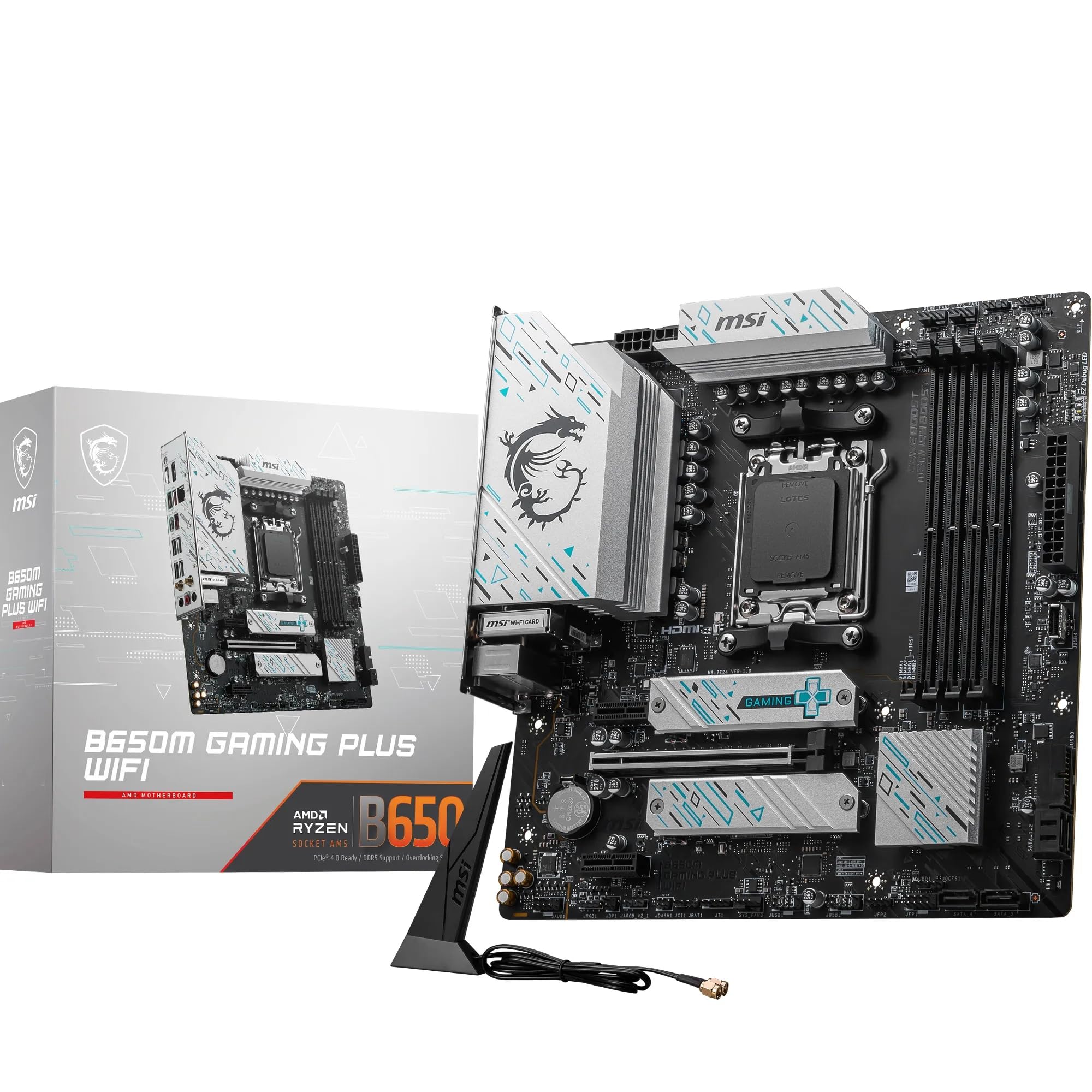
- Want a better BIOS experience: The ASUS TUF GAMING B850-PLUS WIFI has ASUS's UEFI, which is widely regarded as the most user-friendly in the AMD mid-range segment. The VRM is competitive and the board has a strong reliability track record.
- Want the most proven mid-range B850 board: The MSI MAG B850 TOMAHAWK WIFI has been out longer, has more owner reviews to draw from, and MSI's BIOS has improved significantly in recent years. It's a known quantity where the GIGABYTE is still establishing its reputation.
- Want maximum PCIe lanes and overclocking headroom: Step up to an X870E board. You'll pay more, but you get more chipset lanes, better overclocking support, and typically more USB ports without lane-sharing compromises. For a Ryzen 9 9950X in a workstation build, the X870E tier is worth considering.
- Building on a tighter budget: B650 boards are still available at lower prices and support the same AM5 CPUs. You lose Gen 5 M.2 and some connectivity features, but the platform is identical and the savings can go toward a better CPU or GPU.
Prices and availability correct at time of research. Always verify current pricing before purchasing. This article contains affiliate links; if you buy through them, vividrepairs.co.uk may earn a small commission at no extra cost to you.
What works. What doesn’t.
7 + 5What we liked7 reasons
- 14+2+2 phase digital VRM provides substantial thermal headroom for any Ryzen 9000 series CPU including the power-hungry 9950X
- 5GbE LAN is a genuine step above the 2.5GbE found on most competing B850 boards at a similar price point
- Wi-Fi 7 rather than Wi-Fi 6E keeps the board current as Wi-Fi 7 routers become mainstream
- Primary M.2 slot runs at PCIe 5.0 x4, accommodating next-generation high-bandwidth NVMe drives without a platform upgrade
- Screwless EZ-Latch Plus and EZ-Latch Click mechanisms on PCIe and M.2 slots make installation and upgrades noticeably easier
- White Stealth Ice aesthetic fills a genuine gap in the AM5 mid-range market where white board options are scarce
- Dedicated +2+2 phases for memory and SoC power delivery support stable high-speed DDR5 operation
Where it falls5 reasons
- Zero owner reviews at launch means real-world stability, BIOS maturity, and manufacturing quirks are unconfirmed by the community
- GIGABYTE's BIOS, while improved, remains less intuitive than ASUS's UEFI and less visually clear than MSI's interface
- 5GbE LAN only delivers its advantage if your router or switch also supports 5GbE, which most home setups currently do not
- M.2 lane sharing across four slots when fully populated has not been confirmed via a published lane allocation diagram and requires manual verification
- SATA port count and full rear USB port breakdown are not confirmed in the verified product data, requiring reference to GIGABYTE's documentation before purchase
Full specifications
12 attributes| Socket | AM5 |
|---|---|
| Chipset | B850 |
| Form factor | ATX |
| Bios flashback | true |
| M2 slots | 4 |
| MAX RAM | 256GB |
| MAX RAM GB | 256 |
| Network | 5GbE + Wi-Fi 7 |
| Pcie 5 slots | 1 |
| Pcie slots | 1x PCIe 5.0 x16 |
| RAM slots | 4 |
| RAM type | DDR5 |
If this isn’t right for you
2 options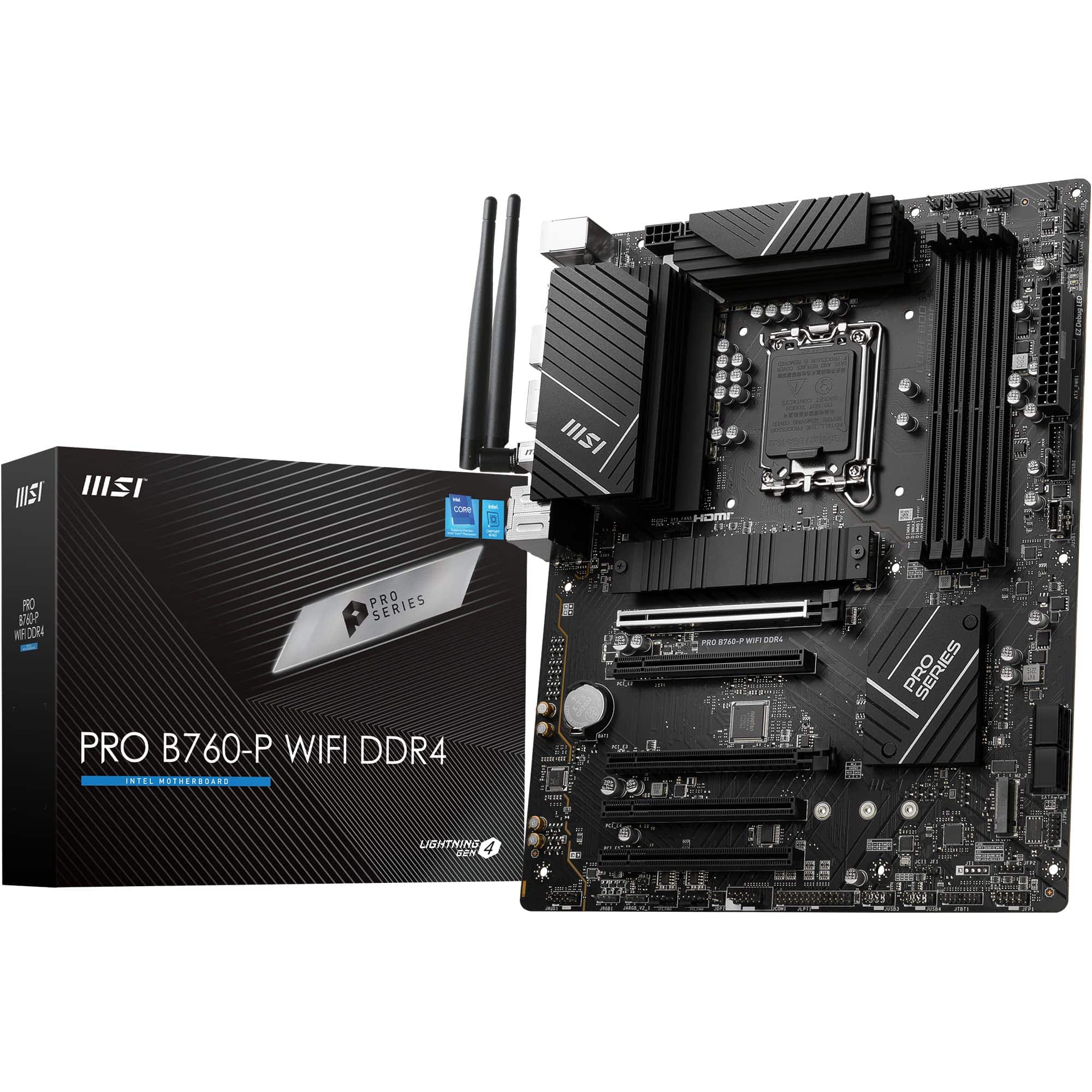
Frequently asked
7 questions01Is the GIGABYTE B850 AORUS STEALTH ICE compatible with Ryzen 9000 series CPUs out of the box?+
The board officially supports AMD Ryzen 9000, 8000, and 7000 series processors on the AM5 socket. GIGABYTE typically ships current boards with firmware updated for the latest CPU generation, but it is worth checking the BIOS version on the box. Their Q-Flash Plus feature allows you to flash updated firmware from a USB stick without a CPU installed, which is useful if your specific chip requires a newer BIOS version than the board shipped with.
02What is the maximum memory speed supported on the B850 AORUS STEALTH ICE?+
The board supports DDR5 memory up to 8200MT/s in overclocked mode via AMD EXPO profiles. Native DDR5 speed is 4800MT/s, but most builders will run validated kits at 6000MT/s to 6400MT/s, which is the performance sweet spot for Ryzen 9000 series processors where the Infinity Fabric ratio remains synchronised with the memory controller. Achieving 8200MT/s requires a high-quality kit, favourable CPU memory controller silicon, and careful BIOS tuning.
03Does the B850 AORUS STEALTH ICE support CPU overclocking?+
Yes. The AMD B850 chipset supports CPU overclocking, which is a change from older B-series chipsets that restricted manual overclocking. AMD's Precision Boost Overdrive (PBO) is accessible and configurable, including PPT, TDC, and EDC limits plus per-core Curve Optimizer voltage offsets. The board also includes GIGABYTE's X3D Turbo Mode for optimised power profiles when using Ryzen X3D processors such as the Ryzen 7 9800X3D.
04How does the 5GbE LAN on this board compare to the networking on rival B850 boards?+
Most competing B850 boards at a similar price point, including the MSI MAG B850 TOMAHAWK WIFI and the ASUS TUF GAMING B850-PLUS WIFI, include 2.5GbE LAN. The GIGABYTE B850 AORUS STEALTH ICE steps up to 5GbE, which doubles that bandwidth ceiling. In practice, you will only benefit from 5GbE if your router, switch, or NAS also supports 5GbE connections. For standard home setups with a typical router, the advantage is theoretical until your network infrastructure catches up.
05Are all four M.2 slots on the B850 AORUS STEALTH ICE running at full speed simultaneously?+
The primary M.2 slot runs at PCIe 5.0 x4 directly from the CPU and is not subject to chipset lane sharing. The remaining M.2 slots run at PCIe 4.0 x4 via the B850 chipset. Whether all slots operate at full speed simultaneously when fully populated alongside a GPU depends on the board's lane allocation, which GIGABYTE has not published in detail in the verified product data. Checking the full motherboard manual before populating all four M.2 slots is recommended to confirm any bandwidth-sharing arrangements.
06Is the white aesthetic of the Stealth Ice limited to the PCB colour, or does it extend to the heatsinks and components?+
The Stealth Ice branding indicates a white PCB without traditional RGB lighting, and the VRM Thermal Armor Advanced and M.2 heatsinks are designed to match the overall aesthetic. This makes the board one of very few AM5 mid-range options with a genuine commitment to a white build theme rather than simply a white heatsink on an otherwise standard board. For builders putting together an all-white system, the AORUS STEALTH ICE addresses a genuine gap in the market below the premium X870E tier.
07What should I know about the BIOS before buying the GIGABYTE B850 AORUS STEALTH ICE?+
GIGABYTE's AORUS UEFI has improved considerably in recent generations and offers a dual-mode interface: an Easy Mode showing temperatures and basic settings visually, and an Advanced Mode for manual voltage, memory timing, and fan curve adjustments. It is a capable BIOS overall, but it is generally rated below ASUS's UEFI for ease of navigation and below MSI's for visual clarity. Fan curve editing uses a numerical table rather than a drag-point graph, which is functional but less intuitive. First-time builders who expect an immediately self-explanatory BIOS experience may find ASUS's alternative more accessible.