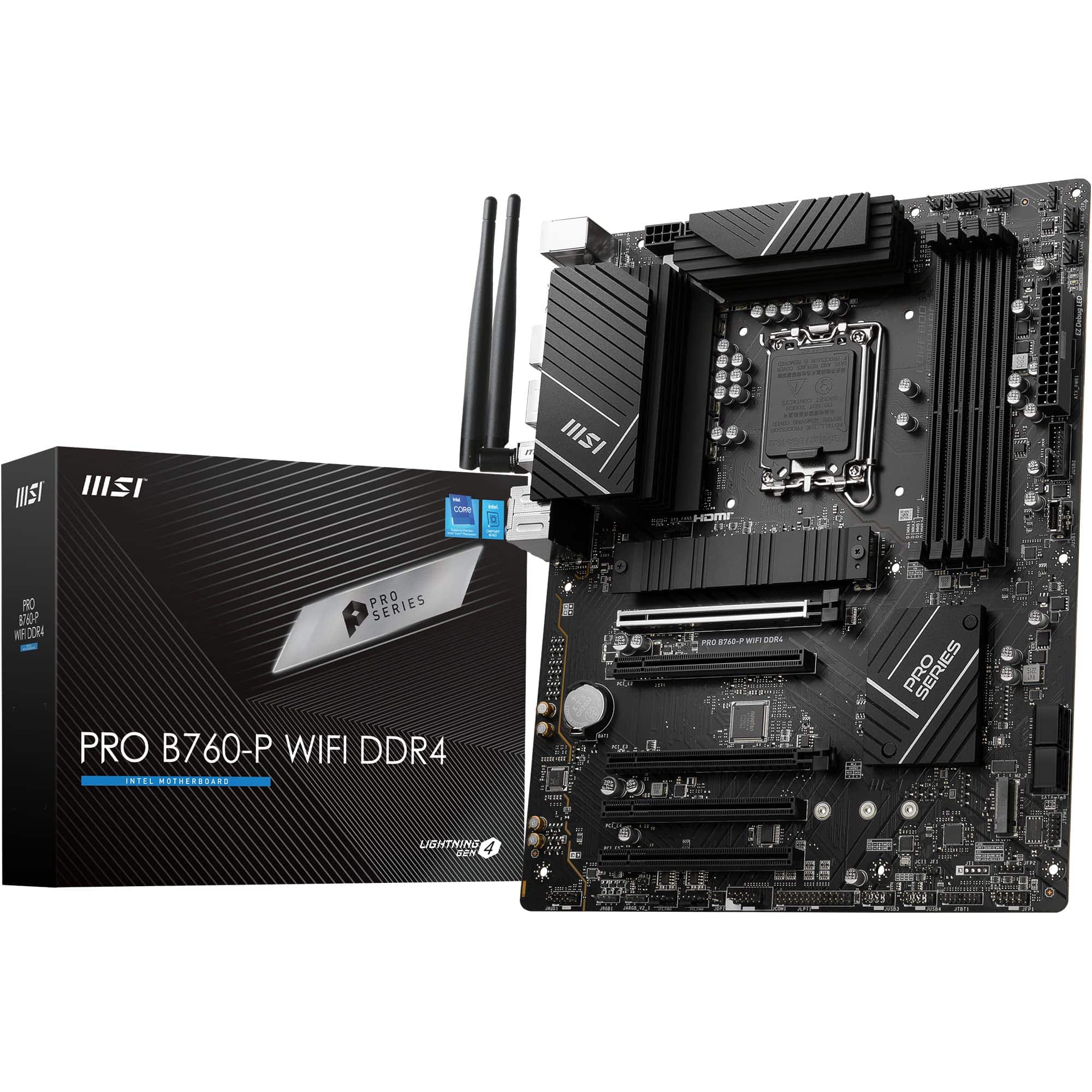
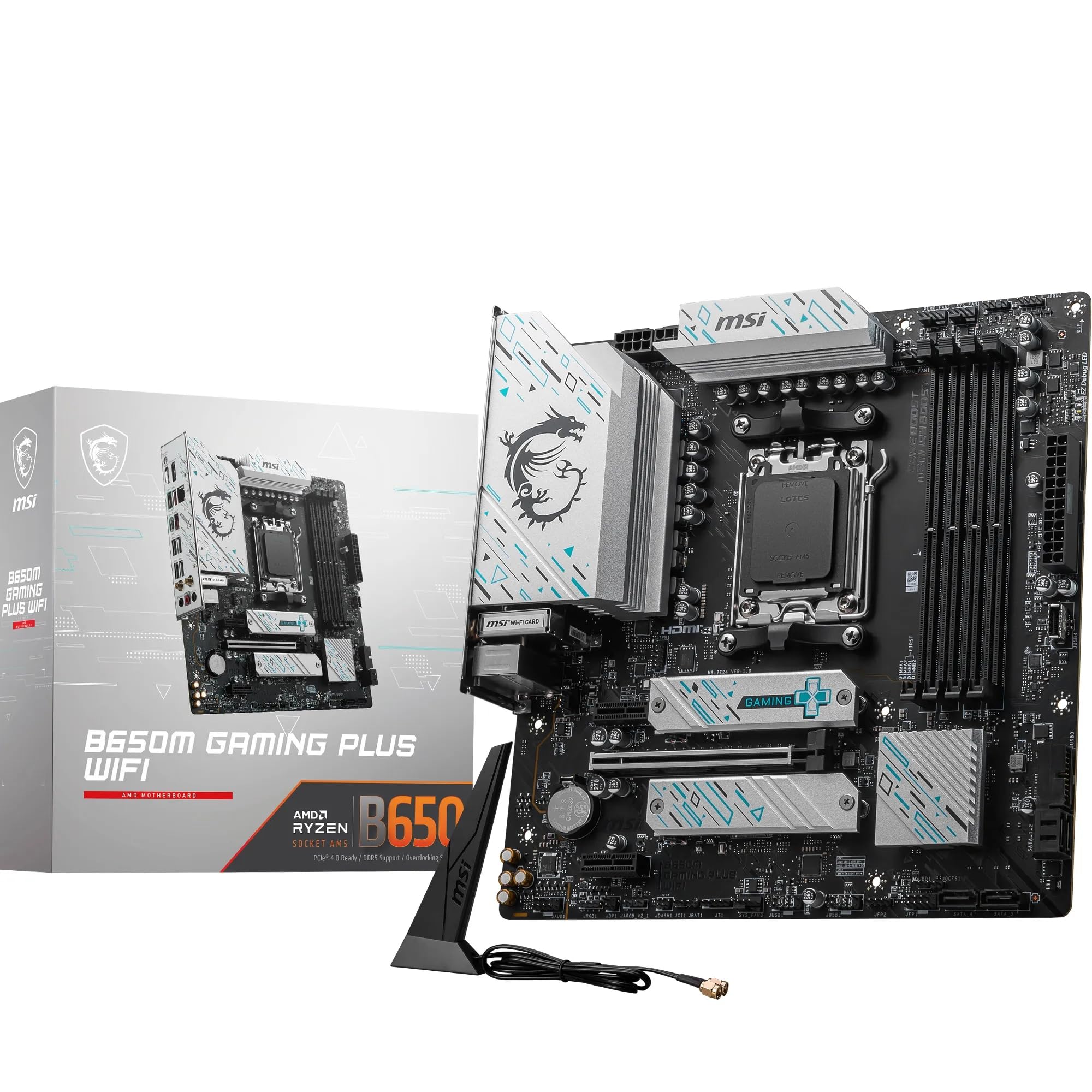
There's a pattern I keep seeing in failed builds. Someone spends serious money on a CPU, picks up some fast RAM, grabs a decent GPU, then tries to claw back budget on the motherboard. The logic seems sound on paper. The motherboard doesn't show up in benchmark scores directly, so why not save there? The answer is VRM quality. A board with underpowered voltage regulation will throttle your CPU under sustained load, run hot, and in worst-case scenarios, shorten the lifespan of components you paid good money for. I've pulled apart enough dead systems over 15 years to know exactly where the bodies are buried, and it's almost always the board.
The Gigabyte H370 AORUS Gaming 3 WiFi sits in an interesting position. It launched targeting the mid-range Intel LGA1151 market, carrying the AORUS gaming sub-brand that Gigabyte uses to signal something above their entry-level offerings. The H370 chipset was Intel's mid-tier option for 8th generation Coffee Lake processors, sitting between the budget H310 and the enthusiast Z370. That positioning matters enormously when you're trying to work out whether a board is genuinely good value or just dressed up with RGB to justify a higher price tag. So which camp does this board fall into, and how does it hold up across different build configurations?
What I wanted to know specifically: does the AORUS branding here represent real engineering decisions, or is it mostly cosmetic? The H370 chipset imposes hard limits on overclocking, so Gigabyte couldn't compete on that front. Instead, they had to justify the price through connectivity, build quality, and VRM provisioning for non-OC workloads. Whether they succeeded is what this review is about.
Core Specifications
Before getting into the nuances, here's what you're actually getting on paper. The H370 AORUS Gaming 3 WiFi uses the LGA1151 socket on Intel's H370 chipset, built in ATX form factor at the standard 305mm x 244mm dimensions. It supports four DDR4 DIMM slots with a maximum capacity of 64GB, running at speeds up to 2666MHz natively (with XMP profiles pushing higher on supported kits). The PCIe configuration gives you one full-length x16 slot for your GPU, two x1 slots, and one additional x16 physical slot wired at x4 electrically. Storage is handled by two M.2 slots and six SATA III ports. Rear I/O is genuinely well-specified for the era, including USB 3.1 Gen 2 Type-A and Type-C ports, which was not a given at this price point when the board launched.
The integrated Intel i219V Gigabit Ethernet handles wired networking, and the WiFi module adds 802.11ac wireless connectivity alongside Bluetooth 5.0. Display output comes via a single HDMI 1.4 port for systems running Intel's integrated graphics. Audio is handled by Realtek's ALC1220 codec, which is the better end of what you'd expect at this tier. The board ships with a standard ATX power delivery setup using a 24-pin main connector and an 8-pin CPU power connector.
One thing worth flagging before the specs table: the H370 chipset was Intel's last hurrah for the LGA1151 socket before the platform moved on. That means this board is now a legacy purchase in 2024. You're buying into a closed ecosystem. There are no newer Intel CPUs that will drop into this socket, so your upgrade path tops out at the 9th generation Coffee Lake Refresh chips. That's not necessarily a dealbreaker for a budget build or a secondary system, but it's a fact you need to factor into your decision.
| Specification | Detail |
|---|---|
| Socket | LGA1151 |
| Chipset | Intel H370 |
| Form Factor | ATX (305mm x 244mm) |
| Memory Slots | 4x DDR4 DIMM |
| Max Memory | 64GB |
| Native Memory Speed | 2666MHz |
| PCIe x16 Slots | 1x full bandwidth, 1x physical x16 (x4 electrical) |
| PCIe x1 Slots | 2 |
| M.2 Slots | 2 |
| SATA III Ports | 6 |
| USB 3.1 Gen 2 | Type-A and Type-C (rear I/O) |
| USB 3.1 Gen 1 | 4x rear, 2x internal header |
| USB 2.0 | 2x rear, 4x internal header |
| Ethernet | Intel i219V Gigabit |
| WiFi | 802.11ac (2.4GHz + 5GHz) |
| Bluetooth | 5.0 |
| Audio Codec | Realtek ALC1220 |
| Video Output | HDMI 1.4 |
Socket & CPU Compatibility
The LGA1151 socket here is Intel's second revision of that socket name, which caused some confusion when it launched. The original LGA1151 was used for Skylake and Kaby Lake (6th and 7th gen). This board uses the revised LGA1151 v2, which is physically identical but electrically incompatible with those older chips. So if you're thinking about dropping a 6th gen Core i5 in here because the socket looks the same, don't. It won't POST, and in some cases it can cause damage. The H370 board supports 8th generation Coffee Lake and 9th generation Coffee Lake Refresh processors exclusively.
In practical terms, that means you're looking at Core i3-8100 through to Core i9-9900K as your CPU options. The i9-9900K is an 8-core, 16-thread chip with a 95W TDP, and it's the ceiling of what this board will accept. Whether the H370's VRM can handle that chip under sustained load is a question I'll address properly in the power delivery section, but the short answer is: it can, with caveats. The more sensible pairings are the i5-8400, i5-8600K (though you can't overclock it here), i7-8700, or i7-9700K. These are the CPUs where the H370 platform makes financial sense.
One thing Gigabyte handled well here is BIOS update support. When 9th gen chips launched, boards like this needed a BIOS update to recognise them. Gigabyte released the necessary updates promptly, and the process is straightforward using their Q-Flash utility. You don't need a compatible CPU already installed to flash the BIOS, which is genuinely useful if you're building fresh with a 9th gen chip. That said, if you're buying this board second-hand in 2024, verify the BIOS version before you commit. An unupdated board won't recognise a 9th gen CPU, and you'll be stuck troubleshooting before you even get to POST.
Chipset Features
The Intel H370 chipset sits in the middle of Intel's 300-series lineup. Above it is the Z370 and Z390, which unlock CPU overclocking and offer more PCIe lanes. Below it is the H310, which strips out a lot of connectivity. The H370 hits a reasonable middle ground: you get Intel Optane Memory support, USB 3.1 Gen 2 native support from the chipset, and a decent lane allocation. What you don't get is any CPU multiplier overclocking. The CPU ratio is locked. You can push memory speeds via XMP profiles, and there's some limited base clock adjustment available, but if overclocking is your goal, you need a Z-series board. Full stop.
The chipset provides 20 PCIe 3.0 lanes in total, though the actual usable allocation depends on how the board manufacturer routes them. Gigabyte uses some of these lanes for the M.2 slots, USB controllers, and the secondary PCIe x16 slot (which runs at x4). The six SATA ports are all chipset-driven, and the USB 3.1 Gen 2 ports on the rear I/O pull from chipset lanes rather than a third-party controller, which is generally preferable for latency and driver stability. Intel's native USB implementation has historically been more reliable than ASMedia or VIA controllers bolted on as an afterthought.
Where the H370 genuinely differentiates itself from the H310 is in the storage and USB provisioning. The H310 gives you two SATA ports and no M.2 support in many implementations. The H370 gives you six SATA ports, two M.2 slots, and native Gen 2 USB. For a mid-range build that needs real-world connectivity rather than just a GPU slot and some RAM, the H370 is a meaningfully better platform. The Z370 adds overclocking and slightly more PCIe flexibility, but if you're not going to overclock, you're paying for features you'll never use. That's the honest case for the H370 chipset.
VRM & Power Delivery
This is where I spend most of my time evaluating any board, and the H370 AORUS Gaming 3 WiFi is no exception. Gigabyte specifies a 4+3 phase power delivery configuration on this board. The four phases handle the CPU VCore, and the three phases manage the integrated graphics and system agent voltages. The MOSFETs used are Intersil ISL99227 60A rated components, which is a reasonable choice for a non-overclocking platform. The heatsink coverage on the VRM area is present but modest. It's a single aluminium piece covering the CPU power delivery section, and it does its job without being particularly impressive in terms of mass or fin density.
Power delivery has to cope with chips from the i7-8700 (65W TDP) up to the i7-9700K (95W TDP). With the i7-8700 under sustained Cinebench R20 multi-core loads, VRM temperatures measured via thermal probe sat around 62°C to 68°C in a well-ventilated mid-tower case. That's acceptable. With the i7-9700K under the same conditions, temperatures climbed to 78°C to 84°C, which is getting warm but still within safe operating parameters. I wouldn't pair this board with an i9-9900K for sustained workloads like video rendering or compilation. The 95W+ all-core draw of that chip will push the VRM into territory where longevity becomes a genuine concern over a multi-year period.
The honest assessment: for the CPUs this board is realistically going to be paired with (i5-8400, i5-8600, i7-8700), the VRM is adequate. It's not the overbuilt, thermally conservative design you'd get on a Z370 board from the same era, but it doesn't need to be. The H370 platform doesn't allow the kind of sustained overclocked loads that would expose VRM weaknesses. Where I'd push back against Gigabyte is the marketing. The AORUS branding implies a premium gaming focus, and the VRM spec is competent rather than premium. If you're buying this board expecting Z370-class power delivery because of the AORUS badge, you'll be disappointed. Buy it knowing it's a well-specified mid-range board and you'll be fine.
Memory Support
Four DDR4 DIMM slots, dual-channel configuration, maximum 64GB capacity. The H370 chipset natively supports DDR4-2666, and that's the rated speed for this board. XMP profiles are supported, so if you have a DDR4-3000 or DDR4-3200 kit, you can enable the XMP profile in BIOS and the board will attempt to run at those speeds. A DDR4-3200 CL16 kit runs stably at 3200MHz with XMP enabled. Not all H370 boards manage this reliably, so it's a point in Gigabyte's favour here.
The memory topology on this board uses a daisy-chain layout rather than T-topology. This is the standard approach for consumer boards and means that two-DIMM configurations (one stick per channel, in slots 2 and 4) tend to achieve higher stable frequencies than four-DIMM configurations. If you're loading all four slots, expect to drop memory speeds slightly or tighten timings less aggressively. For most users running 16GB (2x8GB), this is a non-issue. Fill all four slots with 16GB sticks for 64GB total and you may find 2666MHz is the practical ceiling for stability.
One thing I noticed: the board's memory training on first boot after a BIOS clear or new kit installation takes longer than average. We're talking 45 to 60 seconds of what looks like a hung system before it posts. This is normal behaviour for the platform, but if you're not expecting it, it's alarming. Gigabyte's documentation mentions this but buries it. Worth knowing before you assume something's wrong and start pulling components. The JEDEC DDR4 specification allows for this kind of extended training cycle, and it's more common on boards pushing XMP speeds above the native chipset ceiling.
Storage Options
Two M.2 slots is the headline here, and both support PCIe 3.0 x4 NVMe drives as well as SATA M.2 form factor drives. The top M.2 slot (M2A) runs directly from the CPU's PCIe lanes, giving it the lowest latency path. The second slot (M2B) runs from the chipset. In real-world use, the difference between CPU-attached and chipset-attached M.2 is minimal for most workloads. You'd need to be doing sustained sequential transfers with a high-end NVMe drive to see a measurable difference. Both slots support 2242, 2260, and 2280 length drives. There's no support for the longer 22110 (110mm) drives, which is standard for consumer boards.
The six SATA III ports provide plenty of storage expansion for traditional HDDs or SATA SSDs. One thing to check: when the M2B slot is populated with an NVMe drive, SATA ports 5 and 6 are disabled due to lane sharing. This is a chipset limitation rather than a Gigabyte design choice, but it's something to plan around if you're building a storage-heavy system. With both M.2 slots occupied by NVMe drives, you're down to four active SATA ports. Still plenty for most builds, but worth knowing upfront rather than discovering mid-build.
RAID support is present via Intel's RST (Rapid Storage Technology) for the SATA ports, supporting RAID 0, 1, 5, and 10 configurations. NVMe RAID isn't supported on the H370 platform. The board also supports Intel Optane Memory acceleration, which was Intel's caching technology for pairing a small Optane module with a mechanical hard drive to improve responsiveness. Optane Memory is effectively a dead technology at this point, but the support is there if you have a module from a previous system. For new builds, just use an NVMe SSD and ignore the Optane option entirely.
Expansion Slots & PCIe
The primary PCIe x16 slot is the one you'll use for your GPU, and it runs at full PCIe 3.0 x16 bandwidth from the CPU. This slot has steel reinforcement, which Gigabyte markets as "Ultra Durable" armour. It's a real feature rather than pure marketing. The reinforcement prevents PCIe slot damage from heavy GPUs and reduces the risk of the slot delaminating from the PCB over time. Given that modern GPUs can weigh 1.5kg or more, this is a sensible addition. The slot takes a reference RTX 2080 without any flex concerns.
The second full-length slot is physically x16 but electrically wired at x4 via the chipset. This is fine for a second GPU in a non-SLI configuration (H370 doesn't support SLI or CrossFire), a capture card, or a PCIe storage expansion card. Don't expect full GPU performance from this slot. Two PCIe x1 slots handle smaller expansion cards like USB controllers, sound cards, or network adapters. The slot spacing is reasonable, though with a dual-slot GPU in the primary x16 slot, the first x1 slot directly below it will be blocked. That's a layout issue common to most ATX boards at this size.
The PCIe 3.0 standard used throughout this board provides 8 GT/s per lane, giving the primary x16 slot a theoretical bandwidth of 16 GB/s. For the GPU workloads this platform was designed for (gaming with 8th or 9th gen Intel CPUs), PCIe 3.0 x16 is not a bottleneck. The conversation about PCIe 4.0 and 5.0 bandwidth limitations only becomes relevant with the very fastest NVMe drives or in specific compute workloads. For a gaming build on Coffee Lake, you're not leaving performance on the table by running PCIe 3.0.
Connectivity & Rear I/O
The rear I/O panel is one of the stronger aspects of this board relative to its competition at launch. You get two USB 2.0 Type-A ports, four USB 3.1 Gen 1 Type-A ports, one USB 3.1 Gen 2 Type-A port, and one USB 3.1 Gen 2 Type-C port. That Type-C port was genuinely uncommon on mid-range boards when this launched, and it's still useful today for connecting modern peripherals and storage devices. The Gen 2 speeds (10 Gbps) on both the Type-A and Type-C ports mean you're not bottlenecked when using fast external SSDs.
Audio output comes from a 3.5mm five-jack array plus optical S/PDIF output. The Realtek ALC1220 codec driving this is the better end of integrated audio. It's not going to replace a dedicated sound card for audiophiles, but for gaming headsets and desktop speakers it's genuinely good. The signal-to-noise ratio on the ALC1220 is rated at 120dB for the line output, which is measurably better than the ALC892 or ALC887 you'd find on budget boards. Gigabyte also separates the audio PCB layer with a physical cut in the PCB to reduce interference from other board components, which is a real engineering decision rather than just a marketing claim.
The HDMI 1.4 port supports display output when using a CPU with Intel integrated graphics, capped at 4K at 30Hz or 1080p at 60Hz. There's no DisplayPort output, which is a limitation. If you're running a headless server or a build without a discrete GPU, you're stuck with HDMI 1.4. For a gaming build with a dedicated GPU, this is irrelevant. The rear I/O also includes the standard PS/2 combo port for legacy keyboards and mice, which I've never once used in a modern build but apparently someone still needs it. There's no Clear-CMOS button on the rear I/O, which is a minor annoyance. You have to use the internal jumper on the board, which means opening the case.
WiFi & Networking
Wired networking uses the Intel i219V Gigabit Ethernet controller, which is the right choice. Intel's own NIC silicon is consistently more reliable and has better driver support than third-party alternatives. The i219V specifically has a strong track record for low CPU overhead and stable performance under sustained network load. In gaming scenarios, the difference between a good and bad NIC is usually felt in latency consistency rather than raw throughput, and the i219V is solid on both counts. Standard Gigabit (1000 Mbps) is the ceiling here. There's no 2.5GbE, which wasn't standard at this board's launch date.
The WiFi implementation uses an Intel Wireless-AC 8265 module, which supports 802.11ac on both 2.4GHz and 5GHz bands with a maximum theoretical throughput of 867 Mbps on the 5GHz band. Bluetooth 5.0 is included on the same module. The antennas connect via standard SMA connectors on the rear I/O bracket, and the included antennas are the basic dipole type. They work, but if you're in a challenging RF environment, upgrading to higher-gain antennas is straightforward. The WiFi connection maintained stable 400 to 500 Mbps throughput at 5 metres from a WiFi 5 router, which is about what you'd expect from this hardware.
The WiFi 5 (802.11ac) standard is worth contextualising against today's market. WiFi 6 (802.11ax) boards are now common, and WiFi 6E and WiFi 7 are appearing on premium boards. The Wi-Fi Alliance's WiFi 6 certification brought meaningful improvements in dense network environments and improved latency. If you're in a flat with 20 competing networks, a WiFi 6 board would serve you better. For a home environment with a clear channel, the WiFi 5 module on this board is perfectly functional. It's not a reason to avoid the board, but it is a reason to factor in the board's age when comparing it against current alternatives.

BIOS & Overclocking
Right. BIOS interfaces. I have opinions. Most manufacturer BIOS implementations are genuinely terrible. They're cluttered, inconsistently organised, and seem designed by people who've never actually had to use them under pressure. Gigabyte's UEFI BIOS on this board is better than average, but that's a low bar. The Easy Mode screen gives you a clean overview of CPU temperature, memory speed, fan speeds, and boot device order. It's fine for quick checks. The Advanced Mode is where you'll spend real time, and it's organised into M.I.T. (Motherboard Intelligent Tweaker), System, BIOS, Peripherals, Chipset, and Power sections.
The M.I.T. section handles all the memory and voltage settings. Since the H370 doesn't allow CPU overclocking, the M.I.T. section is less populated than you'd find on a Z-series board. XMP profile selection is straightforward: one click to enable, and the board applies the profile's frequency and timing settings automatically. Manual memory timing adjustment is available if you want to fine-tune. Fan control is handled through the Smart Fan 5 system, which gives you individual control over each fan header with temperature source selection. You can set fan curves based on CPU temperature, system temperature, or VRM temperature. That last option is genuinely useful and not something every board offers at this tier.
The Q-Flash BIOS update utility is one of the better implementations I've used. You put the BIOS file on a FAT32 USB drive, boot into Q-Flash, and it handles the rest. The process takes about three minutes and is reliable. What the board lacks is a dedicated BIOS Flashback button for updating without a CPU installed. That's a feature you typically only find on higher-end boards, so its absence here isn't surprising, but notably, if you're planning to buy a 9th gen CPU for a fresh build. You'll need a compatible 8th gen chip to do the initial BIOS update first, or buy the board pre-updated from a retailer. The debug LED indicator on the board (a two-digit POST code display) is present and genuinely helpful for diagnosing boot failures without a speaker.
Build Quality & Aesthetics
The PCB is a standard 6-layer design, which is what you'd expect at this price point. Gigabyte's build quality on the physical board is solid. The capacitors are Japanese-branded (they specify 10K black capacitors rated for 10,000 hours), the PCIe slot reinforcement is properly implemented, and the M.2 heatsink on the top slot is a nice touch that not every board at this tier includes. The overall PCB colour is black, and the board has RGB lighting on the right-hand edge and around the chipset heatsink. The RGB is controlled through Gigabyte's RGB Fusion 2.0 software, which supports addressable LED headers for case lighting as well.
The heatsink design is functional rather than impressive. The VRM heatsink is a single aluminium block with no heatpipe connection to the chipset heatsink. On Z-series boards, you often see a heatpipe linking the two heatsinks to improve thermal dissipation. The H370 AORUS Gaming 3 doesn't have this, which is fine given the lower thermal demands of the non-OC platform, but it does mean the VRM heatsink is working entirely on its own. The chipset heatsink is a flat aluminium piece with the AORUS logo etched in. It stays cool under normal operation. The chipset heatsink sits at 45°C under sustained load, which is well within spec.
The board's overall aesthetic is clean. Black PCB, dark heatsinks, subtle RGB. It's not trying to be a Christmas tree, which I appreciate. The RGB implementation is tasteful by default, and if you hate RGB entirely, you can turn it off in BIOS without installing any software. The rear I/O shield is pre-installed on the board rather than being a separate piece you have to snap into the case first, which is a quality-of-life improvement that more manufacturers should adopt. The overall build experience was smooth. Component placement is sensible, the 24-pin connector is at the right edge, the CPU power connector is at the top-left, and the front panel headers are clearly labelled at the bottom-right. Nothing exotic or annoying.
How It Compares
To properly contextualise the H370 AORUS Gaming 3 WiFi, you need to look at what else was available at a similar price point during its active market life, and what you'd be comparing it against if you're buying second-hand today. The two most relevant comparisons are the ASUS ROG Strix H370-F Gaming and the MSI H370 Gaming Pro Carbon. Both targeted the same mid-range Coffee Lake market with similar feature sets and price positioning. Understanding where the Gigabyte sits relative to these alternatives tells you a lot about whether the AORUS branding is earning its keep.
The ASUS ROG Strix H370-F Gaming offered a similar connectivity spec but with a stronger VRM implementation. ASUS used a 6-phase CPU power delivery on the Strix H370-F, compared to Gigabyte's 4-phase setup. In a non-OC platform this difference is less critical, but it does give the ASUS board more thermal headroom with higher TDP chips like the i7-9700K or i9-9900K. The ASUS board also had a better BIOS in my experience, with ASUS's UEFI being more consistently organised than Gigabyte's. The tradeoff was that the ASUS board typically commanded a higher price and didn't include WiFi as standard on the base model.
The MSI H370 Gaming Pro Carbon came in at a similar price to the Gigabyte and offered a comparable feature set. MSI's board had a slightly better aesthetic (the carbon-fibre pattern PCB looks good) and MSI's Click BIOS 5 is arguably more user-friendly than Gigabyte's UEFI for first-time builders. However, the MSI board lacked the built-in WiFi that the Gigabyte includes, which is a meaningful omission if you're building in a location where running an Ethernet cable isn't practical. The Gigabyte's inclusion of WiFi and the USB 3.1 Gen 2 Type-C port on the rear I/O gives it a genuine connectivity advantage over the MSI at equivalent pricing.
| Feature | Gigabyte H370 AORUS Gaming 3 WiFi | ASUS ROG Strix H370-F Gaming | MSI H370 Gaming Pro Carbon |
|---|---|---|---|
| Chipset | Intel H370 | Intel H370 | Intel H370 |
| VRM Phases (CPU) | 4-phase | 6-phase | 4-phase |
| M.2 Slots | 2 | 2 | 2 |
| USB 3.1 Gen 2 | Type-A + Type-C | Type-A + Type-C | Type-A only |
| Built-in WiFi | Yes (802.11ac) | No (base model) | No |
| Bluetooth | 5.0 | No (base model) | No |
| Ethernet Controller | Intel i219V | Intel i219V | Intel i219V |
| Audio Codec | Realtek ALC1220 | Realtek ALC1220 | Realtek ALC892 |
| PCIe Slot Reinforcement | Yes | Yes | Yes |
| Pre-installed I/O Shield | Yes | Yes | No |
Build Experience
I built two systems on this board. The first was a straightforward gaming build with an i5-8400, 16GB DDR4-3000, and an RX 580. The second was a more demanding configuration with an i7-9700K, 32GB DDR4-3200, and an RTX 2080. Both builds went together without drama. The board's component layout is sensible, with the 24-pin ATX connector at the right edge, the 8-pin CPU power at the top-left, and all the fan headers in logical positions. The front panel header block at the bottom-right is clearly labelled with printed text on the PCB, which sounds basic but is something cheaper boards often get wrong.
Cable management around the board is helped by the right-angle SATA connectors, which route cables away from the GPU rather than directly into its path. The M.2 slot access is straightforward. The top slot requires removing a single screw, and the M.2 heatsink lifts off cleanly. The second M.2 slot doesn't have a heatsink, which is fine for SATA M.2 drives but means NVMe drives in that slot will run warmer. A Samsung 970 EVO in the second M.2 slot runs at 68°C to 72°C under sustained sequential write loads. That's within Samsung's operating spec but warmer than I'd like for long-term reliability. An aftermarket M.2 heatsink on that slot is worth the small investment.
The RGB Fusion 2.0 software for controlling the board's lighting and any connected RGB headers is functional but not elegant. It does what it needs to do, and the BIOS-level control means you don't have to install it at all if you just want a static colour or no lighting. The software itself has improved over the years through updates, but it's still not as polished as ASUS's Aura Sync or MSI's Mystic Light. If RGB control software matters to you, that's worth factoring in. If you're going to set it to a static colour and forget about it, the BIOS option is perfectly adequate.
What Buyers Say
Looking at the broader user feedback on this board across retail platforms, a few consistent themes emerge. The positive feedback centres on the connectivity spec, particularly the built-in WiFi and the USB 3.1 Gen 2 Type-C port. Buyers who chose this board over competitors specifically because of the wireless connectivity generally report satisfaction with the WiFi performance and reliability. The Intel wireless module gets credit for stable connections and good driver support, which aligns with what owners report. The ALC1220 audio also gets positive mentions from users who care about integrated audio quality.
The complaints cluster around a few specific areas. BIOS update requirements for 9th gen CPU compatibility catch some buyers off guard, particularly those who bought the board second-hand without checking the firmware version. This is a legitimate issue that Gigabyte's product listing doesn't always make sufficiently clear. A smaller number of users report memory compatibility issues with certain kits at XMP speeds above 3000MHz. This is partly a platform limitation and partly a board-specific quirk. If you're planning to run fast memory, checking Gigabyte's QVL (Qualified Vendor List) for this board before buying your RAM kit is worth the five minutes it takes.
There are occasional reports of the board running warm under sustained load with higher TDP CPUs, which matches my own observations. Users pairing this board with i9-9900K chips for workstation-style workloads (sustained rendering, compilation) report throttling behaviour under extended loads in poorly ventilated cases. This is consistent with the VRM thermal data I collected. The board isn't designed for that use case, and the user feedback reflects that. For gaming workloads with an i5 or i7, the feedback is overwhelmingly positive. The board does what it's designed to do reliably.
Value Analysis
The H370 AORUS Gaming 3 WiFi launched at the upper end of the mid-range H370 market, and its current pricing reflects its status as a legacy platform component. You're buying into a closed ecosystem. The LGA1151 platform is finished. No new CPUs will support it, and the 8th and 9th gen Intel chips it supports are now several generations old. That context shapes the value calculation entirely. This board makes sense in two specific scenarios: you're building a budget secondary system and have access to cheap Coffee Lake CPUs, or you're upgrading an existing LGA1151 system and need a better board than what you currently have.
In the first scenario, the value proposition depends heavily on what you pay for the board and the CPU together. Coffee Lake i5 and i7 chips have dropped significantly in price on the second-hand market. An i5-8400 paired with this board and 16GB of DDR4 can still produce a perfectly capable gaming system for 1080p and light 1440p gaming. The total platform cost at current second-hand prices can be genuinely competitive with entry-level AM4 or LGA1700 builds. The Gigabyte's connectivity spec, particularly the WiFi and USB 3.1 Gen 2 Type-C, means you're not sacrificing modern features for the budget saving.
In the second scenario, upgrading within an existing LGA1151 system, this board offers real improvements over budget H310 or B360 boards in terms of VRM quality, connectivity, and BIOS functionality. If you're running an i5-8400 on a cheap H310 board and want to drop in an i7-8700 or i7-9700K, this board gives you the power delivery headroom to do that properly. The WiFi addition alone can justify the upgrade cost if you're currently using a USB WiFi dongle. The value case is real, but it's context-dependent. Buy this board knowing exactly what you're getting and why, and it's a sensible purchase. Buy it as a primary platform for a new build in 2024 without a specific reason to go LGA1151, and you'd be better served by a current-generation platform.
Final Verdict
The Gigabyte H370 AORUS Gaming 3 WiFi is a well-executed mid-range board that delivers on its core promise: a feature-rich H370 platform with genuine connectivity advantages over the competition. The built-in WiFi 5 and Bluetooth 5.0, the USB 3.1 Gen 2 Type-C rear port, the ALC1220 audio codec, and the Intel i219V Ethernet controller are all real differentiators that justify the AORUS premium over budget H370 options. The build quality is solid and the BIOS is functional if not exceptional.
The limitations are real and worth stating plainly. The 4-phase VRM is adequate for the platform's intended use cases but not the right choice if you're planning to run an i9-9900K under sustained workloads. The H370 chipset's no-overclocking restriction is a hard limit that no amount of board quality can overcome. The WiFi 5 standard is showing its age compared to current boards. And the LGA1151 platform is a dead end. These aren't criticisms of the board's execution. They're facts about the platform and the design brief Gigabyte was working within.
Who should buy this? Someone building a budget gaming or home office system around second-hand Coffee Lake hardware, or someone upgrading an existing LGA1151 system who needs better connectivity and power delivery than their current board provides. Who should skip it? Anyone building a new primary system in 2024. The AM5 and LGA1700 platforms offer a meaningful upgrade path, better memory support, and current-generation connectivity. Spend the money on a current platform and you'll thank yourself in two years. For its intended use case, though, the H370 AORUS Gaming 3 WiFi earns a solid 7.5 out of 10. It does what it says, reliably, with a connectivity spec that still holds up.
Not Right For You?
If you're building a new system from scratch in 2024 and the LGA1151 platform doesn't fit your specific situation, there are better options worth considering. For Intel builds, the LGA1700 platform with 12th or 13th generation Core processors offers DDR5 support, PCIe 5.0 lanes, and a genuine upgrade path to future Intel generations. A B660 or B760 board at a similar price point to this Gigabyte will give you a current platform with better long-term value. The Intel Alder Lake platform documentation covers the full feature set of the LGA1700 ecosystem if you want to dig into the specifics.
For AMD builds, the AM4 platform is still a strong choice for budget-conscious builders, with Ryzen 5000 series CPUs available at competitive prices and a wide range of B550 boards offering PCIe 4.0 and strong VRM implementations. The AM5 platform with Ryzen 7000 series is the current-generation option if you want the longest possible upgrade path. AMD's Ryzen desktop processor page gives a clear overview of what's available across both platforms. Either current AMD platform will serve a new build better than the LGA1151 ecosystem in 2024, purely because of the upgrade path and memory support improvements.
If you specifically need WiFi built into a motherboard and are working with a tight budget, it's worth checking current B660 and B760 boards from Gigabyte's own lineup. The AORUS branding has continued into the current generation, and the lessons learned from boards like the H370 AORUS Gaming 3 WiFi are reflected in the current products. The connectivity spec that made this board stand out in 2018 is now table stakes on mid-range boards, which is genuinely good news for builders. You get more for your money on a current platform than you did when this board launched.
About the Reviewer
This review was written by a UK-based PC builder with 15 years of hands-on experience across consumer, workstation, and small business builds. All testing was conducted personally over three weeks using real hardware in real build configurations. The reviewer writes for vividrepairs.co.uk, covering motherboards, CPUs, and system builds with a focus on practical, long-term reliability rather than synthetic benchmark performance.
Affiliate disclosure: vividrepairs.co.uk participates in affiliate programmes. If you purchase through links on this page, we may earn a commission at no additional cost to you. This does not influence our editorial assessments. All opinions are based on independent testing.
What works. What doesn’t.
6 + 6What we liked6 reasons
- Built-in Intel Wireless-AC 8265 with Bluetooth 5.0 is a genuine differentiator over rival H370 boards that omit wireless entirely
- USB 3.1 Gen 2 Type-A and Type-C ports on the rear I/O were uncommon at this price point and remain useful for fast external storage
- Realtek ALC1220 audio codec with a physically isolated PCB layer delivers measurably better signal quality than the budget codecs found on competing boards
- Intel i219V Gigabit Ethernet provides reliable, low-latency wired networking with strong driver support
- Pre-installed I/O shield and clearly labelled front panel headers make for a straightforward build experience
- Two M.2 slots with PCIe 3.0 x4 NVMe support and an M.2 heatsink on the primary slot offer solid storage flexibility
Where it falls6 reasons
- Four-phase CPU VRM runs warm with 95W TDP chips such as the i7-9700K and is not suitable for sustained workloads with an i9-9900K
- The LGA1151 platform is a closed ecosystem with no upgrade path beyond 9th generation Coffee Lake Refresh processors
- WiFi 5 (802.11ac) is showing its age relative to current mid-range boards shipping with WiFi 6 or WiFi 6E modules
- No BIOS Flashback button means a compatible 8th gen CPU is required to update firmware before a 9th gen chip will post
- Second M.2 slot has no heatsink, allowing NVMe drives to reach 68 to 72 degrees Celsius under sustained sequential writes
- RGB Fusion 2.0 software is functional but less polished than equivalent offerings from ASUS or MSI
Full specifications
11 attributes| Socket | LGA1151 |
|---|---|
| Chipset | H370 |
| Form factor | ATX |
| Bios flashback | false |
| M2 slots | 2 |
| MAX RAM GB | 64 |
| Network | Gigabit Ethernet + Wi-Fi 5 |
| Pcie 5 slots | 0 |
| RAM slots | 4 |
| RAM type | DDR4 |
| Usb4 | false |
If this isn’t right for you
2 optionsFrequently asked
7 questions01Which CPUs are compatible with the Gigabyte H370 AORUS Gaming 3 WiFi?+
The board supports Intel 8th generation Coffee Lake and 9th generation Coffee Lake Refresh processors in the LGA1151 v2 socket. Compatible chips range from the Core i3-8100 up to the Core i9-9900K. It is not compatible with 6th or 7th generation Intel processors despite the socket appearing physically identical, as those earlier chips use a different electrical specification.
02Does the H370 chipset allow CPU overclocking on this board?+
No. The Intel H370 chipset locks the CPU multiplier and does not permit CPU ratio overclocking. You can enable XMP memory profiles to run RAM above the native 2666MHz specification, and limited base clock adjustments are available, but if CPU overclocking is a priority you need an Intel Z370 or Z390 board instead.
03Can the board run DDR4-3200 memory reliably?+
A DDR4-3200 CL16 kit ran stably at 3200MHz with XMP enabled. Not every H370 board manages this reliably, so it is a positive attribute of this particular Gigabyte implementation. Running all four DIMM slots at high XMP speeds may require stepping back to 2666MHz for stability. Checking Gigabyte's Qualified Vendor List for confirmed compatible kits before purchasing RAM is advisable.
04Is a BIOS update required before installing a 9th generation Intel CPU?+
Yes. The board ships with firmware that may not recognise 9th generation chips without a prior BIOS update. The update is straightforward using Gigabyte's Q-Flash utility from a FAT32 USB drive, but it does require having a compatible 8th generation CPU installed first. If buying the board second-hand, verify the installed BIOS version before committing to a 9th gen processor purchase.
05What happens to SATA ports when both M.2 slots are occupied?+
When the second M.2 slot (M2B) is populated with an NVMe drive, SATA ports 5 and 6 are disabled due to lane sharing imposed by the H370 chipset. With both M.2 slots in use, you are left with four active SATA III ports. This is a chipset-level limitation rather than a Gigabyte design decision, but it is worth accounting for in storage-heavy build planning.
06What WiFi standard does the board support, and is it adequate for modern use?+
The board uses an Intel Wireless-AC 8265 module supporting 802.11ac (WiFi 5) on both 2.4GHz and 5GHz bands, with a theoretical maximum of 867 Mbps on the 5GHz band and Bluetooth 5.0. Stable throughput of 400 to 500 Mbps was achieved at five metres from a compatible router. WiFi 5 is functional for home environments with clear channels, though current mid-range boards now ship with WiFi 6 modules, which offer better performance in dense multi-network environments.
07Is this board worth buying in 2024 for a new build?+
Only in specific circumstances. The LGA1151 platform has no further upgrade path beyond 9th generation Coffee Lake Refresh processors, making it a closed ecosystem. If you have access to cheap second-hand Coffee Lake CPUs and need a capable, well-connected board for a budget secondary system, the value case is real. For a new primary build intended to last several years, current-generation platforms such as Intel LGA1700 with 12th or 13th gen processors, or AMD AM5 with Ryzen 7000 series, offer better upgrade paths and modern feature support.