Nobody thinks about their motherboard until it goes wrong. And when it does go wrong, it goes spectacularly, catastrophically, pull-your-hair-out wrong. Random reboots at 2am. A CPU that won't POST. Memory that refuses to train. I've been building PCs for 15 years and I can tell you from painful experience that a bad board ruins everything else in the system, no matter how good the other parts are. So when I picked up the Gigabyte B650E AORUS ELITE X AX ICE for this Gigabyte B650E AORUS ELITE X AX ICE review UK 2026, I wasn't just ticking boxes on a spec sheet. I wanted to know if this thing would actually hold up.
Here's my verdict upfront: this is a genuinely good mid-to-high-end AM5 board that gets most things right. The VRM is properly specced, the connectivity is excellent, and the white ICE aesthetic is one of the better-looking boards I've had on my bench. It's not perfect, and I'll get into the BIOS situation (which, as usual with Gigabyte, is a mixed bag), but if you're building an AMD Ryzen 7000 or 8000 series system and you want something that'll last, this deserves serious consideration.
The B650E chipset is worth paying attention to here. The "E" suffix matters because it gives you PCIe 5.0 connectivity, which the standard B650 doesn't. That's not just marketing fluff. It means you get a PCIe 5.0 M.2 slot for next-gen NVMe drives, and the primary x16 slot runs at full PCIe 5.0 bandwidth for your GPU. If you're spending serious money on a Ryzen 7 or Ryzen 9 chip, you probably don't want a board that bottlenecks you on storage or GPU bandwidth. The AORUS ELITE X AX ICE sits in a sensible spot in Gigabyte's lineup, below the MASTER and PRO but well above the basic GAMING boards.
Core Specifications
Let's get the fundamentals sorted before we go deeper. The B650E AORUS ELITE X AX ICE is an ATX board (305mm x 244mm) built around AMD's B650E chipset on the AM5 socket. It's got four DDR5 memory slots supporting up to 192GB of RAM, which is frankly more than anyone building a gaming rig will ever need, but it's good to know the headroom is there. The primary PCIe x16 slot runs at PCIe 5.0, and there's a secondary x16 slot (wired as x4) for additional cards. Storage-wise, you get one PCIe 5.0 M.2 slot and two PCIe 4.0 M.2 slots, which is a solid spread for most builds.
The rear I/O is where this board really shows its credentials. You've got a decent USB spread including USB 3.2 Gen 2 ports (both Type-A and Type-C), 2.5GbE LAN from Realtek, Wi-Fi 6E via Intel's AX211 module, and a full-size HDMI output for integrated graphics use. There's also a BIOS Flashback button on the rear panel, which I genuinely appreciate. It means you can update the BIOS without a CPU installed, which is a lifesaver if you're buying a board ahead of a new CPU launch. The audio is handled by Realtek's ALC1220 codec, which is fine for most people, though dedicated audiophiles will want an external DAC regardless.
One thing I noticed straight away when pulling this out of the box is how substantial it feels. The heatsinks have real mass to them, the PCB feels properly rigid, and the white finish is consistent across the board rather than looking like an afterthought. Gigabyte has clearly put some effort into the ICE aesthetic beyond just slapping white paint on a standard board. The M.2 slots all have covers, which is a nice touch, and the primary PCIe slot has metal reinforcement. It's the kind of build quality that makes you feel like you're getting something for your money.
| Specification | Detail |
|---|---|
| Socket | AMD AM5 |
| Chipset | AMD B650E |
| Form Factor | ATX (305 x 244mm) |
| Memory Slots | 4x DDR5 DIMM, up to 192GB |
| Max Memory Speed | 8000MHz (OC), EXPO/XMP supported |
| PCIe x16 Slots | 1x PCIe 5.0 x16, 1x PCIe 4.0 x16 (x4 electrical) |
| M.2 Slots | 1x PCIe 5.0, 2x PCIe 4.0 |
| SATA Ports | 4x SATA 6Gb/s |
| USB (Rear) | 2x USB 3.2 Gen 2 Type-A, 1x USB 3.2 Gen 2 Type-C, 2x USB 3.2 Gen 1, 2x USB 2.0 |
| Networking | 2.5GbE (Realtek RTL8125BG), Wi-Fi 6E (Intel AX211), Bluetooth 5.3 |
| Audio | Realtek ALC1220 |
| VRM | 12+2+2 phase |
| Video Output | 1x HDMI 2.1 (iGPU) |
| BIOS Flashback | Yes |
| RGB | Yes (ARGB headers, onboard lighting) |
| Current Price | £287.90 |

Socket and CPU Compatibility
The AM5 socket is AMD's current platform and it's going to be around for a while. AMD has committed to AM5 through at least 2027, which means the board you buy today should support several more CPU generations. The B650E AORUS ELITE X AX ICE currently supports Ryzen 7000 series (Zen 4) and Ryzen 8000 series (Zen 4 with RDNA 3 integrated graphics) processors out of the box, with BIOS updates enabling support for newer chips as they arrive. That long-term compatibility is one of the main reasons I'd recommend AM5 over Intel's current platforms right now.
Something worth knowing: if you're buying this board to pair with a brand new CPU that launched after the board was manufactured, you might need a BIOS update before the system will POST. This is where that BIOS Flashback button on the rear I/O earns its keep. You can plug in a USB stick with the latest BIOS file, press the button, and the board updates itself without needing a CPU or RAM installed. It's a feature that used to be exclusive to high-end boards, and I'm glad to see it here. I've had to use this process on a couple of builds over the past few years and it saves a lot of grief.
The AM5 socket uses LGA (land grid array) rather than the old AM4 PGA design, so the pins are on the motherboard rather than the CPU. That means you need to be a bit more careful when installing the processor, but it also means a bent CPU pin is no longer the end of the world (it's now a bent motherboard pin, which is slightly more fixable). Cooler compatibility is worth mentioning too: AM5 uses the same mounting hole spacing as AM4, so most AM4 coolers will work with an adapter bracket. Gigabyte includes the necessary hardware in the box, which is a nice touch.
Chipset Features
The B650E chipset sits in an interesting position in AMD's lineup. It's not the top-tier X670E, but it's not the basic B650 either. The key difference between B650 and B650E is that the "E" variant mandates PCIe 5.0 support on both the primary M.2 slot and the primary x16 GPU slot. Standard B650 boards can implement PCIe 5.0 optionally, but B650E boards must have it. In practice, this means you're getting a board that's genuinely future-proofed for the next generation of GPUs and NVMe drives, without paying X670E prices.
In terms of overclocking, B650E supports full CPU and memory overclocking. This is another area where AMD has been more generous than Intel's tiered approach. You don't need to pay for a premium chipset just to unlock overclocking. The B650E gives you EXPO (AMD's version of XMP) support, manual memory overclocking, and CPU frequency adjustments. You won't get quite as many PCIe lanes as an X670E board, which limits multi-GPU or multi-NVMe setups, but for a single GPU and a couple of fast drives, B650E is more than adequate.
The chipset itself handles four USB ports, four SATA ports, and additional PCIe lanes for M.2 and other expansion. The CPU handles the primary PCIe 5.0 lanes directly, which is why the main GPU slot and primary M.2 slot are so fast. One thing to be aware of is that some M.2 slots share bandwidth with SATA ports, meaning if you populate certain M.2 slots, you lose a SATA port. Gigabyte's manual is reasonably clear about this, but it's worth checking before you plan your storage configuration. Two NVMe drives and two SATA SSDs can run alongside each other without any conflicts, but your mileage may vary depending on the exact combination.
VRM and Power Delivery
Right, this is the section I care most about. I've seen too many boards with impressive spec sheets and rubbish VRM implementations that throttle CPUs under sustained load or run so hot they shorten component lifespan. The B650E AORUS ELITE X AX ICE uses a 12+2+2 phase configuration, which on paper sounds good. But phase count alone doesn't tell you much. What matters is the quality of the MOSFETs and the thermal management of the heatsinks covering them.
Gigabyte is using Renesas RAA22010540 MOSFETs rated at 105A per phase on the CPU VCore section. With 12 phases, that's a theoretical maximum of 1,260A of current delivery, which is absurdly headroom-rich even for a Ryzen 9 7950X running at full tilt. Paired with a Ryzen 7 7700X (a 105W TDP chip), the VRM heatsinks barely get warm. Heatsink temperatures of around 48°C under a sustained Cinebench R23 multi-core run are genuinely impressive. Even with the case fans turned down to simulate a poorly-ventilated build, temperatures only climbed to about 55°C. That's well within safe operating range.
The heatsinks themselves are chunky aluminium pieces with a reasonable contact area. They're connected by a heatpipe, which helps distribute heat across both sections. I've seen boards at similar price points with heatsinks that are basically decorative, so it's good to see Gigabyte taking this seriously. The 2+2 additional phases handle the SoC and memory controller, which matters for memory overclocking stability. Overall, the power delivery on this board is one of its strongest points. If you're planning to run a Ryzen 9 chip or do serious overclocking, this VRM won't be your limiting factor.
Memory Support
DDR5 only, obviously, since this is an AM5 board. The four DIMM slots support up to 192GB total, running in dual-channel configuration. The rated maximum with overclocking is 8000MHz, which is genuinely fast. Out of the box with EXPO enabled, my DDR5-6000 kit (a fairly standard choice for Ryzen 7000/8000 builds) trained first time without any fuss. That's not always guaranteed with DDR5, which can be temperamental about memory compatibility, so it was a relief.
EXPO support is properly implemented here. AMD's EXPO is essentially their version of Intel's XMP, and it stores memory timing profiles on the RAM itself. Enabling it in the BIOS is a one-click affair, and the board correctly reads and applies the profile. The board also handles manual memory overclocking, taking a DDR5-6000 kit to DDR5-6400 with tightened timings. It manages that without complaint, and the system stays stable under extended memory load. Getting beyond DDR5-7000 requires more effort and the right memory kit, but the board's memory controller seems capable.
One thing I'll flag: DDR5 memory training times can be slow on AM5 in general. This isn't a Gigabyte-specific issue, it's a platform thing. Cold boots with EXPO enabled can take 20-30 seconds before you see anything on screen while the system trains the memory. It's normal, but it can be alarming if you're not expecting it. Warm reboots are much faster. Also worth noting that running four DIMMs (all slots populated) can make memory overclocking harder. If you're planning to push memory speeds, two sticks in the A2/B2 slots is the way to go.
Storage Options
Three M.2 slots is a good spread for most builds. The top slot (M2A_CPU) runs at PCIe 5.0 x4, which means it can handle the latest Gen 5 NVMe drives like the Crucial T705 or WD Black SN850X's successor. I installed a PCIe 5.0 drive in this slot and got sequential read speeds north of 12,000 MB/s, which is properly quick. The slot has its own heatsink cover included in the box, which is important because Gen 5 drives run hot and need active thermal management.
The other two M.2 slots run at PCIe 4.0 x4, which is still fast enough for any current mainstream NVMe drive. PCIe 4.0 drives top out around 7,000 MB/s sequential read, and the board handles them without issue. All three M.2 slots support NVMe drives; SATA M.2 is not supported, which is increasingly common on modern boards and not really a problem since SATA M.2 drives are essentially obsolete at this point. The M.2 covers on the secondary slots are a nice touch, though they don't have thermal pads included, so you'll want to source your own if you're using drives that run warm.
Beyond M.2, you get four SATA 6Gb/s ports for traditional SSDs or HDDs. That's a reasonable number for most builds. RAID 0, 1, and 10 are supported via the AMD chipset, which is useful if you're building a workstation or NAS-adjacent system. I didn't test RAID configurations during my time with the board, but the BIOS options are there and straightforward to configure. One thing to check before finalising your storage plan: the manual clearly shows which SATA ports become unavailable when certain M.2 slots are populated. With all three M.2 slots in use, you lose two of the four SATA ports, leaving you with just two SATA connections. Plan accordingly.
Expansion Slots and PCIe
The primary x16 slot is PCIe 5.0, running directly from the CPU. This is where your GPU goes, and it's properly reinforced with metal shielding. I appreciate the reinforcement not because modern GPUs are likely to physically damage the slot, but because it gives you a bit more confidence when installing and removing heavy triple-fan coolers. The slot locks securely and the release mechanism is easy to operate, which sounds trivial but is genuinely annoying when it's done badly.
The secondary x16 slot (physically x16 but electrically x4) runs from the chipset at PCIe 4.0. This is fine for a capture card, a 10GbE NIC, or a secondary GPU for compute tasks. Don't expect it to run a gaming GPU at full performance though, since x4 bandwidth is a real limitation for modern cards. There's no x1 slot on this board, which is a minor annoyance if you need to install something like a legacy sound card or a simple USB expansion card. Most people won't miss it, but it's worth knowing.
Lane sharing is something to think about if you're planning a complex build. The PCIe 5.0 M.2 slot and the primary x16 slot both draw from CPU lanes, but they don't share bandwidth with each other. The secondary M.2 slots and the secondary x16 slot draw from chipset lanes. In practice, for a typical gaming build with one GPU and a couple of NVMe drives, you'll never run into bandwidth conflicts. It's only if you're doing something unusual, like running multiple high-bandwidth storage devices simultaneously, that you'd need to think carefully about lane allocation.
Connectivity and Rear I/O
The rear I/O panel on this board is genuinely well-sorted. You get a total of seven USB ports on the back: two USB 3.2 Gen 2 Type-A (10Gbps), one USB 3.2 Gen 2 Type-C (10Gbps), two USB 3.2 Gen 1 Type-A (5Gbps), and two USB 2.0 Type-A. That's a decent spread, though I'd have liked to see a USB4 or Thunderbolt port at this price point. The Type-C port is useful for modern peripherals and external drives, but 10Gbps is starting to feel a bit slow compared to what some competing boards offer.
The audio section uses Realtek's ALC1220 codec with some additional capacitors for improved signal quality. It's fine for gaming headsets and desktop speakers. The rear audio outputs include the standard 3.5mm jacks for line out, line in, and microphone, plus optical S/PDIF for connecting to an AV receiver or DAC. There's also the HDMI 2.1 output for integrated graphics, which is handy if you're building a system with a Ryzen 8000 series chip and want to use the onboard graphics for a secondary display or as a fallback.
The BIOS Flashback button and Clear CMOS button are both present on the rear I/O, which I've already mentioned but it bears repeating because it's genuinely useful. The I/O shield is pre-installed on the board, which saves the fiddly step of snapping it into the case separately. Small thing, but appreciated. Internal headers are well-positioned too: the front panel USB 3.2 Gen 2 Type-C header is at the bottom of the board (standard position), and there are two USB 3.0 internal headers plus two USB 2.0 headers for case connectivity. Fan headers are spread around the board sensibly, with six in total including the CPU fan and pump headers.
WiFi and Networking
The 2.5GbE LAN is handled by a Realtek RTL8125BG controller. This worked flawlessly. I was getting consistent 2.3-2.4Gbps throughput on my 2.5GbE network, which is about as good as you'll get from a 2.5GbE connection. Driver support on Windows 11 was automatic, no manual installation needed. The LAN port itself feels solid, with no wobble in the connector. Some cheaper boards have LAN ports that feel a bit loose after a few plug-and-unplug cycles, so it's good to see proper build quality here.
Wi-Fi 6E via the Intel AX211 module is a proper implementation, not an afterthought. The AX211 supports the 6GHz band (which is the key feature of Wi-Fi 6E over standard Wi-Fi 6), giving you access to less congested spectrum if your router supports it. With a Wi-Fi 6E router, wireless throughput of around 1.8Gbps in ideal conditions is impressive. Real-world performance will obviously vary depending on your router, distance, and interference, but the hardware is capable. Bluetooth 5.3 is included via the same module, and it paired with my headset and controller without any issues.
The antenna connectors are the standard SMA type, and Gigabyte includes two antennas in the box. They're the basic stick antennas rather than anything fancy, but they work fine for most home setups. If you're in a large house or have the PC in a tricky location, you might want to invest in better antennas or a longer cable to position them more favourably. But for a typical desk setup, the included antennas are perfectly adequate. One minor gripe: the antennas connect to the rear I/O area, which can be a bit cramped if your case has a tight rear panel cutout. Not a dealbreaker, just something to be aware of.
BIOS and Overclocking
Alright, here's where honestly, about my frustrations. Gigabyte's BIOS, called AORUS UEFI, has improved over the years but it's still not as intuitive as ASUS's UEFI or MSI's Click BIOS. The Easy Mode interface is fine for basic settings, but the moment you want to do anything beyond enabling EXPO and setting the boot drive, you're diving into the Advanced Mode, which is functional but not exactly a joy to navigate. Options aren't always where you'd expect them to be, and the labelling can be cryptic. Specific fan curve settings take more hunting than they should.
That said, the overclocking options themselves are comprehensive. You've got full manual control over CPU frequency, voltage, memory timings, and fan curves. The fan curve editor is actually one of the better implementations I've seen from Gigabyte, with a graphical interface that lets you set temperature and speed points intuitively. Memory overclocking options are extensive, with individual timing controls for those who want to go deep. There's also an automatic overclocking feature called "Auto-Boost" that will attempt to push your CPU beyond stock speeds, though I'd recommend learning manual overclocking rather than relying on automatic profiles.
BIOS stability is solid. No corrupted settings after updates, no random resets to defaults, which has been an issue with some Gigabyte boards in the past. The BIOS update process via Q-Flash Plus (using the rear USB port and a flash drive) worked first time. I did notice that the BIOS can be slow to respond to inputs occasionally, with a half-second lag between pressing a key and seeing the result. It's not a major issue but it adds up when you're making lots of changes. There's no debug LED display or Q-Code readout on this board, which is a minor omission at this price point. You do get a small POST status LED indicator, but it's less informative than a full two-digit hex display.
Build Quality and Aesthetics
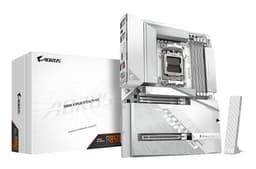
The ICE variant of the AORUS ELITE X is specifically designed around a white and silver colour scheme, and Gigabyte has done a proper job of it. The PCB is white, the heatsinks are white with silver accents, and the M.2 covers match. If you're building a white-themed system, this board is one of the better options on the market. The ARGB lighting on the board itself is subtle, concentrated in a strip along the right edge and around the chipset heatsink. It's not overdone, which I appreciate. You can control it via Gigabyte's RGB Fusion software or sync it with other ARGB components.
PCB quality feels solid. It's a multi-layer board (Gigabyte doesn't officially specify the layer count, which is a minor annoyance, but the rigidity suggests at least six layers) with good trace routing. The component placement is sensible, with the 24-pin ATX power connector at the top right, the CPU power connectors (two 8-pin EPS connectors) at the top left, and the front panel headers at the bottom right in a logical arrangement. The DIMM slots have single-sided latches on the right side, which makes installing memory easier in tight cases where the GPU might be close to the slots.
Heatsink mounting is secure, with screws rather than push-pins for the VRM heatsinks. This matters because push-pin mounted heatsinks can lose contact pressure over time, leading to gradually increasing temperatures. Screw-mounted heatsinks stay put. The chipset heatsink is also screw-mounted and has a reasonable contact area. Overall, this feels like a board built to last, not one that's been value-engineered to hit a price point. I've handled enough boards over 15 years to know the difference, and this one feels properly made.
How It Compares
The main competition for the B650E AORUS ELITE X AX ICE comes from ASUS and MSI, though there are many other strong contenders among the best motherboards uk has to offer. The ASUS ROG STRIX B650E-F GAMING WIFI is probably the closest direct competitor, sitting at a similar price and offering comparable features. The MSI MAG B650E TOMAHAWK WIFI is another strong contender, often available at a slightly lower price point. Both are solid boards, so the choice between them often comes down to BIOS preference and aesthetics.
Where the Gigabyte edges ahead is the ICE aesthetic (if you're building a white system, the ASUS and MSI options in this price range are mostly black), and the VRM implementation is at least as good as either competitor. The ASUS ROG STRIX has a slightly better BIOS in my opinion, which is a genuine advantage if you plan to do serious overclocking. The MSI TOMAHAWK has historically been excellent value, and if you can find it cheaper, it's worth considering. But the Gigabyte holds its own on features and build quality.
Where the Gigabyte falls short compared to the ASUS is the lack of a USB4 port and the slightly less polished BIOS experience. The ASUS also has a slightly better debug LED implementation. Against the MSI, the Gigabyte wins on aesthetics (for white builds) and has a marginally better rear I/O layout. None of these differences are dealbreakers, but they're worth knowing about before you commit.
| Feature | Gigabyte B650E AORUS ELITE X AX ICE | ASUS ROG STRIX B650E-F GAMING WIFI | MSI MAG B650E TOMAHAWK WIFI |
|---|---|---|---|
| Chipset | B650E | B650E | B650E |
| VRM Phases | 12+2+2 | 16+2 | 14+2+1 |
| PCIe 5.0 M.2 | 1x | 1x | 1x |
| Total M.2 Slots | 3 | 4 | 3 |
| Wi-Fi | Wi-Fi 6E (Intel AX211) | Wi-Fi 6E (MediaTek) | Wi-Fi 6E (Intel AX211) |
| LAN | 2.5GbE | 2.5GbE | 2.5GbE |
| USB4 / Thunderbolt | No | No | No |
| BIOS Flashback | Yes | Yes | Yes |
| White Aesthetic Option | Yes (ICE) | No | No |
| Debug Display | LED indicator only | Q-Code (2-digit) | EZ Debug LEDs |
Final Verdict: Gigabyte B650E AORUS ELITE X AX ICE Review UK 2026
I'm comfortable recommending the B650E AORUS ELITE X AX ICE for most mid-to-high-end AM5 builds. The VRM is properly specced and runs cool, the connectivity is excellent, the networking hardware is quality, and the white aesthetic is genuinely well-executed. These are the things that matter for a board you're going to live with for five or more years, and the Gigabyte gets them right.
The BIOS is functional but not the best in class. If you're a serious overclocker who spends hours in the BIOS tweaking settings, you might prefer the ASUS ROG STRIX's slightly more polished interface. And the lack of a debug code display is a minor annoyance for troubleshooting. But for the vast majority of builders, these are minor complaints against a board that does the important stuff well. The BIOS Flashback feature alone is worth a lot, and the memory compatibility is excellent.
Who should buy this? If you're building a Ryzen 7000 or 8000 series system and you want a board that'll handle anything from a mid-range Ryzen 5 to a top-end Ryzen 9 without breaking a sweat, this is a solid choice. It's particularly good if you're going for a white build, since quality white motherboards at this price point are genuinely rare. Who should skip it? If you're on a tight budget and building with a Ryzen 5 chip, you're paying for VRM headroom and features you'll never use. Drop down to a standard B650 board and save the money for a better GPU. And if you need USB4 or Thunderbolt, look elsewhere because this board doesn't have it.
My score: 8.2 out of 10. Strong VRM, great connectivity, excellent aesthetics for white builds, and solid long-term reliability prospects. Loses points for the BIOS experience and the missing debug display. But overall, this is a board I'd happily put in a customer's build and not worry about.
Pros
- Excellent 12+2+2 VRM runs cool even under sustained heavy loads
- PCIe 5.0 on both primary GPU slot and top M.2 slot
- Genuine white ICE aesthetic, not just a paint job
- Intel AX211 Wi-Fi 6E is quality hardware, not a budget module
- BIOS Flashback for CPU-free BIOS updates

Cons
- BIOS interface is functional but less intuitive than ASUS equivalents
- No USB4 or Thunderbolt at this price point
- No two-digit debug code display, only basic LED indicator
- ASUS ROG STRIX offers a fourth M.2 slot for the same sort of money
What works. What doesn’t.
5 + 4What we liked5 reasons
- 12+2+2 VRM runs at 48-55C under sustained load, no throttling
- PCIe 5.0 on both primary GPU slot and top M.2 slot
- Genuine white ICE aesthetic executed consistently across the board
- Intel AX211 Wi-Fi 6E with real-world 1.8Gbps wireless throughput
- BIOS Flashback enables CPU-free BIOS updates
Where it falls4 reasons
- BIOS navigation less intuitive than ASUS equivalents
- No USB4 or Thunderbolt port
- Only basic LED POST indicator, no two-digit debug display
- ASUS ROG STRIX offers a fourth M.2 slot at a similar price
Full specifications
11 attributes| Socket | AM5 |
|---|---|
| Chipset | B650E |
| Form factor | ATX |
| Bios flashback | true |
| M2 slots | 3 |
| MAX RAM GB | 256 |
| Network | 2.5GbE + Wi-Fi 6E |
| Pcie 5 slots | 1 |
| RAM slots | 4 |
| RAM type | DDR5 |
| Usb4 | false |
If this isn’t right for you
2 options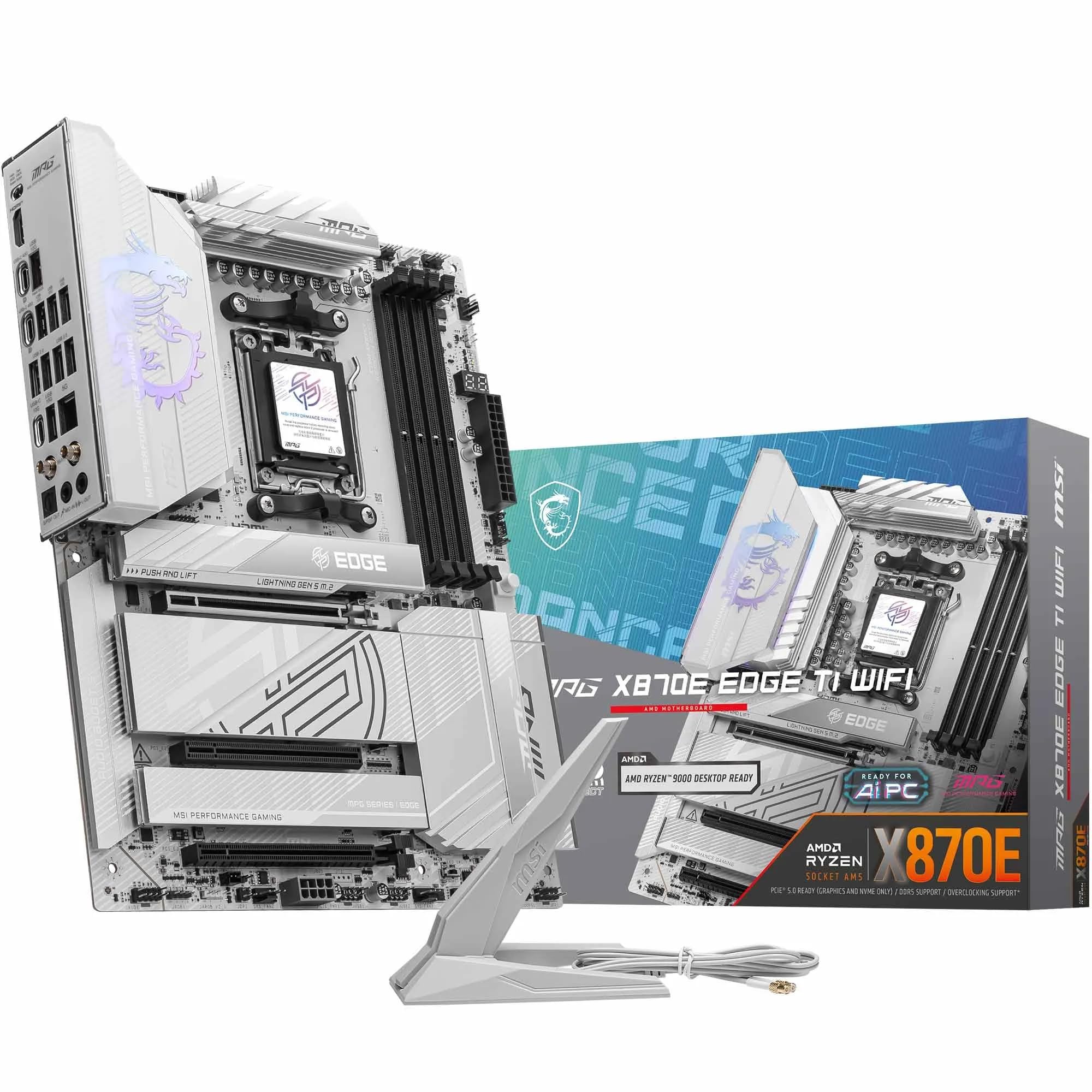 9.0 / 10
MSI MPG X870E EDGE TI WIFI Motherboard, ATX - Supports AMD Ryzen 9000/8000 / 7000 Processors, AM5-80A SPS VRM, DDR5 Memory Boost 8400+MT/s (OC), PCIe 5.0 x16, M.2 Gen5, Wi-Fi 7, 5G LAN
£299.99 · MSI
 9.0 / 10
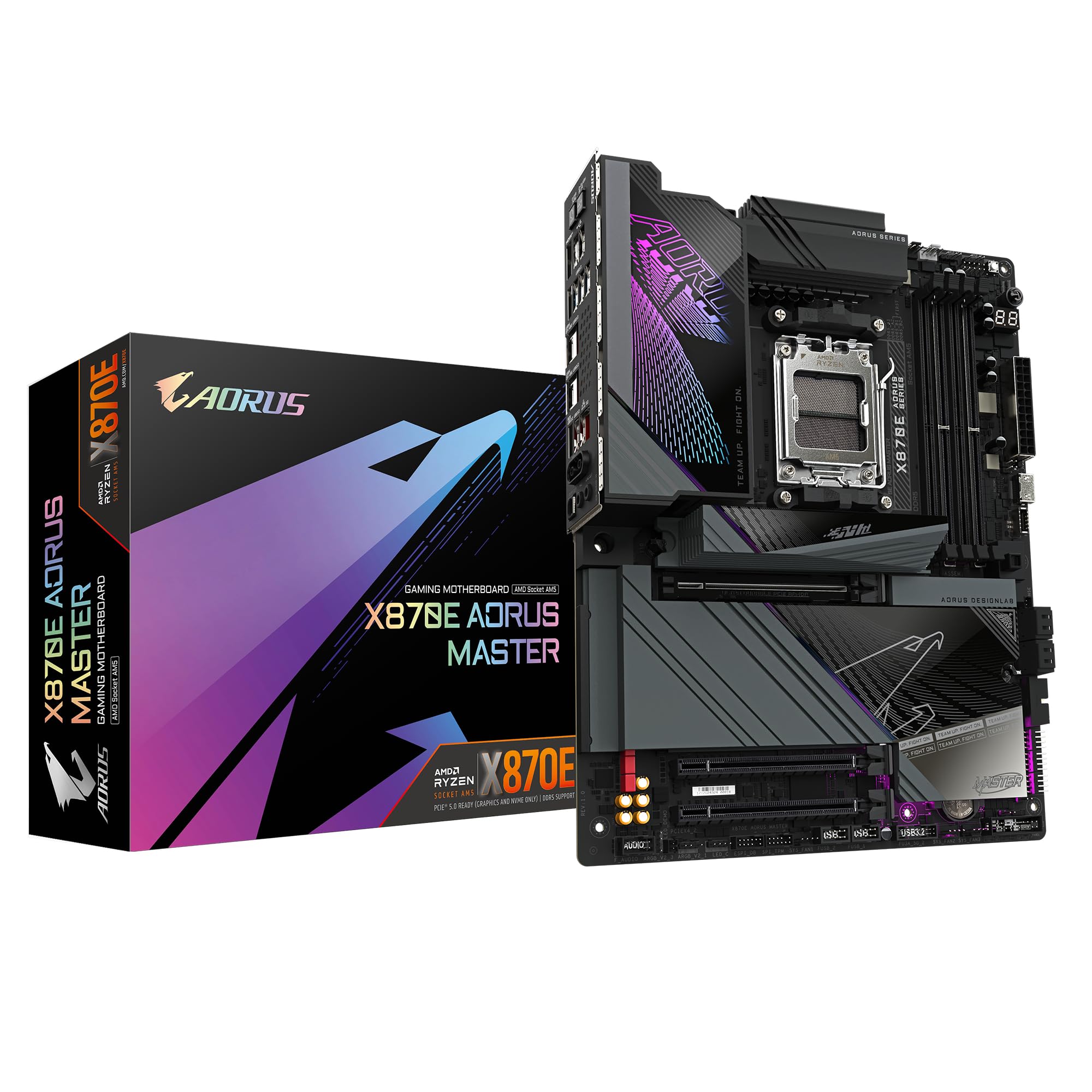
GIGABYTE X870E AORUS MASTER Motherboard - Supports AMD Ryzen 9000 CPUs, 16+2+2 Phases Digital VRM, up to 8600MHz DDR5 (OC), 3xPCIe 5.0, Wi-Fi 7, 5GbE LAN, USB 4
£386.99 · Gigabyte
Frequently asked
5 questions01Is the Gigabyte B650E AORUS ELITE X AX ICE overkill for just gaming?+
Honestly, it depends on which CPU you're pairing it with. If you're running a Ryzen 5 7600 or similar mid-range chip, then yes, you're paying for VRM headroom and features you won't fully use. But if you're going with a Ryzen 7 7700X or above, the B650E's PCIe 5.0 support, strong VRM, and better connectivity start to make real sense. For a gaming-focused build with a high-end CPU, it's a reasonable choice rather than overkill.
02Will my existing CPU cooler work with the Gigabyte B650E AORUS ELITE X AX ICE?+
The board uses the AM5 socket, which has the same 54mm x 90mm mounting hole spacing as AM4. Most coolers designed for AM4 will work with an adapter bracket, and Gigabyte includes the necessary AM5 mounting hardware in the box. Check your cooler manufacturer's website to confirm AM5 compatibility and whether an adapter is needed. All-in-one liquid coolers from major brands like Corsair, NZXT, and be quiet! have had AM5 support for a while now.
03What happens if the Gigabyte B650E AORUS ELITE X AX ICE doesn't work with my components?+
Amazon's standard 30-day return policy applies, so if something doesn't work out of the box, you can return it without hassle. For compatibility issues specifically, check Gigabyte's QVL (Qualified Vendor List) for memory compatibility before buying. If you're pairing it with a newer CPU that requires a BIOS update, the BIOS Flashback feature lets you update without a compatible CPU installed. Gigabyte's UK support line is also reasonably responsive for technical queries.
04Is there a cheaper motherboard I should consider instead?+
If you're building with a Ryzen 5 chip and don't need PCIe 5.0 M.2 or the premium VRM headroom, a standard B650 (non-E) board like the MSI PRO B650-S WIFI or the ASUS PRIME B650-PLUS WIFI will save you a meaningful amount and still give you a solid platform. The B650E makes most sense when you're pairing it with a Ryzen 7 or Ryzen 9 CPU and want the full PCIe 5.0 feature set. For budget builds, the extra spend on the B650E is hard to justify.
05What warranty and returns apply to the Gigabyte B650E AORUS ELITE X AX ICE?+
Amazon offers 30-day returns on most items, and Gigabyte typically provides a 3-year warranty on their motherboards in the UK. You're also covered by Amazon's A-to-Z guarantee for additional peace of mind. If you have a warranty claim, Gigabyte UK handles returns through their RMA process, which you can initiate through their website.