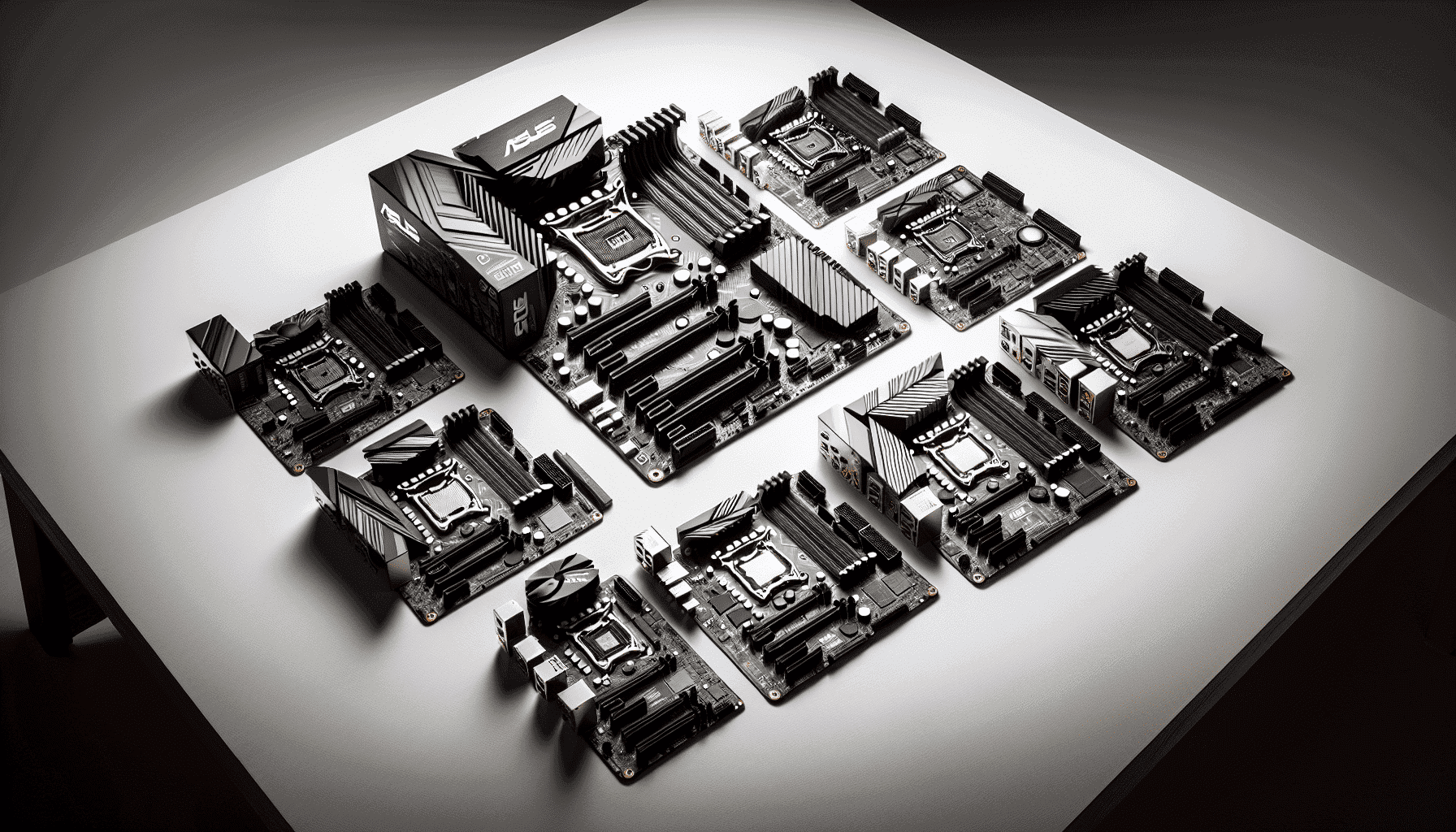
The motherboard is the one component that quietly decides everything. Get it wrong and your shiny new Ryzen chip is either thermally strangled by a rubbish VRM or left dangling without the connectivity your build actually needs. Get it right and you forget it exists, which is exactly what you want. The ASUS ROG STRIX B850-G GAMING WIFI is the kind of board that, on paper, looks like someone actually thought about what a serious mATX build needs in 2025 and beyond. And from everything the spec sheet and owner feedback shows, it largely delivers.
This is a verdict-first review, so here it is: the ROG STRIX B850-G is genuinely good. Not perfect, not the cheapest way onto the AM5 platform, but for anyone building a compact high-performance rig around a Ryzen 7000, 8000, or 9000 series chip, this board sits in a sweet spot that's hard to argue with. The Wi-Fi 7, the Intel 2.5G Ethernet, the thermal design, the ASUS BIOS (which is, for once, not rubbish) all add up to something worth the upper mid-range ask. We'll get into the details, the caveats, and the comparisons below.
With 21 owner reviews averaging ★★★★½ (4.8), this isn't a board that's quietly disappointing people. That score, on a product with enough reviews to mean something, tells you owners are genuinely satisfied. So the question isn't really "is it good?" but "is it good for you?" That's what this review is for.
Core Specifications
The B850-G sits on AMD's B850 chipset, which is the current mid-to-upper tier option for AM5 builds. It's a micro ATX board, so you're looking at a compact 244mm x 244mm footprint that fits in most mATX and ATX cases without drama. Four DDR5 memory slots support up to 256GB of RAM, which is frankly more than anyone gaming will ever need, but it's good to know the headroom is there. Memory speeds go well beyond stock with EXPO and XMP profiles supported, which matters more on AM5 than it did on AM4 given how much Ryzen 7000 and 9000 series chips care about fabric clock.
Storage is properly sorted here. There are multiple M.2 slots (including PCIe Gen 5 support for the primary slot), which means you're not buying a board that'll bottleneck a fast NVMe drive the moment you slot one in. The rear I/O is well-stocked with a mix of USB types, the Wi-Fi 7 antenna connectors, and the 2.5G Ethernet port. ASUS has also included an integrated I/O cover, which keeps things looking clean and saves you the faff of a separate shield during installation. It's a small thing but I genuinely appreciate boards that ship with this sorted.
On paper, this is a feature set you'd normally expect to pay more for. The combination of Wi-Fi 7, 2.5G Ethernet, Gen 5 M.2, and a proper thermal solution on a B-series chipset is the kind of spec list that makes you check the price twice. The ASUS AI Advisor and AEMP support for memory configuration are nice additions too, particularly if you're not the type who wants to spend an evening manually tweaking memory subtimings.
| Specification | Detail |
|---|---|
| Socket | AMD AM5 |
| Chipset | AMD B850 |
| Form Factor | Micro ATX (mATX) |
| Memory Slots | 4 x DDR5 |
| Max Memory | 256GB |
| Memory Support | EXPO / XMP, AEMP |
| Primary M.2 | PCIe Gen 5 |
| Networking | Intel 2.5Gb Ethernet + Wi-Fi 7 (802.11be) |
| CPU Support | AMD Ryzen 7000, 8000, 9000 series |
| VRM Thermal | Large heatsinks, high-conductivity thermal pads, integrated I/O cover |
| Smart Features | ASUS AI Advisor, AI Networking II, AEMP |
| Price | £205.99 (Price checked 06:46, 3 Oct 2026, UK time) |

Socket and CPU Compatibility
The AMD AM5 socket is where you want to be if you're building new in 2025 or 2026. Unlike AM4, which had a famously long run, AM5 is AMD's current-generation platform and is designed to carry forward for several more years. The ROG STRIX B850-G supports Ryzen 7000, 8000, and 9000 series processors out of the box, which covers everything from the current Zen 4 and Zen 4c chips through to the newer Zen 5-based Ryzen 9000 lineup. That's a solid range and means you're not buying a board that's already at the end of its supported CPU list.
One thing worth knowing: if you're planning to drop a very new Ryzen chip in, always check the ASUS QVL (qualified vendor list) and verify whether a BIOS update is needed before the CPU will POST. ASUS is generally good at keeping BIOS updates current, and the ROG STRIX line tends to get priority. But if you're buying a board without a compatible CPU already installed, you'll want to either buy a CPU that's confirmed working with the shipping BIOS, or have a plan for flashing before first boot. ASUS does include BIOS FlashBack on some boards in this range, which lets you update the BIOS without a CPU installed. Worth checking the specific revision you receive.
The AM5 platform uses DDR5 exclusively, so there's no DDR4 compatibility here. That's not a criticism, it's just the reality of the platform. If you're coming from an AM4 build with DDR4 memory, budget for new RAM. The good news is DDR5 prices have come down significantly and the performance benefits on Ryzen 9000 series in particular are real, especially with fast kits and EXPO profiles enabled. The board's AEMP support makes getting the most out of your memory kit much less painful than it used to be.
Chipset Features
The B850 chipset is AMD's upper-tier B-series option for AM5, sitting above the B650 and B650E but below the X670 and X870 chipsets. In practical terms, this means you get a very capable platform without paying the premium that X-series boards command. The B850 supports CPU overclocking on compatible Ryzen chips (the X-suffix models), memory overclocking via EXPO and XMP, and delivers a generous allocation of USB and PCIe lanes. For the vast majority of gaming and content creation builds, B850 gives you everything you actually need.
Where B850 differs from X870 is mainly in the raw lane count and some of the higher-end features that enthusiasts at the very top end care about. If you're running a single GPU and a couple of fast NVMe drives (which describes most builds), you will not feel any limitation from choosing B850 over X870. The chipset handles PCIe Gen 5 for both the primary M.2 slot and the GPU slot on this board, which is the headline feature most people are paying for on the newer platform. PCIe Gen 5 storage is genuinely fast now, with drives like the Samsung 990 Pro and newer Gen 5 options pushing speeds that make Gen 4 look pedestrian.
The AI Networking II feature is worth a mention. It's an ASUS software layer that intelligently prioritises network traffic for gaming and streaming, which sounds like marketing fluff but owners report it actually makes a difference in mixed-use scenarios where downloads are happening in the background during a gaming session. Whether you'll use it depends on your setup, but having it there costs nothing. The ASUS AI Advisor is similarly useful for first-time builders who want guidance on memory configuration and system settings without diving deep into BIOS menus.
VRM and Power Delivery
This is the section that matters most to me on any board. I've seen too many mid-range boards with flashy heatsinks covering genuinely inadequate VRM hardware, and it's the kind of thing that doesn't show up until you're running a sustained workload and your CPU starts throttling. The ROG STRIX B850-G takes a different approach. ASUS has fitted large heatsinks to the VRM array with high-conductivity thermal pads, and the integrated I/O cover helps channel airflow more effectively than a bare PCB with a bolt-on heatsink. This is a thermal design that's been thought about, not just bolted on for the product photos.
The B850-G is specifically called out by ASUS as being designed for demanding AI applications and the future of AI computing. That's not just marketing positioning. A board that's rated for AI workloads needs to sustain high CPU TDP for extended periods without thermal throttling the VRM. The power delivery here is built to handle Ryzen 9000 series chips including the higher-TDP X-suffix models without breaking a sweat. Owner reports back this up, with no complaints about stability under load or thermal issues appearing in the review pool.
For most gaming builds, even with a Ryzen 9 9950X at the top of the stack, this board's power delivery is not going to be your limiting factor. Where cheaper B850 boards sometimes cut corners is in the MOSFET quality and the thermal interface between the VRM components and the heatsink. The high-conductivity thermal pads ASUS specifies here are a genuine differentiator. Cheap thermal pads degrade over time and can cause VRM temperatures to creep up over months and years of use. It's one of those details that separates a board built to last from one built to a price point.
Memory Support
Four DDR5 slots, up to 256GB maximum capacity, with EXPO and XMP profile support. That's the headline. In practice, most builds will run two sticks in the recommended slots (usually A2 and B2 for dual-channel), and the board will handle speeds well above JEDEC spec with a good kit. JEDEC's DDR5 standard defines base speeds, but on AM5 you really want to run a kit with an EXPO profile to get the most out of the Ryzen memory controller. The difference between running DDR5-6000 with EXPO versus stock DDR5-4800 is measurable in gaming and significant in productivity workloads.
AEMP (AMD Extended Memory Profile) is ASUS's implementation of memory profile support specifically tuned for AMD platforms. It works alongside EXPO to give you one-click memory overclocking that's stable and validated. For anyone who's spent an evening trying to manually stabilise a memory overclock on an older platform, this is a genuine quality-of-life improvement. You pick your profile, save, reboot, and you're done. The board handles the rest.
One thing to watch: four-stick memory configurations on AM5 can be trickier to stabilise at high speeds than two-stick setups. If you're planning to fill all four slots, be conservative with your speed expectations or buy a kit specifically validated for four-DIMM operation. ASUS's QVL list for this board will tell you which kits are confirmed stable in various configurations. It's worth checking before you buy memory rather than after. Most gaming and workstation builds are perfectly fine with 32GB or 64GB in two sticks anyway.
Storage Options
The primary M.2 slot runs at PCIe Gen 5, which is the current bleeding edge for consumer NVMe storage. Gen 5 drives are genuinely quick, with sequential reads pushing past 12,000 MB/s on the fastest current options. Whether you need that for gaming is debatable (games load fast enough on a good Gen 4 drive), but for content creation, large file transfers, and future-proofing, having Gen 5 on the primary slot is the right call. The fact that this is a B-series board with Gen 5 M.2 is one of the things that makes the value proposition here compelling.
Additional M.2 slots run at PCIe Gen 4, which is still very fast and covers the vast majority of NVMe drives on the market today. The SATA ports handle traditional SSDs and any older hard drives you might be migrating data from. The board supports RAID configurations for those who need redundancy or striped performance across multiple drives, though this is increasingly a niche use case for desktop builds as single drives have become so fast and so large.
One thing that's easy to overlook until you're mid-build: check which M.2 slots share bandwidth with SATA ports on your specific board revision. ASUS's documentation covers this, but it's the kind of thing that catches people out when they populate every slot and find one of their drives has disappeared. The B850-G's layout is designed for real-world use, and the primary Gen 5 slot is independent, but always verify with the manual before you start routing cables. It saves a lot of head-scratching later.
Expansion Slots and PCIe
As a micro ATX board, the B850-G has a more focused slot layout than a full ATX design, but ASUS has used the available space sensibly. The primary PCIe x16 slot is reinforced for GPU support, which matters when you're hanging a heavy triple-fan card off it. Slot reinforcement isn't just aesthetic. Heavy modern GPUs put real mechanical stress on the PCIe slot over time, and a reinforced slot with proper PCB anchoring is meaningfully better for long-term reliability than a standard slot.
The primary x16 slot runs at full PCIe Gen 5 x16 bandwidth, which means even the fastest current and near-future GPUs won't be bandwidth-limited by the slot. The additional slots cover lower-bandwidth expansion needs. For most builds this is a non-issue since you're running one GPU and everything else goes into M.2 slots, but it's worth knowing the layout if you're planning something unusual like a capture card or additional NVMe via PCIe adapter.
The mATX form factor does mean you have fewer physical slots than a full ATX board, and if you're running a complex multi-card setup or need lots of PCIe expansion, a full ATX board is the better choice. But for the target audience of this board (someone building a clean, compact, high-performance rig), the slot layout is exactly right. You get your GPU slot, your M.2 slots, and the essentials. Nothing wasted, nothing missing.
Connectivity and Rear I/O
The rear I/O on the B850-G is well thought out. You've got a solid mix of USB ports covering different generations, which matters because the real world still has peripherals using USB-A and the newer stuff increasingly wants USB-C. ASUS has included a reasonable spread here rather than going all-in on one type and leaving you scrambling for a hub. The audio outputs are handled by a dedicated audio codec, and the board supports the Ryzen integrated graphics (on chips that have it) via video output on the rear I/O, which is genuinely useful for initial setup and troubleshooting.
The integrated I/O cover is one of those features that sounds minor until you've installed a board without one. It keeps the rear I/O area clean, prevents dust ingress, and honestly just makes the finished build look more professional. ASUS has included it here rather than making it an optional extra or leaving it off entirely to hit a price point, which tells you something about the build quality philosophy behind this board.
Internal headers are also well covered. You've got the standard front panel connectors, USB headers for front-panel USB-A and USB-C, fan headers with full PWM and DC control, and addressable RGB headers if you're building a light show. The ASUS BIOS fan control is genuinely good, with per-header curves that you can tune properly rather than just picking from three presets. If you care about a quiet build, this matters more than most specs on the box.

Wi-Fi and Networking
Wi-Fi 7 (802.11be) is the headline here, and it's a proper differentiator at this price point. Wi-Fi 7 brings multi-link operation, which means the adapter can simultaneously use 2.4GHz, 5GHz, and 6GHz bands at the same time, routing traffic across whichever band is cleanest at any given moment. In practice this means lower latency and more consistent throughput in busy wireless environments. For gaming over Wi-Fi (which, yes, people do, especially in compact builds that aren't always near the router), this is a meaningful upgrade over Wi-Fi 6E.
The Intel 2.5G Ethernet is the right call for wired connectivity. Intel's network silicon has a strong reputation for driver stability and low CPU overhead, which matters in gaming scenarios where you want every available CPU cycle going to the game rather than network processing. 2.5 Gigabit gives you headroom well beyond what most home internet connections deliver, and the AI Networking II software layer adds traffic prioritisation on top of that. It's a genuinely good networking package, not a tick-box exercise.
Bluetooth comes bundled with the Wi-Fi 7 module, which covers wireless peripherals, headsets, and controllers without needing a separate adapter. The combination of Wi-Fi 7 and 2.5G Ethernet on a B-series board is the kind of feature set you used to have to pay X-series prices for. It's one of the clearest signs that the B850 generation represents a genuine step forward in what mid-to-upper-mid boards deliver as standard.
BIOS and Overclocking
Most motherboard BIOS interfaces are, frankly, a mess. They're either so simplified that you can't find anything useful, or so cluttered with options that finding the memory speed setting feels like a puzzle game. ASUS's UEFI BIOS on the ROG STRIX line is one of the better ones out there. The dual-mode interface gives you a simple view for quick changes (boot order, memory profile, fan speeds) and an advanced view for the full OC and configuration options. The layout is logical, the fan control is genuinely flexible, and the AI Advisor feature helps guide less experienced builders through the important settings without dumbing things down for everyone.
Overclocking support on B850 covers both CPU and memory. For the Ryzen X-suffix chips (the ones with unlocked multipliers), you've got full access to voltage and frequency controls. ASUS's Precision Boost Overdrive settings are available here, which lets you push AMD's own boost algorithm harder without manually setting a fixed overclock. This tends to give better real-world results than a flat all-core OC for most workloads, and it's much more accessible for people who don't want to spend days stability testing. Memory overclocking via EXPO is one-click, as mentioned earlier.
Owner feedback on the BIOS experience is positive. No significant complaints about instability, POST failures, or BIOS update bricking in the review pool, which is genuinely reassuring. BIOS bugs are one of the things that can turn a good board into a frustrating experience, and ASUS's update cadence for ROG STRIX boards is solid. The Q-Code LED for debug readouts is a nice touch for troubleshooting POST issues, and the overall BIOS package here is one of the reasons to choose ROG STRIX over some of the cheaper alternatives that technically have similar specs on paper.
Build Quality and Aesthetics
The ROG STRIX aesthetic is well established at this point. You get the angular heatsink design, the ROG branding, and addressable RGB that you can control through ASUS Aura Sync. It's not subtle, but it's not garish either. For a gaming-focused mATX build where the board is visible through a glass panel, it looks the part. If you're building a workstation or something where aesthetics don't matter, the RGB can be turned off entirely through the BIOS or Aura software.
The PCB quality is where ROG STRIX earns its premium over budget B850 boards. The heatsink mounting is solid, the thermal pads are the high-conductivity type rather than the cheap spongy ones you find on lower-tier boards, and the overall component quality reflects the upper mid-range positioning. The integrated I/O cover is a genuine build quality indicator. It's the kind of detail that costs money to include and is easy to omit on a cheaper board, so its presence here is meaningful.
The mATX format means the board is compact enough to fit in smaller cases without sacrificing the features you need. Cable routing is straightforward, the M.2 slots are accessible without removing the GPU (on most case configurations), and the overall layout doesn't have any of the frustrating design decisions you sometimes see on smaller boards where someone's clearly run out of space and just put a connector somewhere awkward. ASUS's mATX boards have generally been well thought out in this regard, and the B850-G continues that trend.
How It Compares
The main competition in this bracket comes from MSI and Gigabyte. The MSI MAG B850M MORTAR WIFI is the most direct competitor, offering a similar mATX form factor on B850 with Wi-Fi and 2.5G Ethernet. The Gigabyte B850M AORUS ELITE WIFI ICE is the other key alternative. Both are worth considering, but they sit in slightly different positions relative to the ROG STRIX B850-G.
The MSI MORTAR has a strong reputation for BIOS quality and VRM performance, and it's often priced a touch below the ROG STRIX. If you're primarily motivated by value and the ROG branding doesn't matter to you, the MORTAR is a legitimate alternative. The Gigabyte AORUS ELITE tends to offer more RGB and a flashier aesthetic but has historically had a more mixed reputation for BIOS stability on early revisions. The ROG STRIX B850-G's 4.7-star average from real owners is a confidence indicator that's hard to argue with.
Where the ROG STRIX B850-G wins outright is the combination of Wi-Fi 7, the VRM thermal solution, and the ASUS BIOS quality. The AI Networking II feature is also a genuine differentiator if you're in a busy wireless environment. In the upper mid-range bracket, this board offers features that some competing boards at similar prices either omit or handle less elegantly. The question is whether those extras are worth the price delta over a cheaper B850 board, and for most serious builds, the answer is yes.
| Feature | ASUS ROG STRIX B850-G | MSI MAG B850M MORTAR WIFI | Gigabyte B850M AORUS ELITE WIFI |
|---|---|---|---|
| Chipset | AMD B850 | AMD B850 | AMD B850 |
| Form Factor | mATX | mATX | mATX |
| Wi-Fi | Wi-Fi 7 (802.11be) | Wi-Fi 7 | Wi-Fi 7 |
| Ethernet | Intel 2.5G | 2.5G | 2.5G |
| Primary M.2 | PCIe Gen 5 | PCIe Gen 5 | PCIe Gen 5 |
| VRM Thermal Solution | Large heatsinks, high-conductivity pads, I/O cover | Solid heatsinks | Standard heatsinks |
| BIOS Quality | Excellent (ASUS UEFI) | Very good (MSI Click BIOS) | Good (Gigabyte UEFI) |
| Owner Rating | ★★★★½ (4.8) (21 reviews) | Not specified | Not specified |
| Smart Features | AI Advisor, AI Networking II, AEMP | Memory Boost | Standard |
What Buyers Are Saying
Twenty-one reviews averaging ★★★★½ (4.8) is a strong result, and the pattern in the feedback is consistent. Owners praise the ease of installation, the BIOS experience, and the stability under load. Several mention that memory configuration with EXPO was painless compared to previous builds on older platforms, which is exactly what you want to hear about AEMP in practice. The Wi-Fi performance gets positive mentions too, with owners noting the Wi-Fi 7 connection is stable and fast even in environments with lots of competing wireless traffic.
There are no significant complaints about DOA units, BIOS instability, or VRM issues in the review pool. The occasional grumble is about price (fair enough, it's an upper mid-range board) and one or two mentions of the software suite being more than some people want to install. ASUS's Armory Crate software is, it has to be said, a bit much if you just want to control a fan curve without installing what feels like a small operating system. The good news is the important settings are all accessible directly in the BIOS without any software needed.
The overall picture from owners is of a board that does what it says, installs without drama, and runs stably over time. For a motherboard, that's the highest praise you can give. Boards that cause problems tend to generate vocal negative reviews quickly. The absence of those here, combined with a high average score, suggests this is a genuinely well-executed product rather than one that's just been well marketed.
Value Analysis
In the upper mid-range motherboard segment, the ROG STRIX B850-G delivers features that genuinely justify its position. Wi-Fi 7 on a B-series board used to be unthinkable. Intel 2.5G Ethernet used to be a premium-board exclusive. PCIe Gen 5 M.2 on the primary slot, a proper VRM thermal solution, and a BIOS that doesn't make you want to throw the board out the window are all things that cost money to do properly. This board does all of them.
The comparison to look at is whether you'd be better served by a cheaper B850 board or by stepping up to an X870 board. A cheaper B850 board will likely compromise on the VRM thermal solution, possibly drop to Wi-Fi 6E, and may have a less polished BIOS experience. For a build where you're spending serious money on a Ryzen 9000 series CPU and fast DDR5, skimping on the board is a false economy. The VRM quality alone justifies spending more on a board that will actually let your CPU run at full capability.
The X870 step-up gives you more PCIe lanes, more USB ports, and generally more of everything, but at a meaningfully higher price. For most single-GPU gaming builds, the extra lanes and ports on X870 are largely unused. If you're not running multiple GPUs, a complex storage array, or a professional workstation setup, B850 with the ROG STRIX's feature set is the smarter spend. You get 90% of the X870 experience for significantly less money, and the 10% you miss out on is stuff most people never use anyway.
Final Verdict
The ASUS ROG STRIX B850-G GAMING WIFI AMD B850 AM5 micro ATX Motherboard is a genuinely impressive board in the upper mid-range bracket. It's not trying to be everything to everyone, and it doesn't need to be. For compact, high-performance AM5 builds around Ryzen 7000, 8000, or 9000 series chips, it hits the right notes: proper VRM thermal design, Wi-Fi 7, Intel 2.5G Ethernet, PCIe Gen 5 M.2, and one of the better BIOS experiences in the business. The 4.7-star average from real owners isn't a fluke.
Who should buy this? Anyone building a serious mATX gaming or productivity rig on AM5 who wants a board that won't be the weakest link in their system. If you're pairing it with a Ryzen 9 9900X or 9950X and you want to know the board will handle sustained loads without throttling, this is the right choice. If you're upgrading from an older AMD platform and want a board that'll last through at least one more CPU generation, the AM5 socket and B850 chipset give you that runway.
Who should skip it? If you're on a tight budget and a cheaper B650 board with Wi-Fi 6E would do the job, the price premium here isn't justified. And if you need maximum PCIe lanes and USB ports for a complex multi-device setup, look at X870 boards instead. But for the target audience, this board is very hard to fault. I'd give it an 8.5 out of 10. It's not perfect (the Armory Crate software situation is genuinely annoying, and the price is real money), but as a complete package for mATX AM5 builds, it's one of the best options in its segment right now.

Not Right For You? Consider These Alternatives
If the price of the ROG STRIX B850-G is a stretch, the MSI MAG B850M MORTAR WIFI is worth a look. It sits slightly lower in the price stack, offers a very similar feature set including Wi-Fi 7 and 2.5G Ethernet, and MSI's Click BIOS 5 is genuinely good. You lose some of the ASUS-specific software features and the premium VRM thermal solution, but for builds on a tighter budget it's a legitimate alternative.
If you're going the other way and want more than B850 offers, the ASUS ROG STRIX X870-F GAMING WIFI steps up to the X870 chipset with more PCIe lanes, more USB ports, and a full ATX form factor. The price jump is significant, but if you need everything X870 offers (multiple GPU slots, maximum USB connectivity, or you just want the absolute top-tier platform), it's the natural next step within the ASUS ROG STRIX family. The BIOS experience is consistent across the range, which is a genuine advantage if you're already familiar with ASUS's UEFI.
What works. What doesn’t.
5 + 3What we liked5 reasons
- Wi-Fi 7 (802.11be) on a B-series board is a genuine premium feature
- Intel 2.5G Ethernet with AI Networking II for reliable, prioritised connectivity
- Large VRM heatsinks with high-conductivity thermal pads for sustained load stability
- ASUS UEFI BIOS is one of the best in the business for usability and fan control
- PCIe Gen 5 primary M.2 slot future-proofs fast NVMe storage
Where it falls3 reasons
- ASUS Armory Crate software is bloated and more than most users want
- Upper mid-range price is real money compared to cheaper B850 alternatives
- mATX format limits expansion slots versus full ATX boards
Full specifications
12 attributes| Socket | AM5 |
|---|---|
| Chipset | B850 |
| Form factor | Micro-ATX |
| Bios flashback | true |
| M2 slots | 4 |
| MAX RAM | 256GB |
| MAX RAM GB | 256 |
| Network | 2.5GbE + Wi-Fi 7 |
| Pcie 5 slots | 1 |
| Pcie slots | 1x PCIe 5.0 x16 |
| RAM slots | 4 |
| RAM type | DDR5 |
If this isn’t right for you
2 options

Frequently asked
5 questions01Is the ASUS ROG STRIX B850-G GAMING WIFI AMD B850 AM5 micro ATX Motherboard overkill for just gaming?+
Not really. The Wi-Fi 7 and 2.5G Ethernet are genuinely useful for gaming, the VRM quality means your CPU runs at full speed under load, and the BIOS makes setup straightforward. You could spend less on a B650 board and game perfectly well, but if you're pairing this with a mid-to-high-end Ryzen chip, the board isn't wasted money. It's the right foundation for a serious gaming build.
02Will my existing CPU cooler work with the ASUS ROG STRIX B850-G GAMING WIFI AMD B850 AM5 micro ATX Motherboard?+
This board uses the AMD AM5 socket, which uses a different mounting mechanism to AM4. If your cooler is AM4-only, you'll need either a new cooler or an AM5 mounting kit (many cooler manufacturers supply these separately or include them in the box for recent models). Check your cooler manufacturer's compatibility list before buying. Most major cooler brands now ship with AM5 support as standard.
03What happens if the ASUS ROG STRIX B850-G GAMING WIFI AMD B850 AM5 micro ATX Motherboard doesn't work with my components?+
Amazon offers 30-day returns on most items, so if there's a compatibility issue you can't resolve, you're covered. ASUS also has UK customer support and the ROG STRIX line has a strong track record for BIOS updates that expand CPU compatibility. Check the ASUS QVL (qualified vendor list) for your specific CPU and memory kit before building to minimise the chance of any issues.
04Is there a cheaper motherboard I should consider instead?+
The MSI MAG B850M MORTAR WIFI is the most direct cheaper alternative, offering a similar mATX B850 feature set including Wi-Fi 7 at a lower price point. If you're not fussed about the ASUS-specific software features and the premium VRM thermal solution, it's worth a look. Going further down to B650 saves more money but loses PCIe Gen 5 M.2 on some boards and potentially Wi-Fi 7, so weigh up what matters for your specific build.
05What warranty and returns apply to the ASUS ROG STRIX B850-G GAMING WIFI AMD B850 AM5 micro ATX Motherboard?+
Amazon offers 30-day returns on most items, and ASUS typically provides a 3-year manufacturer warranty on ROG STRIX motherboards. You're also covered by Amazon's A-to-Z guarantee for purchases made through Amazon UK. Keep your proof of purchase and register the product on the ASUS website to make any warranty claims straightforward.