The MSI A520M-A PRO is a budget AM4 mATX board that does exactly what it says on the tin, and that is both its greatest strength and its most honest limitation. If you're building a tidy Ryzen 3rd Gen system on a tight budget and you don't need PCIe 4.0, WiFi, or multi-GPU nonsense, this board makes a genuinely strong case for itself. Over 5,700 builders have bought one and the average rating sits at ★★★★½ (4.5). That's not marketing fluff. That's real people, real builds, real results.
But here's what nobody tells you upfront: the A520 chipset is a deliberate cost-cut. MSI stripped out overclocking support (beyond memory), dropped PCIe 4.0, and kept the VRM modest. Whether that matters entirely depends on what CPU you're pairing it with. Slap a Ryzen 5 3600 or a Ryzen 5 5600G on here and you'll be absolutely fine. Try to push a Ryzen 9 5950X and you're asking for trouble. The board knows what it is. The question is whether you do too.
So this review is going to be straight about the VRM situation, honest about where the A520 chipset holds you back, and clear about who this board actually suits. Spoiler: it's a lot of people, just not everyone.
Core Specifications
The MSI A520M-A PRO uses the AMD A520 chipset on an mATX form factor, which means it'll drop into any standard mid-tower or mATX case without drama. It's built around the AM4 socket, supports AMD Ryzen 3rd Gen processors out of the box, and MSI has confirmed BIOS updates that extend compatibility to Ryzen 5000 series chips too. Two DDR4 memory slots give you a maximum of 64GB capacity, with support up to 4600MHz in OC mode. That's decent for the budget tier.
Storage-wise you get a single M.2 slot running at PCIe Gen 3 x4 speeds, plus the standard SATA ports for your older drives. Expansion is limited to a single PCIe 3.0 x16 slot for your GPU and one PCIe 3.0 x1 slot for anything else. Rear I/O includes Gigabit LAN via a dedicated controller, and the board ships with a pre-installed I/O shield which sounds like a small thing but genuinely saves faff during installation. No WiFi on board, which is worth noting if you're planning a wireless build.
The full spec breakdown is below. Nothing here is going to make your jaw drop, but for what this board costs, the feature set is honest and well-matched to its intended use case.
| Specification | Detail |
|---|---|
| Form Factor | mATX |
| Socket | AM4 |
| Chipset | AMD A520 |
| CPU Support | AMD Ryzen 3rd Gen (5000 series via BIOS update) |
| Memory Slots | 2x DDR4 |
| Max Memory | 64GB |
| Memory Speed (OC) | Up to 4600MHz |
| PCIe x16 Slot | 1x PCIe 3.0 x16 |
| PCIe x1 Slot | 1x PCIe 3.0 x1 |
| M.2 Slot | 1x M.2 PCIe Gen 3 x4 (NVMe) |
| LAN | Gigabit Ethernet |
| WiFi | Not included |
| Audio | Realtek HD Audio |
| I/O Shield | Pre-installed |
| Price | £99.99 |
Socket and CPU Compatibility
The AM4 socket is one of AMD's greatest gifts to PC builders. It's been around since 2016 and AMD kept it compatible across multiple CPU generations, which is almost unheard of in this industry. The MSI A520M-A PRO supports this socket natively, meaning you can drop in a Ryzen 3rd Gen chip straight away, no faffing about. AMD's Ryzen desktop processor lineup covers everything from budget Ryzen 3 chips up to the meaty Ryzen 9 parts, though as we'll get to in the VRM section, the A520 platform has sensible limits on how far up that ladder you should climb.
Ryzen 5000 series support (Zen 3 architecture) is available via a BIOS update, which MSI has released for this board. So if you buy a Ryzen 3300X today and want to upgrade to a Ryzen 5 5600 next year, you can do that without changing your motherboard. That's genuinely useful longevity for a budget board. What you won't get is support for AM5 chips, the newer Ryzen 7000 series. Those use a completely different socket and platform. If you're planning to go Ryzen 7000 at any point, this board isn't your stepping stone.
One thing worth flagging: if you buy this board and immediately pair it with a Ryzen 5000 CPU without checking the BIOS version, you might find the system won't POST. This catches people out more than it should. MSI's BIOS update procedure is straightforward if you have an older compatible CPU to hand, but if your Ryzen 5000 chip is your first and only CPU for this board, you'll need to check whether the retailer has pre-flashed it or whether you need to use MSI's Flash BIOS feature. Worth checking before you buy.
Chipset Features
The A520 is AMD's entry-level chipset for the AM4 platform, sitting below the B550 and X570 in the hierarchy. The key thing to understand about chipset tiers is that they determine what features are available at a system level, not just what the board manufacturer decided to include. AMD's chipset hierarchy means A520 boards are locked out of CPU overclocking entirely. You can push memory speeds (DDR4 up to 4600MHz in OC mode here), but your CPU multiplier is fixed. If you bought a Ryzen chip expecting to overclock it, A520 is the wrong platform full stop.
What A520 does give you is a stable, mature platform with decent lane allocation for a single-GPU, single-NVMe build. The chipset supports PCIe 3.0 rather than 4.0, which means your NVMe drive and GPU are capped at Gen 3 speeds. For most real-world gaming and productivity workloads, PCIe 3.0 is still more than fast enough. An NVMe drive on PCIe 3.0 x4 can still hit around 3,500MB/s sequential reads. You'd need to be doing serious video editing or running a NAS-style workload to actually feel that ceiling.
USB bandwidth from the chipset is adequate for a budget build. You get enough USB ports for a keyboard, mouse, headset, and a couple of other peripherals without running out of headers. SATA support covers your older HDDs and SSDs. The A520 doesn't support RAID configurations in the same way higher chipsets do, so if you're planning a RAID array, look elsewhere. But for the vast majority of people building a clean, simple gaming or home office PC, the A520's feature set covers everything that actually matters day to day.
VRM and Power Delivery
Right, this is the section that actually matters and where budget boards either earn their place or quietly let you down. The MSI A520M-A PRO has a modest VRM setup, which is exactly what you'd expect at this price point. The board is designed around lower to mid-range Ryzen processors, and MSI has been sensible about matching the power delivery to that target. The extended heatsink design and what MSI describes as a 2oz thickened copper PCB do help with thermal management, and owner reports suggest the board runs without thermal throttling issues when paired with appropriate CPUs.
The honest truth is this: pair the A520M-A PRO with a Ryzen 5 3600, Ryzen 5 5600, or even a Ryzen 7 3700X, and the VRM will handle it without breaking a sweat. These chips have sensible TDP figures and the board's power delivery is well-matched. Go for a Ryzen 9 3900X or 3950X, and you're pushing the board into territory it wasn't really designed for. It might work. It might thermal throttle under sustained all-core loads. It's not a gamble worth taking when a B550 board at a modest premium would handle it properly.
What I genuinely appreciate about this board's approach to thermals is the choke pad inclusion and the extended heatsink coverage. A lot of boards at this price point have a token heatsink that's more decorative than functional. The A520M-A PRO's thermal solution is proportionate to its VRM design, and that consistency matters. Owner reviews back this up, with very few reports of unexpected shutdowns or throttling when the board is used within its intended CPU range. That's the sign of a well-engineered budget product rather than a corner-cut one.
Memory Support
Two DDR4 slots, maximum 64GB, and OC support up to 4600MHz. For a budget mATX board, that memory ceiling is actually pretty decent. Most builds in this class will run 16GB or 32GB of DDR4, and getting to 4600MHz in OC mode means you can run fast memory kits without being artificially capped at 3200MHz like some cheaper boards enforce. JEDEC's DDR4 standard sets the baseline at 2133MHz, so anything above that is technically overclocked, and the A520M-A PRO handles it well.
The dual-channel configuration (one stick per slot) is worth thinking about. Two sticks running in dual-channel mode will always outperform a single stick of the same total capacity, particularly with Ryzen CPUs which are known to benefit from fast, dual-channel memory. If you're buying 16GB, get two 8GB sticks. If you're buying 32GB, get two 16GB sticks. Don't buy a single 32GB stick and wonder why your Ryzen feels sluggish. This isn't specific to this board, but it's worth saying.
XMP profile support is present, so if you buy a kit rated at 3600MHz, you can enable XMP in the BIOS and it'll run at that speed without manual tweaking. That's standard across most modern boards but it's good to confirm. What you won't get is AMD's EXPO memory standard, which is a newer spec aimed at AM5 platforms. That's not a criticism of this board, just a platform reality. DDR4 XMP kits are plentiful, affordable, and well-supported here. Stick to reputable brands like Corsair, Kingston, or G.Skill and you'll have zero compatibility headaches.
Storage Options
One M.2 slot at PCIe Gen 3 x4 is what you get, and for most builds that's genuinely enough. A single NVMe drive running at Gen 3 speeds will handle your OS, your games, your applications, and your projects without ever becoming a bottleneck in normal use. The slot supports NVMe drives in the standard M.2 2280 form factor, which is what virtually every consumer NVMe drive on the market uses. You're not going to struggle to find compatible drives.
SATA ports are present for additional storage, which means you can keep your existing 2.5-inch SSDs or 3.5-inch HDDs running alongside your NVMe boot drive. If you're migrating from an older system and you've got a pile of SATA drives, they'll work fine here. The board doesn't support PCIe 4.0, so if you've already bought a Gen 4 NVMe drive, it'll work but it'll run at Gen 3 speeds. Not a disaster, but worth knowing before you spend extra on a Gen 4 drive for a Gen 3 slot.
RAID support on A520 is limited compared to higher chipsets. If you're building a simple gaming PC or a home office machine, you almost certainly don't need RAID, so this won't matter. But if you were planning to run a RAID 1 mirror for redundancy on your data drives, you'll want to look at a B550 board instead. For the target audience of this board, though, the storage configuration is clean and practical. One fast NVMe for your system, a couple of SATA drives for bulk storage, done.
Expansion Slots and PCIe
The expansion slot situation on the A520M-A PRO is minimal but honest. You get one PCIe 3.0 x16 slot for your GPU, and one PCIe 3.0 x1 slot for anything else. That's it. On an mATX board in this price bracket, that's standard. You're not buying this board for multi-GPU setups or a stack of PCIe add-in cards. You're buying it for a single GPU and maybe a capture card or a sound card down the line.
The primary x16 slot is where your graphics card lives, and it'll run at full x16 electrical bandwidth. PCIe 3.0 x16 provides 16GB/s of bandwidth, which is more than enough for any current GPU, including high-end cards. Even a GeForce RTX 4080 doesn't saturate PCIe 3.0 x16 in gaming workloads. So the lack of PCIe 4.0 on the GPU slot is genuinely not a practical concern for gaming. The x1 slot is useful for a WiFi card if you want to add wireless connectivity later, which is a sensible upgrade path given the board doesn't include WiFi natively.
There's no GPU slot reinforcement (the steel-reinforced slots you see on higher-end boards), which is a minor point but worth mentioning if you're planning to run a very heavy GPU without a support bracket. Most mid-range GPUs are fine, but if you're dropping a massive triple-fan card in here, it's worth using a GPU support bracket to take the weight off the slot. This isn't unique to MSI at this price point, but it's a real consideration. The mATX form factor also limits physical space, so check your GPU length against your case clearance before ordering.
Connectivity and Rear I/O
The rear I/O on the A520M-A PRO covers the basics without any frills. You get your USB ports for peripherals, audio jacks for your headset and speakers via the Realtek HD Audio implementation, and a Gigabit Ethernet port. Video output depends on whether your CPU has integrated graphics. AMD's G-series APUs (like the Ryzen 5 5600G) have iGPU support and will output via the rear I/O. Standard Ryzen CPUs without integrated graphics need a discrete GPU, which is standard across the AM4 platform.
The pre-installed I/O shield is a genuinely underrated feature. Anyone who's ever tried to clip one of those flimsy metal I/O shields into a case in a dark corner while holding a motherboard with their other hand will know exactly why this matters. MSI attaching it to the board at the factory saves a small but real amount of installation grief. It's one of those details that signals the engineers actually thought about the builder experience, not just the spec sheet.
What you won't find is a USB Type-C port on the rear I/O, a Thunderbolt header, or any kind of video output beyond what the CPU's iGPU provides (if applicable). There's no Clear-CMOS button on the rear I/O either, which means if you mess up a memory overclock and your system won't boot, you'll need to use the onboard CMOS jumper. That's a minor faff but it's the kind of thing that separates budget boards from mid-range ones. For most users building a stable system and leaving it alone, none of this is a problem.
WiFi and Networking
Gigabit Ethernet is your wired networking option here, and for most home and office setups it's entirely sufficient. Gigabit LAN gives you up to 1Gbps throughput, which is faster than most home internet connections and more than enough for gaming, streaming, and file transfers across a local network. The controller handles the job quietly and reliably, which is all you want from a NIC.
There is no WiFi on this board. None. Not WiFi 5, not WiFi 6, nothing. If you need wireless connectivity, you have two options: buy a PCIe WiFi card and use the x1 slot, or use a USB WiFi adapter. A PCIe WiFi 6 card is the cleaner solution and won't cost a fortune. The Wi-Fi Alliance's WiFi 6 standard cards are available for well under £30 and give you solid wireless performance. Just factor that into your budget if you're building a wireless system.
There's also no Bluetooth on board, which follows from the no-WiFi situation. Again, a cheap USB Bluetooth adapter or a combined WiFi/Bluetooth PCIe card solves this. It's worth being clear-eyed about: if you're building a desktop that will sit next to your router with a cable, none of this matters. If you're building a living room PC or a machine that needs to be wireless, budget for the add-in card. The A520M-A PRO is very much a wired-first board, and that's a reasonable choice at this price point.

BIOS and Overclocking
MSI's BIOS interface, called Click BIOS 5, is one of the better budget board BIOS experiences available. It's not perfect, but it's navigable, it loads quickly, and the layout makes sense. Fan curve controls are accessible without needing to dig through seventeen sub-menus, which puts it ahead of some competitors who seem to actively enjoy hiding useful settings. The EZ mode gives you a clean overview of system status, and the advanced mode has enough depth for manual memory tuning without being overwhelming.
Overclocking on the A520 platform is limited to memory, as covered in the chipset section. But within that constraint, the BIOS gives you reasonable control over memory timings and frequency. Getting your DDR4 kit to run at its rated XMP speed is straightforward. If you want to manually tighten timings, the options are there. CPU overclocking is locked out entirely by the chipset, so don't expect to push your Ryzen 5 3600 beyond its stock boost clocks. That's an A520 limitation, not an MSI one.
Fan control is worth a mention because it affects daily living with a PC more than most specs. The A520M-A PRO gives you multiple fan headers and the BIOS fan curve editor is functional. You can set temperature targets and fan speed curves per header, which means you can run a quiet system under light loads and ramp up when things get warm. Owner reviews mention the fan control working reliably without requiring third-party software, which is a good sign. Nobody wants to install extra software just to stop their case fans from sounding like a hovercraft at idle.
Build Quality and Aesthetics
The A520M-A PRO has a clean, understated look. Dark PCB, modest heatsink coverage, no RGB lighting on the board itself. If you want a light show, this isn't your board. But if you're building a clean, professional-looking system or you just don't care about RGB, the aesthetic is perfectly fine. The board doesn't look cheap, which is more than can be said for some budget competitors that look like they were designed by someone who'd never seen a PC before.
Build quality is solid for the price. The 2oz thickened copper PCB that MSI mentions in the specs is a real engineering choice rather than marketing noise. Thicker copper in the PCB improves thermal dissipation and signal integrity. It's the kind of thing you won't notice until you compare it to a board that doesn't have it, at which point you'll notice the difference in stability under load. The extended heatsink on the VRM area is proportionate and functional rather than decorative.
Component quality across the board feels appropriate for the price tier. The capacitors, chokes, and MOSFETs are budget-grade but they're not the bargain-basement components you find on the cheapest possible boards. Owner reviews over a multi-year period (this board has been on the market long enough to have meaningful longevity data) don't show unusual failure rates or component issues. That 4.6-star average across nearly 5,782 is a genuine quality signal. Boards with hidden reliability problems don't maintain that rating over thousands of reviews.
How It Compares
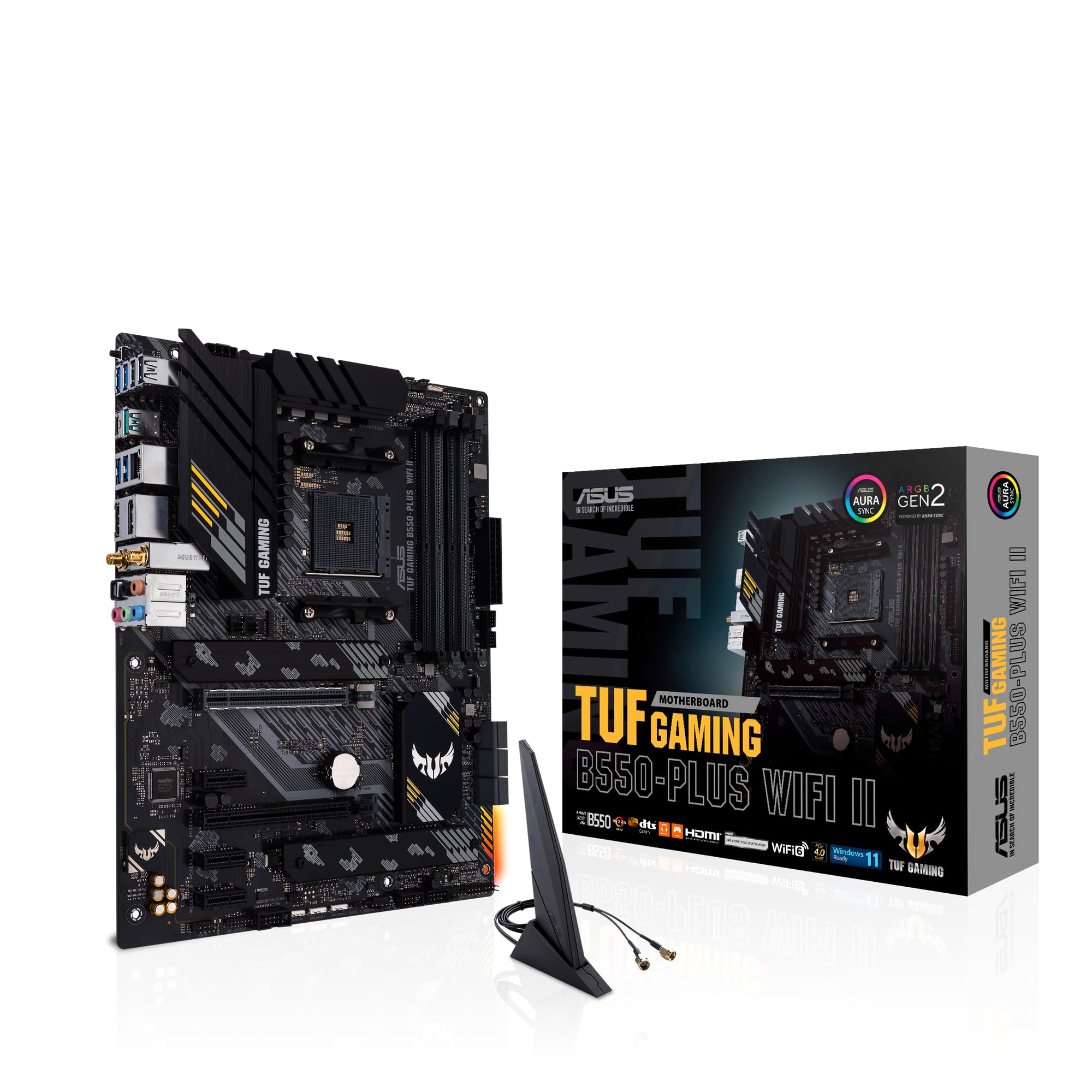
The natural comparison point is the ASUS Prime A520M-K, which sits at a similar price and targets the same budget AM4 audience. The ASUS board is slightly simpler in terms of VRM configuration and some owners report the BIOS as less intuitive than MSI's Click BIOS 5. The A520M-A PRO generally edges it on thermal management and BIOS usability, which are two things that actually affect your daily experience. The ASUS has a loyal following and is a fine board, but if you're choosing between the two, MSI's build quality edge is real.
The more interesting comparison is against the MSI B550M PRO-VDH, which sits in the next tier up. The B550 chipset unlocks PCIe 4.0 on the primary M.2 slot, proper CPU overclocking support, and generally better VRM headroom. If you're pairing this with a Ryzen 7 or Ryzen 9 chip, the B550M PRO-VDH is genuinely worth the extra spend. But if you're building around a Ryzen 5 5600 or a Ryzen 5 3600, the A520M-A PRO handles it without compromise and saves you money that's better spent on RAM or an NVMe drive.
| Feature | MSI A520M-A PRO | ASUS Prime A520M-K | MSI B550M PRO-VDH |
|---|---|---|---|
| Chipset | A520 | A520 | B550 |
| PCIe Gen (M.2) | Gen 3 | Gen 3 | Gen 4 |
| CPU Overclocking | No | No | Yes |
| Memory Max Speed (OC) | 4600MHz | 4800MHz | 4866MHz |
| M.2 Slots | 1 | 1 | 2 |
| WiFi | No | No | No |
| Pre-installed I/O Shield | Yes | No | Yes |
| Price Tier | Budget | Budget | Mid-range |
What Buyers Are Actually Saying
With nearly 5,782 and a 4.6-star average, the owner feedback on this board is about as reliable a signal as you'll find. The praise is consistent: easy installation, stable operation, good BIOS experience for a budget board, and solid compatibility with a wide range of Ryzen chips. Multiple reviewers specifically mention the pre-installed I/O shield as a welcome touch. The board just works, which sounds like a low bar but isn't when you look at the horror stories on some budget competitors.
The complaints that do come up are worth paying attention to. A handful of owners report issues with memory compatibility at higher speeds, particularly with certain Samsung B-die kits. This is partly an A520 platform limitation and partly a matter of using the MSI QVL (Qualified Vendor List) to check your specific memory kit before buying. It's not a widespread problem, but if you're planning to run 4400MHz or above, check the QVL on MSI's support page for this board before committing to a specific memory kit.
A smaller number of reviews mention the BIOS update process for Ryzen 5000 compatibility being slightly fiddly if you don't have an older CPU to hand. This is a known issue with the A520 platform broadly, not an MSI-specific problem, but it's worth planning around. If you're buying this board specifically for a Ryzen 5000 chip, confirm with the retailer whether the BIOS has been pre-updated, or have a plan for flashing it yourself. MSI's Flash BIOS feature (using a USB drive) works for this, though the process requires a bit of care.
Value Analysis
At £99.99, the A520M-A PRO sits firmly in the budget motherboard bracket, and within that bracket it's one of the more sensible purchases available. The honest value question for any budget board is: what are you giving up compared to the tier above, and does that matter for your build? Here, you're giving up PCIe 4.0, CPU overclocking, and a second M.2 slot compared to a B550 board. If none of those things matter for your specific build, you're getting a reliable, well-built board at a price that leaves money for better RAM or storage.
The value case is strongest for Ryzen 5 builds. A Ryzen 5 5600 paired with the A520M-A PRO and 16GB of DDR4 3600MHz is a genuinely capable gaming system that doesn't need PCIe 4.0 or CPU overclocking to perform well. The money saved on the motherboard can go into a better GPU, which is where it'll have the most impact on gaming performance. That's the right way to think about budget platform choices.
Where the value case weakens is if you're pairing this with a Ryzen 7 or Ryzen 9 chip. The modest VRM and the A520's limitations mean you're not getting the best out of those processors, and the price difference to a B550 board that handles them properly is genuinely worth paying. Think of the A520M-A PRO as a Ryzen 3 or Ryzen 5 board. It's excellent in that role. It's a compromise in any other.
Final Verdict
The MSI A520M-A PRO is a budget AM4 mATX board that earns its 4.6-star rating honestly. It's well-built for the price, the BIOS is more usable than most budget competitors, the thermal solution is proportionate and effective, and the pre-installed I/O shield is the kind of small thoughtful detail that makes installation less annoying. Nearly 5,800 owners can't all be wrong, and the consistent praise for stability and ease of use across that review pool is meaningful.
The limitations are real and you should go in with eyes open. No PCIe 4.0. No CPU overclocking. One M.2 slot. No WiFi. Modest VRM that suits Ryzen 3 and Ryzen 5 chips but isn't ideal for Ryzen 7 or Ryzen 9. These aren't hidden gotchas, they're the honest trade-offs of the A520 platform at this price point. If your build needs any of those missing features, spend the extra on a B550 board. If it doesn't, the A520M-A PRO is a genuinely good choice that won't let you down.
Editorial score: 7.5 out of 10. Excellent for what it is. Just make sure what it is actually matches what you need.
Not Right For You?
If you need PCIe 4.0 for a fast NVMe drive, CPU overclocking support for a Ryzen 7 or above, or a second M.2 slot for a more complex storage setup, the MSI B550M PRO-VDH is the natural next step. It costs more but it's a proper mid-range board that handles higher-end Ryzen chips without compromise. If you're going the other way and building the absolute cheapest possible system, the ASUS Prime A520M-K is worth a look as an alternative budget option, though we'd still favour the MSI for its BIOS experience and build quality edge.
If you're considering a completely different platform, AMD's AM5 ecosystem (Ryzen 7000 series) is the future-proof choice, but the platform cost is significantly higher and DDR5 memory adds to the expense. For a budget build right now, AM4 with a Ryzen 5000 chip is still a very strong value proposition, and the A520M-A PRO is a decent foundation for that kind of system.
Full Specifications Reference
| Specification | MSI A520M-A PRO |
|---|---|
| Manufacturer | MSI |
| Model | A520M-A PRO |
| Form Factor | mATX |
| Socket | AM4 |
| Chipset | AMD A520 |
| Supported CPUs | AMD Ryzen 3rd Gen (5000 via BIOS update) |
| Memory Type | DDR4 |
| Memory Slots | 2 |
| Max Memory | 64GB |
| Max Memory Speed | 4600MHz (OC) |
| PCIe x16 Slot | 1x PCIe 3.0 x16 |
| PCIe x1 Slot | 1x PCIe 3.0 x1 |
| M.2 Slot | 1x PCIe Gen 3 x4 |
| LAN | Gigabit Ethernet |
| WiFi | Not included |
| Bluetooth | Not included |
| Audio | Realtek HD Audio |
| CPU Overclocking | Not supported (A520 limitation) |
| I/O Shield | Pre-installed |
| Current Price | £99.99 |
| Rating | ★★★★½ (4.5) (5,782 reviews) |
What works. What doesn’t.
5 + 4What we liked5 reasons
- Stable and reliable for Ryzen 3 and Ryzen 5 builds
- MSI Click BIOS 5 is one of the better budget BIOS experiences
- Pre-installed I/O shield saves installation hassle
- Strong owner trust: 4.6 stars across nearly 5,800 reviews
- DDR4 OC support up to 4600MHz is decent for this price tier
Where it falls4 reasons
- No PCIe 4.0 - M.2 and GPU slots are Gen 3 only
- No CPU overclocking support (A520 chipset limitation)
- No WiFi or Bluetooth included
- VRM not suited to Ryzen 7 or Ryzen 9 chips under sustained load
Full specifications
12 attributes| Socket | AM4 |
|---|---|
| Chipset | A520 |
| Form factor | Micro-ATX |
| Bios flashback | false |
| M2 slots | 1 |
| MAX RAM | 64GB |
| MAX RAM GB | 64 |
| Network | Gigabit LAN |
| Pcie 5 slots | 0 |
| Pcie slots | 1x PCIe x16, 1x PCIe x1 |
| RAM slots | 2 |
| RAM type | DDR4 |
If this isn’t right for you
2 options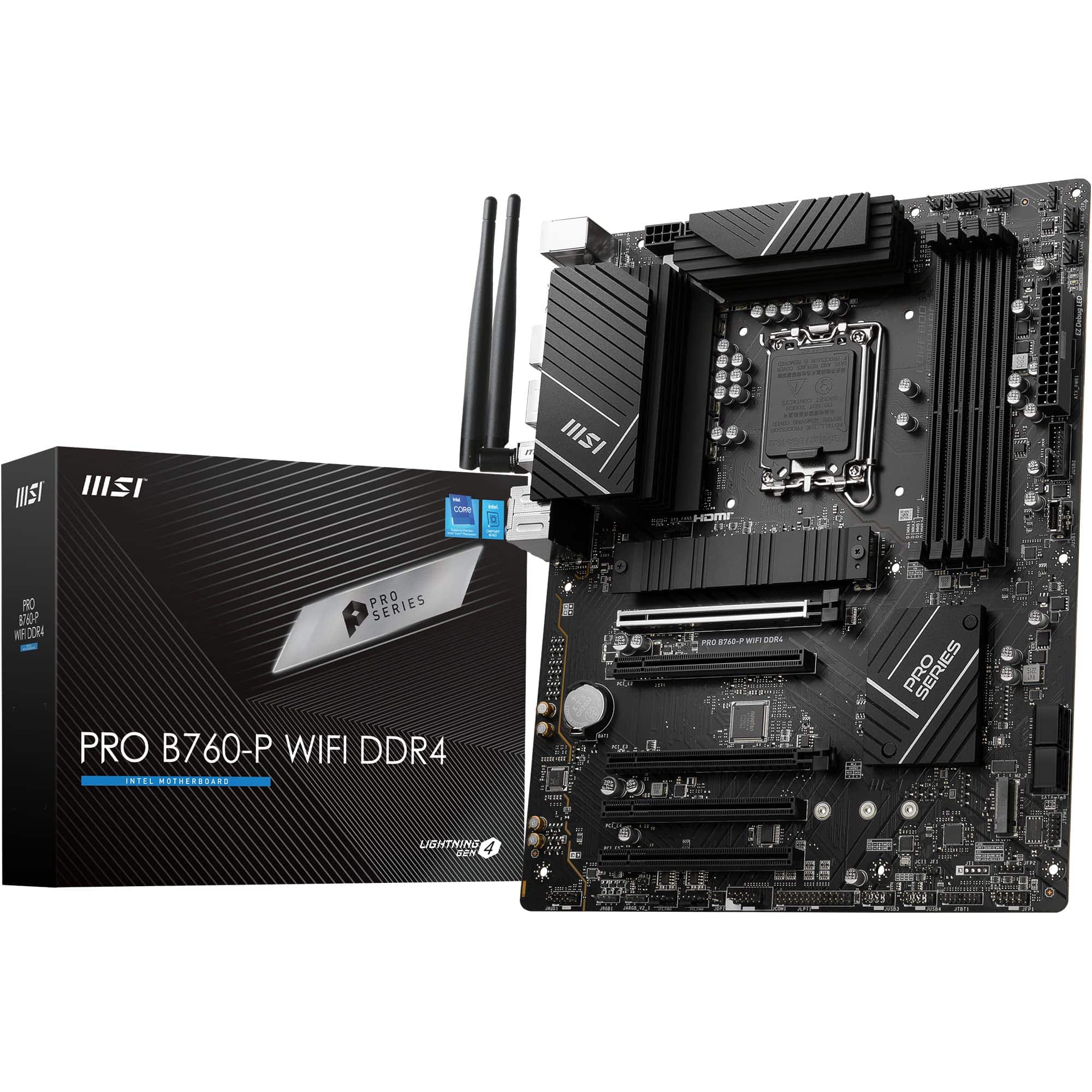
Frequently asked
5 questions01Is the MSI A520M-A PRO good enough for gaming?+
Yes, for most gaming builds it's absolutely fine. Paired with a Ryzen 5 5600 or similar chip and a decent GPU, the A520M-A PRO won't be your system's bottleneck. The PCIe 3.0 x16 GPU slot has more than enough bandwidth for current graphics cards, and the platform is stable. The only gaming-relevant limitation is the lack of PCIe 4.0 on the M.2 slot, but Gen 3 NVMe speeds are still fast enough for game loading in 2026.
02Will my existing AM4 CPU cooler work with the MSI A520M-A PRO?+
If your cooler is designed for AM4, yes it will work. The AM4 socket uses a standard mounting pattern that has been consistent across AMD's Ryzen lineup. Most coolers from major brands like Noctua, be quiet!, Cooler Master, and others that support AM4 will mount directly without any adapter. Check your cooler's compatibility list if you're unsure, but AM4 cooler compatibility is broadly consistent.
03What happens if the MSI A520M-A PRO doesn't work with my components?+
Amazon's standard 30-day return policy covers you if there's a compatibility issue. MSI also provides a manufacturer warranty. Before buying, check MSI's QVL (Qualified Vendor List) on their support page for memory compatibility, and confirm your CPU is on the supported CPU list. If you're using a Ryzen 5000 series chip, verify the BIOS version supports it before you build. Amazon's A-to-Z guarantee provides an additional layer of buyer protection.
04Is there a cheaper motherboard I should consider instead?+
The ASUS Prime A520M-K is the main alternative at a similar or slightly lower price. It's a decent board but most owner feedback suggests MSI's BIOS experience and build quality give the A520M-A PRO a slight edge. If budget is the absolute priority and you can find the ASUS cheaper, it'll do the job. But if the price difference is small, the MSI is the better buy.
05What warranty and returns apply to the MSI A520M-A PRO?+
Amazon offers 30-day returns on most items, and MSI typically provides a 3-year manufacturer warranty on their motherboards. You're also covered by Amazon's A-to-Z guarantee, which protects you if the item doesn't arrive or isn't as described. Keep your proof of purchase and register the product on MSI's website to make any warranty claim straightforward.