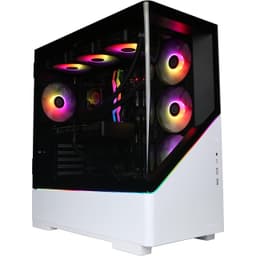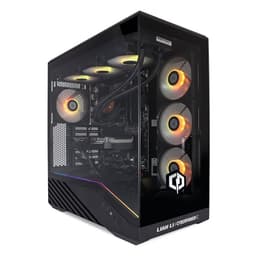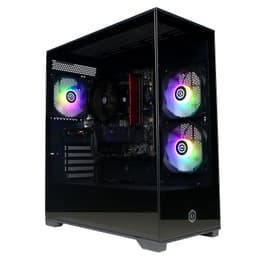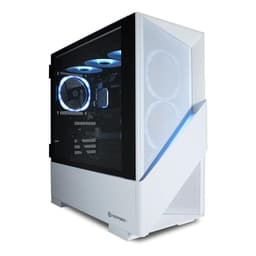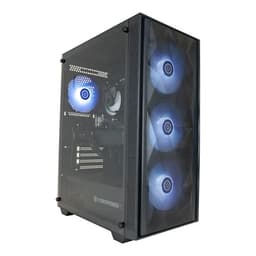
Right, so I've been building PCs since before RGB strips were a thing, and I've lost count of how many prebuilts I've cracked open over the years looking for the inevitable corner-cutting. Some surprise you. Most don't. The CyberPowerPC Regiment Gaming PC with the Ryzen 5 5500 and RTX 3050 sat on my test bench for two weeks, and I want to give you the honest breakdown before you decide whether to buy it or spend a weekend on PCPartPicker instead. Because that's genuinely the question here. Is the convenience worth it, or are you paying a premium for someone else to do the cable management badly?
The entry gaming bracket is a crowded, messy place right now. You've got a load of machines all fighting for the same buyer: someone who wants to play games at 1080p without building anything themselves, doesn't want to spend a fortune, and probably isn't going to be swapping components every six months. The CyberPowerPC Regiment Gaming PC - AMD Ryzen 5 5500, Nvidia RTX 3050, 8GB RAM, 500GB NVMe SSD, 650W PSU, Wi-Fi, Windows 11, Sylph is aimed squarely at that person. Whether it actually delivers for them is what we're here to find out.
I also priced up a comparable DIY build to see whether the maths actually works out. Spoiler: it's closer than you'd think, but there are some things about this machine that gave me pause. Let's get into it.
Core Specifications
On paper, this is a fairly sensible entry gaming spec. The Ryzen 5 5500 is a six-core, twelve-thread processor that AMD launched as a budget option on the AM4 platform. It's not the fastest chip in the world, but it's more than capable for 1080p gaming and general day-to-day use. Paired with the RTX 3050, you've got a GPU that can handle most modern titles at 1080p medium to high settings without breaking a sweat. Not ultra settings, not 4K, but solid 1080p gaming. That's the pitch.
The 8GB of RAM is where I start raising an eyebrow. In 2024, 8GB is genuinely on the thin side for gaming. Some modern titles are pushing past that on their own, and running a browser in the background while gaming can cause stutters. It's not a dealbreaker because you can upgrade it, but it's worth knowing going in. The 500GB NVMe SSD is similarly modest. Windows 11 takes up a chunk of that, and a few modern games later you'll be looking at an external drive or an upgrade. The 650W PSU is actually a decent headroom figure for this spec, which I'll come back to in the upgrade section.
The Sylph case is CyberPowerPC's own chassis, and it's a mid-tower with a tempered glass side panel. Wi-Fi is included, which is genuinely useful if you're not near a router. Windows 11 Home comes pre-installed. Here's the full breakdown:
| Component | Specification |
|---|---|
| CPU | AMD Ryzen 5 5500 (6-core, 12-thread, 3.6GHz base / 4.2GHz boost) |
| GPU | Nvidia RTX 3050 8GB |
| RAM | 8GB DDR4 |
| Storage | 500GB NVMe SSD |
| PSU | 650W |
| Case | CyberPowerPC Sylph Mid-Tower |
| Connectivity | Wi-Fi included |
| Operating System | Windows 11 Home |
| Platform | AMD AM4 |
| Current Price | £659.00 |

CPU and Performance
The AMD Ryzen 5 5500 is a bit of an interesting chip. It's based on the Zen 3 architecture, which is genuinely good, but AMD cut a corner with it: it only has access to PCIe 3.0 lanes rather than PCIe 4.0, and it uses a different die configuration to the higher-end 5600 and 5800X chips. For gaming and everyday use, that doesn't really matter much. You're not going to notice the difference in Fortnite or while editing a spreadsheet. But it does matter if you're planning to drop in a faster NVMe SSD later, because you'll be limited to PCIe 3.0 speeds.
In actual use, the 5500 felt snappy. Boot times are quick, applications open without fuss, and it handles productivity tasks including video transcoding and photo editing in Lightroom. It handled all of that without complaint. Multitasking was fine for normal workloads. Where it starts to show its age is in heavily threaded workloads like 3D rendering or large compilation jobs, but that's not really who this machine is for. If you're a developer or content creator doing serious work, you'd want more cores. For gaming and general use, it's perfectly adequate.
Boost clocks hit 4.2GHz consistently during gaming sessions, and I didn't see any thermal throttling during normal gaming loads. The chip ran warm but not alarmingly so. I'll cover the cooling in more detail later, but the short version is that the stock cooler does its job without being impressive. One thing I did notice: the system felt noticeably more sluggish with just 8GB of RAM when I had a few browser tabs open alongside a game. That's a RAM issue, not a CPU issue, but it's worth flagging because the two are related in terms of overall system feel.
GPU and Gaming Performance
The RTX 3050 is Nvidia's entry-level card in the RTX 30 series lineup. It's got 8GB of GDDR6 VRAM, which is actually a decent amount for this tier, and it supports DLSS (Deep Learning Super Sampling), which is genuinely useful at 1080p if you want to push frame rates higher. Ray tracing is technically supported but I wouldn't bother enabling it on this card. It tanks performance too much to be worth it at this price point.
Gaming performance at 1080p is solid across most titles. In Cyberpunk 2077 on medium settings I was getting around 55 to 65 frames per second, which is playable but not silky smooth. Switching DLSS to Quality mode pushed that up to 75 to 85fps, which felt much better. Fortnite on Epic settings ran at a comfortable 90 to 110fps. Apex Legends was smooth throughout. Older titles like GTA V and The Witcher 3 ran brilliantly. Where the RTX 3050 starts to struggle is with newer, more demanding games at high or ultra settings. You'll need to be comfortable dropping settings to medium in some titles to maintain 60fps.
At 1440p, it's a different story. The card can technically output at 1440p and some less demanding games run fine, but anything graphically intensive will drop below 60fps regularly. This is a 1080p card. That's not a criticism, it's just what it is. If you're buying a machine at this price tier expecting 1440p gaming, you need to recalibrate expectations. For 1080p on a 60Hz or even 144Hz monitor with some settings adjustments, the RTX 3050 is a reasonable choice. And the VRAM headroom means it won't run out of memory as quickly as some competing cards in this bracket.
Memory and Storage
Let's talk about the 8GB of RAM, because it's the thing that bothers me most about this build. 8GB DDR4 in a single stick (which is almost certainly how CyberPowerPC has configured this, based on their typical approach) means you're running in single-channel mode. That's a meaningful performance hit compared to dual-channel, particularly for AMD's Ryzen chips which benefit noticeably from dual-channel memory bandwidth. If you open this up and find one 8GB stick, the first upgrade you should make is adding another 8GB stick to run dual-channel. It's cheap and the performance difference is real.
The 500GB NVMe SSD is fine for what it is. Boot times are quick, game load times are decent, and it's a proper NVMe drive rather than a SATA SSD, which is good. But 500GB fills up fast. Windows 11 takes roughly 30 to 40GB, and modern games like Call of Duty or Microsoft Flight Simulator can eat 100GB or more each. You'll be managing storage carefully or buying an external drive sooner than you'd like. The good news is that the AM4 platform and most mid-tower cases have room for additional storage, so upgrading isn't difficult.
What I'd actually recommend to anyone buying this: budget an extra £30 to £40 for a second 8GB RAM stick and another £50 to £70 for a 1TB or 2TB secondary SSD or HDD. That immediately makes this a much more comfortable machine to live with. The base spec is a bit lean for 2024, but the upgrade path is there. DDR4 memory is cheap right now, so there's no reason to stay on 8GB single-channel for long.
Cooling Solution
CyberPowerPC has fitted a stock-style cooler on the Ryzen 5 5500, and it's... fine. Just fine. The Ryzen 5 5500 has a 65W TDP, which is manageable, and under gaming loads the chip stayed in a reasonable temperature range. I was seeing CPU temps in the mid-70s Celsius during extended gaming sessions, which is within spec and not going to cause any issues. Under an all-core Cinebench load, temperatures reach around 82 to 85 degrees, which is getting warm but still within AMD's acceptable range for this chip.
The noise level is where it gets a bit less impressive. The stock cooler isn't quiet. It's not offensively loud, but it's noticeable in a quiet room, particularly when the system is under load. If you're sensitive to fan noise, you'll want to swap the cooler out at some point. An aftermarket cooler like a budget tower cooler would bring temperatures down and reduce noise meaningfully. The Sylph case has mounting points for additional fans, and the airflow design isn't bad, but the stock fan configuration is minimal.
One thing I did check was whether the GPU was thermal throttling under sustained load. Good news: it wasn't. The RTX 3050 ran warm but stable, and I didn't see any clock speed drops that would indicate thermal throttling. The case airflow, while not spectacular, is adequate for this component tier. If you were to upgrade to a more power-hungry GPU down the line, you'd want to add a case fan or two. But for the current spec, it's sorted enough to not be a problem.
Case and Build Quality
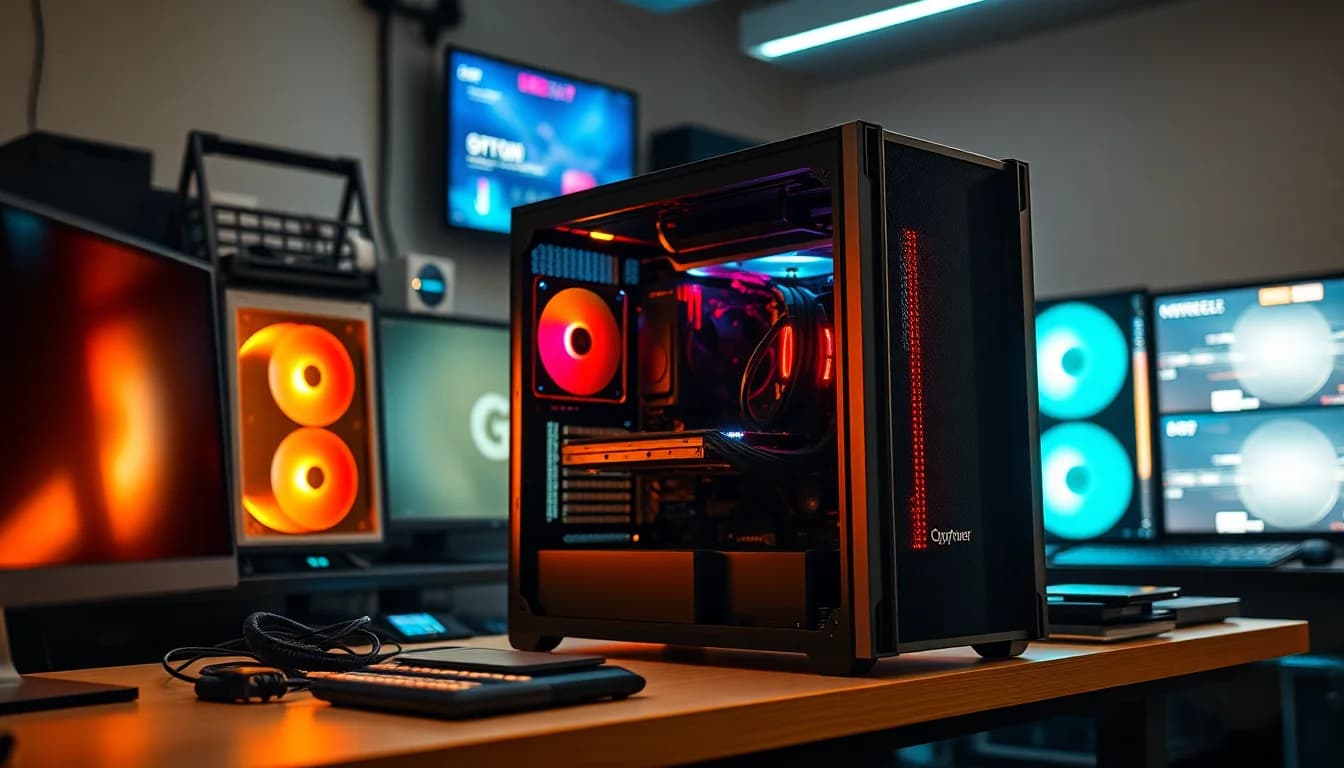
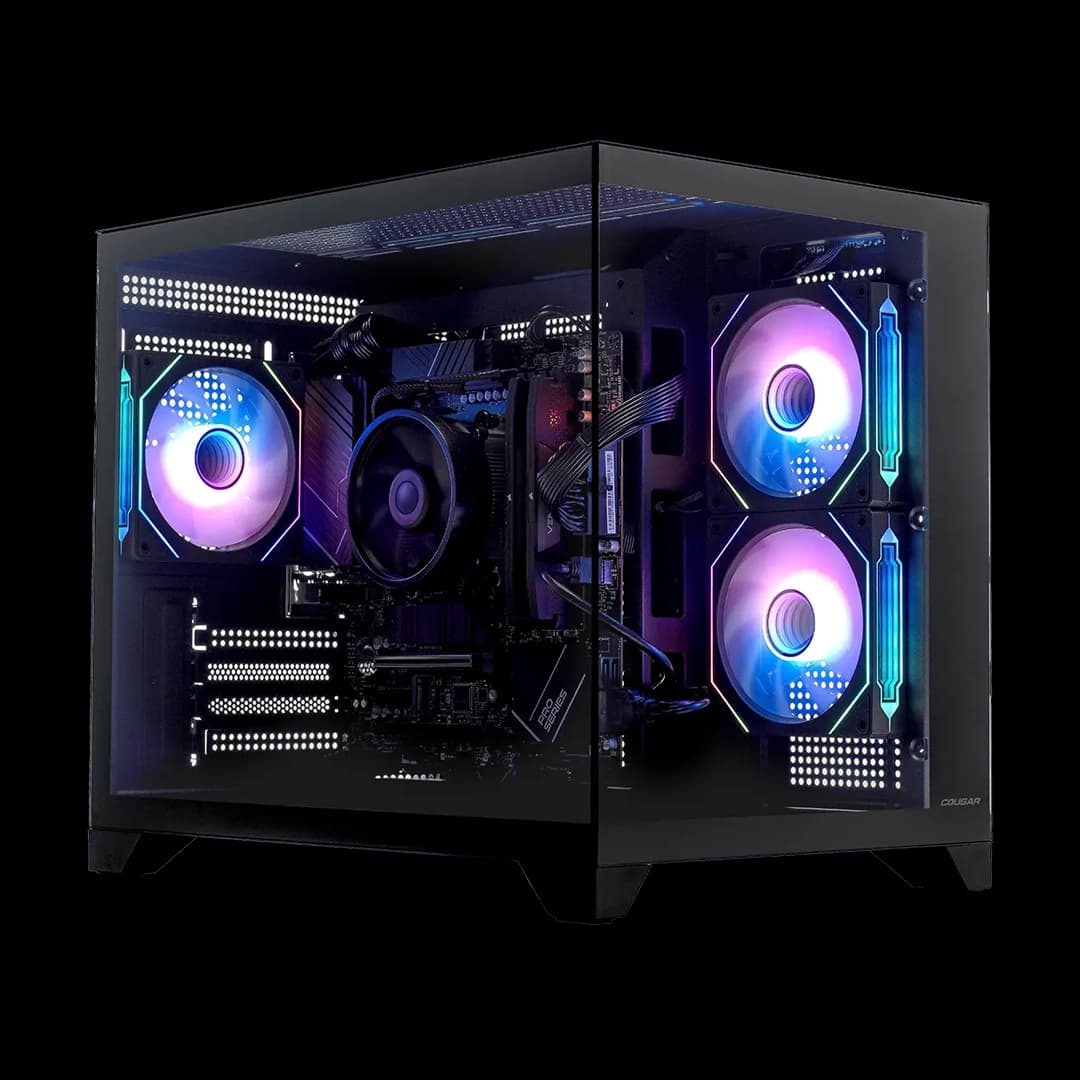
The Sylph case is CyberPowerPC's own design, and it's a mid-tower with a tempered glass side panel on the left. Aesthetically, it's inoffensive. It's got a clean, angular look with some RGB lighting that you can control through software. It's not going to win any design awards, but it doesn't look cheap either. The tempered glass panel is a nice touch at this price point, and it's held on with thumbscrews, so getting inside is easy.
Cable management is where prebuilts often fall down, and this one is... mixed. The main cables are routed reasonably well, and the side panel closes without any obvious cable pinching. But if you look behind the motherboard tray, it's not pretty. There are cable ties holding things in place rather than proper routing through grommets in some spots. It's functional rather than tidy. For most buyers this won't matter at all, but if you're planning to do upgrades and need to get in there, be prepared for a bit of a tangle.
The build quality of the case itself is decent for the price. The steel panels feel solid enough, and the tempered glass doesn't flex or feel fragile. The front panel has a mesh section for airflow, which is good. The feet are plastic but stable. I/O on the front panel includes USB ports and an audio jack, which I'll cover in the connectivity section. Overall, the case is a reasonable chassis that does the job without being exceptional. It's not the flimsy, rattly thing you sometimes get with budget prebuilts, which is a genuine positive.

Connectivity and Ports
Front panel connectivity includes two USB 3.0 ports and a combined headphone/microphone jack. That's a bit sparse if you're used to having USB-C on the front, but it's functional. The rear panel is where you get the full range of connectivity, including USB ports from the motherboard, the GPU's video outputs (HDMI and DisplayPort), and the Wi-Fi antenna connections. The RTX 3050 outputs include HDMI 2.1 and three DisplayPort 1.4 connections, which gives you flexibility for multiple monitors if you want to go that route.
Wi-Fi is included, which is genuinely useful and not something you should take for granted at this price point. The Wi-Fi adapter supports Wi-Fi 5 or Wi-Fi 6depending on the specific adapter CyberPowerPC has used (this can vary by batch, so worth checking), and wireless performance is solid. On Wi-Fi, the machine runs without drops or latency spikes during gaming. If you can run an Ethernet cable, always do that, but the Wi-Fi here is a proper backup rather than an afterthought.
Ethernet is available via the rear motherboard I/O, and the onboard LAN performed well. Audio outputs on the rear include the standard 3.5mm jacks from the motherboard's onboard audio. There's no USB-C on the front panel, which is a minor annoyance in 2024. Bluetooth is included alongside the Wi-Fi adapter, which is handy for wireless peripherals. Overall, connectivity is adequate for the price tier without being particularly generous. You're not going to be stuck for ports in normal use, but power users with lots of peripherals might find themselves reaching for a USB hub.
Pre-installed Software and OS
Windows 11 Home comes pre-installed, which is the right call. Windows 11 Home is perfectly fine for gaming and general use, and it's properly licensed, so you're not getting some sketchy OEM key situation. The setup process was straightforward, and the machine booted into Windows without any drama. Microsoft's out-of-box experience has improved a lot over the years, and you're up and running fairly quickly.
Bloatware is present but not catastrophic. CyberPowerPC installs their own utility software, and there are a few trial applications pre-loaded. None of it is particularly aggressive, and a quick uninstall session sorted most of it. I'd recommend running through the installed programs list when you first set it up and removing anything you don't recognise or need. The CyberPowerPC utility itself is worth keeping if you want to control the RGB lighting, but beyond that, most of the pre-installed extras can go.
One thing I appreciated: the drivers were all up to date out of the box. GPU drivers, chipset drivers, Wi-Fi drivers, all current. That's not always the case with prebuilts, and it saves you the faff of hunting down updates on day one. Windows Update ran without finding anything critical, which is a good sign. The overall software experience is clean enough that you can get to gaming within an hour of unboxing, which is exactly what this type of machine should deliver.
Upgrade Potential
This is actually one of the more interesting aspects of this build, and it's where the AM4 platform choice pays off. The Ryzen 5 5500 sits on AMD's AM4 socket, which supports a huge range of processors up to the Ryzen 9 5950X. So if you want to upgrade the CPU down the line, you've got options without needing a new motherboard. That's genuinely valuable in a prebuilt, because a lot of manufacturers use locked-down boards that limit your upgrade path significantly. The AM4 ecosystem is mature and second-hand parts are readily available at reasonable prices.
RAM upgrades are straightforward. There are almost certainly two DIMM slots on the motherboard, and if you're running a single 8GB stick (which is likely), adding a second matching stick to run dual-channel is the single best upgrade you can make for the money. It's cheap, it's easy, and the performance improvement in gaming is measurable. Going from 8GB to 16GB also just makes the machine feel more comfortable in everyday use. Storage expansion is similarly easy: there should be at least one additional M.2 slot and SATA ports for additional drives.
The 650W PSU is the pleasant surprise here. Most budget prebuilts come with a 500W or 550W unit that limits your GPU upgrade options. 650W gives you enough headroom to drop in something like an RTX 4060 or even an RX 7600 if you want a GPU upgrade in a year or two without worrying about the PSU. I'd still recommend checking the PSU brand and efficiency rating before committing to a major GPU upgrade, because not all 650W units are created equal, but the wattage figure itself is encouraging. Overall, this is a more upgradeable machine than many in this price bracket.
How It Compares
The entry gaming prebuilt market has a few obvious competitors worth considering alongside this, and there are several solid desktops for gaming under £700 worth exploring in this space. The two I'd put up against the CyberPowerPC Regiment are the Acer Nitro 50 in a comparable spec and the HP Pavilion Gaming Desktop. Both target the same buyer, both sit in a similar price bracket, and both make different compromises. Let me break it down.
The Acer Nitro 50 at a comparable spec typically comes with similar CPU and GPU options but often ships with a smaller PSU, which limits upgrade potential. The HP Pavilion Gaming Desktop tends to have better build quality and a cleaner software experience, but HP's proprietary components can make upgrades more complicated. The CyberPowerPC Regiment sits in an interesting middle ground: the AM4 platform and 650W PSU make it more upgrade-friendly than either competitor, but the 8GB single-channel RAM and 500GB storage are more conservative than what HP sometimes offers at a similar price.
When I priced up a comparable DIY build (Ryzen 5 5500, RTX 3050, 16GB DDR4, 1TB NVMe, decent case, 650W PSU, Windows 11 licence), the total came out noticeably higher than the prebuilt price, particularly when you factor in the Windows licence cost. That's actually a reasonable argument for the prebuilt in the current market. The convenience premium is real, but it's not outrageous. If you're comfortable building, you can do better by speccing your own. If you're not, the Regiment is a fair deal.
| Feature | CyberPowerPC Regiment | Acer Nitro 50 (Comparable) | HP Pavilion Gaming Desktop |
|---|---|---|---|
| CPU | Ryzen 5 5500 | Ryzen 5 5600G / Core i5 | Ryzen 5 5600G / Core i5 |
| GPU | RTX 3050 8GB | RTX 3050 / RX 6600 | RTX 3050 / GTX 1660 Super |
| RAM | 8GB DDR4 | 8GB to 16GB DDR4 | 8GB to 16GB DDR4 |
| Storage | 500GB NVMe | 512GB NVMe | 256GB to 512GB SSD |
| PSU | 650W | 500W typical | 400W to 500W typical |
| Upgrade Platform | AM4 (excellent) | AM4 / LGA1200 (varies) | AM4 / LGA1200 (varies) |
| Wi-Fi | Yes | Yes | Yes |
| Tempered Glass | Yes | No | No |
| DIY vs Prebuilt Value | Good | Average | Average |

Final Verdict
So who is this actually for? Honestly, it's for someone who wants to get into PC gaming without the faff of building their own, has a realistic budget, and is happy to play at 1080p. If that's you, the CyberPowerPC Regiment Gaming PC - AMD Ryzen 5 5500, Nvidia RTX 3050, 8GB RAM, 500GB NVMe SSD, 650W PSU, Wi-Fi, Windows 11, Sylph is a reasonable choice. The AM4 platform gives you a genuine upgrade path, the 650W PSU is better than most competitors at this price, and the RTX 3050 with DLSS support means you can squeeze more performance out of it in supported titles. It's not perfect, but it's not trying to be.
The things that bother me are the 8GB of RAM (almost certainly single-channel) and the 500GB storage. Both are genuinely limiting in 2024, and both will push you toward upgrades sooner than you'd like. Budget for a second RAM stick and a secondary storage drive when you buy this, and factor that into the total cost. The stock cooler is adequate but noisy under load, and the cable management inside is functional rather than tidy. None of these are dealbreakers, but they're the compromises you make at this price point.
What I genuinely like: the AM4 platform choice, the 650W PSU, the tempered glass case, the included Wi-Fi, and the fact that drivers were all current out of the box. The RTX 3050 is a capable 1080p card with a decent 8GB VRAM buffer, and the Ryzen 5 5500 is a solid performer for gaming and everyday tasks. The PCIe 3.0 limitation of the 5500 is worth knowing about but won't affect most buyers in practice. At the current price point, the value proposition is competitive with DIY when you factor in the Windows licence and the time saved.
Who should skip it? Anyone who wants to game at 1440p seriously, anyone who needs more than 500GB of storage right now, or anyone who's comfortable building their own PC and wants to squeeze maximum value from their budget. If you're in that last group, you can do better by building. But if you're not, and you just want a machine that works, plays games at 1080p, and has room to grow, the Regiment is a fair shout. I'd give it a solid 7 out of 10. Good enough to recommend, with the understanding that a couple of cheap upgrades will make it significantly better.
The ★★★★☆ (4.2) rating from 58 reviews on Amazon (59 reviews, ★★★★☆ (4.2) stars) broadly lines up with my experience. It's a machine that does what it says on the tin, doesn't have any nasty surprises, and gives you a foundation to build on. Just go in with eyes open about the RAM and storage situation, and you'll be fine.
What works. What doesn’t.
6 + 6What we liked6 reasons
- AMD AM4 platform provides an excellent CPU upgrade path, with support for processors up to the Ryzen 9 5950X without needing a new motherboard
- 650W PSU offers more headroom than most competitors at this price tier, leaving room for a future GPU upgrade to something like an RTX 4060 or RX 7600
- RTX 3050 includes 8GB of GDDR6 VRAM and DLSS support, helping maintain playable frame rates at 1080p in demanding titles
- Wi-Fi and Bluetooth are included out of the box, which is not guaranteed at this price point
- Drivers were all current on first boot, meaning no day-one update hunting before getting into games
- Tempered glass side panel is a genuine aesthetic bonus at this price, and the case does not feel flimsy or poorly constructed
Where it falls6 reasons
- 8GB of RAM is almost certainly configured as a single stick in single-channel mode, which measurably hurts performance on Ryzen platforms and feels thin for 2024 gaming
- 500GB NVMe storage fills up quickly once Windows 11 and a handful of modern games are installed, pushing buyers towards early upgrades
- Stock cooler is audibly noticeable under load in a quiet room and does not bring temperatures down to particularly comfortable levels
- Cable management behind the motherboard tray is untidy, with cable ties used in place of proper routing through grommets in several spots
- No USB-C port on the front panel, which is a minor but genuine inconvenience in 2024
- Ryzen 5 5500 is limited to PCIe 3.0 lanes, which will cap the speed of any faster NVMe SSD added as an upgrade
Full specifications
8 attributes| CPU | AMD Ryzen 5 5500 |
|---|---|
| GPU | Nvidia GeForce RTX 3050 |
| Case size | mid-tower |
| OS | Windows 11 |
| PSU wattage W | 650 |
| RAM GB | 8 |
| Storage GB | 500 |
| Storage type | NVMe SSD |
If this isn’t right for you
2 options 7.5 / 10
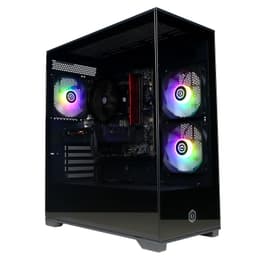
CyberPowerPC Wyvern Gaming PC - AMD Ryzen 5 5500, Nvidia RTX 3050, 16GB RAM, 500GB NVMe SSD, 650W PSU, Wi-Fi, Windows 11, Sylph
£699.00 · CyberPowerPC
 7.5 / 10
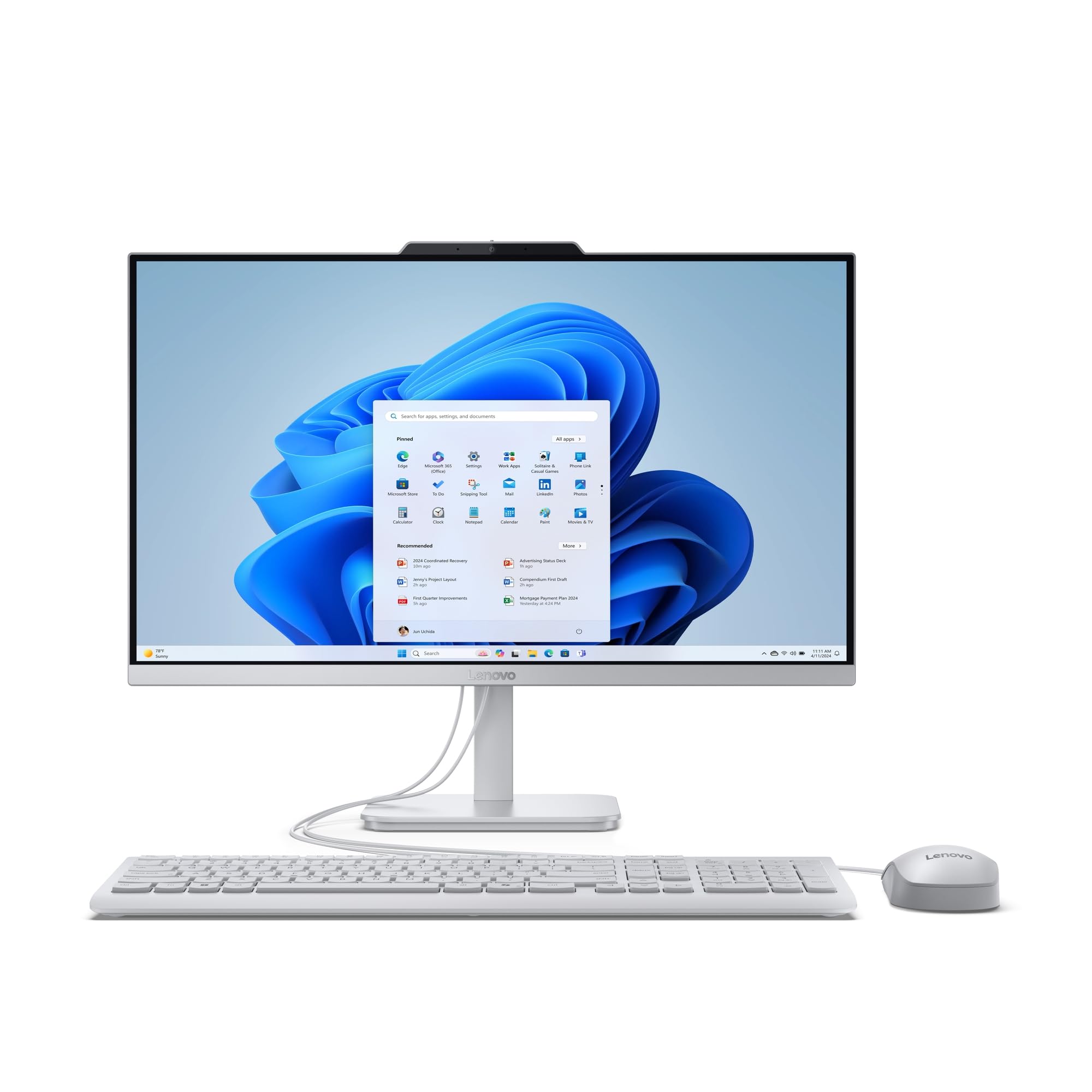
Lenovo IdeaCentre A100 All-in-One Desktop PC | 24 inch Full HD | Intel N100 | 16GB RAM | 512GB SSD | Windows 11 Home | Gloud Grey | Wireless EOS Keyboard and Mouse
£749.00 · Lenovo
Frequently asked
7 questions01Can the RAM in the CyberPowerPC Regiment be upgraded easily?+
Yes. The AM4 motherboard almost certainly has two DIMM slots, and if the machine ships with a single 8GB stick as is typical for CyberPowerPC at this configuration, adding a second matching 8GB stick to run in dual-channel mode is straightforward. DDR4 memory is inexpensive at present, and the performance improvement on a Ryzen platform is measurable. It is the single most cost-effective upgrade you can make to this machine.
02Is the RTX 3050 good enough for 1080p gaming?+
For most titles at 1080p on medium to high settings, yes. You can expect around 55 to 85 frames per second in demanding games like Cyberpunk 2077 depending on settings and whether DLSS is enabled, and well above 90fps in less demanding titles like Fortnite and Apex Legends. Ultra settings in the most demanding modern games will require compromises. At 1440p, performance drops off considerably and the card is not well suited to that resolution.
03What CPUs can I upgrade to on the AM4 platform in this machine?+
The AM4 socket supports AMD Ryzen processors from the 1000 series through to the 5000 series, including the Ryzen 5 5600, Ryzen 7 5800X, Ryzen 9 5900X, and Ryzen 9 5950X. This gives you a strong upgrade path without needing a new motherboard. Second-hand AM4 processors are widely available at reasonable prices now that the platform is mature. It is worth checking whether the specific motherboard in your unit supports the target CPU via a BIOS update before purchasing.
04Does the CyberPowerPC Regiment come with Windows 11 properly licensed?+
Yes. Windows 11 Home comes pre-installed with a legitimate licence. You are not getting an unofficial or grey-market activation key. The out-of-box setup experience is standard Windows 11 and the machine should activate without issue. There is some pre-installed software from CyberPowerPC, but it is not particularly aggressive and most of it can be removed if not needed.
05Is the 650W PSU sufficient for a GPU upgrade in the future?+
For most GPU upgrades in the mid-range bracket, yes. A 650W PSU provides enough headroom for cards like the Nvidia RTX 4060 or AMD RX 7600 alongside the Ryzen 5 5500. Before committing to any significant GPU upgrade, it is worth checking the specific PSU brand and its 80 Plus efficiency rating, as not all 650W units deliver consistent power under sustained load. The wattage figure itself is more generous than most competitors at this price tier, which is a genuine advantage.
06How loud is the CyberPowerPC Regiment during gaming?+
The stock cooler on the Ryzen 5 5500 is audible under gaming load in a quiet room. It is not offensively loud, but it is noticeable. The system is relatively quiet at idle. If fan noise is a concern, an aftermarket tower cooler will bring both temperatures and noise levels down meaningfully. The Sylph case has mounting points for additional fans if you want to improve airflow and manage noise more carefully over time.
07How does the CyberPowerPC Regiment compare to building your own PC with similar components?+
When a comparable DIY build is priced up including a Ryzen 5 5500, RTX 3050, 16GB DDR4, 1TB NVMe SSD, a decent mid-tower case, a 650W PSU, and a legitimate Windows 11 licence, the total comes out noticeably higher than the prebuilt price in the current market. The prebuilt therefore represents a reasonable convenience proposition rather than an obvious premium. Experienced builders who are comfortable sourcing parts and do not need Windows included can still do better by building, but the gap is smaller than it was a few years ago.