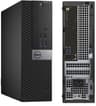
Refurbished Dell OptiPlex machines have become one of the shrewdest purchases in UK computing. With Windows 11 Pro licences now included as standard across the range, buyers who might once have spent £600 or more on a new budget tower can pick up a genuinely capable small-form-factor desktop for well under £300. This guide is aimed at home users, students, small-business owners and anyone who needs a reliable everyday PC without paying new-build prices. The market has shifted noticeably over the past year: 6th-generation Intel platforms have crept into the refurb pool alongside older 4th-gen machines, RAM capacities have climbed, and SSD storage has largely replaced mechanical hard drives even at the entry level. Whether you need a light browsing machine or a capable multi-tasker for spreadsheets, video calls and light creative work, there is a Dell OptiPlex in this list to suit you.
Quick Verdict
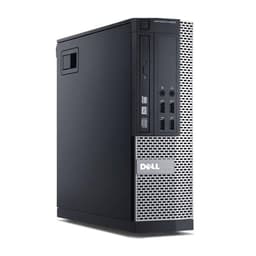
Best Overall: Dell FAST OptiPlex i7-6700 SFF (B0FG862S6N), 32 GB of RAM and a 1 TB SSD at a mid-range price makes it the most future-proof option in this group.
Best Value: Dell Window 11 Pro OptiPlex Core i5 Series (B09L8GWC5J), the cheapest entry point, and perfectly adequate for light home use and web browsing.
Spec Comparison
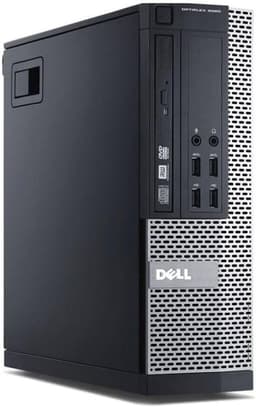
The entry-level pick in this group, this refurbished OptiPlex small-form-factor machine is built around an Intel Core i5-4570 processor, which is a quad-core chip from Intel's 4th-generation Haswell family. At its price point, it is one of the most affordable ways to get a licensed Windows 11 Pro desktop in the UK, and that alone makes it worth considering for buyers on a very tight budget.
Who is it for? This machine suits home users who spend most of their time in a web browser, using Office applications, watching streaming video or managing emails. It is also a reasonable choice for a child's homework computer or a secondary machine in a home office. It is not suited to video editing, gaming or running multiple demanding applications simultaneously.
The i5-4570 runs at a base clock of 3.2 GHz with a turbo boost to 3.6 GHz, and its four cores handle everyday multitasking without complaint. The 8 GB of DDR3 RAM is the minimum most users would want for Windows 11, and it is sufficient for light workloads, though anyone planning to run several browser tabs alongside productivity software may occasionally notice slowdowns. The 250 GB SATA SSD is a welcome inclusion: boot times are fast, applications open promptly, and the drive is far more reliable than the mechanical hard drives that were standard in these machines when new.
Windows 11 Pro is pre-installed and activated, which is a genuine selling point at this price. You get BitLocker encryption, Remote Desktop support and the ability to join a domain, features that are absent from the Home edition. The small-form-factor chassis is compact enough to sit behind a monitor or tuck under a desk, and the OptiPlex platform is well regarded for reliability and ease of servicing.
The main limitations are the modest RAM and storage. If your needs grow, 8 GB can feel restrictive, and 250 GB fills up faster than many users expect once Windows updates, applications and personal files accumulate. That said, at its price, this machine represents genuine value for the right buyer.
Verdict: The most affordable entry point in this group, ideal for light home use and anyone who simply needs a reliable, licensed Windows 11 Pro machine without spending much.
Pros
- Lowest price in the group, making it accessible for very tight budgets
- Windows 11 Pro licence included with BitLocker and Remote Desktop support
- Compact SFF chassis is easy to position around a home or office desk
Cons
- 8 GB RAM is the minimum for Windows 11 and may feel limiting with multiple apps open
- 250 GB SSD fills quickly once Windows updates and personal files accumulate
- 4th-generation i5 CPU is the oldest and slowest processor in this comparison
This is the standout pick in the group for buyers who want genuine performance longevity without exceeding a £300 budget. The Intel Core i7-6700 is a 6th-generation Skylake processor, which places it a full two processor generations ahead of the 4th-gen chips in the other three machines here. That matters in practical terms: Skylake supports faster memory standards, has better integrated graphics performance, and benefits from a more modern instruction set that keeps it compatible with a wider range of software for longer.
The headline specification is the 32 GB of RAM. This is an exceptional amount for a machine at this price, and it transforms what the computer can do. Running a dozen browser tabs, a video call, a spreadsheet and a music streaming service simultaneously is no problem at all. Power users who work with large datasets, run virtual machines, or use memory-hungry creative applications will find 32 GB genuinely useful rather than merely impressive on paper.
The 1 TB SSD is the largest storage capacity in this comparison by a significant margin, and it means most users will never need to worry about running out of space. Documents, photos, music libraries and application installs can all coexist comfortably. The SSD also ensures fast boot times and snappy application loading throughout the machine's working life.
Windows 11 Pro is pre-installed and activated. The i7-6700 runs at a base clock of 3.4 GHz with a turbo boost to 4.0 GHz across its four cores, making it noticeably more responsive than the i5-4570 and slightly more capable than the i7-4770 in real-world tasks, particularly those that benefit from higher single-core clock speeds.
The SFF chassis keeps the footprint small, and the OptiPlex 7000-series build quality is robust. For a home office worker, a student, or a small business looking to equip a workstation without a large capital outlay, this machine offers the best combination of current-generation performance, storage and memory in the group.
Verdict: The best overall pick in this comparison. The 6th-gen i7, 32 GB RAM and 1 TB SSD combination is hard to beat at this price, and it will remain a capable everyday machine for years to come.
Pros
- 32 GB DDR4 RAM is exceptional at this price and handles demanding multitasking with ease
- 1 TB SSD provides ample storage for documents, media and applications
- 6th-generation Skylake CPU is more modern and faster than the 4th-gen chips in rival picks
Cons
- Higher price than the 4th-gen i7 alternatives, though the spec uplift justifies the premium
- Integrated graphics only, so not suitable for gaming or GPU-accelerated creative work
Buying Guide
Processor Generation: Why It Matters
The most important factor when buying a refurbished Dell desktop is the processor generation. All four machines in this guide use Intel Core i7 or i5 chips, but the generation gap between 4th-gen Haswell (2013) and 6th-gen Skylake (2015) is meaningful. Skylake processors support faster DDR4 memory, have improved integrated graphics, and benefit from a more modern instruction set. In practical terms, a 6th-gen i7 will feel slightly more responsive in everyday use and will remain compatible with new software for longer. If budget allows, prioritising a newer CPU generation is worthwhile.
RAM: How Much Do You Need?
Windows 11 Pro runs adequately on 8 GB, but 16 GB is the comfortable minimum for anyone who multitasks regularly. If you run video calls, keep many browser tabs open, or use Office applications alongside other software, 16 GB will serve you well. Power users, those who work with large files, or anyone considering running virtual machines should look for 32 GB. The good news is that DDR3 RAM is cheap to buy separately, so machines with four DIMM slots can be upgraded inexpensively.
Storage: SSD Is Non-Negotiable
All four machines in this guide include SSD storage, which is the correct choice. A solid-state drive makes Windows 11 boot in seconds, opens applications quickly and is far more reliable than a mechanical hard drive. The question is capacity: 250 GB is tight for most users once Windows updates, applications and personal files are accounted for. 512 GB is comfortable for most households. 1 TB gives you genuine headroom for media libraries, large project files and future growth.
HP or Dell: Which Is Better?
This is one of the most common questions UK buyers ask. Both brands produce reliable commercial-grade desktops in the refurbished market. Dell OptiPlex machines are widely regarded as slightly easier to service and upgrade, with more standardised internal layouts and a larger pool of spare parts. HP EliteDesk machines are equally robust. In the refurbished market, the specific configuration and price matter more than the brand name. Dell's OptiPlex range has a particularly strong reputation for longevity, which is why it dominates the UK refurb market.
What About Integrated Graphics?
Every machine in this guide uses Intel integrated graphics, which is adequate for everyday use, video streaming in 4K, and light photo editing. It is not suitable for PC gaming beyond very old or very undemanding titles, or for GPU-accelerated creative work such as video rendering. If you need a discrete GPU, you will need to either add a graphics card (the SFF chassis limits your options to low-profile cards) or look at a full-tower machine.
Is a Refurbished Dell Desktop Reliable?
The OptiPlex range was designed for commercial environments where reliability is paramount. These machines were built to run for years in offices and schools, and many units in the refurb market have relatively low hours on them. Reputable refurbishers test and grade units before sale, replace failing components and include warranties. Buying from a trusted seller on Amazon with a clear returns policy mitigates most of the risk associated with second-hand hardware.
The Dell FAST OptiPlex i7-6700 SFF (B0FG862S6N) is the overall winner in this comparison. Its 6th-generation Intel Core i7-6700 processor is the most modern CPU in the group, its 32 GB of RAM is exceptional at this price point, and the 1 TB SSD provides storage capacity that most users will never outgrow. Windows 11 Pro is pre-installed and activated. For home office workers, students and small businesses that want a capable, future-proof everyday desktop without spending new-build money, this machine delivers the best combination of performance, memory and storage available in this group.
If budget is the primary concern, the Dell OptiPlex Core i5 SFF (B09L8GWC5J) is the best-value entry point, offering a licensed Windows 11 Pro machine at the lowest price in the group. It will not win any performance benchmarks, but for light home use it does the job reliably. Users who want a middle ground, with a capable i7-4770, 16 GB RAM and a 512 GB SSD, should look at the OptiPlex 7020 SFF (B09XHQ7Y6F), while those who anticipate upgrading their machine over time will appreciate the four DIMM slots and flexible storage options of the FAST OptiPlex 7020/9020 (B0DPGLD9ZZ).