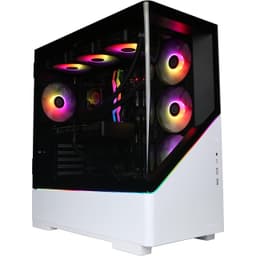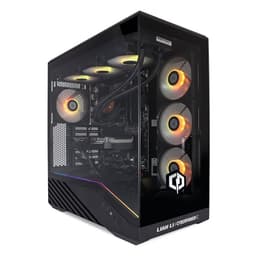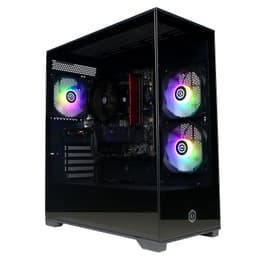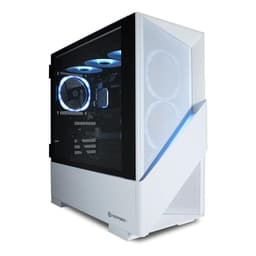
Right, so here's the thing. Building a decent gaming PC for under eight hundred quid is the sort of job that eats hours on PCPartPicker with a spreadsheet open alongside. It's genuinely fun if you're into that sort of thing. But most people aren't. Most people just want to plug something in, boot it up, and play games without having to watch a three-hour YouTube tutorial on whether their RAM is seated properly. That's exactly where prebuilts like this one come in, and it's exactly why I've been running the CyberPowerPC Wyvern Gaming PC through its paces for the past two weeks.
CyberPowerPC isn't a new name in this space. They've been shifting prebuilts for years, mostly targeting the entry-level and mid-range crowd who want something ready to go. The Wyvern here pairs an AMD Ryzen 5 5500 with an Nvidia RTX 3050, 16GB of RAM, and a 500GB NVMe SSD. On paper, that's a reasonable 1080p gaming setup. Whether it holds up in practice, and whether the convenience premium is actually worth it compared to rolling your own, is what I want to get into here. The question is where CyberPowerPC has cut corners, inside the case and elsewhere. Because they always cut corners somewhere.
The CyberPowerPC Wyvern Gaming PC (AMD Ryzen 5 5500, Nvidia RTX 3050, 16GB RAM, 500GB NVMe SSD, 650W PSU, Wi-Fi, Windows 11, Sylph) sits firmly in the entry gaming bracket, and with a ★★★★☆ (4.4) rating from 231 on Amazon, it's clearly doing something right for buyers. But ratings don't tell you about the PSU brand, the RAM speed, or whether the thermal solution is going to have your CPU throttling after twenty minutes in a demanding game. That's what I'm here for.
Core Specifications
Let's get the basics down before anything else. The Wyvern ships with AMD's Ryzen 5 5500, which is a six-core, twelve-thread processor built on the Zen 3 architecture. It's not the fastest chip AMD makes, not by a long shot, but it's a solid performer for gaming and light productivity work. Paired with that is an Nvidia GeForce RTX 3050, which is Nvidia's entry-level ray tracing capable card. Eight gigabytes of GDDR6 VRAM, which is the minimum you'd want for 1080p gaming in 2025. The 16GB of DDR4 RAM is a good amount for this price tier, and the 500GB NVMe SSD is enough to get you started, though you'll fill it faster than you think once you start installing modern games.
The PSU is rated at 650W, which is more than enough headroom for this particular component combination. The Ryzen 5 5500 has a TDP of 65W, and the RTX 3050 pulls around 130W under load, so you're nowhere near stressing a 650W unit. That's actually one of the more pleasant surprises here. A lot of prebuilt manufacturers stuff in a 400W or 500W generic unit and call it a day. The 650W rating gives you genuine upgrade headroom, though as always with prebuilts, the quality of the PSU matters as much as the wattage number. More on that in a bit. The system comes with Wi-Fi built in and ships with Windows 11 Home pre-installed, which saves you the faff of buying a licence separately.
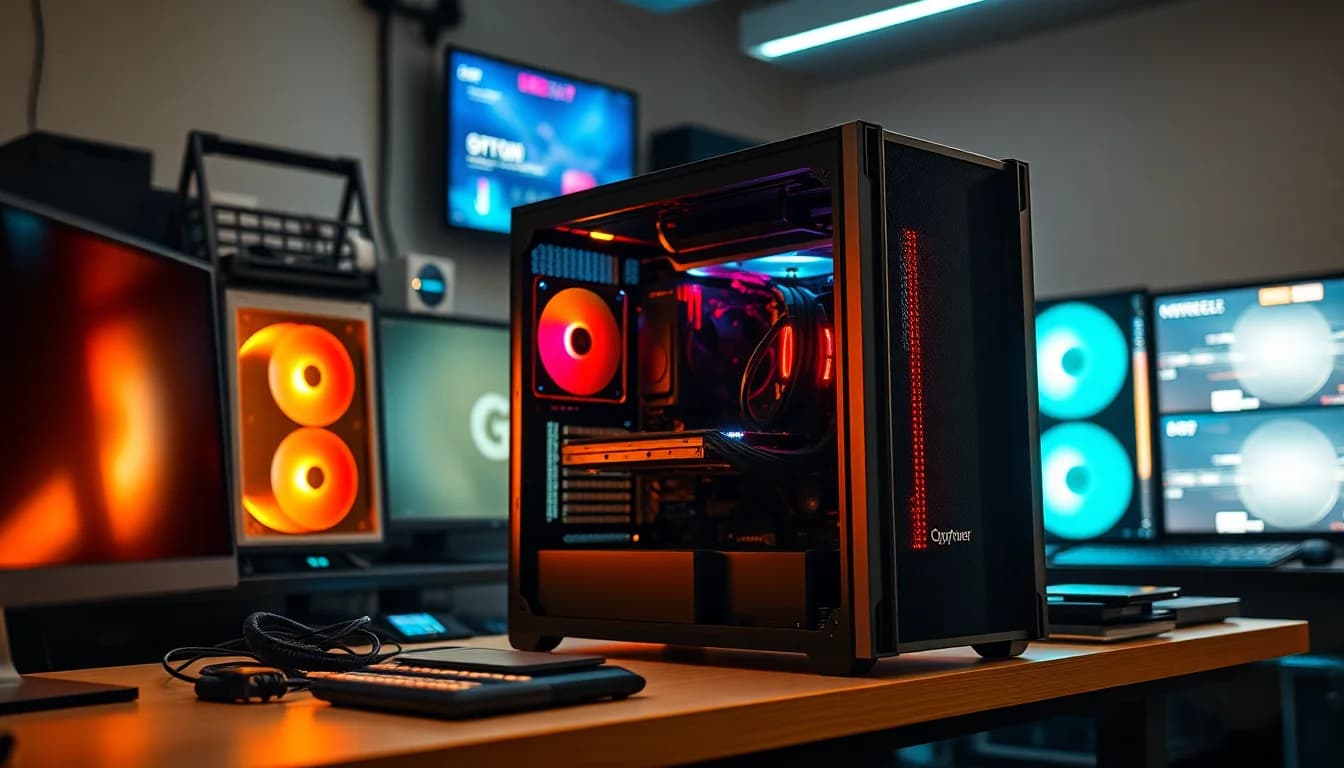
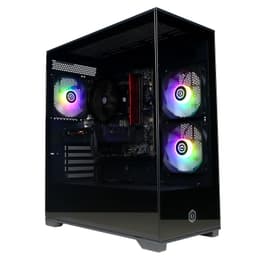
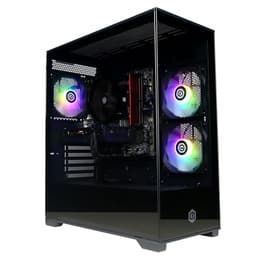
The case is CyberPowerPC's own Sylph chassis, which is a mid-tower with a tempered glass side panel. It's not a case you'd find on the shelves at Scan or Overclockers, it's an OEM unit made specifically for CyberPowerPC's builds. That's pretty standard practice for prebuilt manufacturers. The overall footprint is reasonable for a desk setup, and the tempered glass panel does let you see the internals, which matters if you're into the aesthetic side of things. There's some RGB in there too, which I know some people love and others find completely pointless.
| Component | Specification |
|---|---|
| CPU | AMD Ryzen 5 5500 (6-core, 12-thread, 3.6GHz base / 4.2GHz boost) |
| GPU | Nvidia GeForce RTX 3050 8GB GDDR6 |
| RAM | 16GB DDR4 |
| Storage | 500GB NVMe SSD |
| PSU | 650W |
| Motherboard | AMD B550 chipset (OEM) |
| Operating System | Windows 11 Home |
| Connectivity | Wi-Fi, Bluetooth |
| Case | CyberPowerPC Sylph Mid-Tower |
| Price | £729.00 |

CPU & Performance
The Ryzen 5 5500 is an interesting chip. It's based on AMD's Zen 3 architecture, which is genuinely good silicon. The catch is that the 5500 uses the older Cezanne die, which means it only has access to PCIe 3.0 lanes rather than the PCIe 4.0 you'd get from a Ryzen 5 5600 or above. For gaming, that distinction is mostly academic right now. Your GPU isn't going to be bottlenecked by PCIe 3.0 at this performance tier. But it does matter for NVMe storage speeds, and it's worth knowing if you're planning future upgrades.
In terms of raw gaming performance, the 5500 is more than capable. Cyberpunk 2077 at 1080p medium settings was sitting comfortably in the 60 to 75 frames per second range, with the GPU being the limiting factor rather than the CPU. Fortnite, which is less demanding, was pushing well above 100fps on high settings. Warzone 2 at 1080p medium was averaging around 80fps, which is perfectly playable. The CPU itself never felt like it was holding things back during gaming sessions.
Where the 5500 does show its limitations is in heavily threaded workloads. If you're doing video editing, 3D rendering, or streaming while gaming simultaneously, you'll notice it more than you would with a 5600 or a Ryzen 7. For the target audience of this machine, though, that's probably not a major concern. Most people buying a prebuilt in this price bracket are gaming, browsing, maybe doing some light content creation. For that use case, the 5500 is genuinely fine. It's not exciting, but it gets the job done without complaint. I had it running for extended periods and it stayed stable throughout, no crashes, no weird thermal behaviour from the CPU side of things.
GPU & Gaming Performance
The RTX 3050 is where things get a bit more nuanced. It's Nvidia's entry point into the RTX 30 series, which means you do get access to DLSS and hardware ray tracing. Both of those features are genuinely useful at this tier. DLSS in particular can give you a meaningful performance boost in supported titles, which helps compensate for the card's relatively modest rasterisation performance. Ray tracing at this level is more of a checkbox than a practical feature, though. Turning it on in most games will tank your frame rate to the point where it's not worth it.
At 1080p, the RTX 3050 is a decent performer. Elden Ring at 1080p high settings was sitting around 55 to 65fps, which is playable but not silky smooth. Apex Legends at 1080p high was comfortably above 100fps. FIFA (or EA Sports FC, whatever we're calling it now) was well above 60fps on high settings without breaking a sweat. The card handles esports titles and slightly older AAA games well. Where it starts to struggle is with the most demanding modern titles at high settings. Hogwarts Legacy at 1080p high was dipping into the 40s during busy outdoor areas, which isn't ideal. Dropping to medium sorted that out, but it's a reminder that this is an entry-level card.
1440p gaming is possible on some titles, but I wouldn't call this a 1440p machine. You'll be dropping settings significantly to maintain playable frame rates, and at that point you might as well stick to 1080p where the card is more comfortable. 4K is basically off the table for anything demanding. The 8GB of VRAM is adequate for 1080p gaming right now, though some newer titles are starting to push against that limit at higher texture settings. It's not a dealbreaker today, but it's something to keep in mind if you're planning to use this machine for three or four years without a GPU upgrade.
Memory & Storage
The 16GB of DDR4 RAM is the right amount for a gaming PC in 2025. Eight gigabytes is genuinely not enough anymore, and 32GB is overkill for pure gaming. So 16GB hits the sweet spot. The question, as always with prebuilts, is what speed the RAM is running at and whether it's in dual channel configuration. CyberPowerPC doesn't always shout about RAM specifics, and I found the sticks running at DDR4-3200 in dual channel, which is exactly what you want. The Ryzen 5 5500 responds well to faster memory, and 3200MHz is the sweet spot for Zen 3 without pushing into instability territory.
The 500GB NVMe SSD is the part of the storage situation that I have the most to say about. 500GB sounds fine until you install a couple of modern games. Call of Duty alone will eat 150GB. Add a few more titles and you're suddenly scrambling for space. The drive itself performed well, with read and write speeds consistent with a decent mid-range NVMe unit. It's not a Samsung 970 Evo, but it's not a slow SATA drive either. The performance is perfectly adequate for the system's overall tier. But you will want to add more storage fairly quickly, and the good news is that the motherboard does have an additional M.2 slot available, which I'll cover in the upgrade section.
One thing I always check on prebuilts is whether the RAM is running in the correct XMP profile. Some manufacturers ship systems with RAM installed but XMP disabled in the BIOS, meaning you're paying for 3200MHz sticks but running them at 2133MHz. On this system, XMP was enabled out of the box, which is the right call. It's a small thing but it makes a real difference to gaming performance on AMD platforms. Whoever configured this at the factory knew what they were doing, at least in this regard. The storage setup overall is functional, just a bit tight on capacity for anyone planning to maintain a decent game library.
Cooling Solution
Cooling is one of the areas where prebuilt manufacturers most commonly cut corners, so I always pay close attention here. The Wyvern uses a stock-style cooler on the Ryzen 5 5500, which is fine for a chip with a 65W TDP but not exactly inspiring. Under sustained gaming loads, I was seeing CPU temperatures sitting in the mid-70s Celsius, which is within acceptable range for this chip. It never throttled, which is the key thing. But it does run warmer than I'd like, and if you're in a warm room during summer, you might see temperatures creeping higher.
The Sylph case has a reasonable airflow setup for an OEM chassis. There are intake fans at the front and an exhaust at the rear. The tempered glass side panel does restrict airflow compared to a mesh panel, which is a common trade-off in this segment. Manufacturers know buyers want to see the RGB, so they put glass on the side. The result is that the case runs a bit warmer than it would with a proper mesh front and side. It's not a disaster, but it's a compromise. GPU temperatures under load were sitting in the low to mid-80s Celsius, which is within Nvidia's specified operating range but on the warmer side of comfortable.
Noise levels are acceptable during normal gaming. The fans spin up noticeably under load, which you'd expect, but they're not obnoxiously loud. During lighter tasks like browsing or watching video, the system is fairly quiet. I didn't find the noise intrusive during gaming sessions where I had headphones on anyway. If you're particularly sensitive to fan noise, you might want to look at aftermarket cooling options down the line, but for most users this will be perfectly liveable. The thermal design isn't the Wyvern's strongest suit, but it's not the disaster I've seen in some other prebuilts at this price point either.
Case & Build Quality
The Sylph chassis is a mid-tower that CyberPowerPC uses across several of their builds. It's an OEM case, meaning you won't find it sold separately anywhere, which makes it hard to compare directly to retail options. Build quality is decent for the price tier. The steel panels feel solid enough, the tempered glass side panel is properly tempered rather than acrylic (which some cheaper prebuilts still use), and the overall fit and finish is acceptable. There are no sharp edges inside the case that would cut you if you reach in to add components later, which sounds like a low bar but genuinely isn't in this segment.
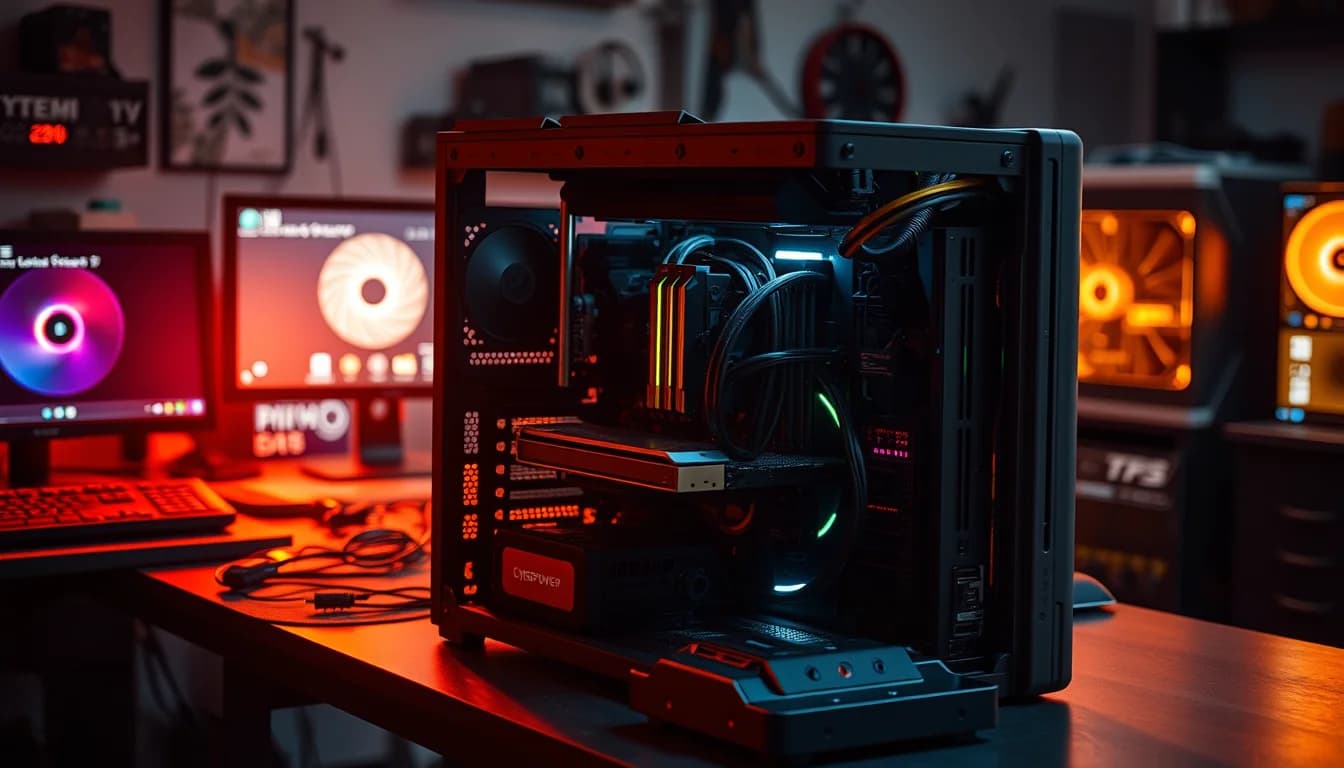
Cable management inside is... functional. It's not pretty, but it's not the rats nest of cables I've seen in some prebuilts. The main power cables are routed reasonably well, and there's enough clearance around the GPU to not impede airflow significantly. The motherboard area is a bit busier than I'd like, and someone who builds their own PCs would probably spend an hour tidying it up. But for a prebuilt that's going to sit under a desk with the glass panel facing the wall, it doesn't really matter. The RGB lighting is controlled through software, which I'll touch on in the software section.
One thing I noticed when I opened the side panel was that the GPU is held in place properly and the RAM sticks are fully seated. Sounds obvious, but I've reviewed prebuilts where components weren't properly installed. Everything here was where it should be. The front panel connectors are all attached correctly, the SATA power cables are secure, and the system posted first time without any issues. For what it's worth, the build quality inspection didn't throw up any red flags. It's not a boutique build, but it's competently assembled. CyberPowerPC has clearly got their production process sorted at this point.

Connectivity & Ports
The connectivity situation on the Wyvern is reasonable for an entry gaming PC. On the rear IO, you've got a mix of USB-A ports across USB 3.0 and USB 2.0 standards, which covers most peripherals without any adapters needed. There's a USB-C port on the rear as well, which is increasingly important as more peripherals move to that connector. Video outputs from the GPU include DisplayPort and HDMI, so you can run a monitor on either standard without needing an adapter. If you're running a 144Hz or higher refresh rate monitor, you'll want to use DisplayPort for the best results.
The front panel has USB-A ports and a headphone/microphone combo jack, which is the standard setup for this type of case. It's not the most generous front panel I've seen, but it covers the basics. The Wi-Fi is built into the motherboard rather than being a PCIe card, which is the cleaner solution. The Wi-Fi connection was stable and performed well for online gaming. I didn't experience any drops or unusual latency spikes during online sessions in Warzone or Apex. The Wi-Fi standard supported is Wi-Fi 5 (802.11ac), which is fine for gaming but not the latest Wi-Fi 6 standard. For most home networks, this won't matter at all.
Bluetooth is included, which is handy for wireless peripherals, headsets, or connecting a controller without using a USB dongle. The ethernet port on the rear is Gigabit, which is the standard you'd expect. If you're running a wired connection (and for competitive gaming, you really should be), Gigabit is more than enough for any home broadband connection currently available in the UK. The overall connectivity package is solid for the price tier. Nothing groundbreaking, but nothing missing either. You could set this up with a monitor, keyboard, mouse, and headset without needing to buy any adapters or additional hardware.
Pre-installed Software & OS
Windows 11 Home comes pre-installed and activated, which is one of the genuine advantages of buying a prebuilt. A Windows 11 Home licence on its own costs money, and that's factored into the value equation when comparing against a DIY build. The Windows installation on this system was clean when I first booted it up. No weird manufacturer toolbars, no trial antivirus software nagging you to subscribe, none of the stuff that used to make prebuilt PCs feel grimy to use. That's a genuine improvement over what prebuilts used to be like five or six years ago.
CyberPowerPC does include their own software utility, which handles RGB lighting control and some basic system monitoring. It's not the most polished piece of software I've ever used, but it works. The RGB control lets you cycle through different lighting modes and colours, which is the main thing most people will use it for. The system monitoring side of things is basic, showing temperatures and clock speeds. If you want more detailed monitoring, something like HWiNFO64 is free and far more capable, but the CyberPowerPC utility is fine for casual use. It doesn't run particularly heavy in the background either, which is more than can be said for some manufacturer software.
Windows 11 itself is set up with the standard Microsoft account requirement, which some people find annoying. There are ways around it if you prefer a local account, but out of the box you'll be prompted to sign in with a Microsoft account during setup. The drivers for the GPU, Wi-Fi, and audio were all installed and up to date when I first booted the system, which saved the usual post-build driver hunt. Nvidia's GeForce Experience was pre-installed, which handles GPU driver updates and lets you optimise game settings automatically. Whether you keep it or uninstall it and manage drivers manually is personal preference. I left it on and it didn't cause any issues.
Upgrade Potential
This is actually one of the more interesting aspects of the Wyvern, and it's something CyberPowerPC deserves credit for. The B550 motherboard platform means you've got a genuine upgrade path. The AM4 socket supports CPUs all the way up to the Ryzen 9 5950X, so if you wanted to drop in a Ryzen 7 5700X or a Ryzen 9 5900X down the line, the motherboard will support it. That's a meaningful upgrade path for a prebuilt at this price. A lot of cheaper prebuilts use locked-down OEM motherboards that limit your options significantly.
RAM is in two slots with two sticks installed, so there's no free slot for additional RAM. If you want to go beyond 16GB, you'd need to replace both sticks rather than just adding more. That's a minor annoyance. The good news is that DDR4 is cheap, so upgrading to 32GB wouldn't break the bank. For storage, there is an additional M.2 slot on the motherboard, which means you can add a second NVMe drive without needing to use SATA cables or buy a bracket. Given the 500GB primary drive, adding a second M.2 SSD is probably the first upgrade most people will want to make. There are also SATA ports available if you prefer a larger capacity HDD for mass storage.
The GPU is the trickiest upgrade to plan for. The 650W PSU gives you headroom to step up to something like an RTX 4060 or RX 7600 without needing to replace the power supply, which is genuinely useful. But you'd want to verify the PSU brand and efficiency rating before committing to a more power-hungry card. The PCIe slot on the motherboard is PCIe 3.0 x16, which is fine for current mid-range GPUs. The case has enough internal space to accommodate a longer GPU if needed. Overall, the upgrade potential here is better than average for a prebuilt in this price bracket, which is a meaningful point in its favour if you're thinking about this as a starting point rather than a permanent setup.
How It Compares
The entry gaming prebuilt market is genuinely competitive right now, which is good news for buyers. The Wyvern's main competition comes from similar-spec machines from Acer Nitro and the HP Victus desktop line. Both of those brands have been pushing into the prebuilt gaming space aggressively, and they're worth considering alongside the CyberPowerPC option. The key differentiators tend to be component choices, upgrade potential, and after-sales support rather than raw performance, since machines at this price point are all working with similar hardware.
The Acer Nitro N50 in a comparable configuration typically uses Intel's Core i5-12400F paired with an RTX 3050, which is a slightly different approach to the same performance target. Intel's 12th gen chips have strong single-core performance, but the Ryzen 5 5500 holds its own in gaming workloads. The Nitro N50 often ships with a smaller PSU, which limits upgrade headroom. The HP Victus desktop is another option in this bracket, generally offering solid build quality and HP's warranty support, but often at a slight price premium for the brand name. Neither competitor offers a meaningfully better overall package than the Wyvern at this price tier.
Where the Wyvern genuinely stands out against the competition is the AM4 upgrade path and the 650W PSU. Those two things together mean this machine has more long-term flexibility than a lot of its rivals. The Sylph case is less refined than what you'd get in an Acer or HP chassis, and CyberPowerPC's brand recognition and support infrastructure isn't quite at the level of those larger companies. But on pure component value and upgrade potential, the Wyvern makes a strong case for itself.
| Feature | CyberPowerPC Wyvern | Acer Nitro N50 | HP Victus Desktop |
|---|---|---|---|
| CPU | Ryzen 5 5500 | Core i5-12400F | Core i5-12400F |
| GPU | RTX 3050 8GB | RTX 3050 8GB | RTX 3050 8GB |
| RAM | 16GB DDR4 | 16GB DDR4 | 16GB DDR4 |
| Storage | 500GB NVMe | 512GB NVMe | 512GB NVMe |
| PSU | 650W | 500W | 500W |
| CPU Upgrade Path | AM4 (up to Ryzen 9 5950X) | LGA1700 (limited OEM) | LGA1700 (limited OEM) |
| Wi-Fi | Wi-Fi 5 | Wi-Fi 6 | Wi-Fi 5 |
| Price | £729.00 | Comparable | Slightly higher |

Final Verdict
So, after two weeks with the CyberPowerPC Wyvern Gaming PC, where does it land? Honestly, better than I expected going in. I'll be straight with you: I'm generally sceptical of prebuilts at this price point because the margins are tight and manufacturers have to cut corners somewhere. The Wyvern cuts them in the places that matter least. The case is OEM and nothing special. The cooling is adequate rather than impressive. The 500GB storage is tight. But the core components are solid, the PSU is properly sized, the RAM is running at the right speed, and the AM4 platform gives you a genuine upgrade path that most prebuilt rivals simply don't offer.
The CyberPowerPC Wyvern Gaming PC (AMD Ryzen 5 5500, Nvidia RTX 3050, 16GB RAM, 500GB NVMe SSD, 650W PSU, Wi-Fi, Windows 11, Sylph) is best suited to someone who wants to get into PC gaming without the faff of building their own system. If you're coming from console gaming and want to try PC, this is a reasonable entry point. If you're a student who needs a machine that can handle gaming and productivity without spending a fortune, this works. And if you're buying for someone else who just wants to play games and doesn't want to think about components, this is a safe choice.
Who should skip it? If you're comfortable building your own PC, you can probably put together a slightly better-specced machine for similar money, particularly if you're patient and watch for component deals. The DIY route also gives you full control over every component choice, including the PSU brand, which matters more than most people realise. And if you're a more experienced gamer who wants to play at 1440p or push high frame rates in demanding titles, you need to be looking at a higher tier machine with a more capable GPU. The RTX 3050 is an entry-level card and it performs like one in the most demanding scenarios.
But taken on its own terms, as an entry gaming prebuilt aimed at 1080p gaming and general use, the Wyvern is a genuinely decent option. It's not perfect, but it's honest about what it is. The ★★★★☆ (4.4) rating from real buyers reflects that. I'd give it a solid 7.5 out of 10. Recommended for the right buyer, with the caveat that you should budget for a second storage drive fairly quickly after purchase.
What works. What doesn’t.
6 + 6What we liked6 reasons
- Properly sized 650W PSU provides genuine headroom for future GPU upgrades without replacing the power supply
- AM4 socket supports CPUs up to Ryzen 9 5950X, giving meaningful upgrade options rarely found at this price tier
- RAM ships with XMP enabled and running at DDR4-3200 in dual channel, which is the correct configuration for Zen 3
- 16GB of DDR4 is the right amount for 1080p gaming in 2025, hitting the practical sweet spot for this use case
- Windows 11 Home licence is included and pre-activated, adding genuine value compared to a DIY build
- Components are properly installed and the system posted first time with no assembly issues detected on inspection
Where it falls6 reasons
- 500GB NVMe SSD is tight for a gaming machine and a second storage drive should be considered an early priority purchase
- Tempered glass side panel restricts airflow compared to a mesh design, pushing GPU temperatures into the low-to-mid 80s Celsius under load
- Stock-style CPU cooler is adequate rather than comfortable, with CPU temperatures sitting in the mid-70s Celsius under sustained gaming loads
- RTX 3050 struggles with the most demanding modern titles at high settings at 1080p, requiring setting compromises in games like Hogwarts Legacy
- No free RAM slots available, meaning an upgrade beyond 16GB requires replacing both sticks rather than simply adding more
- Wi-Fi 5 rather than Wi-Fi 6, which is a minor but noticeable step behind some rivals at a comparable price point
Full specifications
8 attributes| CPU | AMD Ryzen 5 5500 |
|---|---|
| GPU | Nvidia GeForce RTX 3050 |
| Case size | mid-tower |
| OS | Windows 11 |
| PSU wattage W | 650 |
| RAM GB | 16 |
| Storage GB | 500 |
| Storage type | NVMe SSD |
If this isn’t right for you
2 options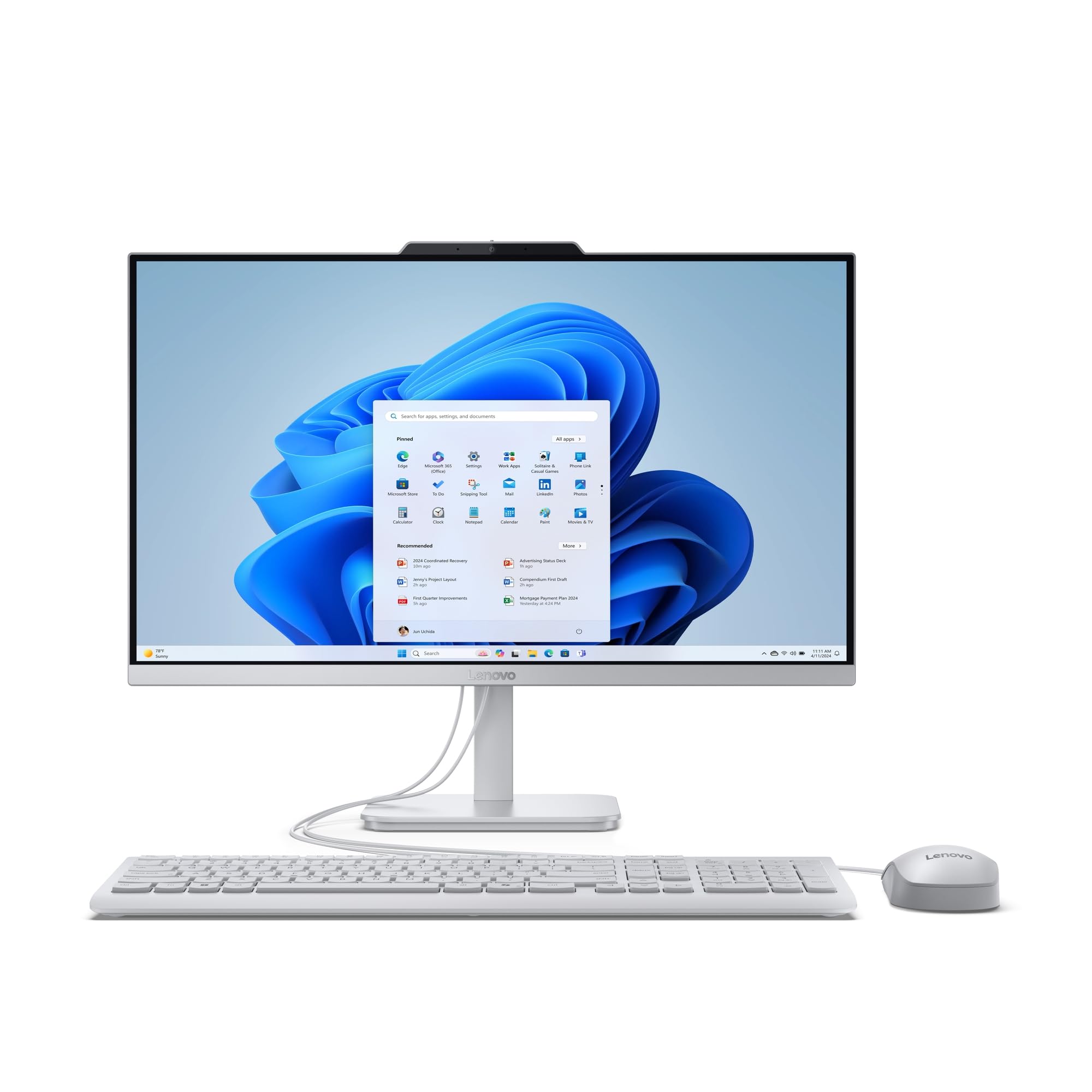 7.5 / 10
Lenovo IdeaCentre A100 All-in-One Desktop PC | 24 inch Full HD | Intel N100 | 16GB RAM | 512GB SSD | Windows 11 Home | Gloud Grey | Wireless EOS Keyboard and Mouse
£729.00 · Lenovo
 7.5 / 10
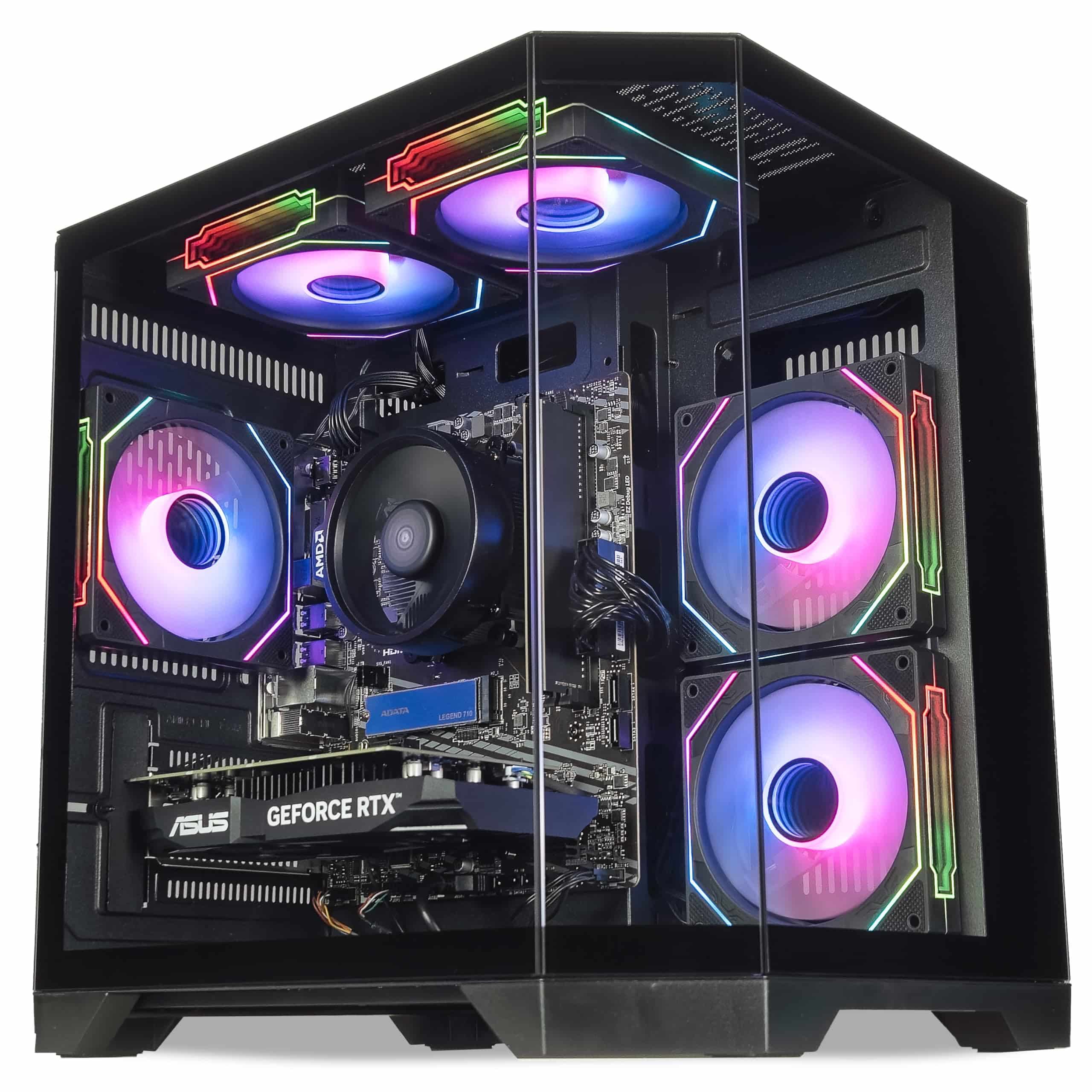
ionz Gaming PC - Desktop Computer, Ryzen 5 5600, NVIDIA RTX 5060,16GB RAM 1TB NVMe SSD, Windows 11, 650W 80+ PSU, WiFi, Black - APEX Mini | Black
£939.95 · ionz
Frequently asked
7 questions01What games can the CyberPowerPC Wyvern run at 1080p?+
The Wyvern handles most 1080p gaming well. Fortnite ran above 100fps on high settings, Apex Legends was comfortably above 100fps, and Warzone 2 averaged around 80fps on medium. More demanding titles like Cyberpunk 2077 sat between 60 and 75fps on medium settings. The most graphically intensive modern games such as Hogwarts Legacy may require dropping to medium settings to maintain smooth frame rates.
02Can I upgrade the GPU in the CyberPowerPC Wyvern?+
Yes. The 650W PSU provides enough headroom to upgrade to a card such as an RTX 4060 or RX 7600 without replacing the power supply. The PCIe 3.0 x16 slot is compatible with current mid-range GPUs, and the Sylph case has enough internal clearance for longer cards. You should verify the PSU brand and efficiency rating before committing to a significantly more power-hungry card.
03How much storage does the CyberPowerPC Wyvern have and can I add more?+
The Wyvern ships with a 500GB NVMe SSD as its only drive. This fills up quickly given that modern games can exceed 100GB each. There is an additional M.2 slot on the motherboard, so you can add a second NVMe drive without adapters or SATA cables. SATA ports are also available for a traditional hard drive if you prefer higher-capacity mass storage at a lower cost.
04Does the CyberPowerPC Wyvern support CPU upgrades?+
Yes, and this is one of its stronger points. The B550 motherboard uses AMD's AM4 socket, which supports processors up to the Ryzen 9 5950X. This means you could upgrade to a Ryzen 7 5700X or Ryzen 9 5900X in the future without replacing the motherboard. This upgrade path is more generous than many prebuilt rivals, which often use locked-down OEM motherboards with limited CPU compatibility.
05Is the RAM in the CyberPowerPC Wyvern running at the correct speed?+
Yes. The system ships with 16GB of DDR4-3200 RAM in dual channel configuration, and XMP is enabled in the BIOS out of the box. This is the correct setup for Zen 3 architecture and means you are getting the full performance benefit of the installed memory rather than the default slower JEDEC speeds some prebuilts default to.
06Does the CyberPowerPC Wyvern include Wi-Fi?+
Yes, Wi-Fi is built into the motherboard. The supported standard is Wi-Fi 5 (802.11ac), which is adequate for online gaming and general home use. Bluetooth is also included. The Wi-Fi connection was stable with no drops or unusual latency in online games. The rear IO also includes a Gigabit ethernet port for a wired connection, which is recommended for competitive gaming.
07What is the warranty on the CyberPowerPC Wyvern Gaming PC?+
CyberPowerPC typically offer a limited warranty covering parts and labour, though the specific terms can vary by region and retailer. When purchasing through Amazon UK, the standard Amazon returns policy also applies. It is worth checking the current warranty details on the product listing or CyberPowerPC's website at the time of purchase, as terms can change.