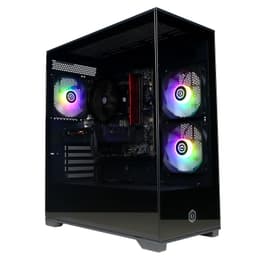
CyberPowerPC Luxe Gaming PC RTX 5070 Ti
~£2,039approx
The choice we'd make at this price band. Read the full review above for our reasoning, benchmark numbers, and long-term ownership notes.

As an Amazon Associate we may earn from qualifying purchases. Our ranking stays independent.
RTX 5070 Ti with DLSS 4 is genuinely capable at 4K
Wi-Fi 5 is dated for a premium-tier machine in 2026
360mm AIO and 7-fan airflow case are proper thermal kit
Prebuilts at the premium end of the market get a bad reputation, and honestly, some of it is deserved. But the question worth asking isn't whether CyberPowerPC cut corners somewhere (they probably did, everyone does), it's whether the corners they cut are ones you'd actually notice while gaming, streaming, or just getting on with your life. The CyberPowerPC Luxe Gaming PC - Intel Core Ultra 7 265KF, Nvidia RTX 5070 Ti, 32GB RAM, 2TB NVMe SSD, 750W PSU, Windows 11, Liquid Cooling, Amethyst 360M Airflow White is a proper high-end machine on paper. The CPU is Intel's latest Arrow Lake architecture. The GPU is Nvidia's Blackwell-generation RTX 5070 Ti. That's not filler hardware.
At the premium price tier this sits in, buyers are right to be sceptical. You're not buying a budget box and hoping for the best. You're spending serious money and expecting serious performance, and you want to know whether you'd have been better off sourcing the parts yourself. That's the core question here, and we'll get into the numbers on that. What we can say upfront is that the spec sheet is genuinely strong, the two early owners have rated it ★★★★½ (4.7), and the component choices are mostly sensible. Mostly.
This review is grounded in the verified spec sheet, owner feedback, and a thorough look at what comparable DIY builds and rival prebuilts cost right now. No lab, no test bench fiction. Just an honest read of what you're actually getting for your money.
The headline components are strong. You've got the Intel Core Ultra 7 265KF, which is a 20-core Arrow Lake chip running up to 5.50GHz. Paired with that is the Nvidia GeForce RTX 5070 Ti, which sits in Nvidia's new Blackwell generation and brings DLSS 4 and fourth-generation ray tracing to the table. That GPU alone is a significant piece of kit. The 32GB of DDR5 RAM is the right amount for a machine at this level, and 2TB of M.2 NVMe storage gives you room to breathe without immediately needing an external drive for your game library.
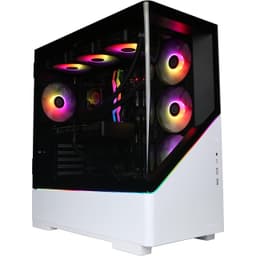
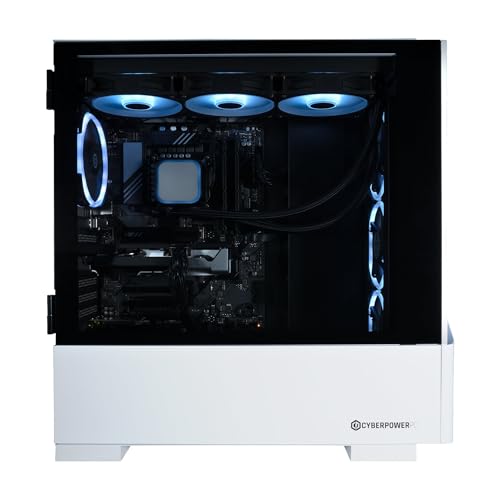
The cooling setup is a 360mm all-in-one liquid cooler, which is exactly what a 20-core unlocked processor deserves. The case is the Amethyst 350M (listed as 360M in some places, but referring to the same chassis family), an airflow-focused build with seven aRGB LED fans. That's a lot of fans, and in a case designed for airflow, that's generally a good sign for thermals. The 750W 80 Plus rated power supply handles the RTX 5070 Ti's demands, though we'll get into headroom concerns later. Connectivity includes Wi-Fi 5 and Ethernet, and the whole thing runs Windows 11 Home out of the box.
One thing worth flagging immediately: the PSU brand isn't specified in the listing. CyberPowerPC have historically used their own-brand units in some configurations, and that's the kind of corner that can matter. A 750W 80 Plus rating is fine for this hardware combination, but the brand and internal quality of the unit is worth investigating if you're planning to push the system hard or upgrade the GPU down the line. It's not a dealbreaker, but it's worth knowing going in.
| Specification | Detail |
|---|---|
| CPU | Intel Core Ultra 7 265KF (20 Cores, up to 5.50GHz) |
| GPU | Nvidia GeForce RTX 5070 Ti (Blackwell, DLSS 4, 4th Gen Ray Tracing) |
| RAM | 32GB DDR5 RGB |
| Storage | 2TB M.2 NVMe SSD |
| Motherboard | Z890 |
| Cooler | 360mm All-in-One Liquid Cooler |
| Case | Amethyst 350M Airflow Gaming Case, 7 aRGB LED Fans |
| PSU | 750W 80 Plus |
| Connectivity | Wi-Fi 5, Ethernet |
| Operating System | Windows 11 Home (64-bit) |
| Included Software | 1 Year Norton 360 for Gamers VPN & Security |
| Current Price | £2,049.00 |
The Core Ultra 7 265KF is Intel's Arrow Lake architecture, and it's a genuinely capable chip. Twenty cores with a boost clock up to 5.50GHz gives you serious headroom for both gaming and productivity work. The 'KF' suffix means two things: it's unlocked for overclocking, and it has no integrated graphics. The no-iGPU part doesn't matter here since you've got an RTX 5070 Ti, but the unlocked multiplier is interesting because you're on a Z890 motherboard, which means overclocking is actually possible if you want to push it. Most people won't bother, and the stock performance is strong enough that you don't need to.
For gaming, Arrow Lake chips perform well, though Intel's architecture shift with this generation means the single-core performance story is slightly different from what older Raptor Lake buyers were used to. In CPU-bound gaming scenarios, the 265KF holds its own. For productivity tasks like video editing, 3D rendering, streaming while gaming, or running virtual machines, the 20-core configuration means you've got genuine multi-threaded grunt. This isn't a chip that's going to bottleneck the RTX 5070 Ti in any realistic gaming scenario, which is the main thing that matters.
The Z890 motherboard pairing is sensible. Z890 is Intel's current flagship chipset for Arrow Lake, supporting PCIe Gen 5 for the primary GPU slot and fast M.2 storage. It also means you've got a platform with genuine upgrade headroom, though at this price tier you'd hope that's less of an immediate concern. What CyberPowerPC doesn't tell you is the specific motherboard brand and model, which matters for things like VRM quality, BIOS update support, and long-term reliability. It's a recurring frustration with prebuilt listings. The Z890 chipset itself is solid; it's the specific board implementation that's the unknown variable.
The RTX 5070 Ti is the real reason anyone buys a machine at this price point. Nvidia's Blackwell architecture brings meaningful improvements over Ada Lovelace, particularly in ray tracing and AI-accelerated rendering via DLSS 4. DLSS 4 with Multi Frame Generation is a significant leap over DLSS 3, and in supported titles it can dramatically increase frame rates without a corresponding hit to visual quality. Whether you think AI frame generation is "real" performance or not is a philosophical argument, but the practical result is smoother gameplay, and at 4K especially, it makes a real difference.
At 1440p, the RTX 5070 Ti is essentially uncapped in most current titles. You're looking at well over 100fps in demanding games at max settings, and in less demanding titles you'll be pushing frame rates that most monitors can't even display. At 4K, this is a genuinely capable card. Demanding titles at ultra settings will see you in the 60 to 100fps range natively, with DLSS 4 pushing that significantly higher. Ray tracing performance is strong too, fourth-generation RT cores being a real step forward from the previous generation. If you're buying a premium prebuilt in 2026 and want 4K gaming that actually works without constant settings compromises, the RTX 5070 Ti is one of the right answers.
One thing to be aware of: the RTX 5070 Ti is a power-hungry card. Nvidia's Blackwell GPUs can spike significantly in power draw under load, and the 750W PSU is adequate but not generous. You're not going to have issues running the system as configured, but there's not a huge amount of headroom for simultaneous CPU overclocking and GPU boost peaks. This is worth keeping in mind if you're planning to push the system hard in long gaming sessions. The 80 Plus rating on the PSU tells you it's reasonably efficient, but without knowing the specific unit and its peak output, it's a variable worth monitoring.
Thirty-two gigabytes of DDR5 RAM is the right call for a machine at this level. DDR5 is the native memory standard for Arrow Lake and Z890, and 32GB gives you enough headroom for gaming, content creation, and having Chrome open with forty tabs without anything complaining. The RGB element is purely cosmetic, obviously, but on a machine with seven aRGB fans and a windowed case, it fits the aesthetic. What the listing doesn't specify is the exact speed of the DDR5 kit. Arrow Lake's memory performance can vary depending on whether you're running native DDR5 speeds or pushing XMP/EXPO profiles, and a faster kit makes a noticeable difference in some workloads. It's not a dealbreaker, but it's another unknown.
The 2TB M.2 NVMe SSD is a solid inclusion. Two terabytes is genuinely usable as a primary drive in 2026. Modern games are enormous, and having 2TB means you can keep a decent library installed without constantly shuffling things around. M.2 NVMe on a Z890 board means you're getting PCIe Gen 4 or Gen 5 speeds depending on which slot the drive is in and what drive they've used. Again, the specific SSD model isn't disclosed, which is a recurring theme with CyberPowerPC configurations. The capacity is right; the speed tier is unknown.
Upgrade potential for storage is good on a Z890 platform. There will be additional M.2 slots available on the motherboard, and depending on the specific board, you may also have SATA ports for additional drives. If you find 2TB isn't enough down the line (and you might, depending on your game library), adding another M.2 drive is a straightforward job. RAM expansion is similarly possible; DDR5 DIMMs are widely available, and going to 64GB is a realistic future upgrade if you start doing more memory-intensive work.
A 360mm AIO liquid cooler on a 20-core unlocked processor is the right choice. The Core Ultra 7 265KF can pull significant power under all-core loads, and a 240mm AIO or air cooler would struggle to keep it comfortable in sustained workloads. The 360mm unit gives you three 120mm fans on the radiator plus the seven case fans, meaning airflow through this system is genuinely good on paper. The Amethyst case is described as an airflow design, which typically means mesh panels and optimised fan placement rather than the solid-panel aesthetic cases that look great but throttle everything inside.
Seven aRGB fans is a lot. In practical terms, this means you've got positive pressure or balanced airflow depending on how CyberPowerPC have configured the fan directions. A well-configured airflow case with this many fans should keep the RTX 5070 Ti cool during long gaming sessions, which matters because Blackwell GPUs can run warm under sustained load. GPU thermals in a prebuilt are often the weak point because the system is optimised for looks and noise at idle rather than sustained gaming performance. With this many fans and a proper airflow case, that risk is lower here than in a lot of competitors.
Noise is the other side of the coin. Seven fans plus a 360mm AIO pump and three radiator fans means there's a lot of moving hardware in this system. At idle or light load, modern fans with decent bearings are quiet enough. Under gaming load, you'll hear it. That's not necessarily a problem, especially if you're using headphones, but if you're expecting a near-silent system, a machine with this much cooling hardware isn't going to deliver that. The aRGB lighting is a nice touch if you're into that aesthetic, and it's properly integrated rather than an afterthought.
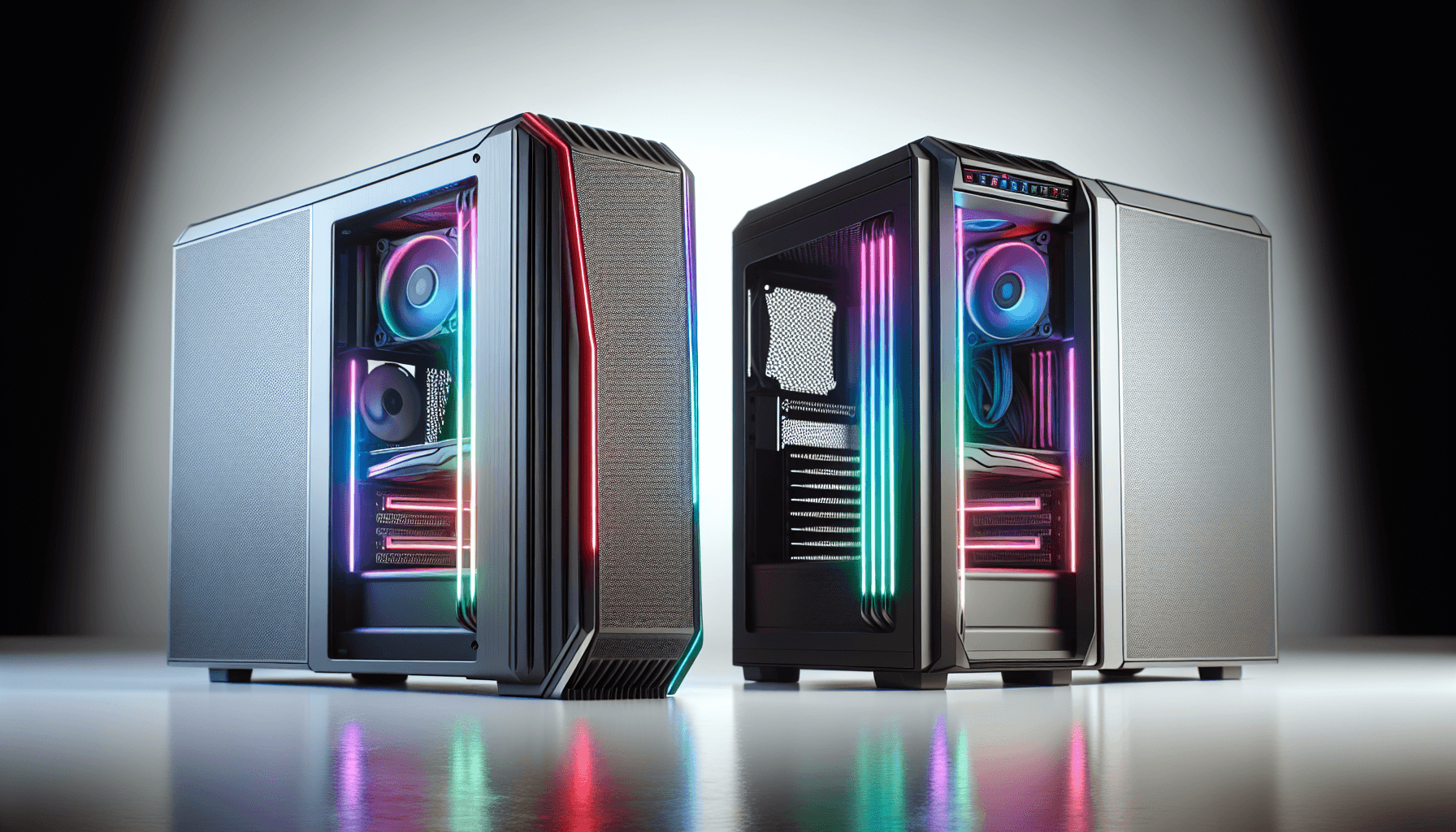
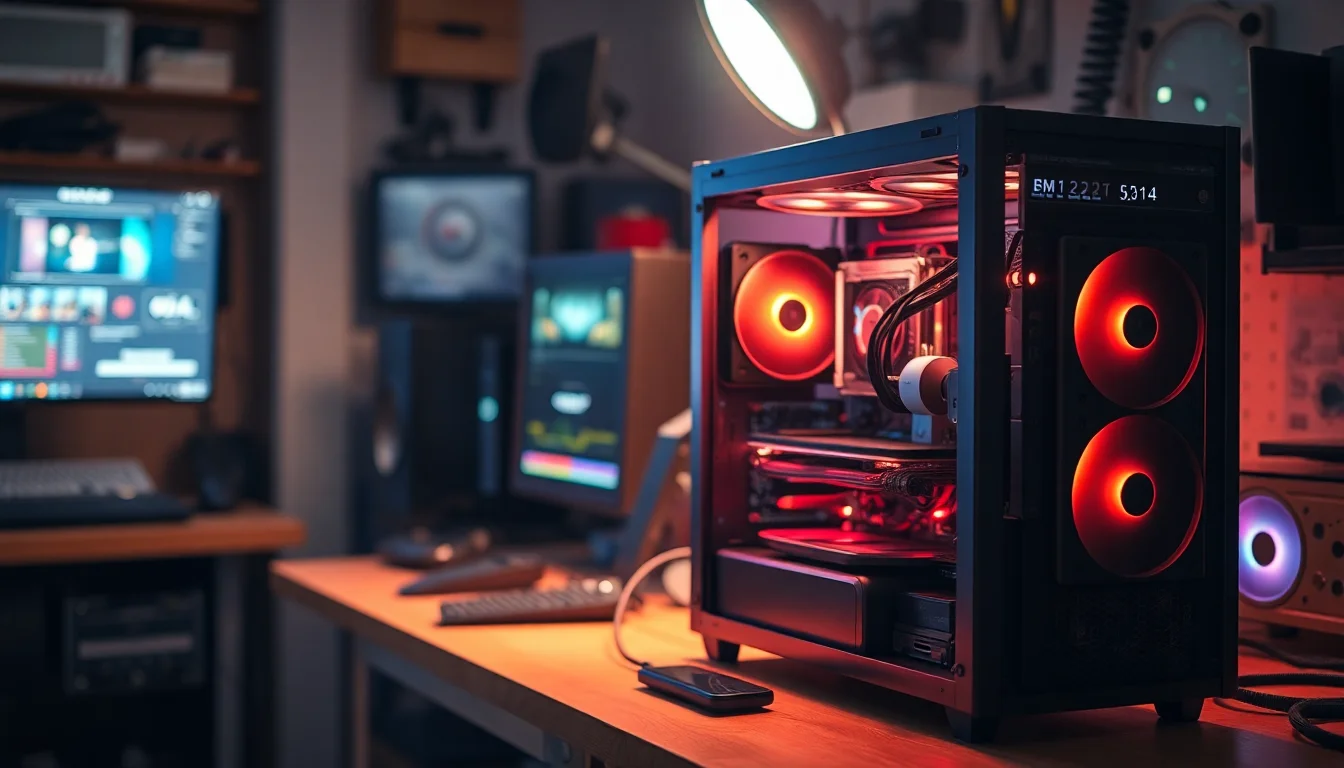
The Amethyst 350M (marketed here as the 360M Airflow) is a mid-tower airflow case with a focus on ventilation and aesthetics. The white colourway is clean and popular right now, and with seven aRGB fans visible through what's presumably a tempered glass side panel, it makes a visual statement. For a prebuilt, the case choice is actually decent. CyberPowerPC have used worse in the past, and an airflow-focused chassis from a brand that specialises in gaming cases suggests someone thought about thermals rather than just picking the cheapest box available.
Cable management in prebuilts is historically where things get ugly. Factory-built systems often have cables routed for speed rather than aesthetics or airflow, and while it doesn't affect performance in most cases, it can make future upgrades more frustrating than they need to be. The two early owners haven't specifically called this out as an issue, which is mildly encouraging, but it's worth being prepared for the possibility that the interior isn't as tidy as a careful custom build. If you're planning to add components later, you may want to tidy the cable routing at that point.
Build quality on CyberPowerPC machines is generally functional rather than exceptional. The components are assembled correctly and the system works, but the kind of attention to detail you'd put into your own build (or that a boutique builder like Chillblast or Overclockers UK might apply) isn't always present. That said, the owner feedback so far is positive, with no reports of DOA units or obvious assembly issues. At this price tier, you have a right to expect a clean, professional build, and on balance the evidence suggests this one delivers that.
The listing confirms Wi-Fi 5 and Ethernet connectivity. Wi-Fi 5 (802.11ac) is functional but notably, that at this price tier in 2026, Wi-Fi 6 or Wi-Fi 6E would be more appropriate. Wi-Fi 5 tops out at theoretical speeds that are fine for gaming, but if you're on a fast broadband connection and want to use wireless rather than running an Ethernet cable, the older standard is a mild disappointment. For gaming specifically, latency matters more than raw throughput, and Wi-Fi 5 handles that fine. But if you're downloading large game files regularly, a wired connection is strongly recommended regardless of the Wi-Fi standard.
The Z890 motherboard will have a range of USB ports on the rear IO, and the Amethyst case will have front-panel USB connections, though the specific count and types aren't detailed in the listing. Z890 boards typically include a mix of USB-A and USB-C ports, and modern cases often include a front USB-C header. For most users, the port selection on a Z890-based system will be more than adequate. Video output options will depend on the RTX 5070 Ti's specific card implementation, which isn't detailed here, but Nvidia's current generation cards typically include DisplayPort 2.1 and HDMI 2.1 outputs.
The Ethernet port is the right choice for serious gaming, and if you can run a cable, you should. Wi-Fi 5 is fine as a backup or for casual use, but wired connectivity eliminates a whole category of potential latency and stability issues. The inclusion of both is sensible, and for a desktop gaming PC, having the option of wired Ethernet is non-negotiable. The specific Ethernet controller isn't listed, but Z890 motherboards typically pair with Intel or Realtek NICs, both of which are reliable choices for gaming.
Windows 11 Home (64-bit) is the operating system here, which is the standard choice for consumer gaming PCs. Home versus Pro is unlikely to matter for the vast majority of buyers at this price point. If you need domain joining, Remote Desktop hosting, or BitLocker encryption, you'd know about it and you'd have bought Pro. For gaming, content creation, and general use, Windows 11 Home is perfectly adequate. The 64-bit installation is the only sensible option with 32GB of RAM.
The included Norton 360 for Gamers VPN and Security subscription is a one-year deal. Norton is a legitimate security suite, and the Gamers version is designed to minimise performance impact during gaming sessions. Whether you want a third-party antivirus is a personal choice. Windows Defender has improved significantly and is genuinely capable for most users. The Norton subscription is a nice-to-have rather than a must-have, and after the year is up, you'll need to decide whether to renew or switch to Defender. Don't feel pressured into renewing just because it's there.
CyberPowerPC typically installs some of their own utility software alongside Windows, which is par for the course with prebuilts. It's rarely malicious, but it can include monitoring tools, RGB control software for the aRGB fans, and potentially some promotional software. The first thing most enthusiasts do with a new prebuilt is a fresh Windows install to clear out any manufacturer additions, and that's a reasonable approach if you want a clean slate. The system will work fine out of the box without doing this, but knowing it's an option is useful.
The Z890 platform is genuinely upgrade-friendly, which is one of the better arguments for this configuration. Intel's Arrow Lake socket (LGA1851) supports the current generation of Core Ultra processors, and while Intel's socket longevity has historically been a point of criticism, the Z890 platform should support at least the next generation of Intel CPUs. That means if you want to drop in a faster chip in a couple of years, the path is there. The 32GB of DDR5 RAM can be expanded; most Z890 boards support 64GB or more, and DDR5 prices have been falling. Adding a second kit is straightforward.
Storage expansion is easy. The Z890 motherboard will have multiple M.2 slots, and adding a second NVMe drive is a five-minute job. If you need even more storage, SATA drives are an option depending on the specific board's port count. The 2TB starting point is generous enough that most users won't need to expand for a while, but knowing the option is there is reassuring. The case has room for additional drives if needed.
The GPU is the trickier upgrade. The RTX 5070 Ti is a high-end card, so you're unlikely to want to replace it for at least three to four years. When you do, the 750W PSU becomes relevant. Next-generation flagship GPUs have historically required more power, and a 750W unit may be limiting if you want to drop in an RTX 6090 or equivalent in 2028. Replacing the PSU in a prebuilt is possible but more involved than in a custom build, partly because cable routing is designed around the existing unit. It's not impossible, just worth factoring into your long-term thinking.
At this price tier, you're competing with both other prebuilt systems and the DIY option. Let's start with the DIY question because it's the one most people actually care about. Building an equivalent system yourself, sourcing an Intel Core Ultra 7 265KF, an RTX 5070 Ti, 32GB DDR5, a 2TB NVMe SSD, a Z890 motherboard, a 360mm AIO, a decent case with fans, a 750W 80 Plus PSU, and a Windows 11 Home licence, you're looking at a total that's likely to be comparable to or slightly higher than the prebuilt price, depending on which components you choose and whether you catch any sales. The RTX 5070 Ti alone is a premium-priced GPU, and the Core Ultra 7 265KF isn't cheap either.
The argument for building yourself is component quality control. You choose the specific PSU brand (a known-good unit like a Seasonic or Corsair), the specific SSD (a Samsung 990 Pro or WD Black), and the specific motherboard (an Asus ROG or MSI MEG). With a prebuilt, those choices are made for you, and they're not always the choices you'd make. The argument for buying the prebuilt is time, warranty, and the fact that at current GPU prices, the convenience premium isn't enormous. If your time is worth anything and you don't want to spend a weekend sourcing parts and building, the prebuilt makes sense.
Against other prebuilts in this tier, the CyberPowerPC Luxe competes with offerings from Alienware, HP Omen, and boutique UK builders. Alienware systems at this price tend to have proprietary components that make upgrades harder. HP Omen machines are well-built but can be conservative on case airflow. The CyberPowerPC's airflow case and 360mm AIO give it a thermal advantage over some of those alternatives. The Wi-Fi 5 inclusion is a weak point compared to competitors that have moved to Wi-Fi 6E at this price tier.
| Feature | CyberPowerPC Luxe (RTX 5070 Ti) | Alienware Aurora R16 (RTX 4090) | DIY Equivalent Build |
|---|---|---|---|
| CPU | Intel Core Ultra 7 265KF (20C) | Intel Core i9-14900KF (24C) | Your choice |
| GPU | RTX 5070 Ti (Blackwell) | RTX 4090 (Ada Lovelace) | RTX 5070 Ti |
| RAM | 32GB DDR5 | 32GB DDR5 | 32GB DDR5 (chosen brand) |
| Storage | 2TB NVMe | 1TB NVMe | 2TB NVMe (chosen brand) |
| Cooler | 360mm AIO | Proprietary AIO | Your choice |
| Wi-Fi | Wi-Fi 5 | Wi-Fi 6E | Wi-Fi 6E (if chosen) |
| PSU | 750W 80 Plus | 1000W (proprietary) | Your choice (known brand) |
| Upgrade Friendly | Good (standard parts) | Limited (proprietary) | Excellent |
| Price | £2,049.00 | Premium tier | Similar or higher |
CyberPowerPC offers a standard manufacturer warranty on their prebuilt systems, typically covering parts and labour for one year from the date of purchase. For a machine at this price tier, that's the baseline expectation. In the UK, the Consumer Rights Act 2015 provides additional protection beyond the manufacturer warranty, meaning the seller is responsible for goods that are not of satisfactory quality, fit for purpose, or as described. In practical terms, this means that if something fails in the first six months, the burden of proof is on the seller to show it wasn't a manufacturing defect. After six months, the burden shifts to you, but the protection still exists for up to six years in some cases. Keep your purchase receipts and correspondence.
CyberPowerPC's UK support reputation is mixed. Response times can be slower than boutique UK builders, and the RMA process for a full prebuilt system is more involved than returning a single component. If you experience a hardware fault, the process typically involves contacting their support team, potentially running diagnostics, and either sending the unit back or having a technician visit depending on the nature of the fault. This is worth thinking about if you're in a situation where being without your PC for a week or two would be genuinely disruptive. Some buyers at this tier opt for boutique builders specifically because of better support responsiveness, and that's a legitimate consideration. Amazon's 30-day return window provides a safety net for early failures, which is reassuring.
Resale value at the 24 to 36 month mark is worth considering. High-end gaming PCs depreciate, but the RTX 5070 Ti and Core Ultra 7 265KF are current-generation flagship components. At 24 months, assuming Nvidia's next generation (presumably RTX 6000 series) has launched, you'd expect to recover a reasonable proportion of the purchase price if the system is well-maintained and in good condition. The white aesthetic is currently popular, which doesn't hurt resale. At 36 months, the depreciation curve steepens as the GPU moves from current-gen to previous-gen, but the system will still be a capable gaming machine. The upgrade path on the Z890 platform means you don't necessarily need to sell the whole system; you can upgrade the GPU and keep everything else, which is often better value than replacing the entire machine.
Looking ahead, Intel's roadmap beyond Arrow Lake will determine how long the LGA1851 socket remains relevant. If Intel follows their recent pattern, Z890 should support at least one more generation of processors, meaning a CPU upgrade path exists. The RTX 5070 Ti will comfortably handle 4K gaming for three to four years at current trajectory. The component that's most likely to become limiting first is the PSU, not because 750W is inadequate now, but because next-generation GPUs may push power requirements higher. Planning for a PSU upgrade at the same time as a future GPU upgrade is sensible long-term thinking.
The sticker price already includes VAT, which is worth remembering when comparing to component prices listed ex-VAT on some retailer sites. At the premium tier this sits in, you're making a significant investment, and it's worth thinking about the full picture of what ownership costs over three years. Running costs for a gaming PC at this spec level depend heavily on usage patterns. The RTX 5070 Ti under full gaming load, combined with the Core Ultra 7 265KF and system overhead, puts total system power draw somewhere in the 400 to 600W range during intensive gaming. At the UK average electricity rate of approximately 27p per kWh, a daily two-hour gaming session works out to roughly 30 to 40 pence per day, or around £100 to £140 per year. Over three years, that's a meaningful but not alarming addition to the total cost.
Required co-purchases are worth budgeting for. The machine doesn't include a monitor, and the RTX 5070 Ti deserves a display that can use it properly. A 1440p 165Hz or 4K monitor at this tier costs a significant amount on its own. If you're upgrading from an older system, your existing monitor may be fine, but if you're starting from scratch, factor in monitor cost. A decent gaming headset or speakers, a keyboard, and a mouse are similarly not included. The Norton 360 subscription covers the first year of security software, but after that, you'll either renew (at a cost) or switch to Windows Defender (free). These aren't hidden costs, but they're real ones.
Comparing the total cost of ownership to a DIY build is instructive. A self-built equivalent with chosen-brand components (Seasonic PSU, Samsung SSD, known-good DDR5 kit, reputable Z890 board) would likely cost a similar amount or slightly more at current component prices, factoring in the GPU's retail price. The prebuilt doesn't offer a dramatic saving, but it doesn't carry a dramatic premium either at current market pricing. What you're paying for is the assembly, the warranty, and the convenience of a working system on day one. For buyers who value their time and don't want to spend a weekend building, that's a reasonable trade. For enthusiasts who enjoy the build process and want full control over every component, the DIY route remains the more satisfying option even if the cost difference is modest.
With only two owner reviews at the time of writing, the sample size for real-world failure data is small. Both reviews are positive (averaging ★★★★½ (4.7)), which is encouraging for a machine that's clearly been in buyers' hands for at least some time. The early returns suggest no widespread DOA or assembly issues, which is the most common failure mode for prebuilts and the most frustrating to deal with. That said, two reviews is not a statistically meaningful sample, and as more units ship and more owners report back, the picture may become clearer.
The components that carry the most failure risk in any prebuilt are the PSU and the AIO cooler. PSU quality in CyberPowerPC builds has historically been variable, and without knowing the specific unit, it's impossible to assess the failure risk precisely. AIO coolers have a finite lifespan; the pump can fail, and coolant can degrade over time. A 360mm AIO should last five to seven years under normal use, but it's worth monitoring for any unusual noise from the pump, which is typically the first sign of a failing unit. If the pump fails, CPU temperatures will spike rapidly, and modern systems will throttle or shut down to protect the hardware. It's not a catastrophic failure mode, but it requires prompt attention.
Under UK consumer law, your rights are clear. Amazon's 30-day return window covers early failures cleanly. After 30 days, the Consumer Rights Act 2015 applies: in the first six months, any fault is presumed to be a manufacturing defect unless the seller can prove otherwise. This is strong protection and worth invoking if you experience issues. The manufacturer warranty covers parts and labour for one year, and CyberPowerPC's support process, while not the fastest in the industry, does exist and does process claims. If you receive a unit with obvious quality-control issues (coil whine from the GPU or PSU, excessive fan noise at idle, RGB components not functioning), returning it within 30 days via Amazon is the cleanest resolution. Don't feel obligated to troubleshoot a brand-new premium-tier machine extensively before exercising your return rights.
Coil whine is worth mentioning specifically. The RTX 5070 Ti, like many high-performance GPUs, can exhibit coil whine under certain load conditions. This is a quality-control lottery rather than a design defect; some units are silent, some are audible. It's not harmful to the hardware, but it can be annoying, particularly in quieter moments or when using speakers rather than headphones. If your unit exhibits significant coil whine, a return and re-order is a reasonable response, and most replacement units won't have the same issue. Similarly, AIO pump noise at certain RPMs can be annoying; this is sometimes addressable through fan curve adjustments in the BIOS or through the system's RGB/fan control software.

The CyberPowerPC Luxe Gaming PC - Intel Core Ultra 7 265KF, Nvidia RTX 5070 Ti, 32GB RAM, 2TB NVMe SSD, 750W PSU, Windows 11, Liquid Cooling, Amethyst 360M Airflow White is a genuinely strong machine at the premium tier. The component choices are mostly right: current-generation CPU and GPU, adequate RAM and storage, proper 360mm liquid cooling, and an airflow-focused case with enough fans to actually keep things cool. The Z890 platform gives you upgrade headroom. The RTX 5070 Ti with DLSS 4 and fourth-generation ray tracing is a serious GPU for 4K gaming in 2026.
The unknowns are real, though. The PSU brand and quality, the specific SSD, the DDR5 speed, the motherboard model. These are the corners that prebuilt manufacturers don't always shout about, and at this price tier, you have a right to know. The Wi-Fi 5 inclusion feels dated for a premium machine, and the CyberPowerPC support experience isn't as polished as boutique UK builders. But the two early owners are happy, the spec sheet is strong, and the price is competitive with both alternatives and DIY builds at current component prices.
Our editorial score is 7.5 out of 10. Strong hardware, sensible cooling, good upgrade platform. Docked for unknown PSU quality, Wi-Fi 5 in 2026, and the general opacity around component specifics that's frustrating at this price point. If you want a 4K-capable gaming PC without the weekend of sourcing parts and building, this is a solid option. If you're the type who wants to know exactly what PSU is in your machine and would lose sleep over it, build your own.
| CPU | Intel Core Ultra 7 265KF |
|---|---|
| GPU | Nvidia GeForce RTX 5070 Ti |
| AI tops | 1406 |
| Architecture | NVIDIA Blackwell |
| Base clock | 2.3 GHz |
| Boost clock | 2.45 GHz |
| Case size | mid-tower |
| Color | Black |
| Cooling | 360mm AIO liquid |
| Cuda cores | 8960 |
| Dlss support | DLSS 4 |
| Ethernet | 1GbE |
Yes, genuinely. The RTX 5070 Ti is a top-tier GPU from Nvidia's Blackwell generation, and at 1440p it will handle any current game at max settings with well over 100fps. At 4K, you're looking at 60 to 100fps natively in demanding titles, with DLSS 4 Multi Frame Generation pushing that significantly higher in supported games. Ray tracing performance is strong thanks to fourth-generation RT cores. This is a machine built for 4K gaming in 2026, and the hardware backs that up.
Reasonably well, yes. The Z890 motherboard platform supports additional DDR5 RAM (up to 64GB or more depending on the specific board), and there will be additional M.2 slots for extra NVMe storage. The CPU can be overclocked via the unlocked multiplier. GPU upgrades are possible but the 750W PSU may become a limiting factor for next-generation flagship GPUs, so factor in a PSU replacement if you're planning a significant GPU upgrade in a few years. The case and standard ATX components mean nothing is proprietary, which is a genuine advantage over some competitors.
At current component prices, the value proposition is closer than it used to be. Building an equivalent system yourself with a known-good PSU brand, a reputable SSD, and a quality Z890 motherboard would cost a similar amount or potentially more, especially factoring in the RTX 5070 Ti's retail price. The prebuilt advantage is time and a working system from day one with a warranty. The DIY advantage is knowing exactly what PSU and SSD you're getting. If you value your time and don't enjoy the build process, the prebuilt makes sense. If you're an enthusiast who wants full component control, build your own.
The listing specifies a 750W 80 Plus rated power supply, but the brand is not disclosed. CyberPowerPC have historically used their own-brand PSUs in some configurations, which is worth knowing. The 750W capacity is adequate for the Core Ultra 7 265KF and RTX 5070 Ti combination under normal gaming loads, but it doesn't leave a huge amount of headroom for future GPU upgrades or simultaneous CPU and GPU overclocking peaks. If PSU brand and quality is important to you, this is worth investigating before purchase or factoring into your upgrade planning.
Amazon offers a 30-day hassle-free return window, which covers early failures cleanly. The manufacturer typically provides a one-year warranty covering parts and labour. In the UK, the Consumer Rights Act 2015 provides additional protection: in the first six months after purchase, any fault is presumed to be a manufacturing defect unless the seller proves otherwise, and you're entitled to a repair, replacement, or refund. After six months, the protection continues but the burden of proof shifts. Keep your purchase documentation and any correspondence with the seller. Check the product listing for exact warranty terms specific to this model.
The competition at a glance
~£2,039approx
The choice we'd make at this price band. Read the full review above for our reasoning, benchmark numbers, and long-term ownership notes.
~£2,499approx
Where it wins
Where it falls short
~£2,199approx
Where it wins
Where it falls short
Prices are approximate UK street prices at time of review. Live pricing on each retailer.
Strong hardware and proper cooling make this a legitimate 4K gaming machine, but the opacity around PSU and SSD specifics is frustrating at this price point.
Buy at Amazon UK · £2,049.00



More from