
Most people asking "should I build or buy?" are really asking something simpler: is this thing worth the money, or am I paying a convenience tax for something I could assemble better myself? With the Lenovo IdeaCentre AIO 3 (sometimes listed as the A100), that question gets genuinely interesting. Because this isn't a gaming rig dressed up in all-in-one clothing. It's a proper home and office machine, and the specs tell a clear story about exactly who it's built for.
The headline numbers are an Intel N100 processor, 16GB of RAM, a 512GB SSD, and a 24-inch Full HD IPS display, all wrapped in a Luna grey chassis that Lenovo clearly wants sitting on a living room desk rather than tucked in a corner. Wi-Fi 6 is on board, a 5MP webcam is tuned by Lenovo's AI-based Smart Meeting software, and the whole thing ships with a wireless keyboard and mouse. At the current price (see below), it sits in territory where the DIY maths gets a bit awkward. So let's work through it properly.
Owner feedback across 17 reviews averages ★★★★½ (4.6), which is genuinely good for a budget all-in-one. People aren't usually this happy with entry-level AIOs. That tells you something. Whether it tells you enough to part with your cash is what this review is for.
Core Specifications: Lenovo IdeaCentre A100 All-in-One Desktop PC
Strip away the marketing and you've got a machine built around Intel's N100 processor, which is an efficiency-focused chip from Intel's Alder Lake-N family. It's not a powerhouse, and Lenovo isn't pretending it is. The integrated GPU handles display output and light workloads. There's no discrete graphics card here, and there isn't meant to be. The 16GB of RAM is a genuinely solid allocation at this price point, and the 512GB SSD means you're not immediately scrambling for an external drive on day one.
The display is a 24-inch Full HD IPS panel running at 1920x1080, with a stated 250 nits brightness. IPS means decent viewing angles, which matters more than you'd think on an all-in-one that often gets used in shared spaces. The 5MP webcam is above average for this category. Most budget AIOs ship with 720p or at best 1080p webcams that make you look like you're calling from 2011. A 5MP unit with AI-assisted framing is a proper step up. Wi-Fi 6 connectivity rounds things out on the networking side.
Windows 11 Home comes pre-installed. The wireless EOS keyboard and mouse are included in the box, which saves you an immediate additional purchase. The Luna grey design is genuinely tidy. Lenovo has put a cable management system into the stand, which sounds like a minor thing until you've wrestled with the cable chaos that usually lives behind an all-in-one setup. Small detail, but owners notice it.
| Specification | Detail |
|---|---|
| CPU | Intel Processor N100 |
| GPU | Intel Integrated Graphics (UHD) |
| RAM | 16GB |
| Storage | 512GB SSD |
| Display | 24-inch Full HD IPS, 250 nits |
| Webcam | 5MP with Lenovo Smart Meeting AI |
| Wireless | Wi-Fi 6 |
| Operating System | Windows 11 Home |
| Included Accessories | Wireless EOS Keyboard and Mouse |
| Colour | Luna Grey |
| Current Price | £699.00 |
| Rating | ★★★★½ (4.6) (17 reviews) |

CPU and Performance: What the N100 Actually Does
The Intel N100 is a four-core chip built on Intel's 10nm process (Intel 7). It's an efficiency-first design, meaning it prioritises low power draw and thermal management over raw speed. The clock speeds top out at 3.4GHz, and there's no hyperthreading. For context, this is the kind of chip you'd find in a decent mini PC or a budget Chromebook-class machine that's been upgraded to Windows.
What does that mean in practice? For Microsoft Office, browser-based work, Zoom calls, Teams meetings, and general web browsing, it's absolutely fine. More than fine, actually. The N100 handles these tasks without breaking a sweat, and because it runs cool and quiet, the all-in-one form factor works well here. You're not going to hear fan noise during a video call. You're not going to watch the thing throttle itself trying to keep up with a spreadsheet. Lenovo has matched the chip to the use case correctly.
Where it hits a wall is anything processor-intensive. Video editing in Premiere Pro? It'll do it, but slowly. Running multiple virtual machines? No. Compiling code? Possible, but you'll be waiting. The honest framing is this: the N100 is a capable chip for light-to-medium productivity work, and it will handle that daily driver role for most households without complaint. If your workload is heavier than that, this isn't your machine, and no amount of extra RAM is going to change that.
Owner reviews back this up. The consistent theme is that people are pleasantly surprised by how responsive it feels for everyday tasks. Nobody's complaining it's slow for email and YouTube. The people who'd find it frustrating simply aren't the target buyer here, and that's fine.
GPU and Gaming Performance: Integrated Graphics, Honest Expectations
There's no discrete GPU in this machine. The display is driven by Intel's integrated graphics built into the N100, which is the UHD variant from the Alder Lake-N family. If you're buying this for gaming, stop here. This isn't a gaming machine. The category label on the product listing says "Desktop PCs / Prebuilt Gaming PCs" which is frankly misleading, because integrated N100 graphics are not a gaming solution in any meaningful sense.
What can it actually run? Very old titles, browser-based games, and casual stuff like Minecraft at low settings. You might squeeze out playable frame rates in games from a decade ago at 1080p low. Anything modern and demanding is not going to happen. No ray tracing, no 1440p gaming, no esports titles at high frame rates. The integrated GPU simply doesn't have the horsepower. Intel's UHD graphics in the N100 are a step below even the Arc integrated graphics you'd find in a Core Ultra chip, so set expectations accordingly.
But here's the thing: this machine was never designed with gaming in mind. Lenovo's own marketing talks about Office, Zoom, and Teams. The 24-inch FHD display and the slim all-in-one form factor are aimed at the home office user, the student, or the family wanting a tidy setup in the kitchen or living room. Judging it for gaming performance is like criticising a kettle for not making toast. If you genuinely need gaming capability at this price point, you need a different machine entirely, probably one with at least a discrete entry-level GPU. For everyone else, the integrated graphics do exactly what's needed: they push pixels to the display cleanly and handle video playback without stuttering.
Memory and Storage: 16GB and 512GB is a Decent Starting Point
Sixteen gigabytes of RAM in a budget all-in-one is actually a strong allocation. A lot of machines at this price tier ship with 8GB, which in 2026 is starting to feel tight for Windows 11 with a few browser tabs open. The 16GB here gives you proper headroom for multitasking: a Teams call running while you've got a spreadsheet open and a handful of browser tabs going. That's a real-world scenario that would cause an 8GB machine to start reaching for the page file, and this one handles it without drama.
The storage is a 512GB SSD, which is the right call over a spinning hard drive for an all-in-one. Boot times are fast, applications launch quickly, and the machine feels responsive in a way that a hard drive-based AIO simply doesn't. 512GB is enough for Windows, your applications, and a reasonable amount of documents and media. If you're storing large photo or video libraries, you'll want external storage or a network drive eventually, but for the typical user it's a comfortable starting point.
Upgrade potential is where all-in-ones get complicated. By design, AIOs are not easy to get into. The RAM and storage are likely soldered or at minimum awkward to access, which is the trade-off you make for the slim integrated form factor. This isn't unique to Lenovo. It's an inherent limitation of the AIO category. The practical advice is to treat the 16GB RAM and 512GB SSD as fixed specs rather than a starting point you'll expand later. If you think you'll definitely need more than 512GB internally, factor in an external drive from day one rather than banking on an upgrade.
The 512GB SSD is listed without a specific type (NVMe vs SATA), which is worth noting. At this price and in this form factor, it's likely a SATA SSD or a budget NVMe unit. Either way, the real-world difference for productivity tasks is negligible. You're not transferring large files at high speed in this use case. Fast enough is fast enough.
Cooling Solution: Quiet by Design
The N100's thermal design power is rated at just 6W, which is remarkably low. That's the fundamental reason this machine can exist as a slim all-in-one without cooking itself. Intel designed this chip specifically for low-power applications, and the thermal requirements are so modest that the cooling solution inside the IdeaCentre AIO doesn't need to work very hard at all. In practice, this means the machine runs quietly, which is a genuine quality-of-life win for a device that lives on your desk during work calls.
All-in-one cooling is always a compromise. You're working with a thin chassis, limited airflow, and a small fan that needs to stay inaudible. The saving grace here is that the N100 generates so little heat that even a modest cooling solution keeps it well within limits. Thermal throttling, where a chip deliberately slows itself down to avoid overheating, is not a concern under normal productivity workloads. The chip is simply not producing enough heat to trigger it.
Owner reviews don't mention noise as a complaint, which is a good sign. Loud fan noise is one of the most common gripes with budget all-in-ones, particularly ones that shipped with underpowered cooling relative to their chip. The N100's efficiency works in the machine's favour here. You're unlikely to notice the fan during everyday use. Under a sustained load like a long video export, it may spin up slightly, but the thermal ceiling is so far from the chip's normal operating range that it's not a practical concern for the target user.
Case and Build Quality: Lenovo's AIO Design Done Right
Lenovo has a decent track record with all-in-one build quality, and the IdeaCentre range sits in a sensible middle ground between budget plasticky units and the premium end of the market. The Luna grey finish is clean and understated. It's not trying to look like a gaming PC, and that's exactly right for a machine that's going to live on a kitchen desk or in a home office. The stand is solid, the display doesn't wobble, and the overall impression is of something that was designed rather than just assembled.
The built-in cable tidy on the stand is a small but genuinely useful detail. Cable management on all-in-ones is usually an afterthought. You plug in the power, maybe a USB device or two, and suddenly there's a tangle of cables hanging behind what's supposed to be a clean, minimal setup. Lenovo has routed a channel through the stand to keep cables organised, and owners specifically mention this as a positive. It's the kind of thing that doesn't show up in a spec sheet but makes a real difference to how the machine looks on your desk day to day.
The 24-inch IPS panel at 250 nits is adequate for indoor use. It's not a high-brightness display, and in a very sunny room it might look a bit washed out. But for a home office or living room environment with normal lighting, 250 nits is workable. The IPS technology means the viewing angle is wide enough that people sitting alongside you can see the screen clearly, which matters for the collaborative working scenarios Lenovo is targeting. The display isn't going to win awards for colour accuracy or peak brightness, but it does its job without embarrassing itself.
One thing worth flagging: all-in-ones are inherently harder to service than traditional desktop towers. If something goes wrong inside the chassis after the warranty period, you're looking at a more involved repair than swapping a component in a standard PC case. That's not a Lenovo-specific issue, it's just the nature of the form factor. Factor that into your long-term thinking.

Connectivity and Ports: Wi-Fi 6 is the Star
Wi-Fi 6 (802.11ax) is a proper inclusion at this price. A lot of budget machines still ship with Wi-Fi 5, and while Wi-Fi 5 is fine for most users, Wi-Fi 6 handles congested home networks better, especially in households where multiple devices are competing for bandwidth. If you've got a Wi-Fi 6 router, you'll see lower latency and better sustained throughput. If you haven't, you're future-proofed for when you upgrade.
The specific port configuration isn't detailed in the verified spec sheet, so rather than guess at USB counts or video output types, the honest answer is to check the product listing for the full port breakdown. What is confirmed is that the machine accepts the bundled wireless keyboard and mouse (so there's at least a USB receiver or Bluetooth capability), and the display is integrated, so you're not connecting an external monitor. The wireless accessories mean you're not burning USB ports on input devices, which is a sensible design choice for a machine where port count may be limited by the slim chassis.
The 5MP webcam deserves more attention than it usually gets in spec comparisons. Lenovo's Smart Meeting AI handles framing, background adjustment, and image quality tuning. In a market where most budget all-in-ones ship with 720p webcams that make you look like you're broadcasting from a potato, a 5MP unit with AI processing is a meaningful step up. For anyone using this machine for regular video calls, whether that's work meetings or keeping in touch with family, it's one of the most practically useful specs on the sheet. Owners who mention the webcam in their reviews are consistently positive about it.
Pre-installed Software and OS: Windows 11 Home, Lenovo Extras
Windows 11 Home is the right call here. It's the current mainstream version, it runs well on the N100 with 16GB of RAM, and it supports all the productivity software the target user is likely to need. Microsoft Office compatibility is obviously there (though Office itself isn't included, you'd need a Microsoft 365 subscription or a standalone licence). Teams, Zoom, and the rest of the video calling ecosystem all run without issue.
Lenovo typically pre-installs a handful of their own utilities alongside Windows. Lenovo Vantage is the main one, which handles driver updates and system health monitoring. It's not the most lightweight piece of software, but it's genuinely useful for keeping drivers current without having to hunt them down manually. Whether you consider this bloatware depends on your tolerance for manufacturer software. It's less intrusive than some competitors, and you can remove it if you'd rather manage things yourself.
The Lenovo Smart Meeting software that powers the webcam AI is worth keeping. It's the thing that makes the 5MP camera actually perform well rather than just technically having more pixels. The AI-based framing and image tuning make a noticeable difference on video calls, and it's one of the features that differentiates this machine from a generic budget AIO with a similar spec sheet. Beyond that, the software experience is pretty standard Windows 11. There's nothing here that should cause problems, and nothing that requires significant cleanup before the machine is usable.
One thing to be aware of: Windows 11 Home doesn't include BitLocker drive encryption by default (that's a Pro feature), and it doesn't support domain joining if you're in a managed IT environment. For home users, neither of these matters. For anyone buying this for a small business with IT management requirements, it's worth checking whether Home meets your needs or whether you'd want to upgrade to Pro.
Upgrade Potential: Manage Your Expectations
All-in-ones are not upgrade-friendly machines. That's not a criticism specific to this model, it's just the honest reality of the form factor. The slim integrated chassis that makes it look tidy on your desk is the same chassis that makes it difficult to get inside and swap components. The RAM is almost certainly soldered to the motherboard, which means 16GB is what you've got, permanently. The SSD may be replaceable if you're comfortable disassembling the unit, but it's not a five-minute job, and voiding the warranty to add storage isn't a great trade.
There's no discrete GPU slot, obviously. You can't add a graphics card to an all-in-one. External GPU enclosures exist as a concept, but they require a Thunderbolt connection, and whether this machine has Thunderbolt isn't confirmed in the spec sheet. Don't plan your upgrade path around it. If you think you'll want gaming capability in 18 months, this isn't the machine to start with.
What you can realistically do is expand storage externally. USB external drives and NAS solutions work fine with this machine for bulk storage. If you're a photographer or someone who accumulates large files, that's your practical path forward. The machine's core performance envelope is fixed by the N100 processor and integrated graphics, and no peripheral upgrade changes that. The right way to think about this machine is as a five-year appliance: buy it, use it, and when it no longer meets your needs, replace it rather than upgrade it. For the target user, that's a perfectly reasonable proposition. The 16GB RAM and 512GB SSD give it enough headroom that "no longer meets your needs" is probably several years away for light productivity use.
How It Compares: Lenovo IdeaCentre A100 vs the Competition
The main competition in this space comes from HP and Acer, both of whom offer all-in-ones at similar price points with similar specs. The HP All-in-One 24 is a common comparison point, typically shipping with Intel Core i3 or Pentium processors depending on the configuration, and similar display specs. The Acer Aspire C24 sits in the same territory. Neither is dramatically better or worse than the Lenovo. The differences come down to webcam quality, build finish, and the software experience.
Where the Lenovo pulls ahead is the webcam. The 5MP unit with Smart Meeting AI is genuinely better than what HP and Acer typically include at this price. If video calls are a primary use case, that matters. The Wi-Fi 6 inclusion is also a differentiator. Some competing units at this price still ship with Wi-Fi 5, which isn't a dealbreaker but is a step behind. The cable management stand is a nice touch that neither competitor matches as cleanly.
Against a DIY build, the maths is interesting. You cannot build a self-contained 24-inch all-in-one at home. That's simply not how PC building works. The comparison is really between this AIO and a budget mini PC plus a separate monitor. An Intel N100 mini PC (like a Beelink or Minisforum unit) plus a 24-inch FHD IPS monitor would cost you roughly similar money, and you'd get a more upgradeable setup. But you'd lose the integrated design, the built-in webcam, the wireless accessories, and the cable tidiness. For someone who values the clean single-unit form factor, the Lenovo makes sense. For someone who wants maximum flexibility and doesn't mind a slightly busier desk, the mini PC plus monitor route is worth considering.
| Feature | Lenovo IdeaCentre AIO (N100) | HP All-in-One 24 | Acer Aspire C24 |
|---|---|---|---|
| Processor | Intel N100 | Intel Core i3 / Pentium (varies) | Intel Core i3 / N-series (varies) |
| RAM | 16GB | 8GB to 16GB (config dependent) | 8GB to 16GB (config dependent) |
| Storage | 512GB SSD | 512GB SSD (varies) | 512GB SSD (varies) |
| Display | 24-inch FHD IPS 250 nits | 23.8-inch FHD IPS | 23.8-inch FHD IPS |
| Webcam | 5MP with AI Smart Meeting | 5MP (varies by config) | 1080p (varies by config) |
| Wi-Fi | Wi-Fi 6 | Wi-Fi 5 or 6 (config dependent) | Wi-Fi 5 or 6 (config dependent) |
| Accessories Included | Wireless keyboard and mouse | Wired keyboard and mouse (typically) | Wired keyboard and mouse (typically) |
| OS | Windows 11 Home | Windows 11 Home | Windows 11 Home |
| Cable Management | Built-in stand cable tidy | Standard | Standard |

Final Verdict: Lenovo IdeaCentre A100 All-in-One Desktop PC
The Lenovo IdeaCentre AIO 3 is a well-matched machine for what it's designed to do. If your daily computing involves Office, video calls, web browsing, streaming, and light productivity, this handles all of it comfortably. The N100 processor is efficient and quiet, the 16GB RAM is generous for the price tier, and the 5MP webcam with AI tuning is one of the best you'll find at this level. The Luna grey design is genuinely attractive, the cable management stand is a thoughtful detail, and Wi-Fi 6 means you're not buying a machine that's already behind on wireless standards.
The honest limitations are just as clear. This is not a gaming machine. The integrated graphics are for display output, not frame rates. It's not an upgrade-friendly machine either. What you buy is largely what you'll have in five years. And the 250-nit display, while fine for most rooms, won't cut it if you work in a very bright environment or want colour-accurate work for photo or video editing. These aren't flaws so much as they are category constraints. An all-in-one at this price tier with this chip is always going to have these characteristics.
The 4.6 average across 17 owner reviews is telling. People who buy this machine for its intended purpose are happy with it. That's not a small thing. Budget all-in-ones often disappoint because manufacturers oversell them or underspec them. Lenovo has been honest about what this is, specced it sensibly, and owners are reflecting that in their feedback. For the right buyer, this is genuinely good value. For the wrong buyer, no amount of good design fixes the wrong processor for the job.
Who should buy it? Anyone wanting a clean, quiet, capable home office or family computer that takes up minimal space and looks good doing it. Students, remote workers on light productivity tasks, households wanting a shared computer in the kitchen or living room. The wireless accessories and 5MP webcam make it particularly well-suited to video calling as a primary use case.
Who should skip it? Anyone who wants to game, even casually on modern titles. Anyone who needs heavy processing power for video editing or professional creative work. Anyone who values upgrade flexibility and wants to swap components over time. And anyone comparing this to a DIY mini PC build who doesn't care about the integrated form factor.
At the current price, it's a fair deal for what it is. Check the live price below before deciding, because this category moves around, but the value proposition holds up well against the competition at comparable price points.
What works. What doesn’t.
5 + 4What we liked5 reasons
- 16GB RAM is generous for the price tier
- 5MP AI-tuned webcam is well above average for a budget AIO
- Wi-Fi 6 included as standard
- Quiet operation thanks to the N100's low thermal output
- Cable management stand is a genuinely useful design detail
Where it falls4 reasons
- Integrated graphics only - not suitable for gaming
- 250 nits display brightness is modest for bright rooms
- Limited upgrade potential inherent to AIO form factor
- N100 hits a ceiling quickly on heavier workloads
Full specifications
12 attributes| CPU | Intel Processor N100 |
|---|---|
| GPU | integrated |
| Base clock | 0.80GHz |
| Boost clock | 3.4GHz |
| Core count | 4 |
| Integrated graphics | yes |
| Launch year | 2026 |
| OS | Windows 11 Home |
| RAM GB | 16 |
| Storage GB | 512 |
| Storage type | SSD |
| Threads | 4 |
If this isn’t right for you
2 options 7.5 / 10
CyberPowerPC Wyvern Gaming PC - AMD Ryzen 5 5500, Nvidia RTX 3050, 16GB RAM, 500GB NVMe SSD, 650W PSU, Wi-Fi, Windows 11, Sylph
£669.00 · CyberPowerPC
 7.5 / 10
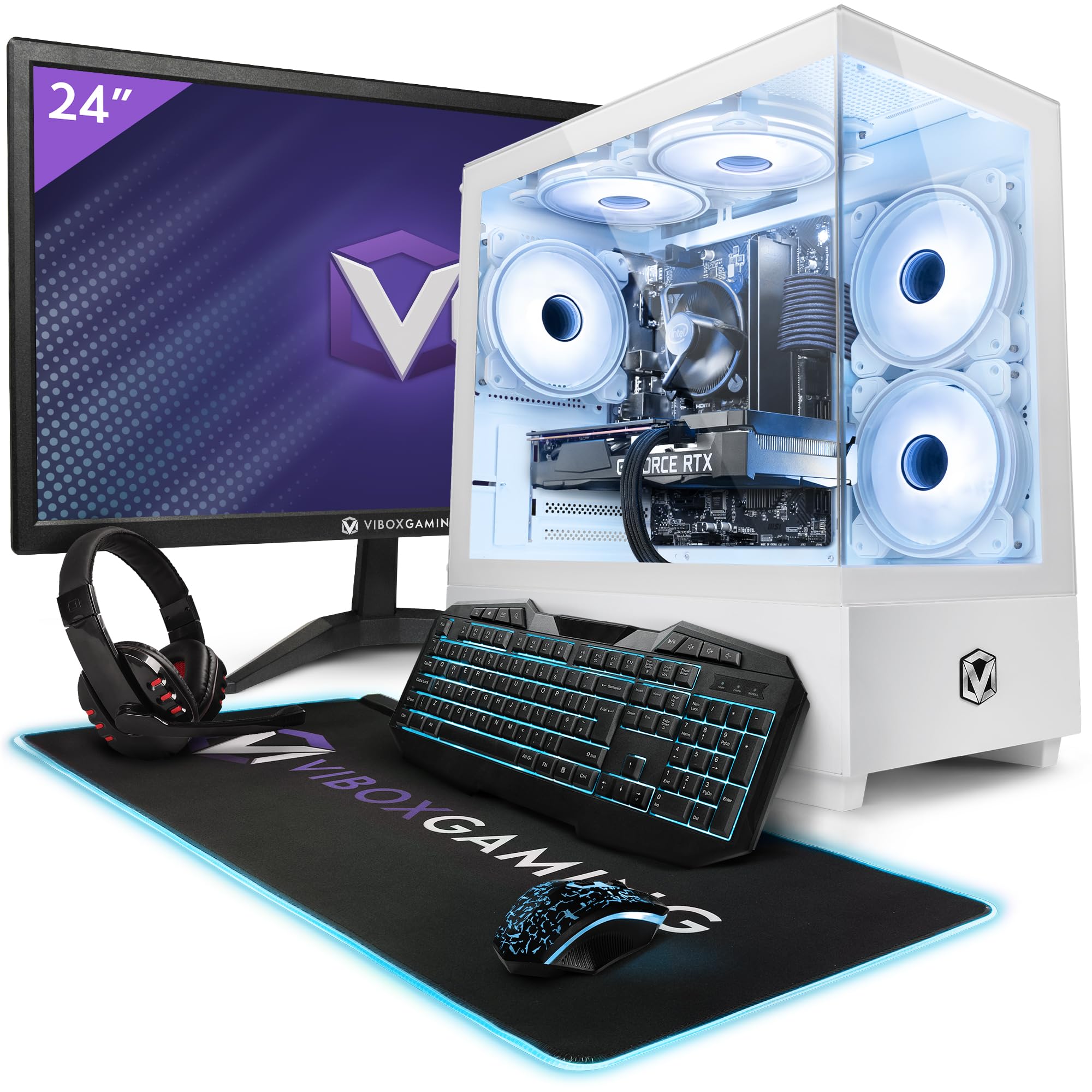
Vibox II-134 Gaming PC Bundle • Intel Core i5 10400F 4.3GHz • Nvidia RTX 3050 6GB • 16GB RAM • 500GB SSD • Windows 11 • 23" Monitor • WiFi
£804.95 · Vibox
Frequently asked
5 questions01Is the Lenovo IdeaCentre A100 All-in-One Desktop PC good for gaming?+
No, not in any meaningful sense. The machine uses Intel's integrated UHD graphics built into the N100 processor, with no discrete GPU. You might run very old games or casual browser-based titles at low settings, but anything from the last five or six years at 1080p will either run poorly or not at all. This machine is designed for productivity, video calls, and general home use. If gaming is important to you, you need a machine with at least an entry-level discrete GPU.
02Can I upgrade the Lenovo IdeaCentre A100 All-in-One Desktop PC?+
Upgrade potential is very limited, which is typical for all-in-one machines. The RAM is almost certainly soldered to the motherboard, so the 16GB is fixed. The SSD may technically be replaceable but requires disassembling the unit, which is not straightforward and risks voiding the warranty. There is no discrete GPU slot, and adding one externally would require Thunderbolt connectivity that is not confirmed in the spec sheet. The practical advice is to treat this as a fixed-spec appliance. The 16GB RAM and 512GB SSD give it good headroom for its intended use case, but plan for external storage expansion if you accumulate large files over time.
03Is the Lenovo IdeaCentre A100 All-in-One Desktop PC worth it vs building my own?+
You cannot build a self-contained all-in-one at home, so the real comparison is between this AIO and a budget mini PC paired with a separate 24-inch monitor. That route costs roughly similar money depending on the mini PC you choose, and gives you more flexibility to upgrade components individually. What you lose is the integrated design, the built-in 5MP AI webcam, the included wireless accessories, and the cable-managed stand. For someone who values the clean single-unit form factor and doesn't want to manage multiple devices, the Lenovo makes sense. For someone who wants maximum long-term flexibility, the mini PC plus monitor approach is worth exploring.
04What power supply does the Lenovo IdeaCentre A100 All-in-One use?+
The IdeaCentre AIO uses an external power adapter rather than an internal PSU, which is standard for all-in-one machines. The N100 processor has a thermal design power of just 6W, so the power requirements are modest. There is no internal PSU to upgrade or replace in the traditional sense. This also means there is no path to installing a discrete GPU that would require PCIe power connectors. The external adapter design keeps the chassis slim and the machine quiet, which suits its home office purpose.
05What warranty and returns apply to the Lenovo IdeaCentre A100 All-in-One Desktop PC?+
Amazon offers 30-day hassle-free returns on most items sold and fulfilled by Amazon. Lenovo typically provides a one-year manufacturer warranty on IdeaCentre products covering parts and labour for hardware defects. Extended warranty options may be available through Lenovo's website. Check the product listing and Lenovo's support pages for the exact warranty terms applicable to this specific model and your purchase date.