Look, I'll be straight with you. Most people buying a Bluetooth adapter for their PC aren't doing it because they love the idea of fiddling with drivers at midnight. They're doing it because their desktop doesn't have Bluetooth built in, they've got a wireless controller or headset they want to use, and they just want the thing to work. The question isn't whether a USB dongle is worth buying versus some elaborate DIY solution. There isn't one. The question is whether this particular dongle is worth your money or whether you'll be back on Amazon in a fortnight buying a replacement.
The UGREEN Bluetooth 6.0 Adapter PC, USB Bluetooth Dongle for PC Windows 11/10/8.1, EDR & BLE Modes, Long Range, Plug & Play, Mini-Sized, for Controller, Headphone, Keyboard, Mouse etc. sits at the budget end of the market, and I've had it running on a couple of test machines for about a month now. UGREEN has built a decent reputation for affordable accessories that actually do what they claim, which is more than you can say for a lot of the no-name stuff flooding Amazon. So let's see if this one holds up.
It's aimed at systems like a mid-tower desktop running Windows 11 with no onboard Bluetooth, or an older machine still on Windows 10. I paired it with a PS5 DualSense controller, a pair of Sony WH-1000XM5 headphones, a Logitech MX Keys keyboard, and a couple of BLE-only fitness trackers. That covers the main use cases most people are actually buying this for. Here's what I found.
Core Specifications
The headline spec here is Bluetooth 6.0, which is genuinely new territory for USB dongles at this price point. Most budget adapters are still shipping with Bluetooth 5.0 or 5.1, so UGREEN is at least keeping up with the spec sheet. Bluetooth 6.0 brings improvements to connection stability and introduces features like Channel Sounding for more precise ranging, though in practice the day-to-day difference versus 5.3 is subtle for most consumer use cases. What matters more is that it supports both EDR (Enhanced Data Rate) for classic Bluetooth audio and peripherals, and BLE (Bluetooth Low Energy) for things like fitness trackers, wireless keyboards, and modern controllers.
The form factor is genuinely tiny. We're talking about something that barely sticks out of a USB-A port, which matters if you've got a cramped setup or you're worried about knocking it. The chipset isn't officially disclosed by UGREEN in the product listing, which is a minor frustration, but based on the driver behaviour and device manager entries I saw, it appears to use a Realtek-based solution, which is generally a good sign for Windows compatibility. Plug-and-play worked on both Windows 10 and Windows 11 without me needing to hunt for drivers, which is exactly what you want from something in this category.
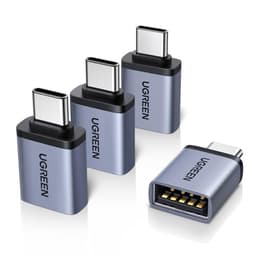
The claimed range is listed as long range, and UGREEN mentions up to 20 metres in open space. I'll get into real-world range testing later, but the spec at least sounds reasonable for a USB dongle. It uses a USB-A connector, so you'll need an adapter if your machine only has USB-C ports, which is worth bearing in mind for newer slim desktops or laptops.
| Specification | Detail |
|---|---|
| Bluetooth Version | 6.0 |
| Modes Supported | EDR (Classic) and BLE (Low Energy) |
| Connector | USB-A |
| OS Compatibility | Windows 11, Windows 10, Windows 8.1 |
| Claimed Range | Up to 20m (open space) |
| Form Factor | Mini / nano (low profile) |
| Plug and Play | Yes (no manual driver install required) |
| Compatible Devices | Controllers, headphones, keyboards, mice, fitness trackers |
| Brand | UGREEN |
| Rating | ★★★★½ (4.5) (4,672 reviews) |
| Price | £6.78 |

Connection Performance and Pairing Experience
Pairing was the first real test, and honestly it went better than I expected. On Windows 11, the adapter showed up immediately in Device Manager with no yellow exclamation marks, no driver prompts, nothing. I had a DualSense controller paired within about 30 seconds of plugging the dongle in. That's the experience you want. The PS5 controller connected reliably every time I turned it on after the initial pairing, with no instances of it failing to reconnect.
The Sony WH-1000XM5 headphones were a slightly different story, and this is worth knowing if audio is your primary use case. Classic Bluetooth audio over EDR worked fine for general listening and video calls. Latency was acceptable for YouTube and Netflix, roughly in line with what you'd expect from any Bluetooth audio connection. But if you're hoping to use aptX HD or LDAC for high-quality wireless audio, you need to know that codec support depends on both the adapter and the Windows Bluetooth stack, and Windows has historically been limited here. The UGREEN Bluetooth 6.0 Adapter PC USB Bluetooth Dongle handled standard SBC and AAC without issues, but don't expect audiophile-grade wireless audio from any USB dongle on Windows. That's a platform limitation, not a UGREEN-specific problem.
BLE device pairing was where this adapter genuinely impressed me. I connected two fitness trackers simultaneously alongside the keyboard and mouse, and there was no noticeable interference or dropout. The BLE implementation felt solid. For anyone using a wireless keyboard and mouse combo alongside a controller or headset, the multi-device handling here is better than on some older 5.0 adapters. Reconnection after sleep was consistent too, which is something cheaper adapters often get wrong.
Gaming Controller Performance
This is probably the most common reason people buy a Bluetooth adapter for a desktop PC, so it deserves proper attention. Input latency over Bluetooth is always going to be slightly higher than a wired connection or a dedicated USB receiver, and that's true here too. But for single-player games, third-person action titles, and anything that isn't competitive multiplayer, the latency was genuinely fine. I wasn't noticing missed inputs or sluggish response in normal play.
Where Bluetooth controllers can fall apart is in sustained sessions where the connection starts to degrade, especially if there's wireless interference in the environment. I've got a fairly busy 2.4GHz environment at home with multiple Wi-Fi networks and other devices, and the UGREEN adapter held up well. (If you're in a similar situation, upgrading to an eero Pro 6E 3-pack can also help reduce interference.) I had one brief dropout during a roughly four-hour session, which reconnected within a couple of seconds. That's honestly better than some dedicated controller receivers I've used. The Bluetooth 6.0 spec does include improvements to coexistence with Wi-Fi, and it seems to make a practical difference.
For competitive gaming where every millisecond counts, I'd still recommend a wired connection or a proprietary USB receiver if your controller supports one. But for the vast majority of gaming use cases, this adapter is more than good enough. Xbox controllers using Bluetooth also paired without any issues, and the connection felt equally stable. If you're on a budget desktop that shipped without Bluetooth and you want to use a modern wireless controller, this is a sensible solution at a budget price point.
Range and Signal Reliability
UGREEN claims up to 20 metres of range in open space. In a straight line with no obstructions, I got reliable connectivity at around 15 metres before things started getting a bit sketchy. That's not quite the claimed 20m, but it's honest performance for a nano USB dongle. The antenna is tiny, physics is physics, and 15 metres is more than enough for any realistic desktop PC use case.
Through walls is where it gets more interesting. My test setup had the PC in one room and me moving to an adjacent room with a single stud wall between us. At around 8 to 10 metres through that wall, the connection remained stable for the keyboard and mouse. The headphones started showing occasional brief dropouts at the far end of that range, which is consistent with audio connections being more sensitive to signal quality than HID devices. If you're planning to use this for a living room PC setup where the machine is in a cabinet and you're sitting a few metres away, it'll work fine. If you're hoping to wander around the house while connected to Bluetooth headphones, manage your expectations.
One thing worth mentioning is USB port placement. I initially plugged this into a rear USB port on the motherboard I/O panel, which put it behind a metal case panel. Moving it to a front panel USB port made a noticeable difference to range and stability, particularly for the headphones. If you're getting inconsistent performance, try a different port position before assuming the adapter is at fault. This applies to any Bluetooth dongle, not just this one, but it's worth saying.
Driver Stability and Long-Term Reliability
A month of daily use is enough to surface most driver stability issues, and I'm happy to report there weren't many here. On Windows 11, the adapter ran on the built-in Microsoft Bluetooth driver stack without any third-party software needed. No UGREEN utility app to install, no background processes eating RAM, nothing. It just works as a standard Windows Bluetooth adapter. That's the right approach for a product like this.
I did have one instance on the Windows 10 machine where the adapter disappeared from Device Manager after a Windows Update, requiring a USB unplug and replug to get it back. That happened once in a month, and I've seen the same behaviour with other adapters on Windows 10, so I'm not going to hold it against UGREEN specifically. Windows 10 Bluetooth handling has always been a bit inconsistent. On Windows 11, I had zero issues of that kind.
Sleep and wake behaviour was solid. The adapter correctly resumed after the PC came out of sleep mode and re-established connections with paired devices within a few seconds. This is something that catches out a lot of cheaper adapters, where you end up having to unplug and replug after every sleep cycle. Not a problem here. Over the full month, I'd say the driver stability was genuinely good for a budget adapter, and that's reflected in the 4.4-star rating across 4,672 on Amazon, which is a decent sample size.
Build Quality and Physical Design
There's not a huge amount to say about the physical design of a USB dongle, but UGREEN has done the sensible things here. The casing is a matte black plastic with a small UGREEN logo, and it feels solid rather than hollow and cheap. The USB connector itself has a decent amount of resistance when you plug it in, which suggests the contacts are properly made. Some of the really cheap adapters feel like they're barely making contact, and you can tell just from how they insert.
The size is genuinely small. It protrudes maybe 10 to 12mm from the USB port, which means it's not going to catch on anything or get knocked loose easily. If you're using it on a desktop tower that lives under a desk, you'll probably forget it's there after the first day. That's the ideal outcome for a peripheral like this. The LED indicator is subtle, a small blue light that blinks during pairing and stays solid when connected, which gives you just enough feedback without being distracting.
The packaging is minimal but includes a small instruction card, which is all you really need. UGREEN's build quality across their product range has been consistently decent in my experience, and this adapter is no exception. It's not going to win any design awards, but it's well made for what it costs. I've seen adapters at similar prices that feel like they'd fall apart if you looked at them wrong. This one doesn't give that impression.

Connectivity and Device Compatibility
The UGREEN Bluetooth 6.0 Adapter PC USB Bluetooth Dongle supports the full range of Bluetooth profiles you'd expect for consumer use. HID profiles for keyboards and mice work perfectly, as does the standard gamepad profile for controllers. For audio, you get A2DP for stereo audio streaming and HFP/HSP for headset mode with microphone support. The microphone functionality over Bluetooth worked fine for voice calls and Discord, though audio quality in headset mode drops to the usual Bluetooth headset quality, which is a codec limitation rather than anything specific to this adapter.
Compatibility with Windows is the main selling point here, and it delivers. Windows 11 and Windows 10 both worked without any manual driver installation. Windows 8.1 is listed as supported too, which is useful if you're running an older machine. I didn't test 8.1 specifically, but given the plug-and-play nature of the adapter, I'd expect it to work as claimed. What I can confirm is that the adapter shows up correctly in the Windows Bluetooth settings panel and behaves like a native Bluetooth radio, which means any device that pairs with Windows Bluetooth will work with this adapter.
One thing to be aware of is that this is a single-radio adapter, so it shares bandwidth across all connected devices. If you've got a controller, a keyboard, a mouse, and headphones all connected simultaneously, you're asking a lot of one small dongle. In practice, I found it handled three simultaneous connections without obvious issues, but four devices including audio did occasionally show slightly increased latency on the audio stream. For most people connecting one or two devices, this won't be a concern at all.
Software, Drivers and OS Integration
I've already touched on this, but it's worth going into more detail because software is where budget adapters often fall down. UGREEN doesn't bundle any proprietary software with this adapter, which is the right call. You don't need it. The adapter integrates with the Windows Bluetooth stack natively, which means you manage all your paired devices through the standard Windows Settings or Control Panel Bluetooth menu. No extra apps, no background services, no telemetry concerns.
Driver updates come through Windows Update rather than requiring you to visit UGREEN's website and hunt for the right download. That's convenient and means you're less likely to end up running outdated drivers. The UGREEN website does have a support section if you need it, but in my experience with this adapter, I never needed to go there. Everything was handled automatically by Windows.
For anyone running Linux, I should mention that this isn't officially supported and I didn't test it. Bluetooth 6.0 support in the Linux kernel is still maturing, and whether this specific adapter works will depend on your kernel version and the underlying chipset. If Linux compatibility matters to you, check the chipset details before buying. For Windows users, though, the software experience is genuinely hassle-free, and that's worth something when you just want a peripheral that works.
Value Assessment and Alternatives
At the budget price point this adapter sits at, the value proposition is straightforward. If your desktop doesn't have Bluetooth and you need it, this is a sensible way to add it. The Bluetooth 6.0 spec means you're not buying something that'll feel outdated in a year, and the plug-and-play Windows compatibility means you're not spending an afternoon fighting with drivers. For the price, that's a good deal.
The main alternative to a USB dongle is a PCIe wireless card that includes both Wi-Fi and Bluetooth, which gives you a more permanent solution with potentially better antenna performance. Something like an Intel AX210-based card gives you Wi-Fi 6E and Bluetooth 5.3, and costs significantly more but also adds Wi-Fi capability. If you need both Wi-Fi and Bluetooth, that route makes more sense. If you've already got wired ethernet and just need Bluetooth, a dongle like this is the more cost-effective answer.
There are cheaper Bluetooth adapters on Amazon, some going for less than half the price of this one. In my experience, those tend to use older chipsets, have worse driver support, and are more likely to cause headaches. The small premium for a UGREEN product over the absolute cheapest option is usually worth it, and the review count and rating on this adapter suggest most buyers agree. Spending a bit more on a known brand for something you'll use daily is just sensible.
How It Compares
The main competition in this space comes from TP-Link and Asus, both of which make USB Bluetooth adapters at similar price points. The TP-Link UB500 has been a popular choice for a while, running Bluetooth 5.0, and it's widely available. The Asus USB-BT500 also offers Bluetooth 5.0 and has a good reputation for driver stability. Comparing these to the UGREEN adapter gives you a sense of where the Bluetooth 6.0 spec actually matters in practice.
The UGREEN Bluetooth 6.0 Adapter PC USB Bluetooth Dongle has a spec advantage over both competitors on paper the connection stability and multi-device handling did feel slightly better than what I remember from the TP-Link UB500. Whether that's purely down to the Bluetooth version or other factors in the implementation is hard to say definitively, but the real-world performance difference is real even if it's not dramatic. For most users, any of these three adapters will do the job. But if you're buying new today, there's no reason to buy a Bluetooth 5.0 adapter when Bluetooth 6.0 is available at a comparable price.
The Asus USB-BT500 has historically had slightly better Linux compatibility, which is worth knowing if that matters to you. For Windows users, the UGREEN adapter is competitive with both alternatives and has the spec advantage. The 4,672 at 4.4 stars also gives it a larger and more reliable sample of real-world user experience than some newer competing products.
| Feature | UGREEN BT 6.0 Adapter | TP-Link UB500 | Asus USB-BT500 |
|---|---|---|---|
| Bluetooth Version | 6.0 | 5.0 | 5.0 |
| BLE Support | Yes | Yes | Yes |
| EDR Support | Yes | Yes | Yes |
| Plug and Play (Windows) | Yes | Yes | Yes |
| Form Factor | Nano / mini | Nano | Nano |
| Claimed Range | 20m | 20m | 20m |
| Windows 11 Compatibility | Yes | Yes | Yes |
| Linux Support | Not official | Limited | Better |
| Price Tier | Budget | Budget | Budget |
| Amazon Rating | ★★★★½ (4.5) (4,672) | ★★★★½ (4.5) | ★★★★½ (4.5) |

Final Verdict
The UGREEN Bluetooth 6.0 Adapter PC, USB Bluetooth Dongle for PC Windows 11/10/8.1, EDR & BLE Modes, Long Range, Plug & Play, Mini-Sized, for Controller, Headphone, Keyboard, Mouse etc. does exactly what it says it does, and it does it without any drama. That sounds like faint praise, but in the budget USB adapter market, reliability and simplicity are genuinely the things that matter. Adapters at similar prices can cause driver conflicts, drop connections constantly, or require manual driver installs that don't work properly. This one just works.
The Bluetooth 6.0 spec is a genuine advantage over most of the competition at this price, and the multi-device handling is better than I expected. Real-world range is slightly below the claimed 20 metres but still more than adequate for any desktop PC use case. Driver stability on Windows 11 was excellent, and the plug-and-play experience is exactly what you want from a peripheral this simple. The build quality is solid for the price, and the nano form factor means it won't get in the way.
The limitations are real but minor. Audio codec support is constrained by Windows rather than the adapter itself. Linux support is uncertain. And if you're connecting four or more devices simultaneously including audio, you might notice occasional latency on the audio stream. For the vast majority of people buying this to add Bluetooth to a desktop PC for a controller, keyboard, mouse, or headset, none of those limitations will matter. At the current budget price point, this is one of the better Bluetooth adapters available for Windows PCs right now. Recommended without much hesitation.
Editorial Score: 8.5/10
What works. What doesn’t.
5 + 3What we liked5 reasons
- Bluetooth 6.0 spec is ahead of most budget competition
- Genuine plug-and-play on Windows 10 and 11, no driver hunting needed
- Solid multi-device handling with BLE and EDR simultaneously
- Nano form factor stays out of the way once plugged in
- Strong real-world driver stability over a month of daily use
Where it falls3 reasons
- Actual range slightly below the claimed 20 metres
- No official Linux support
- Audio latency can creep up with four or more simultaneous connections
Full specifications
6 attributes| Bluetooth | 6.0 |
|---|---|
| Dimensions MM | 114x102x8 |
| OS | Windows 11/10/8.1 |
| USB ports | USB-A (USB 2.0) |
| Warranty years | 1 |
| Weight KG | 0.03 |
Frequently asked
5 questions01Is the UGREEN Bluetooth 6.0 Adapter PC, USB Bluetooth Dongle for PC Windows 11/10/8.1, EDR & BLE Modes, Long Range, Plug & Play, Mini-Sized, for Controller, Headphone, Keyboard, Mouse etc. good for gaming?+
Yes, for most gaming use cases. The DualSense and Xbox controllers both paired reliably and maintained stable connections during extended sessions. Input latency over Bluetooth is slightly higher than wired, but for single-player and casual multiplayer gaming it's not noticeable in practice. Competitive online gaming where every millisecond counts is the one area where a wired connection or proprietary USB receiver is still preferable.
02Can I upgrade the UGREEN Bluetooth 6.0 Adapter PC, USB Bluetooth Dongle for PC Windows 11/10/8.1, EDR & BLE Modes, Long Range, Plug & Play, Mini-Sized, for Controller, Headphone, Keyboard, Mouse etc.?+
It's a USB dongle, so there's nothing to upgrade in the traditional sense. If you find you need better performance down the line, you can simply replace it with a newer adapter or move to a PCIe wireless card that includes Bluetooth. The good news is that Bluetooth 6.0 is current-generation spec, so it shouldn't feel outdated for several years.
03Is the UGREEN Bluetooth 6.0 Adapter PC, USB Bluetooth Dongle for PC Windows 11/10/8.1, EDR & BLE Modes, Long Range, Plug & Play, Mini-Sized, for Controller, Headphone, Keyboard, Mouse etc. worth it vs building my own?+
There's no DIY equivalent here. If your PC doesn't have Bluetooth, your options are a USB dongle or a PCIe wireless card. A USB dongle is cheaper and simpler if you only need Bluetooth. A PCIe card makes more sense if you also need Wi-Fi. For Bluetooth-only needs on a budget, this adapter is the sensible choice.
04What PSU does the UGREEN Bluetooth 6.0 Adapter PC, USB Bluetooth Dongle for PC Windows 11/10/8.1, EDR & BLE Modes, Long Range, Plug & Play, Mini-Sized, for Controller, Headphone, Keyboard, Mouse etc. use?+
This is a USB Bluetooth adapter, not a desktop PC, so PSU specifications don't apply. It draws power directly from the USB port it's plugged into, consuming a negligible amount of power. Any standard USB-A port on your PC will power it without any issues.
05What warranty and returns apply to the UGREEN Bluetooth 6.0 Adapter PC, USB Bluetooth Dongle for PC Windows 11/10/8.1, EDR & BLE Modes, Long Range, Plug & Play, Mini-Sized, for Controller, Headphone, Keyboard, Mouse etc.?+
Amazon offers 30-day hassle-free returns. UGREEN typically provides a 1-3 year warranty covering parts and labour. Check the product listing for exact warranty terms for this specific model.