Refurbished Dell desktops have become one of the shrewdest purchases in the UK budget PC market. Whether you need a reliable home office machine, a secondary family computer, or a capable workstation for light creative tasks, the OptiPlex range punches well above its price point. Since last year, sellers have pushed more 6th-generation Intel Core i7 units into the sub-£300 bracket, meaning buyers can now access DDR4-era performance without stretching their budgets. All four picks here run Windows 11 Pro out of the box, ship in small form factor (SFF) chassis that tuck neatly under a desk, and use integrated Intel graphics suitable for productivity, web browsing, video streaming and even light photo editing. This roundup is aimed at home users, small business owners and students who want a dependable Dell machine without paying new prices.
Quick Verdict
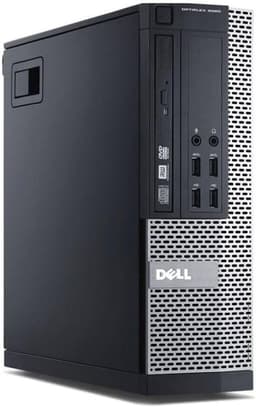
Best Overall: Dell FAST OptiPlex i7-6700 SFF (B0FG862S6N), the 6th-gen Core i7, 32 GB RAM and 1 TB SSD combination makes it the most capable all-rounder under £300.
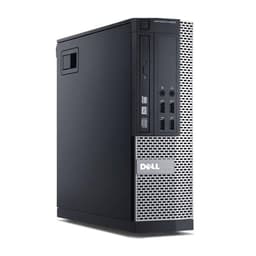
Best Value: OptiPlex 7020 SFF i7-4770 16 GB 512 GB SSD (B09XHQ7Y6F), strong everyday performance at a mid-range price that leaves room in the budget for peripherals.
The Dell FAST OptiPlex i7-6700 SFF sits at the top of this list for good reason. It is powered by the Intel Core i7-6700, a 6th-generation Skylake quad-core processor with a base clock of 3.4 GHz and a boost of 4.0 GHz. That generation jump over the 4th-gen Haswell chips used in the other three picks is meaningful: Skylake brought improved power efficiency, better integrated graphics performance via Intel HD Graphics 530, and full support for DDR4 memory, which translates to snappier everyday responsiveness under multitasking loads.
The headline specification that truly sets this unit apart is its 32 GB of RAM. At this price point, 32 GB is genuinely unusual and makes this machine future-proof for Windows 11 workloads, browser-heavy research sessions with dozens of tabs open, light video editing in software such as DaVinci Resolve, and running virtual machines for developers or IT administrators. Paired with a 1 TB SSD, there is ample room for a full software suite, a large document library, a music collection and still have space to spare. Boot times and application launches will feel swift rather than sluggish.
The SFF chassis keeps the footprint small, so it will sit comfortably beside a monitor on a desk or tuck under it without dominating the workspace. It ships with Windows 11 Pro pre-installed, which means you get BitLocker encryption, Remote Desktop support and access to the Microsoft Store for Business, features that matter for small business owners and remote workers alike.
Who is this for? It suits anyone who wants the most capable machine available in this budget category: remote workers juggling multiple applications, students studying data-heavy subjects, or small business owners who need a reliable daily driver without a new-PC price tag. The 6th-gen platform also supports a wider range of modern peripherals and has better driver support under Windows 11 than the older 4th-gen Haswell machines.
Verdict: The most powerful and future-ready option in this roundup. If you can stretch to the asking price, the 32 GB RAM and 1 TB SSD combination makes this the clear best overall pick under £300.
Pros
- Intel Core i7-6700 Skylake CPU offers noticeably better performance than 4th-gen Haswell rivals in this price band
- 32 GB RAM is exceptional value at this price and handles heavy multitasking and light virtualisation with ease
- 1 TB SSD provides generous storage without the noise or fragility of a spinning hard drive
Cons
- Priced at the upper end of the sub-£300 bracket, leaving less budget for a monitor or peripherals
- Integrated Intel HD 530 graphics are not suitable for gaming or GPU-accelerated creative workloads
The OptiPlex 7020 SFF with the Intel Core i7-4770, 16 GB of RAM and a 512 GB SSD is the pick that balances price, specification and everyday usability most effectively. The i7-4770 is a 4th-generation Haswell quad-core chip running at 3.4 GHz base and 3.9 GHz boost, with Hyper-Threading delivering eight logical threads. For office productivity, web browsing, video calls, spreadsheet work and light media consumption, it remains a capable processor that handles Windows 11 Pro without complaint.
Sixteen gigabytes of DDR3 RAM is the sweet spot for most home and office users in 2024. It is enough to run a browser with multiple tabs, a video conferencing application, an office suite and a background antivirus scan simultaneously without any perceptible slowdown. The 512 GB SSD is a sensible size: roomy enough for a full Windows installation, a suite of productivity software, and a reasonable personal file library, while still delivering the fast read and write speeds that make SSDs so much more pleasant to use than traditional hard drives.
The chassis weighs 6.29 kg, which is typical for an SFF tower of this era. It is not something you will be moving around frequently, but it is compact enough to sit on or under a desk without taking up excessive space. Windows 11 Pro comes pre-installed, and the OptiPlex 7020 platform is well-supported by Dell's driver library, making it straightforward to keep the machine updated.
This machine is particularly well-suited to home office workers, students and families looking for a shared household computer. It offers enough headroom for everyday computing tasks and even some light photo editing in applications like Adobe Lightroom or GIMP, without the premium price of the i7-6700 unit above. If your budget is firm and you do not need 32 GB of RAM or a 1 TB drive, this is where the value sweet spot lies.
Verdict: The best value pick in this roundup. It delivers solid quad-core i7 performance, a comfortable 16 GB of RAM and a 512 GB SSD at a price that leaves room in the budget for a keyboard, mouse or monitor.
Pros
- Core i7-4770 with Hyper-Threading delivers eight logical threads for smooth multitasking at this price
- 16 GB DDR3 RAM is sufficient for the vast majority of home and office workloads
- 512 GB SSD offers fast boot times and ample everyday storage without paying for capacity you may not need
Cons
- 4th-gen Haswell platform is older than the 6th-gen Skylake unit and has slightly weaker integrated graphics
- At 6.29 kg, the chassis is not particularly portable if you need to move the machine between locations
Buying Guide
Processor Generation: Why It Matters More Than Clock Speed
When comparing refurbished Dell desktops, the generation of the Intel processor matters as much as its clock speed. The Core i7-6700 (6th-gen Skylake) in the top-ranked pick offers better instructions-per-clock performance, improved integrated graphics and DDR4 memory support compared to the Core i7-4770 (4th-gen Haswell) found in the other three units. For most everyday tasks the difference is subtle, but for users who push the machine harder, the Skylake chip will feel more responsive and will remain supported by a wider range of modern software and drivers for longer.
RAM: How Much Do You Actually Need?
Windows 11 Pro runs acceptably on 8 GB of RAM, but 16 GB is the comfortable minimum for anyone who multitasks regularly. If you use video conferencing software such as Teams or Zoom alongside a browser and an office suite, 8 GB can become a bottleneck. Thirty-two gigabytes, as offered by the top pick, is overkill for most home users but valuable for developers, IT administrators running virtual machines, or anyone working with large datasets. Consider your actual workload honestly before paying a premium for RAM you will not use.
Storage: SSD Type and Capacity
All four machines in this roundup use SSD storage rather than traditional spinning hard drives, which is a significant quality-of-life improvement. SSDs deliver faster boot times, quicker application launches and more responsive file operations. The key variable here is capacity: 250 GB is workable for light users who store most files in the cloud, 512 GB suits most home and office users comfortably, and 1 TB gives genuine headroom for larger libraries and software collections. SATA SSDs, as used in these units, are slower than NVMe drives but still dramatically faster than HDDs and perfectly adequate for the workloads these machines are designed for.
Expandability and Longevity
One advantage of the OptiPlex platform is its well-documented upgrade path. If you buy a machine with 8 GB of RAM today, adding more is usually straightforward and inexpensive. Similarly, swapping or adding a second SSD is typically a tool-free operation on SFF OptiPlex units. The Dell FAST OptiPlex 7020/9020 SFF explicitly supports up to 32 GB of RAM and RAID storage configurations, making it the best long-term investment if you plan to expand the hardware. Always check the maximum supported RAM for your specific model before purchasing additional modules.
Windows 11 Pro: What You Get
All four picks ship with Windows 11 Pro pre-installed, which is worth noting because the Pro edition includes BitLocker drive encryption, Remote Desktop, Hyper-V virtualisation and access to enterprise management features. For home users, the most immediately useful of these is BitLocker, which protects your data if the machine is ever lost or stolen. For small business owners, Remote Desktop allows you to access the machine from another device, which is useful for working from home or managing a machine in a different location.
What to Watch Out for When Buying Refurbished
Refurbished machines vary in condition. Look for listings that specify the grading (Grade A, B or C) and state whether the unit has been checked over and cleaned. Confirm that the Windows 11 Pro licence is genuine and activated. Check the returns policy carefully: a reputable seller should offer at least a 30-day return window and ideally a 90-day or longer warranty. Finally, confirm what is included in the box: some listings include a power cable but no keyboard or mouse, so factor peripheral costs into your total budget.
The Dell FAST OptiPlex i7-6700 SFF (B0FG862S6N) is the overall winner of this roundup. Its 6th-generation Intel Core i7-6700 processor, 32 GB of RAM and 1 TB SSD make it the most capable, future-ready machine available in the sub-£300 Dell desktop market. For buyers who want the best specification available at this price, it is the clear choice. If budget is the primary concern, the OptiPlex 7020 SFF i7-4770 16 GB 512 GB SSD (B09XHQ7Y6F) delivers excellent everyday performance at a lower price and earns the best value title. The Dell FAST OptiPlex 7020/9020 SFF (B0DPGLD9ZZ) is the pick for upgrade-minded buyers who want RAID storage support and four DIMM slots, while the Core i5 SFF (B09L8GWC5J) serves light users and those on the tightest budgets. Whichever you choose, all four machines offer a genuine Dell OptiPlex experience with Windows 11 Pro at prices that represent strong value in the current refurbished market.