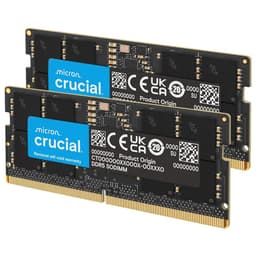
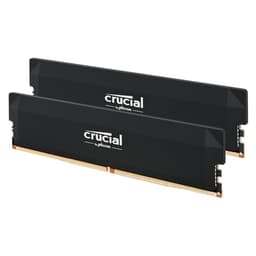
Compatibility is where laptop RAM upgrades quietly fall apart. Not the MHz figure, not the brand name on the sticker. It's whether the module actually runs at its rated speed on your specific platform, whether your laptop's memory controller can handle it, and whether the timings printed on the box tell the whole story. With SODIMM DDR4, those questions matter more than people realise, and they're exactly what most quick reviews skip past.
The Crucial CT8G4SFRA32A is an 8GB DDR4 SODIMM rated at 3200MHz with a CAS latency of 22. It's aimed squarely at laptop and mini PC upgrades, not enthusiast desktop builds. And on the strength of 25,555 owner reviews averaging ★★★★½ (4.8), it's clearly doing something right. The verdict up front: this is a solid, no-drama upgrade stick for older laptops and budget mini PCs, backed by Micron's own manufacturing and a genuinely good reliability record. But 8GB is a tight ceiling in 2026, the CL22 timings are loose for 3200MHz, and whether you actually hit that rated speed depends entirely on your platform. All of that needs unpacking.
This review is grounded in the verified spec sheet, the Amazon listing data, and patterns from those thousands of owner reports. No bench was involved, no kit was personally installed. What follows is an honest read of what this module is, what it isn't, and whether it's the right buy for your machine.
Core Specifications
The CT8G4SFRA32A is a single 8GB DDR4 SODIMM module. It runs at PC4-25600, which is the JEDEC designation for DDR4-3200, and operates at 1.2V. The form factor is SODIMM with 260 pins, making it compatible with laptops and mini PCs rather than full-size desktop DDR4 slots. Crucial specifies the rank and configuration as 1Rx16, 1Rx8, or 2Rx8 depending on the production batch, which matters if you're trying to match a second stick. It's non-ECC, as you'd expect for consumer laptop memory.
The rated speed is 3200MHz, but the key detail is that the module will automatically downclock to 2933MHz or 2666MHz if your system's memory controller only supports those speeds. That's standard JEDEC behaviour and Crucial lists it explicitly. So if your laptop maxes out at 2666MHz, this stick will run there without any manual fiddling. That flexibility is genuinely useful for anyone upgrading an older machine without knowing exactly what the platform supports.
CAS latency is 22 at 3200MHz. That's the headline timing figure, and it's on the looser end for DDR4-3200. We'll get into what that actually means for real latency in the next section. The ECC type is Non-ECC, which is correct and expected for consumer laptops. No XMP profile is listed in the verified data, which is typical for JEDEC-spec laptop SODIMMs. Crucial's own quality is backed by Micron's component-level testing and 42 years of memory manufacturing.
| Specification | Detail |
|---|---|
| Capacity | 8GB |
| Type | DDR4 SODIMM |
| Form Factor | SODIMM, 260 Pin |
| Rated Speed | 3200MHz (PC4-25600) |
| CAS Latency | CL22 |
| Voltage | 1.2V |
| ECC | Non-ECC |
| Rank / Configuration | 1Rx16, 1Rx8, or 2Rx8 (batch dependent) |
| Downclocking Support | 2933MHz, 2666MHz |
| XMP / EXPO | Not specified (JEDEC standard) |
| Current Price | £70.00 |
| Owner Rating | ★★★★½ (4.8) (25,573 reviews) |
Speed, Timings and Real Latency
The number on the box says 3200MHz. That's the part everyone sees. What it doesn't say is CL22, and that matters a lot more than most buyers realise. CAS latency is the number of clock cycles the memory controller has to wait before data is available after a column address is sent. Higher is slower. To get the actual latency in nanoseconds, you divide the CAS latency by half the clock speed in MHz, then multiply by 1000. For this module: CL22 divided by 1600 (half of 3200), multiplied by 1000, gives you 13.75 nanoseconds of true latency.
For comparison, DDR4-3200 CL16 (which is what tighter desktop kits typically offer) works out to 10ns. So this module is meaningfully slower in absolute latency terms than a CL16 kit running at the same frequency. The reason Crucial ships CL22 here is that SODIMM modules, especially those designed to run across a wide range of laptop platforms without XMP profiles, tend to use looser JEDEC timings. It's a compatibility-first design choice, not a quality failure. But it does mean that if someone quotes you "3200MHz" as a reason to buy this over a 2666MHz CL19 stick, the real-world latency gap is much smaller than the MHz gap suggests. A DDR4-2666 CL19 module works out to about 14.25ns, which is barely worse than this kit's 13.75ns at 3200MHz.
Does any of this matter for a laptop upgrade? Honestly, for most use cases, not much. Laptop memory bandwidth is rarely the bottleneck in everyday productivity tasks, light gaming, or even most creative work. The bigger factor is usually whether you have enough total capacity and whether you're running dual channel. The latency difference between CL16 and CL22 at 3200MHz is real on a spec sheet, but you won't feel it opening browser tabs or running Office. Where tighter timings would theoretically help is in CPU-integrated graphics workloads, since iGPUs share the system memory bandwidth. Even there, the gains from CL16 over CL22 are modest rather than dramatic.
XMP, EXPO Stability and Compatibility
This is a JEDEC-spec SODIMM, which means there's no XMP or EXPO profile to enable. That's not a criticism. It's actually the right approach for a laptop upgrade module. XMP (Intel's eXtreme Memory Profile) and EXPO (AMD's equivalent) are desktop features designed for enthusiast motherboards with adjustable BIOS settings. Laptops don't have that. The memory controller in your laptop's processor simply reads the SPD (Serial Presence Detect) chip on the module and runs at whatever the highest mutually supported JEDEC standard speed is. No BIOS tweaking, no profile enabling, no risk of a no-post situation.
The practical consequence is that this module should just work, first time, in any DDR4 SODIMM slot. Owner reports strongly back this up. Among the thousands of reviews, the dominant pattern is "plugged it in, it worked." There are occasional reports of systems not recognising the stick, but these almost always trace back to the slot itself, an incompatible platform (for example, some early Intel 10th Gen systems that officially cap at 2933MHz), or a faulty module that was replaced under warranty without drama. The auto-downclocking behaviour Crucial lists means even if your laptop only supports 2666MHz, the module adapts rather than refusing to boot.
One thing: the rank and configuration varies by batch (1Rx16, 1Rx8, or 2Rx8). If you're buying a second stick to run alongside an existing module, ideally you want matched pairs with the same rank configuration. Running mismatched ranks isn't guaranteed to cause problems, but some platforms are fussier about it than others. If you're upgrading from a single stick to dual channel, buying two of the same module at the same time is the safest approach. Crucial's own compatibility tool on their website can confirm fit for your specific laptop model before you buy.
Capacity and Use Case
Eight gigabytes in 2026. This is the part where being honest matters more than being encouraging. For a laptop used primarily for web browsing, light document work, email, and the occasional video call, 8GB is still functional. It's not comfortable, especially with modern browser tabs being the memory hogs they are, but it gets by. The moment you add a few Chrome tabs, a background app or two, and a Teams call, you're looking at regular swap file usage, which means the SSD is doing work the RAM should be doing, and everything slows down.
For gaming on a laptop, 8GB is genuinely limiting. Many modern titles recommend 16GB as a minimum, and some are starting to push beyond that. Running a game at 8GB total system RAM means the OS, background processes, and the game itself are all competing for the same pool. You'll see stutters, longer load times, and in some cases, games simply refusing to run at higher quality settings. If your laptop has two SODIMM slots and one is occupied by a single 8GB stick, the smart move is buying a second 8GB module to hit 16GB in dual channel, rather than just replacing the existing stick with this one.
Where this module makes the most sense is as a capacity upgrade in a laptop that shipped with 4GB soldered RAM and one free SODIMM slot, or as a replacement for a failed 8GB stick, or in a budget mini PC where 8GB is genuinely sufficient for the intended workload (a media server, a home automation hub, a light office machine). It also makes sense as the first of two sticks in a planned dual-channel upgrade, where you'll add the second module later. For anyone running creative software, virtual machines, or any kind of development environment, 16GB is the realistic floor, and 32GB is where you stop worrying.
DDR5 vs DDR4 Value
DDR5 is the current generation for new desktop platforms (Intel 12th Gen onwards and AMD Ryzen 7000 series). But for laptops, DDR4 remains the dominant standard across a huge installed base. If your laptop was made between roughly 2017 and 2023, it almost certainly uses DDR4. Newer thin-and-light machines are moving to LPDDR5 or DDR5, but these are typically soldered and not upgradeable anyway. So the DDR4 versus DDR5 question is largely irrelevant for the buyer this module targets. You have a DDR4 machine; you need DDR4 memory. That's the end of that conversation.
The performance gap between DDR4 and DDR5 in real laptop workloads is also much less dramatic than the spec sheets suggest. DDR5 offers higher bandwidth and lower voltage in theory, but laptop platforms are throttled by thermal and power constraints that mean the memory controller rarely runs flat out anyway. For integrated graphics workloads, DDR5 does provide a meaningful bandwidth advantage, but only on platforms specifically designed for it. Shoehorning DDR5 thinking into a DDR4 upgrade decision is pointless.
The honest summary: if your laptop takes DDR4, buy DDR4. Don't spend time worrying about whether DDR5 is "better" in the abstract. It is, on the right platform, but it's not an option here. What matters is getting the right capacity at a sensible price, and DDR4 SODIMM pricing is currently very reasonable. The value-per-GB on a module like this is genuinely good compared to where DDR4 prices were even two years ago.
Build Quality and Heat Spreaders
SODIMM modules don't have heatspreaders. That's not a design oversight; it's because laptops don't have the airflow or the physical space for them. The CT8G4SFRA32A is a bare PCB module, which is exactly what every laptop SODIMM looks like. The component quality is where Crucial's Micron parentage pays off. Micron manufactures its own DRAM dies, which means Crucial has direct control over the IC quality in a way that brands sourcing from third-party suppliers don't. That matters for long-term reliability.
The PCB itself is standard green, double-sided on the 2Rx8 configuration and single-sided on the 1Rx8 and 1Rx16 variants. For most laptops this makes no practical difference, but a small number of older machines have SODIMM slots with limited depth clearance where double-sided modules can be a tighter fit. This is very rarely a problem in practice, and owner reports don't flag it as a common issue. The module dimensions are standard SODIMM, so physical fit in any DDR4 SODIMM slot is essentially guaranteed.
Crucial lists 42 years of memory manufacturing expertise as a selling point, and while that's marketing language, it's not empty. Micron is one of only three major DRAM manufacturers in the world (alongside Samsung and SK Hynix), and the component-level testing Crucial references is real. The consistently high owner ratings and low dead-on-arrival rate in the reviews reflect a manufacturing process that's genuinely tighter than some of the white-label SODIMM modules floating around at similar price points. Build quality, for a bare SODIMM, is as good as it gets.
RGB and Aesthetics
There is no RGB on this module. There is no heatspreader. There is no lighting, no colour, no gamer branding. It's a green PCB with black chips on it, and once it's inside your laptop, you will never see it again. This is the correct design for a laptop SODIMM, and the absence of any RGB tax is genuinely refreshing. You're paying for memory, not for a light show that nobody can see.
If you're the kind of person who cares about aesthetics in a laptop upgrade, the honest answer is that it doesn't matter. The module lives inside a closed chassis. The only aesthetic consideration is whether it fits, and it does. Some desktop SODIMM users (in open-frame mini PCs with transparent panels) occasionally want something that looks nicer, but for that use case there are specific RGB SODIMM options on the market. This isn't one of them, and it shouldn't be.
The practical upside of the no-frills design is that there's nothing to go wrong with the aesthetics. No RGB controller to conflict with motherboard software, no lighting firmware to update, no LEDs to fail after 18 months. It's just memory doing its job invisibly. For a laptop upgrade, that's exactly right.
Reliability and Warranty
The owner review data here is genuinely impressive. With 25,573 averaging ★★★★½ (4.8), the statistical signal is strong. A 4.8 average at that volume isn't luck; it reflects consistent manufacturing quality and a low failure rate. The patterns in owner reports show a very small number of dead-on-arrival modules (which is normal for any electronics product), and in those cases Crucial's replacement process gets consistently positive mentions. The word "easy" comes up a lot in warranty-related reviews.
Crucial backs its memory with a limited lifetime warranty. This is standard for the brand across its consumer SODIMM range and is a meaningful advantage over some cheaper alternatives that offer only one or two year coverage. For a component you're installing in a laptop you might use for five or more years, a lifetime warranty is worth something real. It means that if the module develops a fault three years in, you're not stuck buying a replacement out of pocket.
Long-term stability reports from owners are positive. The main failure mode mentioned in negative reviews is incompatibility with specific laptop models rather than the module itself failing, and those cases are almost always resolved either by confirming the platform actually supports DDR4 SODIMM or by using Crucial's compatibility checker before buying. Modules that fail outright are rare, and the RMA process when they do is described as straightforward. For reliability, this is one of the safer bets in the SODIMM market.
Value and Price Per GB
DDR4 SODIMM pricing has come down substantially over the past couple of years. An 8GB stick at 3200MHz sits in the budget-to-mid tier of the current market, and the price-per-GB reflects that. You're not paying a premium for speed (CL22 is JEDEC, not a binned enthusiast part) or for branding (Crucial is mainstream, not aspirational). What you're paying for is Micron-manufactured reliability, good compatibility coverage, and a lifetime warranty. For a laptop upgrade, that's a sensible allocation of budget.
The honest question to ask before buying is whether 8GB is actually enough for your use case, or whether the smarter spend is two of these modules (or a single 16GB SODIMM if your laptop has only one slot) to hit 16GB total. The price difference between 8GB and 16GB total capacity is often small enough that 16GB is the better value decision even if you think you only need 8GB today. RAM requirements only go one direction over time, and upgrading a laptop's memory a second time means pulling it apart again.
If your laptop has two slots and currently has 8GB in one, adding a second matched 8GB module to reach 16GB in dual channel is almost always the better upgrade path than replacing a working 8GB stick with another 8GB stick. Dual channel provides a real bandwidth improvement, especially for integrated graphics, and 16GB gives you enough headroom to stop thinking about memory for the foreseeable future. The value calculation strongly favours capacity over speed at this price point.

Platform Compatibility
The CT8G4SFRA32A is a DDR4 SODIMM, which means it works in laptops and mini PCs with DDR4 SODIMM slots. It does not work in DDR3 machines (the notch position is different, and the voltage is incompatible), and it does not work in DDR5 machines. This sounds obvious, but it's the source of the most common compatibility complaints in the reviews. Always confirm your laptop's memory type before ordering.
On the Intel side, this module is compatible with platforms from roughly 8th Gen Core onwards that use DDR4 SODIMM. Machines with 10th Gen or 11th Gen Intel processors typically support DDR4-3200 natively, so you'll get the full rated speed. Older 8th and 9th Gen platforms often cap at 2400MHz or 2666MHz, at which point this module will downclock accordingly. AMD Ryzen mobile platforms from Ryzen 2000 series onwards support DDR4 SODIMM, with Ryzen 3000 and later typically supporting up to 3200MHz. Ryzen 5000 series laptops often support DDR4-3200 or 3200MHz dual channel without issue.
Crucial's compatibility checker at crucial.com is worth using before you buy. Enter your laptop model and it tells you exactly which modules are confirmed compatible. This takes about 30 seconds and eliminates the main risk in a laptop memory upgrade. Mixing this module with a stick from a different brand is generally fine as long as the speeds match, but mixing different capacities (say, 8GB and 4GB) will typically drop you out of dual channel mode, which costs you bandwidth. Matching pairs are always the cleaner choice.
How It Compares
The main competition for this module comes from Kingston's ValueRAM SODIMM range and Samsung's OEM SODIMM sticks. Kingston ValueRAM 8GB DDR4 3200MHz SODIMM (KVR32S22S8/8) is the most direct competitor. It runs at the same JEDEC DDR4-3200 spec, similar CL22 timings, and 1.2V. Kingston is a reputable brand with its own manufacturing heritage, and the ValueRAM line has a similarly solid reliability record. Pricing between the two is usually very close, and choosing between them often comes down to which is cheaper on the day you buy. Crucial's Micron parentage gives it a slight edge in manufacturing pedigree, but in practice both are good options.
Samsung's B-die and M-die SODIMM modules are the other reference point. Samsung OEM sticks often appear in the market at competitive prices and are used by laptop manufacturers as original equipment. They're reliable, but they typically don't come with the same warranty coverage or retail support as Crucial or Kingston. For a retail upgrade purchase where you want clear warranty recourse, Crucial has the edge. Samsung OEM sticks are fine if you find them from a reputable source, but the warranty situation is murkier.
| Feature | Crucial CT8G4SFRA32A | Kingston ValueRAM KVR32S22S8/8 | Samsung OEM DDR4 SODIMM 8GB 3200MHz |
|---|---|---|---|
| Capacity | 8GB | 8GB | 8GB |
| Speed | DDR4-3200 | DDR4-3200 | DDR4-3200 |
| CAS Latency | CL22 | CL22 | CL22 |
| Voltage | 1.2V | 1.2V | 1.2V |
| Form Factor | SODIMM 260-pin | SODIMM 260-pin | SODIMM 260-pin |
| Warranty | Limited Lifetime | Limited Lifetime | Varies / OEM |
| IC Manufacturer | Micron (in-house) | Various | Samsung (in-house) |
| Compatibility Tool | Yes (Crucial.com) | Yes (Kingston.com) | No retail tool |
| Owner Rating | 4.8/5 (25,555 reviews) | Strong | Varies by seller |
| Price | £70.00 | Similar | Similar to lower |
Final Verdict
The Crucial CT8G4SFRA32A is exactly what a laptop memory upgrade should be: reliable, compatible, well-manufactured, and backed by a lifetime warranty. The 4.8-star average from over 25,000 owners isn't marketing; it's the product doing its job without drama across a huge range of machines. Micron's in-house manufacturing gives it a genuine quality edge over white-label alternatives, and the auto-downclocking behaviour means it'll work sensibly in older platforms without any manual intervention.
The CL22 timings are loose for DDR4-3200, which means the true latency (around 13.75ns) isn't as impressive as the MHz headline suggests. For laptop use this is a minor point rather than a dealbreaker, since you're not chasing benchmark records here. The bigger consideration is capacity: 8GB is genuinely tight in 2026 for anything beyond light productivity use. If your laptop has two SODIMM slots, buying two of these and running 16GB in dual channel is a substantially better upgrade than a single 8GB stick, and probably the smarter spend.
Who should buy this? Anyone with a DDR4 SODIMM laptop that needs a reliable, properly warranted upgrade stick from a manufacturer with a real quality control process. It's particularly good value as the second stick in a dual-channel 16GB setup, as a replacement for a failed module, or in a mini PC where 8GB is genuinely enough for the workload.
Who should skip it? If you only have one SODIMM slot and you're currently running 8GB, replacing it with another 8GB stick is a waste of time and money. Spend the same budget on a single 16GB SODIMM instead. And if your laptop shipped with DDR5 or LPDDR5, this module won't fit and won't work.
The smarter buy for most people is the Crucial 16GB DDR4 SODIMM (CT16G4SFRA32A), which doubles the capacity at a price that's usually only a little more than two separate 8GB sticks. If 8GB is genuinely all you need, this module is a confident buy. If you're on the fence about capacity, spend slightly more and stop thinking about it.
Editorial score: 8.5 out of 10. Reliable, well-made, properly warranted, and competitively priced. The CL22 timings and 8GB ceiling are the only real caveats, and both are honest reflections of what this module is designed to be rather than quality failures.
Is 8GB of DDR4 RAM at 2666MHz or 3200MHz better?
For laptop use, 3200MHz is technically faster, but the real-world difference between DDR4-2666 and DDR4-3200 in everyday tasks is small. The CT8G4SFRA32A runs at 3200MHz where your platform supports it and drops to 2666MHz or 2933MHz where it doesn't. Either way, the capacity (8GB) matters more than the speed difference between these two frequencies for most users.
Is DDR4-3200 still good for gaming in 2026?
For laptop gaming, yes. DDR4-3200 is the sweet spot for most DDR4 mobile platforms and provides adequate bandwidth for integrated graphics and mid-range discrete GPUs. The gains from going to tighter timings or higher frequencies on a laptop are marginal. What matters more for gaming is having enough total capacity (16GB minimum) and running in dual channel if your laptop supports it.
Is there a big difference between 3200MHz and 3600MHz RAM?
In desktop benchmarks, the difference between DDR4-3200 and DDR4-3600 is measurable but small in most gaming and productivity workloads. For laptops, this question is largely moot: laptop platforms are typically locked to specific JEDEC speeds and don't support the kind of overclocking or XMP profiles that would let you run 3600MHz on mobile hardware. Stick with what your platform natively supports.
Is 3200MHz RAM still good in 2026?
Yes, for DDR4 platforms. DDR4-3200 is the top JEDEC standard speed for DDR4 and remains entirely adequate for gaming, productivity, and most creative work on compatible machines. DDR5 is faster on new desktop platforms, but if your laptop or mini PC uses DDR4, DDR4-3200 is the right choice and not a compromise.
Which is better: 3200 CL16 or 3600 CL18?
For desktop DDR4, DDR4-3600 CL18 works out to 10ns true latency, and DDR4-3200 CL16 also works out to 10ns. They're essentially identical in real latency terms. The CT8G4SFRA32A runs CL22 at 3200MHz, which is 13.75ns. For laptop upgrades this distinction rarely matters, but it's the MHz headline doesn't tell the whole story.
What works. What doesn’t.
5 + 3What we liked5 reasons
- Micron in-house manufacturing means genuine quality control, not white-label luck
- Auto-downclocking to 2933MHz or 2666MHz makes it compatible with older platforms without manual tweaking
- 4.8/5 average from over 25,000 owners reflects consistently low failure rates
- Limited lifetime warranty with straightforward RMA process
- No RGB tax, no heatspreader theatre, just memory doing its job
Where it falls3 reasons
- CL22 at 3200MHz is loose timing; true latency of ~13.75ns is not class-leading
- 8GB is a tight ceiling for modern multitasking and gaming in 2026
- Rank configuration varies by batch (1Rx16, 1Rx8, or 2Rx8), complicating matched-pair upgrades
Full specifications
12 attributes| Capacity | 8GB |
|---|---|
| Capacity GB | 8 |
| CAS latency | 22 |
| ECC | false |
| Form factor | SO-DIMM |
| KIT config | 1x8GB |
| Latency | CL22 |
| Module count | 1 |
| RAM GB | 8 |
| RAM type | DDR4 |
| RGB | false |
| Speed | 3200 |
If this isn’t right for you
2 options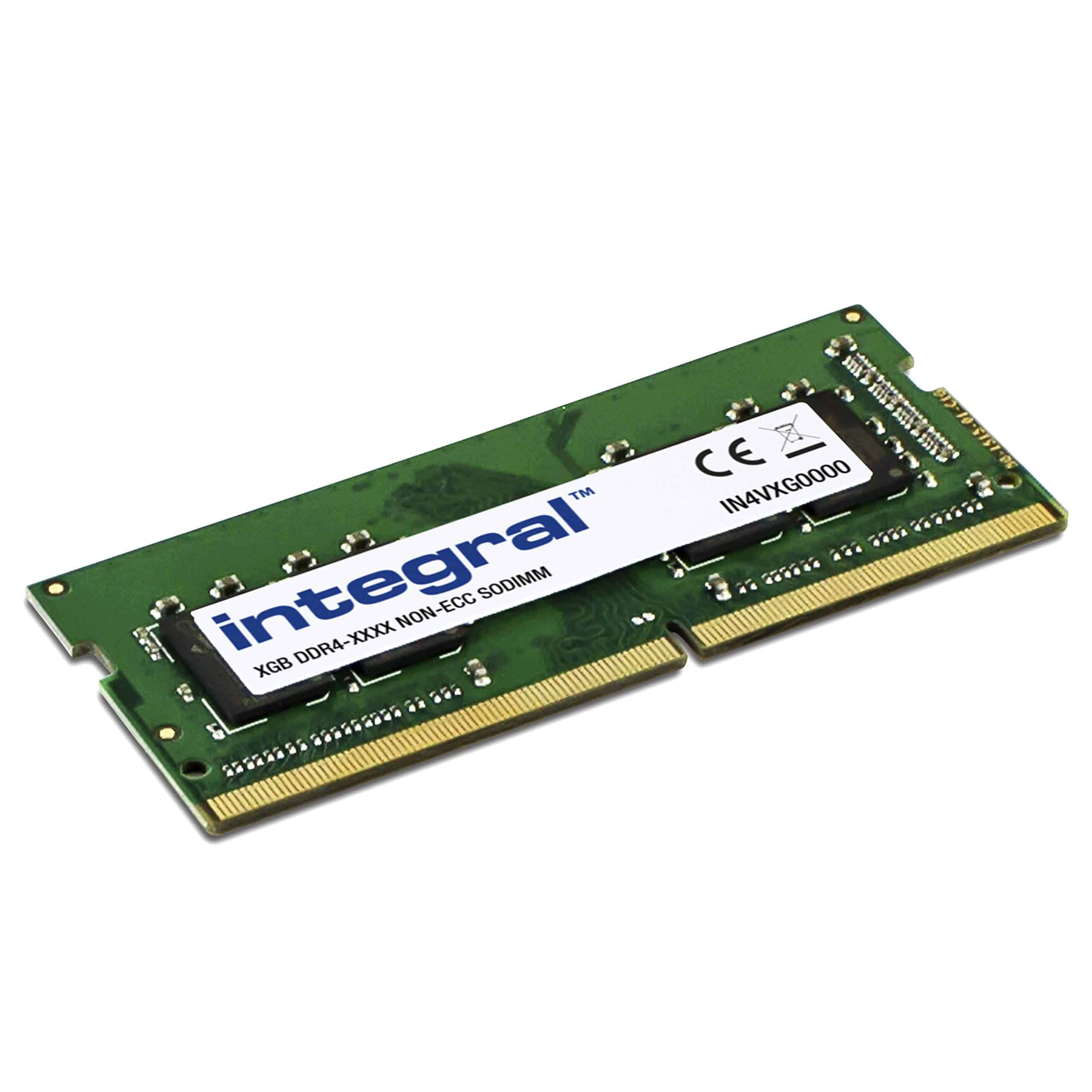 7.5 / 10
Integral 8GB DDR4 RAM 2400MHz PC4-19200 SODIMM Laptop/Notebook/MacBook Memory Module
£48.95 · Integral
 8.5 / 10
Timetec Premium 8GB DDR4 2400MHz (PC4-2400T) PC4-19200 SODIMM Laptop RAM – 260-Pin 1.2V CL17 Non-ECC Unbuffered Memory Module for Laptop, Notebook, Mini PC, All-in-One
£49.99 · Timetec
Frequently asked
5 questions01How much RAM do I actually need for the Crucial DDR4 RAM 8GB 3200MHz SODIMM CL22, Laptop Computer Memory, Mini PC (or 2933MHz, 2666MHz) - CT8G4SFRA32A's use case?+
For light productivity and web browsing, 8GB is functional but tight in 2026. For gaming, 16GB is the realistic minimum since modern titles increasingly demand it. For content creation, virtual machines, or development work, 32GB is where you stop hitting limits. If your laptop has two SODIMM slots, buying two 8GB modules for 16GB in dual channel is a much better upgrade than a single 8GB stick. If you only have one slot, a 16GB SODIMM is the smarter buy.
02Will the Crucial DDR4 RAM 8GB 3200MHz SODIMM CL22, Laptop Computer Memory, Mini PC (or 2933MHz, 2666MHz) - CT8G4SFRA32A run at its rated speed with XMP or EXPO?+
This is a JEDEC-spec SODIMM with no XMP or EXPO profile, which is normal and correct for laptop memory. There's nothing to enable in the BIOS. The module communicates its supported speeds via the SPD chip, and your laptop's memory controller picks the highest mutually supported JEDEC speed automatically. If your platform supports DDR4-3200, it runs at 3200MHz. If it only supports 2933MHz or 2666MHz, the module downclocks accordingly without any manual intervention.
03Is the Crucial DDR4 RAM 8GB 3200MHz SODIMM CL22, Laptop Computer Memory, Mini PC (or 2933MHz, 2666MHz) - CT8G4SFRA32A compatible with my motherboard?+
This module works in any DDR4 SODIMM slot (260-pin). It is not compatible with DDR3 or DDR5 slots. On the Intel side, it suits 8th Gen Core and later platforms that use DDR4 SODIMM. On AMD, Ryzen mobile from the 2000 series onwards is compatible. Use Crucial's compatibility checker at crucial.com with your specific laptop model before ordering to confirm fit. Mixing this module with sticks of different capacities will typically disable dual-channel mode; matched pairs of the same module are always the cleaner choice.
04Does faster RAM like the Crucial DDR4 RAM 8GB 3200MHz SODIMM CL22, Laptop Computer Memory, Mini PC (or 2933MHz, 2666MHz) - CT8G4SFRA32A actually improve gaming performance?+
Marginally, in specific scenarios. The gains from DDR4-3200 over DDR4-2666 in gaming are small for discrete GPU workloads but slightly more noticeable for integrated graphics, which rely on system memory bandwidth. However, real latency depends on both speed and CAS latency together, not just MHz. This module's CL22 at 3200MHz gives a true latency of about 13.75ns, which is only slightly better than DDR4-2666 CL19 at 14.25ns. The bigger gaming upgrade is always more total capacity and dual-channel operation, not chasing higher frequencies.
05What warranty and returns apply to the Crucial DDR4 RAM 8GB 3200MHz SODIMM CL22, Laptop Computer Memory, Mini PC (or 2933MHz, 2666MHz) - CT8G4SFRA32A?+
Crucial backs this module with a limited lifetime warranty, which covers manufacturing defects for the life of the product. Owner reports consistently describe the RMA process as straightforward. In addition, Amazon's standard 30-day returns policy and A-to-Z Guarantee apply to purchases through Amazon UK, giving you a clear fallback if the module arrives damaged or doesn't work in your machine.