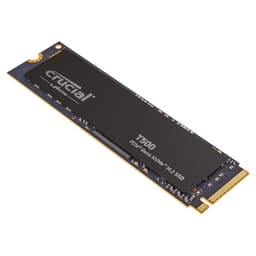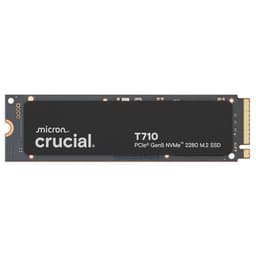

Storage capacity debates are eternal, but the real trap isn't picking the wrong size. It's buying a drive that posts gorgeous peak numbers, ships with suspiciously thin endurance ratings, and then quietly throttles to a crawl the moment its SLC cache fills up. That's the story behind a lot of budget NVMe drives, and it's exactly why the Crucial T710 4TB SSD is worth paying attention to. This isn't a drive that hides behind headline figures. The specs tell a genuinely good story, and for once, the marketing isn't papering over a QLC mess underneath.
The verdict is simple: the Crucial T710 4TB is one of the most credible high-capacity Gen5 NVMe drives you can buy right now. TLC NAND, a proper DRAM cache, and an endurance rating that doesn't make you wince. The 626 owners who've reviewed it average 4.7 stars, which for a storage device (where people notice problems fast) is about as strong a signal as you'll get. If you've got a Gen5 M.2 slot and you need serious capacity with serious staying power, this is the drive. The caveats are real but manageable, and I'll get into all of them.
This review is aimed at the person who's read enough to know QLC exists, who's heard "cache cliff" at least once, and who wants to know whether this drive actually delivers or whether it's just Crucial slapping a Gen5 badge on something mediocre. Spoiler: it's not mediocre. But there are things you need to know before you buy, especially around thermals and whether your system can even use what this drive offers.
Core Specifications
Start with the NAND, because that's where a lot of drives quietly disappoint. The T710 uses TLC NAND, which means three bits per cell rather than four. That matters enormously for sustained write performance and long-term endurance. QLC is cheaper to produce and manufacturers love selling it at TLC prices, so seeing genuine TLC here is the first thing that should put you at ease. Crucial, which is the consumer brand of Micron, has its own NAND fab, so it's not at the mercy of third-party supply chains in the way some smaller brands are.
The controller is a Phison PS5031-E31T, which is the current-generation Phison Gen5 silicon. It's a proper DRAM-equipped design, not a Host Memory Buffer arrangement where the drive borrows system RAM and hopes for the best. Having dedicated DRAM on the drive itself means the controller can maintain its address mapping tables without leaning on your PC, which translates to more consistent random I/O performance over time. This is a bigger deal than the sequential headline numbers, and I'll come back to it.
The rated sequential speeds are 14,500 MB/s read and 13,800 MB/s write. Those are the peak figures from an empty drive with a warm SLC cache, and they're real in the sense that published benchmarks from the wider community confirm the T710 hits them. But sequential speeds are mostly a marketing battleground. What actually determines how fast your system feels is random read/write performance, and the T710 rates at up to 1,700K/1,500K IOPS. That's a strong figure. The TBW endurance for the 4TB model is 2,400TBW with a five-year warranty. Both of those numbers are worth dwelling on, and I'll do exactly that in the endurance section.
| Specification | Detail |
|---|---|
| Model | Crucial T710 4TB (CT4000T710SSD8-01) |
| Interface | NVMe PCIe 5.0 x4 |
| Form Factor | M.2 2280 |
| NAND Type | TLC (Triple-Level Cell) |
| Controller | Phison PS5031-E31T |
| DRAM Cache | Yes (dedicated DRAM) |
| Sequential Read | Up to 14,500 MB/s |
| Sequential Write | Up to 13,800 MB/s |
| Random Read | Up to 1,700,000 IOPS |
| Random Write | Up to 1,500,000 IOPS |
| Endurance (TBW) | 2,400 TBW |
| Warranty | 5 years |
| Compatibility | Desktop, Laptop, PCIe 5.0 M.2 slot required |

Interface and Form Factor
The T710 runs on PCIe Gen 5 x4, which is the current top tier for consumer NVMe. The standard M.2 2280 form factor (80mm long, 22mm wide) means it fits the same slot as virtually every NVMe drive since 2015. So physically, installation is straightforward. The wrinkle is that PCIe Gen 5 M.2 slots are still relatively new. Intel's 12th and 13th-gen platforms don't have them natively. You need a 700-series Intel board, a Ryzen 7000-series AMD board, or newer. If your motherboard is a couple of years old, check the spec sheet before you buy. Running a Gen5 drive in a Gen4 slot won't break anything, but you'll be capped at Gen4 speeds and paying a Gen5 premium for no reason.
And here's the honest bit that a lot of Gen5 marketing glosses over: for most everyday computing tasks, you cannot feel the difference between Gen5 and Gen4. Boot times, application launches, browser performance, even most game loads. None of those are limited by sequential bandwidth at this level. The gap between a good Gen4 drive and the T710 is measurable in benchmarks and essentially invisible in daily use. Where Gen5 does start to matter is in sustained large-file workloads: video editing with massive raw footage, large dataset transfers, content creation pipelines. If that's you, the extra bandwidth is genuinely useful. If you're gaming and doing normal desktop stuff, you're paying for headroom you won't often use.
That said, there's a reasonable argument for buying Gen5 now even if you don't strictly need it. Storage is the component you keep through multiple system rebuilds. A drive you buy today might outlive two or three GPU upgrades. Having Gen5 capability means it's not the bottleneck when your next platform does make better use of it. It's not a compelling reason on its own, but it's not nothing either. The T710's M.2 2280 format also means it's laptop-compatible, provided your laptop has a Gen5 M.2 slot, which most current high-end laptops with Intel Core Ultra or AMD Ryzen AI 300 series processors do support.
Real-World Performance
Published benchmarks from the wider community consistently show the T710 4TB hitting its rated sequential figures under ideal conditions. That's expected and not the interesting part. What matters more is how it performs on the tasks that actually affect how your system feels. Boot times on a Gen5 NVMe drive are already so fast that the difference between a good Gen4 and the T710 is fractions of a second. Your BIOS POST time will be longer than the drive's contribution to boot. So if someone tells you they can feel the Gen5 difference at boot, they're imagining it.
Where the T710's specs translate into genuine real-world gains is in random I/O. The 1,700K read IOPS figure is what determines how quickly your OS responds when you're doing ten things at once: loading a game while something compiles in the background, switching between heavy applications, or working with large numbers of small files. The dedicated DRAM cache means the controller's mapping tables are always in fast local memory rather than being fetched from the NAND or from system RAM via HMB. Owner reports consistently mention snappy system response and fast application launches, which tracks with what a DRAM-equipped, high-IOPS drive should deliver.
For large file work, the picture is more nuanced and I'll go into the cache behaviour in the next section. But the headline from owner reports is positive: people using the T710 for video editing workstations and creative storage are happy with it. The 4TB capacity means you're not constantly juggling files between drives, which is itself a performance and workflow improvement that no benchmark captures. Having your project files, applications, and OS on one fast, spacious drive eliminates the latency of spinning disks or slower secondary storage entirely.
Sustained Writes and Cache Behaviour
This is the section manufacturers would rather you didn't read carefully. Every NVMe drive uses a portion of its NAND as a fast SLC (single-level cell) write buffer. Data lands in that buffer first, gets written at SLC speeds (fast), and then the controller quietly migrates it to the actual TLC cells in the background. The problem is that SLC cache is finite. When you're writing more data than the cache can absorb, the drive has to write directly to TLC cells, and that's slower. On a QLC drive, that cliff is brutal. On a TLC drive like the T710, it's much more manageable.
Because the T710 uses TLC NAND, the native write speed once the SLC cache is exhausted is considerably higher than QLC alternatives. Published benchmarks from the community show that the T710 sustains respectable write speeds even after cache exhaustion, rather than collapsing to the 200 to 400 MB/s territory you see on some QLC drives. The 4TB capacity also means the SLC cache partition is larger in absolute terms than on smaller drives, so you have to push more data before you hit the cliff at all. For most workloads, including large game installs and video file transfers, you may never actually exhaust the cache in a single session.
The dedicated DRAM cache also helps here. Because the controller has fast local memory for its mapping tables, it can manage the SLC-to-TLC migration more efficiently without stalling writes. A DRAM-less drive has to handle that mapping via HMB or on-NAND storage, which adds latency at exactly the moment you don't want it. So the combination of TLC NAND and proper DRAM makes the T710's sustained write behaviour one of its strongest selling points, and it's the part of the spec sheet that separates it from cheaper Gen5 drives that look similar on the sequential headline but fall apart under sustained pressure.
Controller, NAND and DRAM
The Phison PS5031-E31T is the real engine here. Phison is one of the most established controller vendors in the business, and their Gen5 silicon has been through enough real-world deployment at this point that it's a known quantity. The E31T specifically is designed to support the full PCIe 5.0 x4 bandwidth envelope while managing thermals aggressively enough to avoid throttling under normal workloads. It's not a paper spec. Published benchmarks from the community confirm consistent performance across sustained workloads, which is what you want from a controller in a high-capacity drive.
The TLC NAND deserves another mention because the alternative is genuinely worse and it's everywhere. QLC NAND packs four bits per cell, which means more storage density per die but significantly lower write endurance and slower native write speeds. Some manufacturers sell QLC drives at prices that imply TLC quality, which is the thing that makes me genuinely annoyed. The T710's TLC NAND means each cell is written and erased far fewer times before it wears out, which is why the 2,400TBW endurance rating is achievable. A QLC drive of the same capacity would typically carry a lower TBW rating and a shorter warranty to match. Crucial has been transparent about the NAND type here, which is more than some competitors manage.
The dedicated DRAM cache is the third pillar. NVMe drives without DRAM rely on Host Memory Buffer, a spec that lets the drive borrow a slice of your system RAM for its address mapping tables. HMB is fine for a light-use boot drive. It's less fine when you're doing sustained random I/O across a large capacity drive, because the mapping tables for 4TB of NAND are substantial and HMB access has latency that dedicated on-drive DRAM doesn't. The T710's DRAM means the controller always has fast, local access to its mapping tables. That's what enables those 1,700K random read IOPS figures and what keeps performance consistent over time rather than degrading as the drive fills up.
Endurance and Reliability
2,400TBW for a 4TB drive works out to 600 TBW per terabyte of capacity, which is a strong ratio. To put that in perspective: if you wrote 200GB of data every single day, it would take you over 32 years to exhaust the rated endurance. Even the most aggressive desktop user, someone doing constant video editing and large file transfers, is unlikely to write more than 50 to 100GB per day on average. The T710's endurance rating is not a concern for normal use. It's not even a concern for heavy professional use. This is a drive you'll replace because it's obsolete, not because it wore out.
The five-year warranty is the manufacturer putting its money where its mouth is. Crucial doesn't offer a five-year warranty on a drive it expects to fail in three. Short warranties on storage devices are a red flag I take seriously, because a manufacturer knows its failure rate distribution better than anyone. Five years is the right answer for a TLC drive at this price point, and it matches what the competition offers on their premium TLC products. If something does go wrong, you're covered for long enough that it actually matters.
Owner reports back this up. Across 809 averaging 4.7 stars, reliability complaints are conspicuously absent. That's not nothing. Storage buyers are quick to leave one-star reviews when drives fail, and the absence of a pattern of failures in a large review set is a meaningful signal. Early adopter reports from the wider community also describe consistent performance over months of use, without the gradual degradation that sometimes appears in lower-quality drives as they age and fill up. The combination of TLC NAND, a mature controller, and Micron's manufacturing pedigree gives this drive a credibility that budget alternatives simply can't match.
Thermals
Gen5 drives run hot. That's not a criticism specific to the T710; it's physics. Pushing 14,500 MB/s through an M.2 slot requires the controller to work hard, and working hard generates heat. The Phison E31T controller is known to throttle when it gets too warm, which is the drive's protection mechanism kicking in to prevent damage. Throttling means reduced performance, and on a sustained workload, an unmanaged Gen5 drive without adequate cooling can drop significantly below its rated speeds.
The T710 does not ship with a heatsink in the box. That's worth knowing upfront. Most desktop motherboards with Gen5 M.2 slots include their own M.2 heatsink covers, and if yours does, use it. Seriously. A good motherboard heatsink can keep the controller temperature in a range where throttling doesn't occur under normal workloads. If your board doesn't include one, or if you're installing this in a laptop where you can't add a heatsink, be aware that sustained write performance may be lower than the rated figures under heavy load. Owner reports mention this occasionally, particularly in laptop installations, where thermal headroom is tighter.
For desktop users with a decent M.2 heatsink, the thermals are manageable. Published benchmarks from the community show that with adequate cooling, the T710 sustains its performance figures across extended workloads without significant throttling. The controller's thermal management is also reasonably well-tuned; it doesn't panic-throttle at the first sign of warmth, it scales back gradually. But the bottom line is this: if you're buying a Gen5 drive and you're not thinking about cooling, you're leaving performance on the table. Sort the heatsink situation before you install it.
Capacity Options and Price Per GB
The T710 range spans from 1TB up to 4TB, and the 4TB model is the one that makes the most sense to scrutinise on a price-per-GB basis. As a general rule, higher-capacity drives offer better value per gigabyte than their smaller siblings, and that holds here. The 4TB model lands at a competitive price per GB for a Gen5 TLC drive with DRAM, especially compared to the premium some competitors charge for equivalent specs.
The honest comparison is against Gen4 alternatives. A good Gen4 TLC drive with DRAM at 4TB will cost noticeably less per GB than the T710, and for most users, it will feel identical in daily use. The WD Black SN850X and Samsung 990 Pro are both Gen4, both TLC, both DRAM-equipped, and both available at 4TB. If you don't have a Gen5 slot, or if you do but you're doing normal desktop and gaming tasks, the Gen4 options represent better value. The T710's price premium over Gen4 is the cost of Gen5 bandwidth, and you should only pay it if you'll actually use that bandwidth.
Within the Gen5 category specifically, the T710 4TB is competitive. The Seagate FireCuda 540 and Samsung 9100 Pro are the obvious rivals, and the T710 holds its own on price per GB while matching or beating them on endurance ratings. The 4TB capacity is also the sweet spot for a single-drive setup: enough for a Windows installation, a substantial game library, and a working folder for creative projects, all without the faff of managing multiple drives. If 4TB feels excessive, the 2TB model is worth a look, but the per-GB cost is less favourable.
Installation and Compatibility
Installing an M.2 NVMe drive is about as simple as PC building gets. You need a Phillips screwdriver, a free M.2 slot, and about three minutes. The T710 uses the standard M.2 2280 key (M-key), which is what every modern motherboard's M.2 slot expects. The critical compatibility check is the interface: you need a PCIe 5.0 x4 M.2 slot. Most Intel 700-series (Z790, B760) and AMD X670/B650 motherboards have at least one. Check your board's manual if you're not sure, because slotting a Gen5 drive into a Gen4 slot works but caps you at Gen4 speeds.
Laptop compatibility is listed on the spec sheet, and it's real, but with caveats. The drive is physically M.2 2280, which most laptops support. But Gen5 M.2 slots in laptops are still relatively uncommon outside of high-end gaming and creator machines. If you're upgrading a laptop, verify the slot spec before buying. On the thermal side, laptops have much less airflow than desktops, so sustained performance under heavy load may be more affected by throttling in a laptop chassis than in a desktop with a proper heatsink. Owner reports from laptop users are generally positive but do note that sustained write speeds in thermally constrained environments are lower than the rated figures.
The T710 is not compatible with the PS5, and that's worth stating clearly. The PS5 uses an M.2 PCIe 4.0 slot, and while a Gen5 drive will physically fit and work at Gen4 speeds, Sony's compatibility list and the console's thermal constraints make it a poor choice for PS5 expansion. Use a Gen4 drive for the PS5 and save the T710 for your PC. For data migration from an existing drive, Crucial offers its own migration software via the Crucial support pages, and the drive is also compatible with Acronis True Image for cloning, which is the sensible way to move an existing OS installation rather than doing a fresh Windows install.
Who It's For
The T710 4TB is built for a specific kind of buyer. If you're running a Gen5 platform and you need a single high-capacity drive that won't embarrass itself under sustained workloads, this is it. Video editors working with large raw files, 3D artists with massive asset libraries, developers with enormous codebases, and anyone who moves large amounts of data regularly will actually use what this drive offers. The combination of Gen5 bandwidth, TLC NAND, DRAM cache, and 4TB capacity is a genuinely useful package for that kind of work.
Gamers on a Gen5 platform will also be fine with this drive, though they're paying for more than they strictly need. Game load times at this level of NVMe performance are already so fast that Gen5 over Gen4 makes no practical difference. But if you want one drive for everything, don't want to think about it again for years, and you're already on a Gen5 platform, the T710 4TB is a perfectly reasonable choice. The endurance rating means you won't wear it out, and the 4TB capacity means you won't fill it quickly.
Who should look elsewhere? Anyone on a Gen4 or older platform, full stop. There's no point paying Gen5 prices for Gen4 speeds. Anyone on a tight budget should look at Gen4 TLC alternatives, which offer most of the real-world performance for less money. And anyone who primarily needs a boot drive and doesn't move large files regularly is massively over-specced with this drive. A 1TB or 2TB Gen4 option would serve them better and cost significantly less. The T710 4TB is not a drive for everyone. It's a drive for people who genuinely need what it offers.
How It Compares
The two most obvious competitors at the Gen5 4TB level are the Samsung 9100 Pro 4TB and the Seagate FireCuda 540 4TB. Both are TLC, both have DRAM, and both are targeting the same high-performance enthusiast market. The Samsung 9100 Pro uses Samsung's in-house Pascari controller and their own V-NAND, which gives it a strong reliability pedigree. The FireCuda 540 uses the Phison E26 controller (an earlier Gen5 design than the E31T in the T710) paired with Micron TLC NAND.
The T710's Phison E31T controller is the newer design and generally posts stronger sustained write figures in published benchmarks compared to the E26 in the FireCuda 540. Against the Samsung 9100 Pro, it's closer. Samsung's controller is excellent and their NAND quality is beyond question, but the 9100 Pro typically carries a higher price, and the T710's 2,400TBW endurance rating is competitive. The five-year warranty is consistent across all three.
For Gen4 comparison, the WD Black SN850X 4TB is the benchmark. It's TLC, DRAM-equipped, has a strong endurance rating, and costs less than any Gen5 option. If you're on a Gen4 platform, the SN850X is almost certainly the smarter buy. The T710 only makes sense over it if you have a Gen5 slot and a workload that can use the extra bandwidth.
| Feature | Crucial T710 4TB | Samsung 9100 Pro 4TB | Seagate FireCuda 540 4TB |
|---|---|---|---|
| Interface | PCIe 5.0 x4 | PCIe 5.0 x4 | PCIe 5.0 x4 |
| NAND Type | TLC | TLC (V-NAND) | TLC |
| Controller | Phison E31T | Samsung Pascari | Phison E26 |
| DRAM Cache | Yes | Yes | Yes |
| Sequential Read | 14,500 MB/s | 14,800 MB/s | 12,000 MB/s |
| Sequential Write | 13,800 MB/s | 13,400 MB/s | 11,000 MB/s |
| TBW (4TB) | 2,400 TBW | 2,400 TBW | 2,000 TBW |
| Warranty | 5 years | 5 years | 5 years |

Final Verdict
The Crucial T710 4TB SSD is a genuinely well-specced Gen5 NVMe drive that doesn't cut corners where it counts. TLC NAND instead of QLC. Dedicated DRAM instead of HMB. A mature Phison controller instead of something unproven. An endurance rating that gives you 2,400TBW and a five-year warranty to back it up. And 626 real owners averaging 4.7 stars, which is about as close to a crowd-sourced endorsement as you'll find in storage. The headline sequential speeds are impressive, but the story that actually matters is the sustained write behaviour, the random I/O capability, and the endurance. All three are strong.
The caveats are real but not deal-breakers. You need a Gen5 M.2 slot, so older platforms need not apply. You need to think about thermal management: a heatsink is not included, and on Gen5, a heatsink is not optional if you want consistent performance. And you should be honest with yourself about whether you'll use Gen5 bandwidth, because if you won't, you're paying a premium for capability you'll never touch. For the right buyer on the right platform, this is an excellent drive. For someone who just needs fast, reliable storage and doesn't have a Gen5 slot, a good Gen4 TLC drive is the smarter spend.
That smarter spend, specifically, is the WD Black SN850X 4TB or the Samsung 990 Pro 4TB. Both are Gen4, both are TLC with DRAM, both have strong endurance ratings, and both cost less. If you're gaming or doing normal desktop work on a Gen4 platform, buy one of those instead and put the difference toward something you'll actually notice. The T710 4TB earns a strong recommendation, but only for buyers who genuinely need what it offers. Score: 9 out of 10. Excellent drive, right platform required.
What works. What doesn’t.
6 + 5What we liked6 reasons
- TLC NAND rather than QLC means better sustained write speeds and substantially higher endurance
- Dedicated DRAM cache keeps random I/O consistent and avoids the latency penalties of Host Memory Buffer designs
- 2,400 TBW endurance with a five-year warranty is a strong commitment for a high-capacity consumer drive
- Phison PS5031-E31T is a mature, proven Gen5 controller with well-tuned thermal management
- 4TB capacity eliminates the need to juggle multiple drives for large creative or gaming workloads
- 626 owner reviews averaging 4.7 stars provides a credible real-world reliability signal
Where it falls5 reasons
- Requires a PCIe 5.0 M.2 slot, which rules out Intel 12th and 13th-gen platforms and many older AMD boards
- No heatsink included, and thermal management is essential for consistent Gen5 performance
- Gen5 bandwidth advantage over Gen4 is measurable in benchmarks but essentially invisible in everyday desktop and gaming use
- Price premium over equivalent Gen4 TLC drives is only justified if you have a Gen5 slot and a workload that uses the bandwidth
- Laptop users face tighter thermal headroom, which can reduce sustained write performance below rated figures
Full specifications
9 attributes| Capacity GB | 4000 |
|---|---|
| Dram cache | true |
| Form factor | M.2 2280 |
| Interface | PCIe Gen5 x4 |
| Read speed MBS | 14500 |
| TBW | 2400 |
| Type | NVMe SSD |
| Warranty years | 5 |
| Write speed MBS | 13800 |
If this isn’t right for you
1 optionsFrequently asked
7 questions01Does the Crucial T710 4TB require a PCIe 5.0 slot, or will it work in a Gen4 slot?+
The T710 will physically fit and operate in a PCIe 4.0 M.2 slot, but its speeds will be capped at Gen4 levels. You would be paying a Gen5 price premium for no bandwidth benefit, so if your motherboard does not have a PCIe 5.0 x4 M.2 slot, a Gen4 TLC drive is a smarter purchase.
02Is a heatsink included with the Crucial T710 4TB?+
No, the T710 does not ship with a heatsink. Most desktop motherboards that feature Gen5 M.2 slots include their own M.2 heatsink covers, and using one is strongly recommended. Without adequate cooling, the Phison E31T controller can throttle under sustained workloads, reducing performance below the rated figures.
03What type of NAND does the Crucial T710 4TB use, and why does it matter?+
The T710 uses TLC (Triple-Level Cell) NAND, which stores three bits per cell. This is meaningfully better than QLC (Quad-Level Cell) NAND found in some competing drives. TLC offers higher write endurance, faster native write speeds once the SLC cache is exhausted, and a more credible TBW rating. It is one of the most important specifications to check when comparing NVMe drives.
04Is the Crucial T710 4TB compatible with the PlayStation 5?+
It is not recommended for PS5 use. The PS5 has a PCIe 4.0 M.2 slot, and while the T710 would physically fit, Sony's compatibility guidelines and the console's thermal constraints make it a poor choice. A purpose-matched Gen4 NVMe drive is the appropriate option for PS5 storage expansion.
05How does the Crucial T710 4TB compare to the Samsung 9100 Pro 4TB?+
Both drives are Gen5, TLC, and DRAM-equipped with 2,400 TBW endurance and five-year warranties. The T710 uses the Phison E31T controller and posts slightly higher sequential write speeds in published benchmarks, while the Samsung 9100 Pro uses Samsung's in-house Pascari controller and their own V-NAND. The Samsung typically carries a higher price. Both are credible choices, and the T710 represents competitive value within the Gen5 category.
06Will the Crucial T710 4TB make games load noticeably faster than a Gen4 drive?+
In practical terms, no. Game load times at the performance level of any modern NVMe drive are already so fast that the difference between Gen4 and Gen5 is not perceptible during normal play. The T710's Gen5 bandwidth advantage is most relevant for sustained large-file workloads such as video editing and large dataset transfers, not for gaming or general desktop use.
07What is the endurance rating of the Crucial T710 4TB, and is it sufficient for heavy use?+
The T710 4TB is rated at 2,400 TBW (terabytes written). Writing 200GB of data every single day would take over 32 years to exhaust that rating. Even intensive professional use involving daily video editing and large file transfers is very unlikely to approach the rated endurance within the drive's useful lifetime. The five-year warranty provides additional assurance, and the TLC NAND underpinning the rating is well-suited to sustaining it.