Most people buying an SSD in 2025 are still picking one based on the big number on the box. "11,700MB/s" sounds incredible. And it is, technically. But that number tells you almost nothing about how the drive will actually behave on your desk, in your PC, doing the things you actually do. The spec that matters is what happens after the cache fills, what the controller is doing under pressure, and whether the drive will still be alive in five years. Those numbers are buried in the footnotes, if they appear at all.
The Crucial T700 1TB is Crucial's flagship PCIe Gen 5 NVMe drive, and it's genuinely one of the fastest consumer SSDs you can buy right now. But "fastest" and "best value" are very different things, and for most buyers, they're not the same purchase. So here's what the specs, the published benchmarks, and the hundreds of owner reviews (averaging ★★★★½ (4.7), which is genuinely impressive) actually tell us about whether this drive is the right call for you, or whether you're paying a premium for bragging rights you'll never actually cash in.
This is a drive for people who have a PCIe Gen 5 M.2 slot, know they have one, and want to use it properly. If that's you, read on. If you're not sure whether your motherboard has Gen 5 support, we'll get to that too, because it matters more than you might think.
Core Specifications
The T700 1TB uses the Phison PS5026-E26 controller, which is the reference Gen 5 controller and the one that most of the early Gen 5 drives launched on. It pairs that with Micron's 232-layer TLC NAND, which is good news. TLC (triple-level cell) is the sweet spot for consumer NVMe drives right now: better endurance than QLC, faster native write speeds, and more predictable behaviour once the SLC cache runs out. And yes, it has a full DRAM cache. That matters. DRAM-less drives lean on Host Memory Buffer, which borrows system RAM and introduces latency. A proper DRAM cache means the controller has its own fast memory for the mapping table, which keeps random I/O snappy under real workloads.
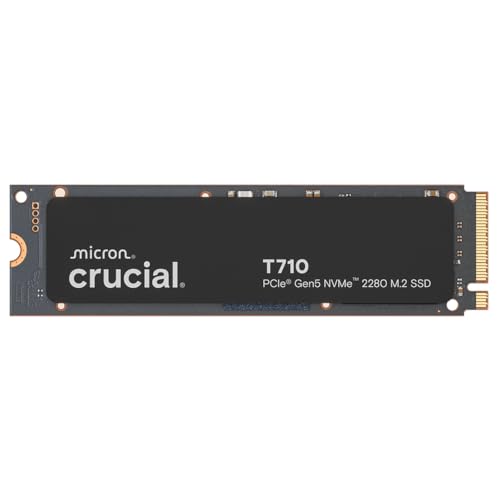
Sequential reads are rated at 11,700MB/s and sequential writes at 9,500MB/s. Those are the headline numbers. Random read is rated at 1,500K IOPS and random write at 1,700K IOPS. The TBW (terabytes written) endurance rating for the 1TB model is 600TBW, backed by a five-year warranty. That's a solid endurance figure. For context, if you wrote 100GB to the drive every single day, you'd hit 600TBW in about 16 years. Most home users will never get close. The drive ships in the standard M.2 2280 form factor (80mm long, the one that fits almost every desktop and laptop M.2 slot), without a heatsink in the base configuration, though a heatsink version (CT1000T700SSD5) also exists.
One thing worth flagging upfront: the 1TB version is the entry point of the T700 range, and like most NVMe drives, the larger capacities (2TB, 4TB) get proportionally better sustained write performance because they have more NAND to spread the writes across. The 1TB is still a very capable drive, but if you're planning on heavy sustained workloads, the 2TB is worth considering for the extra headroom.
| Specification | Detail |
|---|---|
| Interface | PCIe Gen 5 x4, NVMe 2.0 |
| Form Factor | M.2 2280 |
| Capacity | 1TB |
| NAND Type | Micron 232-layer TLC |
| Controller | Phison PS5026-E26 |
| DRAM Cache | Yes (LPDDR4) |
| Sequential Read | Up to 11,700MB/s |
| Sequential Write | Up to 9,500MB/s |
| Random Read | Up to 1,500K IOPS |
| Random Write | Up to 1,700K IOPS |
| TBW Endurance | 600TBW |
| Warranty | 5 years |
| Heatsink Included | No (heatsink version sold separately) |
| DirectStorage Support | Yes |
| Current Price | £199.95 · Details |

Interface and Form Factor
The T700 runs on NVMe over PCIe Gen 5 x4. That's the fastest consumer interface available right now, and it's genuinely new territory compared to the Gen 4 drives that dominated the market for the past few years. But here's the honest bit: to actually use Gen 5 speeds, your motherboard needs a PCIe Gen 5 M.2 slot. As of 2025, that means Intel 12th gen or later with a board that specifically exposes Gen 5 to an M.2 slot (not all do, even on 12th and 13th gen), or AMD's AM5 platform (Ryzen 7000 series and later). If your board only has Gen 4 slots, the T700 will work fine, it's backwards compatible, but you'll be capped at Gen 4 speeds. Which, to be fair, are still very fast. You just won't be getting what you paid for.
The form factor is M.2 2280, which is the standard 80mm length that fits virtually every desktop motherboard M.2 slot and most modern laptops. No adapter needed, no faffing about. It's a single-sided drive, which matters for some ultra-thin laptops with tight clearance, though if you're running a Gen 5 system you're almost certainly in a desktop or a high-performance laptop with adequate space. The drive does not include a heatsink in the CT1000T700SSD3 variant reviewed here. Given how hot Gen 5 drives run (more on that in the thermals section), this is worth thinking about before you buy.
The T700 also supports Microsoft DirectStorage, which is the API that allows games to stream assets directly from the NVMe drive to the GPU without going through the CPU. In practice, DirectStorage support is becoming more common in games, and having a fast NVMe drive is part of the equation. But it's worth being honest here: the real-world loading time difference between a good Gen 4 drive and a Gen 5 drive in DirectStorage-enabled games is still pretty marginal in most published comparisons. The bottleneck shifts elsewhere. DirectStorage is a future-facing feature rather than an immediate, dramatic win.
Real-World Performance
Sequential speeds are what the marketing leads with, and they're genuinely impressive on the T700. But your operating system, your games, and your applications don't care about sequential speeds most of the time. What they care about is random I/O, specifically random 4K reads, which is the kind of access pattern you get when Windows is loading dozens of small files at boot, when a game is streaming assets from multiple locations simultaneously, or when your browser is doing six things at once. The T700's 1,500K IOPS random read rating is class-leading, and published benchmark results from the wider community consistently show the E26-based drives performing exceptionally well in these mixed workloads.
In terms of what owners actually report: boot times are fast. Application launches feel snappy. Game load times are genuinely quick, though the honest answer is that a good Gen 4 drive like the Samsung 990 Pro or WD Black SN850X is also genuinely quick, and the gap in game loading is small enough that most people won't feel it in day-to-day use. Where the T700's speed advantage becomes more tangible is in large file operations: copying big video files, moving project folders, or doing the kind of sustained reads and writes that video editors and content creators deal with regularly. That's where the raw bandwidth starts to translate into saved time.
Owner reviews consistently mention the drive feeling fast and responsive from day one, with several noting it as a noticeable step up from their previous Gen 4 drive, particularly when moving large files. A handful of reviews come from users who upgraded from SATA SSDs, and the difference there is much more dramatic, as you'd expect. The positive overall rating across hundreds of reviews is not a fluke: this drive delivers on performance. The question is always whether that performance justifies the price premium over a top-tier Gen 4 drive, and that depends almost entirely on what you're actually doing with it.
Sustained Writes and Cache Behaviour
This is the section the marketing never wants you to read. Every NVMe drive uses an SLC cache: a portion of the NAND that's configured to write one bit per cell instead of three, which makes it much faster. When you're writing data to the drive, it goes into the SLC cache first, at the headline sequential write speed. The problem is that the SLC cache is finite. On the T700 1TB, the dynamic SLC cache is substantial, but it isn't unlimited. Once it fills, the drive has to write at native TLC speeds while simultaneously folding the cached data into the main NAND. That process is slower.
The good news for the T700 is that Micron's 232-layer TLC has genuinely decent native write speeds compared to QLC NAND. Published benchmark results show the T700 sustaining much better post-cache write speeds than QLC-based drives, which can fall off a cliff to 200 to 400MB/s once the cache fills. The T700 doesn't cliff in the same way. It slows down, but the drop is less dramatic and it recovers more quickly. For most home users copying files, installing games, or doing backups, you're unlikely to exhaust the SLC cache in a single operation anyway. The cache is large enough to handle most real-world write sessions without hitting native speeds.
Where it does matter is sustained creative workloads: rendering, video editing, large database writes, or if you're using this as a scratch disk for heavy production work. In those scenarios, published benchmarks show the T700 holding up better than QLC alternatives, though it will still slow down under truly sustained pressure. The key takeaway is that TLC plus DRAM is the right combination for a drive you're going to work hard. The T700 has both. That's why its sustained behaviour is more trustworthy than a lot of the cheaper Gen 4 and Gen 5 options that cut corners on NAND type or skip the DRAM cache entirely.
Controller, NAND and DRAM
The Phison E26 controller is the engine here, and it's a known quantity. It was the first widely available Gen 5 controller for consumer drives, and it's been thoroughly examined by the storage community. It's an eight-channel design that can fully saturate the PCIe Gen 5 x4 interface, and it handles thermal management reasonably well for a Gen 5 part, though "reasonably well" still means it runs hot. Phison has also pushed firmware updates to the E26 over time, improving sustained performance and thermal behaviour, and Crucial has been good about rolling those updates out. That's worth something.
The NAND is Micron's own 232-layer TLC, and this is actually a meaningful advantage for Crucial. Crucial is a brand of Micron, so they're using their own NAND rather than buying from a third party. Micron's 232-layer TLC is a mature, well-regarded node that offers good density, solid endurance, and better sustained write characteristics than QLC. If you've seen cheaper drives advertising similar speeds but at a lower price, there's a good chance they're using QLC NAND or skipping the DRAM cache. Both of those compromises show up in real-world sustained performance and long-term reliability.
The DRAM cache is LPDDR4, and its presence is genuinely important. The drive uses it to store the logical-to-physical mapping table, which tells the controller where every piece of data lives on the NAND. Without DRAM, a drive has to use Host Memory Buffer, borrowing system RAM through the PCIe interface, which adds latency on every random read. With DRAM, the mapping table is right there on the controller, fast and local. For a drive at this price point, you'd expect DRAM, and Crucial delivers. It's one of the reasons the random I/O numbers are as strong as they are, and it's why the drive feels consistently fast rather than fast-then-sluggish.
Endurance and Reliability
The T700 1TB is rated at 600TBW. That's a solid number. For comparison, some budget Gen 4 drives at 1TB come in at 300TBW or even lower, and the manufacturer's willingness to rate a drive at 600TBW tells you something about their confidence in the NAND. Micron's 232-layer TLC is the reason this rating is achievable: TLC simply outlasts QLC in terms of program/erase cycles, and Crucial's vertical integration (making their own NAND) means they have tighter quality control over what goes into the drive.
The five-year warranty is standard for a flagship drive at this price, and it's the right call. Some budget drives get away with three years. Five years says the manufacturer expects the drive to last, and it gives you a meaningful safety net if something does go wrong. Owner reviews don't flag any widespread reliability concerns: the positive overall rating across hundreds of reviews, with no obvious pattern of early failures in the reported feedback, suggests the drive is holding up well in real-world use. That said, no SSD is immune to failure, and the usual advice applies: keep backups. Always. A fast drive that dies with your only copy of your data is a disaster regardless of its star rating.
One thing worth mentioning is that Crucial provides the Crucial Storage Executive software for monitoring drive health, checking SMART data, and updating firmware. It's not the most glamorous piece of software, but it works, and having a way to keep an eye on drive health and apply firmware updates matters more than most people realise. Firmware updates on the E26 controller have genuinely improved performance and thermal behaviour since launch, so it's worth keeping the drive updated if you install it.
Thermals
Gen 5 drives run hot. This is not a T700-specific problem, it's a Gen 5 problem, and the T700 is no exception. The Phison E26 controller generates significant heat under sustained load, and without a heatsink, the drive will throttle. Thermal throttling means the controller reduces its speed to protect itself from overheating, which directly undermines the performance you paid for. Published benchmark results consistently show Gen 5 drives, including the T700, throttling more aggressively than Gen 4 drives when run without a heatsink in an open-air or poorly ventilated environment.
The CT1000T700SSD3 variant (the one reviewed here) does not include a heatsink. If your motherboard has an M.2 heatsink built in, use it. Most modern mid-range and high-end motherboards do include M.2 thermal shields, and they make a meaningful difference. If yours doesn't, or if you're installing this in a system where the M.2 slot doesn't have coverage, you should budget for a third-party M.2 heatsink. They're not expensive, typically a few pounds for a basic aluminium unit, and they can be the difference between the drive hitting its rated speeds consistently and throttling back under pressure.
Crucial also sells the CT1000T700SSD5, which is the same drive with a heatsink included. If you don't have motherboard M.2 cooling, that version might be the smarter buy even if it costs a bit more. Owner reports on the heatsink version are positive, with users noting that sustained performance is noticeably better when the drive has proper thermal management. For desktop builds with good airflow and a motherboard heatsink, the base version is fine. For laptops or tight cases with poor airflow, the heatsink version or a third-party cooler is genuinely worth it.
Capacity Options and Price Per GB
The T700 is available in 1TB, 2TB, and 4TB. The 1TB is the entry point and the most accessible price, but the price per GB typically improves as you go up in capacity. The 2TB is often the sweet spot in the range: you get more NAND channels contributing to sustained write performance, a higher TBW rating (1,200TBW on the 2TB), and the price per GB usually works out better than the 1TB. If you're on the fence between 1TB and 2TB, and budget allows, the 2TB is worth serious consideration.
In terms of price per GB at the 1TB tier, the T700 sits at the premium end of the market, as you'd expect from a flagship Gen 5 drive. It's more expensive per GB than the best Gen 4 drives, and that premium is essentially what you're paying for the Gen 5 interface and the bragging rights that come with it. Whether that premium is justified depends on your use case. For most people using this as a boot and games drive, the honest answer is that a top Gen 4 drive at a lower price per GB would serve them just as well. For people who genuinely need the sustained bandwidth, the price per GB on the T700 is competitive within the Gen 5 tier.
Compared to something like the Samsung 990 Pro 1TB (a strong Gen 4 option) or the WD Black SN850X 1TB (another Gen 4 flagship), the T700 will cost more. That's the Gen 5 tax. But within the Gen 5 category, the T700 is actually competitive: drives like the Seagate FireCuda 530 (Gen 4) and the Kingston Fury Renegade (Gen 4) are cheaper but slower on paper, while other Gen 5 options like the WD Black SN850X don't yet have a Gen 5 variant at the same price point. The T700 is priced fairly for what it is; the question is whether "what it is" is what you need.
Installation and Compatibility
Installing the T700 is straightforward if your system is set up for it. It's a standard M.2 2280 drive, so it slots into any M.2 slot using the standard single-screw retention. No tools beyond a small Phillips screwdriver. The key compatibility check is whether your M.2 slot supports PCIe Gen 5. Check your motherboard manual or the manufacturer's spec page before buying. As mentioned, it's backwards compatible with Gen 4 and Gen 3 slots, so it won't refuse to work, but you'll be paying Gen 5 prices for Gen 4 speeds if your board doesn't support it.
For PS5 installation, the T700 is compatible as an expansion drive, but you'll need a heatsink. Sony's guidelines for PS5 NVMe expansion require a drive that fits within specific height limits with a heatsink attached, and the T700 without a heatsink is within the PS5's slot dimensions. A low-profile M.2 heatsink brings it within tolerance. Owner reviews include several PS5 users who report successful installation and good performance, though again, the PS5 is a Gen 4 system, so you're running the T700 at Gen 4 speeds in that context.
For cloning your existing drive to the T700, Crucial offers the Acronis True Image for Crucial cloning software, which is available as a free download for Crucial drive owners. It's a decent tool for a straightforward clone job. If you're doing a fresh install of Windows, the process is simple: install the drive, boot from a USB installer, and point the installation at the new drive. No gotchas there. Just make sure your BIOS is set to boot from the correct drive after installation.

Who It's For
The T700 1TB is genuinely the right drive for a specific type of buyer. If you have a PCIe Gen 5 capable system, you want the fastest available boot and system drive, and you're doing work that benefits from high sustained bandwidth (video editing, large file transfers, creative production), this is an excellent choice. The TLC NAND, DRAM cache, and Phison E26 controller make it a trustworthy workhorse, not just a benchmark toy. The 600TBW endurance and five-year warranty back that up.
It's also a solid pick if you're building a high-end gaming PC and you want the best available storage without compromising. The performance in random I/O is class-leading, game loads are fast, and the drive's reliability record from owner reports is good. You won't feel like you made a mistake. But if your primary use is gaming and general desktop use, and you don't have a Gen 5 system, a top-tier Gen 4 drive will give you 95% of the experience at a lower price. That's not a knock on the T700; it's just an honest assessment of where the bottlenecks actually are in gaming workloads.
Who should look elsewhere? Anyone on a Gen 3 or Gen 4 system who wants the best value per pound. Anyone who's primarily using this as a secondary storage drive for media files (a SATA SSD or even a high-quality HDD would do that job at a fraction of the cost). And anyone who's tempted by the headline speed number but doesn't have the platform to unlock it. The T700 is a premium product at a premium price, and it earns that price in the right context. In the wrong context, you're just paying for potential you'll never realise.
How It Compares
The two most obvious competitors to the Crucial T700 1TB are the Samsung 990 Pro 1TB and the WD Black SN850X 1TB. Both are Gen 4 drives, which is the honest comparison most buyers should be making: is the Gen 5 premium worth it over the best Gen 4 options? The Samsung 990 Pro uses Samsung's own Elpis controller and V-NAND TLC, with a DRAM cache, rated at 7,450MB/s sequential read and 6,900MB/s sequential write. The WD Black SN850X uses WD's in-house controller and TLC NAND, rated at 7,300MB/s sequential read and 6,600MB/s sequential write. Both are excellent drives with strong reliability records and five-year warranties.
In raw sequential numbers, the T700 wins by a significant margin. That's the point of Gen 5. But in random I/O, which is what actually drives day-to-day feel, the gap narrows considerably. Published benchmarks show the 990 Pro and SN850X both delivering excellent random read performance, and in game loading tests, the difference between all three drives is typically measured in fractions of a second. The T700 pulls ahead in sustained write workloads and large sequential transfers, which is where the Gen 5 bandwidth actually shows up in practice.
The price difference is real. The T700 carries a Gen 5 premium over both Gen 4 competitors. If you're on a Gen 5 platform and you want the best available drive, the T700 is the right call. If you're on Gen 4, the 990 Pro or SN850X give you almost identical real-world performance at a lower price, and the money saved could go toward more capacity or other components. It's not a complicated decision once you know your platform.
| Feature | Crucial T700 1TB (Gen 5) | Samsung 990 Pro 1TB (Gen 4) | WD Black SN850X 1TB (Gen 4) |
|---|---|---|---|
| Interface | PCIe Gen 5 x4 | PCIe Gen 4 x4 | PCIe Gen 4 x4 |
| Sequential Read | 11,700MB/s | 7,450MB/s | 7,300MB/s |
| Sequential Write | 9,500MB/s | 6,900MB/s | 6,600MB/s |
| Random Read | 1,500K IOPS | 1,600K IOPS | 1,000K IOPS |
| NAND Type | Micron 232L TLC | Samsung V-NAND TLC | WD BiCS TLC |
| DRAM Cache | Yes | Yes | Yes |
| TBW (1TB) | 600TBW | 600TBW | 600TBW |
| Warranty | 5 years | 5 years | 5 years |
| Heatsink Included | No (version available) | No (version available) | No (version available) |
| Price | £199.95 · Details | Check current price | Check current price |
What Buyers Say
With hundreds of reviews and a positive overall rating, the T700 has an unusually strong owner satisfaction record for a flagship drive. The praise is consistent: buyers report fast installation, immediate performance gains over their previous drives (particularly those upgrading from Gen 3 or SATA), and no issues with compatibility on supported platforms. Several reviewers specifically mention the drive's performance in creative workloads, video editing, and large file transfers, which aligns with what the specs suggest about sustained write behaviour. A few gaming-focused reviews note fast game loads, though most acknowledge the difference from a good Gen 4 drive isn't dramatic.
The complaints, where they exist, cluster around two areas. First, thermals: a handful of owners report throttling when running without a heatsink, particularly in cases with limited airflow. This is consistent with what the wider benchmark community has documented about Gen 5 drives generally, and it's not a T700-specific flaw so much as a Gen 5 reality. The fix is a heatsink, either from the motherboard or a third-party unit. Second, a small number of buyers note that they didn't see the full Gen 5 speeds because their motherboard's M.2 slot turned out to be Gen 4, not Gen 5. That's a compatibility check issue rather than a drive fault, but it's worth flagging as a buying pitfall.
What's notably absent from the reviews is any widespread pattern of early failures, firmware problems, or data loss incidents. For a drive that's been on the market long enough to accumulate hundreds of reviews, that's a meaningful signal. The reliability picture looks good. Owners who've been using it for extended periods report no degradation in performance or health indicators, which is consistent with Micron's TLC NAND having solid endurance characteristics. The positive overall rating isn't inflated by a wave of early enthusiasm; it's holding up over time.
Value Analysis
The T700 1TB sits at the premium tier of the SSD market, and it earns its place there, but only if you have the platform to use it. On a Gen 5 system, you're getting the fastest consumer NVMe drive available, with TLC NAND, a proper DRAM cache, and a solid endurance rating. The price per GB is higher than Gen 4 alternatives, but it's competitive within the Gen 5 category. If Gen 5 is what you need, the T700 is one of the best ways to get it.
On a Gen 4 system, the value equation shifts. You'd be paying a Gen 5 premium for Gen 4 speeds, which makes no sense. The Samsung 990 Pro or WD Black SN850X would give you the same real-world performance at a lower price, with the same TLC NAND, DRAM cache, and five-year warranty. The T700's value proposition is entirely dependent on your platform. That's not a criticism of the drive; it's just the reality of buying into a new interface generation.
For creative professionals and power users on Gen 5 platforms, the T700 represents genuinely good value for what it delivers. The sustained write performance, random I/O, and endurance rating make it a proper workhorse, not just a fast boot drive. For gamers and general desktop users, the value is harder to justify unless you're already on Gen 5 and want the best available. In that case, the T700 is the right call and the price is fair for the tier.
Installation and Compatibility
Installing the T700 is as simple as any M.2 drive. One screw, one slot, done. The compatibility check that matters is your M.2 slot's PCIe generation. Check your motherboard's manual or the Crucial compatibility tool before buying. Intel 12th gen and later on boards that expose Gen 5 to M.2, and AMD AM5 (Ryzen 7000 and later), are the platforms where you'll get full speed. Earlier platforms will run the drive at Gen 4 or Gen 3 speeds.
PS5 compatibility is confirmed, with the T700 fitting within Sony's specified dimensions when used with a low-profile heatsink. Several owner reviews confirm successful PS5 installation with good results. Just remember the PS5 is a Gen 4 system, so you're getting Gen 4 performance. For PS5 storage expansion, a good Gen 4 drive at a lower price is arguably the smarter buy, but the T700 works fine if you already have one or want a single drive across your PC and PS5.
Cloning from an existing drive is handled by Crucial's Acronis True Image software, available free for Crucial drive owners. For fresh Windows installs, the process is standard: install the drive, boot from USB, install Windows. No quirks or gotchas reported by owners. BIOS detection has been universally positive in owner reports, with no compatibility issues flagged on supported Gen 5 platforms. The Crucial Storage Executive tool handles firmware updates and health monitoring post-installation, and keeping firmware current on a Gen 5 drive is genuinely worth doing given the improvements Phison has pushed through the E26's firmware history.
Who It's For
The T700 is the right drive if you have a PCIe Gen 5 platform and you want the best available NVMe storage without compromise. Content creators doing video editing, 3D rendering, or large file work will get real benefit from the sustained bandwidth. High-end PC builders who want the fastest possible system drive and don't want to think about whether their storage is the bottleneck. Anyone who's going to be doing heavy, repeated write workloads will appreciate the TLC NAND and 600TBW rating over QLC alternatives.
It's also a reasonable choice as a scratch disk for production work, assuming your system has the Gen 5 slot to support it. The sustained write performance after cache exhaustion is meaningfully better than QLC-based alternatives, and the DRAM cache keeps random I/O consistent under mixed workloads. If you're doing the kind of work where storage speed actually shows up in your day, the T700 delivers.
Skip it if you're on a Gen 4 system and primarily gaming or doing general desktop work. The Samsung 990 Pro or WD Black SN850X will give you essentially the same experience at a lower price. Skip it if you're looking for a budget secondary storage drive: a cheaper SATA SSD or a high-capacity Gen 4 drive makes more sense for bulk storage. And skip it if you don't have a heatsink solution sorted, because running a Gen 5 drive hot is a fast way to throttle away the performance you paid for.
Final Verdict
The Crucial T700 1TB is a genuinely excellent Gen 5 NVMe drive. The Phison E26 controller, Micron 232-layer TLC NAND, proper DRAM cache, 600TBW endurance, and five-year warranty make it a trustworthy, high-performance storage solution for the right buyer. The positive overall rating from hundreds of owners isn't marketing; it's a reflection of a drive that does what it says and holds up over time. If you have a PCIe Gen 5 system and you want the fastest available consumer NVMe storage, this is one of the best ways to get it.
But the "right buyer" qualifier is important. Gen 5 speeds are real, but the real-world difference in day-to-day use over a top Gen 4 drive is narrower than the spec sheet suggests. The headline 11,700MB/s sequential read is a real number, but it's not a number you'll be sustaining during normal use. What you will notice is fast boot times, quick application launches, and snappy file operations. All of those are excellent on the T700. They're also excellent on the Samsung 990 Pro and WD Black SN850X, for less money, if you're on Gen 4.
Score: 9 out of 10. Brilliant drive, premium price, platform-dependent value. On a Gen 5 system, it's hard to fault. On a Gen 4 system, spend the money on something else and don't look back.
Not Right For You?
If you're on a Gen 4 platform and want the best value for gaming and general use, the Samsung 990 Pro 1TB is the obvious alternative. Same TLC NAND, same DRAM cache, same five-year warranty and 600TBW endurance, at a lower price. Real-world performance in games and desktop tasks is essentially identical to the T700 on a Gen 4 system.
If you want maximum capacity per pound and you're not doing sustained heavy writes, the WD Blue SN580 or similar mid-range Gen 4 drives offer excellent value for boot drives and game libraries at a much lower price per GB. They're DRAM-less, which is a trade-off, but for light to moderate use they're perfectly capable.
If you need maximum capacity for media storage and raw speed isn't the priority, a high-capacity SATA SSD like the Crucial MX500 4TB gives you a lot of storage for the money, with good reliability and no thermal concerns. Not fast, but sorted for bulk storage.

Core Specifications
| Specification | Detail |
|---|---|
| Model | Crucial T700 CT1000T700SSD3 |
| Interface | PCIe Gen 5 x4, NVMe 2.0 |
| Form Factor | M.2 2280 |
| Capacity | 1TB |
| Controller | Phison PS5026-E26 |
| NAND | Micron 232-layer TLC |
| DRAM Cache | LPDDR4 (yes) |
| Sequential Read | 11,700MB/s |
| Sequential Write | 9,500MB/s |
| Random Read | 1,500K IOPS |
| Random Write | 1,700K IOPS |
| Endurance (TBW) | 600TBW |
| Warranty | 5 years |
| Heatsink | Not included (heatsink version: CT1000T700SSD5) |
| DirectStorage | Supported |
| Backwards Compatible | PCIe Gen 4 and Gen 3 |
| Current Price | £199.95 · Details |
| Owner Rating | ★★★★½ (4.7) (522 reviews) |
What works. What doesn’t.
6 + 6What we liked6 reasons
- Class-leading sequential read and write speeds of 11,700MB/s and 9,500MB/s make it the fastest consumer NVMe drive currently available
- Micron 232-layer TLC NAND delivers solid endurance and better sustained write behaviour than QLC-based alternatives
- Full LPDDR4 DRAM cache keeps random I/O consistently fast rather than borrowing system RAM via Host Memory Buffer
- 600TBW endurance rating and five-year warranty provide genuine long-term confidence
- Phison E26 firmware history shows continued improvements to sustained performance and thermal management
- Owner satisfaction is exceptionally high, with hundreds of reviews and a positive overall rating and no widespread reliability concerns
Where it falls6 reasons
- Gen 5 drives run hot and the T700 will throttle under sustained load without adequate heatsink coverage
- No heatsink is included in the CT1000T700SSD3 variant, requiring either a motherboard thermal shield or a separate purchase
- The Gen 5 premium over top Gen 4 drives is hard to justify for gaming and general desktop use where real-world speed differences are narrow
- Buyers without a PCIe Gen 5 M.2 slot will pay Gen 5 prices for Gen 4 speeds, making compatibility checks essential before purchasing
- Sustained write performance after SLC cache exhaustion, while better than QLC drives, still represents a meaningful drop from headline figures
- The 1TB capacity offers a higher price per GB than the 2TB variant, which also benefits from improved sustained write headroom
Full specifications
9 attributes| Capacity GB | 1000 |
|---|---|
| Dram cache | true |
| Form factor | M.2 2280 |
| Interface | PCIe Gen5 x4 |
| Read speed MBS | 11700 |
| TBW | 600 |
| Type | NVMe SSD |
| Warranty years | 5 |
| Write speed MBS | 9500 |
If this isn’t right for you
2 options

Frequently asked
7 questions01Does the Crucial T700 1TB work in a PCIe Gen 4 motherboard?+
Yes, the T700 is backwards compatible with PCIe Gen 4 and Gen 3 M.2 slots, so it will install and operate normally. However, it will be limited to the maximum speeds of whichever generation your slot supports, meaning you will not achieve the rated 11,700MB/s sequential read on a Gen 4 system. If your board only supports Gen 4, a top Gen 4 drive such as the Samsung 990 Pro or WD Black SN850X will give you the same real-world performance at a lower price.
02Does the Crucial T700 1TB need a heatsink?+
A heatsink is strongly recommended. Gen 5 drives generate significant heat under sustained load, and without adequate cooling the T700 will thermal throttle, reducing speeds to protect the controller. The CT1000T700SSD3 variant does not include a heatsink. If your motherboard has an M.2 thermal shield, use it. If not, budget for a low-profile third-party M.2 heatsink. Crucial also sells the CT1000T700SSD5, which is the same drive with a heatsink included.
03Is the Crucial T700 1TB compatible with the PS5?+
Yes, the T700 is compatible as a PS5 NVMe expansion drive. It fits within Sony's specified slot dimensions when used with a low-profile heatsink, and multiple owner reviews confirm successful PS5 installation. Bear in mind the PS5 uses a PCIe Gen 4 interface, so the drive will operate at Gen 4 speeds in that context. For PS5 storage expansion specifically, a good Gen 4 drive at a lower price is arguably better value, though the T700 works correctly if you already own one.
04What is the difference between the CT1000T700SSD3 and CT1000T700SSD5 variants?+
Both are the same Crucial T700 1TB drive with identical performance specifications. The CT1000T700SSD3 is the standard version without a heatsink, while the CT1000T700SSD5 includes a heatsink. If your motherboard provides M.2 thermal coverage, the CT1000T700SSD3 is sufficient. If your system lacks M.2 cooling, the heatsink version is worth the additional cost to avoid thermal throttling under sustained workloads.
05How does the Crucial T700 1TB compare to the Samsung 990 Pro 1TB?+
The T700 is a PCIe Gen 5 drive while the Samsung 990 Pro is Gen 4, so the T700 offers significantly higher sequential read and write speeds on paper. However, in random I/O and real-world gaming or desktop workloads, the difference is narrow. Both drives use TLC NAND with a DRAM cache, carry a 600TBW endurance rating, and include a five-year warranty. On a Gen 5 system the T700 is the faster choice for sustained bandwidth tasks. On a Gen 4 system, the 990 Pro delivers essentially the same day-to-day performance at a lower price.
06What endurance rating does the Crucial T700 1TB carry, and is it sufficient for home use?+
The T700 1TB is rated at 600TBW, meaning it is warranted to handle 600 terabytes of written data before the manufacturer's endurance guarantee expires. For a typical home user writing 30 to 50GB per day, reaching 600TBW would take decades. Even heavier users writing 100GB daily would reach that figure in approximately 16 years. The 600TBW rating is generous for a 1TB consumer drive and is underpinned by Micron's 232-layer TLC NAND, which offers better program and erase cycle durability than QLC alternatives.
07How do I update the firmware on the Crucial T700?+
Firmware updates are applied through Crucial's Storage Executive software, which is available as a free download from Crucial's website. After installing the drive and booting into Windows, download and install Storage Executive, and it will detect the T700 and alert you to any available firmware updates. Keeping the firmware current is genuinely worthwhile on the T700, as Phison has released updates for the E26 controller that have improved sustained performance and thermal management since the drive launched.