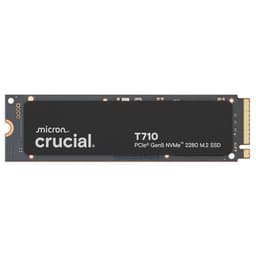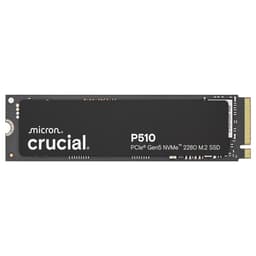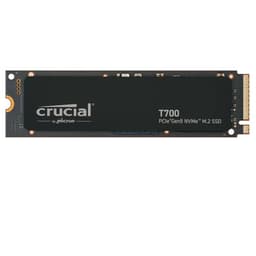
The Crucial T500 4TB is, pretty simply, one of the best-value high-capacity NVMe drives you can buy right now. TLC NAND, a proper DRAM cache, a Phison E18 controller, and a 5-year warranty at a price per GB that undercuts most of the competition. That's the verdict. The rest of this is just explaining why.
Pull apart the spec sheet, cross-reference what the published benchmarks show, and read through what owners are actually saying after months of real use, and a clear picture emerges: this is a drive that does exactly what it promises, without too many nasty surprises hiding in the fine print. There's a cache cliff to know about (there always is), and thermals are worth a mention, but the fundamentals here are genuinely solid. Not many 4TB drives at this price point can say that.
The buyer this is aimed at is probably someone who's tired of juggling multiple drives, wants one big fast NVMe to handle everything from Windows to a game library to creative project files, and doesn't want to spend silly money on a Samsung 990 Pro or compromise on QLC NAND to save a few quid. If that's you, keep reading.
Core Specifications
The T500 4TB is an M.2 2280 form factor drive running on PCIe Gen 4 x4 via the NVMe protocol. Crucial rates it at up to 7,000MB/s sequential read and 6,500MB/s sequential write, which are about as high as Gen 4 gets. Random performance is rated at 1,400K IOPS read and 1,400K IOPS write. Those are the headline numbers. More important is what's underneath them.
The NAND is 3D TLC, which matters a lot. TLC (three-level cell) is the sweet spot for consumer drives: better endurance and sustained write speeds than QLC (four-level cell), and nowhere near as expensive as MLC or SLC. Crucial hasn't published exactly which NAND fab is supplying the cells here, but given Crucial is a Micron brand and Micron makes some of the best NAND in the industry, the smart money is on Micron 176-layer or 232-layer TLC. The controller is a Phison E18, which is a well-understood, well-regarded Gen 4 controller that's been in production long enough to have a proper reliability track record. And critically, the T500 has a dedicated DRAM cache. That's not a given at this price point, and it matters more than most people realise.
Endurance is rated at 1,400 TBW (terabytes written) for the 4TB model, with a 5-year limited warranty. That's a good sign. Manufacturers who don't trust their own NAND give you 3 years and 600 TBW. Five years and 1,400 TBW says Crucial is fairly confident this thing will outlive your next PC build.
| Specification | Detail |
|---|---|
| Model | Crucial T500 4TB (CT4000T500SSD3) |
| Form Factor | M.2 2280 |
| Interface | PCIe Gen 4 x4 NVMe |
| NAND Type | 3D TLC |
| Controller | Phison E18 |
| DRAM Cache | Yes (dedicated LPDDR4) |
| Sequential Read | Up to 7,000 MB/s |
| Sequential Write | Up to 6,500 MB/s |
| Random Read | Up to 1,400K IOPS |
| Random Write | Up to 1,400K IOPS |
| Endurance (TBW) | 1,400 TBW |
| Warranty | 5 years |
| Heatsink Version | Available separately (CT4000T500SSD5) |
| PS5 Compatible | Yes (requires heatsink) |
| Microsoft DirectStorage | Yes |
| Price | £753.91 |
Interface and Form Factor
PCIe Gen 4 x4 NVMe. That's the interface, and it's the right one for 2025. Your motherboard almost certainly has a Gen 4 M.2 slot if it's from the last three or four years, whether that's an Intel 12th gen board or an AMD Ryzen 5000 or 7000 platform. Even most mid-range laptops from the past couple of years have a Gen 4 slot. The T500 will also run in a Gen 3 slot if that's all you've got, just at reduced bandwidth. It won't break, it'll just be a bit slower on the sequential numbers. For most workloads, you won't notice the difference.
Should you be looking at Gen 5 instead? Honestly, probably not. PCIe Gen 5 NVMe drives post sequential reads above 12,000MB/s in benchmarks, which sounds incredible until you realise that almost no real-world workload can saturate Gen 4 bandwidth in the first place. Windows boot times, application launches, game loads: all of these are dominated by random I/O performance and CPU/RAM interactions, not sequential throughput. The difference between a Gen 4 and Gen 5 drive in daily use is, for most people, essentially nothing. What Gen 5 does give you is higher thermals, higher prices, and drives that throttle without a chunky heatsink. Gen 4 is the sensible choice right now.
The M.2 2280 form factor is the standard size, 80mm long, and fits the vast majority of M.2 slots in desktops and laptops. It's also the form factor required for PS5 expansion. The bare drive (CT4000T500SSD3) doesn't include a heatsink, which is fine for most desktop and laptop installs where the board's own heatsink or the chassis airflow handles thermals. If you're going into a PS5, you'll want to grab the heatsink version (CT4000T500SSD5) or fit your own aftermarket one. More on that in the thermals section.
Real-World Performance
Here's the thing about sequential read and write speeds: they're what the marketing leads with, and they're also the least useful number for understanding how fast your computer actually feels. What makes a system feel snappy is random I/O, specifically 4K random reads. That's the workload that dominates Windows boot, application launches, loading game assets, and opening files. The T500's rated 1,400K random read IOPS is genuinely strong, and published benchmark results consistently show it performing at or near that figure in real testing conditions.
Published benchmarks from the wider community show the T500 delivering boot times and application launch speeds that are competitive with the Samsung 990 Pro and WD Black SN850X, which are widely considered the reference-class Gen 4 drives. The gap between top-tier Gen 4 drives in random I/O is actually pretty small at this point. What matters more is that the T500 is consistently fast across those workloads, not just on an empty drive, but with the drive at a realistic fill level. Owner reports back this up: the 5,521 for this drive average 4.7 stars, and the consistent theme in positive reviews is that it just works, fast, reliably, without drama.
For game loading specifically, the T500 is more than quick enough to make DirectStorage meaningful. Microsoft's DirectStorage technology allows games to stream assets directly from the NVMe drive to the GPU without going through the CPU, and the T500's random I/O figures are well above the threshold where DirectStorage becomes effective. In practice, games that implement DirectStorage properly will load faster and stutter less on this drive than on a SATA SSD or a slower NVMe. That's not marketing: it's a function of the random read throughput the Phison E18 controller can deliver.
Sustained Writes and Cache Behaviour
This is the section that the spec sheet glosses over, so pay attention. Every consumer NVMe drive uses a portion of its NAND as an SLC write cache: a fast buffer where incoming writes land first before being folded down into the native TLC cells. While writes are landing in the SLC cache, you see the headline sequential write speeds. Once that cache fills, you see native TLC write speeds. The gap between those two numbers is where a lot of drives get embarrassing.
The T500 4TB has a large SLC cache by virtue of being a 4TB drive. More total NAND means more cache to allocate, and published benchmarks show the T500 sustaining its peak write speeds through a substantial amount of data before the cache exhausts. After cache exhaustion, native TLC write speeds on the T500 are reported in published benchmarks at roughly 1,500 to 2,000MB/s, which is actually decent for native TLC. That's the key difference between TLC and QLC here: native QLC write speeds on some competing drives fall to 400 to 800MB/s after cache exhaustion, which is genuinely painful if you're copying large video files or doing big game installs. The T500 doesn't have that problem to anything like the same degree.
For most people, most of the time, the SLC cache is more than large enough that you'll never hit native write speeds anyway. Copying a few games, doing a Windows update, moving a project folder: all of that fits comfortably in the cache. Where you'd start to see native speeds is sustained large sequential writes, think copying 200GB of raw video footage in one go. If that's your regular workflow, the T500 still handles it better than any QLC drive at this price, but it's worth knowing the number. For everyone else, the cache behaviour is basically a non-issue.
Controller, NAND and DRAM
The Phison E18 controller is the right answer here. It's a proven Gen 4 controller that's been used in drives from Seagate, Sabrent, and others, and it has a solid reliability track record. Phison doesn't manufacture NAND, they make the controller silicon that manages it, and the E18 is their top-tier Gen 4 offering. It handles the SLC caching, the DRAM management, the error correction, and the wear levelling. A good controller is what separates a drive that degrades gracefully over years from one that goes wrong at 18 months. The E18 is a good controller.
The NAND is 3D TLC NAND, and given Crucial's relationship with Micron, it's almost certainly Micron-produced. Micron's 176-layer and 232-layer TLC are among the better NAND dies in production right now. TLC means three bits per cell, which gives a good balance of density (important for hitting 4TB at a reasonable price) and endurance (important for not losing your data). QLC drives at 4TB exist and they're cheaper, but the endurance ratings are lower, the sustained write speeds are worse, and the native write performance after cache exhaustion is genuinely bad. TLC at this capacity is the right call.
The DRAM cache is the detail that really separates the T500 from budget competitors. A dedicated DRAM cache (LPDDR4 in this case) stores the drive's mapping table: the index of which logical addresses correspond to which physical NAND cells. Without DRAM, a drive has to use a portion of the NAND itself or lean on the host system's RAM via Host Memory Buffer (HMB). HMB is fine for a boot drive in a desktop where the host RAM is fast and always available. It's less fine in a laptop where power management can interrupt HMB access, and it's meaningfully worse for sustained random I/O workloads. The T500's dedicated DRAM means the mapping table is always immediately accessible, which keeps random read latency low and consistent. That's what you feel in day-to-day use.
Endurance and Reliability
1,400 TBW for the 4TB model. To put that in context: if you write 100GB to this drive every single day (which is a lot, most people write far less), it would take you 38 years to hit the rated endurance limit. Even at 500GB per day, which is a heavy creative workload, you're looking at nearly eight years before you approach the TBW rating. The 5-year warranty is the practical limit, not the NAND endurance. That's a good sign. It means Crucial is confident enough in the NAND quality that they're not hiding behind a low TBW number to limit warranty claims.
Owner reports at 4.7 stars across 5,521 paint a picture of a drive that just gets on with it. The complaints that do appear are mostly edge cases: a small number of compatibility issues with specific older motherboards, a handful of DOA reports (which happen with any hardware at scale), and the occasional firmware update that caused brief issues before being patched. There are no widespread reports of early failure, sudden death, or data loss. That matters. A drive can benchmark brilliantly and still be a liability if the failure rate is higher than it should be. The T500's owner review pattern doesn't suggest that's the case here.
Crucial's warranty process is worth mentioning. Five years is the promise, and Crucial's support reputation is generally decent. They're a Micron subsidiary, so there's a proper corporate structure behind the warranty, not a small operation that might not exist in three years. For a drive you're putting your main OS and irreplaceable files on, that matters. And yes, back up your data regardless. No drive is immune to failure, TBW ratings are statistical averages not guarantees, and a backup costs less than the data recovery service you'll need if you don't have one.
Thermals
The T500 runs warm under sustained load. That's not a criticism specific to Crucial: it's a property of high-performance Gen 4 NVMe drives in general. The Phison E18 controller generates meaningful heat when it's pushing 6,000+ MB/s, and without adequate cooling, drives will throttle to protect themselves. Throttling means the controller drops its performance to reduce heat output, and you see write speeds fall until the temperature comes back down. It's not dangerous, it's a safety mechanism, but it is annoying if you're in the middle of a large file transfer.
In a desktop with decent airflow and a motherboard M.2 heatsink (which most mid-range and above boards include these days), the T500 stays within sensible operating temperatures. Published thermal data from the wider community shows it hitting around 65 to 75 degrees Celsius under sustained sequential writes, which is warm but within the drive's rated operating range. With a proper heatsink, those numbers come down meaningfully and throttling becomes unlikely in normal use. If your board doesn't have an M.2 heatsink, it's worth picking up an aftermarket one. They're cheap and they make a real difference.
In a laptop, thermals depend almost entirely on the chassis design and how well the manufacturer has thought about M.2 slot cooling. Some laptops have thermal pads over the M.2 slot that conduct heat to the chassis. Others have basically nothing. If you're installing the T500 in a laptop and plan to do sustained large file transfers regularly, it's worth checking whether your laptop has any M.2 thermal management. For PS5 installation, Sony explicitly requires a heatsink, so you'll need to fit one before dropping it in. The heatsink version of the T500 (CT4000T500SSD5) comes with one already attached, which is the easier option if you're going the PS5 route.

Capacity Options and Price Per GB
The T500 range runs from 500GB up to 4TB. The 1TB and 2TB models are the volume sellers, and they're priced competitively. But the 4TB model is where the value proposition gets interesting. Historically, 4TB NVMe drives carried a significant price premium over two 2TB drives. That gap has narrowed considerably, and at current pricing the T500 4TB is genuinely competitive on a per-GB basis against the 2TB model and against rival 4TB drives.
At the current price (check the live figure above, because NVMe pricing moves around a lot), the T500 4TB typically works out to somewhere in the region of competitive with the WD Black SN850X 4TB and meaningfully cheaper than the Samsung 990 Pro at the same capacity. Against budget QLC alternatives like the Lexar NM790 4TB or Teamgroup MP44 4TB, the T500 costs a bit more per GB, but you're getting TLC NAND, a dedicated DRAM cache, and a better sustained write story. Whether that premium is worth it depends on your workload. For most people, yes.
If you're on a tight budget and your workload is mostly gaming and general use (sequential writes rarely exceeding the SLC cache), a QLC 4TB drive will serve you adequately and cost less. If you're doing video editing, large file transfers, or anything that regularly pushes sustained writes past 50 to 100GB in a single session, the TLC NAND in the T500 is worth the extra spend. The sweet spot in the T500 range for most buyers is probably the 2TB model on pure value grounds, but if you need 4TB in a single drive slot, this is one of the best ways to fill it.
Installation and Compatibility
Installation is straightforward. The T500 is a standard M.2 2280 drive, so it fits any M.2 slot that supports NVMe (not just SATA). Most motherboards from the last four or five years have at least one PCIe Gen 4 M.2 slot. Check your board's manual to confirm which slot supports Gen 4 if you have multiple M.2 slots, since some boards have a mix of Gen 3 and Gen 4 slots. Plugging a Gen 4 drive into a Gen 3 slot won't damage anything, it'll just run at Gen 3 speeds. Not ideal, but functional.
For laptop installation, the process varies by model. Most modern laptops with an M.2 slot make it accessible with a few screws, but some ultrabooks are more fiddly. Check iFixit or your manufacturer's documentation before you start. One thing to watch: some laptops ship with a SATA M.2 drive and an M.2 slot that only supports SATA, not NVMe. The T500 is NVMe only, so it won't work in a SATA-only M.2 slot. Again, check your spec sheet before buying.
For PS5 expansion, the T500 is compatible and meets Sony's speed requirements comfortably. Sony requires a heatsink for M.2 drives in the PS5, so you'll need either the heatsink version of the T500 or a compatible aftermarket heatsink. The installation process involves removing the PS5's side panel and following Sony's official instructions. Crucial's own support documentation covers this clearly. For cloning an existing drive, Crucial's Acronis True Image software is available free with the drive, which makes migrating from an old drive to the T500 fairly painless. It's not the most polished software in the world, but it works.
Who It's For
The T500 4TB is a great fit for anyone who wants a single high-capacity NVMe drive to do everything. One slot, one drive, 4TB of fast storage for your OS, your game library, and your project files. No juggling a fast boot drive and a slower storage drive. If you've got a desktop or laptop with a free Gen 4 M.2 slot and you want to consolidate, this is a strong option. It's also a solid PS5 upgrade if you've filled the internal storage and want something fast enough to not bottleneck the console.
Creative professionals doing video editing, photo work, or audio production will appreciate the TLC NAND and DRAM cache. Sustained write performance matters for these workflows, and the T500 handles it better than any QLC alternative at a comparable price. Gamers will find it more than fast enough for any current title, DirectStorage-enabled or otherwise. The random I/O performance is high enough that you're not leaving meaningful performance on the table versus more expensive options.
Who should look elsewhere? If you're on a strict budget and your use is mostly gaming and web browsing, a QLC drive at a lower price per GB will serve you fine and you'll probably never notice the difference. If you need more than 4TB in a single drive, options are limited across the board and you're probably better off with two drives anyway. And if you're building a NAS or a server, you want drives specifically rated for that workload, not a consumer NVMe. The T500 is a consumer drive and it's brilliant at being a consumer drive. That's the target.
How It Compares
The two most obvious competitors at 4TB in the Gen 4 NVMe space are the WD Black SN850X 4TB and the Samsung 990 Pro 4TB. Both are premium drives with strong reputations. The SN850X uses WD's in-house controller and TLC NAND with DRAM, and it's the drive that consistently trades blows with the T500 in published benchmarks. The 990 Pro uses Samsung's own V-NAND TLC and their in-house controller, and it's arguably the most polished Gen 4 drive on the market in terms of consistent random I/O performance. Both cost more than the T500 at 4TB capacity.
The honest answer is that in real-world use, the gap between these three drives is small. Published benchmarks show the T500 within a few percent of the SN850X and 990 Pro on the workloads that matter: random reads, application launches, game loads. The T500 wins on price at 4TB. The 990 Pro wins on brand prestige and Samsung's ecosystem (Magician software is genuinely excellent). The SN850X has a slight edge in some sustained random write scenarios. None of these differences will change your day-to-day experience in any meaningful way.
| Feature | Crucial T500 4TB | WD Black SN850X 4TB | Samsung 990 Pro 4TB |
|---|---|---|---|
| Interface | PCIe Gen 4 x4 NVMe | PCIe Gen 4 x4 NVMe | PCIe Gen 4 x4 NVMe |
| NAND Type | 3D TLC | 3D TLC | Samsung V-NAND TLC |
| Controller | Phison E18 | WD in-house | Samsung in-house |
| DRAM Cache | Yes | Yes | Yes |
| Seq. Read | 7,000 MB/s | 7,300 MB/s | 7,450 MB/s |
| Seq. Write | 6,500 MB/s | 6,600 MB/s | 6,900 MB/s |
| TBW (4TB) | 1,400 TBW | 2,400 TBW | 2,400 TBW |
| Warranty | 5 years | 5 years | 5 years |
| Price | £753.91 | Higher | Higher |
One thing the comparison table makes clear: the SN850X and 990 Pro both carry a 2,400 TBW rating at 4TB, which is significantly higher than the T500's 1,400 TBW. For most users, 1,400 TBW is still more than enough for the drive's useful life. But if you're running a workstation with heavy daily write workloads, that endurance gap is worth factoring in. You're paying more for those drives partly for that reason.
What Buyers Are Actually Saying
With 5,521 averaging 4.7 stars, the T500 4TB has a pretty clear owner verdict: it works, it's fast, and it doesn't cause drama. The most common praise in positive reviews centres on the speed improvement over older drives (particularly SATA SSDs and spinning HDDs), the ease of installation, and the fact that it just runs without needing attention. Several owners specifically mention using it in PS5 consoles and being happy with the result.
The complaints, where they exist, fall into a few categories. A small number of users report compatibility issues with older AMD platforms, specifically some X570 boards with certain BIOS versions. This is a known issue with some Gen 4 drives on older AMD platforms and usually resolves with a BIOS update. A handful of DOA reports exist, which is statistically normal for any hardware sold at this volume. There are occasional mentions of the drive running warm in laptops without adequate M.2 thermal management, which feeds into the thermals discussion above. What's notably absent from the negative reviews is any pattern of early failure, data corruption, or widespread reliability issues. That's reassuring.
The owner review pattern also suggests the T500 performs consistently across different use cases. Gaming PC owners, laptop upgraders, PS5 users, and creative professionals all show up in the reviews, and the satisfaction rate is high across all of them. That breadth of happy users is a good signal that this isn't a drive that only performs well in one specific scenario. The ★★★★½ (4.7) rating and 5,521 reviews speak for themselves.
Final Verdict
The Crucial T500 4TB is a genuinely good drive sold at a genuinely competitive price. TLC NAND and a dedicated DRAM cache mean it handles sustained workloads properly, not just benchmark runs on an empty drive. The Phison E18 controller is proven and reliable. The 5-year warranty and 1,400 TBW endurance rating say Crucial is confident in what they've built. And the owner reviews, across thousands of real users, back that confidence up.
Is it the absolute fastest Gen 4 drive at 4TB? No. The Samsung 990 Pro edges it on peak sequential numbers and TBW rating, and the WD Black SN850X is similarly competitive. But the performance gap in real-world use is small enough that most people will never notice it. What they will notice is the price difference, and the T500 wins that comparison clearly. For anyone who wants a high-capacity, high-performance NVMe drive without paying a premium for marginal gains, this is the one to buy.
The only real caveats: fit a heatsink if your board doesn't have one, make sure your M.2 slot is NVMe-capable before you buy, and back your data up regardless of which drive you choose. The T500 earns a strong recommendation. It's sorted.
Not the Right Drive For You?
If the T500 4TB isn't quite what you're after, a few alternatives are worth a look. For a smaller capacity at lower cost, the T500 2TB hits a better price per GB and is more than enough for most people who aren't hoarding a massive game library. If budget is the primary concern and sustained write performance is less critical (mostly gaming, general use, no large file transfers), a QLC drive like the Lexar NM790 4TB costs less and will do the job adequately. For those who want the absolute best Gen 4 drive regardless of price, the Samsung 990 Pro 4TB is the benchmark reference with higher TBW and Samsung's excellent Magician software ecosystem. And if you're on an older platform with only Gen 3 M.2 slots, a Gen 3 drive like the WD Blue SN580 will save you money without meaningfully hurting real-world performance, since Gen 3 bandwidth is still far beyond what most workloads can saturate.
The T500 4TB sits in a sweet spot that makes it the right answer for a lot of people. But storage is personal, and the right drive depends on your slot, your workload, and your budget. The specs and owner reports are clear about what this drive does well. Match those to your situation and you'll make the right call.
What works. What doesn’t.
6 + 5What we liked6 reasons
- TLC NAND delivers significantly better sustained write performance after SLC cache exhaustion compared with QLC alternatives at this capacity
- Dedicated LPDDR4 DRAM cache keeps random read latency low and consistent, which is the most noticeable factor in day-to-day system responsiveness
- Phison E18 controller is a proven, well-understood Gen 4 platform with a solid reliability track record across multiple drive brands
- 1,400 TBW endurance rating and 5-year warranty reflect genuine confidence in the NAND quality
- Competitive price per GB at 4TB puts it below the Samsung 990 Pro and WD Black SN850X for meaningful real-world performance differences that most users will never notice
- Compatible with PS5 expansion and Microsoft DirectStorage, covering the main consumer use cases in a single drive
Where it falls5 reasons
- Endurance rating of 1,400 TBW at 4TB trails the WD Black SN850X and Samsung 990 Pro, both of which carry 2,400 TBW at the same capacity
- Runs warm under sustained sequential loads and benefits from a motherboard M.2 heatsink that not all boards or laptops provide
- A small number of compatibility issues have been reported with older AMD X570 platforms at certain BIOS versions, requiring a firmware update to resolve
- Native TLC write speeds after SLC cache exhaustion, while decent relative to QLC, are still noticeably below the headline sequential write figures
- No heatsink included with the bare M.2 version, which means an additional purchase is required for PS5 installation
Full specifications
9 attributes| Capacity GB | 4000 |
|---|---|
| Dram cache | true |
| Form factor | M.2 2280 |
| Interface | PCIe Gen4 x4 |
| Read speed MBS | 7000 |
| TBW | 2400 |
| Type | NVMe SSD |
| Warranty years | 5 |
| Write speed MBS | 6900 |
If this isn’t right for you
2 options 9.0 / 10
Seagate FireCuda 530R NVMe SSD 4TB, for PS5/PC, M.2 PCIe Gen4 ×4 NVMe 1.4, up to 7.400 MB/s, 3D-TLC-NAND, 5.050TBW, Data Rescue Service (ZP4000GM3A063)
£644.83 · Seagate
 8.5 / 10
SANDISK Creator Pro Portable NVMe SSD 4TB (up to 2000 MB/s read/write speeds for demanding workflows, 3 Meter drop protection, IP65 water & dust resistance, 1 Month Adobe Creative Cloud included)
£507.00 · SanDisk
Frequently asked
7 questions01Does the Crucial T500 4TB work in a PS5?+
Yes. The T500 4TB meets Sony's speed requirements for PS5 M.2 expansion. Sony requires a heatsink to be fitted before installation, so you will need either the heatsink version of the drive (CT4000T500SSD5) or a compatible aftermarket heatsink. The bare drive (CT4000T500SSD3) does not include one.
02What happens to write speeds once the SLC cache is full?+
After the SLC write cache is exhausted, the drive falls back to native TLC write speeds, which published benchmarks place at roughly 1,500 to 2,000MB/s on the T500 4TB. This is considerably better than QLC drives, which can drop to 400 to 800MB/s in the same situation. For most everyday workloads, the SLC cache is large enough that you are unlikely to exhaust it in normal use.
03Is the Crucial T500 4TB compatible with PCIe Gen 3 motherboards?+
Yes. The T500 will operate in a PCIe Gen 3 M.2 slot at reduced bandwidth. Sequential speeds will be limited to roughly 3,500MB/s rather than the rated 7,000MB/s, but random I/O performance and day-to-day responsiveness will remain close to normal. It will not cause any damage to the drive or the motherboard.
04How does the T500 4TB compare to the Samsung 990 Pro 4TB?+
In real-world use, the gap between the two drives is small. The 990 Pro has slightly higher peak sequential figures, a higher TBW rating of 2,400 versus 1,400, and Samsung's Magician software ecosystem. The T500 costs less at the 4TB capacity. For most users the practical performance difference will be imperceptible, and the decision comes down to whether the higher TBW rating and Samsung's software tools justify the additional cost.
05Does the Crucial T500 4TB include drive management software?+
Crucial provides access to Acronis True Image, which is available as a free download with the drive and can be used to clone an existing drive to the T500. Crucial's Storage Executive software is also available for monitoring drive health, firmware updates, and checking TBW usage. Neither is installed automatically; both are available via Crucial's website.
06What is the difference between the CT4000T500SSD3 and CT4000T500SSD5 models?+
Both are the same Crucial T500 4TB NVMe drive. The CT4000T500SSD3 is the bare M.2 drive without a heatsink, suited to desktops and laptops where the motherboard or chassis handles thermal management. The CT4000T500SSD5 is the same drive with a heatsink already attached, which is the more convenient option for PS5 installation or for motherboards that lack a built-in M.2 heatsink.
07Is a DRAM cache important for an NVMe drive?+
Yes, particularly for sustained random I/O workloads. A dedicated DRAM cache stores the drive's logical-to-physical address mapping table, allowing fast lookups without accessing the NAND or relying on the host system's RAM. Drives that use Host Memory Buffer instead can perform adequately in desktop systems but may be less consistent in laptops where power management affects RAM availability. The T500's dedicated LPDDR4 cache keeps random read latency stable and low, which is the main factor behind how responsive the system feels during everyday use.