Look at the spec sheet for the ASUS ZenWiFi AC (CT8) and cross-reference it with what the hundreds of owners who've actually lived with it are saying, and a pretty clear picture emerges: this is a mesh system that genuinely delivers for most houses, with a handful of quirks that'll bother a specific type of buyer more than others. It's not perfect. But it's also not the usual overpriced disappointment.
The CT8 came out in 2019 as ASUS's first proper consumer mesh push, and at the time it was genuinely impressive kit. The question now, with the price still sitting in premium territory, is whether it holds up against newer competition. Short answer: largely yes, with caveats. Longer answer: read on.
What this is, fundamentally, is a two-node mesh networking system built around the AC3000 Wi-Fi standard, a dedicated wireless backhaul band, and ASUS's AiMesh platform. It's aimed squarely at people with larger homes who've given up on their ISP's router and want something that actually covers the whole house without running Ethernet to every room. Whether it earns that premium price is what we're here to work out.
Core Specifications
The CT8 runs on the 802.11ac standard, which most people know as Wi-Fi 5. It's tri-band: one 2.4GHz band and two 5GHz bands. The headline AC3000 figure breaks down as 400Mbps on 2.4GHz, 867Mbps on the first 5GHz band, and 1,733Mbps on the second 5GHz band. That 3,000Mbps total is, as always, a theoretical maximum that your devices will never see in practice. What actually matters is how those bands are deployed, and ASUS uses the faster 5GHz band (the 1,733Mbps one) exclusively as the wireless backhaul between the two nodes. That's a good design decision, and we'll get into why in the mesh section.
Each node has four Gigabit Ethernet ports (one WAN, three LAN), so you're not stuck with wireless-only connectivity if you want to hardwire a games console or a smart TV. There's also a USB 3.0 port on each node, useful for a shared network drive or printer. The antenna configuration is internal, which keeps the units looking clean on a shelf rather than sprouting aerials like a Cold War communications tower.
Coverage is rated at up to 5,400 square feet across both nodes combined. ASUS claims the system supports up to 100 devices simultaneously. The system runs on ASUS's AiMesh platform, which means it's compatible with a wide range of other ASUS routers if you want to expand later. Parental controls and network security come via ASUS's AiProtection Pro, powered by Trend Micro, and crucially, ASUS has committed to providing these at no ongoing subscription cost. That's a meaningful differentiator at this price point.
| Specification | Detail |
|---|---|
| Wi-Fi Standard | Wi-Fi 5 (802.11ac) |
| Band Configuration | Tri-band (2.4GHz + 5GHz + 5GHz) |
| Max Theoretical Speed | AC3000 (400 + 867 + 1,733 Mbps) |
| Backhaul | Dedicated 5GHz wireless (1,733Mbps band) |
| Coverage Rating | Up to 5,400 sq ft (both nodes) |
| Ethernet Ports | 4x Gigabit per node (1x WAN, 3x LAN) |
| USB | USB 3.0 per node |
| Device Capacity | Up to 100 devices |
| Security | AiProtection Pro (Trend Micro, lifetime free) |
| Parental Controls | Yes, via ASUS app (lifetime free) |
| MU-MIMO | Yes (3x3) |
| OFDMA | No (Wi-Fi 5 limitation) |
| App | ASUS Router app (iOS and Android) |
| Dimensions (per node) | Approx. 163 x 163 x 73mm |
| Price | £482.72 · Details |
Real-World Coverage
ASUS quotes 5,400 square feet of coverage from the two-node pack, which works out to roughly 500 square metres. That's a big number, and like every coverage claim on every router box ever printed, it assumes a best-case scenario: open plan, minimal interference, no thick Victorian walls, no concrete floors. Real UK homes are not like that. Most are terraced or semi-detached, often with solid brick internal walls and the kind of building materials that treat radio waves as a personal insult.
What the spec actually supports is meaningful, though. The CT8 uses 3x3 MU-MIMO antennas on each node, which means the signal has more spatial streams to work with than a basic dual-band router. Owner reports across the hundreds of reviews back this up: the majority of people covering three and four-bedroom homes report solid coverage throughout, including upstairs bedrooms and gardens, when the two nodes are sensibly positioned (one downstairs, one upstairs, or one at each end of a longer property). The positive overall rating from those owners is a reasonable signal that the coverage claim isn't pure fantasy.
Where it gets more complicated is in genuinely large or awkward properties. A handful of owners in detached houses with outbuildings or unusual layouts report that two nodes isn't quite enough, and they've had to add a third via ASUS's AiMesh compatibility. That's a solvable problem, but it does mean extra cost. The system also supports wired backhaul if you can run an Ethernet cable between nodes, which will always outperform wireless backhaul in a challenging building. Most people won't bother with the cable, and the wireless backhaul handles the majority of homes well, but it's good that the option exists.
Sustained Speed Under Load
The AC3000 label is marketing maths. Your phone or laptop will never see 3,000Mbps. What you actually get is access to one of two 5GHz channels (the client-facing one, rated at 867Mbps theoretical) or the 2.4GHz band (400Mbps theoretical, longer range, slower throughput). In practice, a modern device near a node might see 400 to 600Mbps on 5GHz under decent conditions. That's plenty for 4K streaming, video calls, and gaming simultaneously. The question is what happens when you're further away and the network is busy.
Owner reports here are broadly positive for a Wi-Fi 5 system. People consistently describe speeds holding up reasonably well at distance, which makes sense given the dedicated backhaul design. When the node-to-node link isn't competing with your devices for airtime, the far node has more bandwidth to work with. You're not going to see the same throughput at the far end of the house as you would sitting next to the primary node, that's just physics, but the drop-off is less dramatic than you'd get from a cheaper mesh system or a single router with a range extender bolted on.
Where owners flag issues is under very heavy simultaneous load. The CT8 doesn't support OFDMA (orthogonal frequency-division multiple access), which is a Wi-Fi 6 feature that lets the router serve multiple devices at the same time on the same channel rather than making them queue. On a network with thirty-plus active devices all doing things at once, this matters. It's not a disaster, and the 3x3 MU-MIMO does help, but if you're running a genuinely dense smart home alongside heavy streaming and gaming, a Wi-Fi 6 system handles that specific scenario more efficiently. For most households, though, the CT8's sustained performance is solid.
Mesh and Backhaul
This is where the CT8 earns a proper point of difference over cheaper mesh systems. The dedicated 5GHz backhaul band (the 1,733Mbps channel) is reserved entirely for node-to-node communication. Your devices never use it. That means the bandwidth available to your phones, laptops, and TVs isn't being eaten by the mesh system talking to itself, which is exactly the problem with cheaper dual-band mesh kits that use a shared band for both clients and backhaul. Those systems are a genuine downgrade for anyone with a decent broadband connection, because the backhaul overhead cuts your usable bandwidth roughly in half.
The CT8 avoids that trap. With the backhaul on its own dedicated channel, the client-facing 5GHz band stays clear for your devices. The practical result, which owner reports consistently support, is that the far node behaves more like a proper access point and less like a signal-degraded relay. People describe moving around the house and maintaining usable speeds without the kind of cliff-edge drops you get from a range extender setup. Roaming between nodes is handled automatically, and most owners report it working without much drama, though a few mention that older devices occasionally stick to the further node rather than switching to the nearer one. That's a client-side behaviour that no mesh system fully controls.
Wired backhaul is supported if you want to run an Ethernet cable between the two nodes. If you can do this, you absolutely should. It removes the wireless backhaul entirely, gives you the full bandwidth of a Gigabit link between nodes, and makes the whole system behave like two wired access points. Most people won't have the cable infrastructure in place, and the wireless backhaul works well enough without it, but for anyone building out a home network properly, the option being there is genuinely useful. ASUS's AiMesh platform also means you can mix and match compatible ASUS routers if you need to expand beyond two nodes.
Device Capacity
ASUS rates the CT8 at up to 100 simultaneous devices across both nodes. That's a marketing number, and the real-world ceiling is lower, but it's not wildly unrealistic for a tri-band system with dedicated backhaul. A typical modern UK household runs somewhere between 20 and 50 connected devices when you count phones, laptops, tablets, smart TVs, games consoles, streaming sticks, smart speakers, security cameras, doorbells, smart plugs, and light bulbs. The CT8 handles that kind of load without choking, which is more than you can say for a basic ISP-supplied router.
The 3x3 MU-MIMO (multi-user, multiple-input, multiple-output) configuration helps here. MU-MIMO lets the router communicate with multiple devices simultaneously rather than taking turns, which reduces the queuing effect on busy networks. It's not as efficient as the OFDMA found in Wi-Fi 6 systems, which handles device density even better, but it's a meaningful improvement over older 2x2 configurations. Owner reports don't flag device-capacity issues as a common complaint, which suggests the system handles real-world household loads comfortably.
Where you might start to feel the limits is in a home that's both large and extremely device-dense, say, a five-bedroom house with multiple people working from home, heavy 4K streaming, and a full smart-home setup running dozens of IoT sensors and cameras. In that scenario, a Wi-Fi 6 mesh system with OFDMA would handle the device scheduling more efficiently. But that's a fairly specific edge case. For the majority of households, the CT8's capacity is genuinely adequate, and the dedicated backhaul means the devices on the far node aren't being starved of bandwidth by the mesh overhead.
Wi-Fi Standard and Future-Proofing
The CT8 is a Wi-Fi 5 (802.11ac) system. That's the honest, upfront thing to say. Wi-Fi 6 (802.11ax) has been mainstream for a few years now, Wi-Fi 6E adds the 6GHz band, and Wi-Fi 7 is starting to appear in high-end kit. So where does that leave a Wi-Fi 5 mesh system in 2024 and beyond?
More useful than the marketing suggests, actually. The majority of devices in most homes still connect on Wi-Fi 5 or older. Your ISP's broadband connection is almost certainly well under 1Gbps (most UK households are on 100 to 900Mbps packages), and the CT8's throughput is more than capable of saturating that. The real advantage of Wi-Fi 6 is OFDMA for dense device handling and better performance in congested environments, not raw speed. If your home isn't particularly dense with devices and you're not in a flat surrounded by neighbours' Wi-Fi networks, the practical difference between Wi-Fi 5 and Wi-Fi 6 in daily use is smaller than the marketing implies.
That said, future-proofing is a real concern at this price. If you're buying a premium mesh system today and expecting to keep it for five or more years, Wi-Fi 6 is the sensible minimum, and Wi-Fi 6E starts to look attractive for larger households. The CT8 won't get a hardware upgrade to support OFDMA or the 6GHz band; those are physical limitations. So if you're buying new right now at full premium price, the honest advice is to think carefully about whether a newer Wi-Fi 6 system at a similar or slightly higher price makes more sense for the long term. The CT8 was excellent value when it launched. The calculus has shifted a bit since then.

Features and QoS
ASUS packs a lot into the CT8's firmware. QoS (Quality of Service, which lets you prioritise certain types of traffic or specific devices so that one person's 4K Netflix doesn't kill someone else's online game) is available and reasonably configurable. You can set it to adaptive mode, which tries to prioritise automatically, or go manual if you want to specify that gaming traffic gets priority. It's not the most granular QoS implementation available, but it's functional and it's there, which puts it ahead of most ISP-supplied kit and a fair number of cheaper mesh systems.
AiProtection Pro is the headline security feature, powered by Trend Micro. It includes real-time network monitoring, malicious site blocking, and vulnerability protection. The key thing here is that ASUS offers this at no ongoing subscription cost, which is a genuine differentiator. Competitors like Netgear's Orbi push you toward a paid subscription for equivalent features. Whether you trust Trend Micro's approach to network security is a separate question, but the fact that it's included for life without an annual fee is a meaningful practical advantage.
Parental controls are solid for a router-level implementation. You can set time limits per device, filter content categories, and pause internet access for specific devices. It's not as granular as a dedicated parental control service, but it handles the basics well and it's built into the app without extra cost. Guest network support gives you three separate SSIDs (network names), which is useful for keeping IoT devices on a separate network from your main devices. That's good security practice, and having it available without digging into advanced settings is appreciated. VPN server and client support is also present for the technically inclined, though most buyers won't touch it.
Firmware, App and Security Updates
ASUS has a better firmware update track record than most consumer networking brands, though it's not perfect. The CT8 has received updates since its 2019 launch, which is more than you can say for some competitors that drop support within two years. That said, the update cadence has slowed as the product ages, which is expected. The bigger concern for a 2024 buyer is how much longer ASUS will actively patch security vulnerabilities in a five-year-old Wi-Fi 5 system. ASUS doesn't publish a formal end-of-life schedule, so there's some uncertainty there.
The ASUS Router app handles setup and ongoing management on iOS and Android. Owner reviews are broadly positive about the app's core functionality, though a minority report occasional instability and connectivity glitches with the app itself (as opposed to the router). The web interface, accessible via a browser on your local network, is more comprehensive and more stable if you want to dig into advanced settings. For most buyers, the app is fine for day-to-day management.
The reboot question is worth addressing directly, because it comes up in owner reviews. A subset of owners report occasional stability issues requiring a reboot every week or two. This seems to be more common in specific firmware versions and for a minority of users rather than a widespread pattern. The majority of the hundreds of reviewers don't flag this as a persistent issue, and the 4.1 average rating suggests most people are happy with long-term stability. But it's not zero, and if you're the kind of person who expects to set a router up and never think about it again, it's that ASUS's kit generally rewards occasional firmware updates and the odd scheduled reboot more than, say, a basic ISP-supplied box does.
Setup and Management
Setup is straightforward by mesh system standards. You plug in the primary node, connect it to your modem or ISP router, download the ASUS Router app, and follow the guided setup. Adding the second node is handled through the app and takes a few minutes. Owner reports consistently describe the initial setup as painless, even for people who don't consider themselves technical. Once it's running, it's worth pairing the network it builds with a good VPN for an extra privacy layer at home and protection on public Wi-Fi when you're away from it. That's important, because a mesh system that requires a networking degree to configure is useless to most buyers.
The ASUS Router app covers the basics well: network name and password, device management, parental controls, QoS settings, and firmware updates. It's not the slickest app interface in the category (Eero's app, for example, is more polished), but it's functional and covers more ground than most. The web interface at router.asus.com gives you access to the full range of settings, including more advanced options like VPN configuration, DNS settings, and detailed traffic monitoring. Most buyers will never need it, but it's good that it exists for those who do.
Ongoing management is reasonably low-maintenance for the majority of owners. The system handles band steering automatically (directing devices to the most appropriate frequency band) and roaming between nodes without manual intervention. You can name individual nodes in the app, which helps when you're trying to work out which one a device is connected to. One thing: the CT8 doesn't support the kind of per-node SSID separation that some power users want for precise device placement. Everything runs under the same network name by default, which is the right choice for most households but occasionally frustrates people who want more control over which node a specific device connects to.
Ports and Connectivity
Each CT8 node has four Gigabit Ethernet ports: one WAN and three LAN. That's a decent allocation for a mesh node, and having three LAN ports per node means you can hardwire multiple devices at each location without needing an additional switch. Games consoles, smart TVs, and desktop PCs all benefit from a wired connection, and having the ports available on both nodes rather than just the primary is genuinely useful in a two-storey setup where you might want wired devices upstairs as well as down.
The ports are all Gigabit (1GbE), which is the standard for this generation of kit. There's no 2.5GbE or 10GbE here, which matters if you have a multi-gigabit broadband connection (full-fibre services above 1Gbps are becoming more available in the UK) or a NAS device that benefits from faster wired throughput. For the vast majority of UK broadband connections, Gigabit is still more than enough. But if you're on a 2.5Gbps or faster connection, or you're planning for one in the next few years, the CT8's port speeds are a limitation worth factoring in.
The USB 3.0 port on each node supports network-attached storage (plugging in a USB drive and sharing it across the network) and network printing. It's a useful addition that some competitors omit. Performance for USB storage sharing is adequate for basic file access and backup, though it's not a substitute for a dedicated NAS if you're doing anything serious. Link aggregation is not supported on the CT8, which is a minor limitation for power users but irrelevant to most buyers. The overall port setup is practical and well-suited to the system's target market.
How It Compares
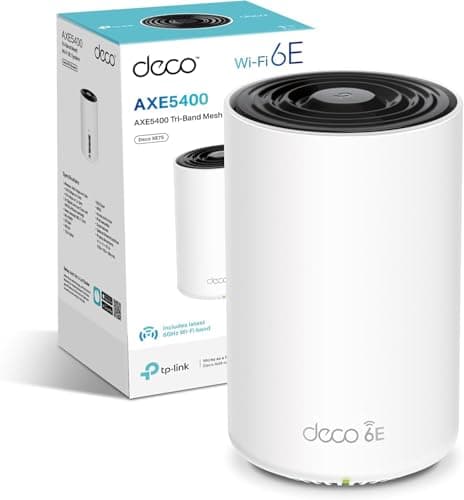
The CT8 sits in a competitive part of the market. The two most obvious alternatives at a similar or slightly higher price are the TP-Link Deco XE75 Pro (2-pack) and the Netgear Orbi RBK752 (2-pack). The Deco XE75 Pro brings Wi-Fi 6E (adding the 6GHz band), which is a meaningful hardware upgrade for future-proofing, and TP-Link's app is well-regarded. The Orbi RBK752 is Wi-Fi 6 with a dedicated backhaul, and Netgear's hardware quality is solid, but Orbi pushes you toward a paid subscription for the Armor security features that ASUS includes for free. That subscription cost adds up over a few years and genuinely affects the total cost of ownership comparison.
The CT8's advantages over both are the no-subscription security and parental controls, the AiMesh ecosystem compatibility for future expansion, and a firmware feature set that's deeper than TP-Link's at the same price. Its disadvantages are the Wi-Fi 5 standard (no OFDMA, no 6GHz band) and the Gigabit-only ports. If future-proofing is your priority, the Deco XE75 Pro is the more sensible buy right now. If you want the deepest feature set with the lowest ongoing cost, the CT8 still makes a case for itself, particularly if the price has dropped from its launch level.
| Feature | ASUS ZenWiFi AC CT8 | TP-Link Deco XE75 Pro | Netgear Orbi RBK752 |
|---|---|---|---|
| Wi-Fi Standard | Wi-Fi 5 (AC3000) | Wi-Fi 6E (AXE5400) | Wi-Fi 6 (AX4200) |
| Backhaul | Dedicated 5GHz wireless | Dedicated 6GHz wireless | Dedicated 5GHz wireless |
| OFDMA | No | Yes | Yes |
| Max Ethernet Speed | 1GbE | 2.5GbE (WAN) | 1GbE |
| Security Features | AiProtection Pro (lifetime free) | HomeCare (free) | Armor by Bitdefender (subscription) |
| Parental Controls | Yes (lifetime free) | Yes (free) | Yes (subscription for full features) |
| USB Port | USB 3.0 per node | No | USB 3.0 (primary node only) |
| Ecosystem Expansion | AiMesh (wide compatibility) | Deco ecosystem | Orbi ecosystem |
| Price (2-pack) | £482.72 · Details | Higher (current market) | Similar to higher (current market) |
Final Verdict
The ASUS ZenWiFi AC CT8 is a genuinely good mesh system that's showing its age in specific, predictable ways. The dedicated wireless backhaul is properly implemented and makes a real difference to the far-node experience. The feature set, particularly the lifetime-free AiProtection Pro and parental controls, is more generous than most competitors at this price. The AiMesh ecosystem gives you a sensible upgrade path if you need to add nodes later. And the positive overall rating from hundreds of real owners suggests that most people who buy it are satisfied with it, which is a more reliable signal than any spec sheet.
The honest limitations are equally clear. Wi-Fi 5 means no OFDMA, which matters in dense device environments. The Gigabit-only ports are a constraint if you're on or planning for a multi-gigabit broadband connection. And buying a 2019 Wi-Fi 5 system at premium prices in 2024 means you're getting less future-proofing than a Wi-Fi 6 or Wi-Fi 6E alternative at a similar price point. The CT8 was a great buy at launch. Whether it's a great buy now depends almost entirely on what it's currently selling for.
If the price has come down to a level that reflects its age relative to Wi-Fi 6 competition, it's a solid recommendation for households with larger homes, moderate device counts, and no multi-gigabit broadband. The coverage is real, the backhaul design is sound, and the ongoing cost of ownership is lower than Netgear's subscription-heavy alternative. But if it's still priced at or near Wi-Fi 6 mesh territory, the honest advice is to spend a bit more and get the TP-Link Deco XE75 Pro or a comparable Wi-Fi 6 system instead. You'll get OFDMA, better device handling, and a hardware platform that won't feel dated in two years. The CT8 is good kit. It's just not 2024's best answer at a 2024 premium price.
Who should buy it: Owners of three and four-bedroom homes with patchy coverage, on standard broadband connections under 1Gbps, who want a feature-rich system with no ongoing subscription fees and room to expand via AiMesh.
Who should skip it: Anyone on multi-gigabit broadband, anyone building a dense smart home with 40-plus active devices, and anyone buying new at full premium price when Wi-Fi 6 alternatives are available at similar cost.
The smarter buy if you don't need this one's specific strengths: The TP-Link Deco XE75 Pro (2-pack) gives you Wi-Fi 6E, OFDMA, and a 2.5GbE WAN port for future-proofing, and TP-Link's app is clean and reliable. If you're spending serious money on a mesh system today, that's the direction to look first.
Our rating: 7.5 out of 10. Excellent execution of a design that was class-leading in 2019. Still competent in 2024. Just not the best value at full price when newer standards are available at comparable cost.
What works. What doesn’t.
6 + 5What we liked6 reasons
- Dedicated 5GHz wireless backhaul keeps client bandwidth separate from mesh overhead, meaningfully improving far-node performance
- AiProtection Pro security and parental controls are included for life with no subscription fee, unlike several key rivals
- AiMesh ecosystem compatibility allows expansion with other ASUS routers, giving a practical upgrade path
- Three Gigabit LAN ports per node plus USB 3.0 on each node is a generous and practical port allocation
- Setup is straightforward via the ASUS Router app and owner reviews consistently describe the process as painless
- Deep firmware feature set including QoS, VPN server and client, guest networks, and detailed traffic monitoring
Where it falls5 reasons
- Wi-Fi 5 (802.11ac) means no OFDMA, which limits efficiency on networks with 30 or more simultaneously active devices
- Gigabit-only Ethernet ports are a bottleneck for anyone on or planning for a multi-gigabit broadband connection
- Buying a 2019 hardware platform at premium pricing in 2024 offers less future-proofing than comparable Wi-Fi 6 alternatives
- Firmware update cadence has slowed as the product ages, with no published end-of-life security support date from ASUS
- A minority of owners report occasional stability issues requiring periodic reboots, particularly across certain firmware versions
Full specifications
7 attributes| Antennas | 0 |
|---|---|
| Coverage SQM | 500 |
| Launch year | 2020 |
| Mesh capable | true |
| TOP speed mbps | 3000 |
| Type | mesh_router |
| Wifi standard | Wi-Fi 5 |
If this isn’t right for you
2 options

Frequently asked
7 questions01Does the ASUS ZenWiFi AC CT8 support Wi-Fi 6?+
No. The CT8 is built on the Wi-Fi 5 (802.11ac) standard. It does not support Wi-Fi 6 features such as OFDMA or the improved device scheduling that comes with 802.11ax. This is a hardware limitation and cannot be changed through a firmware update.
02How does the CT8 handle the backhaul between its two nodes?+
The CT8 uses a dedicated 5GHz band (rated at 1,733Mbps theoretical) exclusively for node-to-node communication. Your devices never compete with this backhaul link for airtime, which is a meaningful design advantage over cheaper dual-band mesh systems that share a single band between clients and backhaul.
03Can I add more than two nodes to the ASUS ZenWiFi AC CT8 system?+
Yes. The CT8 runs on ASUS's AiMesh platform, which is compatible with a wide range of other ASUS routers. If two nodes do not provide sufficient coverage for your property, you can add compatible AiMesh routers as additional nodes without starting over with a new system.
04Does AiProtection Pro require a subscription fee?+
No. ASUS includes AiProtection Pro, powered by Trend Micro, at no ongoing subscription cost for the lifetime of the product. This covers real-time network monitoring, malicious site blocking, and vulnerability protection. It is a notable advantage over rivals such as Netgear Orbi, which require a paid Armor subscription for equivalent security features.
05Is the CT8 suitable for a home with more than 50 connected devices?+
The CT8 is rated for up to 100 simultaneous devices and handles typical UK household loads of 20 to 50 devices comfortably. However, it lacks OFDMA, so very dense networks with 40 or more devices all actively transferring data simultaneously will be handled less efficiently than on a Wi-Fi 6 system. For most households this is not a practical problem, but high-density smart homes may benefit from a newer standard.
06Can I use a wired Ethernet connection between the two CT8 nodes instead of wireless backhaul?+
Yes. The CT8 supports wired backhaul via Ethernet cable between the two nodes. If you can run a cable between them, this is strongly advisable: it removes the wireless backhaul entirely, gives you a full Gigabit link between nodes, and makes the system behave like two wired access points. Most buyers will use wireless backhaul, which works well, but the wired option is there for those with the cabling infrastructure in place.
07How does the ASUS ZenWiFi AC CT8 compare to the TP-Link Deco XE75 Pro?+
The Deco XE75 Pro is a Wi-Fi 6E system with OFDMA, a 6GHz backhaul band, and a 2.5GbE WAN port, making it the stronger choice for future-proofing and dense device environments. The CT8 counters with a deeper firmware feature set, lifetime-free AiProtection Pro security, and the broader AiMesh ecosystem for expansion. If future-proofing is your priority and prices are comparable, the Deco XE75 Pro is the more sensible buy. If you want lower ongoing ownership costs and a wider feature set, the CT8 still makes a reasonable case.