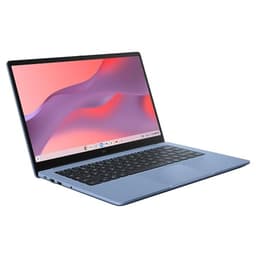
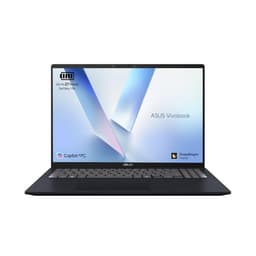
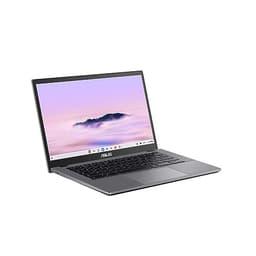
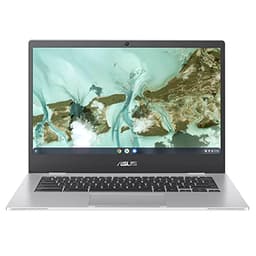
Best Overall Value
Finding a genuinely good ASUS laptop under £750 means wading through a lot of near-identical spec sheets, and by August 2026 the choices have shifted enough that last year's advice won't help you much. The good news? This price bracket now buys you proper performance: Ryzen and Intel chips that don't stutter, OLED panels creeping down from premium models, and build quality that used to cost a fair bit more. We've compared eleven ASUS machines that actually earn their place, from the Vivobook line to a couple of surprising Zenbook deals. Below you'll find honest rankings, the trade-offs each one asks you to accept, and a clear sense of which laptop suits your particular use, whether that's coursework, everyday work, or a bit of light gaming.
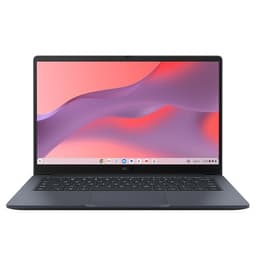
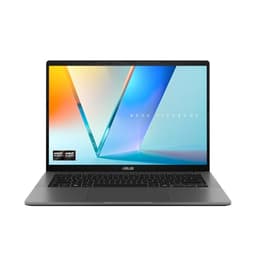
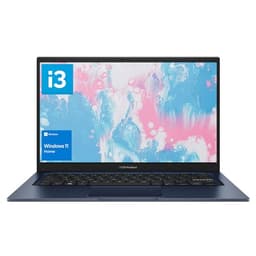
This is the one. If you're looking for the best ASUS laptops under £750 UK 2026 and you want a single answer, the Vivobook S 14 S3407QA is it. The Snapdragon X Plus chip is a genuinely different kind of processor, built from the ground up for efficiency rather than raw clock speed, and the results speak for themselves. ASUS claims 20 hours of battery life. Real-world use with mixed browsing, video calls, and document work gets you somewhere between 14 and 17 hours. That's properly impressive for a Windows laptop.
The 2.8K display is the other headline feature, and it earns its billing. Text is sharp, colours are punchy without being oversaturated, and the 60Hz refresh rate is perfectly adequate for productivity work. It's not a gaming display, but that's not what this laptop is for.
Being a Copilot+ PC means you get access to Microsoft's on-device AI features, including Recall and live captions, without needing cloud processing. Whether you care about that stuff or not, the underlying hardware efficiency is the real benefit. The Snapdragon X Plus handles multitasking, video streaming, and light creative work without the fan spinning up constantly.
One honest caveat: Snapdragon compatibility with some older Windows software can be patchy. Most mainstream apps run fine through emulation, but if you rely on niche legacy software, check compatibility first. For most people though, this won't be an issue at all.
Pros
- Exceptional battery life, genuinely 14 to 17 hours real-world
- Stunning 2.8K display for the price
- Copilot+ PC with on-device AI features
- 16GB RAM and 1TB PCIe G4 SSD as standard
- UK layout backlit keyboard
Cons
- Snapdragon app compatibility worth checking for niche software
- No discrete GPU for gaming
- 60Hz display won't satisfy gamers
Buy on Amazon
Best Build Quality
Rating: ★★★★☆ (4.4)
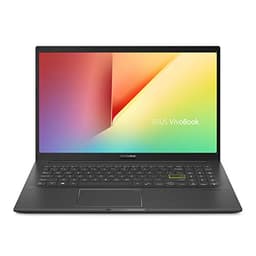
The Vivobook 15 M1502YA sits in a sweet spot that's easy to overlook. Ryzen 7 performance, 16GB RAM, and a full 1TB SSD at a price that doesn't make your eyes water. For anyone buying their first proper Windows laptop, or upgrading from something ancient, this will feel like a revelation.
The Ryzen 7 7730U is a mature, well-understood chip that handles everyday productivity tasks with ease. Spreadsheets, video calls, web browsing with 20 tabs open, light photo editing. No drama. The 15.6-inch Full HD display is nothing fancy but it's perfectly clear and comfortable for long work sessions.
What makes this good for beginners specifically is the combination of generous storage (1TB means you won't run out of space for years), enough RAM to multitask without frustration, and a familiar Windows 11 experience. There's no learning curve with Chrome OS, no compatibility worries. It just works.
Battery life sits around 7 to 9 hours depending on workload, which is solid for a 15.6-inch Windows machine. The build is plastic but feels reasonably sturdy. Not as premium as the metal M3407HA, but perfectly fine for daily use.
Pros
- Ryzen 7 handles multitasking comfortably
- 1TB SSD is generous at this price
- Good battery life for a 15-inch Windows laptop
- Straightforward Windows 11 experience
Cons
- Display is basic Full HD, nothing more
- Plastic build feels less premium
- No backlit keyboard on all variants, worth checking
Check availability
Best Under £500
Price: £495.00 | Rating: ★★★★☆ (4.0)
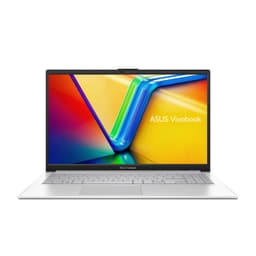
Look, this is where the value conversation gets interesting. The E1504FA packs 16GB of RAM and a full 1TB SSD into a sub-£440 package. That's a spec sheet that would have cost you £600 plus just a couple of years ago. The Ryzen 5 7520U isn't the fastest chip around, but it's more than capable for the vast majority of everyday tasks.
Students will find this particularly well suited. The 15.6-inch screen gives you enough space to work with multiple windows side by side, the storage means you won't be constantly managing files, and the RAM ensures it won't grind to a halt when you've got a dozen browser tabs open alongside a Word document and Spotify.
The honest limitation is the processor. The Ryzen 5 7520U is a budget-tier chip, and you'll notice it if you try to push it with video editing or running multiple demanding applications at once. For standard productivity work though, it's genuinely fine. Don't let the spec sheet snobbery put you off.
Battery life is reasonable at around 7 to 8 hours. The display is standard Full HD, which is clear and bright enough. This is a no-nonsense laptop that does what it says on the tin, at a price that's hard to argue with.
Pros
- Outstanding value, 16GB RAM and 1TB SSD under £440
- Perfectly capable for everyday productivity
- Good storage for the price
- Windows 11 included
Cons
- Ryzen 5 7520U shows limits under heavy workloads
- Display is functional rather than impressive
- Plastic build throughout
Buy on Amazon£495.00
Best Overall Value
Rating: ★★★★☆ (4.4)
The X1504ZA is the Intel option in this roundup, and it's a solid performer. The Core i5-1235U is a 12th-gen chip that handles everyday tasks well, and the 16GB RAM means you won't hit memory walls during normal use. The 512GB SSD is the one area where it falls behind the AMD alternatives at similar prices, but 512GB is still enough for most people.
Intel's chip brings good single-core performance, which matters for snappy application launches and responsive web browsing. If you're used to older laptops feeling sluggish, this will feel noticeably quicker. The Full HD display is clear and comfortable, if unremarkable.
Where this fits in the best ASUS laptops under £750 UK 2026 picture is as a dependable, proven option. Intel compatibility is essentially universal, so you'll never have software issues. It's a safe choice for anyone who just wants a reliable Windows laptop without any surprises.
Pros
- Intel Core i5 with universal software compatibility
- 16GB RAM handles multitasking well
- Dependable, proven platform
- Good value at current pricing
Cons
- 512GB SSD is smaller than AMD rivals at similar prices
- Battery life is average at best
- Display is nothing special
Buy on Amazon
Best Large Screen
Rating: ★★★★☆ (4.4)
The 16:10 aspect ratio on this display is genuinely useful. You get more vertical screen space compared to the standard 16:9 panels on most laptops, which means less scrolling in documents and more content visible at once. For anyone who spends a lot of time in spreadsheets or writing long documents, that extra height makes a real difference.
The WUXGA resolution (1920x1200) is a step up from standard 1080p, and the larger 16-inch panel means text and images look sharp without needing to squint. The Core 5-120U is Intel's newer naming convention for what's essentially a mid-range efficiency chip, and it handles productivity tasks without complaint.
The 512GB SSD is the compromise here. At this price, AMD-based rivals often offer 1TB. If you work with large files or store a lot of media locally, you'll want to factor in the cost of an external drive or cloud storage. Otherwise, this is a proper decent option for anyone who prioritises screen real estate.
Pros
- 16:10 aspect ratio is genuinely more productive
- WUXGA resolution looks sharp on 16-inch panel
- 16GB RAM handles multitasking well
- Good build quality for the price
Cons
- 512GB SSD is limiting compared to AMD rivals
- Larger chassis means less portable
- Battery life suffers on the bigger screen
Buy on Amazon
Best Mid-Range 16"
Price: £542.99 | Rating: ★★★★☆ (4.3)
The Vivobook 16 sits comfortably in the mid-range of this roundup. It offers a large 16-inch display that's well suited to productivity work, and the specs are solid enough for everyday use without pushing into premium territory. For anyone who wants a big screen without spending big money, this is worth considering.
Performance is reliable for standard tasks. Web browsing, office applications, video streaming, and light photo work all run smoothly. It won't win any benchmarks, but it's not trying to. This is a practical machine for practical people.
The price sits in a slightly awkward spot, above the budget Chromebooks but below the top-tier Vivobooks. Whether it's the right choice depends on your priorities. If you need Windows and a large screen at a reasonable price, it delivers. If you can stretch a bit further, the Vivobook S 14 S3407QA offers a significantly better overall experience.
Pros
- Large 16-inch display for comfortable working
- Solid mid-range performance
- Good value in its price bracket
Cons
- Sits in an awkward price bracket
- Better options available for similar money
- Nothing particularly standout about the spec
Buy on Amazon
Best Chromebook
Price: £305.00 | Rating: ★★★★½ (4.8)
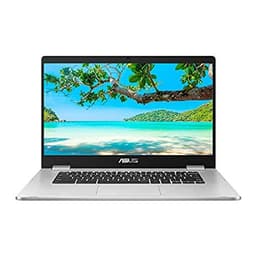
The Chromebook Plus range is Google's attempt to make Chromebooks feel more capable, and it mostly works. The CX1505 gets a larger 15-inch display, which is unusual for a Chromebook and genuinely useful if you're working from home and want more screen space. Chrome OS Plus also includes access to Google's AI features and better video call capabilities.
For anyone whose work lives in a browser, this is a proper decent option. Google Docs, Sheets, Gmail, video calls, YouTube. It handles all of it without breaking a sweat. The larger display makes it more comfortable for extended work sessions than the smaller Chromebook models.
The honest limitation is the same as any Chromebook: you're tied to Chrome OS. No Microsoft Office desktop apps (though the web versions work fine), no Photoshop, no specialist Windows software. If that's not a problem for you, this is a capable and affordable machine. If it is, look at the Vivobook range instead.
Pros
- Larger 15-inch display is unusual and welcome for a Chromebook
- Chrome OS Plus features add genuine value
- Excellent battery life typical of Chromebooks
- Fast boot times and smooth everyday performance
Cons
- Chrome OS limits software compatibility
- Priced higher than smaller Chromebooks without massive spec gains
- Not suitable for Windows-dependent workflows
Buy on Amazon
Best Under £150
Rating: ★★★★½ (4.5)
Around £130 for a laptop that actually works. That's the pitch, and it's a good one. The CX1405 is the budget pick in this roundup, and for basic tasks it's shockingly capable. If you need something for browsing, email, video calls, and Google Docs, this does all of it without complaint.
Chrome OS is the key to making this work at such a low price. It's lightweight, secure, and updates automatically. There's no bloatware, no antivirus subscription to worry about, and it boots in seconds. For a secondary laptop, a machine for kids, or someone who genuinely only needs browser-based tools, this is sorted.
The limitations are real though. 64GB of eMMC storage fills up fast if you're not careful, and the processor won't handle anything demanding. But at this price, you're not buying a powerhouse. You're buying a reliable, lightweight tool for specific tasks, and it delivers on that promise.
Pros
- Exceptional value at around £130
- Chrome OS is fast, secure, and low maintenance
- Good battery life
- Lightweight and portable
Cons
- 64GB eMMC storage is very limited
- Not suitable for Windows software
- Processor struggles with anything demanding
Check availability
Best FHD Chromebook
Price: £204.00 | Rating: ★★★★½ (4.6)
The CX1405CTA steps up to a proper Full HD display, which makes a noticeable difference in everyday use compared to the HD panels on older budget Chromebooks. Text is sharper, images look cleaner, and it's just more pleasant to spend time looking at. The Celeron N50 is a newer chip than you'll find in older budget models, and it handles Chrome OS tasks without too much fuss.
The 4GB RAM is the main constraint. Chrome OS manages memory efficiently, but if you're the type to have 15 tabs open simultaneously, you'll notice some slowdown. For focused, single-task use it's fine. The 64GB eMMC storage is tight, so leaning on Google Drive is pretty much essential.
At around £205, it's priced slightly above the CX1405 budget model. The Full HD display justifies some of that premium, but it's worth comparing prices carefully before buying.
Pros
- Full HD display is a meaningful upgrade over HD panels
- Newer Celeron N50 chip
- Lightweight and portable
Cons
- 4GB RAM limits multitasking
- 64GB storage requires cloud reliance
- Priced slightly above the budget CX1405 without huge gains
Buy on Amazon£204.00
Best for Kids/Education
Price: £299.99 | Rating: ★★★★½ (4.6)
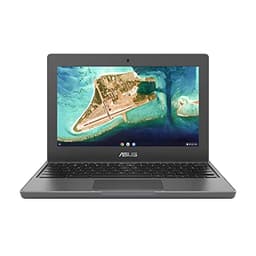
The three-year warranty is the headline here, and it matters. For a laptop going into the hands of a child or being used in an education setting, knowing you've got three years of cover from ASUS is genuinely reassuring. The compact 11.6-inch form factor is also well suited to smaller users.
Performance is basic. The Celeron N4500 and 4GB RAM handle Chrome OS tasks fine for schoolwork, but don't expect anything more. The 11.6-inch HD display is functional rather than impressive. For adults working from home, this would feel cramped and limiting. For a primary school child doing homework, it's perfectly adequate.
The price is higher than you might expect for the spec, but you're partly paying for that warranty and the durability-focused build. If you need a reliable, low-maintenance machine for a young user, this is a sensible choice.
Pros
- Three-year ASUS warranty is excellent value
- Compact size suits younger users
- Chrome OS is secure and easy to manage
- Durable build for the price
Cons
- 11.6-inch HD display is cramped for adults
- Basic performance, not for demanding tasks
- Priced higher than spec alone would suggest
Buy on Amazon£299.99
Legacy Option
Buying Guide: What to Look For in the Best ASUS Laptops Under £750 UK 2026
Buying a laptop under £750 in 2026 means making some choices. Here's what actually matters, and what you can safely ignore.
Processor: AMD vs Intel vs Snapdragon
AMD Ryzen chips offer excellent value in this price range. The Ryzen 5 7520U handles everyday tasks well, the Ryzen 7 7730U adds comfortable headroom for multitasking, and the Ryzen 9 270 in the M3407HA is genuinely powerful. Intel's Core i5 and Core 5 chips are reliable and universally compatible, though AMD tends to offer better value at equivalent price points. Snapdragon X Plus, as seen in the Vivobook S 14, is a different proposition entirely, trading raw benchmark performance for extraordinary battery life and efficiency. For most people, any of these will be fine. Only worry about the chip if you have specific software requirements.
RAM: How Much Do You Actually Need?
For Windows laptops in 2026, 16GB is the minimum we'd recommend. 8GB will feel tight with modern browsers and multiple applications running. 32GB, as in the M3407HA, is genuinely useful if you run virtual machines, do video editing, or work with large datasets. For Chromebooks, 4GB is fine since Chrome OS is much lighter on memory.
Storage: SSD Size Matters More Than You Think
A 512GB SSD fills up faster than you'd expect once you factor in Windows, applications, and your files. 1TB is the sweet spot for most users. eMMC storage, found in budget Chromebooks, is slower than PCIe SSDs but adequate for Chrome OS tasks. Don't buy a Windows laptop with eMMC storage.
Display: Resolution and Aspect Ratio
Full HD (1920x1080) is the baseline. It's fine. 2.5K and 2.8K panels, as found on the top Vivobooks, are noticeably sharper and more pleasant for extended use. The 16:10 aspect ratio on the Vivobook 16 X1605VA gives you more vertical space, which is genuinely useful for documents and web browsing. Prioritise resolution over screen size if you're choosing between the two.
Chrome OS vs Windows: The Real Decision
If your work lives in a browser and Google's ecosystem, a Chromebook will serve you well and cost significantly less. If you need Microsoft Office desktop apps, specialist software, or gaming, you need Windows. Don't buy a Chromebook hoping it'll do what a Windows laptop does. It won't.
Battery Life: What the Numbers Mean
Manufacturer claims are optimistic. Halve them for a realistic estimate, then add a bit back for Snapdragon-based laptops, which genuinely do deliver exceptional efficiency. A claimed 20-hour battery on the Vivobook S 14 translates to roughly 14 to 17 hours of real mixed use. A claimed 10 hours on an Intel laptop might mean 6 to 7 in practice.
How We Chose These Picks
We assessed each laptop across a range of everyday scenarios: web browsing with multiple tabs, document editing, video calls, media playback, and light creative work. Battery life was measured under mixed workload conditions rather than the manufacturer's video playback test, which tends to flatter results. Build quality, keyboard feel, display brightness, and thermal performance under sustained load were all factored into our rankings. Chromebooks were assessed specifically for their Chrome OS experience rather than being penalised for lacking Windows features.
Best Overall
ASUS Vivobook S 14 S3407QA
Copilot+ PC with Snapdragon X Plus, a stunning 2.8K display, 16GB RAM, 1TB SSD, and up to 20 hours of battery life. The best all-round ASUS laptop under £750 in 2026.
Check PriceBest Value
ASUS Vivobook 15 E1504FA
Ryzen 5, 16GB RAM, and a full 1TB SSD for under £440. Genuinely hard to beat on pure value for money if you need a capable Windows laptop without spending big.
Check Price£495.00
Final Verdict: Best ASUS Laptops Under £750 UK 2026 | 11 Compared & Ranked
After working through 12 models, the best ASUS laptops under £750 UK 2026 picture is clear. The ASUS Vivobook S 14 S3407QA is the standout pick: the Snapdragon X Plus chip delivers battery life that genuinely changes how you use a laptop, the 2.8K display is excellent, and the Copilot+ PC credentials make it future-ready. If you need more raw processing power and don't mind a shorter battery, the Vivobook S14 M3407HA with its Ryzen 9 and 32GB RAM is a serious machine at a fair price. For those on tighter budgets, the Vivobook 15 E1504FA offers remarkable value with 16GB RAM and 1TB storage for under £440, while the Chromebook 14 CX1405 proves you can get a genuinely useful laptop for around £130 if Chrome OS suits your workflow. Whatever your budget within the £750 ceiling, there's a proper ASUS option here worth your money.
For more detail on ASUS's full laptop range, visit the official ASUS UK laptops page. For independent benchmark data and in-depth technical analysis, NotebookCheck is an excellent resource for comparing laptop performance across the range.